Certified Dispute Resolution Landing Page Template
Resolve is a split-screen landing page template built for mediators and arbitrators who need to earn client trust through evidence, not promises. It leads with outcome statistics, guides visitors through a structured consultation form, and offers a secondary download path for cautious prospects. The result is a professional, conversion-focused page that speaks directly to families, business partners, and legal counsel.
by Rocket studio
Quick summary
Resolve is a single-page, split-screen template designed for mediator and arbitrator practices. It opens with a stat-forward manifesto header, cascades proof-driven sections through the page, and closes every scroll with a clear path to a confidential consultation. The layout balances legal authority with approachable language, making it effective for both individual clients and in-house counsel.
Who this template is for
This template serves dispute resolution professionals who need a credible, client-facing web presence. It is built for practitioners who handle complex cases and need the page to do the trust-building work before a prospect ever picks up the phone.
- Mediators and arbitrators serving family, commercial, employment, or real estate disputes
- Solo practitioners and small practices targeting both individual clients and corporate legal teams
- Professionals seeking a location-specific and service-area-focused page to build regional authority
What problem this template solves
Many dispute resolution professionals rely on referrals alone, with no digital presence strong enough to convert a cold visitor. A prospect facing a costly legal dispute needs proof of outcomes before they are willing to share any personal details.
- Generic law-firm templates do not lead with the settlement statistics that mediation clients actually trust
- Most landing pages ask for contact information before they have earned the right to ask
- Practitioners lack a structured way to capture leads from both ready-to-call prospects and early-stage researchers
What you get with this template
You get a fully structured, single-page layout that places outcome data first and contact forms second. Every section is designed with a specific role in the visitor's decision journey.
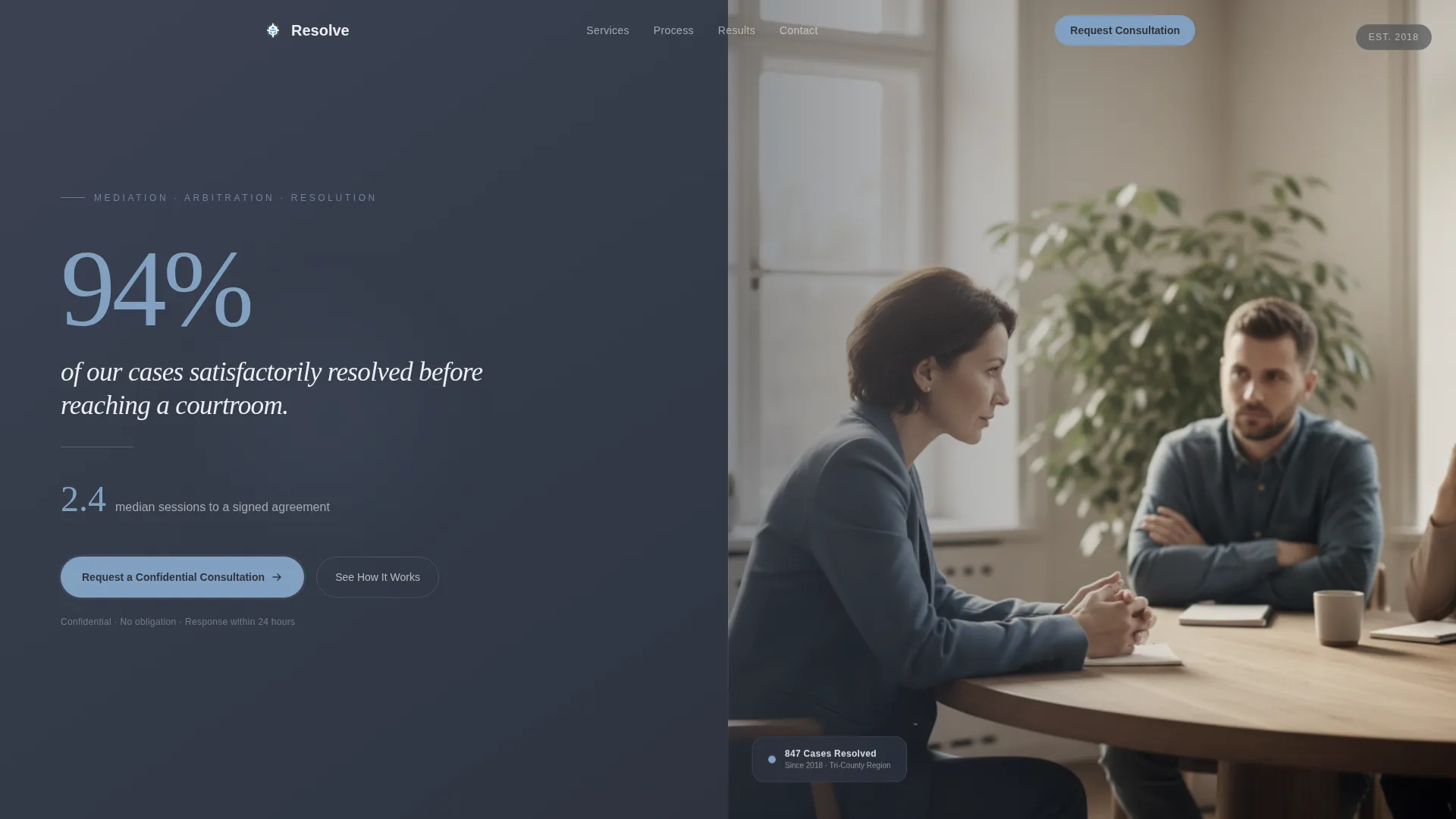
- A split-screen header that pairs a 94-percent resolution-rate stat with a human context photograph
- A cascading stats section linking firm-wide data to location-specific credentials
- Two conversion paths: a detailed consultation request form and a gated PDF download for cautious visitors
Feature list
This template includes purpose-built sections and components that serve the specific needs of a mediation and arbitration practice.
Split-Screen Manifesto Header
The header divides into two equal panels. The left carries a large serif typographic quote displaying the 94-percent resolution rate and a secondary stat for median sessions to resolution. The right displays a muted, desaturated photograph of a firm handshake over a signed document, with faces cropped out. The composition communicates agreement without manufactured warmth.
Stats-First Cascade Layout
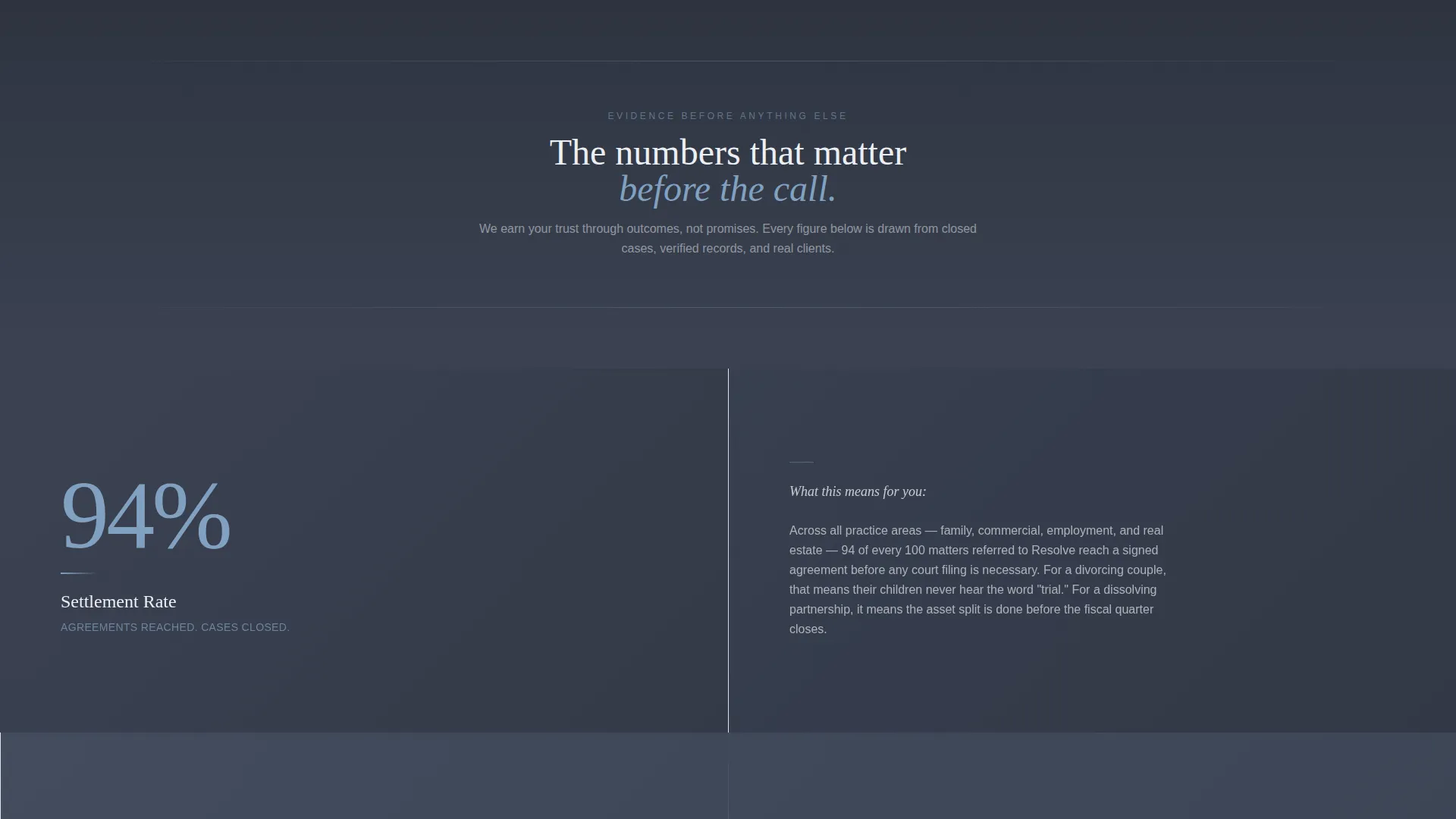
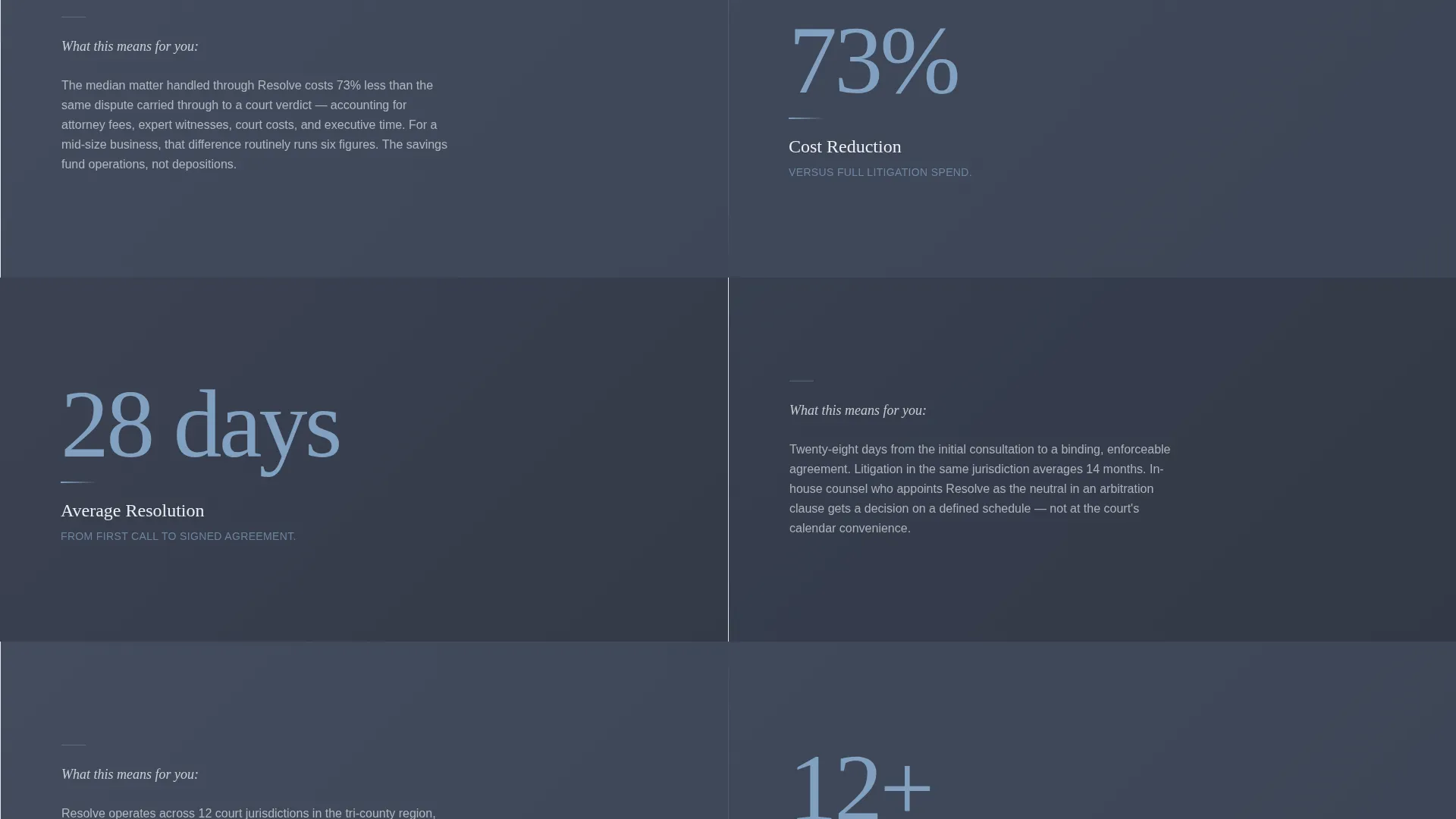
As the visitor scrolls, each section leads with a large sky-blue numeral on a deep slate panel before the explanation appears. Stats include settlement rate, average days to resolution, cost savings compared to litigation, and case volume by service area. The data progression moves from firm-wide proof to location-specific credentials.
Primary Consultation Request Form
The lead-generation form is structured in a deliberate sequence. It opens with a dispute-type selector covering family, commercial, employment, real estate, and other categories. It then asks for party count, a free-text situation description, and finally name, phone, and email. This order earns the visitor's trust before requesting personal contact details.
Gated Process Guide Download
A secondary conversion path offers a downloadable mediation process guide as a gated asset. Visitors who are not ready to call can exchange only their email address and dispute type to receive the guide. This captures leads at an earlier stage of the decision process without pressuring them into a full consultation request.
Location and Jurisdiction Credentials Block
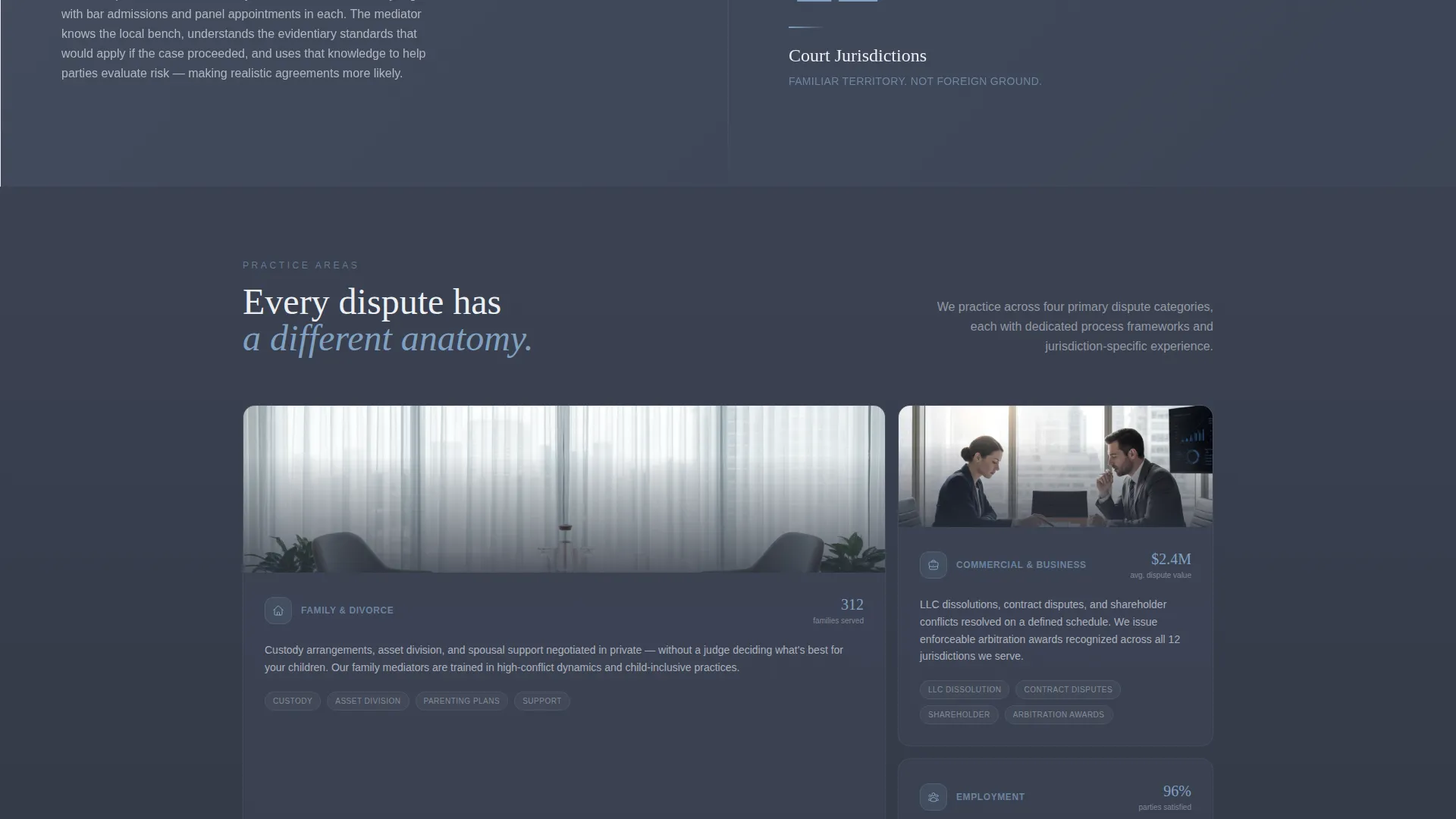
As the visitor scrolls deeper, the page shifts from general proof to practice-specific authority. This section surfaces counties served, familiar court jurisdictions, bar admissions, and panel appointments. It is designed to reassure in-house counsel and informed clients that the mediator has direct, relevant local experience.
Dual Call-to-Action Placement
The primary call to action, labeled "Request a Confidential Consultation," appears at the header fold and again after the stats cascade. Repeating the call to action at two scroll-depth points captures both fast-moving prospects and those who needed the data proof before deciding to engage.
Page sections overview
| Section | Purpose |
|---|---|
| Split-screen header | Lead with resolution-rate stat and handshake photograph |
| Stats cascade panels | Display settlement rate, days, cost savings, and case volume |
| Human context copy | Translate each stat into a real client scenario |
| Location credentials block | Show counties, jurisdictions, bar admissions, and panel roles |
| Primary consultation form | Capture dispute type, party count, situation, and contact details |
| Gated PDF download | Collect email and dispute type from early-stage visitors |
| Secondary call to action section | Reinforce consultation request after the stats cascade |
Design & branding system
The visual identity follows a Legal Shield theme built on the Slate and Sky color system. The palette is designed to feel like looking out of a high-floor law office window on a clearing afternoon: serious weight in the background, with open light breaking through.
- Deep courthouse slate (#3B4252) anchors headers and primary section backgrounds; storm-cloud charcoal (#434C5E) fills secondary panels
- Open-sky blue (#81A1C1) highlights every interactive element, stat numeral, and call-to-action button
- Brief-paper white (#ECEFF4) is reserved for body text fields, form backgrounds, and breathing space between sections
Mobile & speed optimization
The split-screen layout is structured to reflow cleanly on smaller viewports. On mobile, each 50/50 panel stacks vertically so the stat and its human context read in the correct order without losing meaning.
- The typographic stat panels remain legible at smaller sizes because the layout uses large numerals with short supporting text
- The consultation form uses a single-column flow on mobile, keeping the dispute-type selector and free-text field easy to interact with on touch screens
How this template helps you convert
The page is engineered so that trust is established through evidence before any personal information is requested. This approach reduces friction at the most sensitive moment in a prospect's decision.
- Outcome statistics appear before the first call to action, so visitors arrive at the form already convinced by the data rather than skeptical of an unsupported claim.
- Two conversion paths serve two audience types: the consultation form for prospects ready to engage now, and the gated guide download for those still researching, ensuring neither visitor type leaves without a next step.
Other information about this template
This template is part of a Professional Services collection focused on mediator and arbitrator online presence. It is specifically designed for the service area and location page niche, where local authority and outcome credentials are the primary trust signals.
- The template style is Split Screen (50/50) with a Quote and Manifesto header concept, both defined in the matched intersection context
- The creative direction is Stats-First Impact, meaning data is the visual anchor of every major section before explanatory copy appears
- The landing page direction is Lead Generation, with the form structure and dual call-to-action placement both serving that objective directly
Theme
Legal Shield
Creative direction
Stats-First Impact
Color system
Slate & Sky
Style
Split Screen (50/50)
Direction
Lead Generation
Page Sections
Split-screen Manifesto Header
Stats-first Cascade Sections
Structured Consultation Request Form
Gated Process Guide Download
Location and Jurisdiction Credentials
Dual Call-to-action Placement
Related questions
Can I adapt this template for a specific city or region?
Is this template suitable for a solo mediator, or is it designed for larger practices?
Do visitors have to complete the full consultation form to make contact?
What dispute types does the consultation form support?
Can this template be used for an arbitration-focused practice, not just mediation?



