Address - Prestigious Virtualoffice Landing Page Template
Address is a gallery-and-detail landing page template built for virtual office providers. It combines an interactive map hero, a curated location grid, and a three-step inline booking flow to turn browsing into reservations. The design uses deep navy, polished charcoal, and brushed gold to project corporate authority. Startups, solo consultants, and international firms are the natural audience.
by Rocket studio
Quick summary
Address is a single-page template for virtual office and co-working providers. It opens with an interactive dark-mode city map, flows into an editorial gallery of location cards, and closes with a frictionless three-step reservation flow. The visual system signals executive credibility. Every section steers a visitor from discovery toward a confirmed booking.
Who this template is for
This template suits service providers who offer prestigious business addresses, staffed reception, and bookable meeting rooms without requiring a traditional lease. It works equally well for companies targeting local professionals and those entering a new city market.
- Freelance attorneys who need a registered office address for bar compliance
- E-commerce founders who want a professional city-center address on invoices
- Overseas firms establishing a presence in a new market before committing to staff
What problem this template solves
Many virtual office providers lose visitors at two moments: when the offering feels abstract, and when the booking path feels complicated. This template solves both problems with a visual-first layout and a streamlined inline reservation flow.
- Visitors cannot picture the space, so moody editorial photography and an interactive map replace vague descriptions
- Booking friction is high on generic pages, so a three-step inline flow replaces external forms and redirects
- Mixed audiences need different entry points, so a secondary "Book a Meeting Room" path removes unnecessary steps for existing members
What you get with this template
You get a complete, single-page layout that covers the full buyer journey from curiosity to confirmed booking. Every section is purpose-built around the virtual office service model.
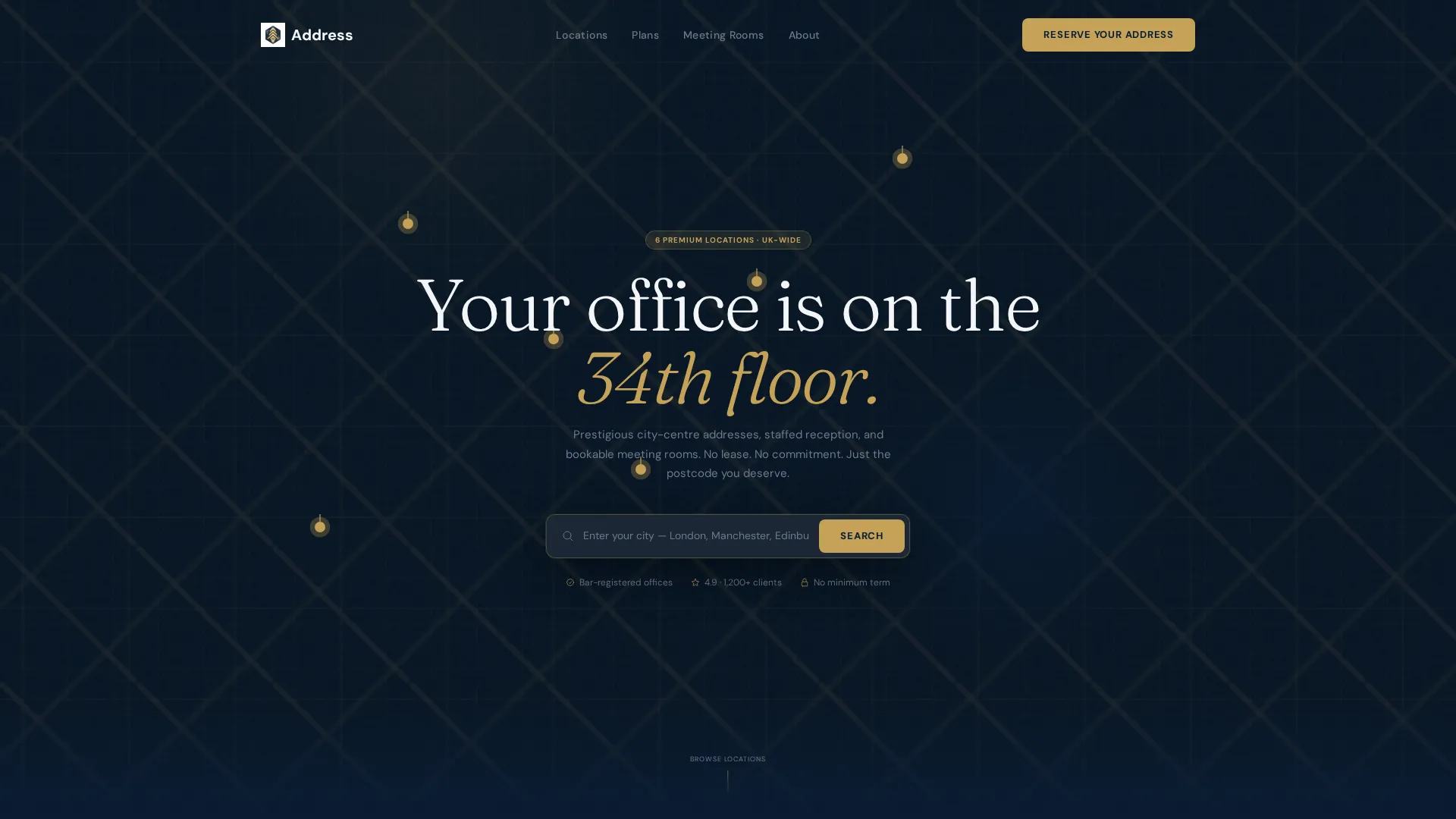
- A map-based hero with gold-pin location markers and hover micro-cards showing address and pricing
- A curated gallery grid that expands each location into a full detail panel with carousel, feature list, and live calendar strip
- A three-step inline booking flow covering plan selection, location choice, and start-date scheduling
Feature list
This template includes several purpose-built components that work together to build trust and drive reservations.
Interactive Dark-Mode City Map
The hero fills the full viewport with a dark-mode city map. Gold pins mark each available address. Hovering any pin raises a micro-card showing the building facade, street address, and a starting price tag. At rest, the map auto-pans slowly across the skyline to suggest a wide portfolio of locations.
Editorial Location Gallery
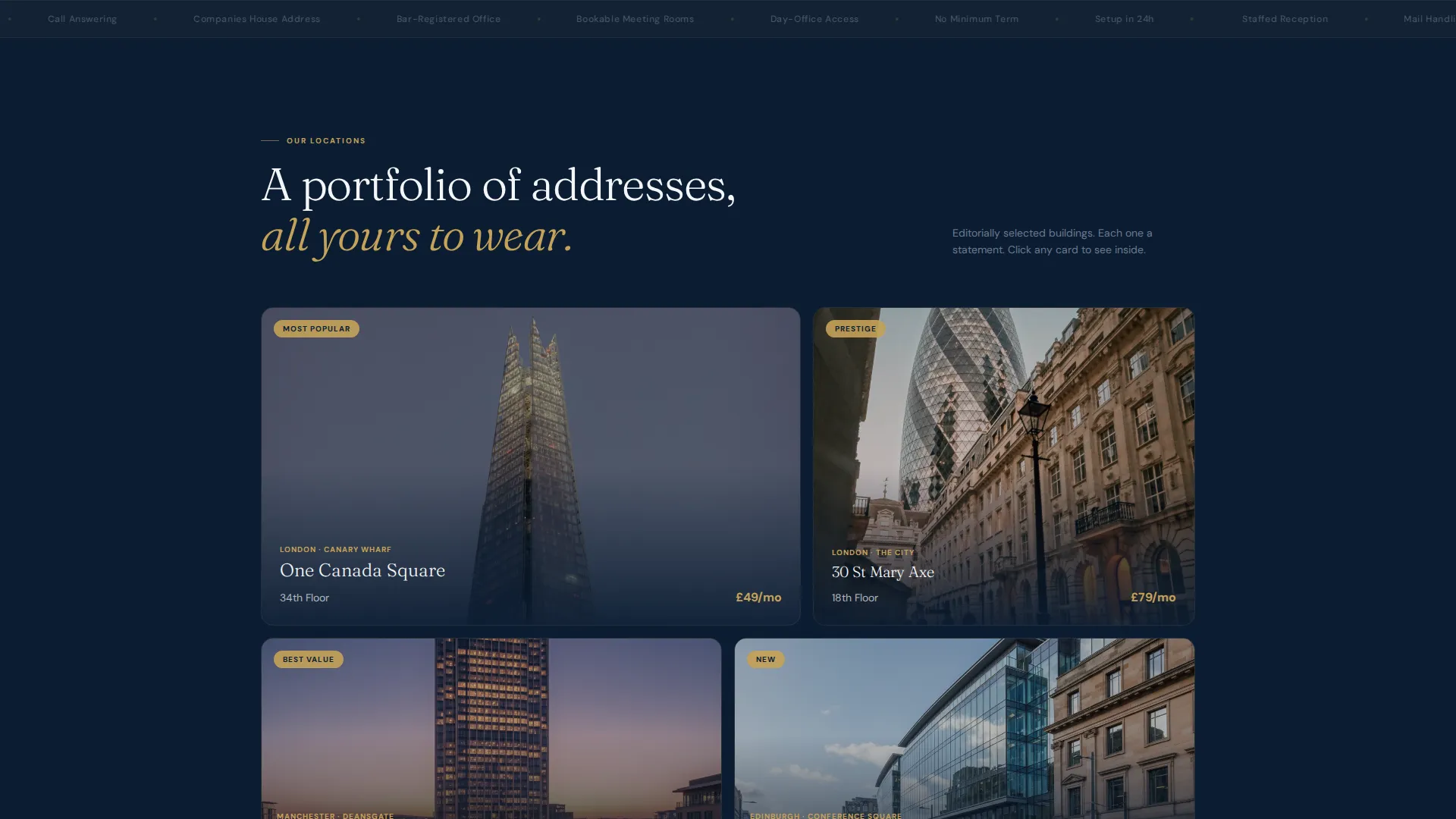
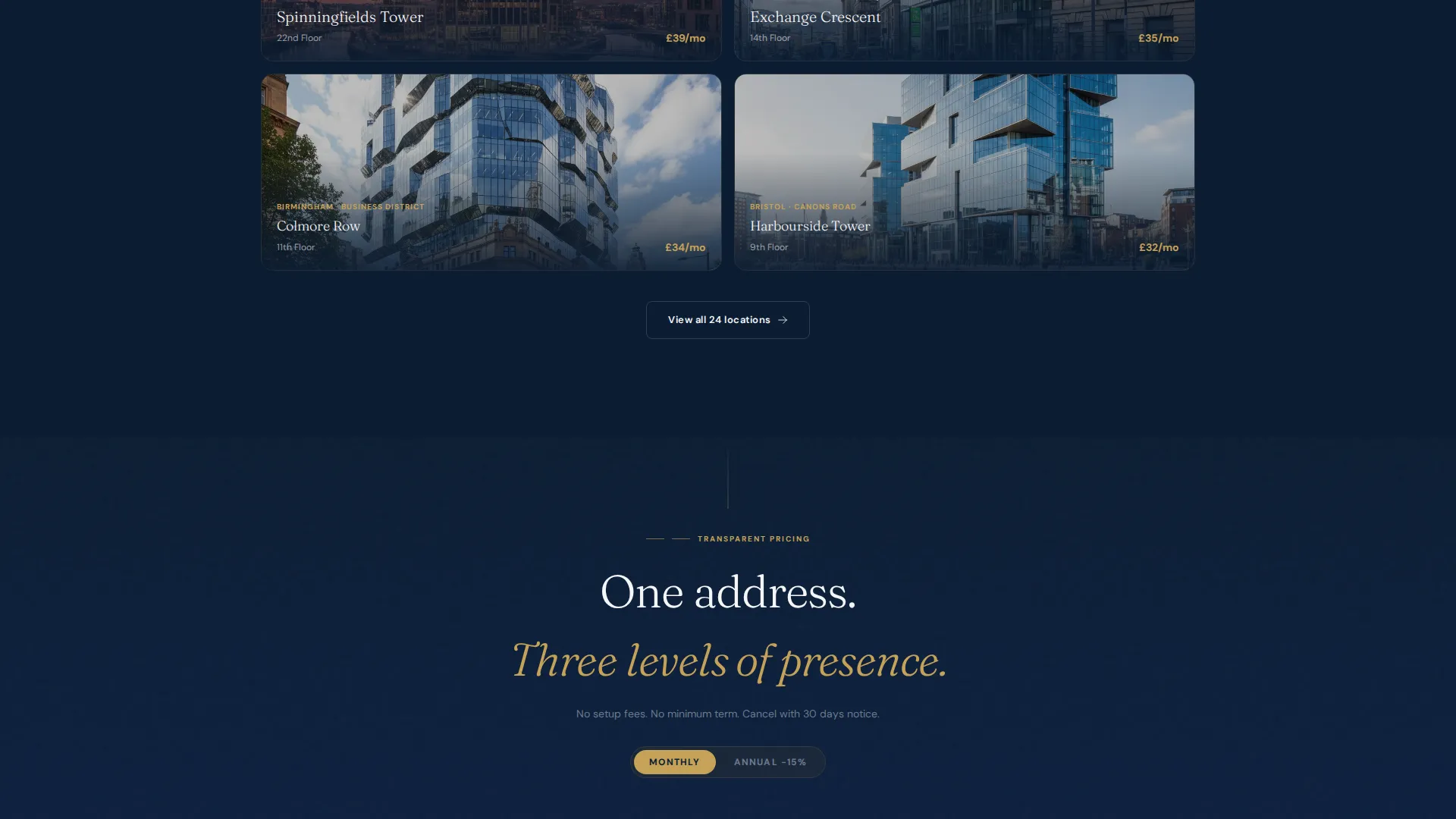
Below the map, a curated grid displays location cards using moody, editorially-lit photography of lobbies, corner meeting rooms, and reception desks. Each card projects a boutique-hotel quality. Scrolling the grid builds a sense of abundance before the visitor commits to a specific address.
Expandable Location Detail Panel
Clicking any gallery card opens a full detail panel. The left side holds a carousel of interior shots. The right side lists key features such as mail handling, call answering, and day-office access. A live calendar strip along the bottom shows available meeting-room slots.
Three-Step Inline Booking Flow
The primary call to action launches a three-step flow without leaving the page. Step one selects a service plan. Step two chooses a location from a filtered shortlist. Step three picks a start date and captures company name and billing email.
Secondary Room Booking Path
A dedicated "Book a Meeting Room" path bypasses the plan selector entirely. It drops straight into a date-and-time picker for hourly room hire. This reduces friction for returning members who simply need a space for a specific hour.
Persistent Mobile Call-to-Action Bar
On mobile, a fixed bottom bar keeps the "Reserve Your Address" call to action visible at all times. Visitors never need to scroll back to the top to take action.
Page sections overview
| Section | Purpose |
|---|---|
| Map hero header | Show all locations on an interactive dark-mode city map with gold pins and hover micro-cards |
| City search bar | Let visitors filter locations by entering their city directly in the hero |
| Location gallery grid | Display editorial photography of available addresses in a scrollable curated grid |
| Location detail panel | Expand a selected card into interior carousel, feature list, and booking calendar strip |
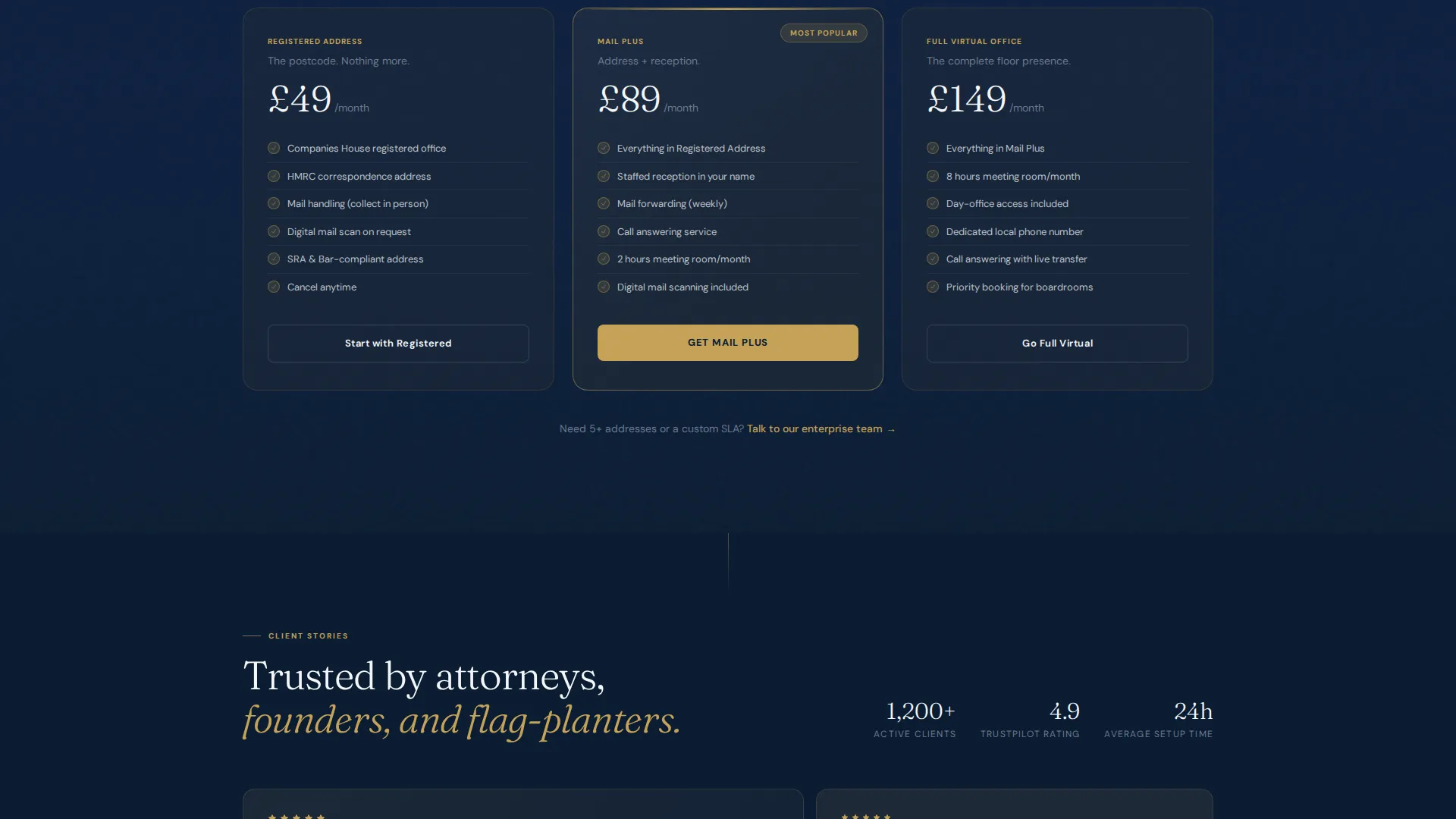
| Plan selection step | Guide visitors through choosing Registered Address, Mail Plus, or Full Virtual Office |
| Location filter step | Help visitors narrow their shortlist before confirming a specific address |
| Start date scheduler | Capture start date, company name, and billing email in one focused calendar widget |
| Meeting room booking | Provide a fast date-and-time picker path for hourly room hire |
| Mobile bottom bar | Keep the primary call to action anchored at the bottom of the screen on mobile |
Design & branding system
The visual identity follows a Corporate Precision theme. Every colour and typographic choice reinforces executive authority and quiet confidence.
- Deep executive navy (#0B1D33) and polished charcoal (#1E2A38) form the dominant dark palette, with crisp shirt-white (#F4F6F8) for body text contrast
- Brushed gold (#C5A258) is reserved strictly for calls to action, pricing highlights, and interactive map pins to maximise visual weight where decisions happen
- The overall feel references the inside of a leather portfolio under halogen light: authoritative, measured, and quietly signalling professional credibility
Mobile & speed optimization
The template is designed to perform across screen sizes without sacrificing the premium visual experience that the Corporate Precision theme requires.
- The persistent bottom call-to-action bar keeps the reservation prompt visible on mobile without interrupting the browsing flow
- The three-step inline booking flow is structured for thumb-friendly interaction, with each step occupying a focused, scrollable panel
- The secondary meeting-room booking path loads a compact date-and-time picker, keeping the mobile experience fast and task-focused
How this template helps you convert
Every layout decision in this template is oriented toward a single outcome: turning a browsing visitor into a confirmed reservation. The structure removes hesitation at each stage of the decision.
- The interactive map hero creates immediate geographic clarity and visual intrigue, pulling visitors deeper into the page rather than bouncing them away
- The expandable detail panel gives each location its own focused moment with interior photography, a clear feature list, and a live availability strip, building specific intent before the booking step
- The inline three-step flow and the secondary room-booking shortcut together ensure that both new prospects and returning members find a fast, low-friction path to completing their goal
Other information about this template
This template is categorised under Real Estate and Property, specifically within the Co-Working and Shared Office subcategory. It is well suited to the Co-Living and Co-Working Hybrid niche, where providers often serve multiple audience types from a single page.
- The template style follows a gallery-plus-detail layout, making it a natural fit for providers with multiple city locations to showcase
- The booking flow supports three distinct service tiers: Registered Address, Mail Plus, and Full Virtual Office, covering a range of client needs from simple compliance to full virtual presence
- The design system and layout structure are compatible with providers targeting professional services clients such as attorneys, consultants, and incorporated businesses requiring a formal business address
Theme
Corporate Precision
Creative direction
Spatial & Architectural
Color system
Sunset Mesa
Style
Split Screen (50/50)
Direction
Direct Sales
Page Sections
Interactive Dark-mode City Map Hero
Expandable Location Detail Panel
Three-step Inline Booking Flow
Secondary Meeting Room Booking Path
Editorial Location Gallery Grid
Persistent Mobile Call-to-action Bar
Related questions
What types of virtual office services does this template support?
Can the template handle both new clients and returning members?
How does the gallery section help visitors choose a location?
Is this template suited to providers with locations in multiple cities?
What is the primary call to action on this template?



