Insurance Adjuster FAQ Website Template
Adjuster is a single-column insurance adjuster landing page built as a field-ready FAQ and reference resource. It delivers scenario-first answers covering wind, hail, water, fire, actual cash value versus replacement cost value disputes, and bad-faith exposure. Designed for independent and staff adjusters, it earns trust through depth before asking for an email capture.
by Rocket studio
Quick summary
Adjuster is a clinical, typographic landing page that works like a well-tabbed field manual for insurance claims professionals. It organizes coverage questions by peril type, opens each FAQ with a real field scenario, and layers in policy language and Xactimate code references. Visitors consume genuinely useful answers before any download prompt appears.
Who this template is for
This template is built for working claims professionals who need answers fast and in context. It serves people who are mid-inspection, mid-review, or mid-dispute and cannot afford to hunt through generic insurance summaries.
- Independent adjusters on catastrophe deployments who need a fast, reliable field reference
- Staff adjusters managing daily residential caseloads who cross-reference policy language against submitted estimates
- Desk examiners reviewing complex claims involving actual cash value versus replacement cost value calculations or bad-faith exposure scenarios
What problem this template solves
Most online insurance resources are written for policyholders, not adjusters. They explain concepts at a surface level without touching policy language, adjuster best practices, or line-item code references. This template closes that gap.
- Adjusters waste time hunting across multiple sources for a single coverage threshold answer
- FAQ content rarely mirrors the real field scenarios that create uncertainty during a live inspection or desk review
- There is no single-page reference that escalates logically from basic dwelling fire questions to disputed calculations and bad-faith exposure
What you get with this template
You get a fully structured, single-column landing page designed to read like a professional desk reference. Every section is intentional and ordered to build the visitor's confidence before asking for anything in return.
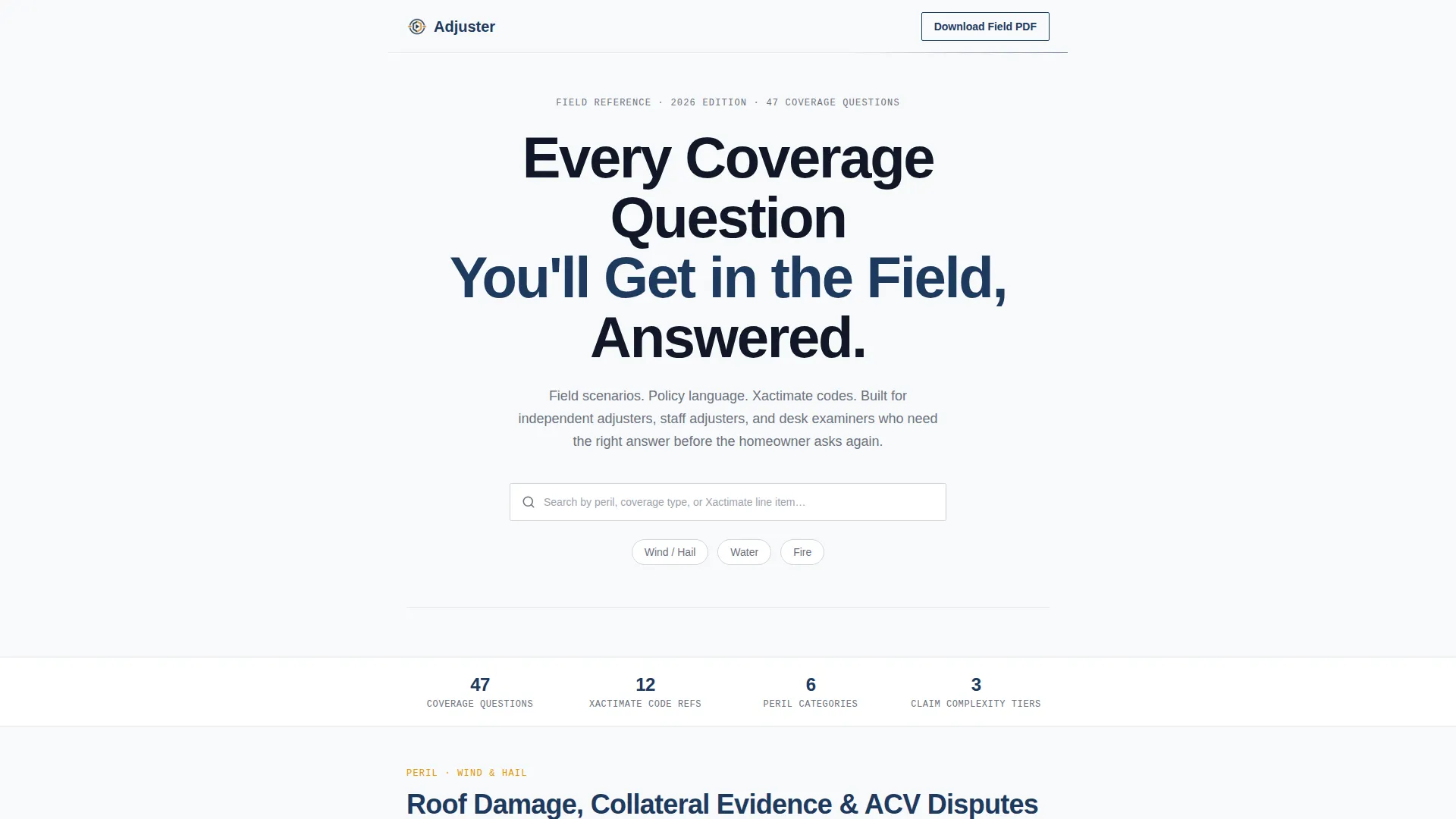
- A hero section with a giant centered headline, a functional search bar with ghost text, and three pill-shaped quick filters for Wind/Hail, Water, and Fire
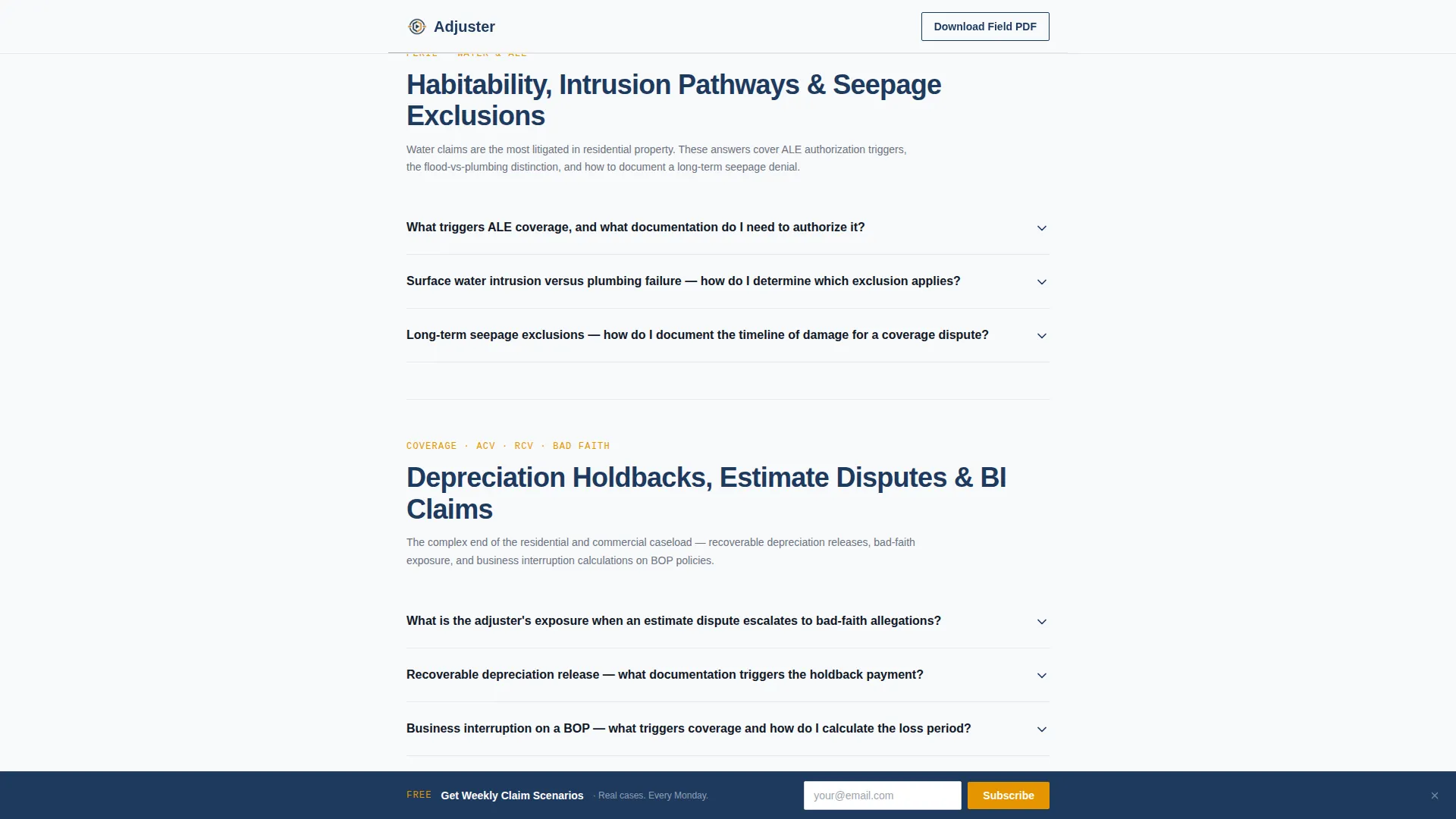
- Three clustered FAQ sections that escalate from straightforward roofing and wind claims to water and additional living expense coverage, then to advanced actual cash value versus replacement cost value disputes and bad-faith scenarios
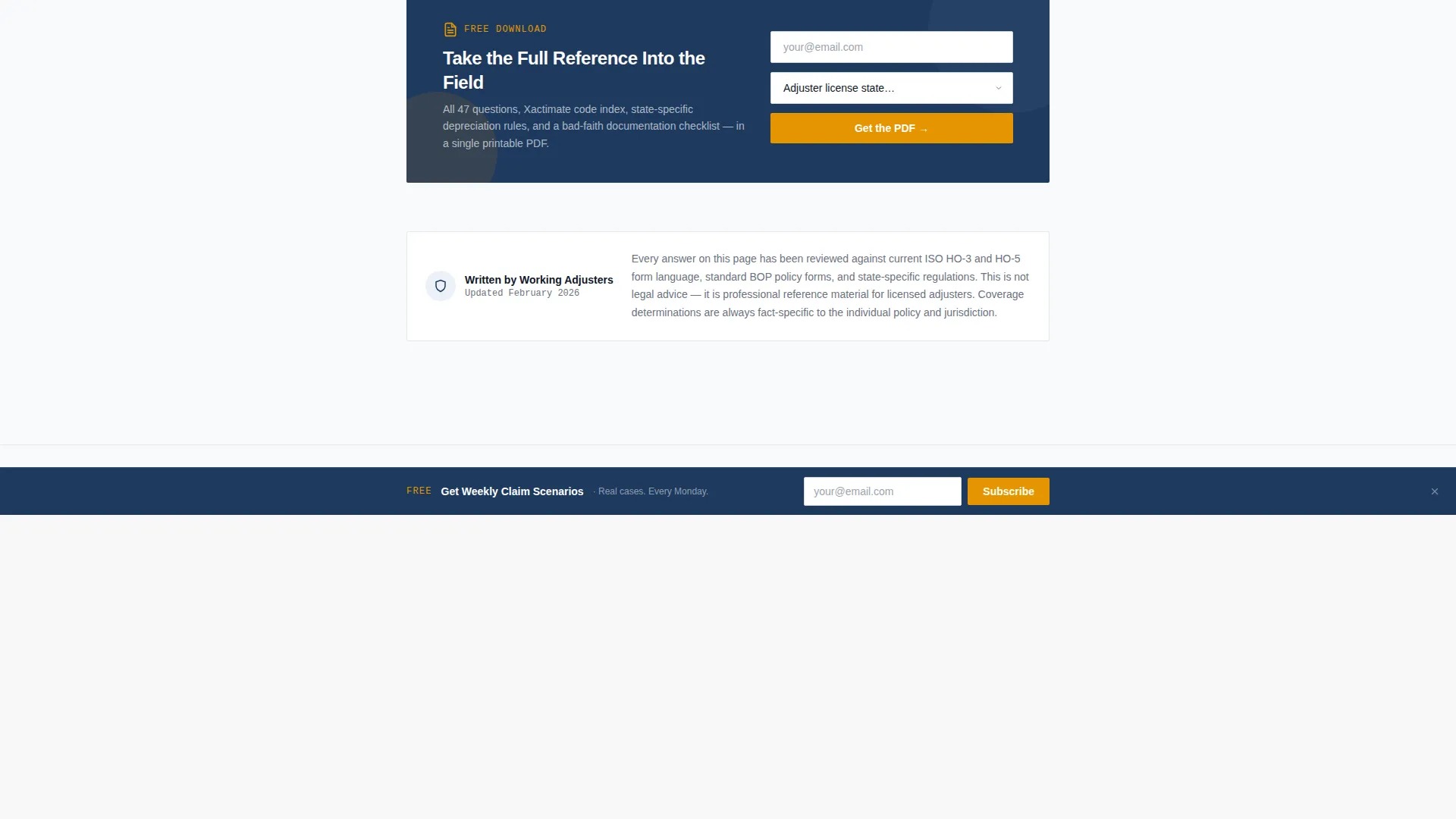
- Two strategically placed PDF download calls to action that capture email address and adjuster license state, plus a sticky bottom bar for a weekly claim scenarios newsletter signup
Feature list
A paragraph introducing the feature blocks: each element below is present in the template as described in the source brief, built to serve the working adjuster at every point in the page.
Field-Scenario FAQ Clusters
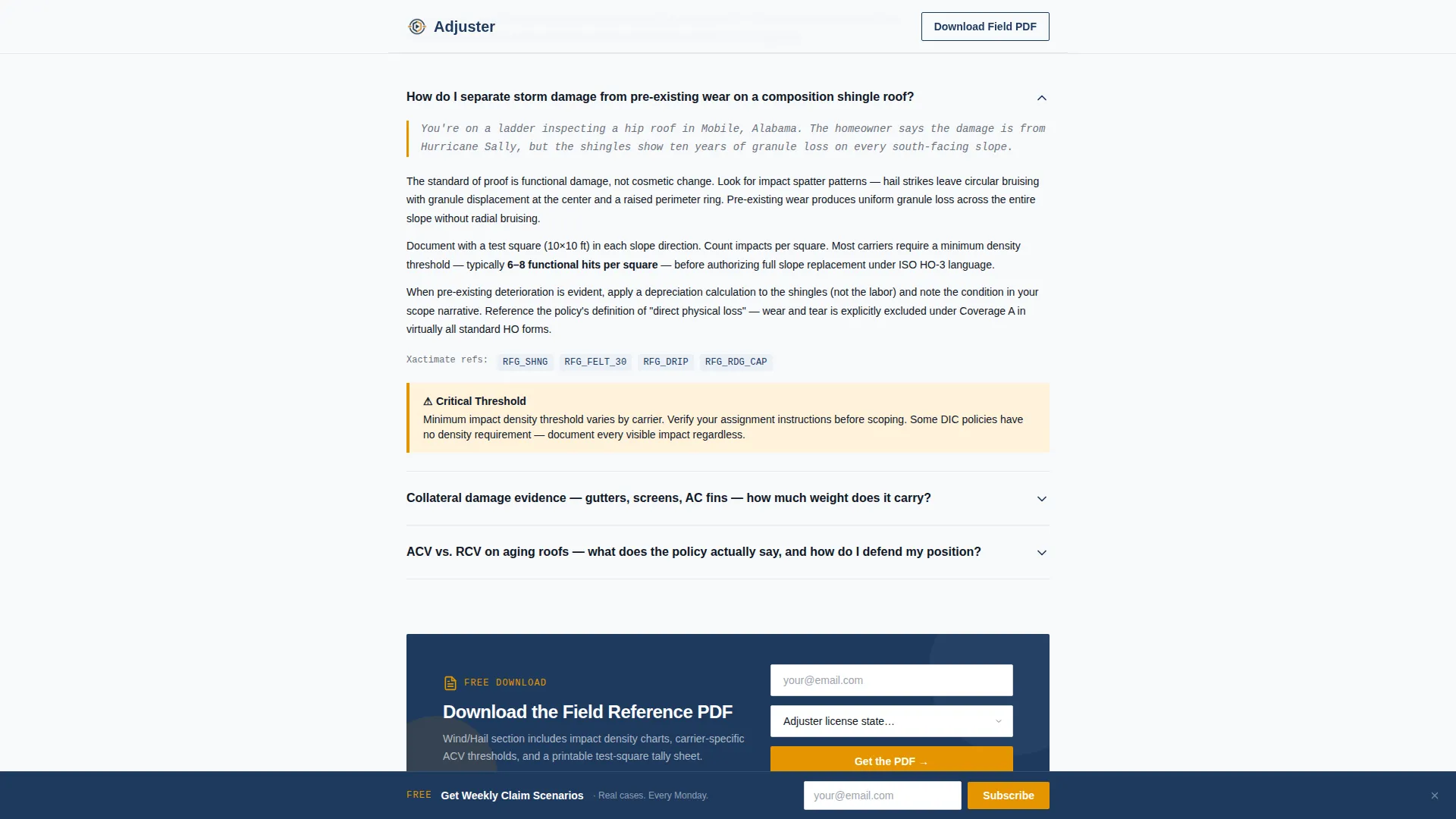
Each FAQ cluster opens with a two-sentence field scenario written in italics. The scenario grounds the answer in a real inspection or desk review moment before unpacking policy language and best practices. Three clusters cover wind and hail roofing claims, water and additional living expenses, and advanced valuation and bad-faith topics.
Search Bar with Peril Filters
The hero section includes a search bar with ghost text reading "Search by peril, coverage type, or Xactimate line item..." Below it, three pill-shaped quick filters let visitors jump directly to Wind/Hail, Water, or Fire content without scrolling.
Escalating Content Architecture
The page scrolls like a progressively complex claims file. It moves from basic dwelling fire answers through disputed actual cash value and replacement cost value calculations to bad-faith exposure scenarios. Each cluster builds the visitor's professional confidence before the next one begins.
Expandable FAQ Accordions
FAQ items use accordion interactivity so visitors can expand only the questions relevant to their current claim. This keeps the page clean and scannable for desk examiners and field adjusters working on tablets.
Dual Conversion Paths
A primary call to action appears after every third FAQ cluster, offering a downloadable field reference PDF in exchange for an email address and adjuster license state. A secondary sticky bottom bar offers a weekly claim scenarios newsletter signup as a lower-commitment conversion path.
Credential and Depth Social Proof
The template includes space for adjuster credential badges, claim count metrics, and coverage type breadth indicators. These elements signal authority without relying on decoration or imagery.
Page sections overview
| Section | Purpose |
|---|---|
| Hero Headline | Dominates the viewport with a stark centered headline, search bar, and peril filter pills |
| Wind/Hail Cluster | Three field-scenario FAQs covering roof inspections, storm dating, and Xactimate line items |
| PDF Download call to action 1 | First email and license state capture after initial FAQ cluster |
| Water and ALE Cluster | Three field-scenario FAQs on water damage scope and additional living expense thresholds |
| ACV versus RCV Cluster | Three advanced FAQs covering valuation disputes and bad-faith exposure scenarios |
| PDF Download call to action 2 | Reinforcement download offer to re-engage visitors who scrolled through all content |
| Sticky Newsletter Bar | Persistent bottom bar offering weekly claim scenario signup as a secondary conversion path |
| Linear Footer | Single-row footer with minimal links and license state localization context |
Design & branding system
The visual identity follows a Service Utility theme. Everything is stripped back to legibility and trust. The palette feels like a freshly printed estimate report viewed under fluorescent office light.
- Color system: clinical white (#F8F9FA) for backgrounds, policy-paper gray (#D1D5DB) for borders, adjuster-blue (#1E3A5F) for headers and anchor links, and claim-flag amber (#E59500) reserved strictly for callout boxes and downloadable resource icons
- Typography pairing: DM Sans for headers, IBM Plex Mono for scenario text and code references, and Manrope for body copy
- Zero decorative imagery; the whitespace around the hero headline is an intentional design signal that communicates authority through restraint
Mobile & speed optimization
The template is designed desktop-first to serve desk examiners and adjusters working on field tablets. The layout adapts cleanly to smaller screens without sacrificing readability or function.
- Single-column flow means no reflow complexity; content stacks naturally on any screen width
- Static content priority and a fast first paint approach keep the page responsive even on field networks with limited bandwidth
- Low-to-medium animation using scroll reveals and smooth anchor navigation avoids blocking the reading experience on lower-powered devices
How this template helps you convert
The conversion strategy is built on earning the ask. Visitors get real, useful answers before they ever see a form. By the time the download prompt appears, the page has already demonstrated its value three or four times over.
- The first three FAQ answers deliver genuine field-relevant guidance, so visitors experience the depth of the resource before encountering any request for their information
- The PDF download call to action appears after each cluster at the moment when a reader has just been helped and is most likely to want more, requiring only an email address and adjuster license state
- The sticky newsletter bar maintains a low-friction secondary offer throughout the entire scroll, capturing visitors who are not ready to download but are willing to stay connected
Other information about this template
This template is localized for the United States market, with adjuster license state as a required field in the email capture form. It is built for the insurance adjuster online presence niche within the broader professional services category.
- The page is categorized under Professional Services, subcategory Insurance Adjuster Online Presence, and is designed specifically for the Insurance Adjuster FAQ and resource page niche
- Animation is set to low-to-medium intensity: scroll reveals and a beam border on the hero header create a polished feel without distracting from the reference content
- The template uses a single-column flow layout with expandable FAQ accordions, a sticky newsletter bar, and a search bar as its primary interactive components
Theme
Service Utility
Creative direction
Case Study Narrative
Color system
Arctic White
Style
Single Column Flow
Direction
Content/Resource
Page Sections
Field-scenario FAQ Clusters
Search Bar with Peril Filters
Escalating Content Architecture
Expandable FAQ Accordions
Dual Conversion Paths
Credential and Depth Social Proof
Related questions
Who is this landing page template designed for?
What topics do the FAQ clusters cover?
How does the email capture work in this template?
Can I customize the field scenarios and FAQ content?
Does this template include Xactimate code references by default?



