Insurance Adjuster Booking Landing Page Template
The Adjuster landing page template is built for licensed insurance adjusters who need to turn professional credibility into booked appointments. It combines an editorial magazine layout with a lead-generation booking form, adjuster profile cards, and a testimonial-first header, so claims managers, independent agents, and contractors can find and book a qualified adjuster with confidence.
by Rocket studio
Quick summary
This is a single-page booking template designed for insurance adjusters and adjustment firms. It opens with a powerful peer testimonial, moves through credential-forward adjuster profiles, and closes every section with a clear call to action. The goal is simple: put the right adjuster in front of the right client before another firm does.
Who this template is for
This template is built for professionals in the field-level insurance world who need a polished, credible online presence that generates real inquiries.
- Licensed independent adjusters and adjustment firms ready to book new claims assignments
- Regional carriers and claims managers who need a fast way to vet and engage qualified adjusters
- Independent agents and contractors who need re-inspection support or emergency loss coverage
What problem this template solves
Finding a qualified adjuster during a high-volume loss event is genuinely stressful. Carriers juggling forty open files do not have time to sift through generic directories. Agents whose insured just called about a kitchen fire need someone credible, fast.
- Visitors arrive with urgency and leave without booking because the page failed to establish trust quickly enough
- Adjuster credentials and specialties are buried or absent, forcing follow-up calls that delay assignments
- No clear booking path means interested carriers and agents fall off before submitting claim details
What you get with this template
The template delivers a complete, publication-quality insurance adjuster booking page. Every section is designed to build trust progressively and guide visitors toward submitting a booking request or roster inquiry.
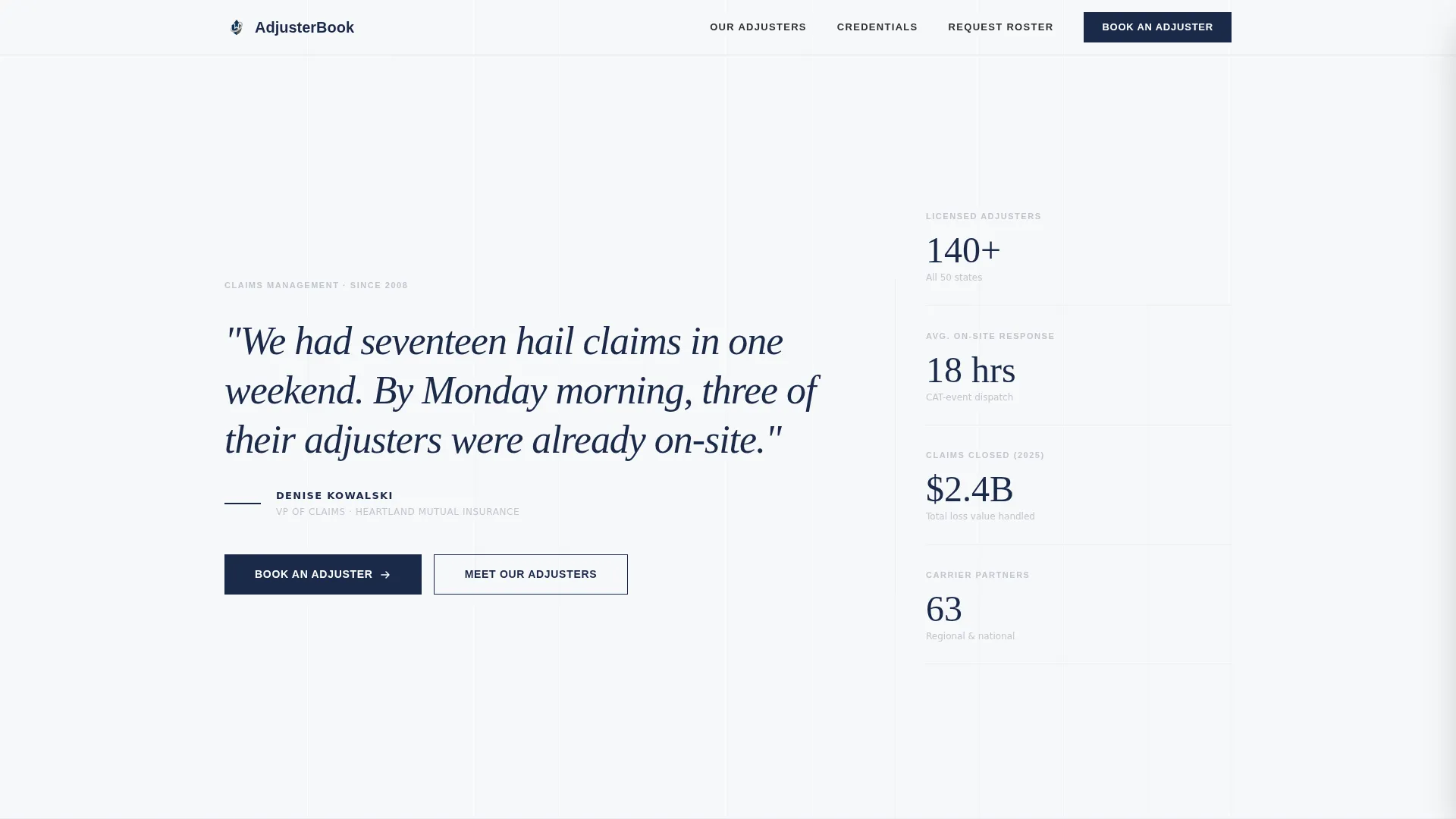
- A testimonial-led header that opens with a real claims manager pull quote in large-format serif type
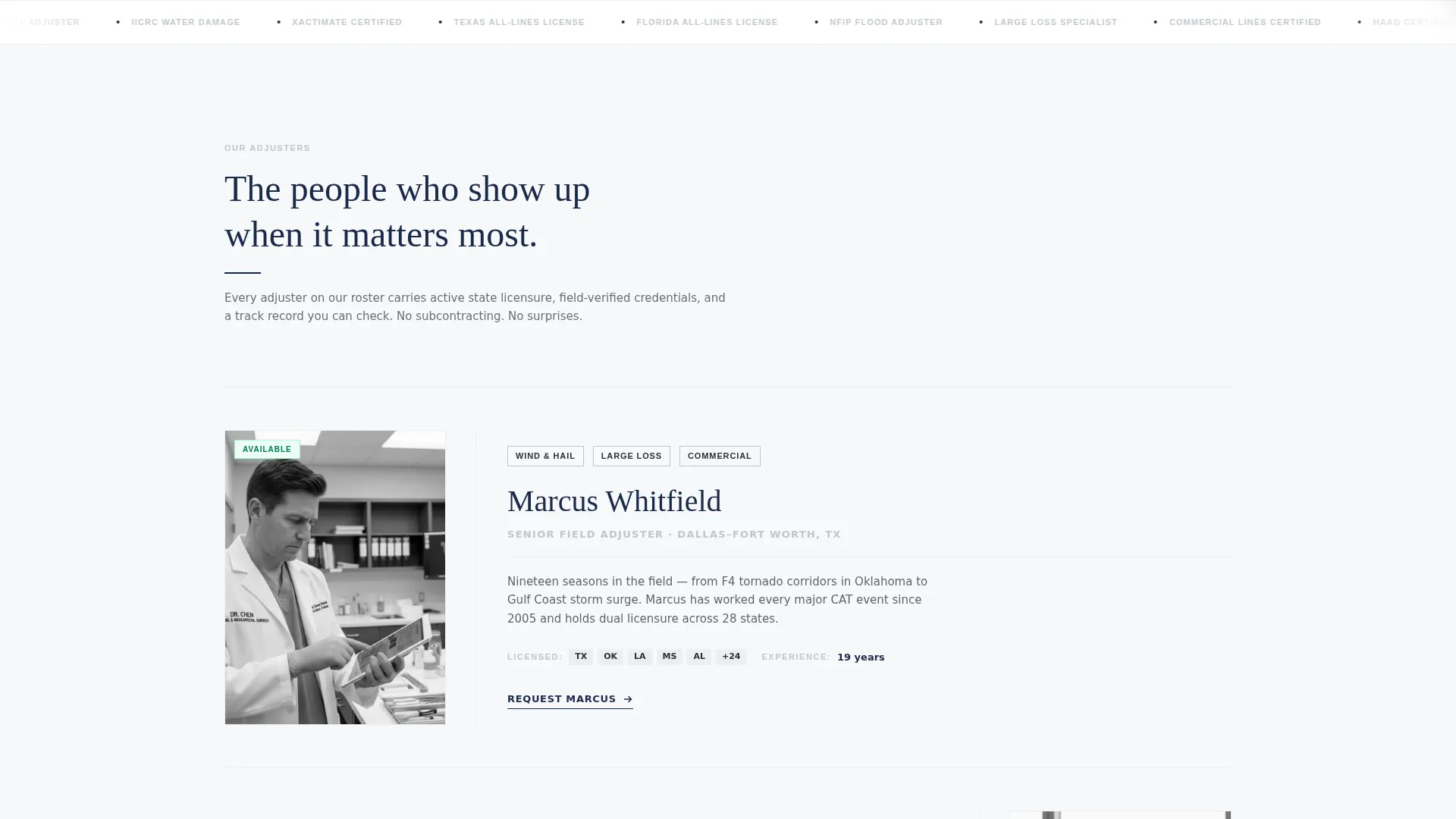
- Magazine-style adjuster profile cards with black-and-white portraits, credentials, specialties, and field experience
- A structured booking form and a secondary roster-request path for carriers who need to vet before committing
Feature list
This template packages editorial design with practical lead-capture tools. Each feature below maps directly to the brief.
Testimonial Card Header
The page opens with a large-format pull quote from a claims manager, set in elegant serif type against pure white. The adjuster's name, title, and carrier appear in small caps beneath. There is no hero image and no stock photography. The restraint signals authority immediately.
Magazine-Style Adjuster Profiles
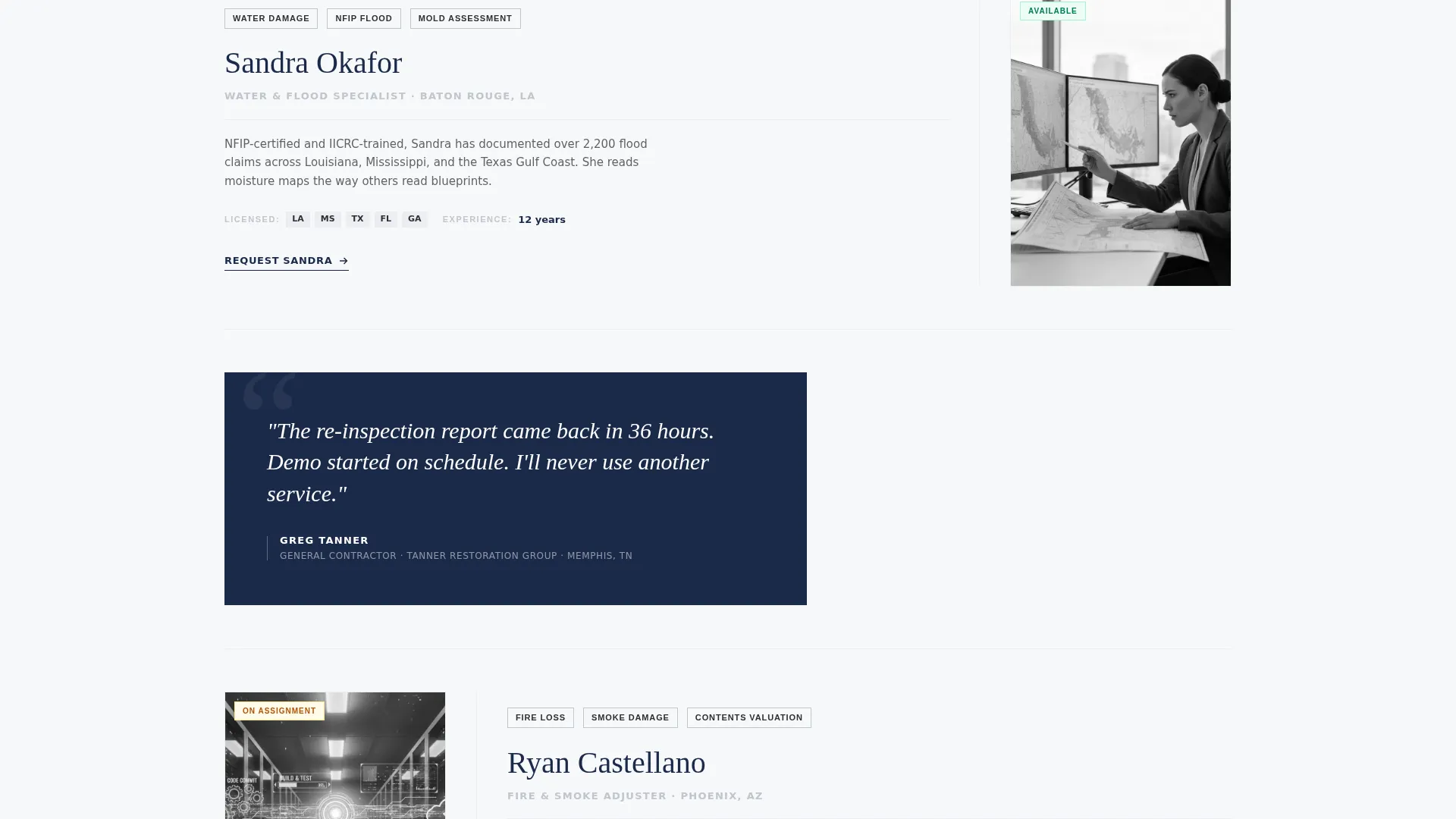
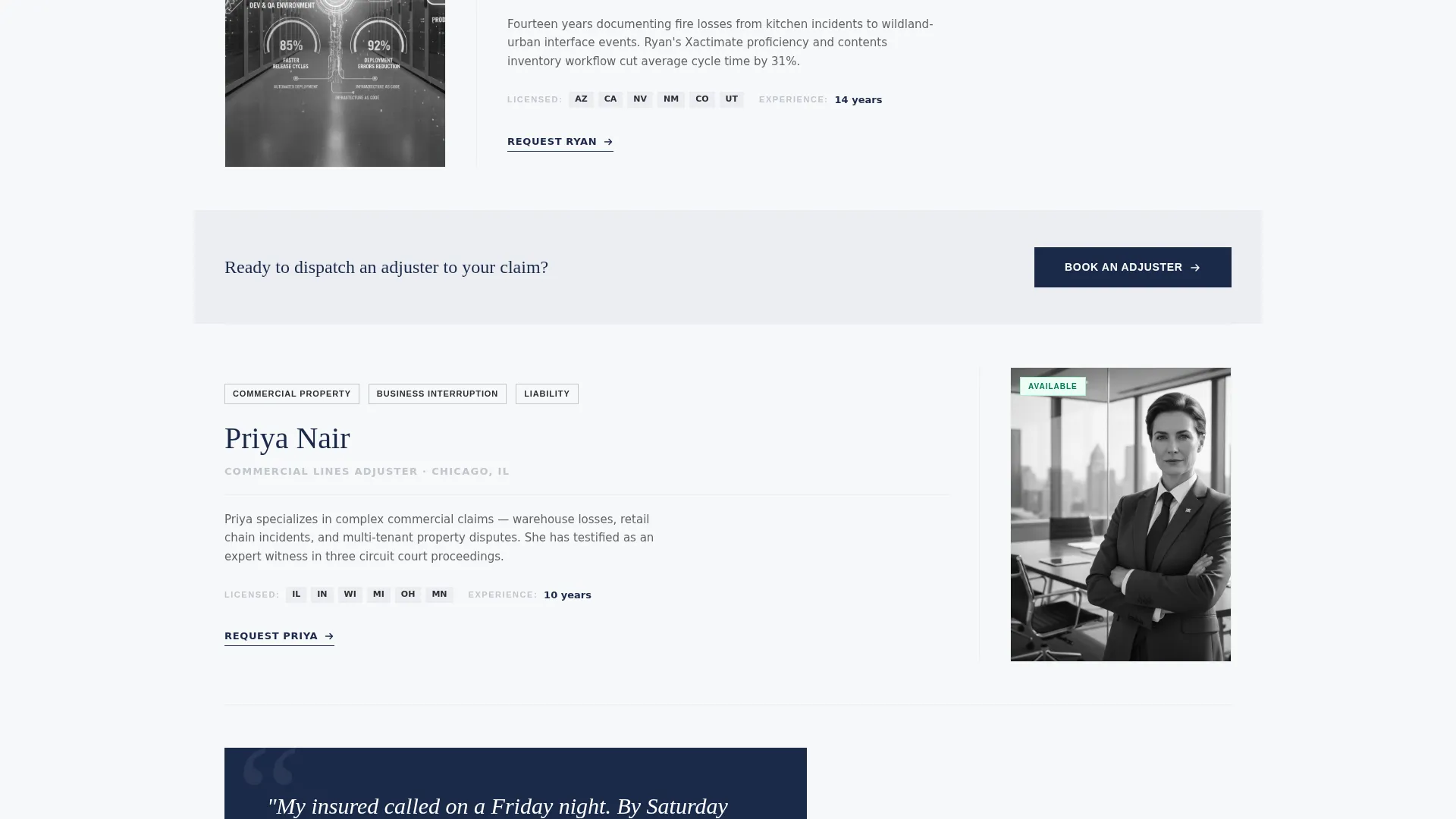
Each adjuster is presented in a profile card format: a black-and-white portrait, licensing credentials, declared specialties such as wind, water, fire, and large loss, and years of field experience. The profiles read like feature article sidebars, building a roster you can trust with a seven-figure claim.
Interspersed Testimonial Cards
Short testimonial cards from carriers and agents are placed between adjuster profiles. They break the scroll rhythm and reinforce credibility at regular intervals, so trust compounds as the visitor moves down the page.
Pinned "Book an Adjuster" Call to Action
The primary call to action is fixed in the navigation bar and repeated after every third adjuster profile. Visitors always have a booking path within reach, no matter where they are on the page.
Structured Booking Form
The booking form collects claim type first (property, auto, commercial, or catastrophe), then zip code, then loss date, and finally a free-text field for scope notes. The sequence mirrors how a claims manager thinks, making completion feel natural.
Secondary Roster Request Path
A "Request Our Roster" email capture gives carriers a lower-commitment entry point. It lets decision-makers vet the full adjuster roster before submitting a formal booking, which increases overall conversion by meeting buyers where they are.
Page sections overview
| Section | Purpose |
|---|---|
| Testimonial Card Header | Opens the page with a peer endorsement in large serif type to establish immediate credibility |
| Navigation Bar | Pins the "Book an Adjuster" call to action persistently at the top of the page |
| Adjuster Profile Cards | Presents licensed adjusters with portraits, credentials, specialties, and field experience |
| Carrier Testimonial Cards | Breaks the profile scroll with short social-proof quotes from carriers and agents |
| Booking Form | Captures claim type, zip code, loss date, and scope notes to qualify and route leads |
| Roster Request Capture | Collects email addresses from carriers who want to vet adjusters before committing |
Design & branding system
The template follows an Executive Suite visual theme built on an Arctic White color system. Every color decision is deliberate, and every element earns its place on the page.
- Arctic White backgrounds (#F7F8FA) keep the layout clinical and focused, with charcoal suit gray (#2C2F33) carrying all body text
- Silver cufflink (#C0C5CE) defines dividers and secondary elements, giving the page quiet structure without visual noise
- Commanding navy (#1B2A4A) is reserved exclusively for headlines and primary buttons, so when it appears it carries full authority
Mobile & speed optimization
The layout is structured for clean rendering across screen sizes. A booking page that loads slowly or breaks on a phone loses clients before a single word is read.
- The pinned navigation call to action remains accessible on mobile, so visitors can book from any scroll position on any device
- Profile cards and testimonial blocks are stacked vertically on smaller screens, preserving readability without horizontal scrolling
- The booking form fields are sequenced in a logical single-column flow on mobile, reducing friction at the point of conversion
How this template helps you convert
Every design and content decision in this template is pointed at one outcome: getting a qualified visitor to submit a booking request or roster inquiry.
- Trust is established before the ask. The testimonial header and credential-forward profiles ensure visitors already know who is showing up before they ever see a form field.
- The call to action travels with the visitor. The pinned nav button and repeated in-page prompts mean the booking path is never more than one click away, regardless of scroll position.
- Two conversion paths serve two buyer types. The direct booking form captures urgent, claim-ready clients. The roster request path captures evaluating carriers who need more time, converting both audiences instead of losing one.
Other information about this template
This template sits within the Professional Services category and is specifically designed for the insurance adjuster booking page niche. It is built in an editorial magazine style under the Executive Suite theme, which positions it above directory-style pages and generic service sites.
- The template style is Editorial/Magazine, making it well suited for firms that want to stand out in a credibility-driven market
- The header concept is a Testimonial Card, a deliberate choice that replaces hero photography with a human voice for stronger first impressions
- The creative direction is Team and People, meaning the adjusters themselves are the visual anchor of the page rather than abstract imagery
- The lead-generation direction means every section is sequenced to qualify visitor intent and reduce drop-off before the form
Theme
Executive Suite
Creative direction
Team & People
Color system
Arctic White
Style
Editorial/Magazine
Direction
Lead Generation
Page Sections
Testimonial Card Header
Magazine-style Adjuster Profiles
Interspersed Carrier Testimonials
Pinned Booking Call to Action
Structured Claim Booking Form
Secondary Roster Request Path
Related questions
Who is this landing page template designed for?
What information does the booking form collect?
Can carriers use this page to vet adjusters before booking?
Does the template use photography or stock images?
What makes this template different from a standard service page?



