Specialty Consulting Reviews Website Template
Enroll is an editorial magazine-style admissions landing page built for UK private school consultancies. It combines a testimonial-led header, an admissions calendar, insider guidance sections, and a multi-step lead generation form into one authoritative page. The design uses parchment, charcoal, and amber to feel like a well-read prospectus, calm and credible from the first scroll.
by Rocket studio
Quick Summary
Enroll is a single-page admissions landing page template specifically designed for private school admissions consultancies. It uses an editorial magazine format to blend real family testimonials with authoritative guidance. The page captures leads through a strategy call form and a downloadable admissions timeline, converting anxious parents into booked consultations.
Who This Template Is For
This template suits consultancies that help prospective families navigate the full arc of UK private school admissions. It speaks directly to detail-oriented parents researching entry from nursery age through to sixth form. The page is built for consultants who want their expertise to feel personal and credible, not corporate.
- Admissions consultants serving parents of students aged 4 to 17
- Boutique education consultancies focused on UK independent school placements
- Specialist advisers covering 11-plus prep, scholarship portfolios, and sixth-form applications
What Problem This Template Solves
Parents researching school admissions face an overwhelming tangle of deadlines, open days, interview formats, and waiting list politics. A generic school's homepage rarely gives them the reassurance they need. This landing page is built to fill that gap with calm authority.
- No clear structure to map deadlines, personal statements, and entry requirements in one place
- No social proof showing that the consultancy has achieved real placements for real families
- No easy path for parents who are still in the research phase to engage without committing to a call
What You Get With This Template
This education landing page delivers a fully structured, section-led page with every component a consultancy needs to generate leads and build trust. Each section works together to move prospective families from anxious curiosity to confident inquiry.
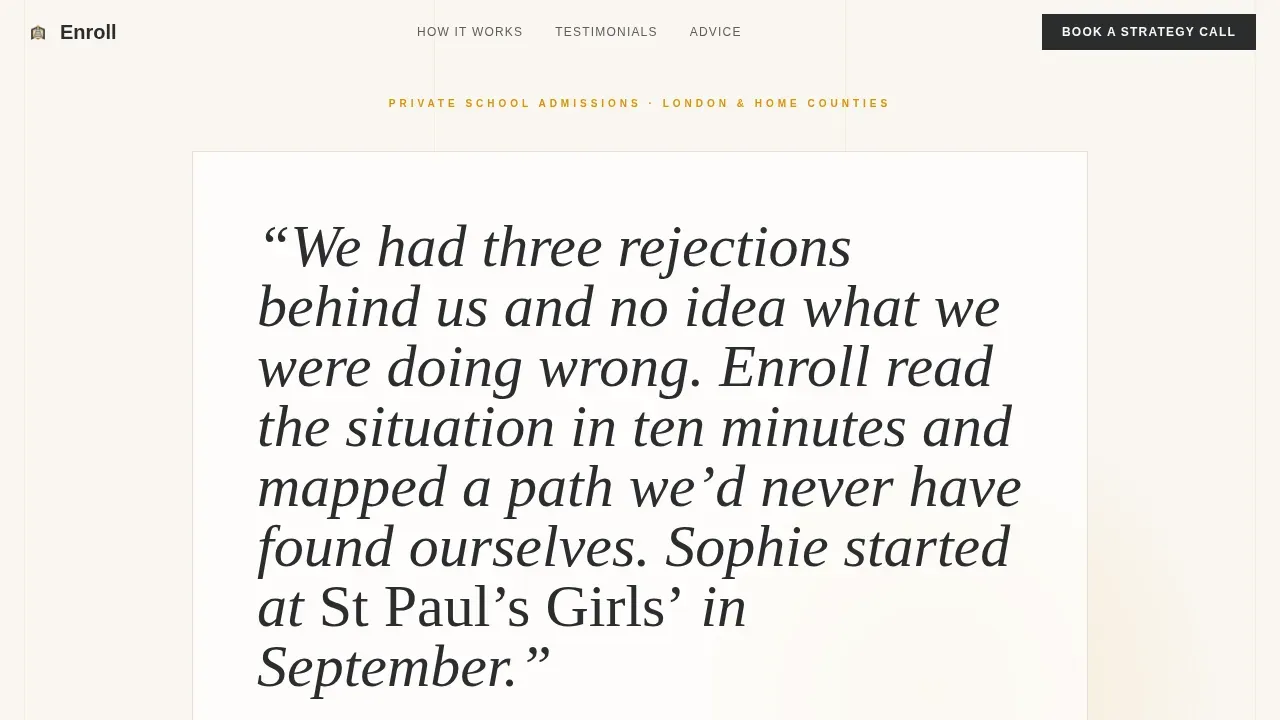
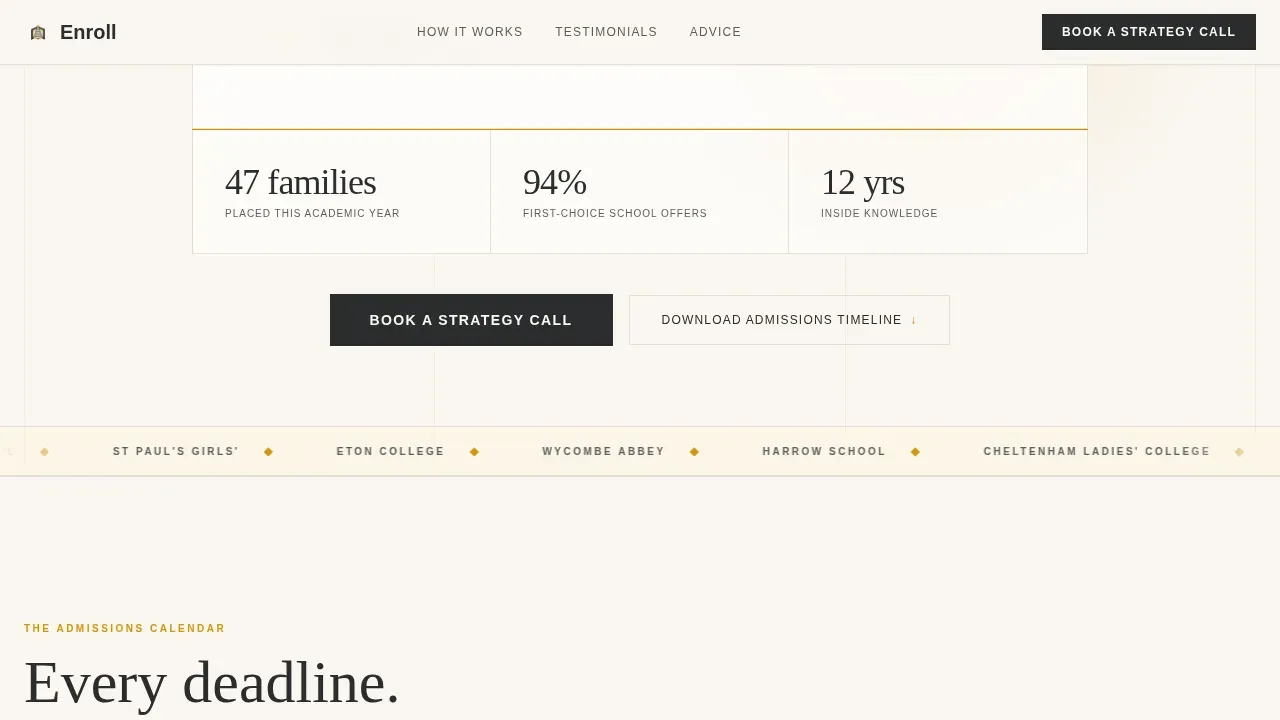
- An editorial header with a testimonial card, amber accent rule, and a placement stat
- A multi-step lead generation form and a gated PDF download for email capture
- A scrolling testimonial mosaic with five distinct sections, each anchored by a different family's story
Feature List
Editorial Testimonial Mosaic Layout
The page scrolls like a magazine feature. Each testimonial is styled differently: one as a pull-quote breaking across two columns, another as a margin note beside the admissions calendar, and another as a full-width blockquote dividing two advice sections. This rhythm makes social proof feel organic, not bolted on. Authentic video or text testimonials slotted into this structure can make a huge difference to how prospective families respond.
Admissions Calendar with Timeline Section
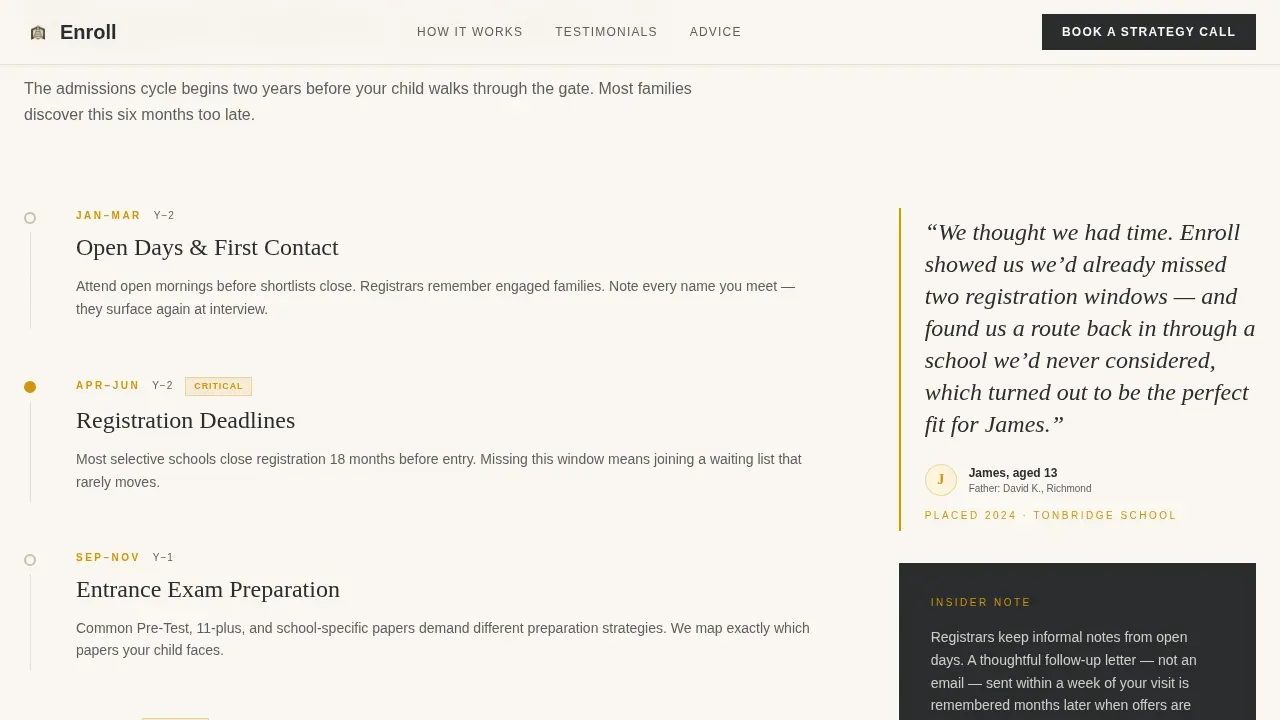
A dedicated section maps the admissions journey visually as a timeline. It covers key milestones from nursery registration through to sixth-form scholarship submissions. A margin-note testimonial pull-quote sits beside the timeline, showing parents that the process is manageable with the right guidance. This section doubles as a strong value proposition for families who are just beginning to research.
Multi-Step Lead Generation Form
The inquiry form is sequenced to feel like a conversation. It asks for the child's current age, target entry year, and up to three preferred schools before requesting contact details. This order helps parents feel understood before they commit. Keeping form fields focused on essential student information improves completion rates significantly.
Gated PDF Download Path
A secondary conversion path offers a downloadable admissions timeline PDF in exchange for an email address. This captures leads from prospective families who are still researching and not yet ready to book a call. It is an effective email marketing entry point that keeps the consultancy in contact through the longer decision cycle.
Sticky Call to Action Bar
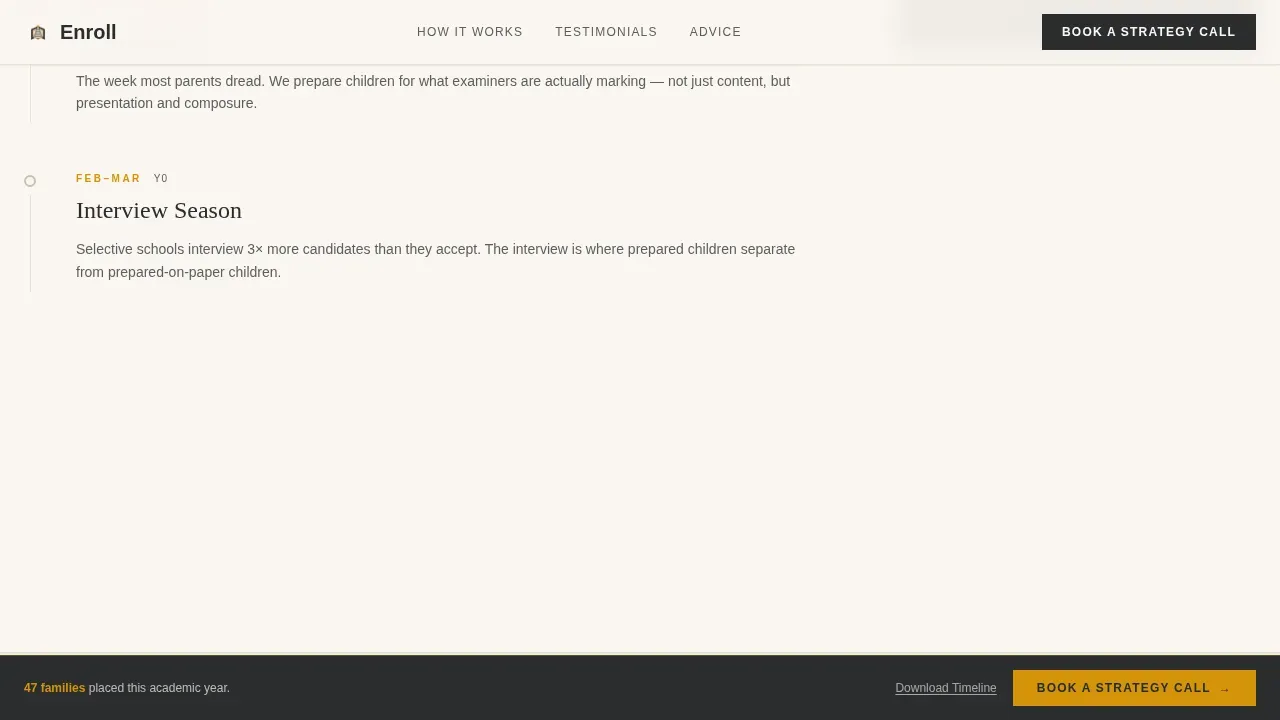
A sticky bar surfaces the primary call to action after the third testimonial as parents scroll. The bar reads "Book a Strategy Call" and stays visible without interrupting the reading experience. This approach to increasing conversions is specifically designed for parents who need multiple touchpoints before they act.
Interview and Portfolio Advice Sections
Two editorial sections cover interview preparation and portfolio assembly in a two-column layout. Each section reads like an insider dispatch, sharing what registrars notice and how waiting lists actually move. A full-width testimonial blockquote divides the two sections, making the advice land with real weight.
Page Sections Overview
| Section | Purpose |
|---|---|
| Hero Testimonial Card | Opens with a parent quote, placement stat, and primary call to action |
| Admissions Calendar Timeline | Maps key deadlines with a margin-note testimonial pull-quote |
| Editorial Dispatch | Shares insider admissions guidance on what registrars notice |
| Interview and Portfolio | Two-column advice with a full-width testimonial divider |
| Lead Generation Form | Strategy call form and gated PDF download for email capture |
| Footer | Linear single-row footer with essential navigation links |
Design & Branding System
The visual identity follows an Educational Guide theme that feels like a luxury broadsheet meets a school prospectus. Every design choice is deliberate and restrained, creating a page that reads as authoritative without feeling cold.
- Warm parchment (#FAF6F0) background, deep charcoal (#2B2D2F) body text, and burnished amber (#D4940A) for pull-quotes and accent lines
- Fraunces editorial serif for headings and testimonial quotes; DM Sans for body text and form labels
- No stock photography in the header; the weight of the design rests on typography, spacing, and amber accent rules
Mobile & Speed Optimization
The page is built desktop-first to match parents researching schools on laptops at home, but it delivers a solid experience across all screen sizes. Mobile optimization matters because many parents also browse on mobile devices during commutes or school open days.
- Responsive layout adapts fluidly so the testimonial mosaic and form read cleanly on smaller screens
- Minimal JavaScript and server-rendered static components keep the page light and fast-loading
- Scroll-reveal animations and counter effects are medium-weight and designed not to slow the experience on mobile devices
How This Template Helps You Convert
An effective admissions landing page must move a parent from curiosity to trust to action in a single scroll. This page is structured around proven conversion principles, placing the main value proposition and social proof where they create the most impact.
- The header opens with one powerful testimonial and a placement number, giving visitors an immediate, credible reason to keep reading without requiring a scroll.
- The multi-step form and gated PDF create two separate conversion paths, capturing both ready-to-book parents and those still in the research phase, which drives conversions across the full decision timeline.
- The sticky call to action bar resurfaces after the third testimonial, catching parents at the moment they have absorbed enough social proof and guidance to act.
Other Information About This Template
This section covers additional practical context for consultancies considering this template for their admissions marketing presence.
- The page can support admissions video or a zoom video introduction from the lead consultant in the editorial sections, since video landing pages consistently show higher conversion rates than text-only pages.
- A photo slideshow or compelling photo block can be added in between editorial sections as an additional visual layer, giving visitors a sense of the school environments being targeted.
- The form is easy to scan and collects only essential student information, which keeps completion rates high and reduces drop-off.
- Consultancies can incorporate social proof by using online reviews, collect testimonials from current parents, or feature admissions faculty directly to build further credibility.
- The page works effectively as a destination for a paid ad campaign or a social media post, since it is specifically designed to focus visitors on a single action rather than scattering them across main navigation items the way a school's homepage would.
- The admissions team can also use the gated PDF path as an email marketing trigger to stay in contact with prospective students and their parents through a longer research cycle.
- For middle school and even your school's homepage traffic that needs a stronger lead-capture layer, this template offers a focused alternative with a clear value proposition and no distracting additional options.
- Unlike approaches common in other industries, this template uses education marketing conventions tuned to the emotional register of school admissions decisions, including a virtual admissions consultation framing for the strategy call.
- The Enroll expert private school admissions consultancy landing page template is a dedicated landing page solution that gives admissions consultants a professional and persuasive web design foundation without building from scratch, saving time on layout decisions while keeping full control over copy and branding.
Theme
Educational Guide
Creative direction
Testimonial Mosaic
Color system
Charcoal & Amber
Direction
Lead Generation
Page Sections
Editorial Testimonial Mosaic
Multi-step Inquiry Form
Gated PDF Lead Magnet
Sticky Strategy Call Bar
Admissions Calendar Timeline
Interview and Portfolio Sections
Related questions
Can I customise the testimonial sections with my own client quotes?
Does the page include two separate lead capture paths?
Is the template suited to consultancies covering multiple entry points and age groups?
How does the sticky call to action bar work?
Can the page also capture leads from parents who find it via a paid ad or social media post?



