Expert Preschool Development Landing Page Template
Enroll is an editorial-style preschool landing page built for Facebook ad campaigns. It opens with a full-viewport parent testimonial, moves through bold trust-stat blocks, and flows into documentary-style sections covering curriculum, credentials, and school-day photography. The primary call to action is a marigold yellow "Schedule a Tour" button, with a lightweight availability modal as a secondary path.
by Rocket studio
Quick summary
Enroll is a single-page preschool marketing template designed to convert anxious parents into booked tour appointments. It leads with a real parent quote, backs it with hard stats, and guides visitors through a curriculum timeline and safety credentials sidebar before presenting a focused three-field scheduling form.
Who this template is for
This template is built for preschool owners and early childhood program directors who run paid social campaigns and need a dedicated landing page that closes tour bookings. It works especially well for programs with strong parent retention and verifiable quality metrics.
- Preschool directors advertising on Facebook who need a conversion-focused destination page
- Marketing teams managing admissions outreach for established early childhood programs
- School operators targeting dual-income families, first-time parents, and relocating military families
What problem this template solves
Parents researching preschools are overwhelmed, skeptical, and short on time. A generic school website rarely answers their real questions fast enough to hold attention from a paid ad click. This template is built to close that gap immediately.
- Most school pages bury trust signals deep in the site, losing the parent before they reach the form
- Parents clicking from a Facebook ad expect a focused, mobile-friendly experience, not a full website to navigate
- Scheduling friction, such as long forms or unclear next steps, causes drop-off right before commitment
What you get with this template
You get a fully structured, single-page editorial layout designed around one goal: getting a parent to book a tour. Every section is ordered to build trust sequentially before asking for anything.
- A large-format parent testimonial header, three bold stat blocks, and a sticky mobile call-to-action bar
- A documentary-style photo essay section, a curriculum infographic timeline, and a licensing credentials sidebar
- A three-field tour scheduling form and a secondary availability modal showing open spots by age group
Feature list
This template is built around a deliberate sequence of trust-building components. Each one serves a specific conversion role.
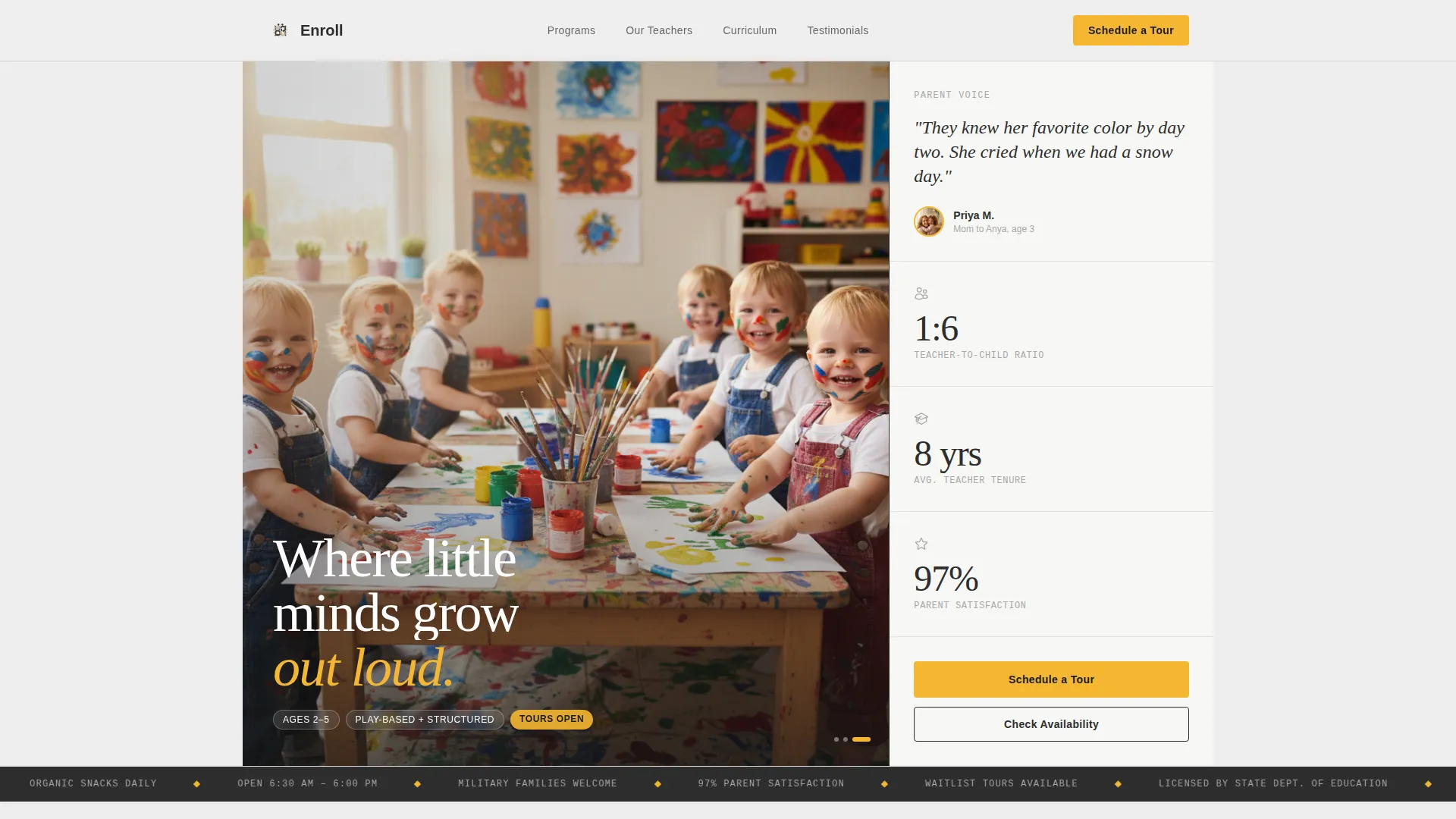
Large-Format Testimonial Header
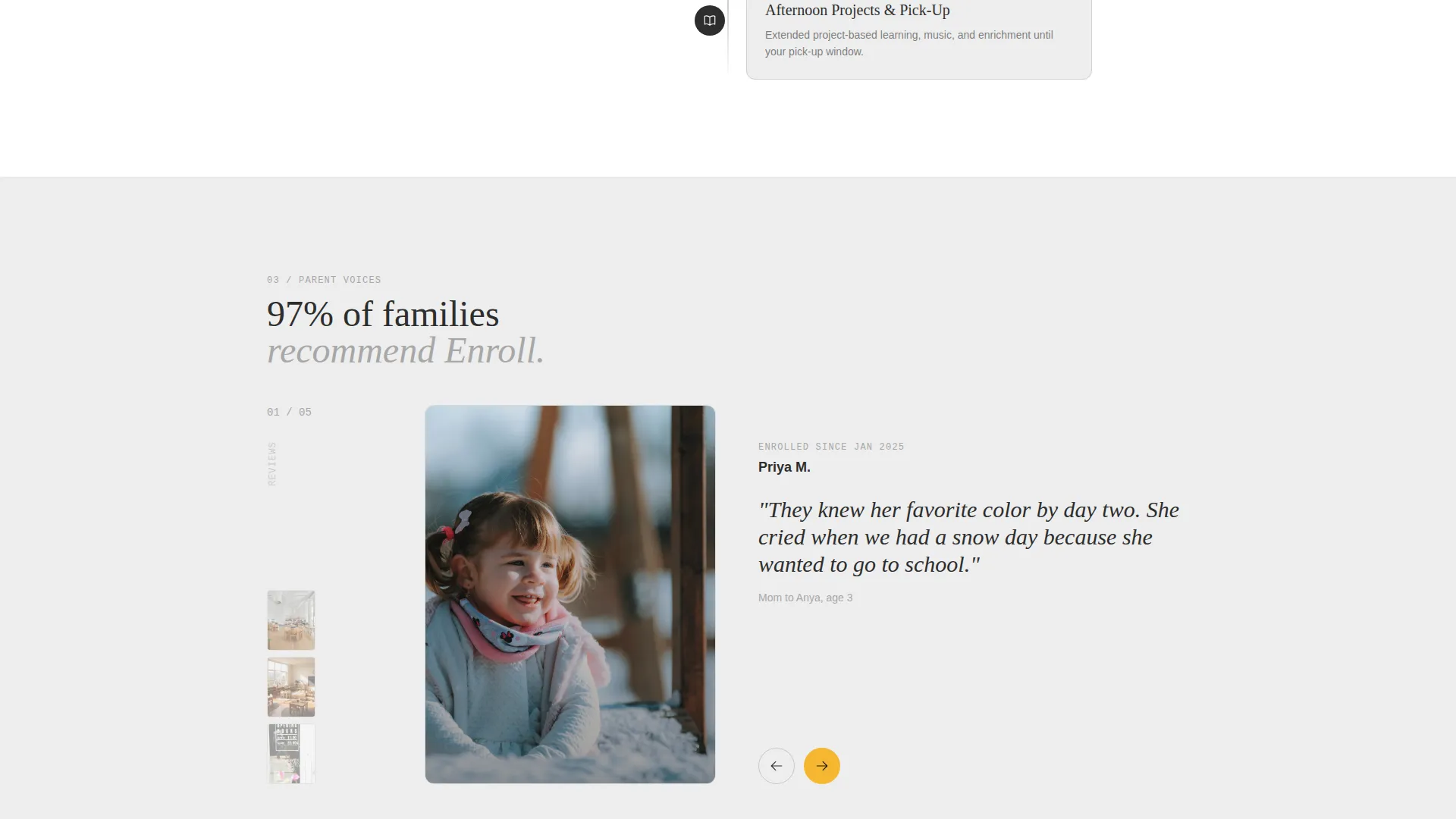
The page opens with an oversized editorial serif pull quote from a real parent, set against a soft cloud gray background. A circular parent photo, first name, and child's age anchor the quote with a human face. The effect is closer to a magazine feature opener than a typical school webpage.
Bold Trust-Stat Blocks
Three stat blocks appear immediately below the testimonial as the visitor scrolls. Teacher-to-child ratio, average teacher tenure, and parent satisfaction percentage are each typeset large enough to read at a glance. The marigold yellow accent highlights these figures, drawing the eye without cluttering the layout.
Documentary Photo Essay Section
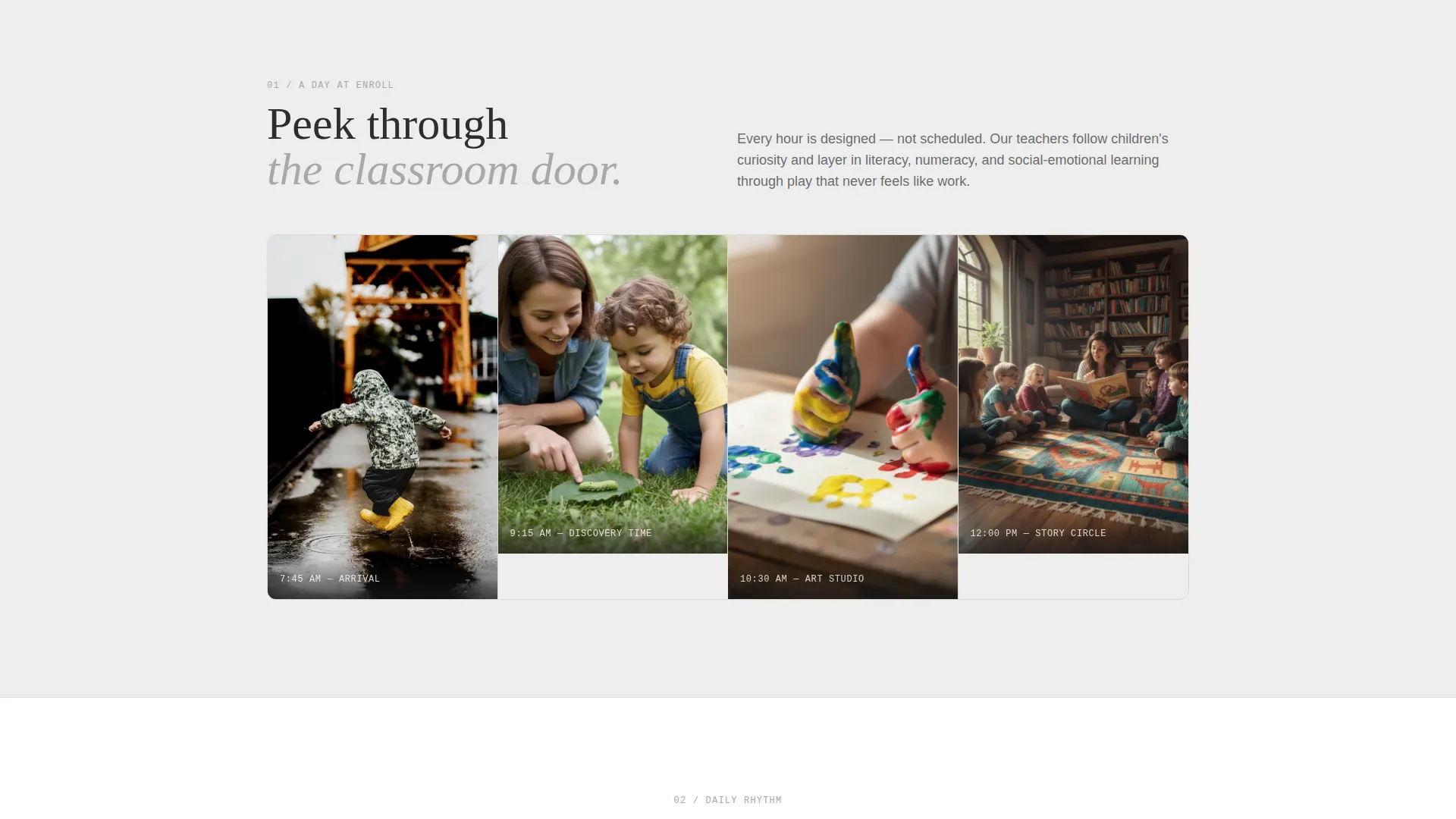
A dedicated section presents school-day photography in a documentary editorial style. Images show genuine classroom moments rather than posed stock photography. This section gives parents a visual feel for the environment before they ever visit in person.
Curriculum Infographic Timeline
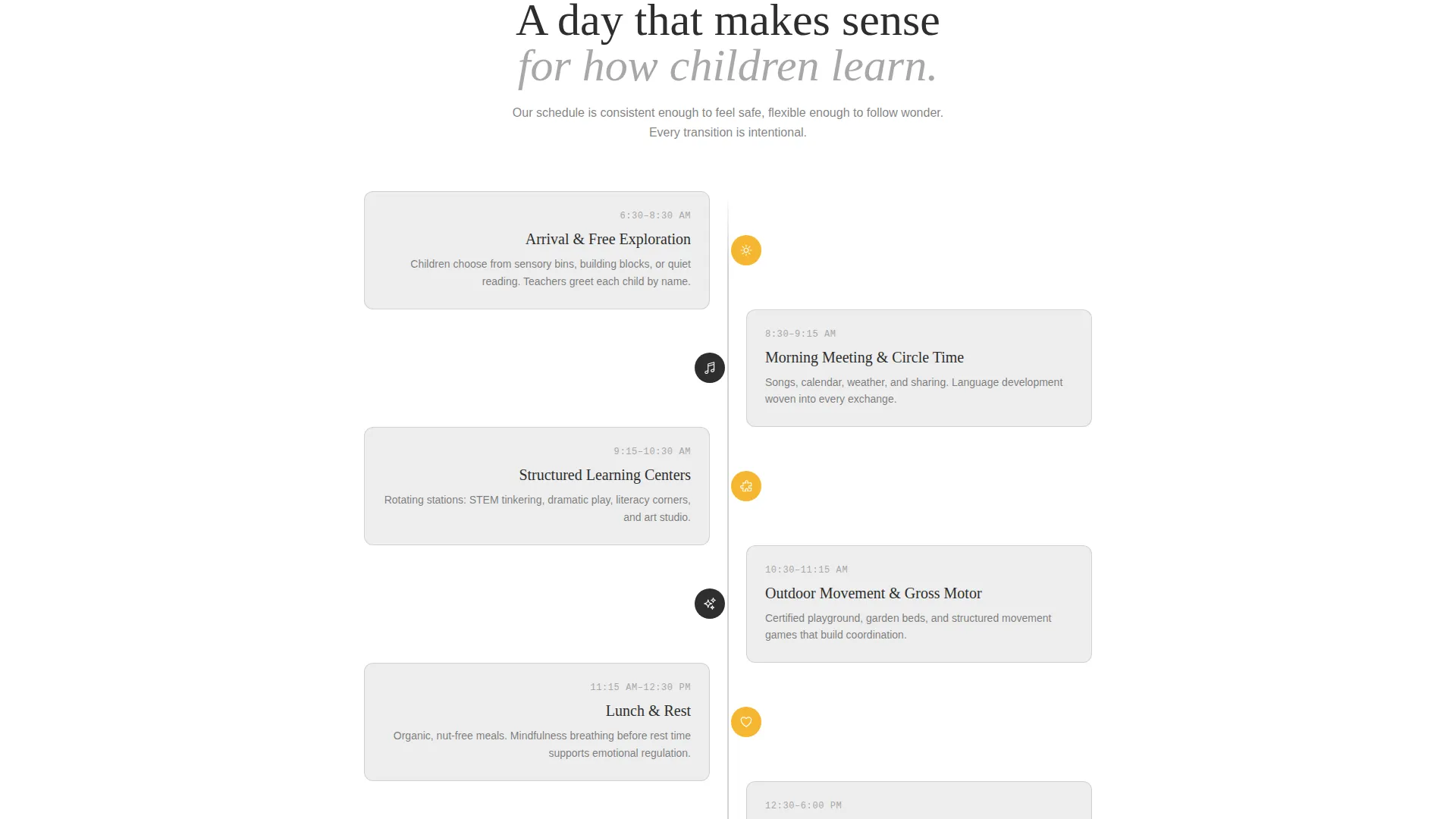
The daily schedule from morning arrival to afternoon pickup is laid out as a visual infographic timeline. Parents can see exactly how the day is structured, which helps answer common questions about curriculum and routine without requiring a conversation.
Licensing and Safety Credentials Sidebar
A sidebar styled like a magazine fact-check box presents the program's licensing and safety credentials in a clean, scannable format. This section provides the evidence-based reassurance that detail-oriented parents are looking for.
Three-Field Tour Scheduling Form and Availability Modal
The primary call to action is a "Schedule a Tour" form that asks for only three fields: parent's first name, child's age, and preferred tour day. A secondary "Check Availability" path opens a lightweight modal showing open spots by age group for the current quarter. Both paths keep commitment friction low.
Page sections overview
| Section | Purpose |
|---|---|
| Testimonial Header | Opens with a full-viewport parent pull quote to establish immediate emotional credibility |
| Trust Stat Blocks | Displays three key metrics to validate program quality at a glance |
| Photo Essay | Shows documentary-style classroom images to make the environment feel real and familiar |
| Curriculum Timeline | Walks parents through the school day as a visual infographic from arrival to pickup |
| Credentials Sidebar | Lists licensing and safety credentials in a magazine fact-check style sidebar |
| Tour Scheduling Form | Collects three fields to book a school tour with minimal friction |
| Availability Modal | Shows open spots by age group for parents not yet ready to schedule |
| Sticky Mobile Bar | Keeps the "Schedule a Tour" call to action visible as users scroll on mobile |
Design & branding system
The visual identity follows a Monochrome Steel palette, combining clean neutrals with a single warm accent to project calm competence. The result feels organized and trustworthy, like a well-run pediatric office, without feeling cold or institutional.
- Core colors are charcoal slate (#2D2D2D), brushed aluminum (#A8A8A8), and soft cloud gray (#EDEDED) as the primary background
- Marigold yellow (#F5B731) is used exclusively for buttons, stat highlights, and trust badges to create focused visual attention
- Typography uses oversized editorial serif for the testimonial header and clean sans-serif for body sections, mixing authority with readability
Mobile & speed optimization
This template is built with the mobile parent in mind. The primary audience is filling out a form one-handed, often between tasks, so every interaction is kept short and direct.
- The three-field scheduling form is optimized for thumb-friendly input on small screens
- A sticky bottom bar keeps the "Schedule a Tour" button accessible throughout the entire mobile scroll
- The availability modal loads as a lightweight overlay, keeping the interaction quick without navigating away from the page
How this template helps you convert
Every design and content decision in this template works toward a single outcome: turning a Facebook ad click into a scheduled tour appointment.
- The testimonial-first layout captures attention in the first scroll and replaces skepticism with a real parent's experience before any feature claims are made.
- The stat blocks deliver immediate, specific evidence of quality, giving analytical parents the numbers they need to feel confident moving forward.
- The two-path conversion system, a direct booking form and a softer availability check, meets parents at different levels of readiness and keeps both groups moving toward enrollment.
Other information about this template
This template is part of a broader set of professional service landing pages designed for paid social campaigns. It fits naturally into a Facebook ads workflow where the ad creative matches the testimonial tone of the landing page.
- The template style follows an Editorial Magazine theme with a Sidebar Companion layout, giving it a structured, publication-quality feel
- The header concept is built around a Quote and Manifesto approach, leading with voice rather than visuals
- The landing page direction is optimized for service booking, making it suitable for preschool admissions, tour scheduling, and early childhood program enrollment campaigns
- The intersection context aligns with preschool marketing and early childhood professional services, supporting operators who run seasonal enrollment campaigns
Theme
Editorial Magazine
Creative direction
Logo Wall Authority
Color system
Monochrome Steel
Style
Sidebar Companion
Direction
Partnership/B2B
Page Sections
Large-format Testimonial Header
Bold Trust-stat Blocks
Documentary Photo Essay Section
Curriculum Infographic Timeline
Licensing and Safety Credentials Sidebar
Three-field Form and Availability Modal
Related questions
Can I replace the testimonial, stats, and photos with my own school's real content?
How does the availability modal work?
Is this template designed specifically for Facebook ad campaigns?
Why does the scheduling form only ask for three fields?
Can this template work for preschools that do not yet have documentary-style photography?



