Advocate - Trusted Benefits Landing Page Template
Advocate is a benefits consultant landing page built for professionals who help families claim federal and state programs they are owed. The zigzag case study layout, five-question eligibility quiz, and warm Teal Catalyst color system work together to earn trust fast and move visitors toward booking a free benefits review.
by Rocket studio
Quick summary
Advocate is a single-page benefits consultant landing page template. It pairs a case study narrative scroll with a built-in eligibility screener quiz. The design feels clinical enough to signal expertise and warm enough to earn immediate trust. Visitors read real anonymized family wins, then check their own gap, and book a call.
Who this template is for
This template suits professionals who help families navigate complex government benefit programs. It speaks directly to the people doing the hard work of unlocking benefits others have given up on.
- Benefits consultants and caseworkers who handle federal and state program appeals
- Adult children managing a parent's care transition and related paperwork
- Veterans' advocates and spousal support specialists working through VA benefit claims
What problem this template solves
Families routinely leave significant benefit money unclaimed. The gap is not always eligibility, it is confusion, denial letters, and missed deadlines. A consultant's value is hard to explain in a paragraph, but it is easy to show through a story with a dollar amount at the end.
- Visitors do not trust a generic services page with bullet points and a contact form
- Case-by-case proof is scattered or missing, making it hard to convert skeptical families
- There is no clear path from "I think I might qualify" to "I booked a review call"
What you get with this template
This template gives you a fully structured landing page ready to present a benefits consultancy with authority and warmth. Every section has a clear job, from the opening trust anchors to the closing quiz and booking link.
- A logo bar featuring agency seals and program wordmarks as immediate credibility signals
- Zigzag alternating case study blocks, each opening with a crisis and closing with a recovered dollar amount
- A five-question eligibility screener that delivers a personalized gap summary and an embedded booking link
Feature list
This template is built around storytelling, trust-building, and a clear call to action. Each feature below is drawn directly from the template brief.
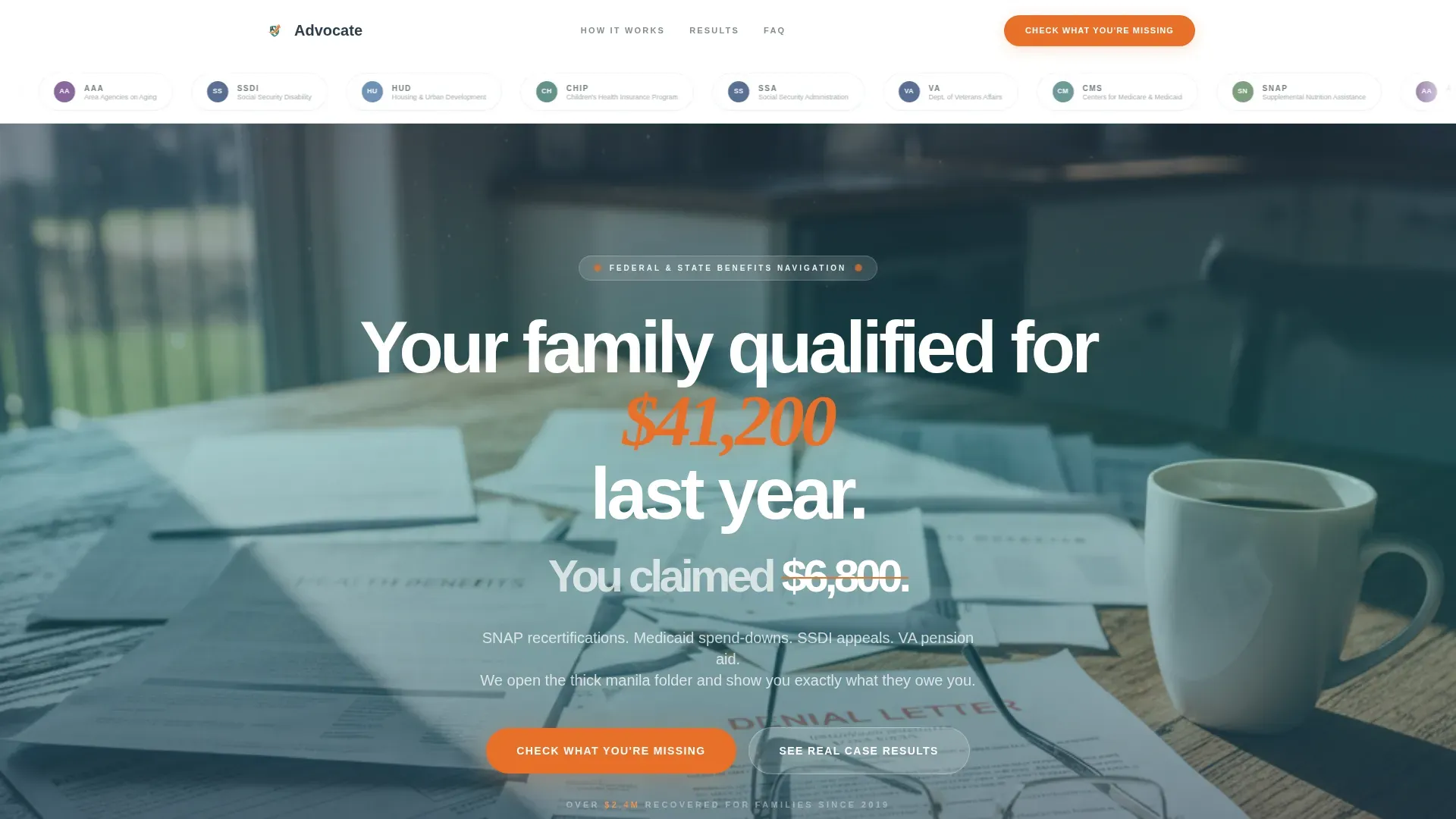
Agency Logo Bar Header
A clean horizontal ribbon opens the page with recognizable agency seals and program wordmarks. This signals to visitors immediately that the consultant operates inside real federal and state systems, not around them.
Hero Image with Overlaid Headline
A kitchen table photograph, scattered with benefit statements and a denial letter, anchors the page emotionally. The headline fades in over the image: a stark gap between dollars qualified for and dollars actually claimed.
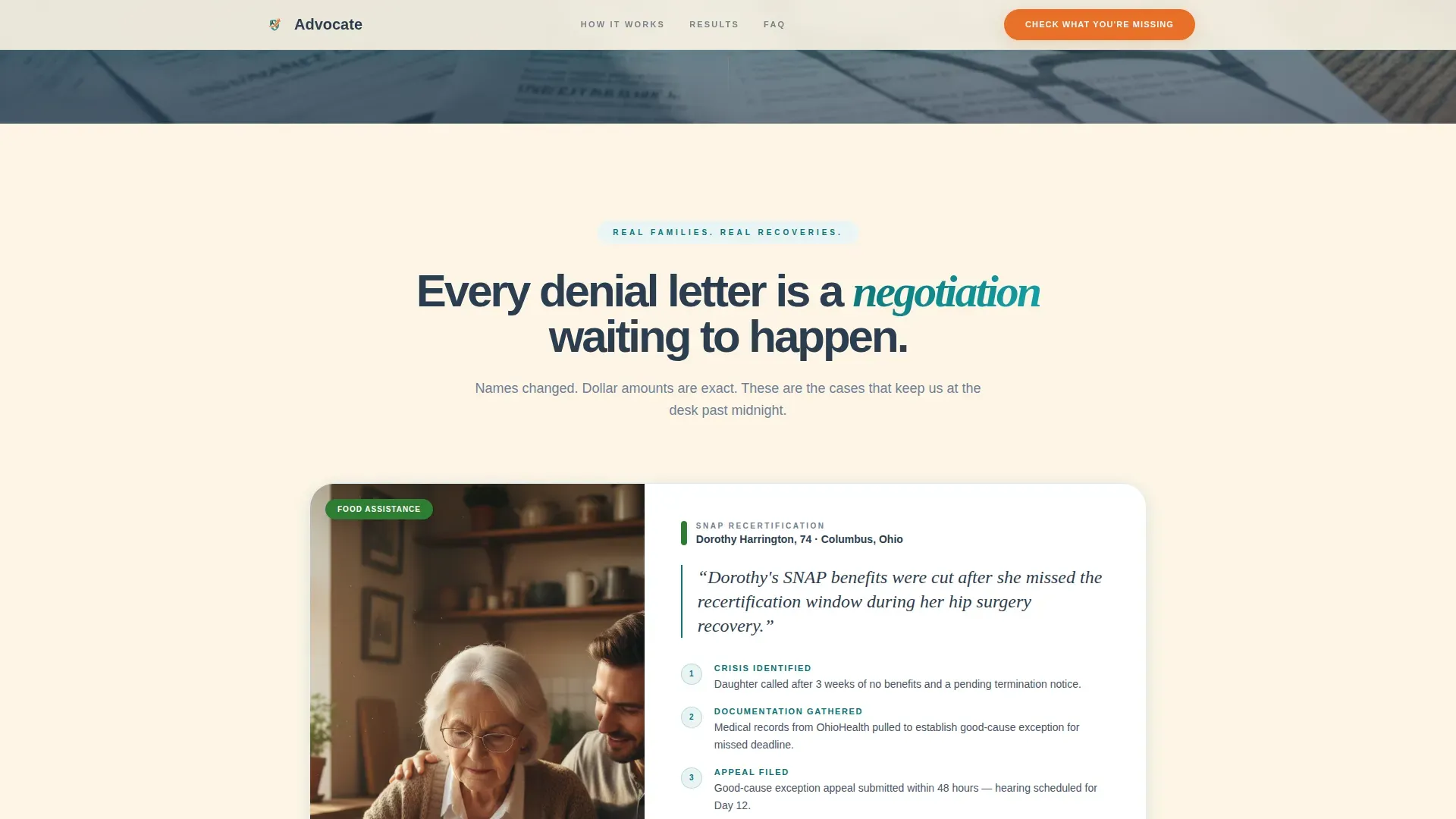
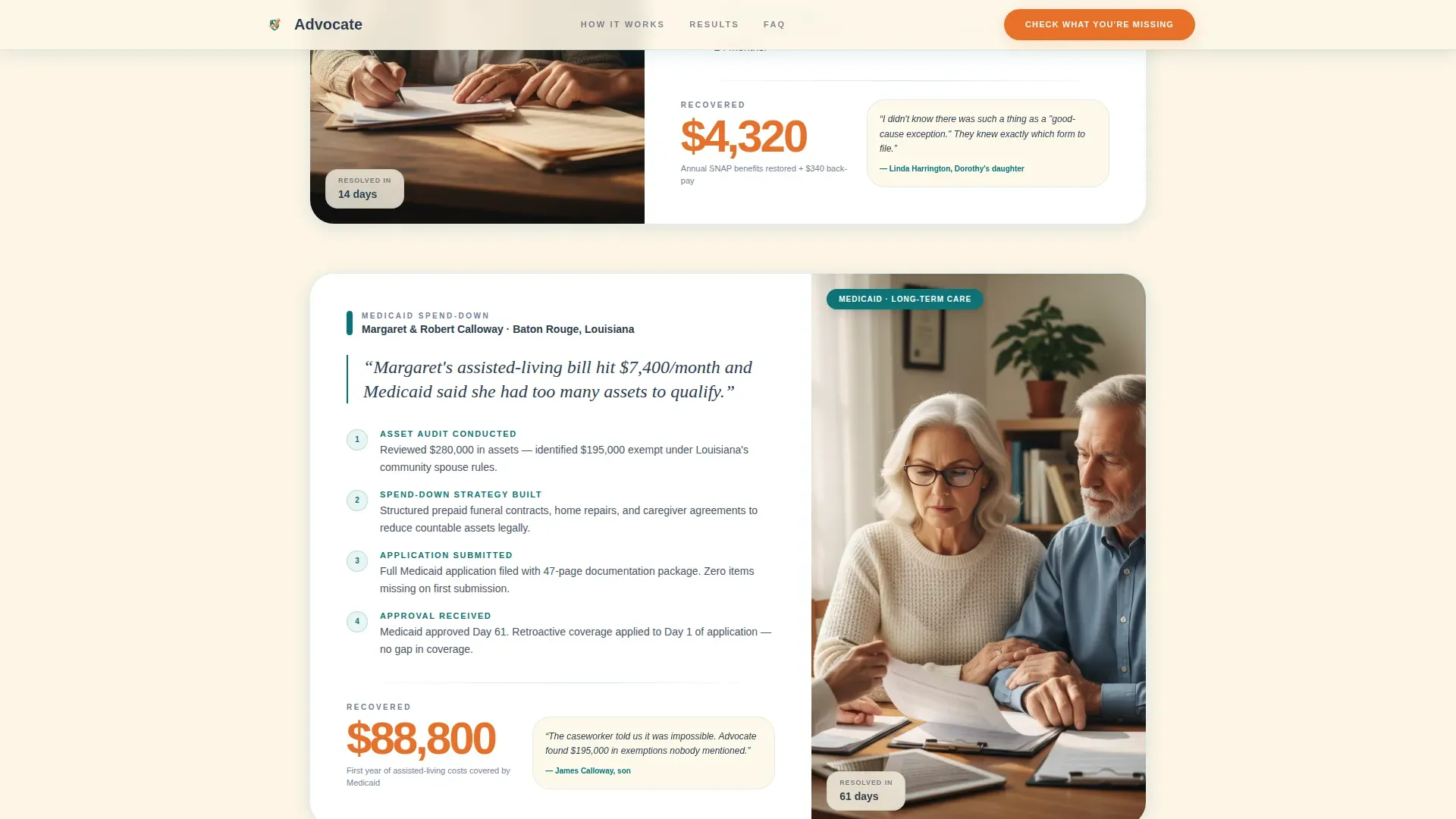
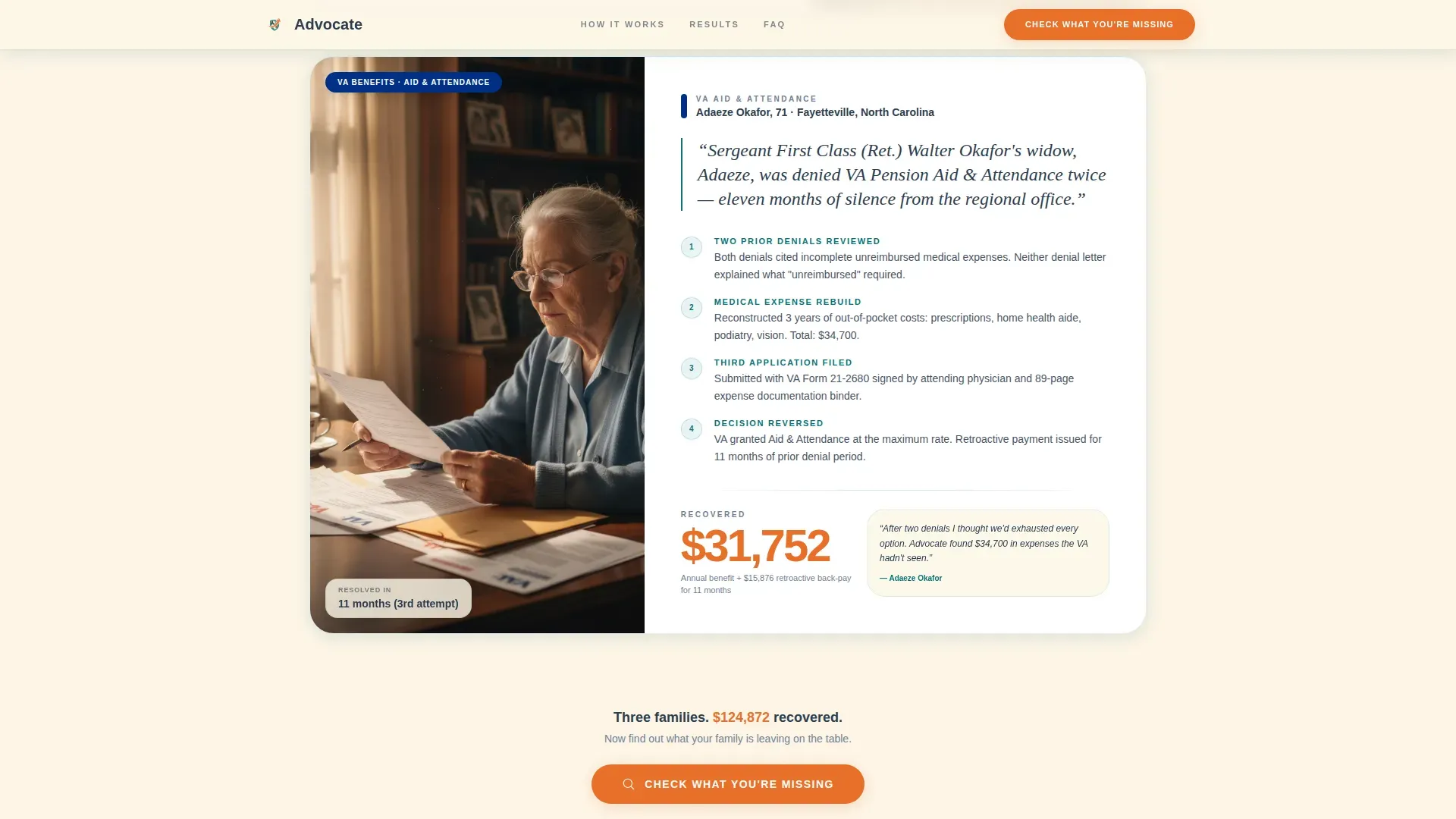
Zigzag Case Study Blocks
Each alternating block opens with a one-sentence crisis, walks through the consultant's intervention step by step, and closes with the recovered amount in oversized tangerine type. Stakes escalate down the page from a food-assistance recertification to a complex eleven-month VA appeal.
Five-Question Eligibility Screener
The primary call to action is a short quiz titled "Check What You're Missing." It asks five focused questions: relationship to the beneficiary, monthly income range, active programs already enrolled in, state of residence, and whether a denial or reduction letter arrived in the past 12 months.
Personalized Gap Summary and Booking Link
Quiz results deliver a personalized benefit gap summary. The page then presents an embedded scheduling link with the text "Claim Your Free Review," connecting the visitor's specific situation to a real next step.
Escalating Narrative Scroll
The page is structured so each case study raises the stakes. Visitors scroll not for general information but for resolution. Each story functions as a short financial rescue, building urgency and curiosity before the quiz arrives.
Page sections overview
| Section | Purpose |
|---|---|
| Agency Logo Bar | Establish program credibility upfront |
| Hero Image Block | Create emotional stakes immediately |
| Case Study One | Introduce a resolved benefits crisis |
| Case Study Two | Escalate complexity and recovery amount |
| Case Study Three | Show a high-stakes VA appeal win |
| Eligibility Quiz | Qualify visitors with five questions |
| Gap Summary Results | Deliver a personalized benefit gap |
| Booking Link Block | Convert qualified visitors to calls |
Design & branding system
The Teal Catalyst color system is built to feel like a government form redesigned by someone who genuinely cares. Every color has a specific role and is not used interchangeably.
- Deep policy teal (#0D7377) for section headers and trust anchors, charcoal (#2C3E50) for calm and readable body text, and warm kitchen-table cream (#FDF5E6) as the primary background
- Action tangerine (#E8702A) used exclusively for buttons, recovered dollar amounts in case study closings, and progress indicators inside the quiz
- The overall palette reads as clinical enough to signal expertise and warm enough that a visitor would hand over sensitive personal information without hesitation
Mobile & speed optimization
The layout is designed to work cleanly on smaller screens where most family caregivers and benefit seekers are reading. The zigzag blocks reflow gracefully, and the quiz steps are sized for thumb-friendly interaction.
- Alternating case study blocks stack vertically on mobile without losing the escalating narrative structure
- Quiz steps are presented one at a time, keeping each question focused and reducing friction on touch screens
How this template helps you convert
The conversion path is built into the page architecture itself. Visitors are not asked to trust a claim, they are shown proof first, then invited to find their own number.
- The agency logo bar and hero headline establish credibility and frame the gap in the first seconds of the visit, setting up the emotional stakes before a single service is described.
- Each zigzag case study builds social proof through specific, anonymized outcomes, so by the time the visitor reaches the quiz, they already believe a gap exists and want to know if it applies to them.
- The five-question screener personalizes the experience and ends with an embedded booking link, turning a passive reader into an active appointment.
Other information about this template
This template sits at the intersection of HR and hiring workflows in the government and public sector context. It is particularly well suited for consultants who serve county caseworkers, elder care coordinators, and veterans' service organizations.
- The template style is zigzag and alternating, making it easy to swap in new case studies as your practice grows
- The Family First theme and Teal Catalyst color system are pre-configured and ready to customize with your own logo and brand colors
- The quiz and booking section can support integration with scheduling tools, and the screener questions are editable to match your specific intake workflow
- This template is built as a single landing page, making it fast to launch and straightforward to maintain without a full website infrastructure
Theme
Family First
Creative direction
Case Study Narrative
Color system
Teal Catalyst
Style
Zigzag/Alternating
Direction
Quiz/Assessment
Page Sections
Agency Logo Bar Header
Hero Image with Overlaid Headline
Zigzag Case Study Blocks
Five-question Eligibility Screener
Personalized Gap Summary and Booking Link
Escalating Narrative Scroll Structure
Related questions
Can I replace the case studies with my own client stories?
Is the five-question eligibility quiz editable?
Who is this landing page template designed for?
Does the template include the booking link section?
Can I use this template if I focus on just one benefit program?



