Family & Domestic Law Professional Website Template
Advocate is a sidebar companion landing page built for juvenile law attorneys. It organizes urgent legal guidance into content panels that parents can read the moment they need it most. A sticky sidebar table of contents, a lead magnet form, and a bottom consultation request work together to convert through trust rather than pressure.
by Rocket studio
Quick summary
Advocate is a resource-first landing page template for juvenile criminal defense practices. It presents genuine legal guidance in plain language, organized by urgency, before asking a visitor for anything. A persistent sidebar table of contents guides parents from immediate crisis steps all the way through long-term record strategy.
Who this template is for
This template is built for juvenile law attorneys who want their website to do real work. It suits practices where the first contact often happens at 2 a.m., in a panic, from a parent who has no idea what comes next.
- Juvenile defense attorneys handling detention hearings, school expulsion appeals, and record expungements
- Guardians ad litem and family law attorneys seeking a co-counsel resource they can refer clients to
- Solo practitioners or small firms that want a polished, authoritative web presence without a complex multi-page build
What problem this template solves
Most legal landing pages ask for contact information before giving the visitor any reason to trust the attorney. Parents searching for juvenile defense help are already overwhelmed. A page that leads with forms and generic promises loses them immediately.
- Parents arrive in crisis and need answers before they feel ready to hand over their phone number
- Existing legal page layouts offer no urgency hierarchy, mixing long-term services with immediate next steps
- The sidebar companion structure keeps the visitor oriented so they never feel lost inside dense legal content
What you get with this template
This template delivers a structured, content-driven landing page with five distinct content panels, a sticky sidebar navigation system, and two conversion paths built in. Every section is written to guide a visitor from panic to informed action.
- A hero section with a Stacked Type Tower header, a sticky sidebar table of contents, and active section highlighting
- Four deep-content panels covering immediate crisis steps, process education, rights information, and record expungement
- A lead magnet inline form and a bottom consultation request form with a case-type dropdown and optional phone field
Feature list
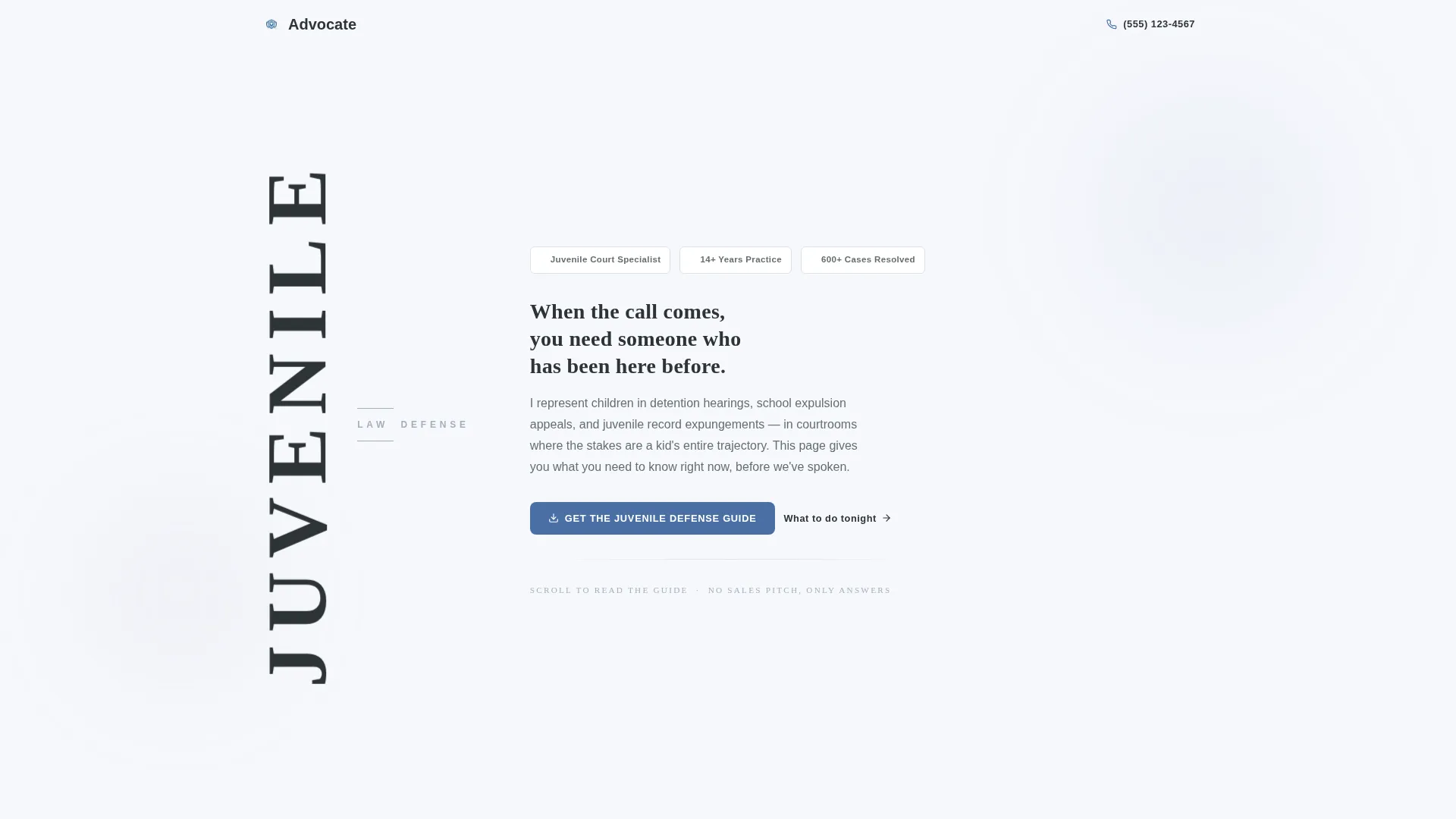
Stacked Type Tower Hero
The hero uses large vertical display typography, with "JUVENILE" stacked letter by letter in a tall narrow serif. "LAW DEFENSE" runs horizontally across the midpoint like a crossbar. No stock photography is used. The composition alone communicates authority and focus.
Sticky Sidebar Table of Contents
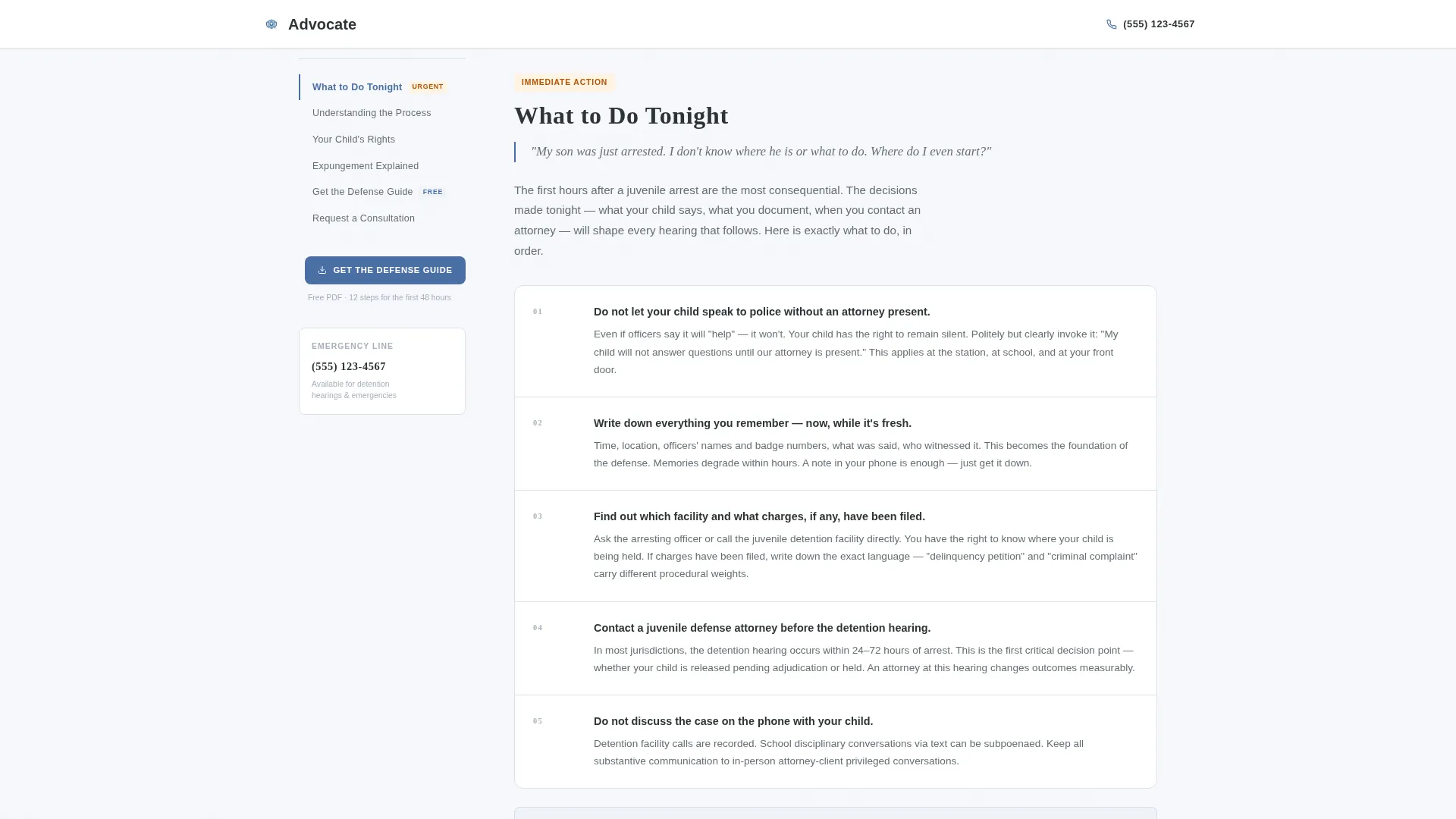
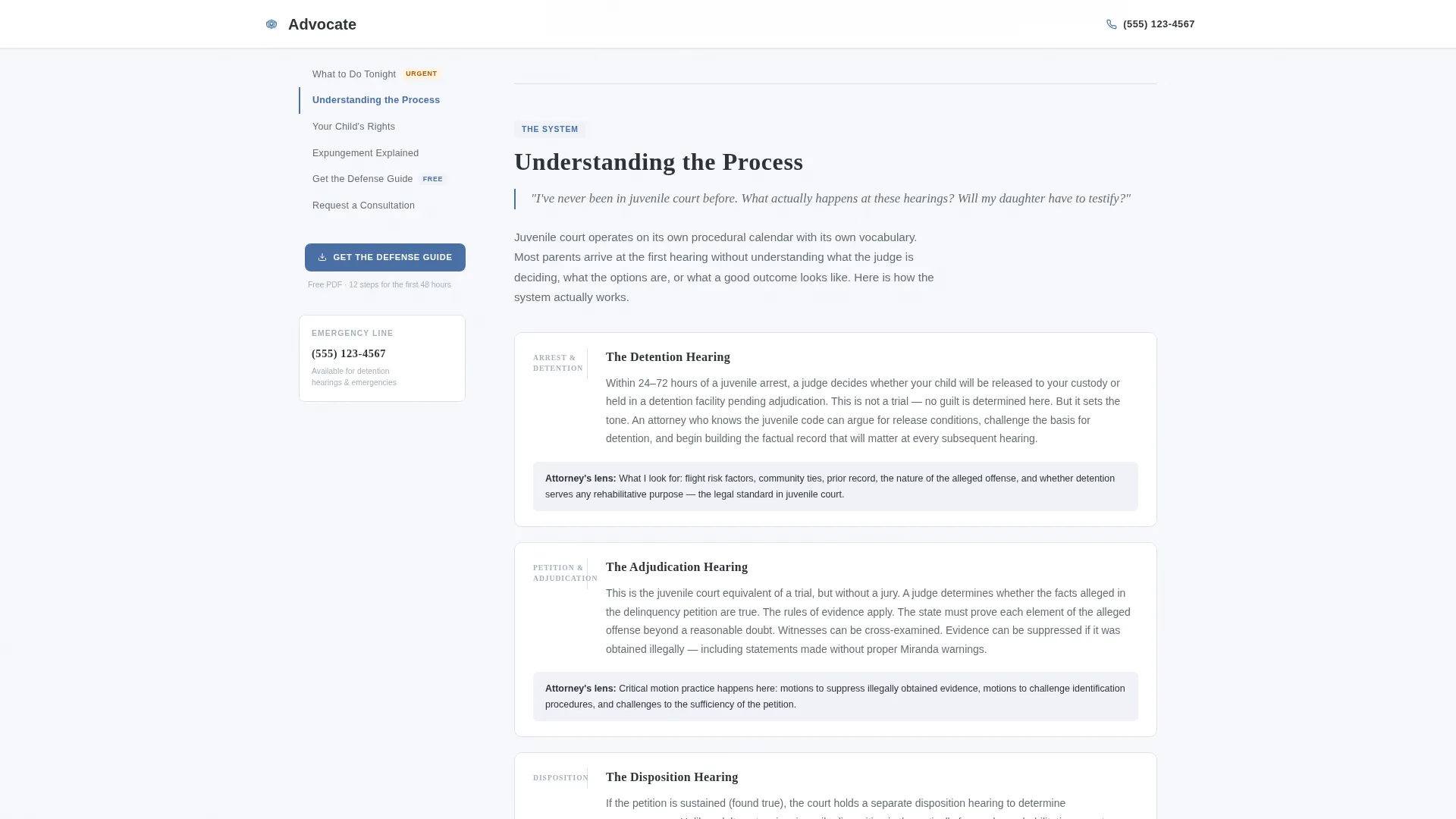
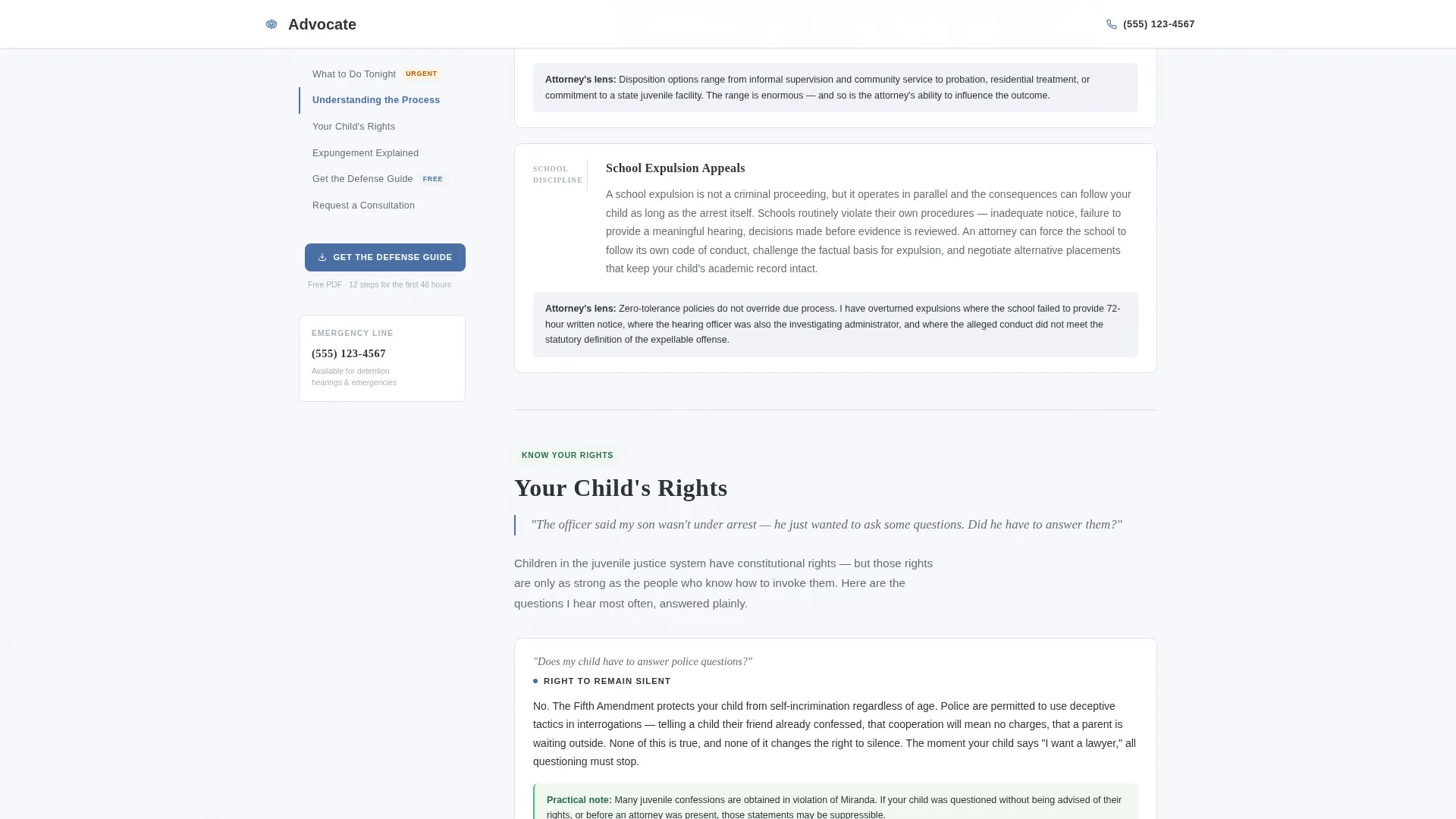
A persistent sidebar sits alongside the main content column. It links to each panel: "Understanding the Process," "Your Child's Rights," "Expungement Explained," and "What to Do Tonight." As the visitor scrolls, the active section highlights automatically, keeping navigation effortless.
Urgency-Ordered Content Panels
Each panel opens with a parent's real question in italic text, followed by a clear and authoritative answer. The panels escalate from immediate crisis guidance to long-term record strategy, building trust through demonstrated knowledge before any contact information is requested.
Inline Lead Magnet Form
After the third content panel, an inline form offers a downloadable PDF checklist titled "12 Things to Do in the First 48 Hours." Visitors provide a first name and email address to receive it. The same offer appears in the sticky sidebar for persistent visibility.
Bottom Consultation Request Form
A short-form consultation request anchors the page footer area. It includes a free-text "Describe Your Situation" field, a case-type dropdown covering arrest, school discipline, probation violation, and expungement, and an optional phone number field.
Executive Suite Visual Theme
The Cloud Canvas color system uses cumulus white backgrounds, briefcase charcoal body text, pewter dividers, and a single steady blue accent reserved for links, calls to action, and section markers. Cinzel handles display headings and Manrope handles body text.
Page sections overview
| Section | Purpose |
|---|---|
| Hero Tower | Display header, sticky sidebar TOC launch |
| What to Do Tonight | Immediate 48-hour action guidance panel |
| Understanding the Process | Detention hearings, school appeals, probation overview |
| Your Child's Rights | Miranda rights, school searches, interrogation rights |
| Expungement Explained | Record sealing and long-term trajectory panel |
| Inline Lead Magnet | PDF checklist capture after third content panel |
| Consultation Request | Bottom form with case type, situation, and phone |
| Minimal Footer | Copyright, essential links, and phone number |
Design & branding system
The Executive Suite theme communicates composed authority. Every visual choice is restrained and intentional, reflecting the kind of calm a client needs from an attorney on their worst day.
- Cloud Canvas palette: cumulus white (#F7F8FC) backgrounds, briefcase charcoal (#2D3436) body text, pewter (#A4B0BD) section dividers, steady blue (#4A6FA5) for all calls to action and accent elements
- Typography pairing: Cinzel display serif for the hero and all major headings, Manrope sans-serif for body copy and sidebar navigation
- No decorative imagery, no stock photographs of gavels or courtrooms; the layout earns visual weight through spacing and typographic hierarchy alone
Mobile & speed optimization
The template is designed desktop-first for the sidebar companion layout. On smaller screens, the sidebar collapses gracefully so content remains readable and the conversion paths stay accessible.
- Sticky sidebar transitions to a collapsible top navigation on mobile devices
- Subtle fade-in animations and scroll-linked sidebar highlighting use minimal JavaScript to keep motion understated
- Static content sections are built with Server Components to reduce the amount of JavaScript running on page load
How this template helps you convert
This template earns conversions by giving first. By the time a parent reaches a form, they have already read more useful information than any other page they have open.
- The sticky sidebar and urgency-ordered panels keep visitors engaged across the full page, raising the likelihood they reach both conversion points
- The inline lead magnet form converts mid-scroll visitors who are not yet ready for a consultation but want to take a concrete step
- The bottom consultation form captures visitors who have read through the full content and are ready to describe their situation directly
Other information about this template
This template fits naturally into a broader content strategy for juvenile law practices. It is organized around the specific case types most likely to bring a parent to your page in the first place.
- Designed for English-language, United States legal context with USD pricing conventions in mind
- Case type dropdown covers the four most common juvenile defense matters: arrest, school discipline, probation violation, and expungement
- Social proof is supported through case type expertise markers, years of practice references, and specific court familiarity callouts built into the content panel structure
- The footer follows a minimal Pattern 8 layout: copyright line, essential links, and a visible phone number
Theme
Executive Suite
Creative direction
Expert Panel
Color system
Cloud Canvas
Style
Sidebar Companion
Direction
Content/Resource
Page Sections
Stacked Type Tower Hero
Sticky Sidebar Navigation
Urgency-ordered Content Panels
Inline Lead Magnet Form
Bottom Consultation Request Form
Executive Suite Visual System
Related questions
Who is this landing page template designed for?
What are the two conversion paths included in this template?
Can I replace the placeholder legal content with my own guidance?
Does the sidebar layout work on mobile devices?
Can a family law attorney who also handles juvenile cases use this template?