HVAC Technician FAQ Website Template
Airflow is an editorial-style HVAC technician resource landing page built around a no-nonsense FAQ and field reference format. It serves apprentices, journeymen, and shop owners with structured knowledge sections, a contributor-led scroll experience, and a charcoal-and-amber visual identity that feels like a trusted field manual come to life on screen.
by Rocket studio
Quick summary
Airflow is a single-page resource hub designed for HVAC professionals at every skill level. The layout combines an editorial magazine feel with deep trade utility: contributor-led knowledge sections, a prominent search bar, downloadable field references, and a bookmarking feature. The charcoal and amber color system keeps everything readable and purposeful, front to back.
Who this template is for
This template is built for people who work in the HVAC trade and need a credible, organized place to share field knowledge. It suits operators who want their resource page to feel authoritative without feeling corporate.
- Second-year apprentices studying for the EPA 608 certification exam and needing reliable reference material
- Seasoned journeymen troubleshooting variable-speed ECM motors or reviewing refrigerant charging procedures
- Shop owners and training managers building internal libraries for new hire onboarding
What problem this template solves
Most HVAC resource pages feel like a cluttered forum or a locked PDF wall. Visitors either drown in unorganized content or hit a gate before they get any real value. This template solves that by leading with genuinely useful answers and earning the download opt-in through demonstrated value.
- Scattered knowledge with no clear learning path from fundamentals to advanced topics
- Low trust from visitors who encounter paywalled content before seeing proof of quality
- No clear mechanism for return visits once a technician has found a single answer
What you get with this template
You get a fully structured editorial landing page with a contributor-driven scroll, a search bar, content categories that progress from basic to advanced, and two clear conversion paths. The design is production-ready and built around the charcoal and amber palette described in the brief.
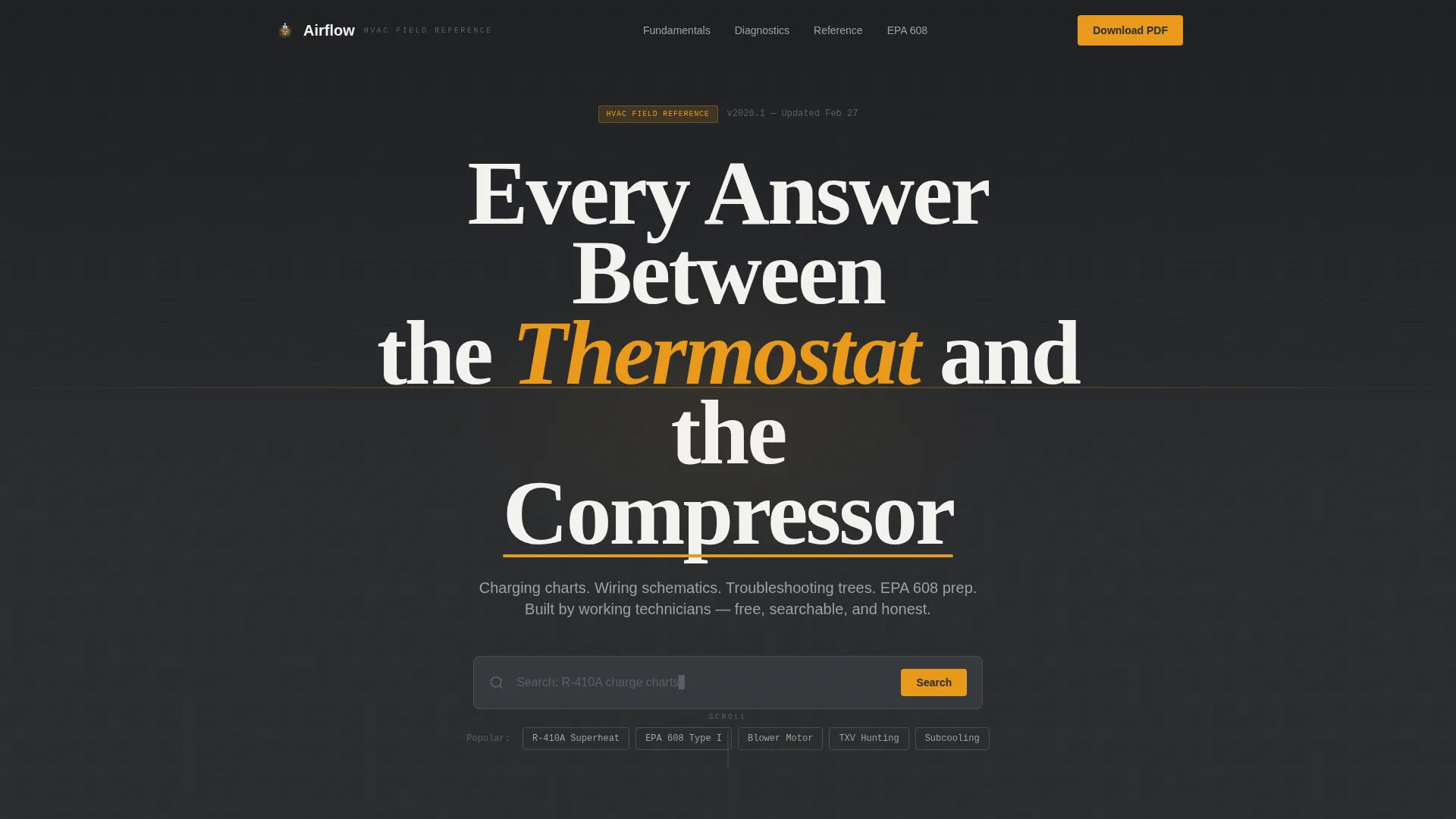
- A giant centered headline section with a full-bleed charcoal background and amber keyword accent
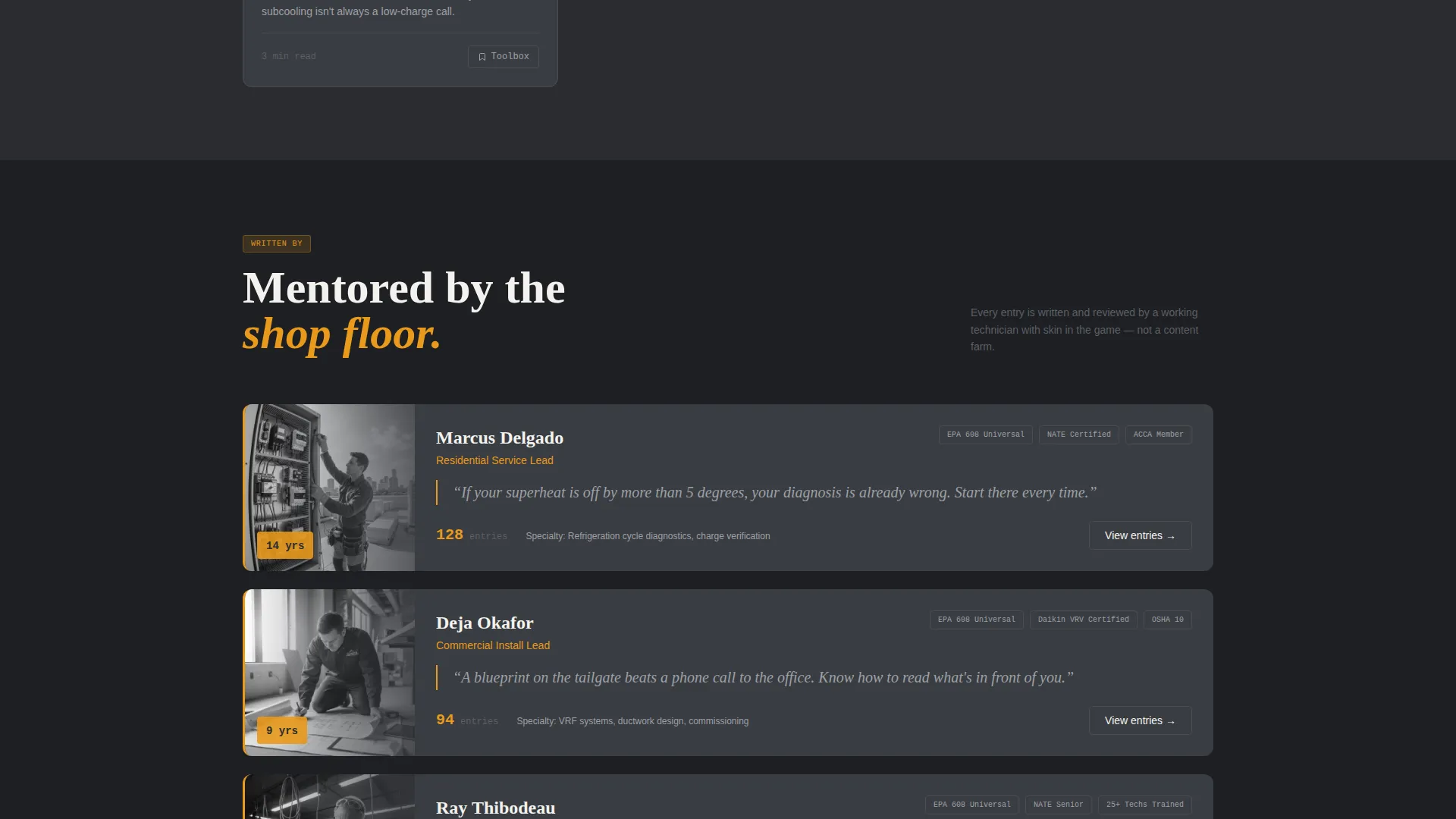
- Contributor-profile scroll sections with named technicians, trade experience, and category introductions
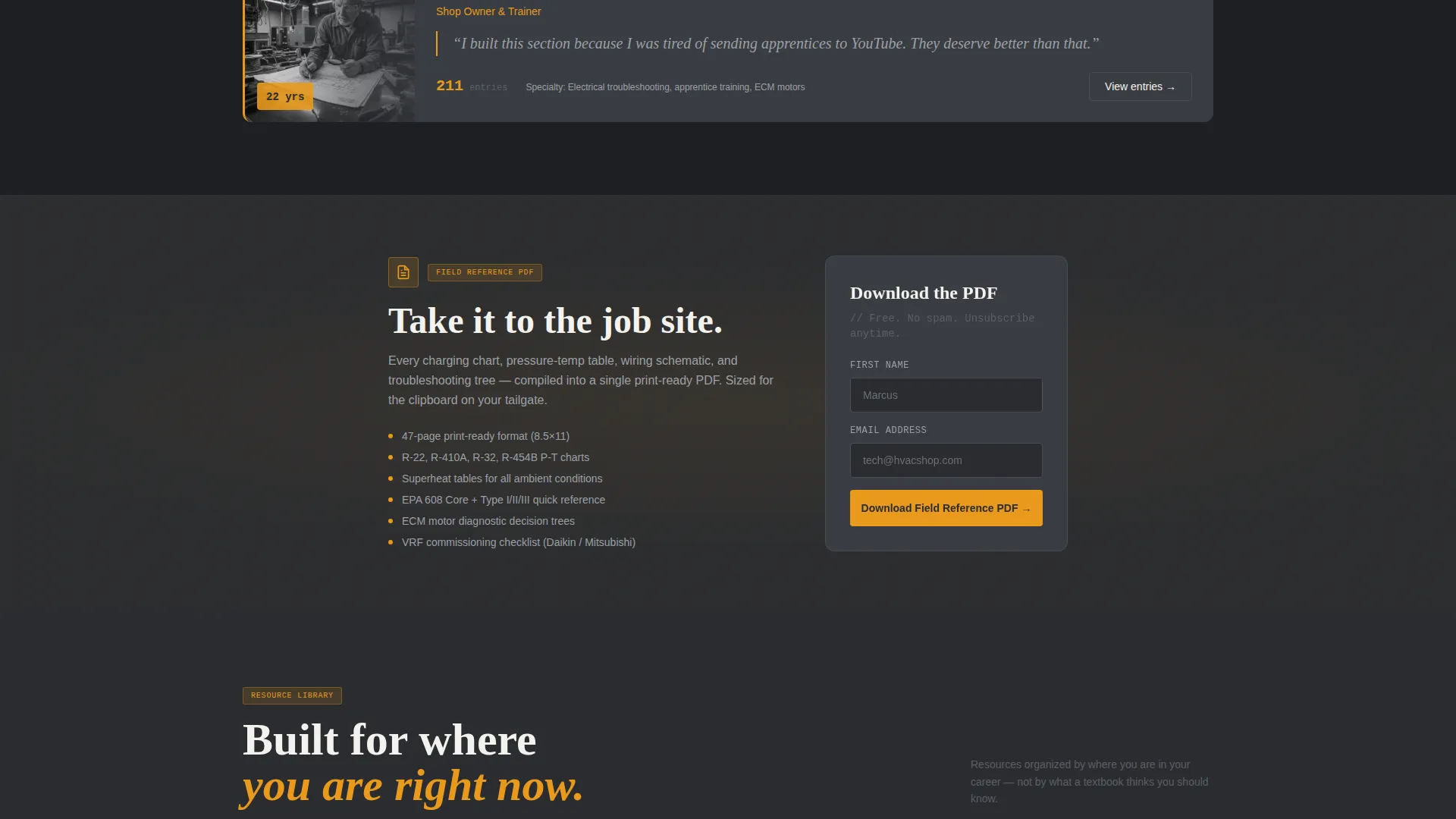
- A primary call-to-action for a field reference PDF download placed after every third content section, with a minimal first-name-and-email form
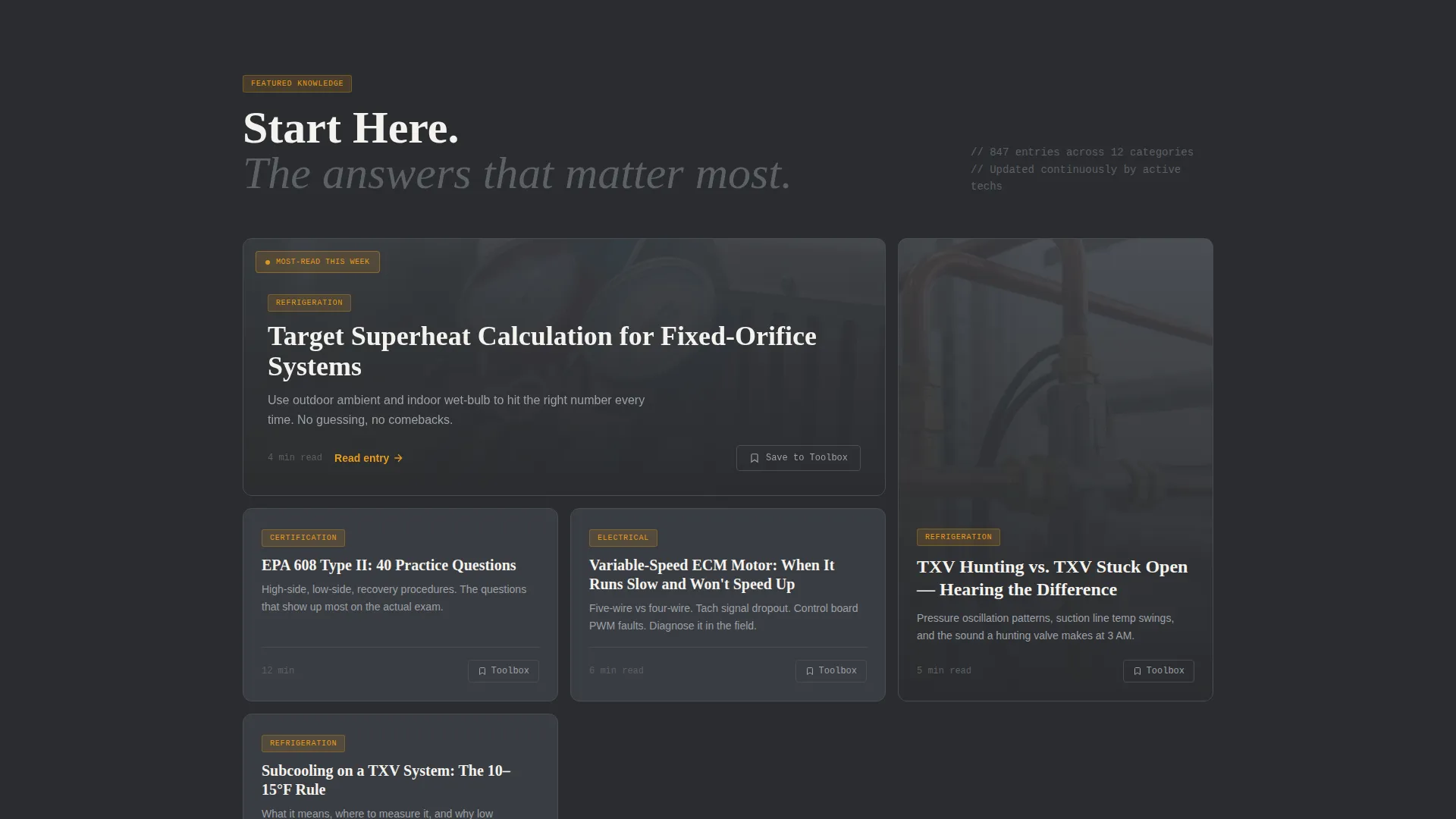
- A secondary "Save to My Toolbox" bookmarking path for individual FAQ entries
Feature list
This section outlines the core capabilities built into the Airflow template, grounded in what the source brief describes.
Giant Centered Headline Header
The header uses stark white oversized type on a full-bleed charcoal background. An amber underscore accents the primary keyword. No imagery competes with the headline, keeping the first impression direct and architectural.
Inline Search Bar
Directly below the headline sits a single-line search bar with ghost text referencing real trade topics: superheat calculation, blower relay wiring, and refrigerant charge charts. It signals immediate utility before the visitor scrolls.
Contributor-Led Knowledge Sections
Each content category is introduced by a named technician with their years in the trade. A residential service tech covers diagnostic FAQs, a commercial install lead walks through resource guides. The scroll feels like structured mentorship from a full shop floor.
Progressive Content Depth
Sections move deliberately from fundamentals to advanced territory. The refrigeration cycle and electrical safety open the page. Psychrometric charts and VRF (variable refrigerant flow) commissioning appear deeper in the scroll, matching how technicians actually grow in the trade.
Repeating PDF Download Call to Action
After every third content section, the template surfaces a "Download the Field Reference PDF" call to action. The form requires only a first name and an email address, keeping friction low and the offer clearly earned.
Save to My Toolbox Bookmarking
Visitors can save individual FAQ entries to a personal collection using the "Save to My Toolbox" feature. This secondary conversion path encourages repeat visits and builds a habit of returning to the resource hub.
Page sections overview
| Section | Purpose |
|---|---|
| Giant Headline Header | Sets tone, displays primary topic, includes amber keyword accent |
| Inline Search Bar | Invites immediate topic lookup before scrolling begins |
| Fundamentals Category | Covers refrigeration cycle basics and electrical safety content |
| Contributor Profile Block | Introduces named technician with trade experience and portrait |
| Diagnostic FAQ Section | Residential service tech answers common troubleshooting questions |
| PDF Download Call to Action | Collects first name and email, delivers field reference PDF |
| Resource Guide Section | Commercial install lead walks through duct and system guides |
| Advanced Topics Category | Covers psychrometric charts and VRF commissioning content |
| Save to Toolbox Section | Lets visitors bookmark individual FAQ entries for return visits |
Design & branding system
The visual identity follows an Educational Guide theme expressed through a four-color Charcoal and Amber palette. Every design decision reinforces the feeling of a well-organized tool bag under fluorescent shop light: dark and utilitarian, punctuated by the warm glow of an active multimeter display.
- Deep workshop charcoal (#2B2D30) dominates backgrounds and body text blocks, with warm duct-metal gray (#5C5F66) used for secondary surfaces
- Safety-label amber (#E8991C) marks every interactive element, callout box, and category tag throughout the page
- Clean schematic white (#F4F2ED) opens reading space the way negative space on a wiring diagram keeps circuits legible
Mobile & speed optimization
The editorial layout is structured for clean rendering across screen sizes. Long-scroll pages like this one depend on readable type and clear section breaks, and the template is built with those priorities in mind.
- Charcoal backgrounds and high-contrast amber accents maintain readability on small screens without needing color adjustments
- Section-by-section scroll structure keeps content digestible on mobile, one contributor block at a time
- The minimal PDF opt-in form (first name and email only) reduces friction on touch-screen devices
How this template helps you convert
The conversion strategy here is built on a give-first model. Visitors receive full, genuinely useful answers before any ask is made. This approach earns trust and makes the PDF download feel like a natural next step rather than a barrier.
- Proven value before the ask: charging charts, wiring schematics, and troubleshooting trees appear in full on the page, so the PDF download feels like a portable version of something already trusted, not a gate blocking access.
- Low-friction primary conversion: the "Download the Field Reference PDF" form asks only for a first name and email, reducing hesitation at the point of commitment.
- Repeat-visit loop via bookmarking: the "Save to My Toolbox" secondary path gives technically minded visitors a reason to return, deepening engagement beyond a single session.
Other information about this template
This template is categorized under Professional Services, specifically the HVAC Technician Online Presence subcategory, with a niche focus on HVAC technician FAQ and resource pages. It uses an Editorial and Magazine template style with a Team and People creative direction, meaning real contributor voices structure the layout rather than generic category headers. The header concept is a Giant Headline Centered approach, which gives the page an immediate, confident authority signal.
- The template style is editorial and magazine, making it suitable for content-rich resource destinations rather than simple lead-capture pages
- The content and resource landing page direction means conversion is secondary to demonstrated expertise, which builds stronger long-term trust
- The intersection match between the Professional Services category, HVAC Technician Online Presence subcategory, and the resource hub format is high, scoring 13 on the alignment index
Theme
Educational Guide
Creative direction
Team & People
Color system
Charcoal & Amber
Style
Editorial/Magazine
Direction
Content/Resource
Page Sections
Giant Centered Headline with Amber Accent
Inline Trade-specific Search Bar
Named Contributor Knowledge Sections
Fundamentals to Advanced Content Progression
Repeating PDF Download Prompt
Save to My Toolbox Bookmarking
Related questions
Who is this template designed for?
Can I customize the contributor sections with my own team?
What content categories does the template support out of the box?
How does the PDF download call to action work?
Is the Save to My Toolbox bookmarking feature included?



