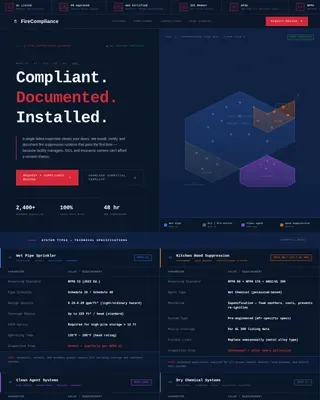
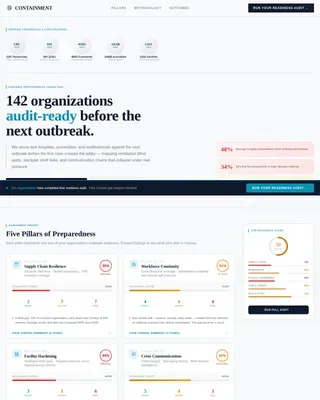
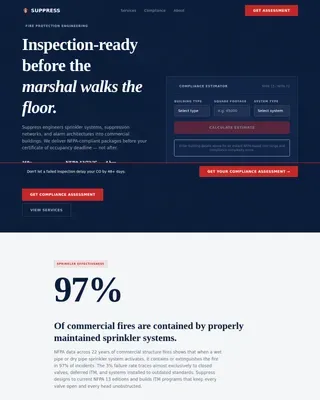
Advanced Fire Safety & Prevention Privacy Policy & Terms Website Template
A single-column landing page built for professional smoke detector installation services. It walks property managers, landlords, and homeowners through a structured breakdown of detector types, wiring standards, and code compliance requirements. The layout uses spec-sheet comparison cards and a clear DIY-versus-professional contrast to move cautious visitors toward a compliance quote.
by Rocket studio
Quick summary
This landing page template is built for a two-person smoke detector installation crew. It presents a clinical, data-driven case for professional installation over DIY approaches. Visitors move through detector type comparisons, wiring spec cards, and a final compliance-focused call to action. The layout is direct, structured, and designed to resolve the exact questions fire-code anxiety produces.
Who this template is for
This template serves professionals who install hardwired and interconnected smoke detection systems for residential and multi-unit properties. The audience has a specific compliance urgency that generic service-page templates cannot address.
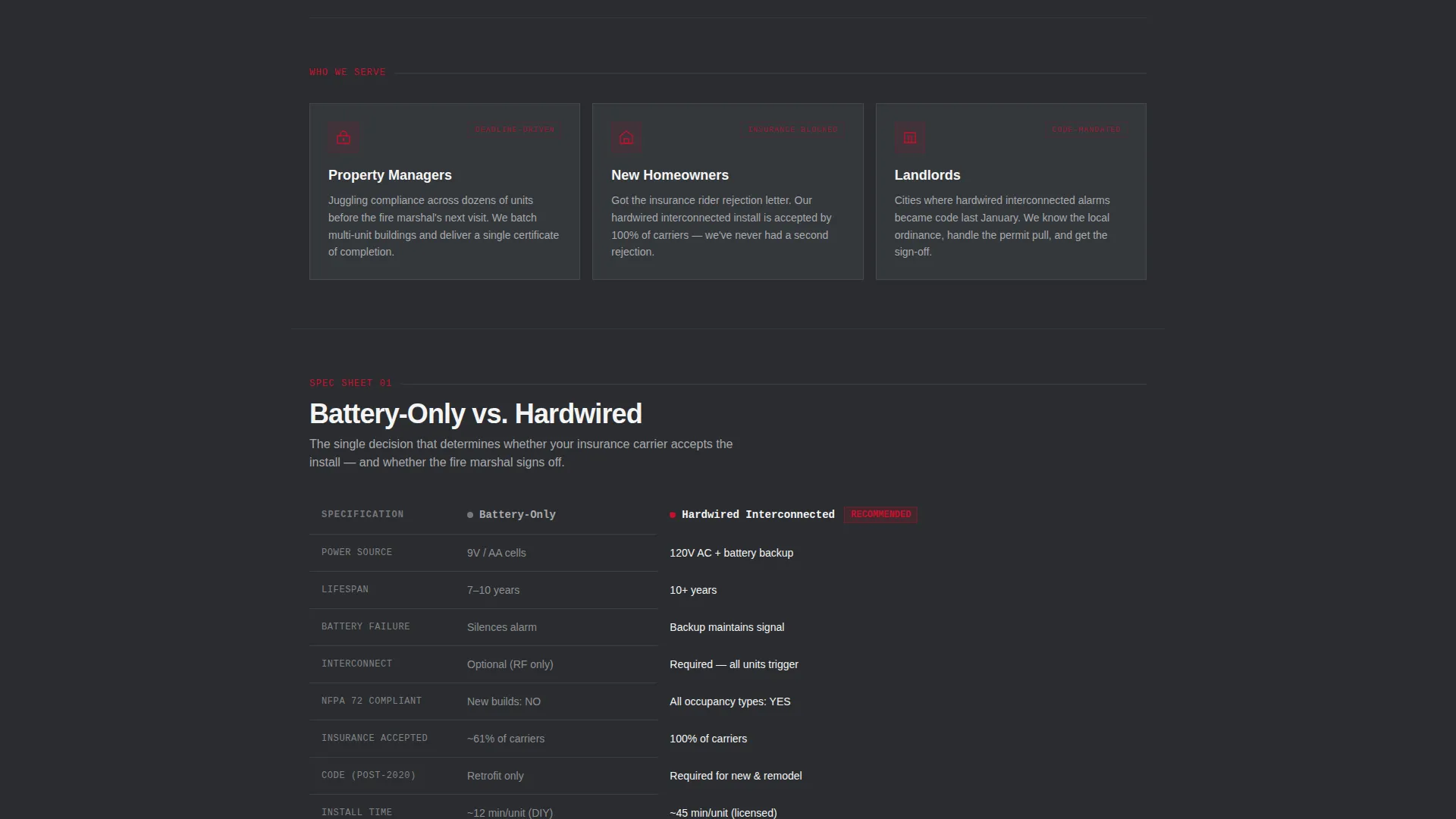
- Property managers handling code compliance across multiple rental units before a scheduled fire marshal inspection
- New homeowners who received an insurance rider rejection due to missing or non-compliant detectors
- Landlords operating in jurisdictions where hardwired interconnected alarms became mandatory code
What problem this template solves
Most service landing pages bury the technical detail visitors actually need. Buyers in this niche arrive with very specific questions: photoelectric or ionization, battery or hardwired, standalone or interconnected. A vague "contact us" page loses them. This template resolves those questions visually before asking for anything.
- Visitors leave without booking because they cannot compare detector types or understand code requirements on their own
- Property managers need evidence of compliance-readiness before they can justify a service call to building owners
- Homeowners stuck between DIY and professional installation need a clear cost-and-risk breakdown to make a confident decision
What you get with this template
The template delivers a complete single-column landing page flow purpose-built for smoke detector installation services. Every section is designed around a real buyer decision point, from detector specification to booking.
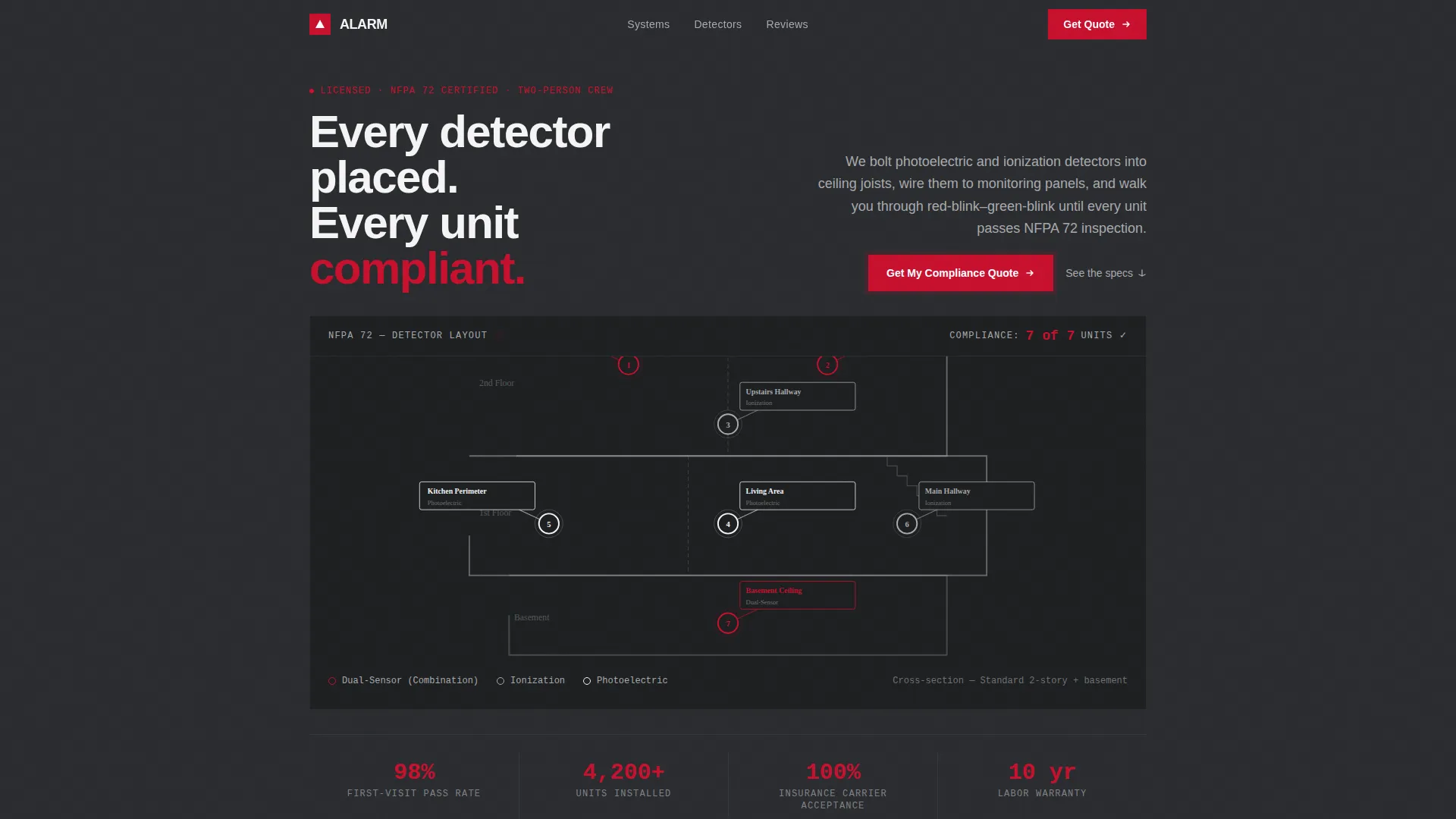
- A viewport-filling infographic header that maps detector placements across a two-story home cross-section with code-required locations labeled
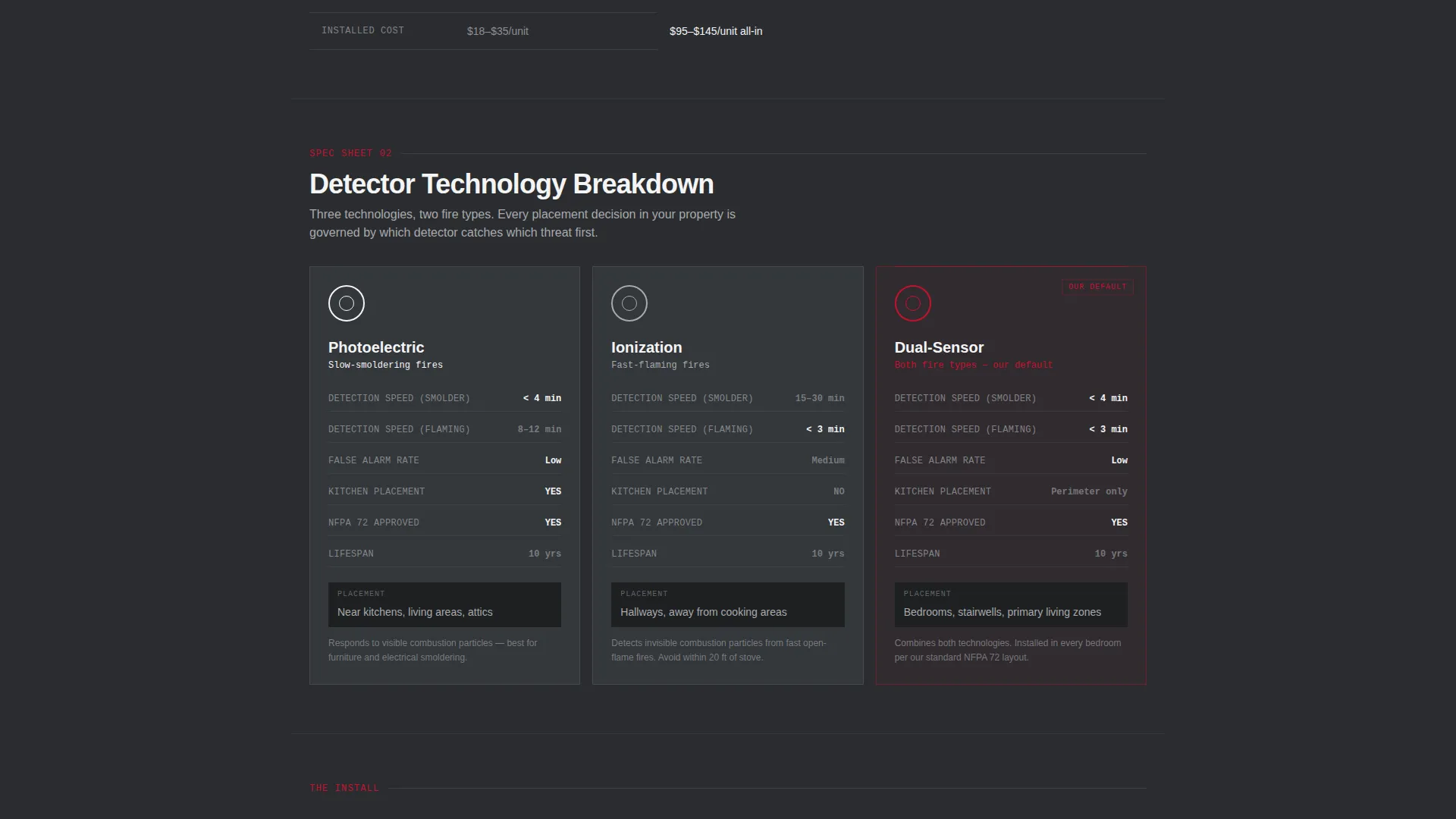
- Spec-sheet comparison cards covering battery versus hardwired, photoelectric versus ionization versus dual-sensor, and standalone versus interconnected systems
- A DIY versus professional installation comparison section with a primary "Get My Compliance Quote" form and a secondary "Download the Code Checklist" email capture path
Feature list
This template is built around structured content blocks that each serve a specific stage of the buyer's decision process.
Compliance Placement Infographic Header
The header fills the viewport with a schematic cross-section of a two-story home. Numbered callout lines mark every code-required detector location, including inside each bedroom, outside sleeping areas, every floor level, the basement, and the top of each stairway. A running tally in the corner reads "7 of 7 units compliant," giving visitors immediate confidence in the crew's thoroughness.
Detector Type Spec Cards
Each comparison card presents two or three options in side-by-side specification columns. Attributes covered include detection speed, false-alarm rates, unit lifespan, National Fire Protection Association 72 (NFPA 72) compliance status, and installed cost. The rhythm is clinical and scannable, resolving one decision per scroll.
Wiring System Comparison Section
A dedicated section contrasts battery-only systems against hardwired interconnected systems. The layout shows practical differences in code compliance status, insurance acceptance, and long-term reliability so visitors understand why the crew's hardwired approach matters.
DIY versus. Professional Installation Contrast
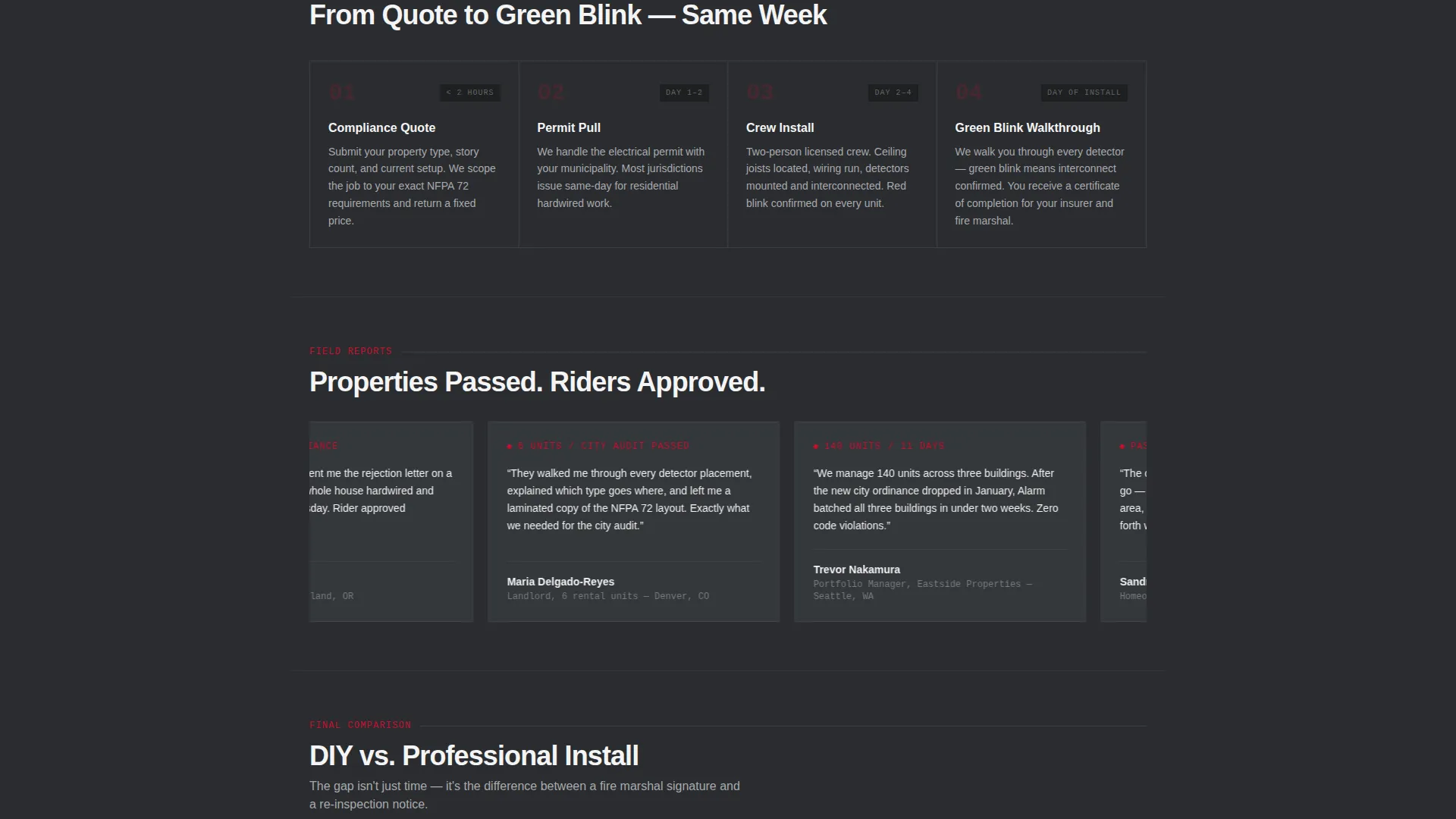
The final comparison block reframes the choice between self-installation and a licensed crew. It shows time cost, code-compliance risk, insurance acceptance rates, and warranty differences in a structured side-by-side view. This section directly addresses the hesitation most property managers and landlords feel before committing.
Dual-Path Conversion Section
The primary call to action, "Get My Compliance Quote," anchors a short form asking for property type, number of stories, and whether existing detectors are hardwired or battery. A secondary path, "Download the Code Checklist," captures email addresses from visitors still in research mode, keeping the brand in reach when they are ready to book.
Page sections overview
| Section | Purpose |
|---|---|
| Infographic Header | Maps compliant detector placements across a two-story home cross-section |
| Detector Type Cards | Compares photoelectric, ionization, and dual-sensor specs side by side |
| Wiring System Comparison | Contrasts battery-only versus hardwired interconnected systems |
| DIY versus. Professional | Shows compliance risk, time cost, and warranty differences |
| Quote Request Form | Captures property type, story count, and existing detector status |
| Code Checklist Capture | Secondary email opt-in for visitors still in research mode |
Design & branding system
The visual identity follows a Civic Service theme with a Monochrome Steel color palette. Every color choice is functional, not decorative. The result feels like the interior of a fire station equipment locker: structured, serious, and built for fast reading under pressure.
- Structural charcoal (#2B2D30) for backgrounds, brushed aluminum (#A8AAAD) for secondary surfaces, and signal white (#F4F4F5) for text and white space
- Emergency red (#C8102E) used only on primary calls to action and critical data points, creating immediate visual priority without noise
- Typography and layout follow a schematic aesthetic, with callout lines, numbered labels, and specification columns that mirror a building inspector's reference material
Mobile & speed optimization
The single-column flow adapts naturally to smaller screens without rearranging the logical reading order. Spec cards and comparison columns are structured to remain readable on mobile viewports.
- Single-column layout keeps the scroll flow intact on phones and tablets without requiring horizontal scrolling
- The infographic header and comparison cards are sized to remain legible on standard mobile screens, preserving callout labels and specification data
- The short quote form uses minimal fields, reducing friction for visitors completing it on a mobile device
How this template helps you convert
The template is built around the idea that a confident visitor converts faster than a curious one. Every section removes a specific objection before the call to action appears.
- The spec-card scroll sequence answers the technical questions visitors have already been searching for, so they arrive at the call to action already informed rather than still uncertain.
- The dual-path conversion section serves two buyer stages simultaneously: the visitor ready to book gets a short quote form, while the visitor still researching gets a code checklist they can use immediately, keeping the service top of mind.
Other information about this template
This template is category-matched to Safety and Emergency services with a specific focus on Fire Safety and Prevention. It is aligned with the commercial fire protection niche and is suited to crews serving both residential and multi-unit property clients.
- The template style is a single-column flow, making it straightforward to publish and edit without a complex page builder setup
- The Civic Service theme and Monochrome Steel palette were selected to communicate authority and reliability, which are qualities that matter when the subject is life-safety compliance
- The infographic header concept is designed to function as a standalone educational asset, giving visitors a reference they can compare against their own property before the first conversation
Theme
Medical Clarity
Creative direction
Stats-First Impact
Color system
Navy Authority
Style
Single Column Flow
Direction
Lead Generation
Page Sections
Compliance Placement Infographic Header
Detector Type Spec Comparison Cards
Wiring System Comparison Block
DIY Versus. Professional Installation Section
Dual-path Conversion Section
Related questions
Who is this landing page template designed for?
Can I use this template for multi-unit or commercial properties?
What detector types does this template cover?
Does the template include a lead capture form?
What makes this template different from a general service-page layout?