Physical Therapist Website Template — Precision Therapy
Align is a hub-and-spoke landing page built for physical therapy clinics that want to convert hesitant patients into booked appointments. A stats-driven hero, five FAQ anchor sections, and a five-step mobility assessment quiz work together to remove every common objection before asking for the booking. The result is a page that earns trust through clinical precision, not marketing fluff.
by Rocket studio
Quick summary
Align is a single-page physical therapist appointment booking template built around one goal: turning a skeptical visitor into a confident patient. Three bold performance metrics open the page. A persistent anchor nav guides visitors through five FAQ-driven sections. A five-step interactive quiz closes with a personalized Recovery Profile and a pre-filled booking button.
Who this template is for
This template is built for physical therapy clinics and solo practitioners who need a high-converting booking page. It suits practices that serve a mixed caseload and want to address patient hesitation upfront.
- Clinics treating desk workers, post-operative patients, and weekend athletes with musculoskeletal pain
- Physical therapists who want to pre-qualify patients through a self-guided assessment before the first visit
- Practices looking to replace a generic contact form with a structured, trust-building booking flow
What problem this template solves
New patients rarely book on impulse. They search, second-guess, and abandon pages that do not answer their specific concerns. This template treats every common objection as a content problem to solve before the call to action appears.
- Patients hesitate because they do not know if they need a referral, what the first visit involves, or whether their insurance applies
- A static page with a single booking button does not earn the click from someone in real pain with real questions
- Without a structured intake process, clinics spend time on phone calls that a smart pre-assessment could handle automatically
What you get with this template
The template delivers a complete, interactive landing page with no external services required for the core booking flow. Every section is purposeful and sequenced to reduce friction at each step.
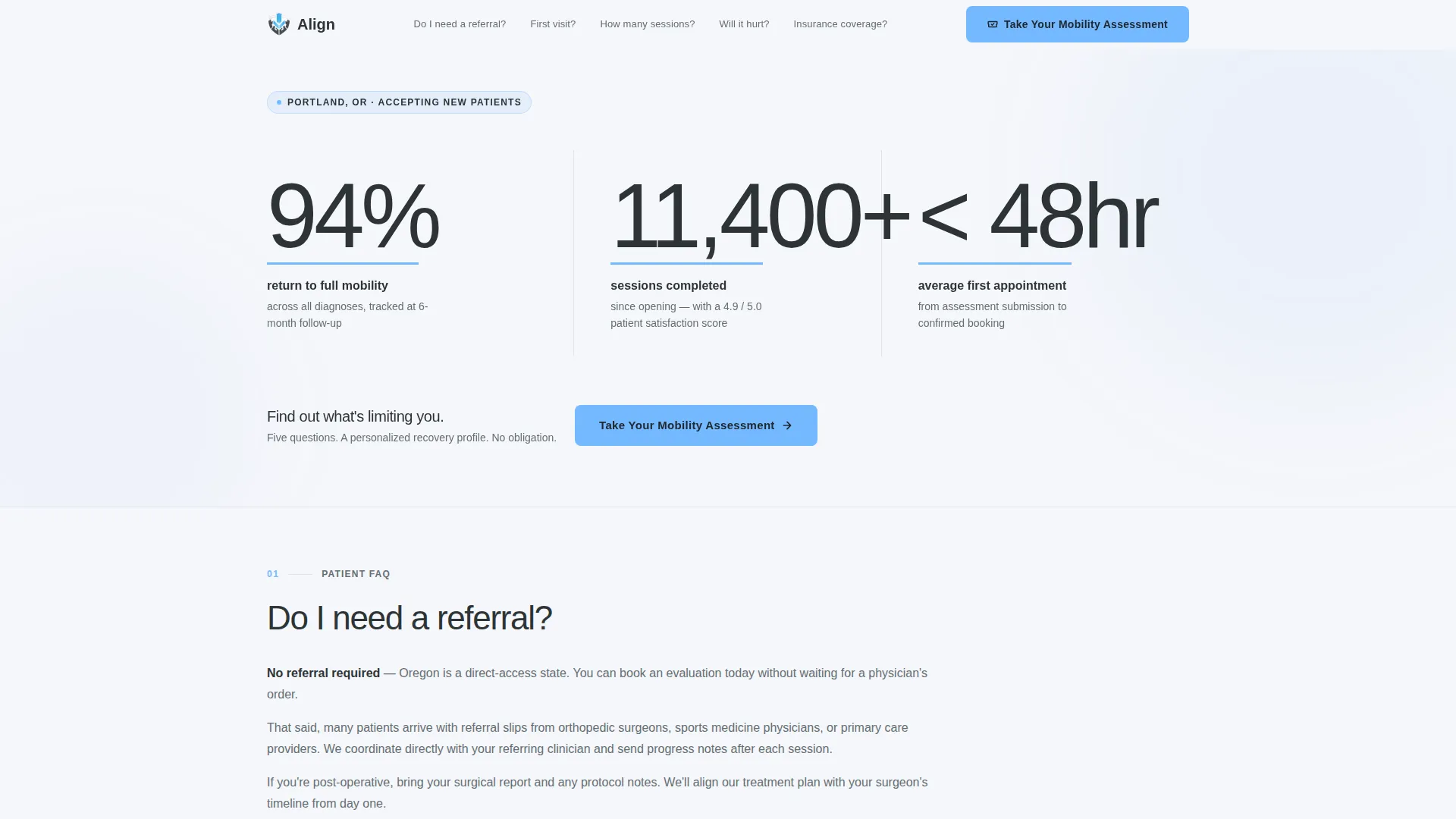
- A stats-wall hero section with three oversized clinical metrics and a pulse animation
- A persistent anchor navigation bar listing five real patient questions as clickable section links
- A five-step progressive assessment quiz that ends with a personalized Recovery Profile and a pre-filled booking button
Feature list
This landing page packs clinical precision into every interactive element. Each feature below is built directly from the template brief.
Stats-Wall Hero Section
Three oversized performance figures dominate the opening viewport: "94% return to full mobility," "11,400+ sessions completed," and "under 48-hour average first appointment." Numbers are set in a thin, engineered sans-serif against charcoal, with sky-blue underlines that pulse once on load. No photography, no filler, just evidence.
Persistent Anchor Navigation
A five-item anchor nav stays fixed as the visitor scrolls. Each item is one of the five questions a new patient actually searches before booking. Clicking any item jumps directly to the matching FAQ section, and the active dot highlights in sky blue to show position on the page.
FAQ-Driven Spoke Sections
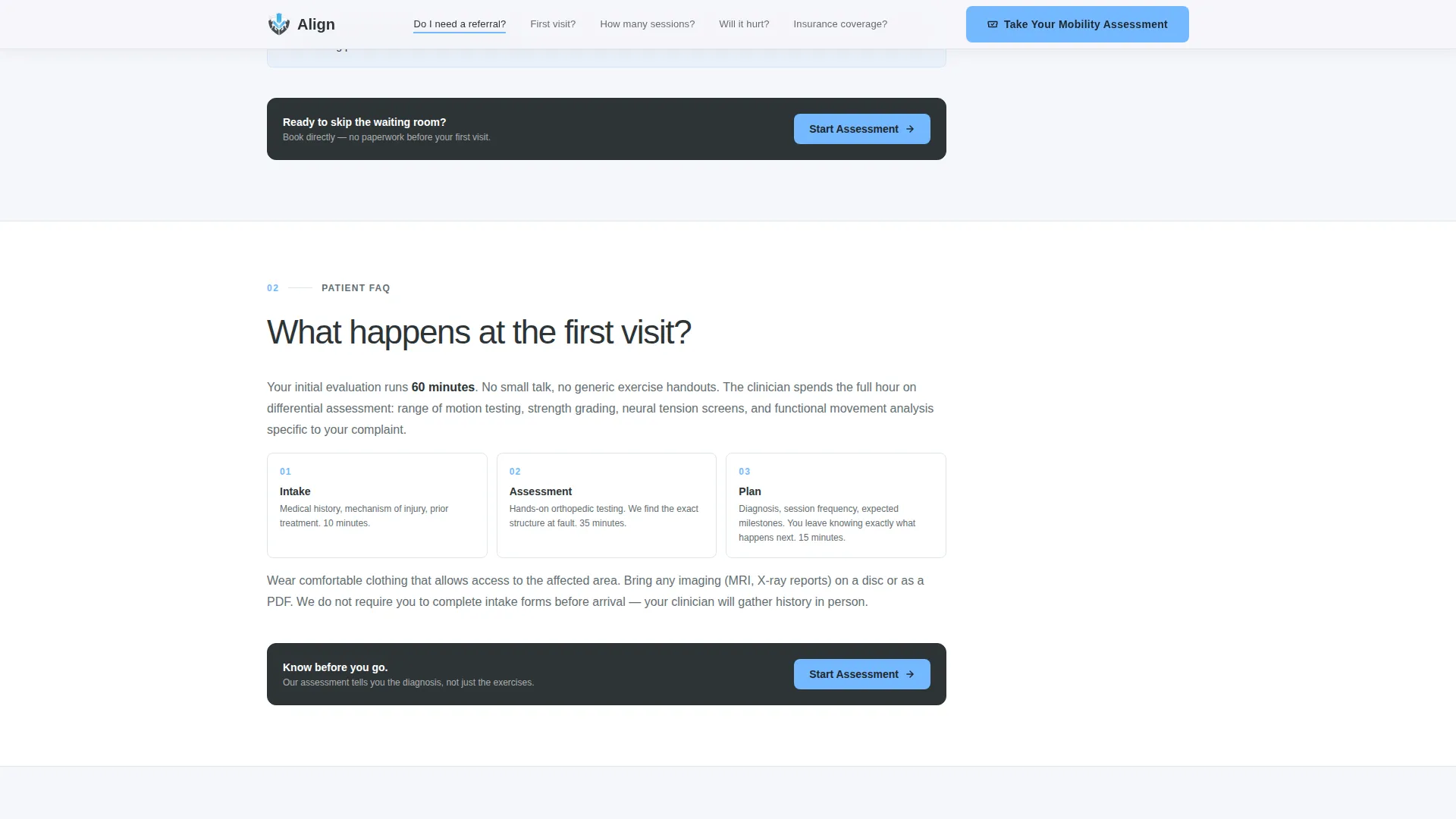
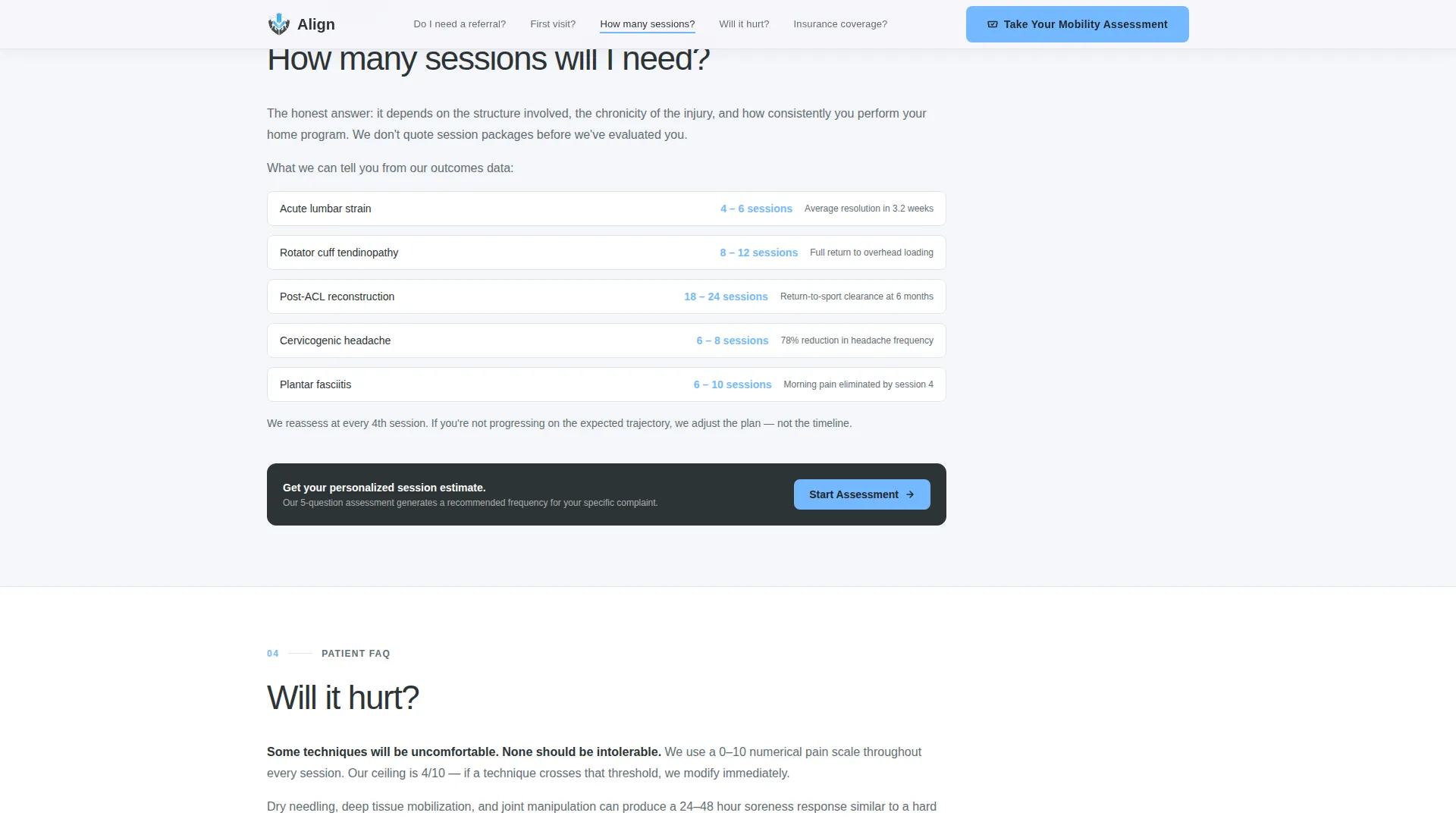
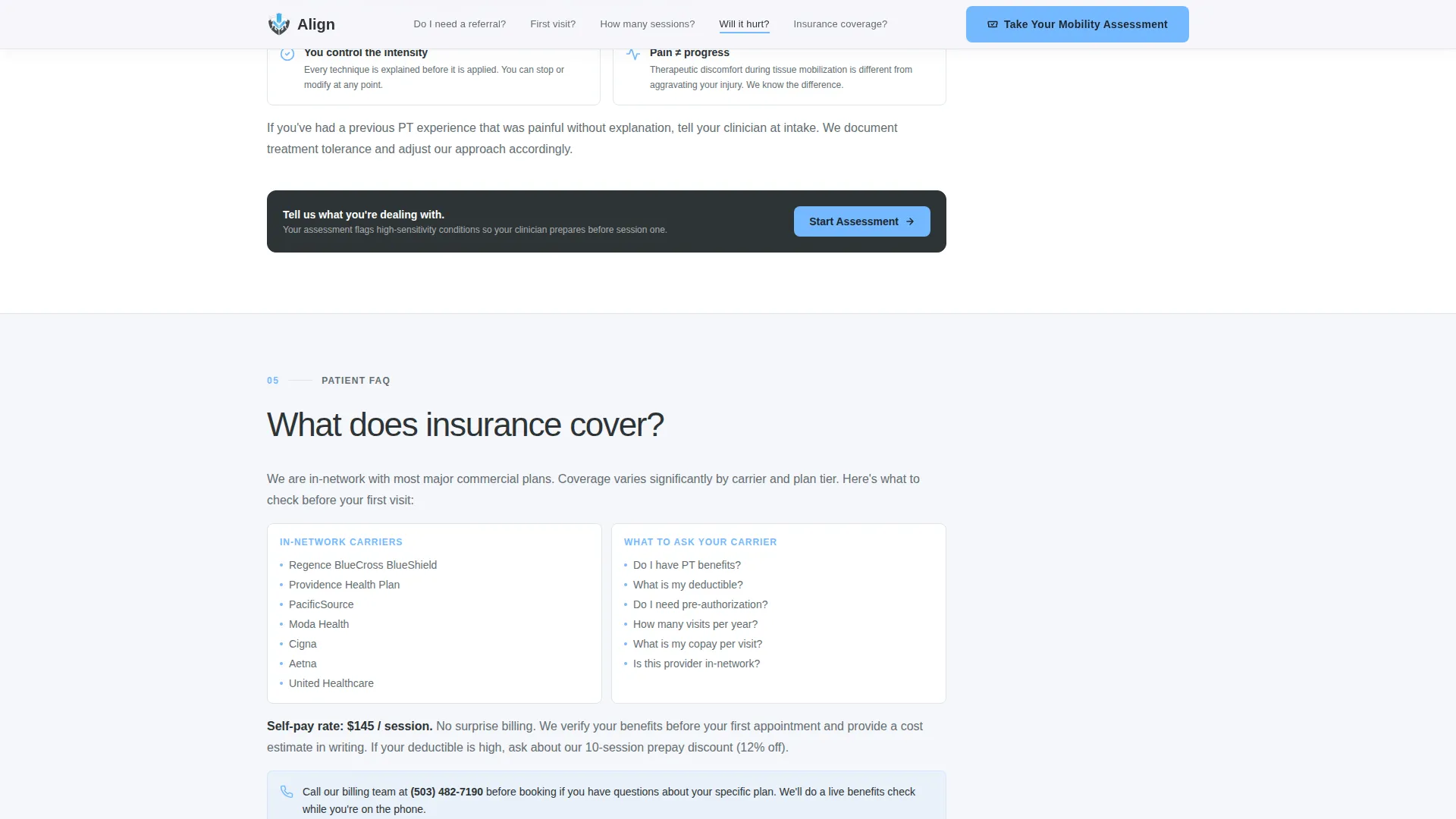
Five dedicated content sections each answer one patient objection with clinical directness. The questions covered are: referral requirements, what happens at the first visit, expected number of sessions, whether treatment will hurt, and insurance coverage. Each section ends with a micro-interaction that nudges the visitor toward the assessment.
Five-Step Mobility Assessment Quiz
The primary call to action is a progressive five-step questionnaire. Steps include a tappable anatomical silhouette for body region selection, a pain duration slider, an aggravating movements checklist, a treatment history dropdown, and an insurance or self-pay toggle. Quiz state is managed in React state with no backend dependency.
Personalized Recovery Profile
On completing the quiz, the visitor receives a Recovery Profile with a recommended session frequency based on their answers. The final screen presents a "Book Your First Session" button pre-filled with their quiz responses, reducing the effort needed to commit.
Linear Single-Row Footer
The footer follows a clean, single-row linear layout. It keeps the page visually uncluttered and maintains the clinical tone established throughout the template without adding unnecessary navigational weight.
Page sections overview
| Section | Purpose |
|---|---|
| Hero Stats Wall | Opens with three bold metrics and a single action prompt |
| Anchor Navigation Bar | Persists on scroll; links to each FAQ spoke section |
| Referral Requirements Spoke | Answers whether patients need a doctor's referral |
| First Visit Spoke | Explains what to expect at the initial appointment |
| Session Count Spoke | Sets realistic expectations for treatment length |
| Pain During Treatment Spoke | Addresses fear around discomfort during therapy |
| Insurance Coverage Spoke | Clarifies coverage options and self-pay paths |
| Mobility Assessment Quiz | Five-step questionnaire leading to a Recovery Profile |
| Single-Row Footer | Closes the page with minimal, clean navigation |
Design & branding system
The visual identity follows a Corporate Precision theme. The palette is clinical without feeling sterile, and authoritative without being cold. Every color choice reinforces trust and guides the eye toward action.
- Charcoal slate (#2D3436) anchors primary text and navigation; clinical mid-gray (#636E72) handles secondary copy; cloud white (#F5F6FA) fills section backgrounds
- Sky blue (#74B9FF) appears sparingly on the anchor nav active dot, progress indicators, and call-to-action buttons, always pulling attention forward
- Typography uses DM Sans, an engineered sans-serif, with thin weights on hero numbers to give the metrics an authoritative, data-forward presence
Mobile & speed optimization
This template is built mobile-first, reflecting how most patients book healthcare appointments. The interactive elements are designed for touch and small screens without sacrificing clarity.
- The anatomical silhouette tap, pain duration slider, and checklist are all optimized for finger-sized touch targets on mobile devices
- Quiz state is handled entirely in React state with no backend calls, keeping the assessment fast and responsive from the first interaction
- Scroll reveals and quiz step transitions use medium-weight animations that feel smooth without blocking the page from loading quickly
How this template helps you convert
The conversion strategy in this template is systematic, not emotional. Each scroll removes one more reason not to book, and the quiz earns the final click by delivering real clinical value first.
- The stats-wall hero establishes credibility instantly with three verifiable performance metrics, giving skeptical visitors a reason to keep reading before they see any call to action.
- The five FAQ anchor sections work through every common objection in sequence, so by the time a visitor reaches the quiz, their main concerns have already been addressed with clinical directness.
- The assessment quiz delivers a personalized Recovery Profile before asking for a booking, making the "Book Your First Session" button feel like a natural next step rather than a cold sales request.
Other information about this template
This template is a strong fit for physical therapy clinics operating in the United States market, where patients commonly research before booking and expect clear answers about insurance and referrals. The localization defaults to English (US), USD pricing context, and a 12-hour time format.
- The page is categorized under Health and Medical, specifically the Physical Therapist Website and Physical Therapist Appointment Booking Page subcategory
- The hub-and-spoke structure with anchor navigation is well-suited to practices that want a single-URL presence rather than a multi-page site build
- Animation intensity is set to medium, with pulse-on-load for hero metrics, scroll reveals for spoke sections, and smooth transitions between quiz steps
Theme
Corporate Precision
Creative direction
FAQ-Driven
Color system
Slate & Sky
Style
Hub & Spoke (Anchor Nav)
Direction
Quiz/Assessment
Page Sections
Stats-wall Hero with Pulse Animation
Persistent FAQ Anchor Navigation
Five FAQ Spoke Sections
Five-step Mobility Assessment Quiz
Personalized Recovery Profile Output
Corporate Precision Visual System
Related questions
What type of practice is this landing page designed for?
Does the assessment quiz need a backend or database to work?
Can I edit the FAQ sections to match my clinic's policies?
What does a visitor see after completing the quiz?
Is this a single landing page or a multi-page website?



