Physical Therapist Patient Booking Website Template
Align is a single-page physical therapist patient portal landing page built for booking, recovery tracking, and therapist communication. Its FAQ-driven zigzag layout answers real patient concerns section by section. A bold Stacked Type Tower hero leads into a three-step booking flow, an exercise library preview, and a chat interface, all wrapped in a grounded Forest Trust color palette.
by Rocket studio
Quick summary
Align is a clean, confident patient portal landing page designed for physical therapy practices. It greets patients with a typographic hero, walks them through self-booking, exercise access, and direct therapist messaging, then closes with social proof and a repeat call to action. Every section is built to reduce hesitation and move patients toward scheduling.
Who this template is for
This template is built for physical therapy practices that want patients to self-serve between sessions. It works equally well for clinics onboarding new patients and for established practices reducing front-desk call volume.
- Physical therapists and PT clinic owners who want a professional digital booking presence
- Post-operative and injury-recovery patients who need quick, friction-free appointment access
- Clinics looking to present their exercise programs and messaging tools in one organized portal
What problem this template solves
Patients who finish a session often face a wall of friction when trying to book the next one. Phone hold times, missing exercise instructions, and uncertain communication channels all erode trust and compliance. This template removes those barriers visually and structurally.
- Eliminates the need for patients to call or wait on hold to schedule follow-up sessions
- Gives returning patients a clear path to their exercise plan without navigating a complex portal
- Answers common patient hesitations directly inside the page layout, before the booking button appears
What you get with this template
You get a fully designed, single-page landing page ready to represent your physical therapy practice online. The layout is logically sequenced, visually clear, and optimized for patients browsing on their phones right after a session ends.
- A Stacked Type Tower hero with a primary booking call to action and a secondary exercise portal link
- Three FAQ-driven zigzag sections pairing real patient questions with interface mockups
- A trust and social proof section featuring patient outcome stats, session counts, and therapist ratings, plus a footer in a clean single-row linear pattern
Feature list
This template ships with a set of purpose-built components. Each one addresses a specific moment in the patient booking and recovery journey.
Stacked Type Tower Hero
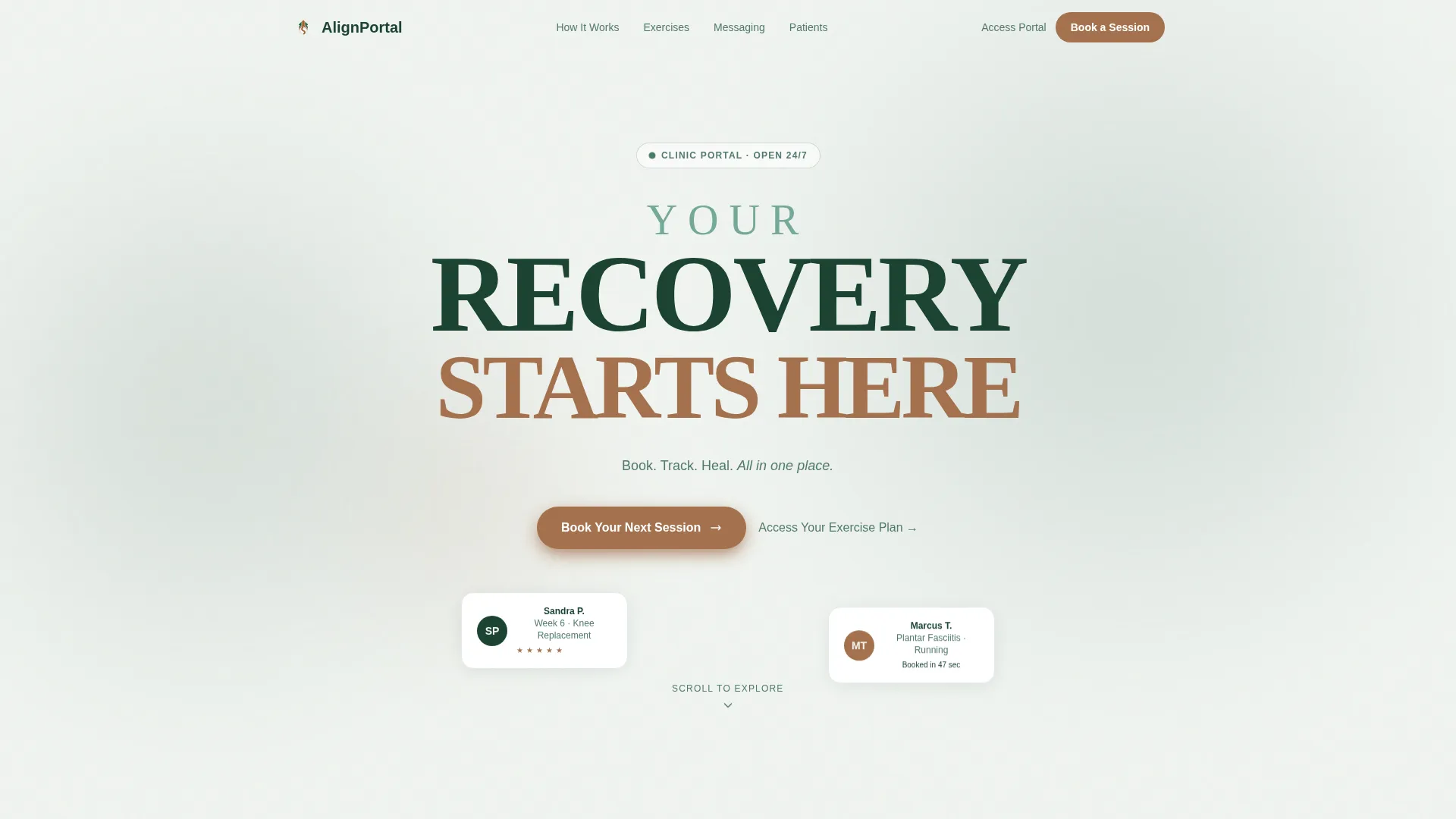
The hero fills the viewport with three lines of typographic architecture. "YOUR" in soft fern, "RECOVERY" in bold evergreen, and "STARTS HERE" in warm cedar stack vertically without competing imagery. A single subhead in fern reads: "Book. Track. Heal. All in one place." The result is clinical, confident, and immediately legible on any screen size.
Three-Step Booking Modal
The primary call to action opens a streamlined booking flow directly on the page. Patients choose their therapist, select a date and time from displayed availability, then confirm with their name and phone number. The process stays focused and reduces drop-off at every step.
FAQ-Driven Zigzag Sections
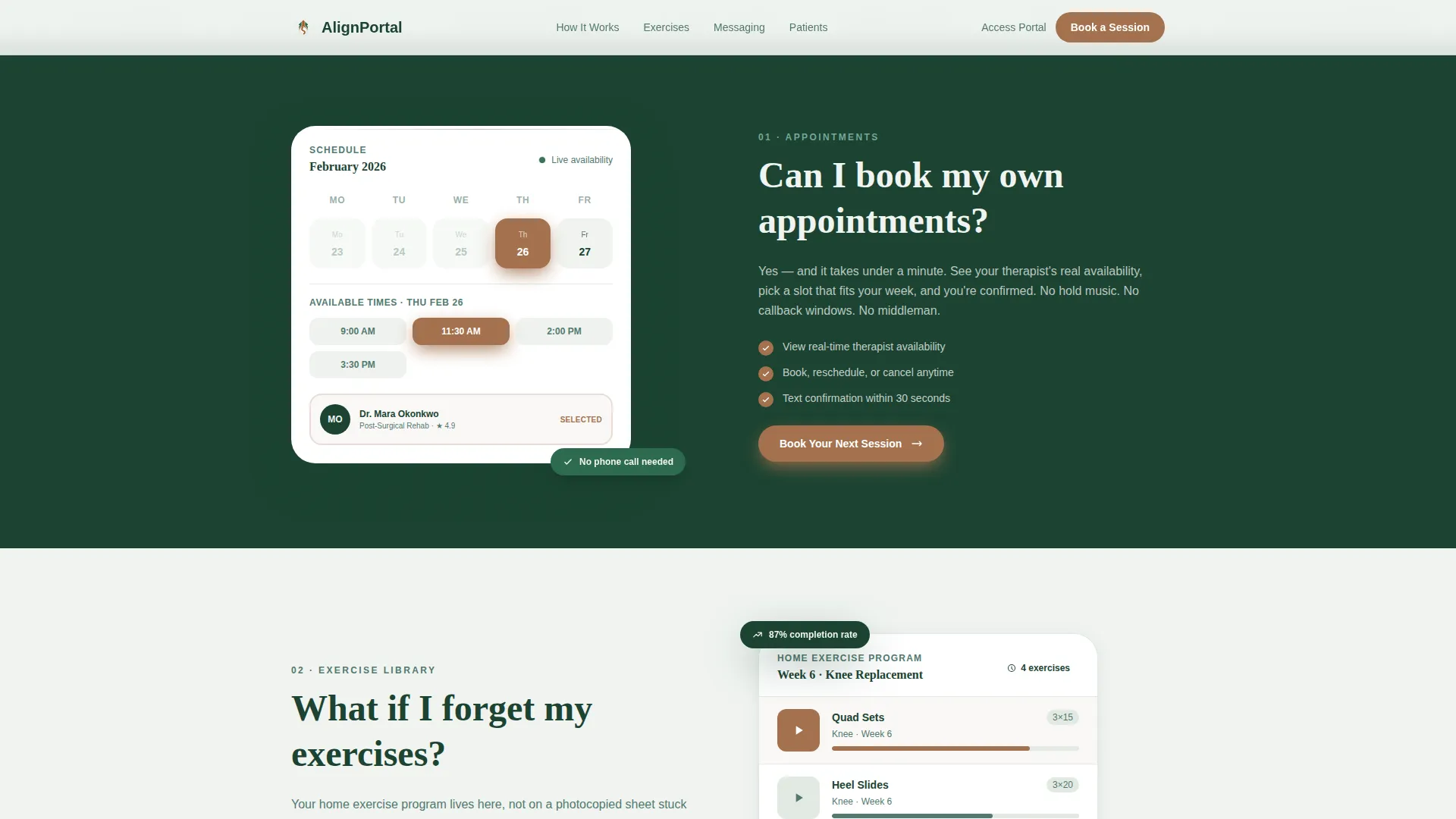
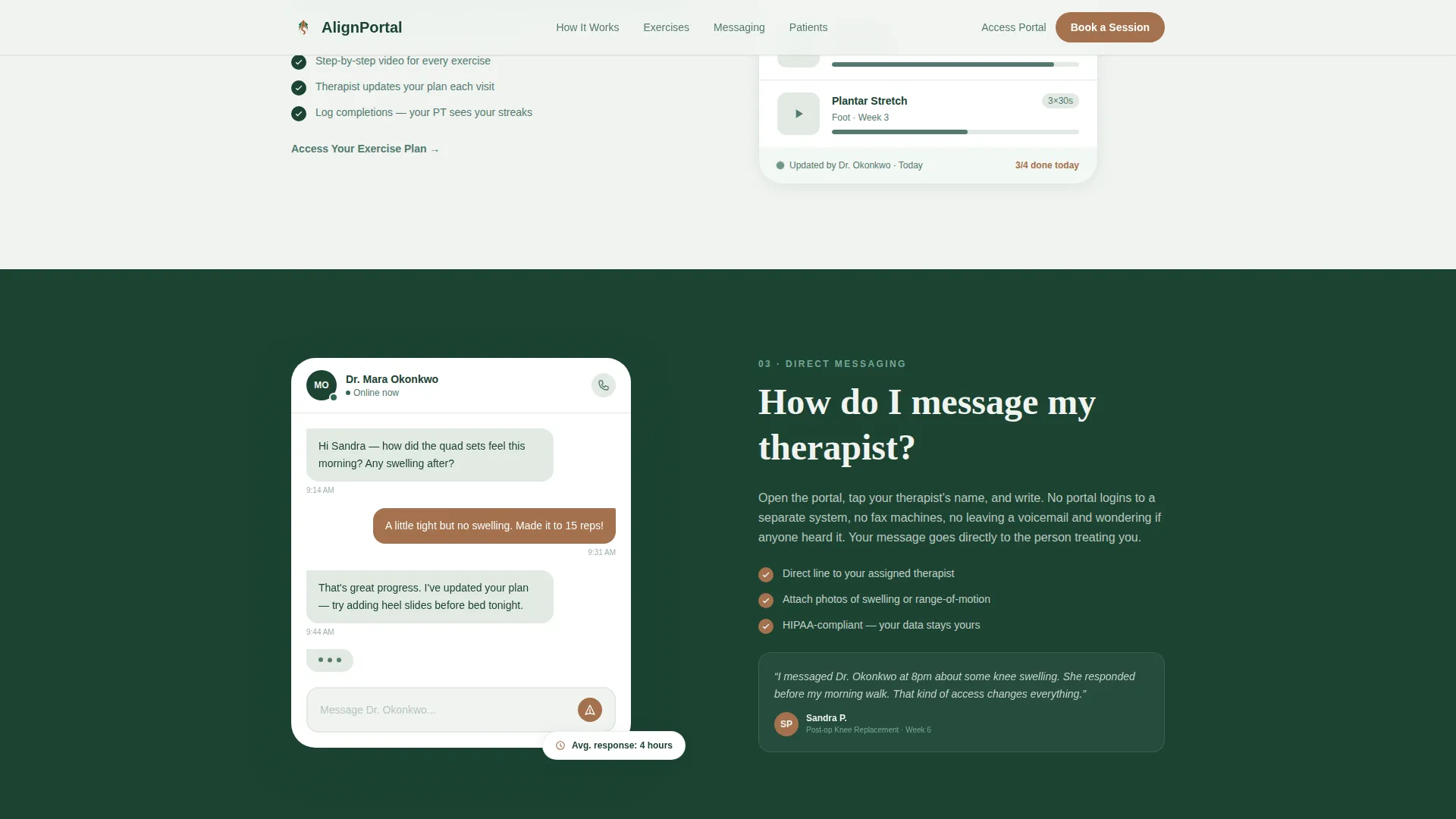
Each alternating content section is headed by a real patient question. "Can I book my own appointments?" pairs with a calendar interface mockup. "What if I forget my exercises?" sits beside the video exercise library. "How do I message my therapist?" is accompanied by a chat preview. This format builds trust through anticipation.
Exercise Library Preview
A dedicated zigzag section showcases the home exercise program interface. Patients see how their video exercises are organized before they even log in. This reduces anxiety for new patients and reinforces the value of the portal for returning ones.
Trust and Social Proof Section
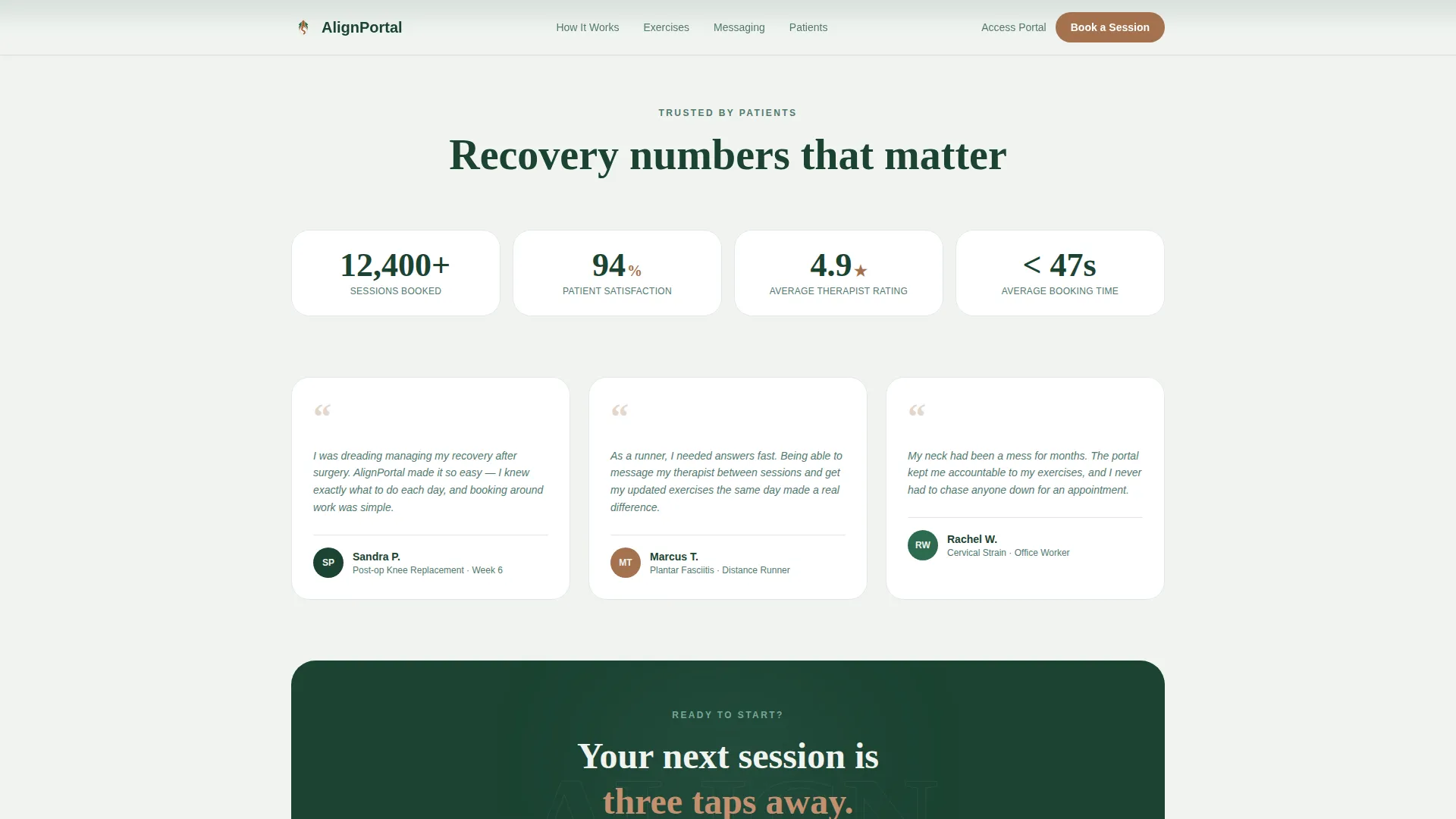
A stats-forward section presents patient outcome numbers, total session counts, and therapist ratings side by side. A repeated "Book Your Next Session" call to action appears here so motivated patients never have to scroll back up.
Dual Call-to-Action System
The page uses two distinct conversion paths. The primary cedar button targets patients ready to schedule. The secondary fern text link targets returning patients who only need to access their exercise plan. Both paths are surfaced early and repeated at key scroll points.
Page sections overview
| Section | Purpose |
|---|---|
| Hero Tower | Introduce the portal with a typographic viewport-fill and dual call to action |
| Booking Zigzag | Answer "Can I book my own appointments?" with a calendar mockup |
| Exercise Zigzag | Answer "What if I forget my exercises?" with a library preview |
| Messaging Zigzag | Answer "How do I message my therapist?" with a chat interface preview |
| Trust and Stats | Show patient outcome data, session counts, and therapist ratings |
| Single-Row Footer | Close with a clean linear footer pattern |
Design & branding system
The visual identity follows a Medical Clarity theme built on a Forest Trust color palette. The design feels grounded and restorative, like a clean clinic you walk into feeling welcome rather than anxious.
- Deep evergreen (#1B4332) anchors section backgrounds on alternating sides, soft fern (#52796F) carries secondary text and iconography, birch white (#F0F4F0) opens breathing room between sections, and warm cedar (#A3714E) is reserved exclusively for buttons and active states
- Typography pairs Fraunces (a serif display face) for headings with DM Sans (a clean sans-serif) for body text, giving the page a tone that is both clinical and warm
- Scroll-reveal animations, staggered card appearances, and hover micro-interactions on interactive elements provide a medium level of motion without overwhelming the content
Mobile & speed optimization
The template is built mobile-first, reflecting the reality that most patients open their portal on a phone immediately after leaving a session. Every layout decision prioritizes thumb-friendly tap targets and readable type at small sizes.
- The booking modal is designed for single-thumb operation with large selectable time slots and a minimal three-field confirmation step
- Static page sections use server-rendered components for fast initial load, while the interactive booking modal loads only when a patient taps the call-to-action button
How this template helps you convert
Every design decision in this template is built to remove friction and earn the booking click. The page does not rely on persuasion alone. It earns trust by answering real patient concerns before asking for any commitment.
- The FAQ-driven zigzag structure addresses the three most common patient hesitations (scheduling, exercise access, and therapist communication) in order, so by the time the booking button reappears, patients feel informed and ready
- The cedar call to action repeats at every other zigzag junction and again inside the trust section, giving patients multiple low-pressure moments to convert without feeling pushed
- Social proof in the form of outcome stats and therapist ratings appears just before the final call to action, giving undecided patients the reassurance they need at the exact moment of decision
Other information about this template
This template is categorized under Health & Medical and is specifically designed for the Physical Therapist Patient Portal niche within the Physical Therapist Website subcategory. It is localized for English-speaking audiences in the United States, using USD currency and MM/DD/YYYY date formatting throughout the booking flow.
- The intersection match score for this template is 13, reflecting a strong alignment between the Health & Medical category, the Physical Therapist Website subcategory, and the Physical Therapist Patient Portal niche
- The template style is Zigzag/Alternating with an FAQ-Driven creative direction, a Stacked Type Tower header concept, and a Booking/Scheduling landing-page direction
- The footer uses a Linear Single-Row pattern, keeping the close of the page as clean and uncluttered as the rest of the layout
Theme
Medical Clarity
Creative direction
FAQ-Driven
Color system
Forest Trust
Style
Zigzag/Alternating
Direction
Booking/Scheduling
Page Sections
Stacked Type Tower Hero
Three-step Booking Modal
Faq-driven Zigzag Layout
Exercise Library Preview Section
Trust and Social Proof Section
Dual Conversion Path Design
Related questions
Can I change the color palette to match my clinic's branding?
Does the booking modal connect to a live scheduling system?
Can new patients use this landing page, or is it only for existing patients?
Is the template easy to edit without a developer?
What device should I prioritize when reviewing this template?



