Allergist & Immunologist Practice Website with Allergy Calculator
A sidebar companion landing page built for allergist and immunologist practices. It leads with an interactive Allergy Burden Score calculator, follows with scroll-triggered clinical statistics, and closes with a two-step consultation booking flow. The design uses an Educational Guide visual identity to build patient trust and convert both self-referred patients and pediatrician referrals into booked appointments.
by Rocket studio
Quick summary
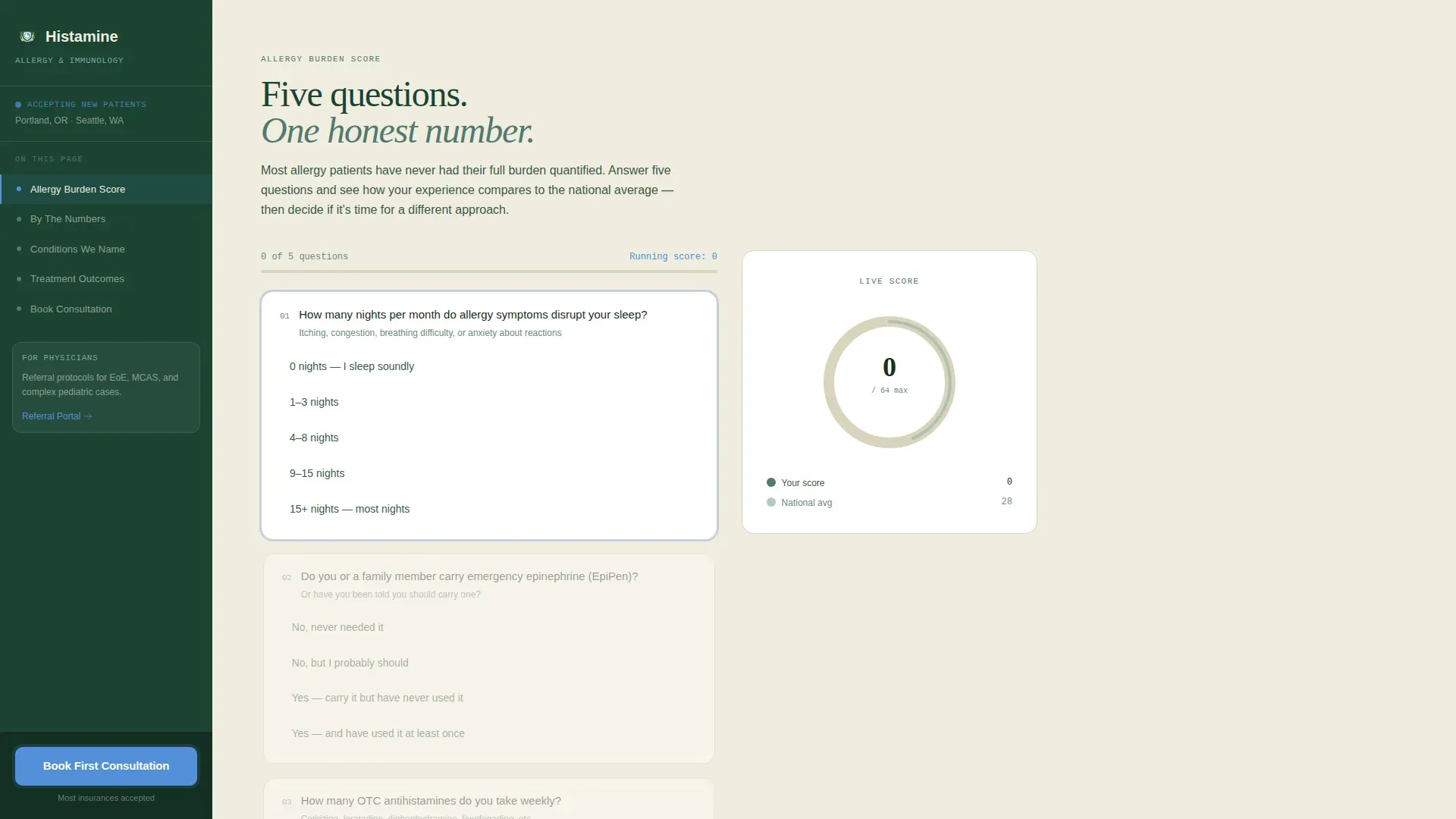
This landing page template is purpose-built for allergy and immunology clinics. It opens with an interactive five-question Allergy Burden Score calculator that generates a personalized radial chart in real time. Scroll-triggered statistics and an evidence-led narrative guide visitors toward a two-step consultation booking flow, all framed by a fixed sidebar that tracks their position on the page.
Who this template is for
This template fits practices that need to convert both patients and referring clinicians. It works especially well when the practice handles complex, under-diagnosed conditions that require more than a standard antihistamine conversation.
- Allergists and immunologists building a direct patient acquisition pipeline
- Practices treating conditions such as eosinophilic esophagitis (EoE) and mast cell activation syndrome (MCAS)
- Clinics that also want a referral channel for pediatricians and primary care physicians
What problem this template solves
Many allergy patients spend years cycling through over-the-counter remedies before seeing a specialist. They arrive skeptical, under-informed, and unsure whether their symptoms justify a formal evaluation. A generic website does nothing to close that gap.
- Patients lack a clear way to gauge whether their symptom burden is serious enough to book
- Referring physicians have no efficient path to introduce the practice or explain its scope
- Standard practice pages bury their call to action and lose visitors before trust is established
What you get with this template
You get a fully structured, single-page layout with a fixed sidebar companion, an interactive scoring tool, and a staged narrative designed to build clinical trust before asking for a commitment.
- An interactive Allergy Burden Score calculator with a real-time radial chart and a score comparison against a national average
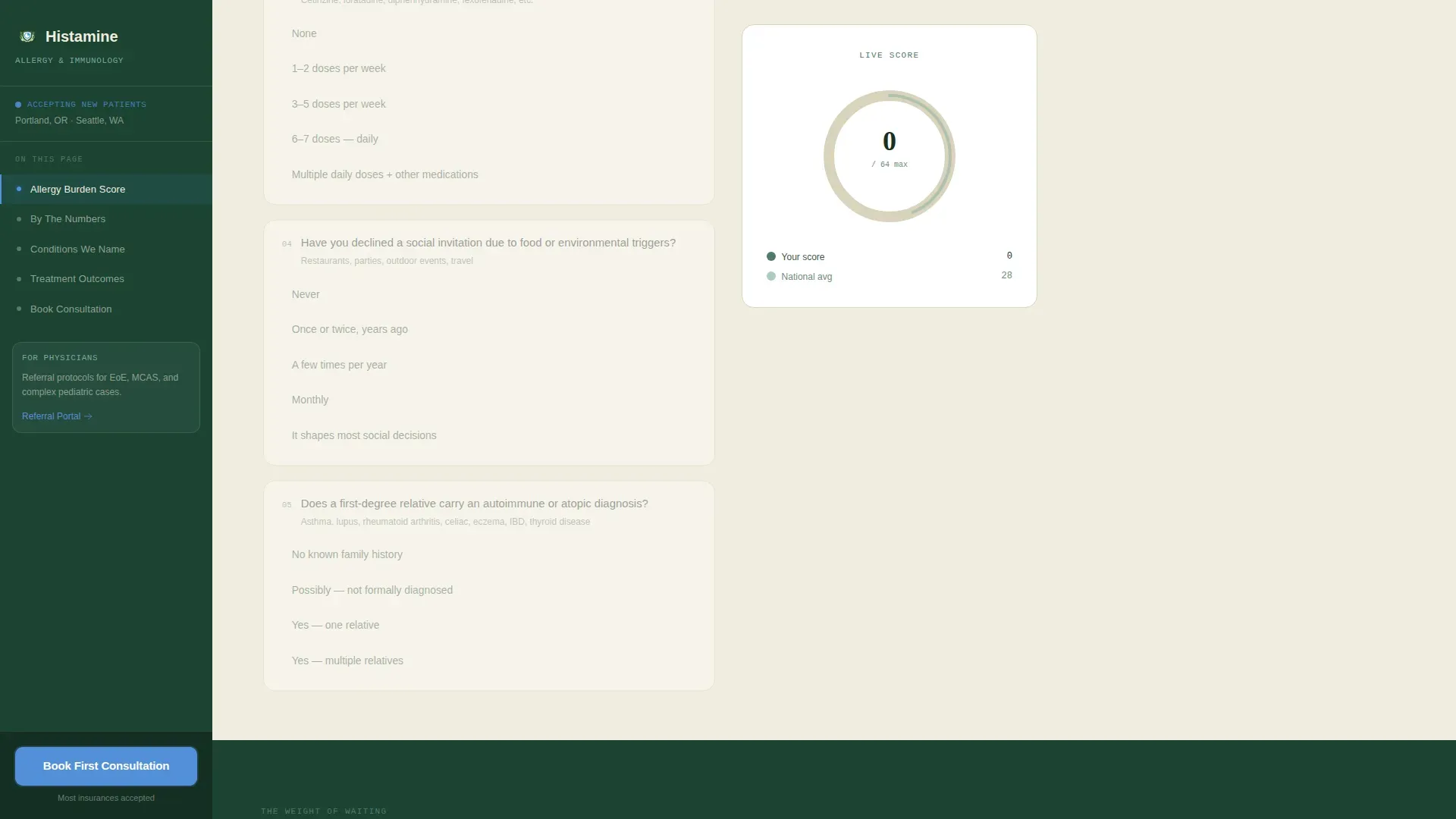
- A fixed sidebar that functions as a living table of contents with an always-visible booking call to action
- A two-step consultation booking flow covering new patient evaluations, immunotherapy follow-ups, and pediatric food challenges
Feature list
This section covers the core built-in components that make the template functional for an allergy and immunology practice.
Interactive Allergy Burden Score Calculator
Visitors answer five targeted questions covering sleep disruption, emergency medication use, over-the-counter antihistamine cycling, social avoidance due to triggers, and family autoimmune history. Each answer animates a radial chart in real time, producing a personalized score alongside a national average comparison. The result doubles as a warm-lead capture point through the "Send My Score to the Doctor" secondary path.
Scroll-Triggered Statistics Display
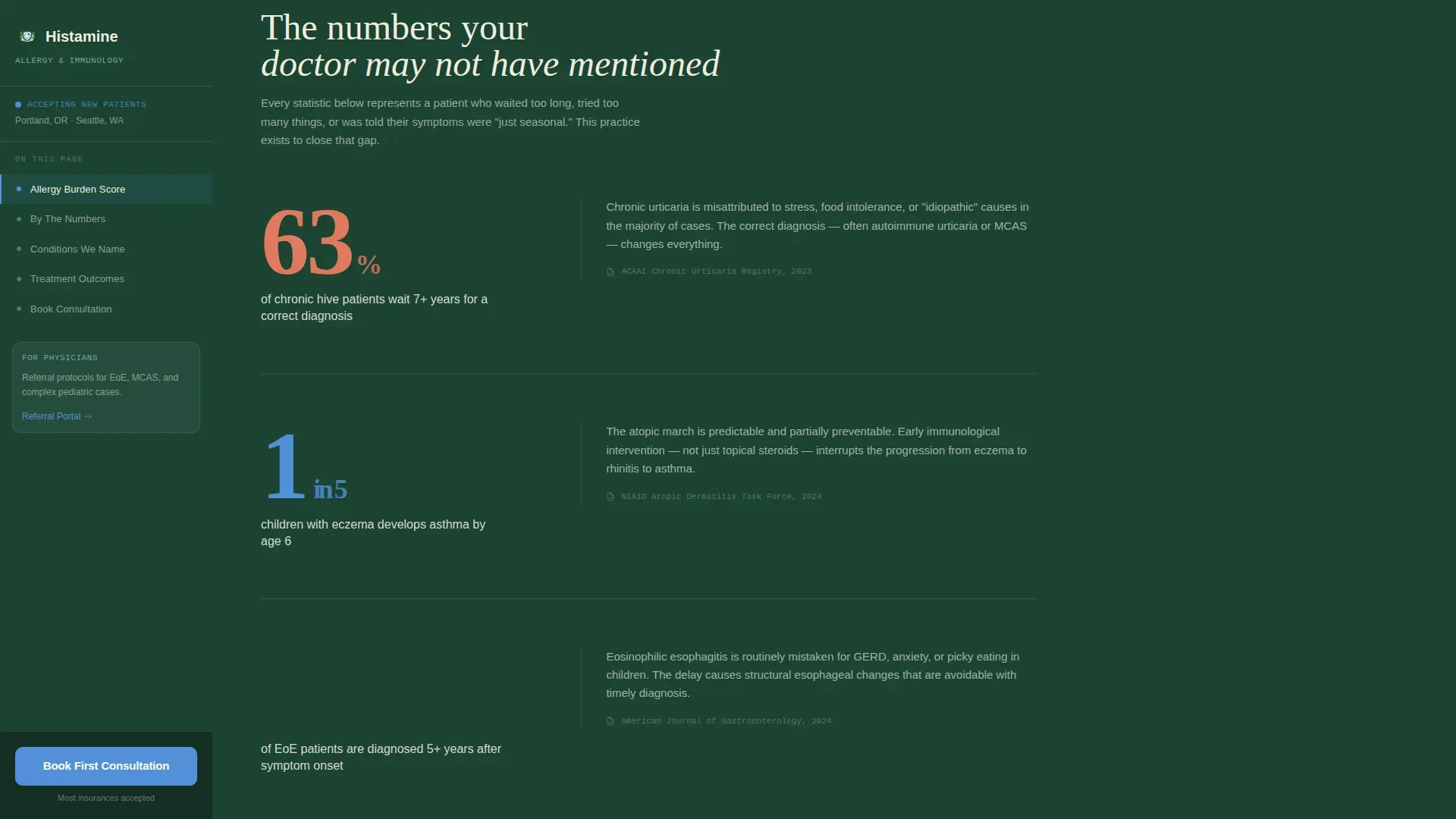
Every major section transition opens with a single oversized statistic before the supporting content appears. Examples built into the layout include wait-time data and pediatric condition prevalence figures. The reveal timing uses Intersection Observer logic so each stat lands with visual weight before the reader continues.
Fixed Sidebar with Active-State Navigation
The persistent left sidebar highlights the current section as the visitor scrolls. It surfaces the primary "Book Your First Consultation" call to action at all times, so the next step is never more than a glance away regardless of how deep into the page the visitor has read.
Two-Step Consultation Booking Flow
Step one lets visitors select their visit type: new patient allergy evaluation, immunotherapy follow-up, or pediatric food challenge. Step two reveals a real-time calendar grid for appointment selection. The modal keeps the commitment lightweight and the path to booking short.
Score Email Capture Path
A secondary conversion path labeled "Send My Score to the Doctor" collects the visitor's name, email address, and preferred contact time. It converts curious visitors into warm leads before they are ready to select a calendar date, extending the practice's reach beyond immediate bookings.
Conditions Bento Grid
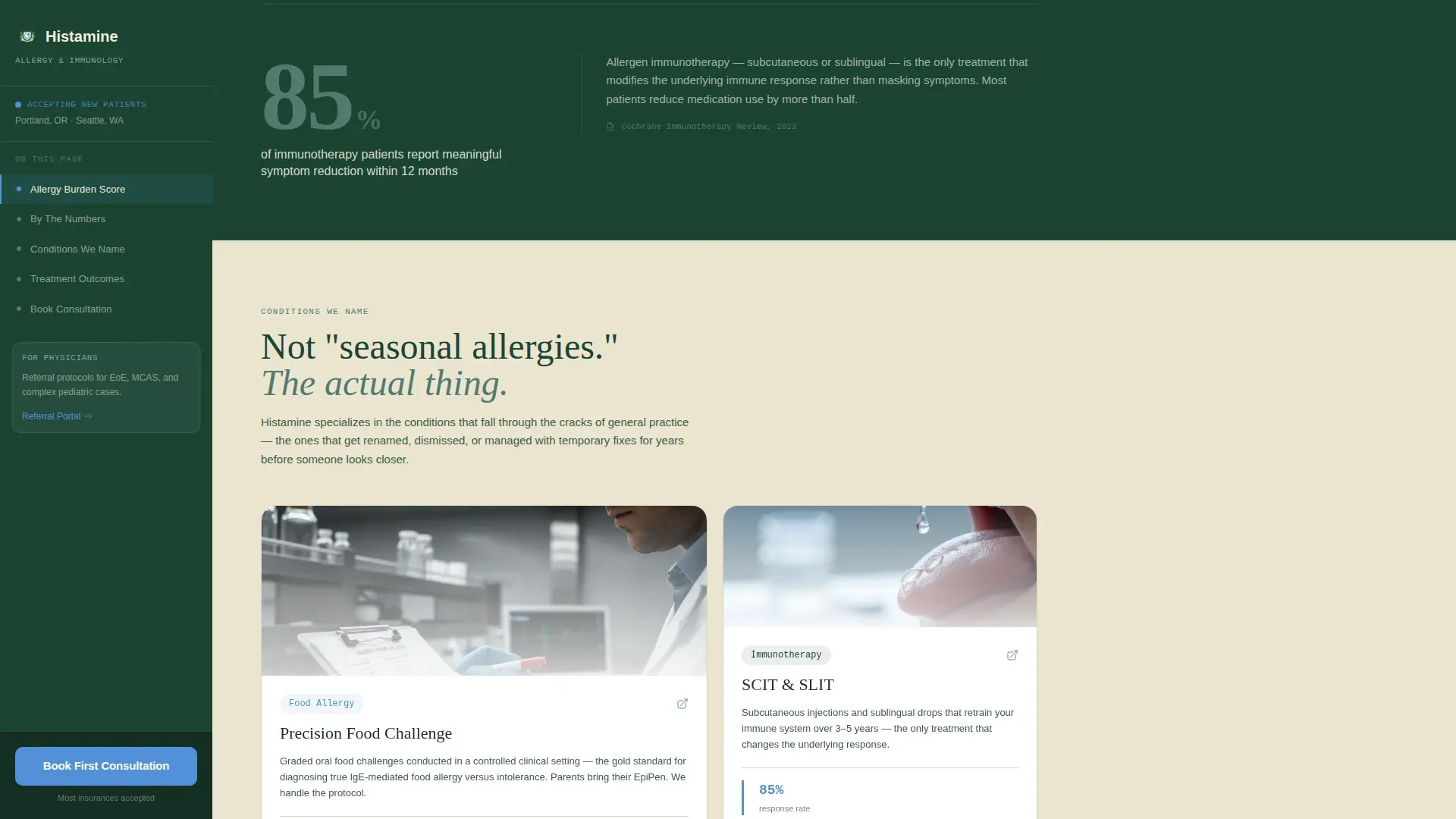
An asymmetric bento grid section presents the range of conditions the practice addresses, including EoE, MCAS, seasonal allergies, food challenges, and immunotherapy protocols. The layout gives each condition its own visual card, helping visitors quickly recognize their own situation within the practice's scope.
Page sections overview
| Section | Purpose |
|---|---|
| Hero Calculator | Opens with the Allergy Burden Score tool and real-time radial chart |
| Stats Impact | Scroll-triggered oversized statistics establish clinical prevalence context |
| Conditions We Name | Asymmetric bento grid covering EoE, MCAS, food challenges, and immunotherapy |
| Treatment Outcomes | Evidence section with clinical data and before-and-after protocol cards |
| Booking Flow | Two-step scheduler for visit type selection and calendar grid |
| Footer | Horizontal flow footer pattern with practice information |
Design & branding system
The template follows an Educational Guide visual identity. Every design decision reinforces calm authority, the kind of feeling a patient gets when a specialist finally names what has been happening in their body.
- Color palette: deep evergreen (#1B4332) anchors the sidebar and typographic headers; soft fern (#52796F) washes section backgrounds; birch-bark cream (#F0EDDF) holds body text and card surfaces; clear-sky blue (#5390D9) highlights interactive elements, statistics, and call-to-action buttons
- Typography: DM Sans for body readability, Fraunces for editorial-weight headlines, and JetBrains Mono for statistics and calculator data outputs
- No stock photography; the hero section is the calculator tool itself, rendered on a birch-bark card with evergreen typography
Mobile & speed optimization
The template is designed desktop-first to support the sidebar companion layout, with a responsive stack for smaller screens. The sidebar collapses into a mobile-friendly navigation pattern so the booking call to action remains accessible throughout.
- Scroll animations use Intersection Observer so they trigger only when elements enter the viewport, keeping the experience smooth as the page loads
- CSS custom properties power the radial chart fill and section color theming, reducing reliance on heavy animation libraries
- The two-step booking modal and score capture form are both optimized for touch input on mobile devices
How this template helps you convert
The template is structured to earn trust progressively before making any ask. Each scroll event delivers new clinical credibility, so by the time visitors reach the booking section they already understand why this practice is different.
- The Allergy Burden Score calculator creates immediate personal relevance, giving visitors a tangible result that reflects their own symptom history before any contact information is exchanged.
- The fixed sidebar and pinned "Book Your First Consultation" button ensure the primary call to action is always visible, removing any friction in finding the next step after the visitor decides they are ready.
- The secondary "Send My Score to the Doctor" email path captures leads who need more time, turning passive interest into a warm, named contact with a preferred callback window.
Other information about this template
This template is part of a Health and Medical category focused on Doctor and Physician Practice use cases, specifically aligned to the Allergist and Immunologist niche. A few additional details worth knowing before you build with it.
- The template is categorized under a Sidebar Companion style, meaning the fixed left navigation is a structural element, not a decorative one; it is central to the scroll experience
- Animation fidelity is set to high; the radial chart fill, staggered section entrances, and sidebar active-state tracking are all built into the interaction layer
- The booking modal supports three distinct visit types out of the box, making it practical for practices that see both pediatric and adult patient populations
- The footer uses a Horizontal Flow layout pattern consistent with the overall desktop-first design direction
- The page is localized for English-language audiences using United States date formats and USD currency references where applicable
Theme
Educational Guide
Creative direction
Stats-First Impact
Color system
Forest Trust
Style
Sidebar Companion
Direction
Booking/Scheduling
Page Sections
Interactive Allergy Burden Score Calculator
Scroll-triggered Statistics Reveals
Fixed Sidebar with Live Navigation
Two-step Consultation Booking Modal
Score Email Capture Path
Conditions Bento Grid Section
Related questions
Who is this landing page template designed for?
How does the Allergy Burden Score calculator capture leads?
What visit types are included in the booking flow?
Is the sidebar visible on mobile devices?
What conditions does the bento grid section cover?



