Precision Intelligence Landing Page Template
The Analyst landing page template is built for industry analyst firms that sell strategic intelligence to boardroom-level buyers. It uses a single-column scroll flow, a stark Monochrome Steel palette, and a team-forward narrative structure to build cumulative credibility. The result is a page that feels authoritative from the first headline and moves serious prospects toward a briefing request.
by Rocket studio
Quick summary
This is a single-column flow landing page designed for a precision intelligence firm. The layout leads with a giant centered headline, then walks visitors through the analyst team one by one, pairing portraits with case-study vignettes. Every section earns trust before the page asks for a conversation. The primary call to action is "Request a Briefing."
Who this template is for
This template is built for firms that sell strategic intelligence, not software. It fits organizations where the product is thinking and the buyer is a senior decision-maker who needs proof before picking up the phone.
- Industry analyst firms serving mid-cap industrials or private equity clients
- Boutique research shops presenting sector expertise to VP-level strategists
- Chief strategy officers who want a sharp external partner for due diligence work
What problem this template solves
Most professional services pages list capabilities without proving them. A VP-level buyer scanning a firm's site needs to see the analysts, the methodology, and the evidence before they trust anyone with a capital-allocation question.
- Generic agency templates lack the authority tone that senior B2B buyers expect
- Pages without proof points force prospects to ask for credentials instead of requesting a briefing
- Standard layouts bury the team, which is the firm's actual product in an analyst business
What you get with this template
You get a complete single-page layout that moves from bold first impression to team credibility to a filtered lead-capture form. Every section has a defined purpose and a clear visual rhythm.
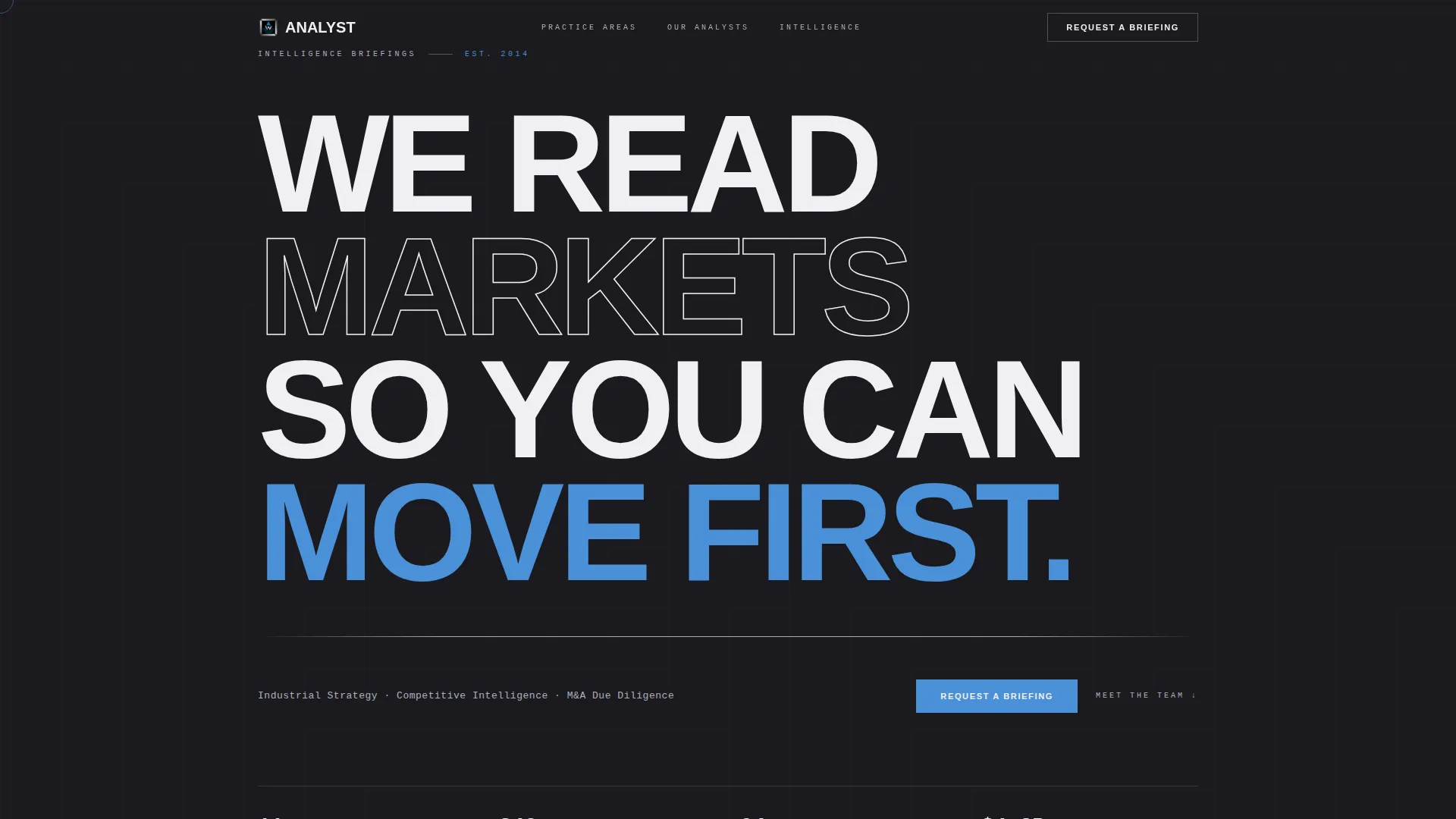
- A full-viewport giant headline section with a steel rule and a three-practice-area subhead
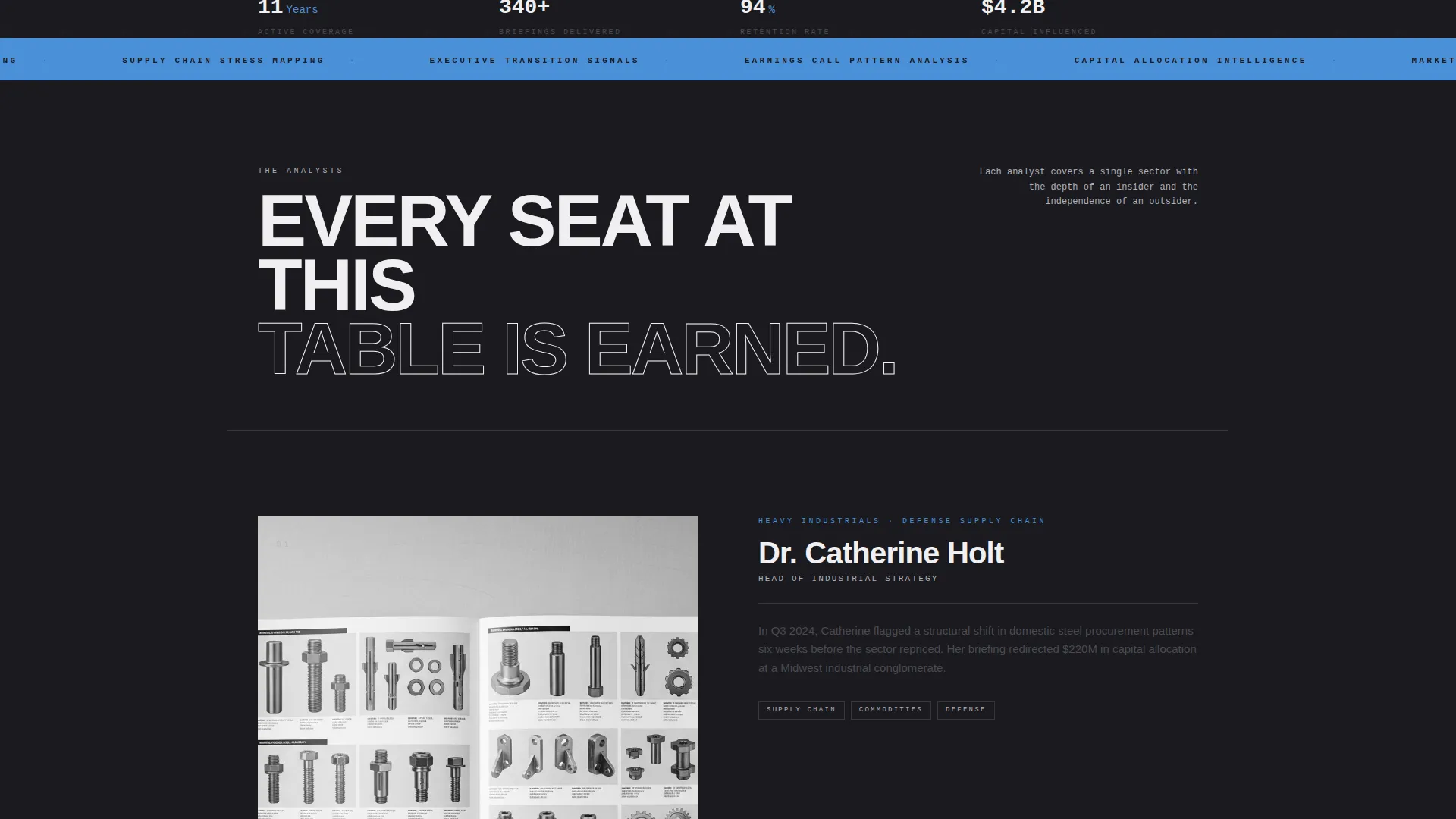
- Analyst portrait and case-study vignette sections that introduce each team member in sequence
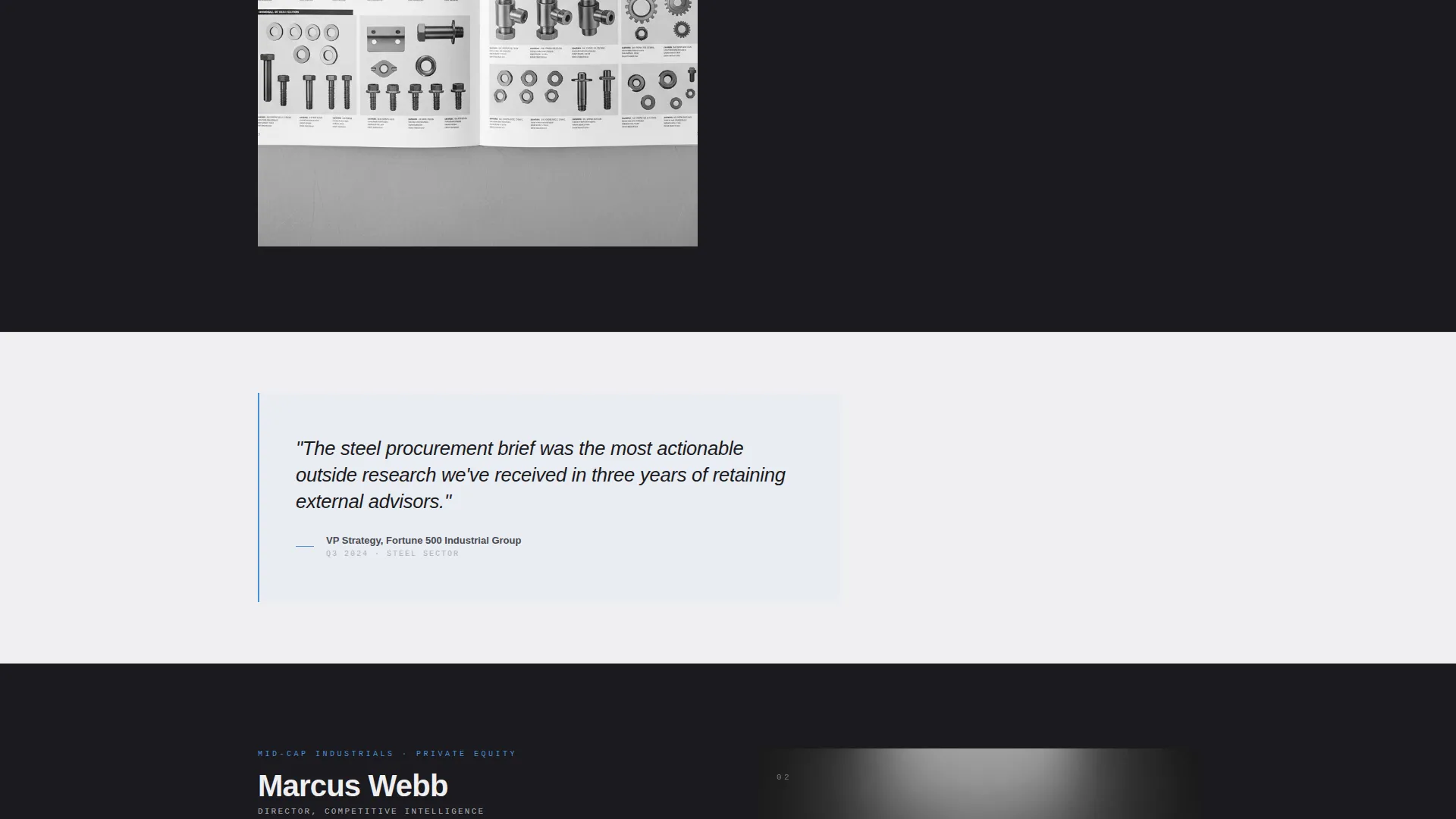
- Pull-quote cards that surface specific proof points between portrait sections
- A bottom-anchored "Request a Briefing" form with a prospect-filtering open question
- A secondary email-gated downloadable sample report path for cautious prospects
- A persistent ghost button in the navigation bar that repeats the primary call to action
Feature list
This template is organized around the concept that each element must earn its place. Below are the core capabilities the layout delivers.
Giant Centered Headline Section
A full-viewport forge-black field holds a single massive, tracked-out sans-serif headline. No image, no animation. Typography and negative space carry the entire weight of authority on the opening screen.
Sequential Analyst Profiles
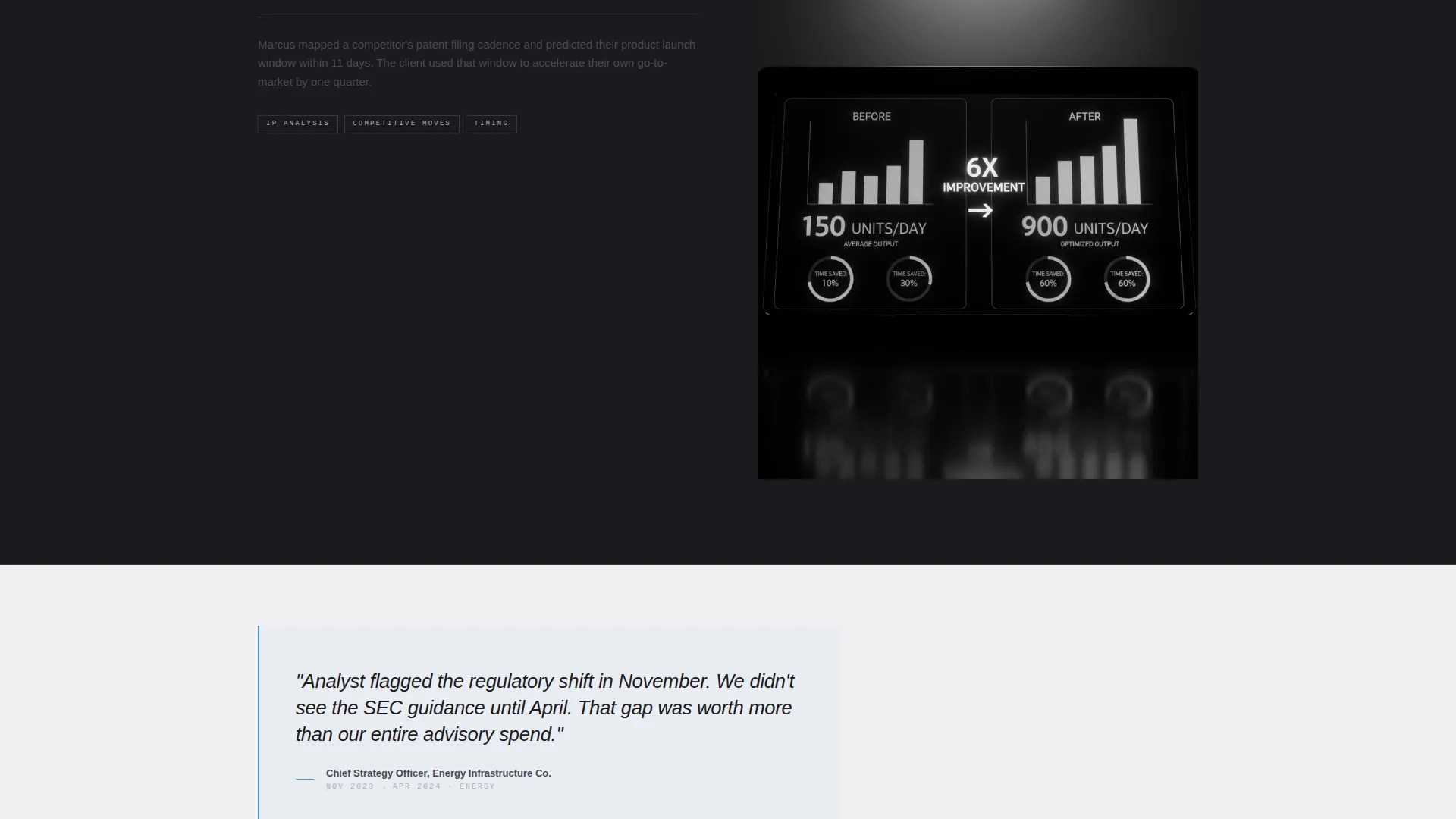
Each analyst appears in their own scroll section. A black-and-white portrait sits alongside a brief case-study vignette from that analyst's recent work. The sequence builds sector coverage and methodological range with each new face.
Proof-Point Pull-Quote Cards
Between portrait sections, standalone pull-quote cards surface specific, dateable intelligence wins. Examples include a commodity price call that landed or a regulatory shift flagged six months ahead of the market. These cards alternate with the human profiles to create a rhythm of face and evidence.
Prospect-Filtering Briefing Request Form
The lead form asks for company name, the requester's role, and a single open question: "What decision are you trying to make?" This structure separates serious prospects from casual browsers and gives the analyst team immediate context before the first call.
Email-Gated Sample Report Download
A secondary conversion path lets cautious prospects download a sample report after submitting their email address. This gives buyers a way to evaluate depth and rigor before committing to a briefing conversation.
Persistent Navigation Call to Action
The navigation bar carries a ghost button version of the primary call to action throughout the entire scroll. Visitors never have to scroll back to find the entry point for a conversation.
Page sections overview
| Section | Purpose |
|---|---|
| Navigation bar | Holds persistent ghost call to action button |
| Giant headline block | Establishes authority with full-viewport typography |
| Practice area subhead | Names the firm's three core practice areas |
| Steel rule divider | Creates visual pause after the headline |
| Analyst profile one | Introduces first analyst with portrait and vignette |
| Pull-quote card | Surfaces first proof-point intelligence win |
| Analyst profile two | Adds second sector and methodology credential |
| Pull-quote card | Surfaces second dateable intelligence example |
| Analyst profile three | Completes the team credibility sequence |
| Sample report gate | Secondary download path behind email capture |
| Briefing request form | Primary lead capture with prospect-filtering question |
Design & branding system
The visual identity follows a Service Utility theme built entirely on a Monochrome Steel color system. Every tone is functional. There is no decorative color and no warmth. The palette feels like a machined instrument panel.
- Forge-black (#1A1A1E) and cold white (#F0F0F2) alternate as section backgrounds, creating rhythmic contrast as the visitor scrolls
- Gunmetal mid-tone (#4A4A52) carries body text, while polished steel (#B0B0BA) handles dividers, captions, and secondary labels
- Signal-blue (#4A90D9) appears exclusively on interactive elements and data highlights, never as decoration
Mobile & speed optimization
The single-column flow structure translates naturally to smaller screens. The layout was designed as a vertical sequence, so the reading order and hierarchy stay intact without restructuring.
- One-column stacking means portrait-and-vignette pairs reflow cleanly on narrow viewports
- Pull-quote cards and the briefing request form are self-contained blocks that resize without breaking the visual rhythm
- The persistent navigation ghost button remains accessible at any scroll depth on mobile devices
How this template helps you convert
The layout is engineered to move a skeptical senior buyer from first impression to briefing request. Every design and copy decision serves that path.
- The giant headline and immediate team reveal build authority fast, so the visitor's trust level rises before they reach any form.
- The alternating portrait-and-proof-point rhythm makes credibility cumulative, meaning each scroll section adds a new reason to engage rather than leave.
- The prospect-filtering question in the briefing form does double duty: it commits the prospect to articulating their need and it pre-qualifies the lead so the analyst team arrives at the first call already informed.
Other information about this template
This template sits at the intersection of Professional Services design and high-stakes B2B positioning. A few additional points are worth noting for teams evaluating it.
- The template is categorized under Research and Analytics Firm within the Professional Services vertical, making it a natural fit for boutique intelligence practices and independent analyst houses
- The briefing-request form structure is particularly well-suited to due diligence contexts, where a private equity associate needs to describe a specific target before a useful conversation can begin
- The email-gated sample report module can support thought leadership distribution, allowing the firm to demonstrate analytical depth to prospects who are not yet ready for a direct engagement
- The alternating forge-black and cold white section backgrounds are a deliberate layout feature, not a stylistic accident; they create visual checkpoints that help a scrolling visitor feel forward progress through a long page
Theme
Service Utility
Creative direction
Team & People
Color system
Monochrome Steel
Style
Single Column Flow
Direction
Partnership/B2B
Page Sections
Full-viewport Authority Headline
Sequential Team Credibility Flow
Alternating Pull-quote Proof Cards
Prospect-filtering Briefing Form
Email-gated Sample Report Module
Persistent Ghost Button Navigation
Related questions
Who is the primary audience for this landing page template?
Does this template include a lead capture form?
Can the analyst profile sections be adjusted for a smaller team?
What makes this different from a standard consultancy template?
Is the Request a Briefing call to action the only conversion option?



