Trusted Pathology Review Landing Page Template
The Slide Trusted Pathologist Peer Review Landing Page Template gives pathology professionals a single, authoritative page that earns click-through trust through clinical specificity. A portrait-led hero, a frank problem-to-solution narrative, and an annotation-rich comparison table work together to guide lab directors, procurement officers, and fellow pathologists toward one confident next step.
by Rocket studio
Quick summary
This template is built for one purpose: letting a pathologist's own words and data do the convincing. It moves visitors from named diagnostic frustrations through a transparent product comparison, ending at a high-contrast call-to-action button that feels earned rather than pushed. No forms, no noise. Just peer-validated information laid out with the calm authority of a well-written case report.
Who this template is for
Pathology-adjacent procurement decisions rarely happen in a vacuum. People involved need trusted peer voices, honest comparisons, and clear data before they can move forward. This template is designed for those exact conversations.
- Lab directors evaluating staining platforms who need consistency data and realistic integration timelines
- Hospital procurement officers comparing analyzer bids by cost-per-slide, support responsiveness, and contract terms
- Fellow pathologists scanning for peer validation before recommending a purchase to a department chair
What problem this template solves
Vendor product pages tell one side of the story. Lab directors and procurement officers find it hard to access unfiltered peer commentary on real-world pathology workflow impact. The result is hesitation, delayed decisions, and missed opportunities to improve diagnostic accuracy. This template solves the credibility gap.
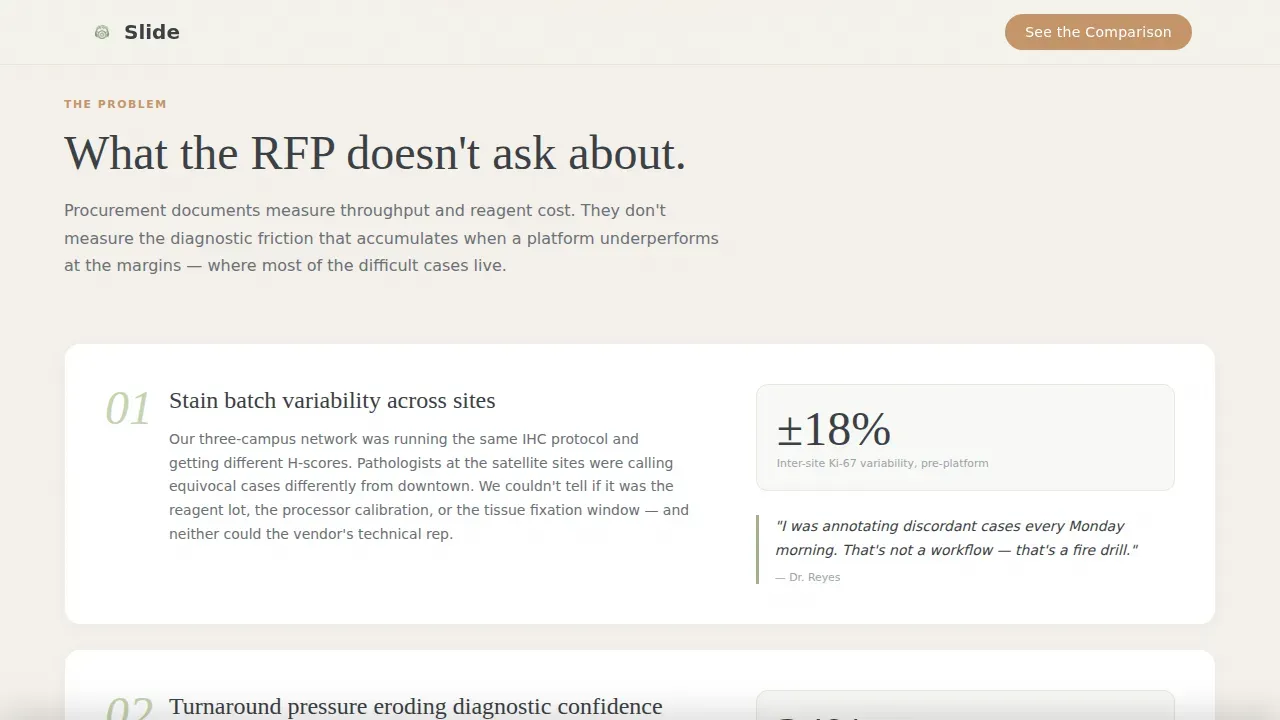
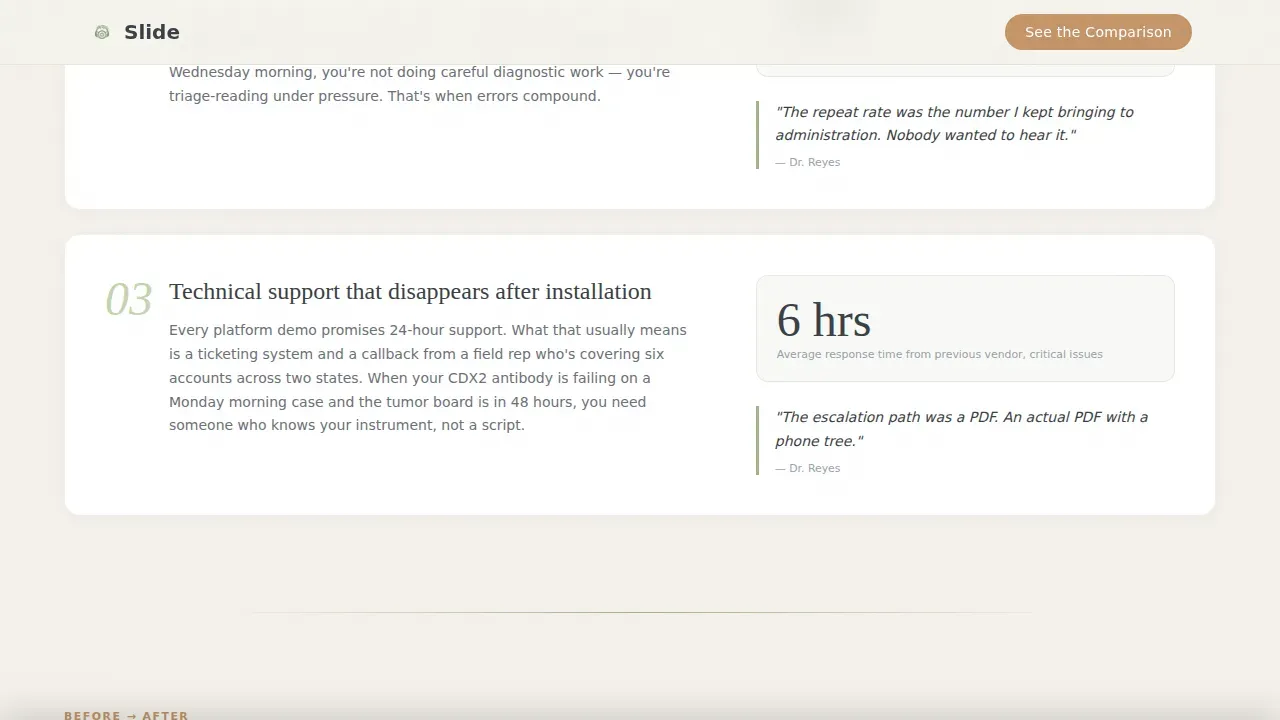
- Inconsistent stain quality, inter-observer variability, and turnaround pressure go unnamed on most vendor pages, causing procurement teams to fill in the blanks with doubt
- Generic comparison tables offer checkmarks with no clinical context, leaving reviewers without the annotated data they actually need
- No single page currently consolidates peer voice, credentials, and product comparison in a format that follows the logic of a case report
What you get with this template
You get a fully structured, single-page layout that combines portrait-centered authority with a scrollable problem-to-solution arc. Every section is designed to build on the one before it, ensuring the comparison table lands with the weight of accumulated evidence rather than a sales pitch.
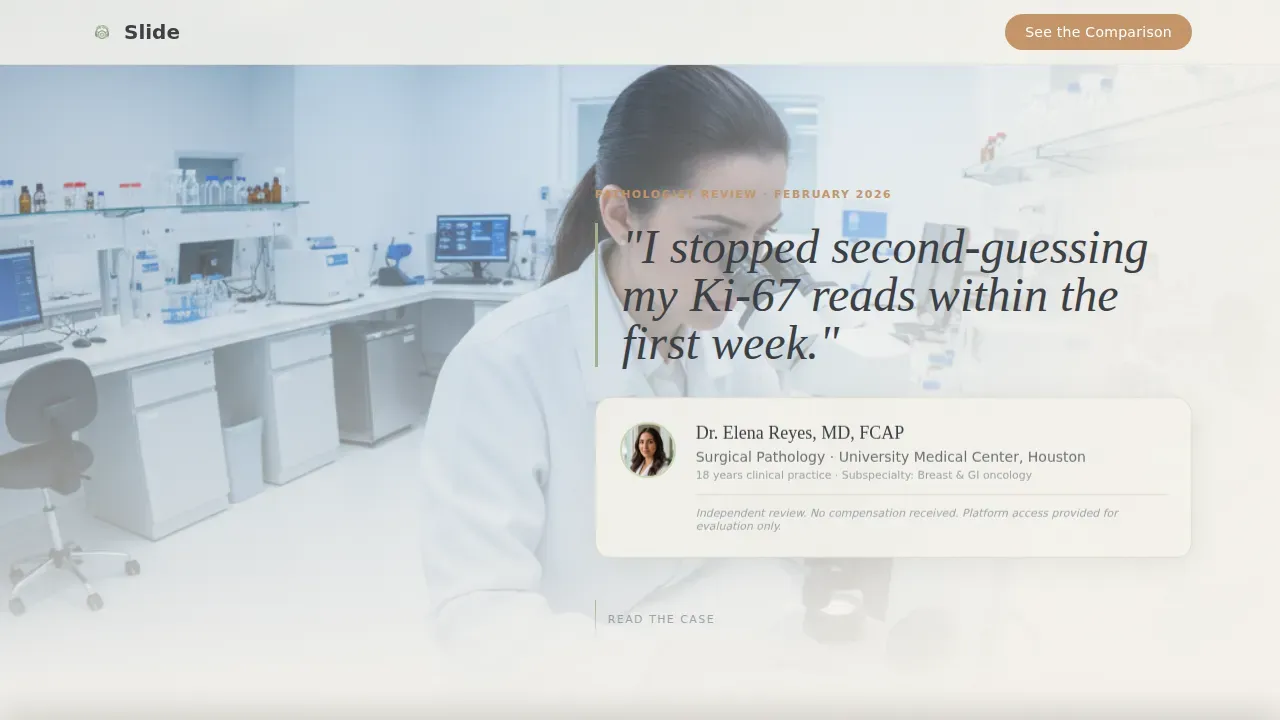
- A cinematic hero section with pathologist portrait, credentials, institution, and a specific pull-quote in large serif type
- A three-part narrative flow: named pain points, a before-and-after workflow story in the pathologist's own words, and a five-criteria annotated comparison table
- A persistent call-to-action bar that appears after seventy percent scroll depth, plus a primary button placed directly beneath the comparison table
Feature list
This template includes several carefully designed features rooted in the source brief. Each one serves the goal of earning trust and driving a confident click.
Portrait-Centered Hero Section
The hero places a warmly lit, tightly cropped pathologist photograph slightly off-center left, with name, title, institution, and a specific pull-quote in large serif type to the right. The layout communicates clinical credibility from the first second on page. High-contrast call-to-action placement above the fold ensures key information is immediately visible without scrolling.
Annotated Comparison Table
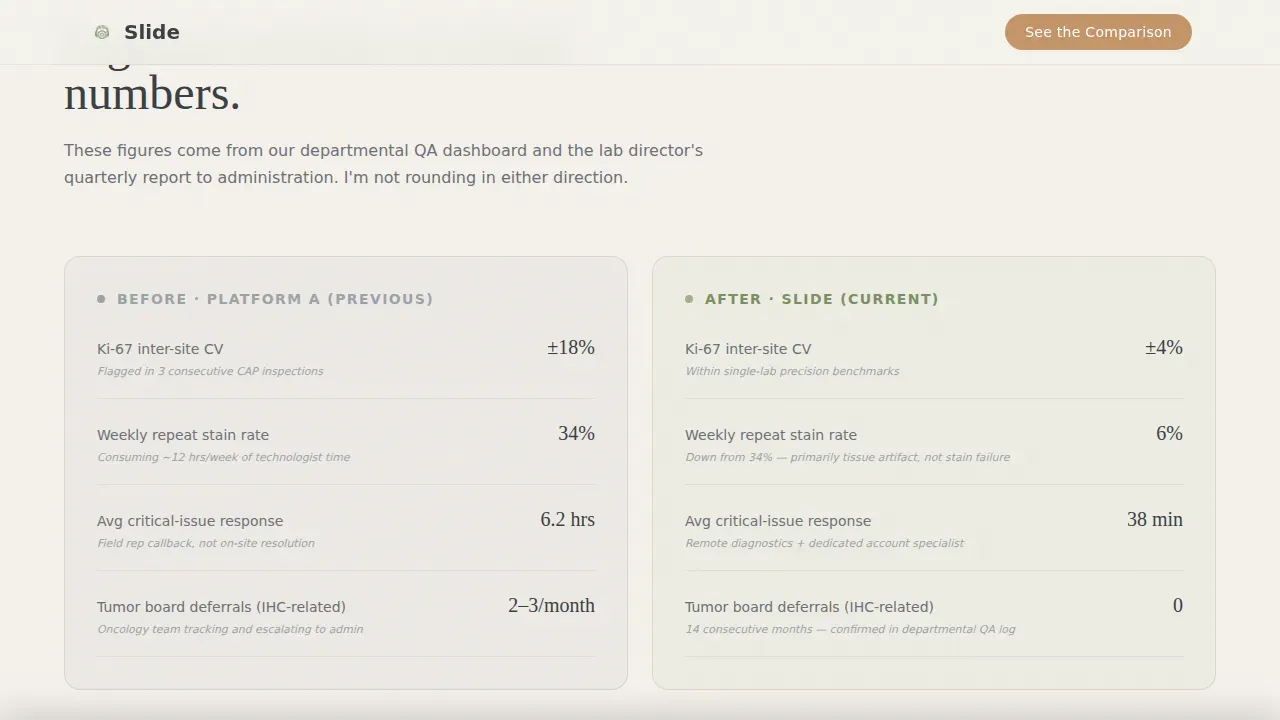
The comparison table sets the reviewed product beside two or three alternatives across five criteria: stain consistency, integration time, technical support responsiveness, cost-per-slide, and one additional pathologist-chosen subject. Each row carries a brief pathologist annotation rather than a generic checkmark, so the data reads like peer commentary rather than a vendor matrix.
Scroll-Depth Call-to-Action Bar
The primary call-to-action reads "See Full Product Specs" and appears first beneath the comparison table. It then returns as a persistent bottom bar triggered after seventy percent scroll depth, implemented via a dedicated client-side component. This two-placement approach improves click-through by meeting visitors at both the decision moment and the commitment moment.
Problem-to-Solution Narrative Arc
Three named diagnostic pain points open the page's core content section, followed by the pathologist's direct-quote before-and-after workflow story in a two-column contrast layout. This narrative progression mirrors a case report structure, ensuring the evidence accumulates naturally before the conclusion is presented.
Organic Flow Visual System
The Cloud Canvas color palette uses cirrus white (#F4F1EB) for open backgrounds, muted graphite (#3B3F45) for body text, gentle sage (#A3B18A) for section dividers and pull-quote borders, and warm clay (#C4956A) for interactive highlights and call-to-action elements. Fraunces display serif and DM Sans body type add warmth and human credibility to the clinical subject matter.
GSAP ScrollTrigger Animation Layer
Medium-intensity animations include stagger reveals on scroll, stat counter animation for any metric callouts, and smooth scroll behavior throughout the page. These visual elements guide attention downward through the narrative without distracting from the pathologist's voice or the comparison data.
Page sections overview
| Section | Purpose |
|---|---|
| Hero Portrait | Establish credentials, pull-quote, and first call to action |
| The Real Problem | Name three clinical pain points with specificity |
| Before / After Narrative | Show workflow transformation in pathologist's words |
| Comparison Table | Compare five criteria with pathologist annotations |
| Final Conviction | Closing quote and persistent scroll-depth call to action bar |
| Footer | Single-row linear footer with attribution links |
Design & branding system
The Organic Flow theme draws from the Cloud Canvas palette to create a page that feels like a journal article printed on warm linen. Visual elements are restrained and purposeful, ensuring the pathologist's voice remains the focal point across every section.
- Cloud Canvas palette: cirrus white (#F4F1EB) backgrounds, graphite (#3B3F45) body text, sage (#A3B18A) dividers, clay (#C4956A) call-to-action highlights
- Fraunces display serif handles headings and pull-quotes; DM Sans handles body copy, ensuring clinical readability at every word count
- Branding elements such as institution logos, credentials, and custom colors can be updated directly without coding, making the template fully customized to each pathologist's identity
Mobile & speed optimization
The template is built desktop-first to match the primary audience of lab directors and procurement officers working on workstations. However, it remains fully responsive across all devices, ensuring the page functions clearly on mobile screens too.
- Responsive layout scales across devices with large tap targets, following best-practice guidance that over sixty percent of searches may occur on mobile devices
- Server Components handle static content sections, while a dedicated Client Component manages the scroll-depth call-to-action bar logic, keeping the page lean and focused
- Smooth scroll behavior and GSAP ScrollTrigger stagger reveals are calibrated for desktop-first performance while remaining functional on smaller screens
How this template helps you convert
Conversion on this page is not about pressure. It is about trust built systematically through specificity, peer voice, and transparent comparison data. The page is designed so that by the time a visitor reaches the call-to-action, clicking feels like the obvious next step.
- The portrait hero and pull-quote establish instant peer credibility, ensuring visitors engage with the pathologist's voice before encountering any product information
- The annotated comparison table provides the kind of honest, annotation-rich data that procurement officers and lab directors cannot easily find on vendor websites, making this page a genuinely useful resource
- The persistent call-to-action bar at seventy percent scroll depth meets visitors at their peak confidence moment, directing them to the vendor's product page with attribution intact
Other information about this template
This template is designed for use in the Health and Medical category, specifically the Pathologist Website and Pathologist Testimonial and Review Page niche. It is inexpensive to launch because no custom coding is required. Users can edit colors, swap portrait photography, update institution names, and change pull-quote copy directly within the template editor. The template can download instantly and is ready to customize on any modern platform.
- Google indexing is supported by the clean semantic structure of the page, helping the pathologist's review surface in relevant science and medicine searches
- Templates like this one enhance multidisciplinary communication by providing standardized formats that medical professionals, researchers, and affiliated institutions can all reference
- The page supports compliance-aware design patterns; compliance and security badges can be added to communicate adherence to relevant regulatory standards for data safety in accordance with institutional requirements
- For pathology departments interested in peer review workflows, this template can support retrospective random reviews, targeted reviews, or Whole Slide Image consultations for digital pathology, depending on the content the pathologist chooses to highlight
- Standardized templates enhance documentation by ensuring uniform data collection, reducing variability, and improving report submissions across histopathology and broader pathology science contexts
- Educational content options such as a short video explaining the review process can be added to the page to improve trust and communication with a wider audience
Theme
Organic Flow
Creative direction
Problem→Solution Arc
Color system
Cloud Canvas
Style
Comparison Table
Direction
Click-Through
Page Sections
Portrait-centered Hero with Pull-quote
Annotation-rich Comparison Table
Scroll-depth Persistent Call to Action Bar
Problem-to-solution Narrative Arc
Organic Flow Cloud Canvas Design System
GSAP Scrolltrigger Animation Layer
Related questions
Does this template require any coding to set up?
Can I customize the comparison table criteria for different pathology products?
Is there a contact form on this page?
Who is the target audience for this landing page?
How does the persistent call-to-action bar work?



