Workforce Analytics Landing page Template
This sidebar companion landing page is built for workforce analytics tools focused on employee attrition. It walks HR and operations leaders through a five-chapter diagnostic journey, from the hidden cost of turnover to a personalized Workforce Health Grade. A built-in five-question assessment drives conversion, while scroll-linked progress tracking and animated data visualizations make every section feel like a guided strategy session.
by Rocket studio
Quick summary
This template is a sidebar companion landing page designed for a workforce analytics platform. It uses a Problem→Solution Arc structure to guide HR leaders through five sequential chapters, each building urgency before offering a clear path forward. The page converts visitors through a five-question Workforce Health Assessment that delivers a personalized grade and an email-gated full report.
Who this template is for
This template speaks directly to the people who feel the cost of attrition most acutely. It is built for B2B audiences in human resources and operations roles at mid-market companies.
- VP-level HR leaders at companies with roughly 500 to 2,000 employees who are caught off guard by sudden resignations
- Operations directors whose quarterly budgets are being eroded by recurring onboarding and backfill costs
- People analytics managers who need a compelling business case for retention investment but are still working from manual spreadsheets
What problem this template solves
Most HR teams only learn about flight risk after the resignation letter arrives. This template gives a workforce analytics platform the right structure to show buyers why reactive people management is expensive and how predictive signals can change that.
- There is no clear way to present complex attrition data in a format that resonates with VP and director-level buyers
- Typical landing pages for analytics tools list features without walking the visitor through the cost of doing nothing
- Decision-makers need to feel the problem before they will trust a solution, and a flat page rarely creates that experience
What you get with this template
You get a fully structured, single-page layout designed to teach, persuade, and convert within one scroll session. The page is built around five named chapters, each with its own visual and functional role.
- A hero section with an overhead team photo, animated data overlays including a flight-risk heat signature and engagement trend line, and a typewriter-style headline that sets the diagnostic tone
- A fixed sidebar progress tracker showing all five chapter dots so visitors always know where they are in the journey
- A five-question embedded assessment with a slider, dropdown, input field with benchmark whisper text, multi-select, and illustrated tier selector, leading to a personalized Workforce Health Grade
Feature list
This template is purpose-built for a workforce analytics use case. Every interactive and structural element serves the conversion goal.
Scroll-Linked Sidebar Progress Tracker
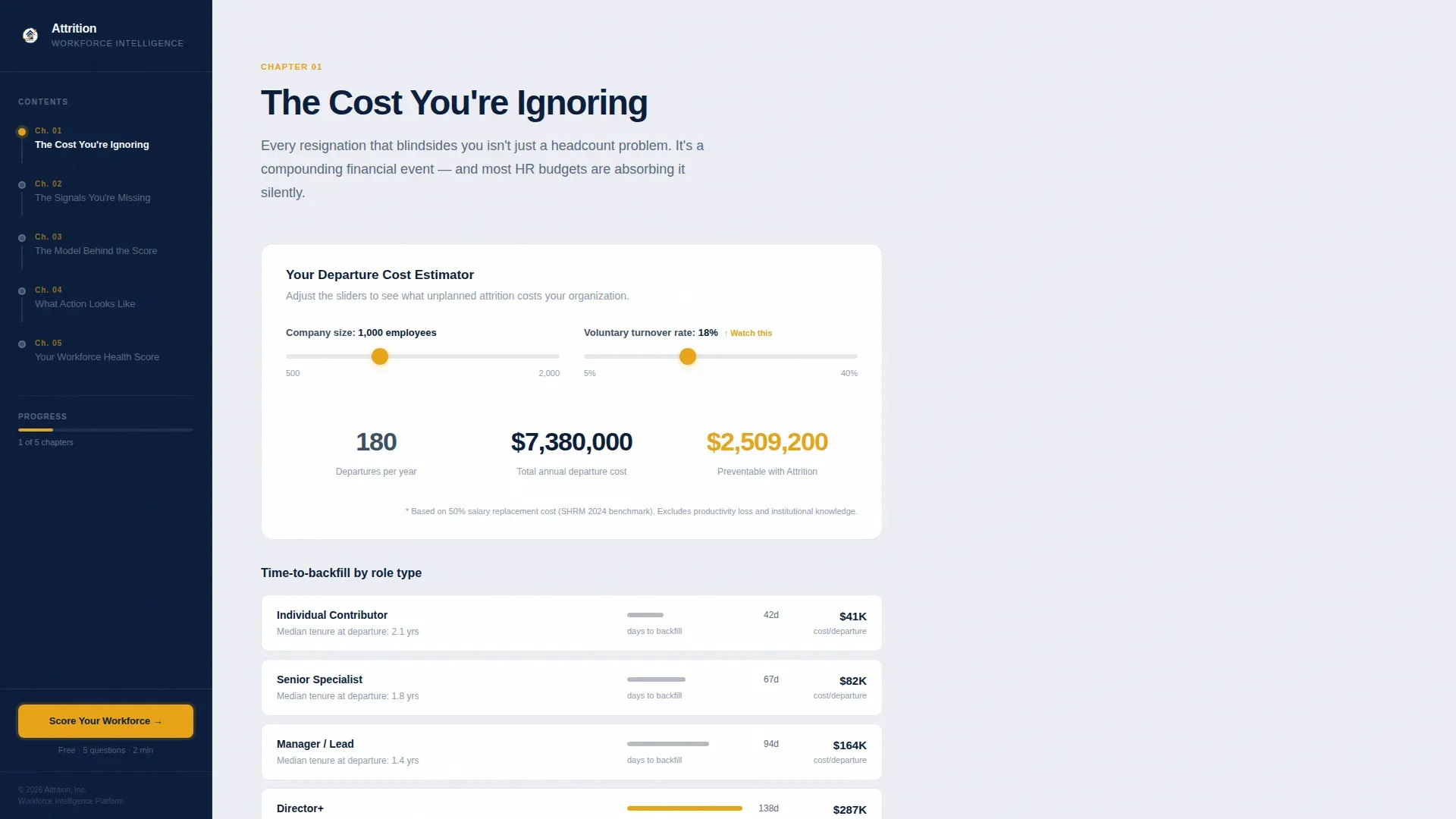
A fixed left sidebar displays five chapter progress dots that update as the visitor scrolls. It functions like a textbook table of contents, giving VP-level readers immediate orientation and reinforcing the sense that the page will teach them something specific.
Animated Hero Data Overlays
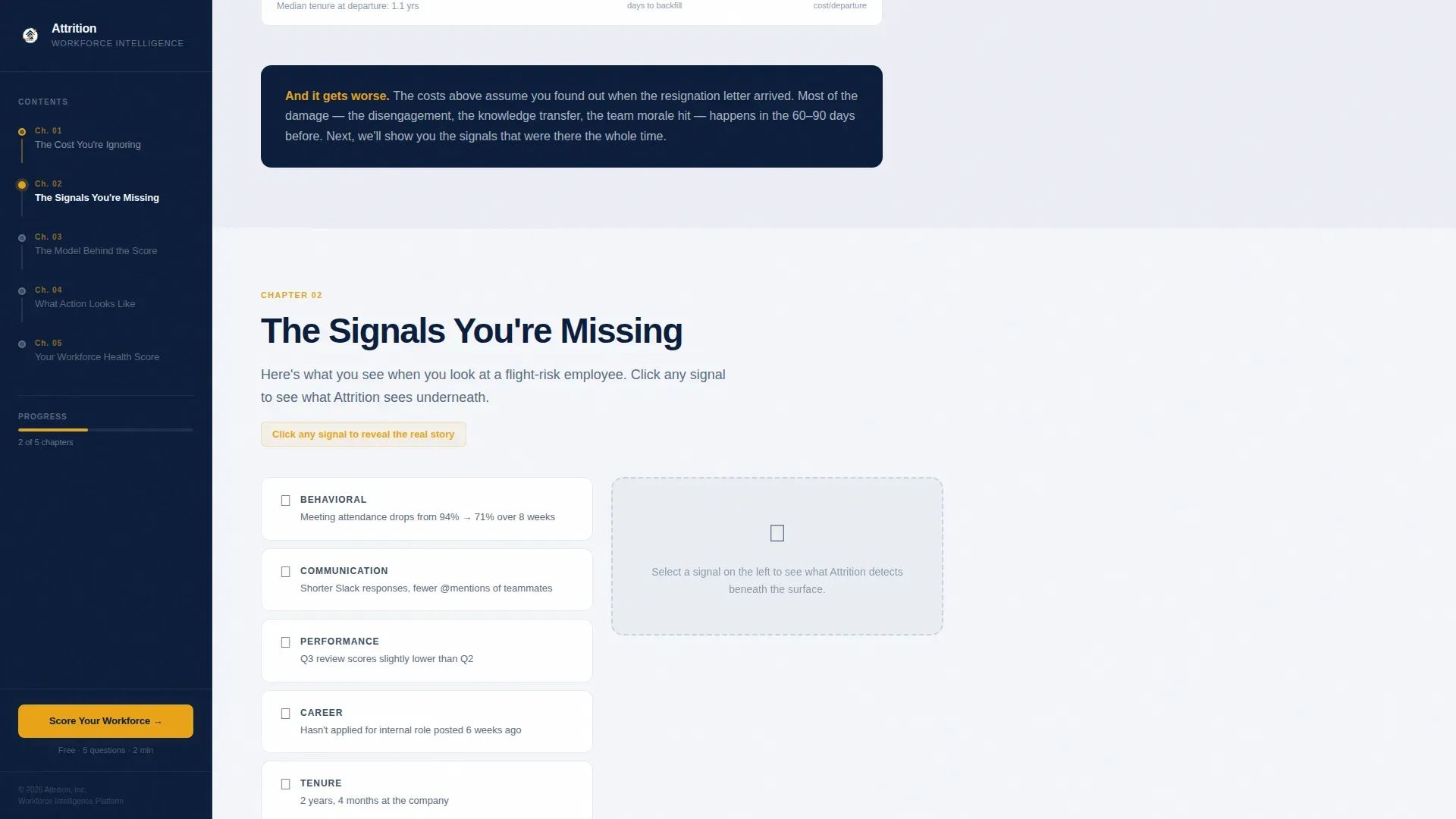
The header section layers translucent data visualizations over a desaturated overhead team photo. A flight-risk heat signature glows in amber over two figures, an engagement trend line arcs downward, and tenure distribution annotations appear at the edges, all emerging in sequence.
Chapter-by-Chapter Data Visualization Panels
Each of the five chapters opens with a specific data visualization rendered in the content panel. These include an animated cost-per-departure calculator and a before-and-after signal detection display, giving the visitor real analytical context before any sales message appears.
Five-Step Workforce Health Assessment
The primary conversion mechanism is a five-question quiz that reveals one question at a time. Inputs include a company size slider, average tenure dropdown, voluntary turnover rate field with benchmark comparison text, a multi-select people challenge picker, and an illustrated analytics maturity tier selector.
Personalized Health Grade with Email Gate
On completing the assessment, the visitor receives a Workforce Health Grade from A through F, paired with a two-paragraph diagnosis. Accessing the full report requires only a work email address and first name, keeping friction low while capturing a qualified lead.
Persistent Amber Call-to-Action in Sidebar
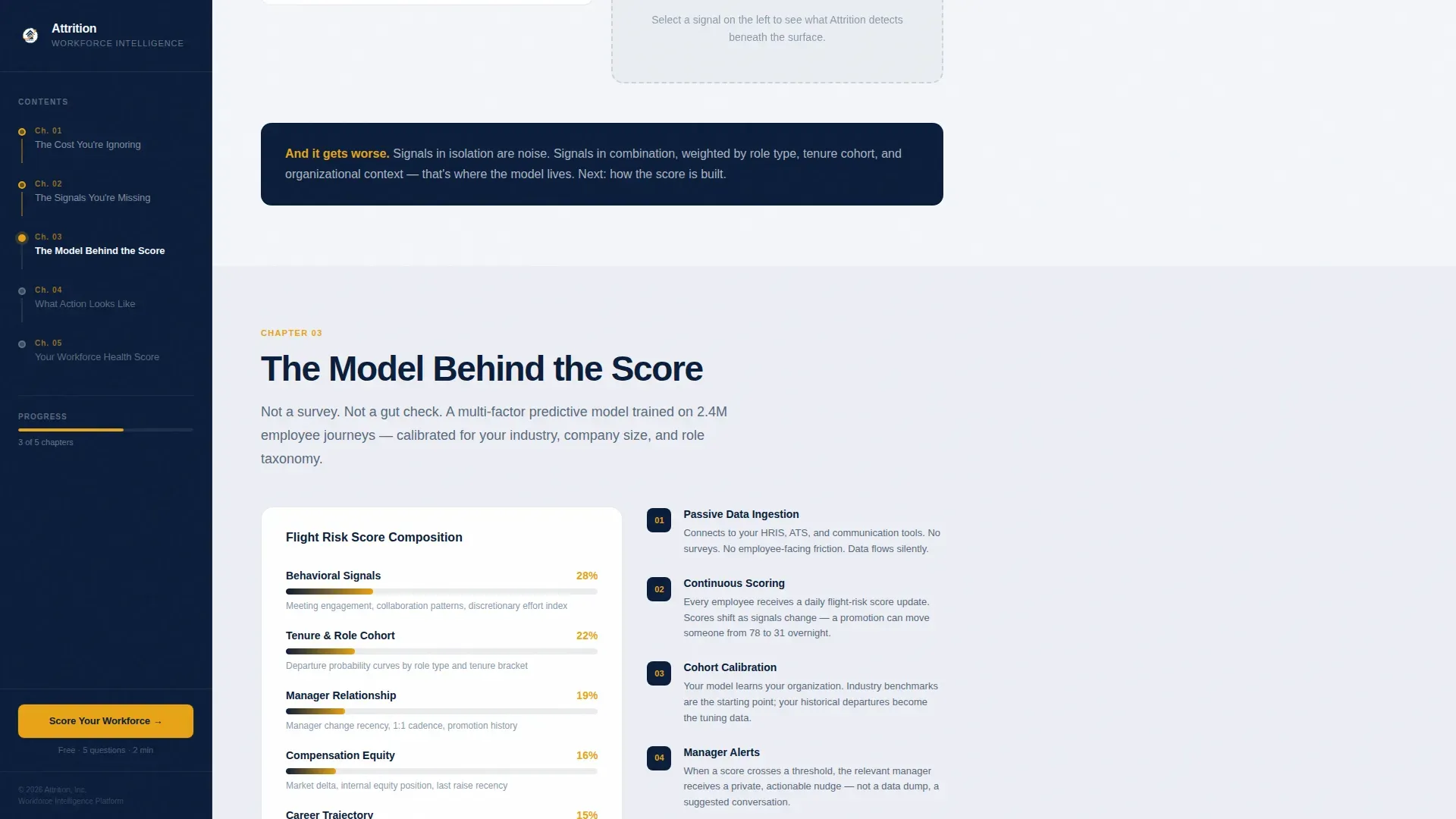
From Chapter 3 onward, a "Score Your Workforce Health" call-to-action pulse appears in the sidebar and stays visible through the remainder of the scroll. The amber accent color shifts contextually from a warning signal in early chapters to a warm action prompt in later sections.
Page sections overview
| Section | Purpose |
|---|---|
| Hero with overlays | Establish the diagnostic frame and introduce sidebar navigation |
| Chapter 1: Cost | Show the real financial weight of ignored attrition |
| Chapter 2: Signals | Reveal the behavioral data points most teams overlook |
| Chapter 3: Model | Explain the predictive logic and introduce the first call to action |
| Chapter 4: Actions | Demonstrate what the platform prescribes once risk is detected |
| Chapter 5: Assessment | Deliver the five-question quiz and personalized health grade |
| Email gate | Capture work email and first name for the full report |
| Footer | Single-row linear footer for navigation and legal links |
Design & branding system
The visual identity follows an Educational Guide theme. The palette and typography work together to feel authoritative without being cold, like a well-annotated strategy report on a well-lit desk.
- Colors: deep command navy (#0B1D3A) for the sidebar and section backgrounds, pressed-shirt white (#F4F6FA) for content panels, steel-grade slate (#5A6B7F) for body text and secondary labels, and decisive amber (#E8A317) reserved for interactive elements, progress indicators, and call-to-action pulses
- Typography: DM Sans Bold for headings and DM Sans Regular for body text throughout, maintaining consistent institutional weight across all chapters
Mobile & speed optimization
The layout is designed desktop-first, reflecting the primary audience of VP and director-level professionals who review analytics tools on wide-viewport screens. The sidebar architecture requires sufficient horizontal space to function as intended.
- Server Components handle all static chapter sections to reduce initial load overhead, while Client Components are scoped to the interactive sidebar tracker and five-step quiz
- The sidebar progress tracker and quiz step animations are built as Client Components to keep interactivity smooth without affecting the rendering of static content panels
How this template helps you convert
The page earns its conversion before asking for anything. By the time the quiz appears, the visitor has already absorbed five chapters of diagnostic content and suspects what their score might be.
- Each chapter delivers a specific, costly insight first, so the visitor arrives at Chapter 3 already invested in the diagnosis rather than skeptical of the tool
- The assessment is revealed one question at a time, reducing abandonment and building anticipation for the personalized grade result
- The email gate appears only after the visitor has received a real A-through-F grade and a two-paragraph diagnosis, making the "See Your Full Report" request feel like a natural next step rather than an interruption
Other information about this template
This template is suited for B2B software-as-a-service products in the human resources technology space, particularly platforms focused on workforce analytics, employee retention, and people data. It fits naturally into the HR and hiring category, with close alignment to time and attendance and workforce planning use cases.
- The page uses a typewriter text effect for the hero headline and staggered reveal animations for chapter transitions, both configured as high-animation interactions
- The five-chapter structure mirrors a consulting engagement flow, which is intentional for the VP and director audience who are accustomed to structured briefing formats
- The amber accent color carries dual meaning across the page: it signals risk in early data panels and shifts to signal opportunity and action in the quiz and call-to-action sections
- The footer follows a linear single-row pattern, keeping the close of the page clean and uncluttered after the assessment conversion sequence

Theme
Educational Guide
Creative direction
Problem→Solution Arc
Color system
Navy Authority
Style
Sidebar Companion
Direction
Quiz/Assessment
Page Sections
Scroll-linked Sidebar Progress Tracker
Animated Hero Data Overlays
Chapter Data Visualization Panels
Five-step Workforce Health Assessment
Personalized Health Grade and Email Gate
Persistent Amber Call-to-action Pulse
Related questions
Who is this landing page template designed for?
What is the main conversion mechanism on this page?
Can I adapt the five chapters for a different analytics product?
Does the sidebar progress tracker work on mobile devices?
What do I need to customize this template?



