PTSD Digital Therapy App Landing Page Template
Anchor is a compassionate landing page template built for a PTSD digital therapy app. It opens with a gentle multi-step conversation form, then guides visitors through FAQ-driven spoke sections that answer real survivor questions. The design uses a warm Soft Mist palette, a sticky anchor navigation, and a frictionless "Try Your First Exercise" call to action, no signup required.
by Rocket studio
Quick summary
Anchor is a hub and spoke landing page template for a trauma recovery app. It pairs a full-viewport multi-step conversation form with scroll-anchored FAQ sections, each answering the questions survivors actually search for at night. The Soft Mist color system keeps every surface warm and unhurried, and the primary call to action delivers immediate value before asking for anything.
Who this template is for
This template is built for founders, clinicians, and product teams who are launching or promoting a digital therapeutics app focused on trauma recovery and post-traumatic stress care.
- Mental health app developers building a trauma-focused mobile product
- Therapists or clinical teams offering a self-guided digital adjunct to in-person care
- Organizations serving combat veterans, first responders, or sexual assault survivors who need discreet, on-demand tools
What problem this template solves
People searching for trauma support at 3 a.m. need a page that feels safe before it asks for anything. Standard app landing pages open with aggressive hero banners, countdown timers, or instant email capture, all wrong signals for a survivor audience.
- Visitors with trauma histories often disengage when a page feels clinical, pressured, or rushed
- Trust must be established through tone, pacing, and honest answers before any click is invited
- The template solves this by mirroring the visitor's experience back to them, answering real questions first, and placing the call to action only where it feels like a natural next step
What you get with this template
You get a fully structured single-page layout organized as a hub and spoke, with a sticky side navigation that lets visitors jump to any FAQ section without losing their place.
- A multi-step conversation form header with three sequentially revealed questions and soft-cornered answer buttons
- Five self-contained spoke sections covering therapy context, wordless tool use, privacy, clinical research, and conversion
- A warm Soft Mist visual system with Fraunces serif display type and DM Sans body text, plus clay-colored interactive elements reserved strictly for calls to action
Feature list
This template is built around a small set of carefully considered components. Each one serves the emotional and functional needs of a trauma-aware audience.
Multi-Step Conversation Header
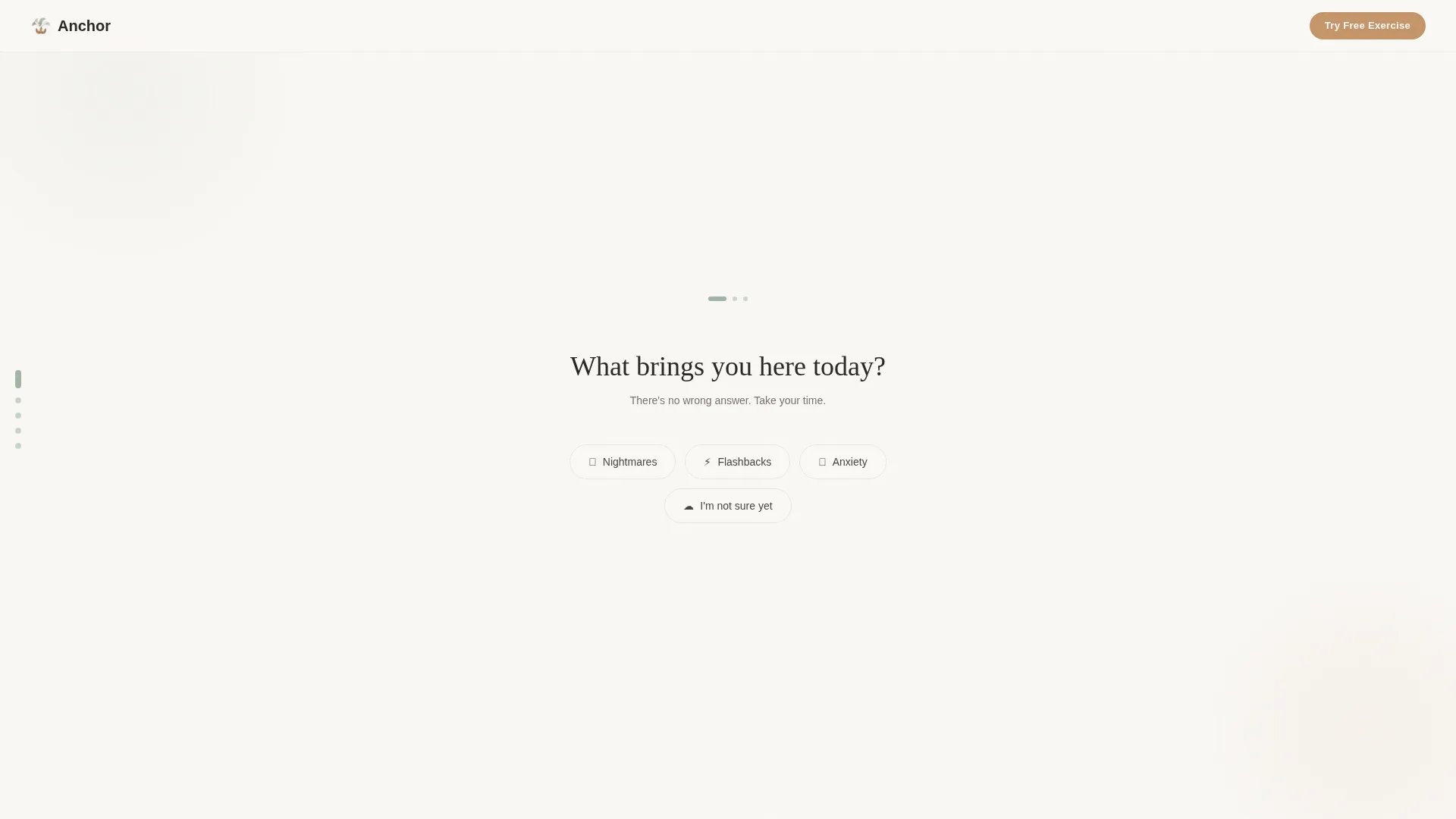
The header occupies a full viewport and reveals three questions one at a time against a linen white background. Questions fade in slowly with no progress bar and no pressure, making the visitor feel heard before they have scrolled anywhere.
Hub and Spoke Anchor Navigation
A sticky side navigation anchors every FAQ spoke section. Clicking any spoke label smooth-scrolls to the corresponding section. Visitors can orient themselves instantly without reloading or backtracking.
FAQ-Driven Spoke Sections
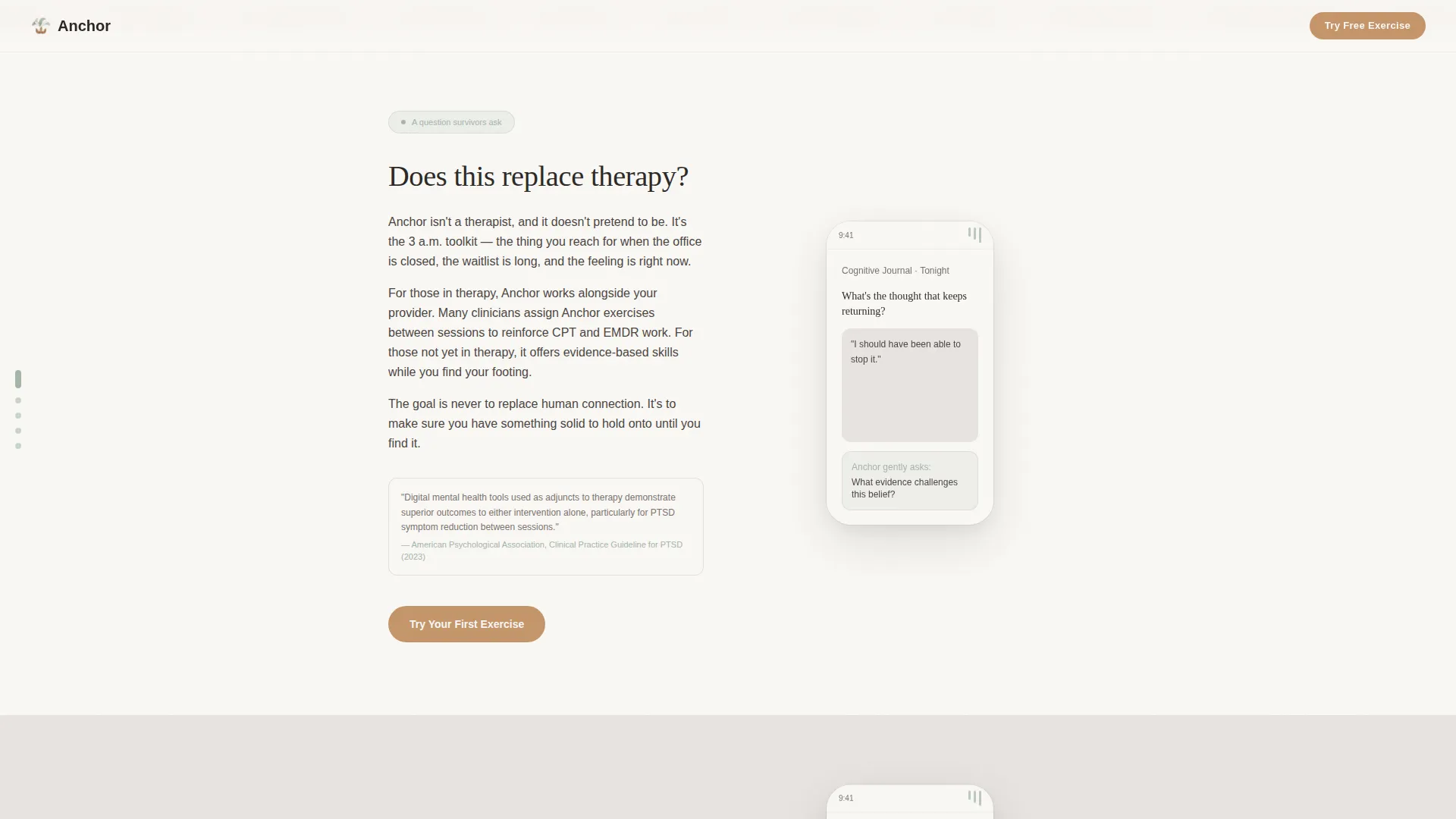
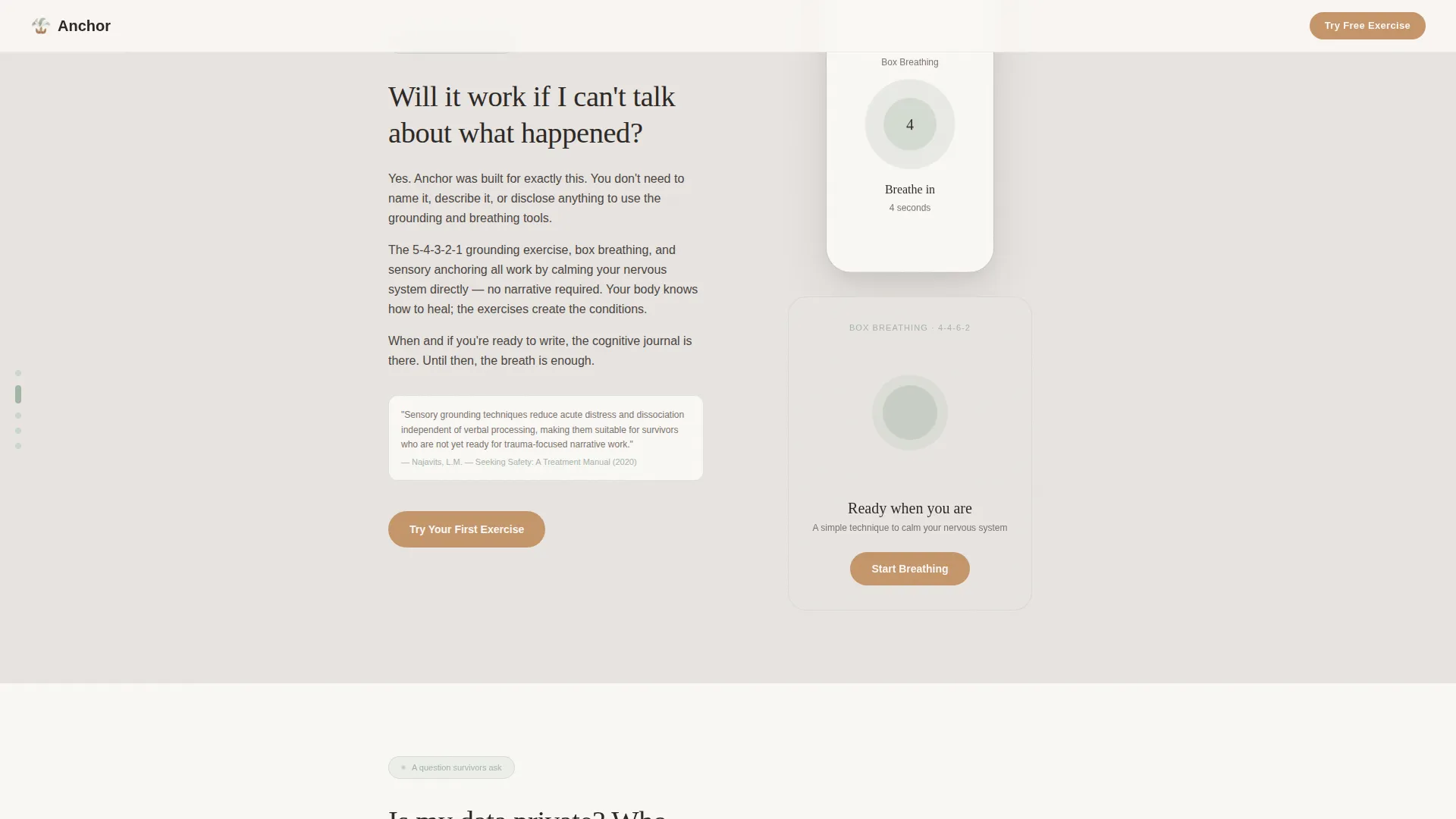
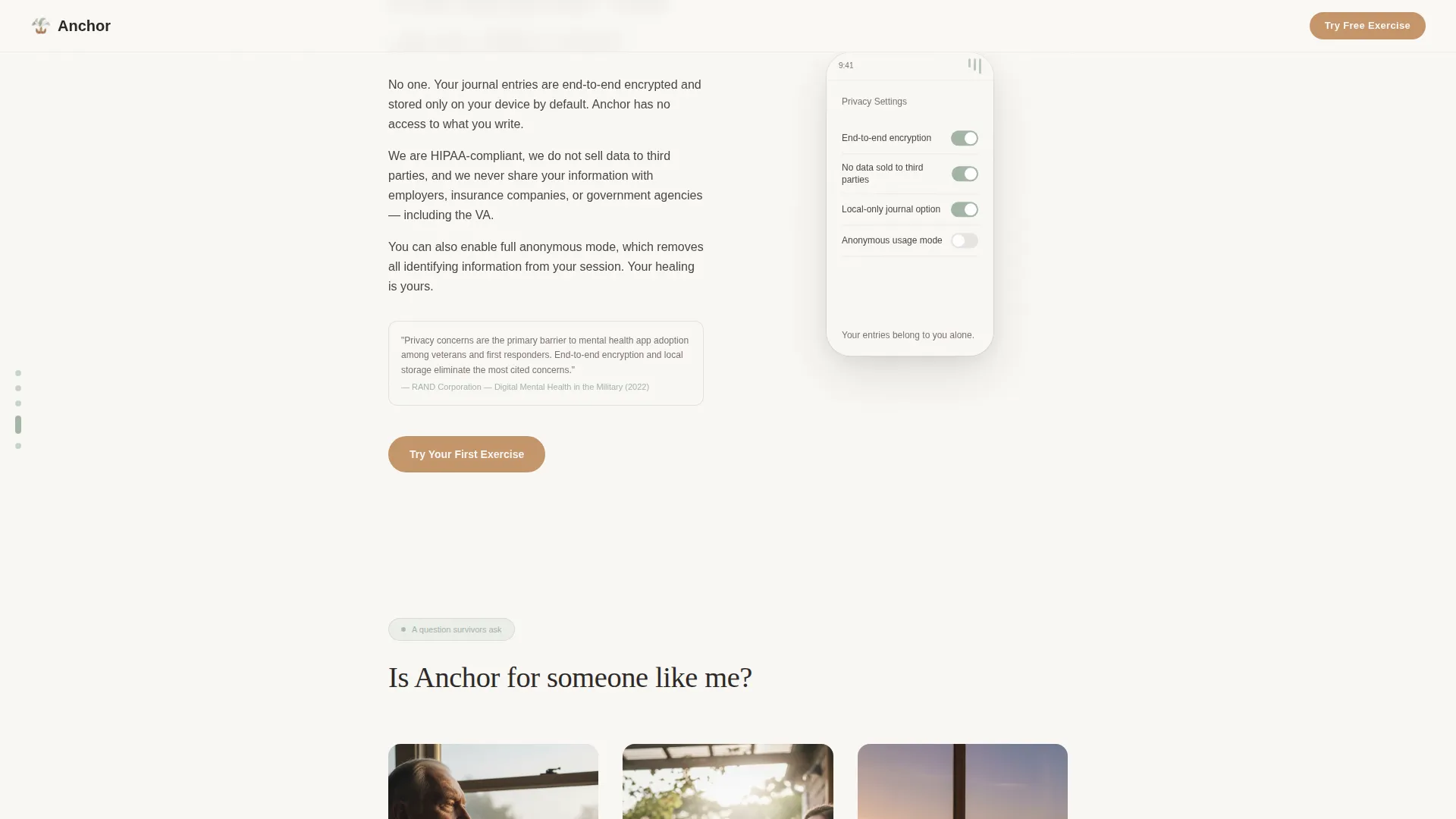
Each spoke section is organized around a question real survivors type into search bars, for example, whether the app replaces therapy or works without talking about what happened. Every section answers with short paragraphs, a single clinical citation reference, and a subtle animation showing the relevant app screen.
Dual Call-to-Action Placement
The primary call to action, "Try Your First Exercise," appears twice: once floating gently after the header form resolves, and once anchored at the bottom of every FAQ spoke. No email field and no account creation are required on this page.
Clinical Research Spoke
A dedicated section links evidence-minded visitors to peer-reviewed references. A quieter secondary link, "Learn About the Clinical Research," routes to this spoke so curious or skeptical visitors can satisfy their need for proof without interrupting the main emotional flow.
Gentle Scroll Reveal Animations
Section content fades in on scroll using slow, unhurried transitions. No sudden motion appears anywhere on the page, keeping the experience calm for visitors who may be sensitive to abrupt visual changes.
Page sections overview
| Section | Purpose |
|---|---|
| Conversation Form Hero | Opens with three sequential questions to mirror the visitor's experience and build trust |
| Spoke: Replaces Therapy? | Clarifies the app's role alongside professional care, with an app screen animation |
| Spoke: No Talking Required | Shows how breathing and grounding tools work without verbal disclosure |
| Spoke: Data Privacy | Addresses privacy concerns with honest, plain-language reassurance |
| Spoke: Clinical Research | Presents peer-reviewed references for evidence-minded visitors |
| Page Footer | Horizontal flow footer with quiet secondary navigation links |
Design & branding system
The visual identity follows an Educational Guide theme built on the Soft Mist color system. Every design decision removes sharp edges and sudden contrasts so the page feels safe to explore.
- Four-color palette: morning fog gray (#E8E4E1) and linen white (#FAF8F5) alternate as section backgrounds; muted sage (#A3B5A6) anchors navigation dots and progress indicators; warm clay (#C4956A) appears only on interactive elements and calls to action
- Typography pairs Fraunces serif display for headings with DM Sans for body text, creating a warm, readable contrast that feels editorial rather than clinical
- Animations use slow fades and gentle scroll reveals with no sudden motion, and the layout supports reduced-motion preferences for visitors who need a still experience
Mobile & speed optimization
This template is built mobile-first, reflecting the reality that its core audience reaches for a phone in the middle of the night, not a desktop browser.
- All spoke sections, the sticky anchor navigation, and the multi-step form are sized and spaced for thumb-friendly mobile interaction
- Images load lazily so the page remains responsive even on a slower mobile connection
- Slow fade animations are lightweight by design, keeping visual transitions smooth without heavy resource demands
How this template helps you convert
The template earns its click-through by creating trust at every scroll depth before placing any call to action. Conversion is treated as the natural result of feeling understood, not as a goal pushed on the visitor.
- The multi-step header form reflects the visitor's own experience back to them in the first seconds, establishing emotional alignment before any product claim is made.
- Each FAQ spoke removes a specific objection, therapy replacement, wordless use, privacy, so by the time the visitor reaches the call to action, their resistance has already been addressed with honest answers.
- The "Try Your First Exercise" button delivers immediate value with no email field and no account required, making the first click a low-stakes, high-reward action.
Other information about this template
This template is categorized under Health and Medical, specifically within the PTSD Care subcategory and the PTSD digital therapy app niche. It is designed for the United States English market.
- The template style is Hub and Spoke with Anchor Navigation, meaning each FAQ spoke is a self-contained section reachable from a persistent side nav
- The header concept is a Multi-Step Form styled as a natural conversation, not a data-collection form
- The creative direction is FAQ-Driven, organizing the entire scroll around questions real survivors search for, not marketing messaging
- The landing page direction is Click-Through, with the sole conversion goal being a frictionless tap on "Try Your First Exercise"
- The footer follows a horizontal flow pattern with quiet secondary links
Theme
Educational Guide
Creative direction
FAQ-Driven
Color system
Soft Mist
Style
Hub & Spoke (Anchor Nav)
Direction
Click-Through
Page Sections
Multi-step Conversation Form Header
Hub and Spoke Anchor Navigation
Faq-driven Spoke Sections
Dual Call-to-action Placement
Clinical Research Evidence Spoke
Gentle Scroll Reveal Animations
Related questions
Can I customize the spoke questions for a different trauma-related niche?
Does this template require visitors to create an account before trying the app?
How many spoke sections does this template include?
Is the multi-step header form connected to a backend or database?
Can a therapist or clinical provider use this template to promote an adjunct digital tool?



