Internal Medicine Medicine Professional Website Template
This internal medicine electronic medical record (EMR) comparison landing page is built for physician practices and hospital-employed internists who need to evaluate documentation platforms quickly and confidently. It leads with three sourced performance metrics, delivers a six-row expandable comparison table, and converts visitors through a progressive demo request form and a downloadable EMR switching checklist.
by Rocket studio
Quick summary
A single-page, stats-first landing page designed for internal medicine practices evaluating EMR documentation platforms. The page opens with a line art animation and three headline metrics, then proves its case through an expandable comparison table. Two conversion paths capture both ready-to-demo physicians and early-stage researchers.
Who this template is for
This template is built for healthcare technology teams and medical software vendors targeting internal medicine. It speaks directly to the people who feel documentation friction every day and the administrators who watch it cost money.
- Hospitalists managing panels of roughly twenty patients who need fast, accurate chart closure
- Outpatient internists running behind schedule who need note capture that keeps up with them
- Practice managers and billing staff tracking revenue lost to downcoded claims and unsigned encounters
What problem this template solves
Internal medicine documentation is one of the most time-intensive workflows in outpatient and inpatient care. Physicians spend significant time on charts that should take minutes, and billing errors follow from rushed or incomplete documentation. This template gives vendors a structured, credible way to show how their platform addresses those specific pain points.
- Generic landing pages fail to speak the clinical language that earns physician trust
- Comparison grids without context feel like marketing, not evidence
- Two-step demo forms and gated resources are hard to build without a proven structural starting point
What you get with this template
You get a complete, fully structured landing page layout purpose-built for an internal medicine EMR platform. Every section is mapped to a specific conversion moment, from first impression to form submission.
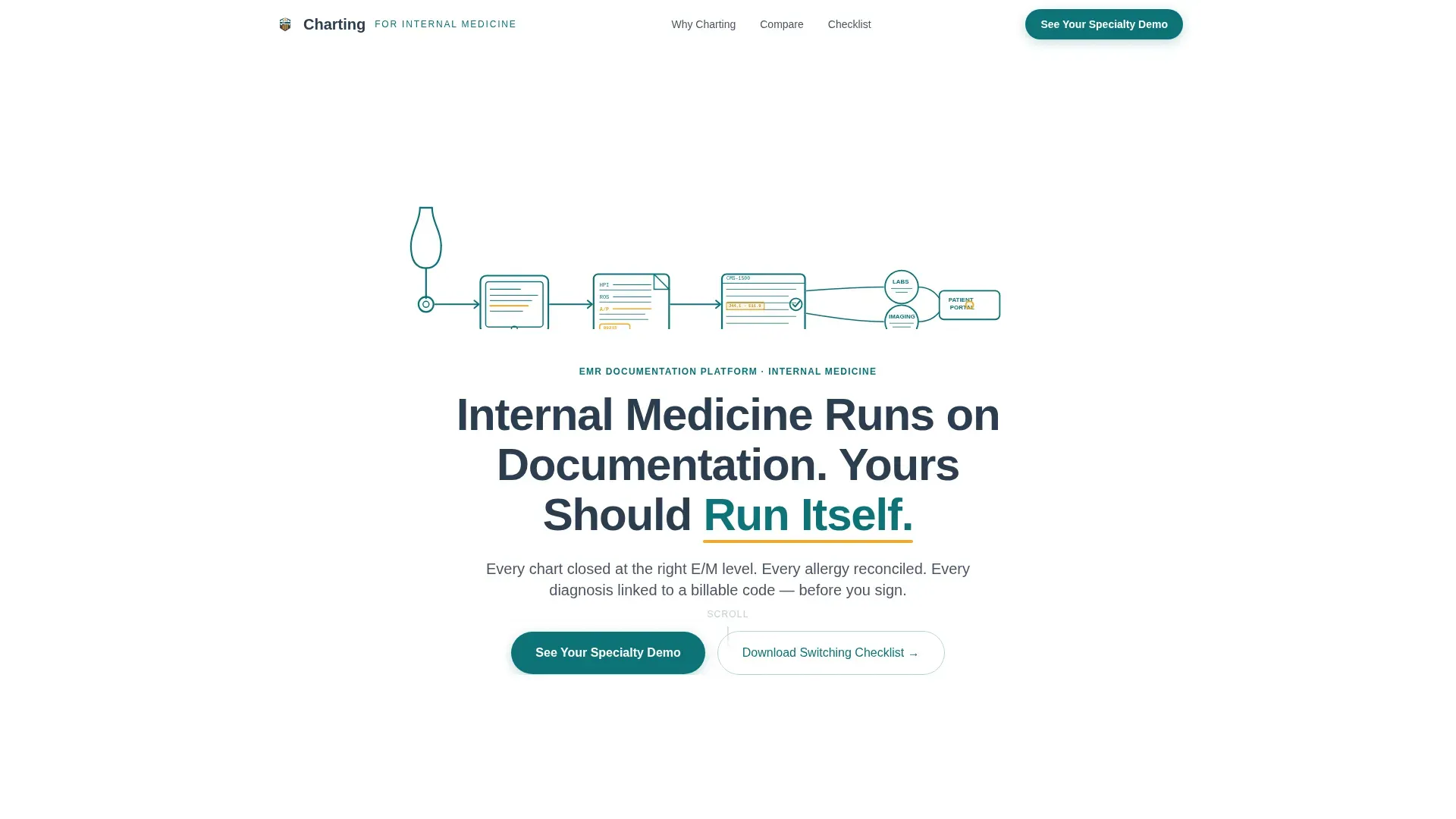
- An animated SVG line art hero with a headline and navigation-anchored call to action (call to action)
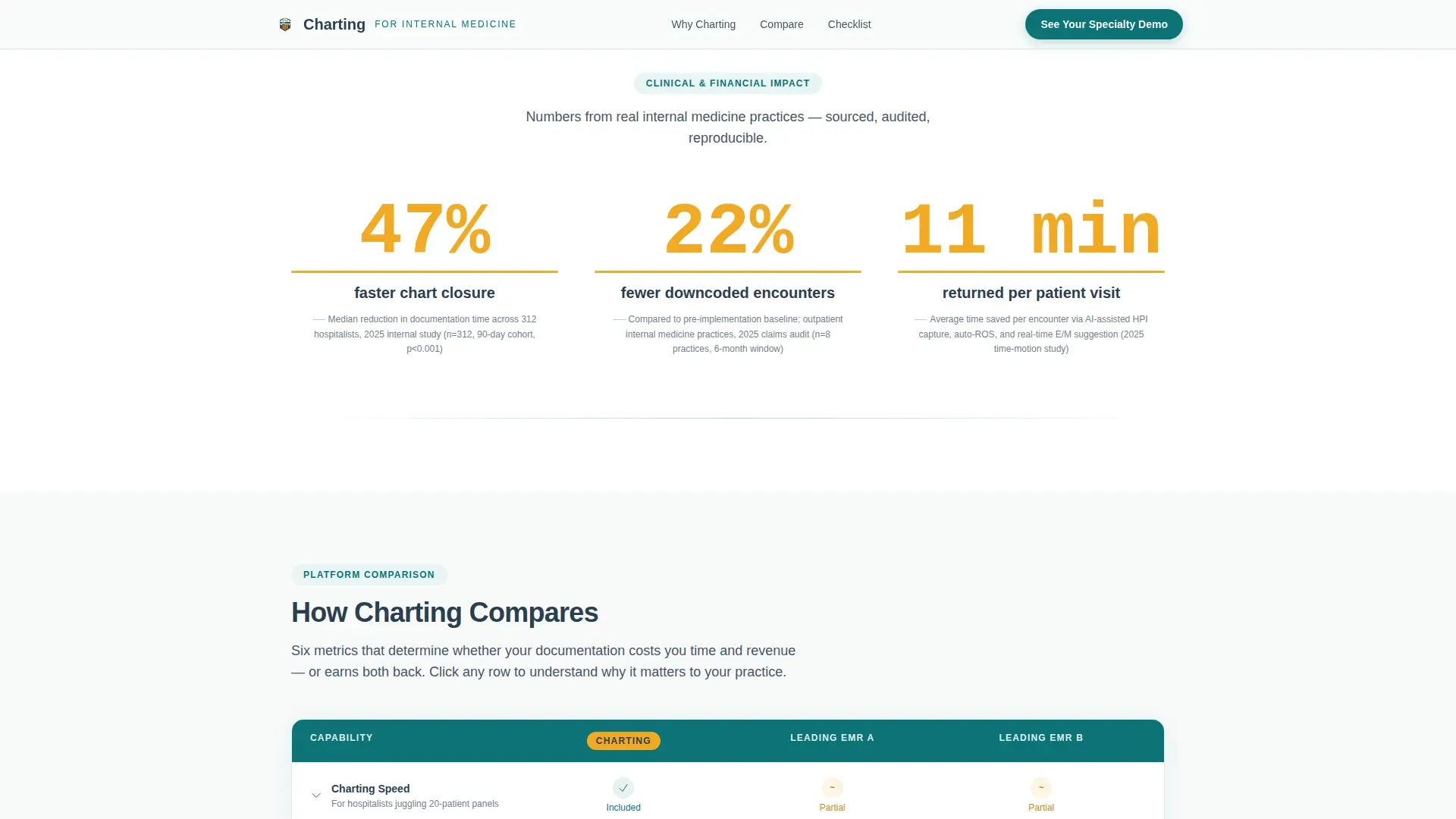
- A stats impact section displaying three sourced amber numerals with footnote attribution
- A six-row expandable comparison table, a two-step progressive demo form, and a gated checklist lead magnet
Feature list
This template includes purpose-built components that reflect the clinical context and conversion logic described in the source brief.
Animated SVG Line Art Hero
The header features a continuous teal stroke illustration tracing an internist's workflow: stethoscope to tablet to chart note to claim. The animation draws itself across the viewport in two seconds, establishing immediate credibility without photography or stock imagery.
Stats Impact Section
Three large amber numerals open the scroll below the hero: 47% faster chart closure, 22% fewer downcoded encounters, and 11 minutes returned per patient. Each figure is sourced and footnoted in small gray text, giving physicians the evidence anchor they need before reading further.
Expandable Comparison Table
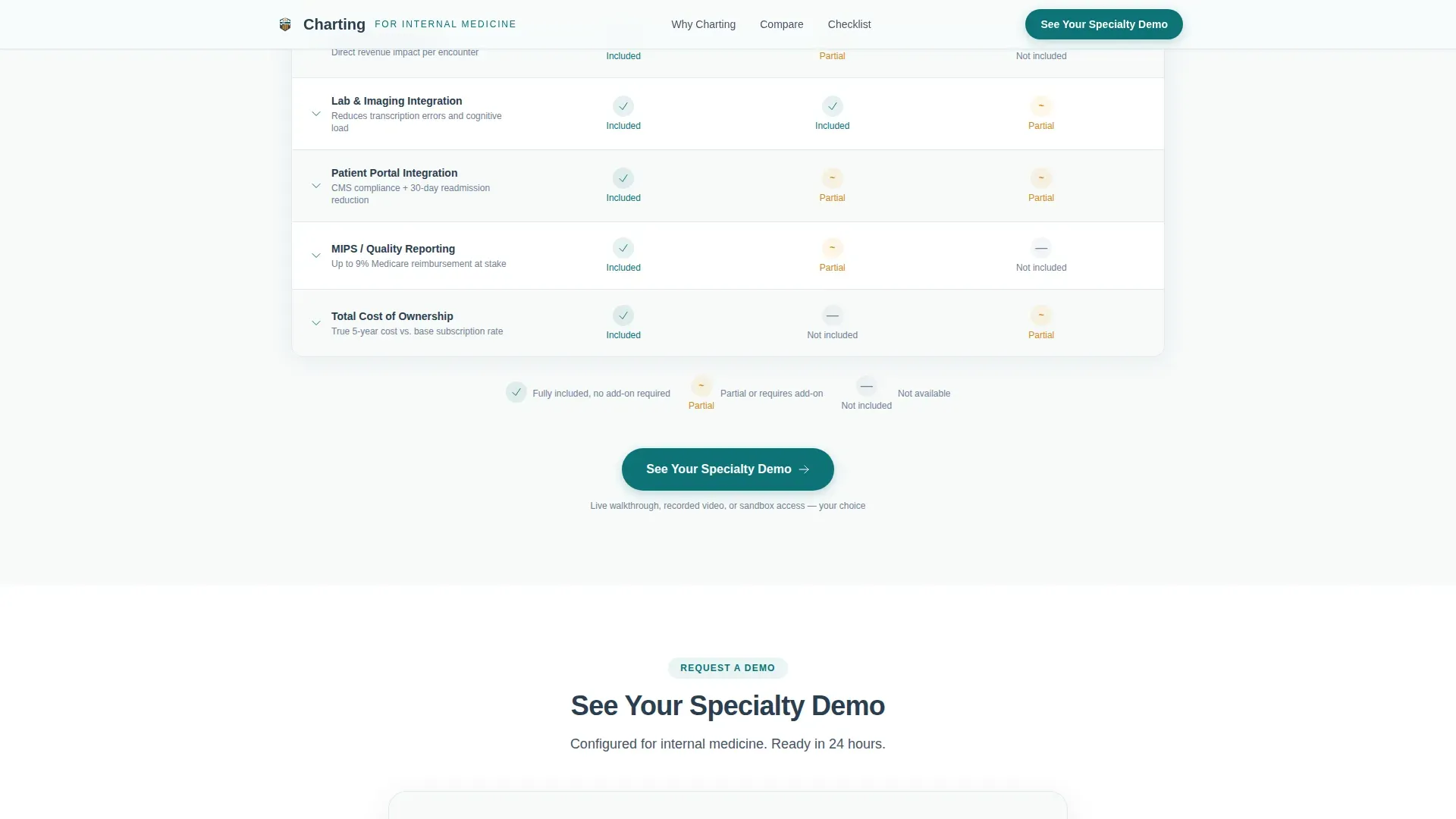
A six-row table compares the platform against two anonymized competitor columns across charting speed, evaluation and management (E/M) code accuracy, lab and imaging interoperability, patient portal integration, MIPS (Merit-based Incentive Payment System) reporting, and total cost of ownership. Each row expands into an explanatory paragraph that teaches why the metric matters to an internist's workflow.
Progressive Two-Step Demo Form
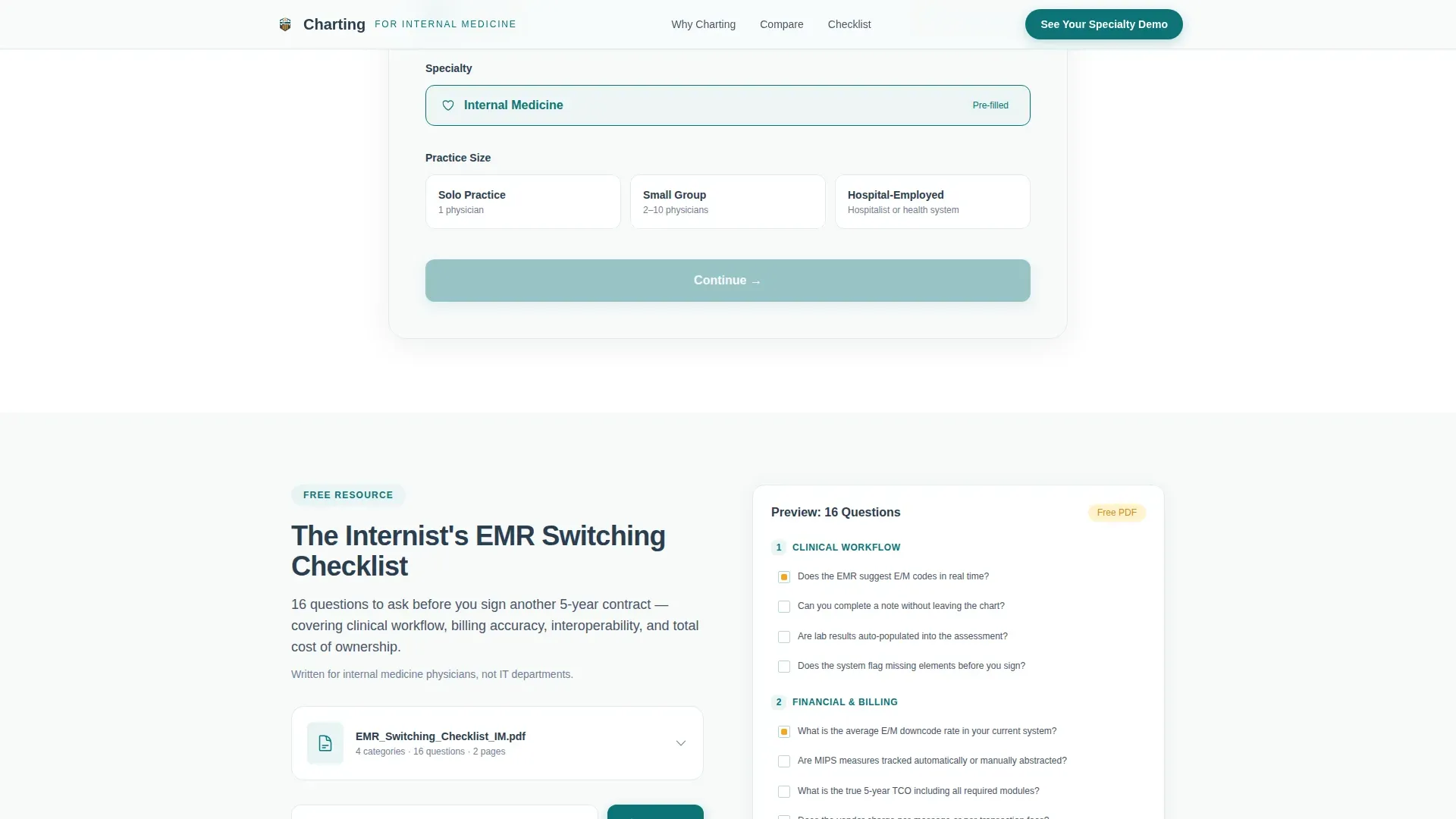
The first screen asks only for specialty (pre-filled to Internal Medicine) and practice size. The second screen captures name, email, and preferred demo format: live walkthrough, recorded video, or sandbox access. This reduces friction and increases form completion rates.
Gated PDF Lead Magnet
A secondary conversion path offers "The Internist's EMR Switching Checklist" as a downloadable PDF, gated behind email only. This captures physicians who are researching but not ready to book a demo, keeping them in the pipeline.
Educational Row Expansion Modules
As visitors scroll, each comparison table row expands into a short educational module. This mirrors the Educational Guide theme and transforms a feature grid into a teaching tool that earns credibility through clinical specificity.
Page sections overview
| Section | Purpose |
|---|---|
| Hero with animation | Draw-on SVG illustration, headline, and nav call to action |
| Stats impact row | Three sourced amber metrics to anchor credibility |
| Comparison table | Six expandable rows comparing platform against two competitors |
| Educational row modules | Inline explanations of why each metric matters clinically |
| Progressive demo form | Two-step specialty and contact capture for demo requests |
| Checklist lead magnet | Gated PDF download for early-stage researchers |
| Footer | Linear single-row pattern with supporting links |
Design & branding system
The visual identity follows an Educational Guide theme with a Teal Catalyst color system. The palette evokes a teaching hospital whiteboard: authoritative and clinical, but approachable and uncluttered.
- Deep clinical teal (#0D7377) anchors headers, primary actions, table checkmarks, and the SVG line art illustration
- Charcoal scrub gray (#2C3E50) handles all body text, table borders, and the hero headline for readability
- Antiseptic white (#F7FAFA) fills backgrounds and open space, keeping the page clean and readable
- Catalyst amber (#F2A922) is reserved exclusively for the three impact numerals, highlight states, and partial-fill table cells so the eye finds the most important data instantly
Mobile & speed optimization
The template is built desktop-first, reflecting the reality that physicians typically review software at workstations. Mobile responsiveness is included to support practice managers and administrators who may engage on other devices.
- SVG draw animations and scroll reveal effects are handled by client-side components, keeping static content fast to load on server render
- Expandable table rows and progressive form steps are built as interactive client components, isolating animation weight from the static page shell
- The comparison table layout adapts for smaller viewports so key rows remain readable without horizontal scrolling
How this template helps you convert
The page is structured so that each section does a specific job in the buyer's decision process. Nothing asks for trust before it has been earned.
- The stats section leads with clinical and financial proof before any feature claim appears, so skeptical physicians arrive at the comparison table already oriented to the value case
- The expandable educational modules convert a passive feature grid into an active reading experience, increasing time on page and reinforcing platform expertise
- Two conversion paths, a progressive demo form and an email-gated PDF checklist, capture buyers at different stages of readiness without forcing a single commitment point
Other information about this template
This template is designed specifically for the internal medicine EMR and software niche within the broader Health and Medical category. It is suited to B2B software-as-a-service (SaaS) vendors whose primary sales motion depends on demo requests and lead nurturing.
- Typography uses DM Sans for headers and JetBrains Mono for statistics and code-style display elements, reinforcing the clinical-technical aesthetic
- The footer follows Pattern 1: a linear single-row layout that keeps the page exit clean and uncluttered
- The page is localized for the United States market, using USD pricing context and standard US healthcare terminology including MIPS, E/M coding, and HPI (History of Present Illness) field labels
- The illustrated chart in the hero displays real clinical fields: HPI, Review of Systems (ROS), and Assessment/Plan, not generic dashboard boxes, which earns immediate recognition from practicing internists
Theme
Educational Guide
Creative direction
Stats-First Impact
Color system
Teal Catalyst
Style
Comparison Table
Direction
Lead Generation
Page Sections
Animated SVG Line Art Hero
Three-metric Stats Impact Row
Six-row Expandable Comparison Table
Progressive Two-step Demo Form
Gated PDF Lead Magnet Section
Educational Row Expansion Modules
Related questions
Who is this landing page template designed for?
Can I customize the comparison table rows for my platform?
How does the two-step demo form reduce friction for physician visitors?
What is the gated checklist section and how does it work?
Does this template include the actual sourced statistics?



