Military & Defense Directory Website Template
Berth is a zigzag alternating landing page template built for naval station directories. It combines an illustrated top-down installation map, gold pin hover cards, and a floating search bar to help sailors, families, and contractors find buildings, hours, and contacts fast. The Forest Trust color system and alternating section layout give every scroll a clear, authoritative feel.
by Rocket studio
Quick summary
Berth is a single-page naval station directory template designed for military installations. It opens with a stylized top-down map, moves through alternating content sections, and ends with a bold directory call to action. Every detail serves one goal: help anyone arriving at or supporting the base find exactly what they need without friction.
Who this template is for
This template is built for the people who actually need a base directory on any given duty day. It works equally well for installation public affairs offices, command ombudsmen, and anyone responsible for keeping base information current and accessible.
- Active duty sailors checking into a new command and needing building numbers or quarterdeck contacts
- Military family members searching for commissary hours, MWR programs, or school liaison contacts
- Civilian contractors and ombudsmen looking for specific offices or spouse support resources
What problem this template solves
Finding reliable installation information is harder than it should be. Sailors checking their phones at the gate, families new to the area, and contractors on a deadline all face the same wall: scattered PDFs, outdated phone trees, and no single page that shows the full picture.
- No central visual reference that shows the whole installation at a glance
- Critical contacts like the quarterdeck number are buried across multiple pages
- Family and support resources are hard to discover without already knowing where to look
What you get with this template
You get a complete, ready-to-customize landing page structured around directory discovery. The layout is designed to build trust through visible depth, so visitors feel confident that the information they need is actually here before they ever click a link.
- An illustrated top-down installation map with gold pin hover cards and a floating search bar
- Five distinct content sections alternating between fog gray and evergreen backgrounds
- A sticky mobile call-to-action button and a primary directory button placed at peak trust
Feature list
This template ships with a focused set of interactive and visual components. Each one is grounded in the real behaviors of people using a base directory on a mobile device or desktop browser.
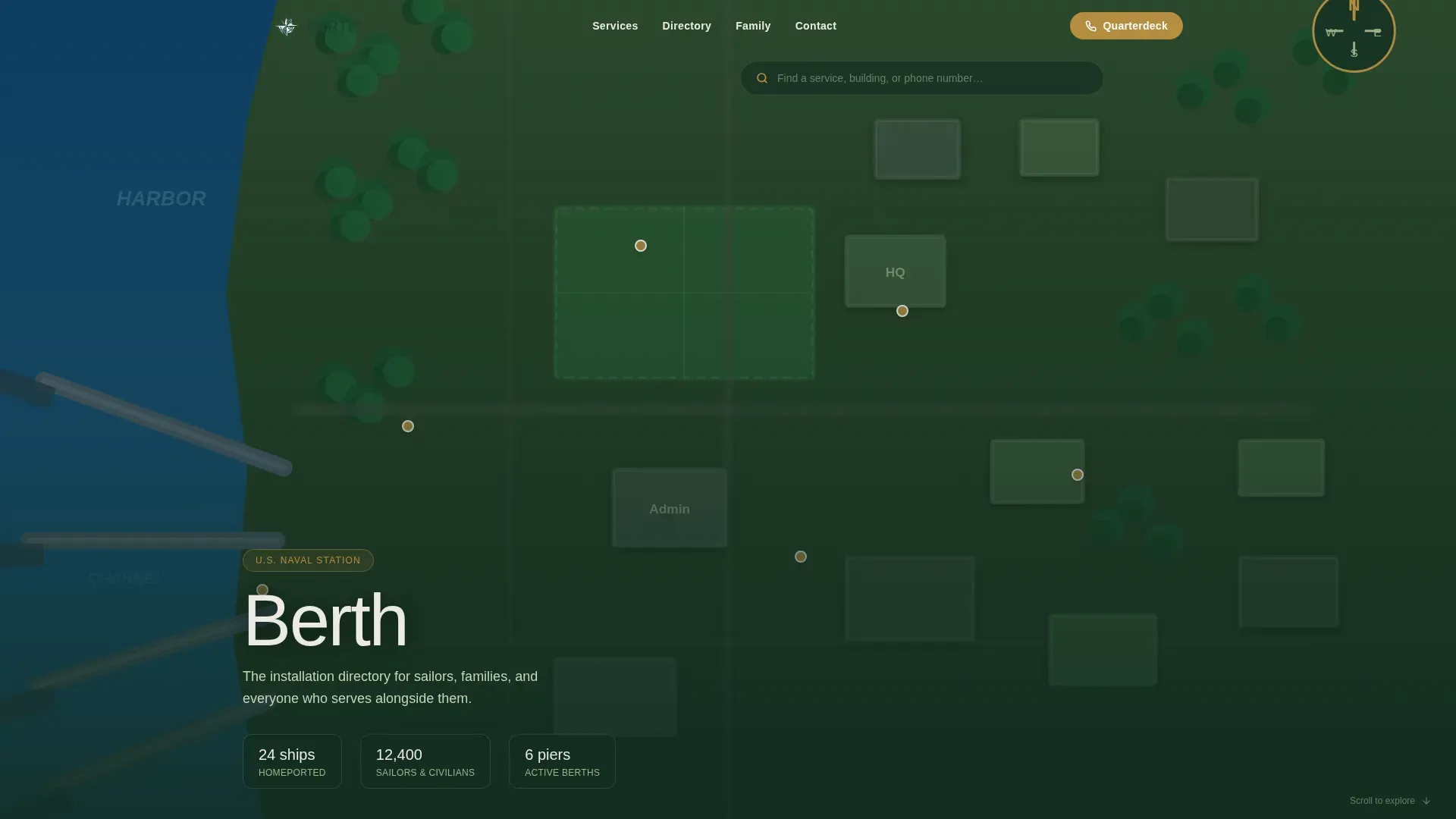
Illustrated Installation Map Hero
The hero fills the viewport with a hand-rendered, stylized top-down map of the installation. Piers, housing clusters, and key facilities are laid out in one confident view. Visitors hover over gold pins to see building names and hours without leaving the page.
Floating Search Bar
A thin search bar floats at the top of the map hero. It invites visitors to type a service name, building number, or phone number directly. This removes the need to scroll before finding what you came for.
Zigzag Alternating Content Sections
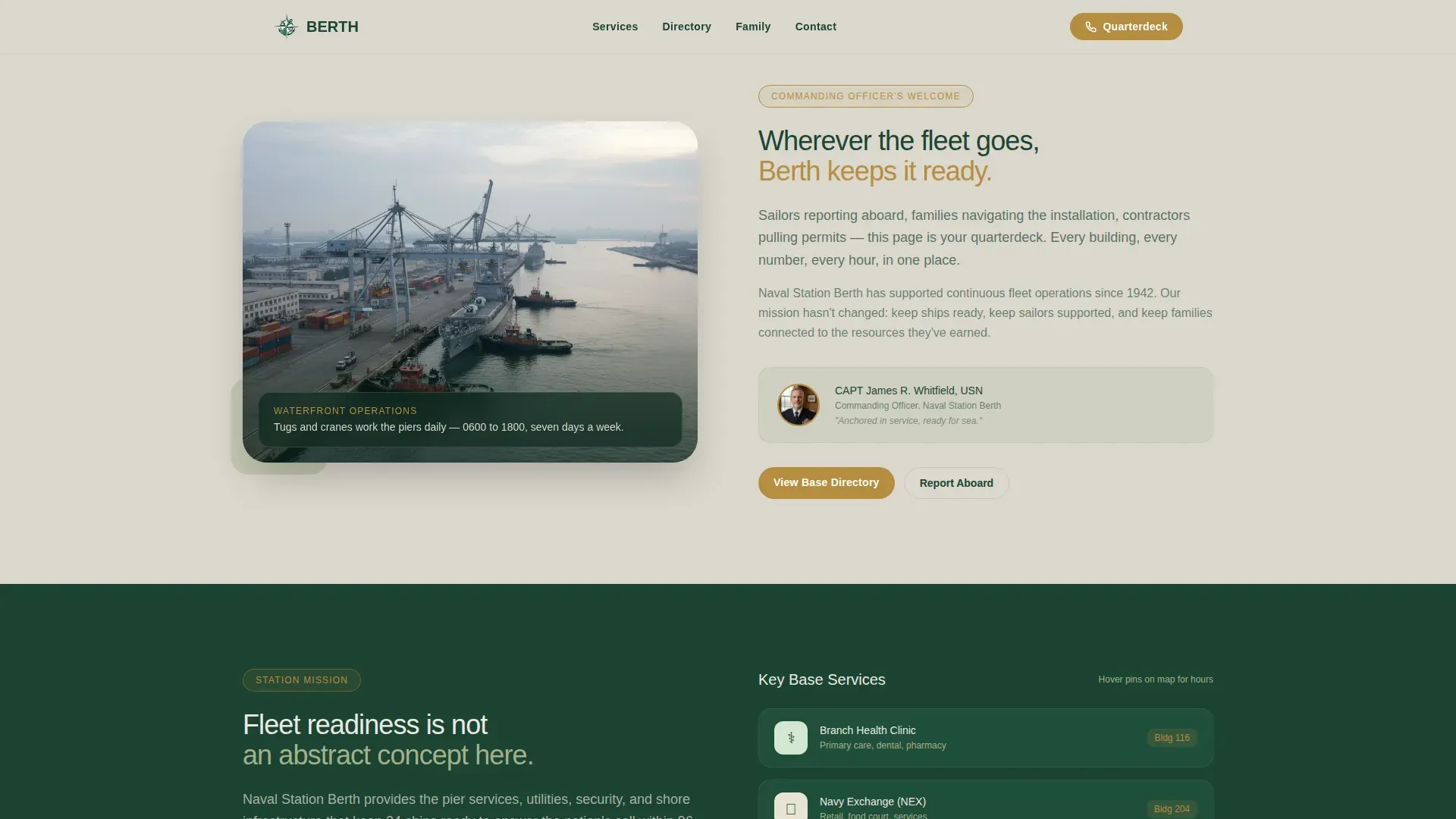
Content sections alternate left and right, pairing photos with text blocks. The layout moves from the commanding officer's welcome through mission stats, family programs, and the directory call to action. Section backgrounds alternate between fog gray and deep evergreen to create a clear visual rhythm.
Sticky Mobile Call-to-Action Button
A gold "Call the Quarterdeck" button stays fixed on screen as mobile visitors scroll. It provides an immediate phone connection without requiring any form or extra step. This is designed specifically for sailors checking the page at the gate or on a ship's brow.
Gold Pin Hover Cards
Key buildings on the map pulse with soft gold dots. Hovering or tapping a pin reveals the building name and hours in a compact card. The interaction feels like reading a framed installation map, but with live information layered on top.
Section-by-Section Trust Escalation
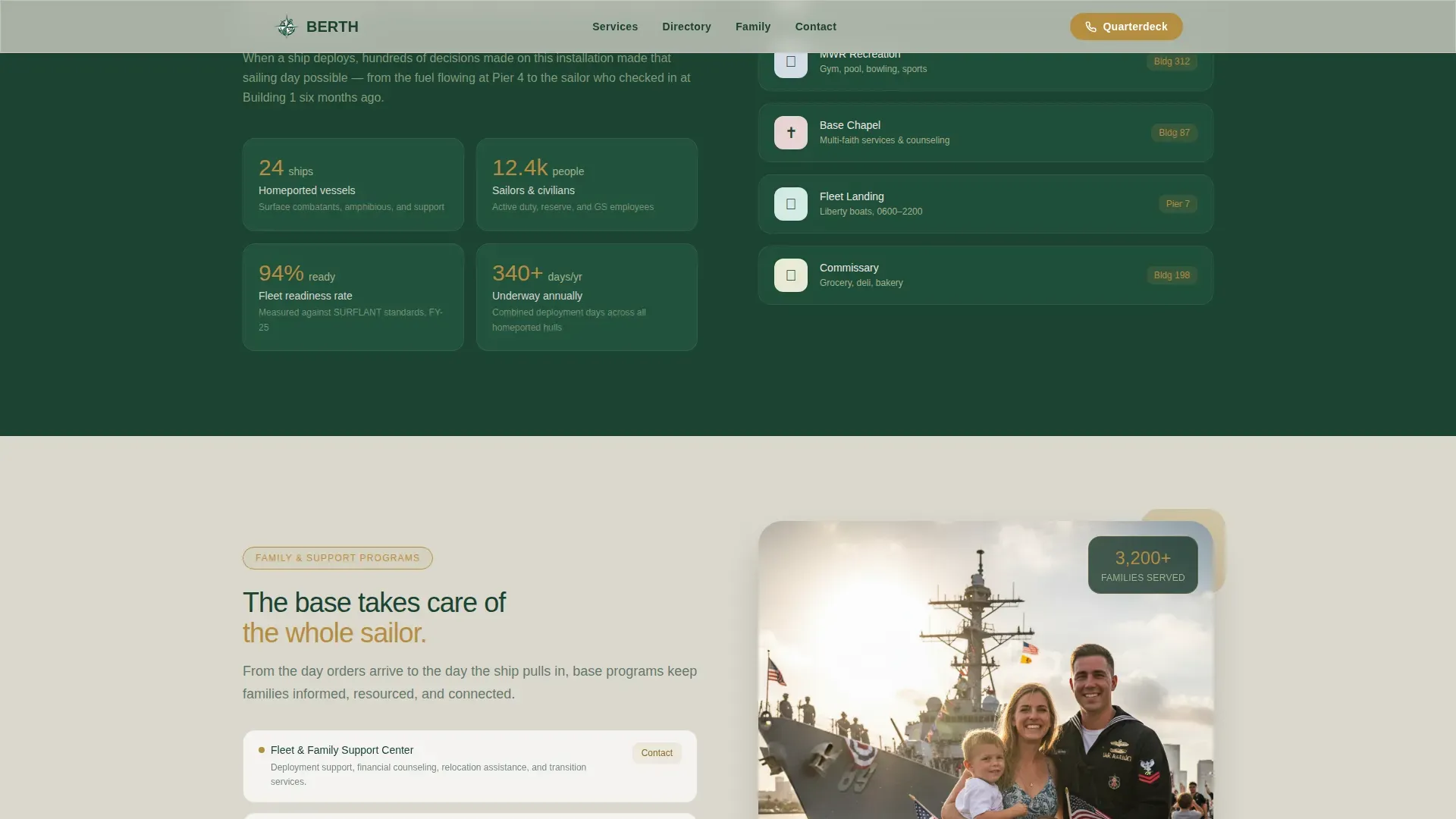
The page is structured so each scroll rewards the visitor with more specific value. Fleet readiness numbers appear in the mission section. Family support programs follow. Emergency contacts close the loop. By the time the primary call-to-action button appears, the visitor already trusts the depth behind it.
Page sections overview
| Section | Purpose |
|---|---|
| Map Hero | Show full installation at a glance with searchable gold pin hover cards |
| Commanding Officer Welcome | Build trust with a personal welcome message paired with a waterfront photo |
| Mission and Fleet Readiness | Anchor authority with ships homeported, sailors supported, and deployment stats |
| Family and Support Programs | Surface MWR, commissary, school liaison, and ombudsman resources |
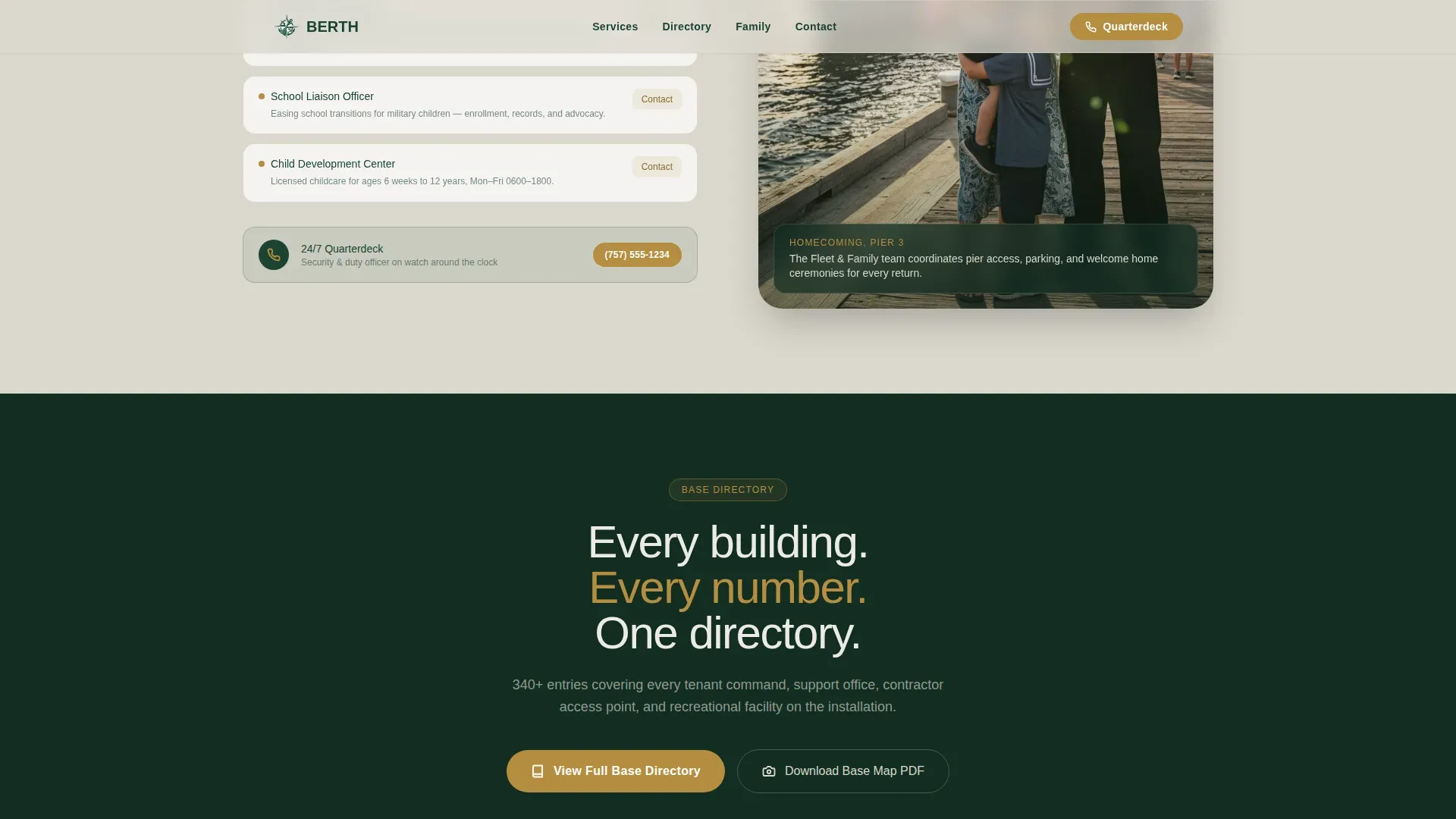
| Base Directory Call to Action | Drive the primary click with the full directory button and emergency contacts |
| Footer | Provide a linear single-row navigation baseline |
Design & branding system
The visual identity follows a Directory and Discovery theme built on the Forest Trust color system. Every color choice reflects the feeling of an early morning base road: dark conifers framing beige buildings, dew on the parade field, brass plaques catching the first light.
- Deep evergreen (#1B4332) anchors dark section backgrounds and primary text on light surfaces; weathered khaki (#A3B18A) handles body text on dark sections; morning fog gray (#DAD7CD) fills light section backgrounds
- Command gold (#B68D40) appears only as a wayfinding accent on interactive pins, hover cards, and call-to-action buttons to guide the eye exactly where it needs to go
- Typography uses Plus Jakarta Sans for headings and DM Sans for body text, giving the page an authoritative yet approachable military-clean feel
Mobile & speed optimization
The template is built mobile-first, reflecting the reality that sailors check base information on their phones at the gate, on the pier, or between watches. The desktop experience centers on the full map, while the mobile experience centers on immediate access to contacts and directory links.
- The sticky "Call the Quarterdeck" button on mobile removes all friction for the most common urgent action
- Scroll reveal animations and staggered entrance effects are set to a medium intensity, keeping motion purposeful without slowing the experience
- Static content sections use server-rendered components while the map interactions are handled client-side, matching the performance split described in the template's build approach
How this template helps you convert
Every layout decision is in service of a single outcome: earning the visitor's click on the full directory. The page does not ask for anything before it delivers value. It proves the depth of the directory through visible information before presenting any action.
- The map hero and search bar answer the visitor's first question immediately, establishing that this page actually knows where everything is
- Three alternating sections build progressive trust by moving from institutional identity to direct personal benefit, so the visitor feels understood before any call to action appears
- The primary "View Full Base Directory" button arrives only after the family programs section, timed to appear at peak trust and backed by the sticky mobile button for urgent needs
Other information about this template
Berth is part of a broader Government and Public template category covering Military and Defense use cases. It fits installations that need a public-facing information portal with no login, no form, and no friction between a visitor and the information they need.
- The template style is Zigzag and Alternating, which suits any installation that wants to present multiple program areas without flattening them into a single list
- The header concept is Map-Based, making this template a strong fit for any facility where physical layout is part of the visitor's mental model
- Creative direction follows a Vision and Mission approach, meaning the page earns authority by pairing the installation's purpose with real fleet readiness numbers before asking for any action
Theme
Directory & Discovery
Creative direction
Vision & Mission
Color system
Forest Trust
Style
Zigzag/Alternating
Direction
Click-Through
Page Sections
Illustrated Installation Map Hero
Floating Search Bar
Zigzag Alternating Sections
Sticky Mobile Call-to-action Button
Gold Pin Hover Cards
Section-by-section Trust Escalation
Related questions
Who is this landing page template designed for?
Can I customize the map pins and building information?
Does this template require visitors to fill out a form?
What sections are included in this template?
Is this template suitable for mobile users?



