Marine Manufacturing Specialist Professional Website Template
Anodize is a zigzag landing page template built for marine anodizing services. It opens with a before-and-after cleat comparison and an interactive drag slider, then walks visitors through the shop floor in four atmospheric sections. Technical data cards, downloadable spec resources, and a gated email capture work together to turn curious visitors into qualified leads.
by Rocket studio
Quick summary
Anodize is a single-page template designed for marine anodizing workshops. It combines a before-and-after header with alternating shop-floor sections, dashboard-style data callouts, and a content resource hub. The page guides boatyard managers, naval architects, and recreational sailors from first impression through to a spec guide download, using real coating data to build trust at every scroll.
Who this template is for
This template is built for businesses that process aluminum marine hardware and need to communicate technical credibility to a professional audience. It speaks directly to the people making buying decisions on the dock or in the design office.
- Boatyard managers specifying refit hardware for aging commercial or recreational fleets
- Naval architects sourcing anodized components for custom superyacht builds
- Weekend sailors evaluating whether corroded deck fittings can be restored rather than replaced
What problem this template solves
Most marine anodizing businesses present generic service lists that give buyers no real reason to choose one workshop over another. Visitors arrive with technical questions and leave without answers. This template solves that problem by leading with measurable evidence and structured technical resources.
- Buyers have no visual proof of coating quality before they commit to a job
- Specifiers need compliance data and alloy compatibility information that generic pages never provide
- Trust builds slowly without a clear path from curiosity to downloadable documentation
What you get with this template
You get a fully structured zigzag landing page that walks visitors through your facility as if they were touring the shop floor. Every section pairs an atmospheric photograph with a technical resource panel, so the page feels like a working environment rather than a marketing brochure.
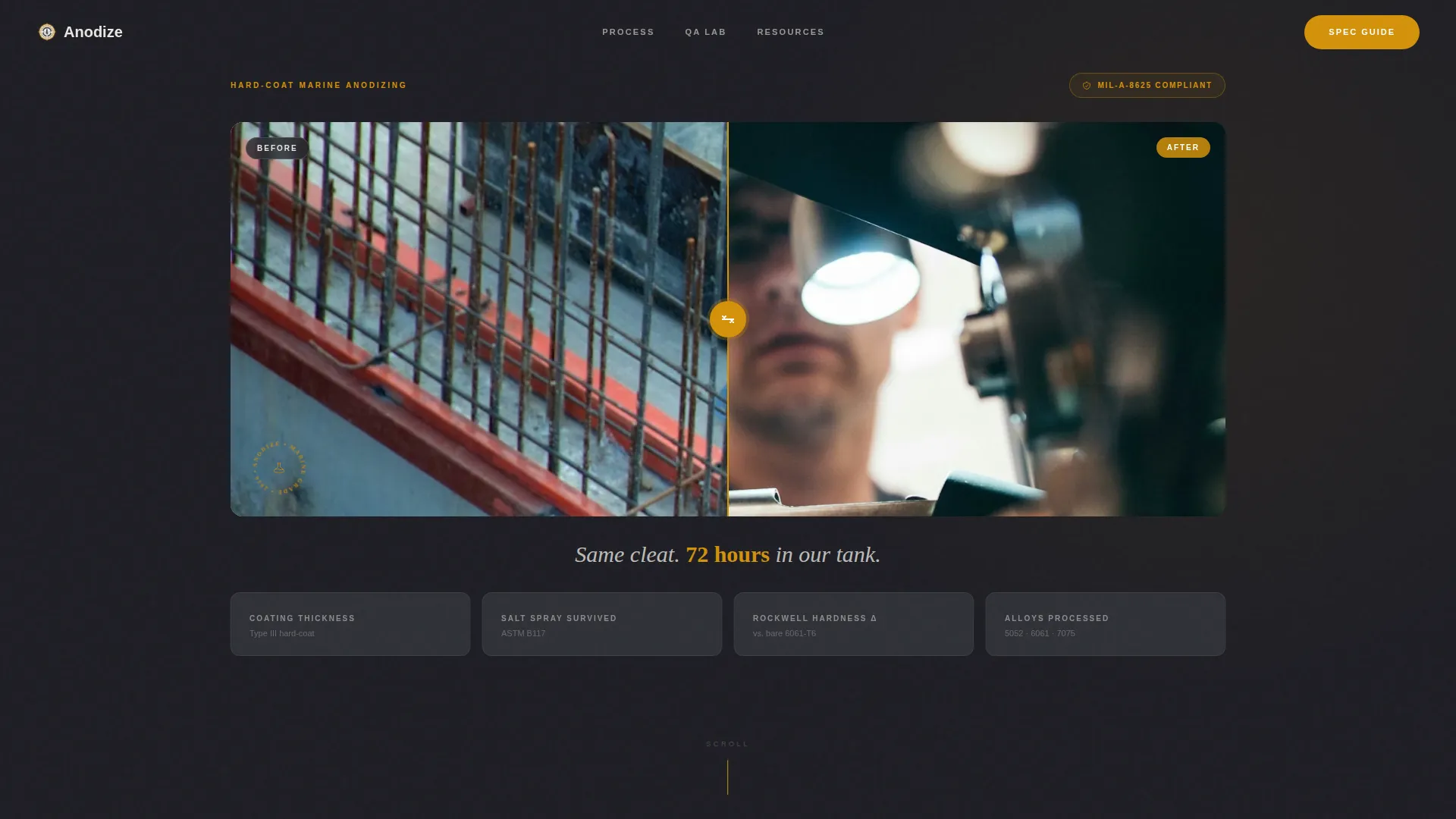
- An interactive before-and-after header with a drag slider, amber handle, and three dashboard data cards showing coating thickness, salt spray hours, and hardness delta
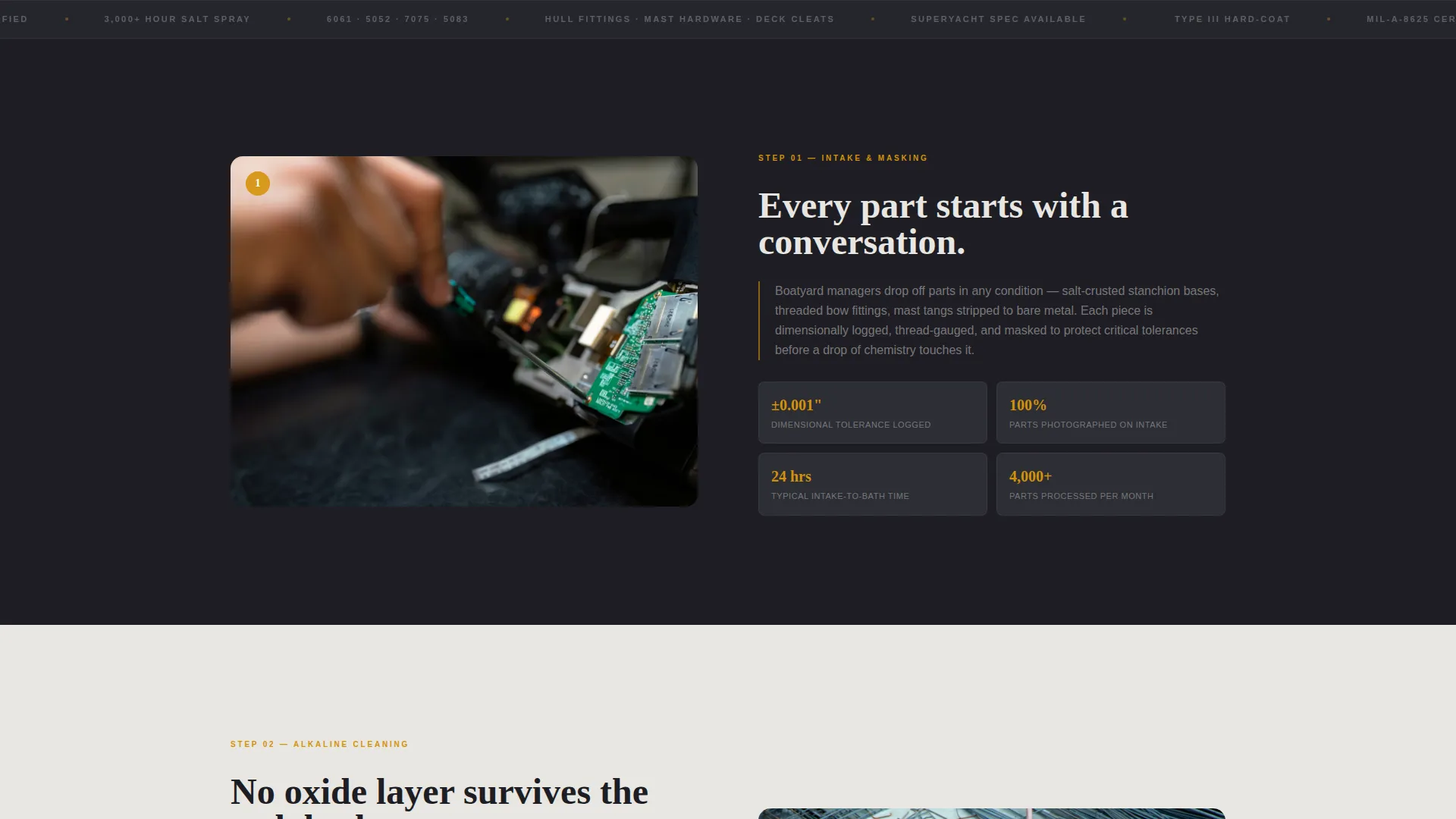
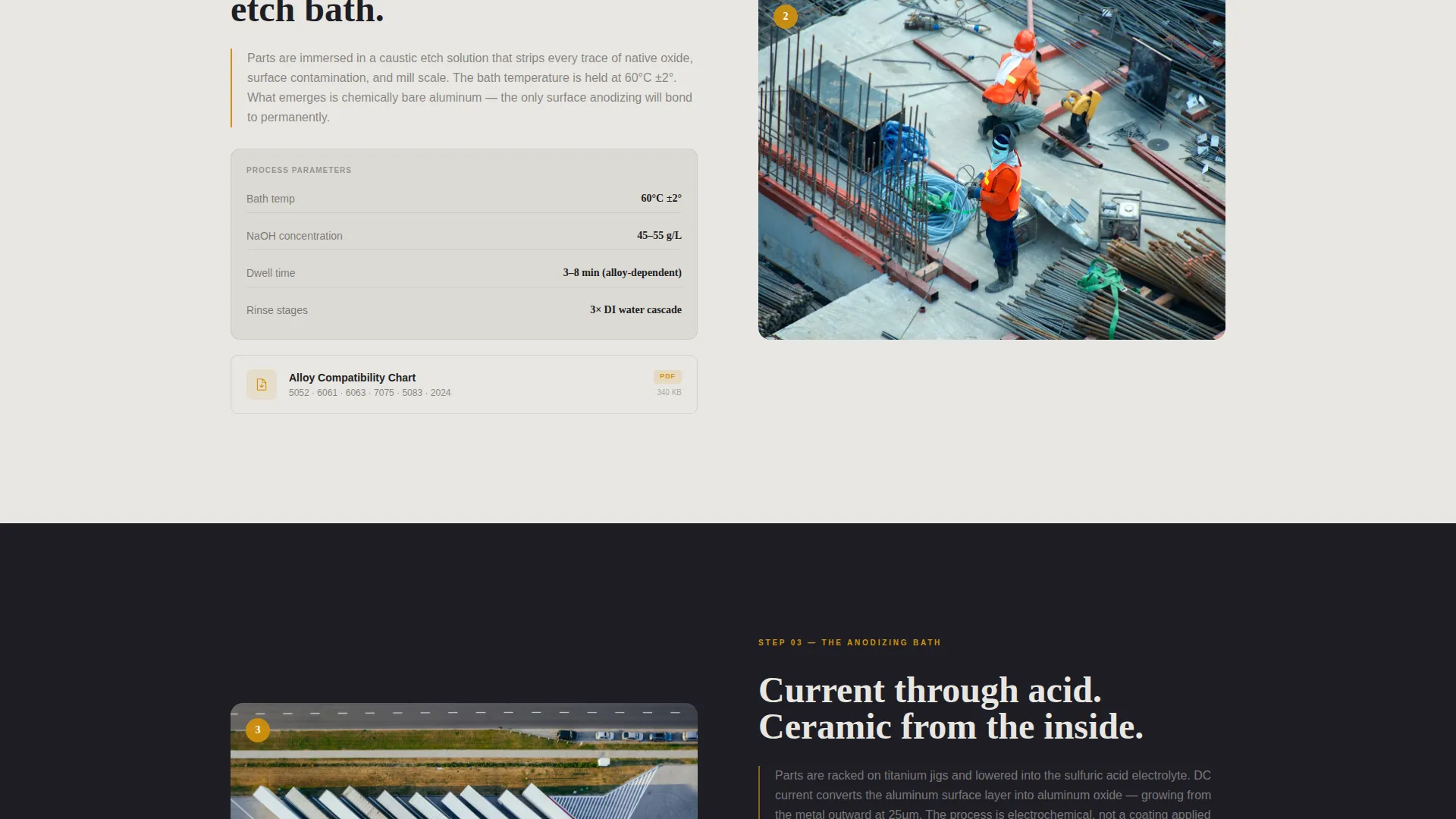
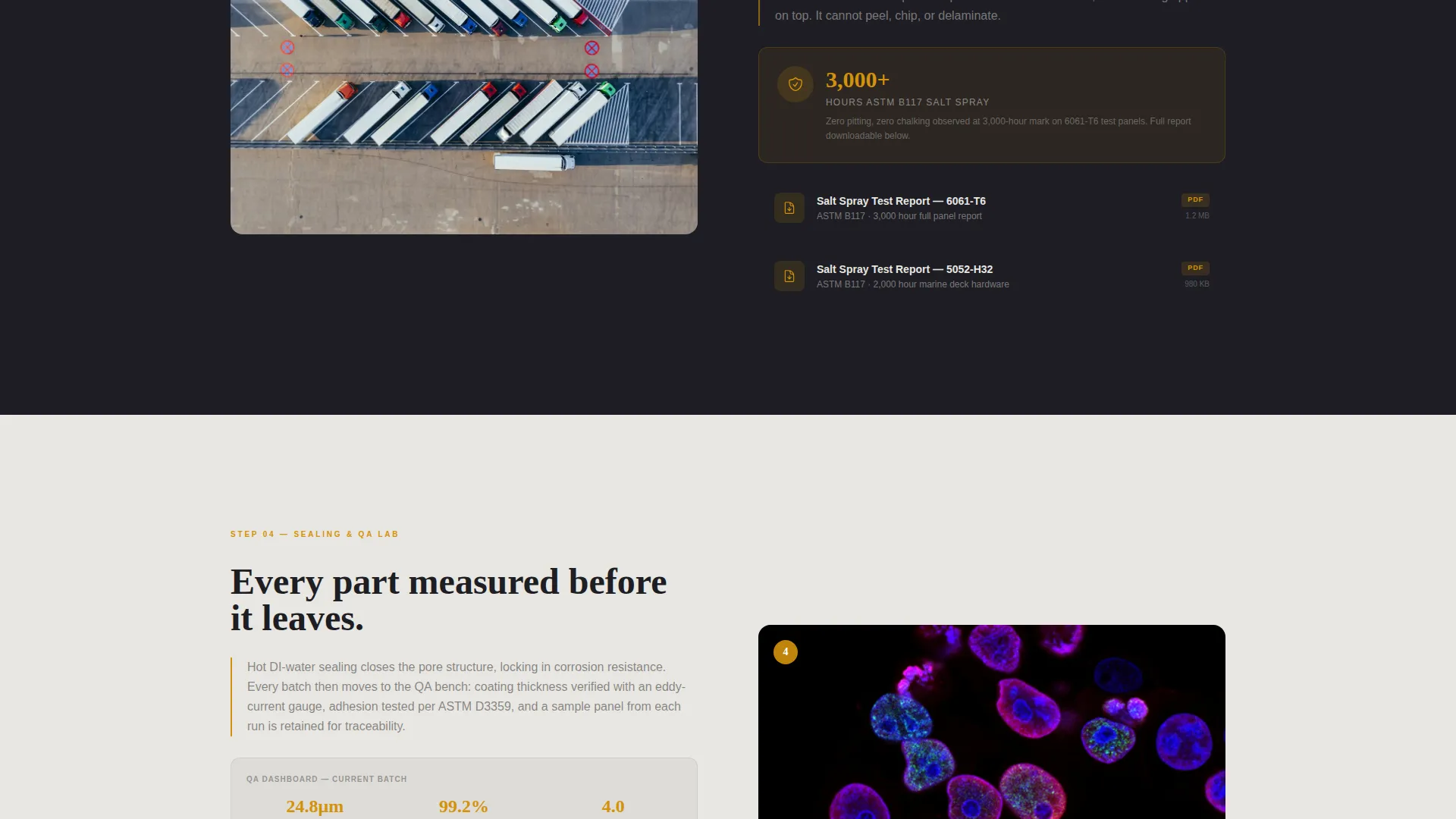
- Four alternating content sections covering intake, alkaline cleaning, the anodizing bath, and the sealing and quality assurance station
- A gated email capture expanding into vessel type selection and a parts-per-job range selector, plus an ungated path to individual salt-spray test reports and alloy guides
Feature list
This template is built around a specific set of interactive and structural components drawn directly from the brief.
Interactive Before-and-After Slider
The header uses a single marine cleat photographed in identical framing. A drag slider with an amber handle sits at center, letting visitors pull the divider left or right to compare the pitted oxidized surface against the post-anodize gunmetal finish. Three dashboard data cards fade in below the image showing coating thickness at 25 micrometers, salt spray resistance at over 3,000 hours, and a Rockwell hardness delta of plus 40 percent.
Zigzag Shop-Floor Sections
Four alternating sections move the visitor progressively deeper into the facility. Each section pairs a wide atmospheric photograph on one side with a technical resource panel on the other. The sequence covers the intake bench, the alkaline cleaning tanks, the anodizing bath, and the sealing and quality assurance lab.
Technical Resource Panels
Every zigzag section includes a downloadable resource panel. Visitors can access spec sheets, MIL-A-8625 compliance documents (MIL-A-8625 is a United States military specification defining anodic coating requirements for aluminum), salt-spray test reports, and alloy compatibility charts without leaving the page.
Gated Spec Guide Capture
The primary call to action is a single-field email input that expands on click to reveal two additional fields: vessel type (sail, power, or commercial) and a parts-per-job range selector. The gate is lightweight by design, earning the submission through evidence already presented earlier on the page.
Ungated Resource Browse Path
A secondary path lets visitors browse individual salt-spray test reports and alloy guides without submitting their email. This builds familiarity and trust before any commitment is required, reducing friction for technically cautious buyers.
Dashboard-Style Data Callouts
Amber-highlighted data cards and micrometer readings appear as live dashboard figures throughout the page. Hard numbers surface at key moments so buyers see proof of performance before they reach the call to action.
Page sections overview
| Section | Purpose |
|---|---|
| Before-and-After Header | Show coating transformation with drag slider and data cards |
| Intake Bench Section | Introduce part measurement and masking process |
| Alkaline Cleaning Tank | Display overhead tank photography with ambient lighting |
| Anodizing Bath Section | Show live current and submerged hardware in process |
| Sealing and QA Lab | Present micrometer readings and quality assurance data |
| Spec Guide Capture | Gate the full resource guide behind email and vessel details |
| Ungated Resource Browse | Offer free access to individual reports and alloy charts |
Design & branding system
The template uses a Dashboard Pro theme built on a Charcoal and Amber color system. The palette references the visual language of a harbor at dusk, where dark water and dark steel frame the last warm light catching polished fittings on the dock.
- Background surfaces alternate between deep hull charcoal (#1E1E24) and salt-crust white (#E8E6E1), with anodic oxide gray (#3A3D45) used for secondary surfaces and panels
- Hard-coat amber (#D4920B) is reserved strictly for data callouts, hover states, interactive handles, and clickable highlights, never as a fill color
- The creative direction is Spatial and Architectural, meaning each section feels like a physical room in a working facility rather than a flat webpage layout
Mobile & speed optimization
The template layout is structured to translate the zigzag alternating format cleanly across screen sizes. Atmospheric photography and data panels stack vertically on smaller displays without losing the shop-floor narrative.
- The drag slider in the header is designed for both mouse and touch interaction so mobile visitors can operate the before-and-after comparison directly
- Data cards and resource panels reflow into single-column layouts on narrow screens, keeping technical information readable without horizontal scrolling
How this template helps you convert
The page is built as a content and resource hub where every section delivers one meaningful data point before asking for anything in return. By the time a visitor reaches the call to action, they have already seen coating thickness figures, salt spray hours, hardness data, and facility photography.
- The before-and-after slider and dashboard data cards establish technical authority within the first scroll, reducing the credibility gap that causes early bounces on industrial service pages.
- The ungated resource path lets cautious buyers sample individual reports and alloy guides freely, warming them toward the gated spec guide without pressure.
- The expanding email capture form uses vessel type and job size fields to qualify leads at the point of submission, so the contacts you collect are relevant and ready for follow-up.
Other information about this template
This template is categorized under Manufacturing and Industrial, with a specific focus on the Marine Manufacturing subcategory and the marine anodizing service niche. It is designed for businesses operating physical anodizing facilities with real technical documentation to share.
- The page style is Zigzag and Alternating, making it well suited to services that have a multi-step process worth explaining in sequence
- The Dashboard Pro theme and Charcoal and Amber color system are matched to the intersection context fields defined for this template
- The header concept is a Case Study Before and After, which is a recognized trust-building format for industrial and finishing services
- The landing page direction is Content and Resource Hub, meaning the page prioritizes information delivery over aggressive promotional messaging
- The template supports the display of MIL-A-8625 compliance references, salt-spray test figures, and alloy compatibility data as part of its technical resource panel structure
Theme
Dashboard Pro
Creative direction
Spatial & Architectural
Color system
Charcoal & Amber
Style
Zigzag/Alternating
Direction
Content/Resource
Page Sections
Interactive Before-and-after Drag Slider
Zigzag Shop-floor Section Layout
Downloadable Technical Resource Panels
Gated Spec Guide Email Capture
Ungated Resource Browse Path
Dashboard-style Amber Data Callouts
Related questions
What kind of business is this template built for?
Can I use this template without before-and-after photography yet?
What does the gated spec guide capture collect from visitors?
Is the ungated resource path separate from the gated spec guide?
What is MIL-A-8625 and why does it appear in this template?



