Certified Vehicle Maintenance Landing Page Template
Torque is a single-page landing page template built for neighborhood auto repair shops running seasonal promotions. It pairs a mechanic portrait header with side-by-side service comparison tables, plain-language row explanations, and a gated checklist download form. The layout guides commuters, parents, and small fleet owners from curiosity to booking by teaching them first.
by Rocket studio
Quick summary
Torque is an educational landing page template for local auto mechanics. It leads with a split-screen hero featuring a real mechanic and a clear seasonal headline, then walks visitors through technician bios, service comparison tables, and a printable checklist download before presenting a direct booking form. Every section earns trust by sharing knowledge freely.
Who this template is for
This template is built for independent auto repair shops that want to attract seasonal business without resorting to aggressive sales tactics. It works especially well for shops serving a loyal local community in regions with distinct seasonal service needs.
- Neighborhood mechanics running winter-to-spring or summer service promotions
- Shop owners targeting commuters, families, and small delivery fleet operators
- Auto repair businesses that want to convert web visitors through education rather than pressure
What problem this template solves
Most auto shop websites list services without explaining them. Visitors land on the page, feel confused or skeptical, and leave without booking. Torque solves this by putting clear, honest education front and center.
- Visitors don't understand the difference between similar services, so they delay booking
- Generic shop websites offer no reason to trust the team before a first visit
- Seasonal promotions often lack context, making offers feel like upsells rather than genuine advice
What you get with this template
You get a complete, single-page layout designed around the full visitor journey, from first impression to confirmed appointment. Every section is intentional and ordered to reduce hesitation at each step.
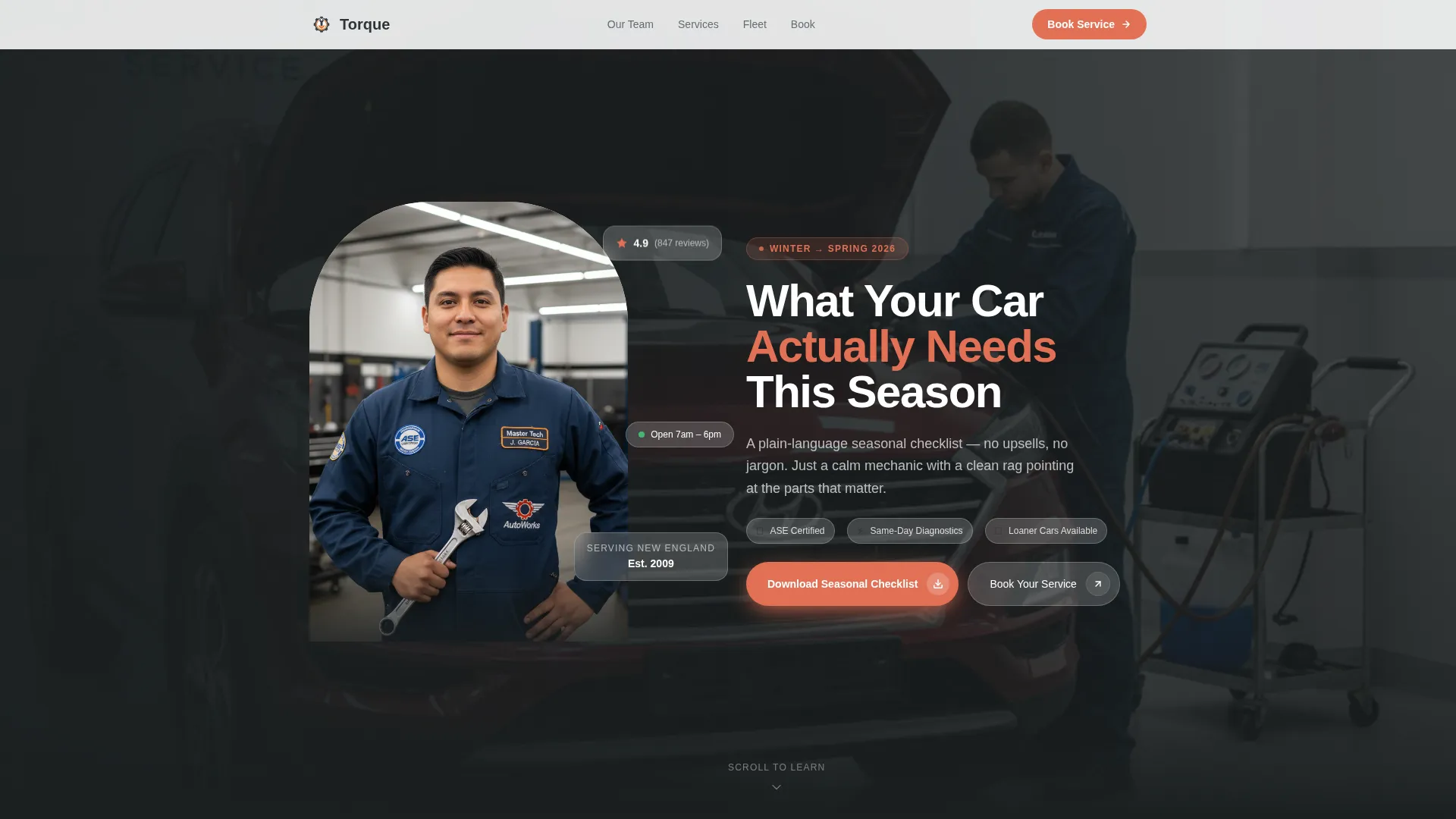
- A split hero section with mechanic portrait, seasonal headline, and scroll cue
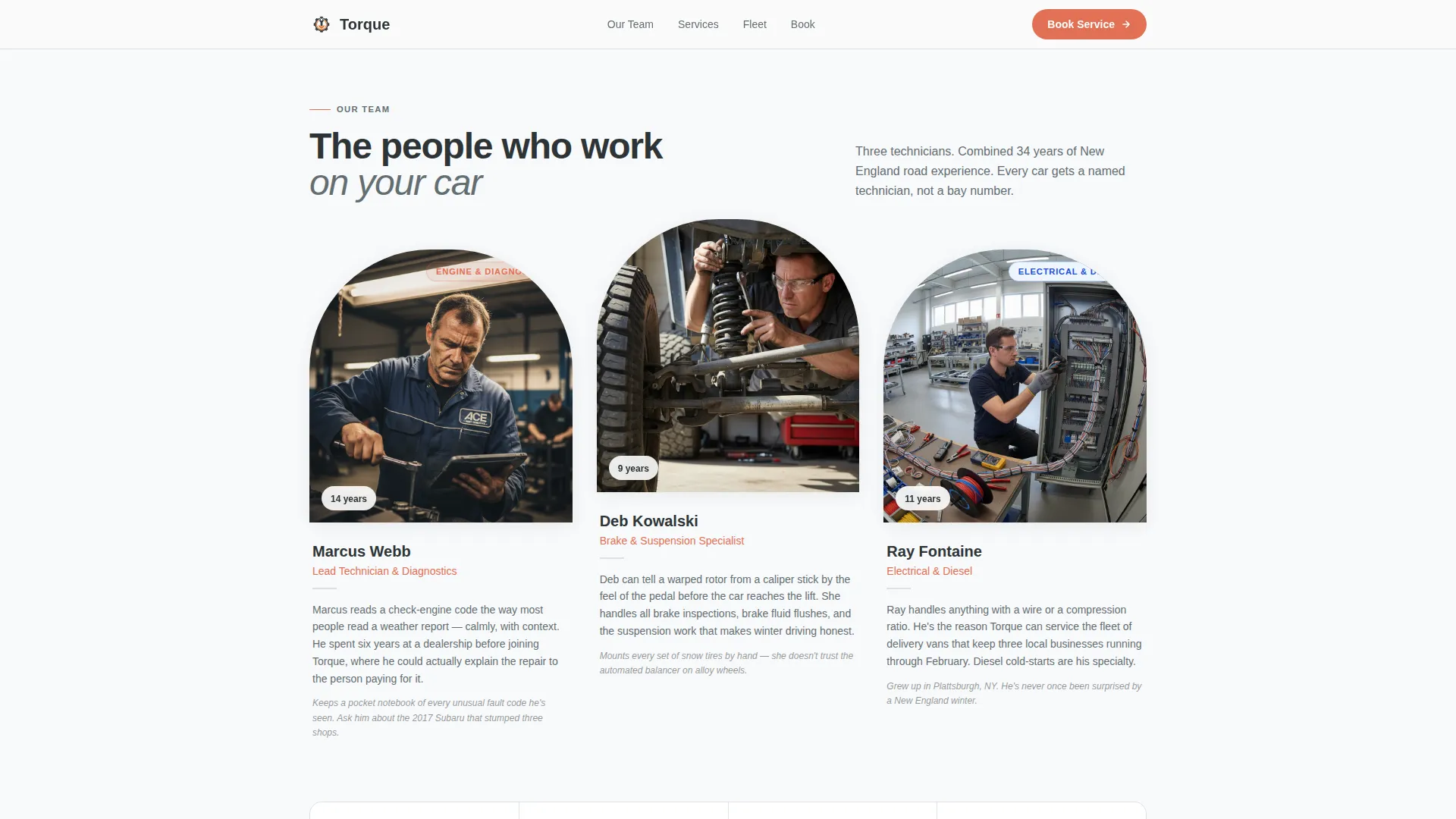
- Team bio cards displaying each technician's specialty alongside a short human detail
- Side-by-side seasonal comparison tables with plain-language row explanations, a gated checklist download form, a fleet services callout block, and a booking form with vehicle and service dropdowns
Feature list
This template covers the complete feature set described in the source brief. Each section and component below is included by design.
Split-Screen Hero Section
The header divides the viewport in half. The left side holds a portrait-style photo of the lead mechanic mid-explanation near an open engine bay. The right side carries the seasonal headline and subhead, with a downward-scroll cue to guide visitors into the page.
Technician Bio Cards
Three staggered team cards introduce each technician by name, specialty, and a short human detail. The cards serve as credibility proof without feeling like a corporate roster. Scroll-reveal animation brings them in one by one.
Seasonal Comparison Tables
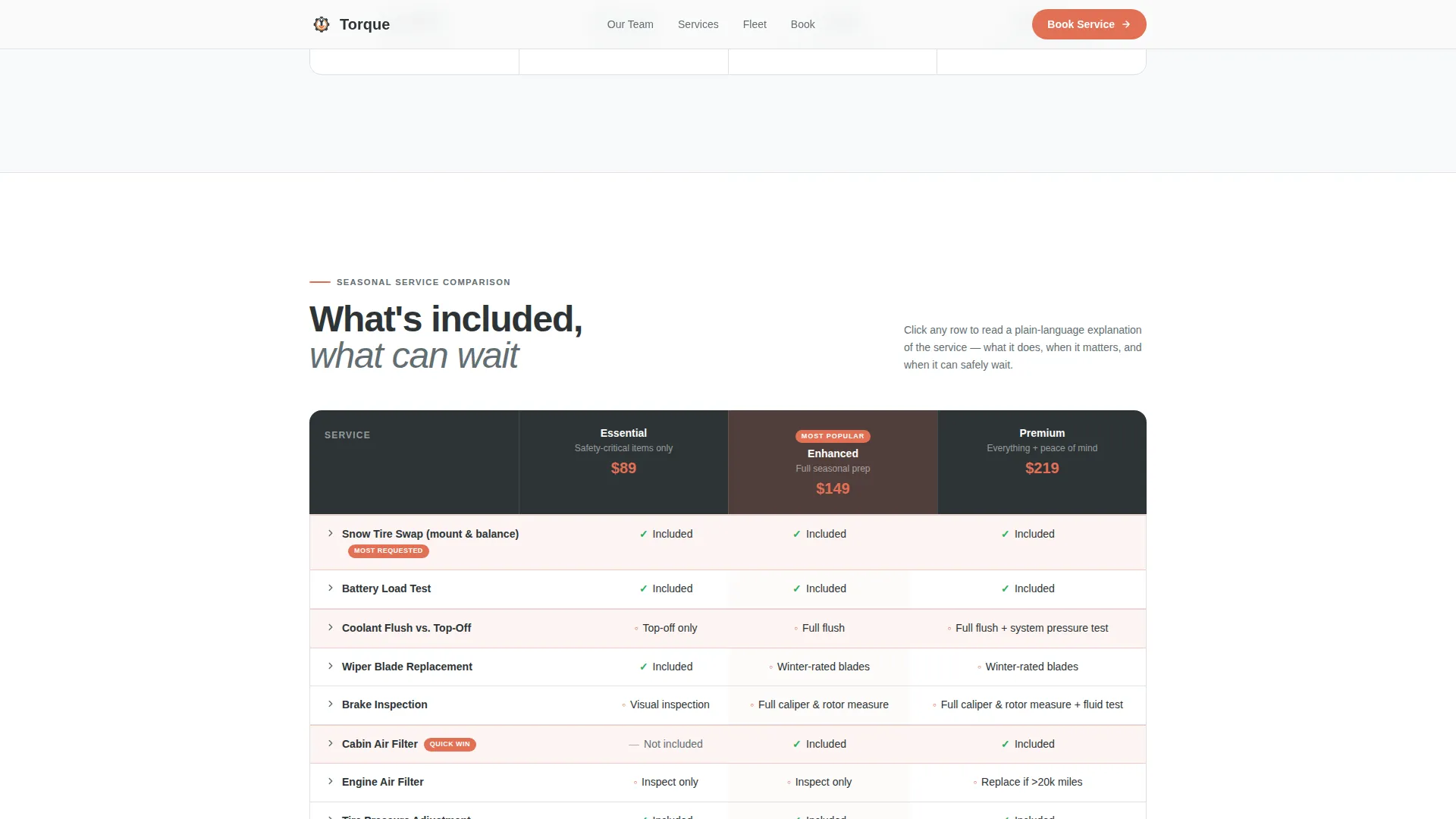
The core of the template is a set of side-by-side tables breaking down seasonal service packages. Each row includes what is included, what is optional, and what can safely wait. Plain-language explanations accompany every row so visitors learn before they call.
Gated Checklist Download Form
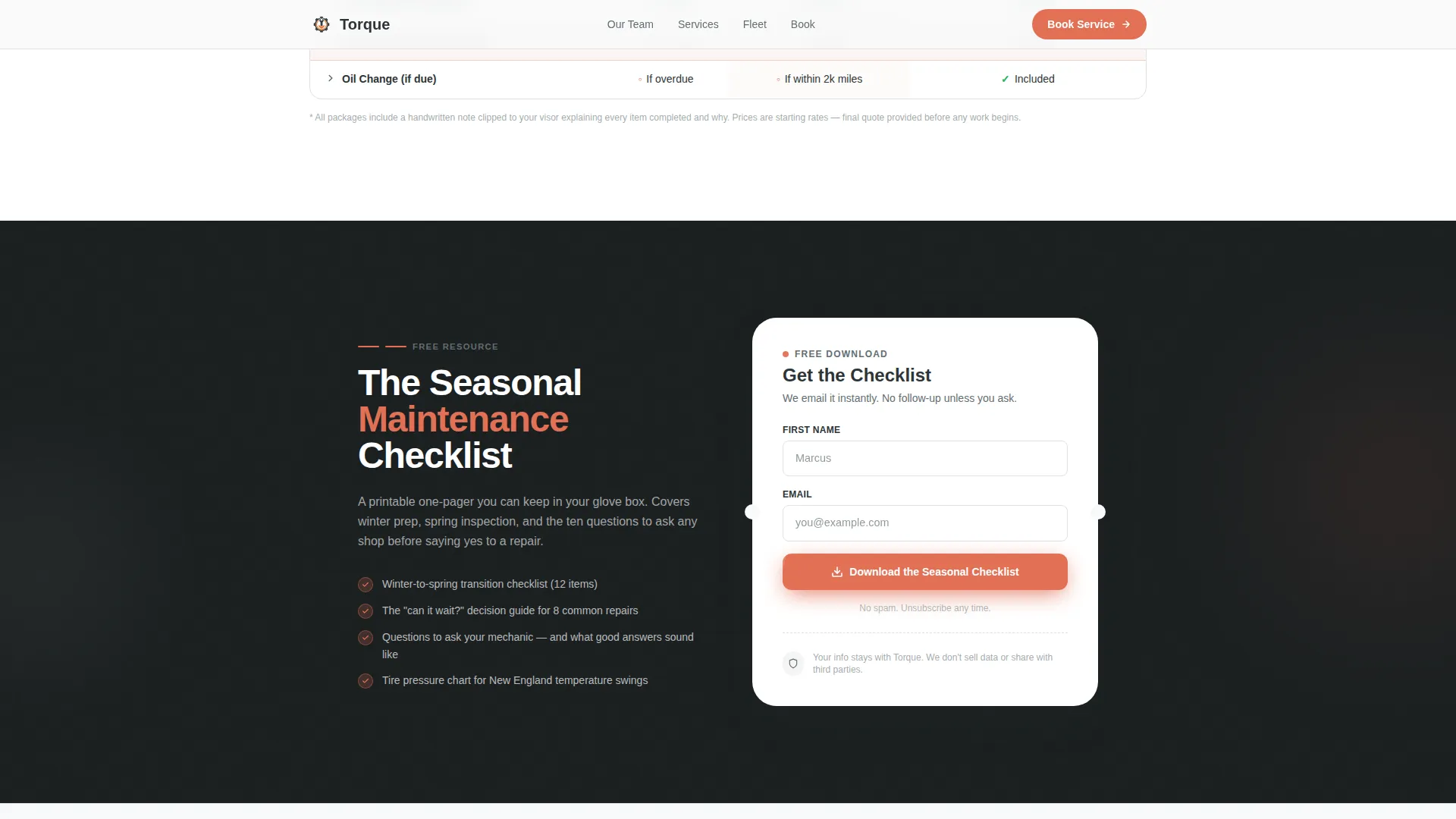
A printable seasonal checklist is positioned once mid-page and again in the footer. Visitors enter their first name and email address to receive the PDF. The form appears after the first comparison table, placed at the moment trust is highest.
Online Booking Form
A dedicated booking section provides dropdowns for date, vehicle make and model, and service type. This secondary conversion path lets visitors who already understand their needs schedule directly without a phone call.
Fleet Services Callout Block
An asymmetric bento-style section addresses small fleet owners specifically. It includes a fleet-focused comparison table and a direct call-to-action linking to the booking form, acknowledging that fleet operators cannot afford downtime.
Page sections overview
| Section | Purpose |
|---|---|
| Hero photo split | Introduces the mechanic and seasonal headline |
| Technician bio cards | Builds team credibility with specialties |
| Seasonal comparison table | Educates on service differences |
| Checklist download gate | Captures leads mid-page |
| Fleet services callout | Addresses fleet owner needs |
| Booking form | Converts visitors into appointments |
| Footer checklist repeat | Reinforces checklist offer at exit |
Design & branding system
The visual style follows an Educational Guide theme. The palette is designed to feel like a freshly lit service bay, clean and direct, with nothing hidden or over-styled.
- Arctic White (#F8F9FA) backgrounds keep the page open and clinical; tool-steel charcoal (#2D3436) anchors body text and table borders; frozen asphalt (#636E72) handles secondary labels
- Safety orange (#E17055) is used exclusively for calls-to-action, seasonal badges, and highlighted table rows to draw the eye without overusing emphasis
- Typography uses Plus Jakarta Sans for headings and DM Sans for body text, pairing authority with readability
Mobile & speed optimization
The template is built mobile-first, reflecting the reality that many visitors check their car's status on a phone in a parking lot. Every layout decision accounts for small screens.
- Stacked team cards, full-width comparison tables, and tap-friendly form dropdowns are all optimized for one-handed mobile use
- Static page sections use server-side rendering while interactive components such as the accordion table explanations and booking dropdowns load as client components
How this template helps you convert
Torque converts by giving away value before asking for anything. Visitors who finish reading the comparison tables already know what service their vehicle needs, which makes both conversion paths feel like a logical next step rather than a sales push.
- The educational comparison tables remove uncertainty, so visitors arrive at the form already informed and ready to act
- Two conversion paths, the checklist download and the booking form, serve different visitor readiness levels, capturing both researchers and buyers in the same scroll
Other information about this template
This template is positioned for auto mechanic businesses in the United States, particularly shops serving Northeast and New England markets where seasonal service needs shift sharply between winter and spring. The seasonal badge system and table structure can be updated each season without rebuilding the page layout.
- The page uses scroll-reveal animations and staggered card entries for a medium level of motion that feels purposeful rather than decorative
- The footer follows a linear single-row pattern, keeping the exit experience clean and consistent with the service-bay aesthetic
- The checklist download form repeats in the footer so visitors who scroll past the mid-page gate still encounter the offer before leaving
Theme
Educational Guide
Creative direction
Team & People
Color system
Arctic White
Style
Comparison Table
Direction
Content/Resource
Page Sections
Split Hero with Mechanic Portrait
Technician Bio Cards with Specialties
Seasonal Service Comparison Tables
Gated Checklist Download
Online Booking Form with Dropdowns
Fleet Services Callout Block
Related questions
Can I update the comparison tables each season without redesigning the page?
Does the checklist download form connect to an email platform?
How many technician profiles does the team bio section support?
Can fleet owners book directly, or is the fleet section only informational?
Is this template suitable for shops outside New England?



