Data Command Property Tax Appeal Landing Page Template
Appeal is a dashboard-style property tax appeal landing page template built for firms that fight inflated assessments. It combines animated data counters, a sortable appeal outcomes grid, a live savings calculator, and a multi-step address form into one cold, authoritative layout. The Monochrome Steel color system and Data Command visual theme make every number feel like evidence.
by Rocket studio
Quick summary
Appeal is a single-page, lead-generation template for property tax appeal firms. It opens with a live stats wall, anchors trust with a guarantee block, then walks visitors through sortable appeal data, a three-step process timeline, and a green-flash savings calculator. Every section is built to show assessed value evidence before asking for personal contact details.
Who this template is for
This template is built for firms and practitioners who challenge inflated property assessments on behalf of clients. It serves both residential and commercial appeal practices that need to convert anxious property owners into qualified leads fast.
- Suburban homeowners who just received a reassessment notice and want to know if their assessed value is too high
- Small landlords and commercial property managers whose margins tighten every time the assessor's office raises assessments
- Appeal attorneys and consultants who need a data-forward page that reflects their professional authority
What problem this template solves
Most property tax appeal pages bury the value proposition under generic copy. Visitors who open a reassessment notice need to see their savings number immediately, not after filling out a long form. This template reorders the experience so the data acts first and the ask comes second.
- Visitors see animated county-level win data and a savings estimate before they are asked for any personal information
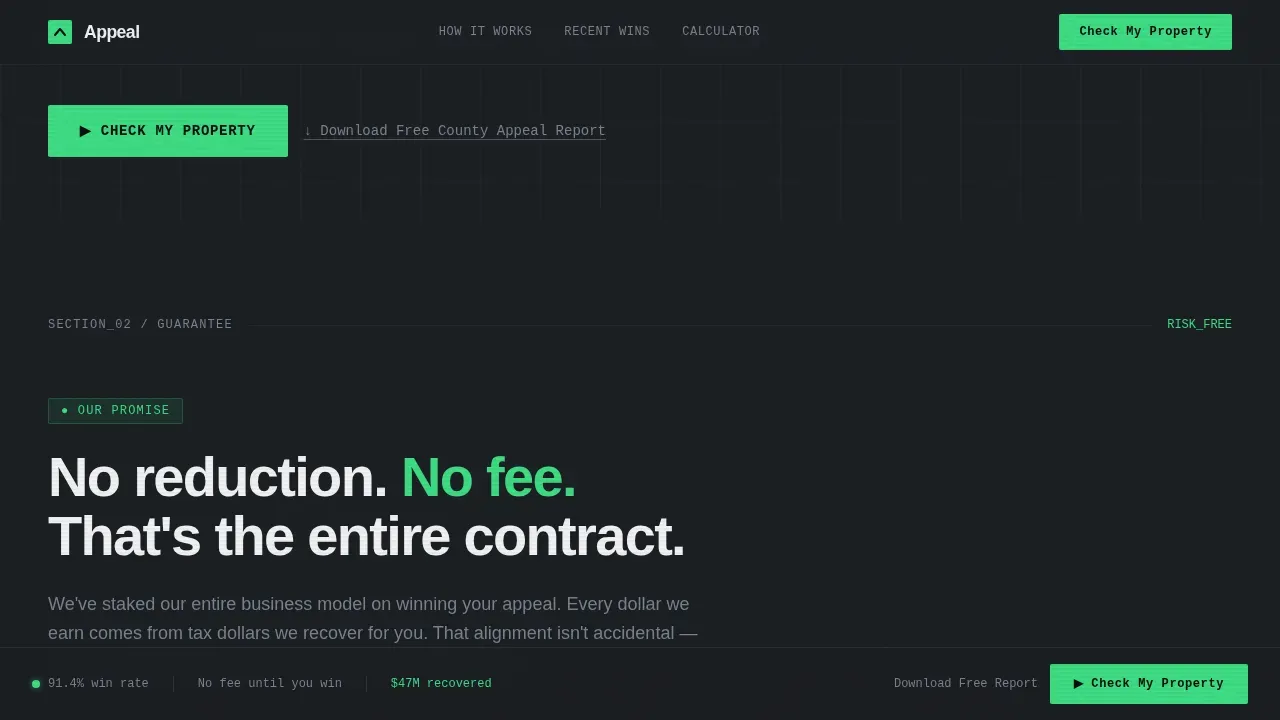
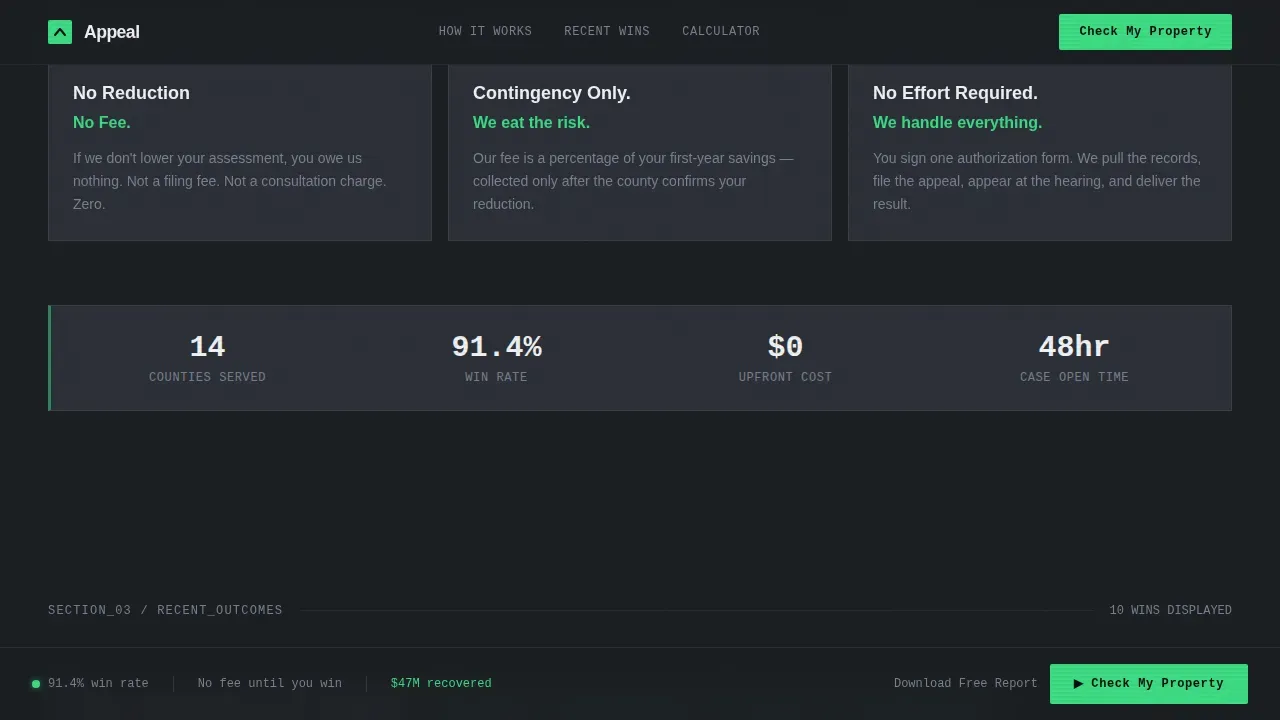
- The guarantee block answers the fee objection instantly, removing the biggest barrier to filing an appeal
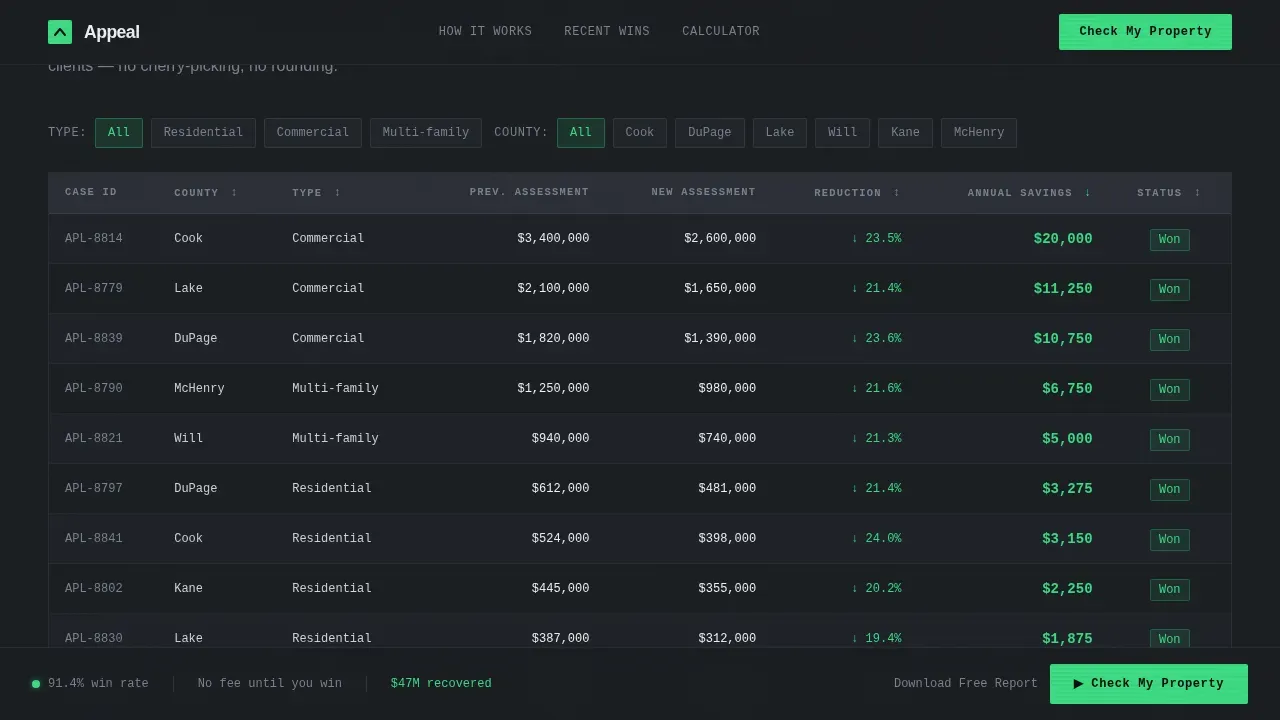
- The sortable outcomes grid gives taxpayers real, comparable case results sorted by county, reduction amount, and property type
What you get with this template
This template delivers a complete, single-page layout with every section pre-built and ready to customize. The structure follows the Guarantee-Led creative direction, meaning the no-fee promise appears first and every subsequent section adds a new layer of proof.
- Animated stats wall, guarantee block, appeal outcomes grid, three-step process timeline, savings calculator, and a sticky lead-capture form
- A progressive multi-step form that asks only for a property address first, then surfaces the estimated assessed value in green before requesting name, phone, and email
- A secondary lead path offering a downloadable county appeal success rate report for visitors who are not yet ready to commit
Feature list
This section covers the core interactive and structural components included in the template.
Animated Live Stats Wall
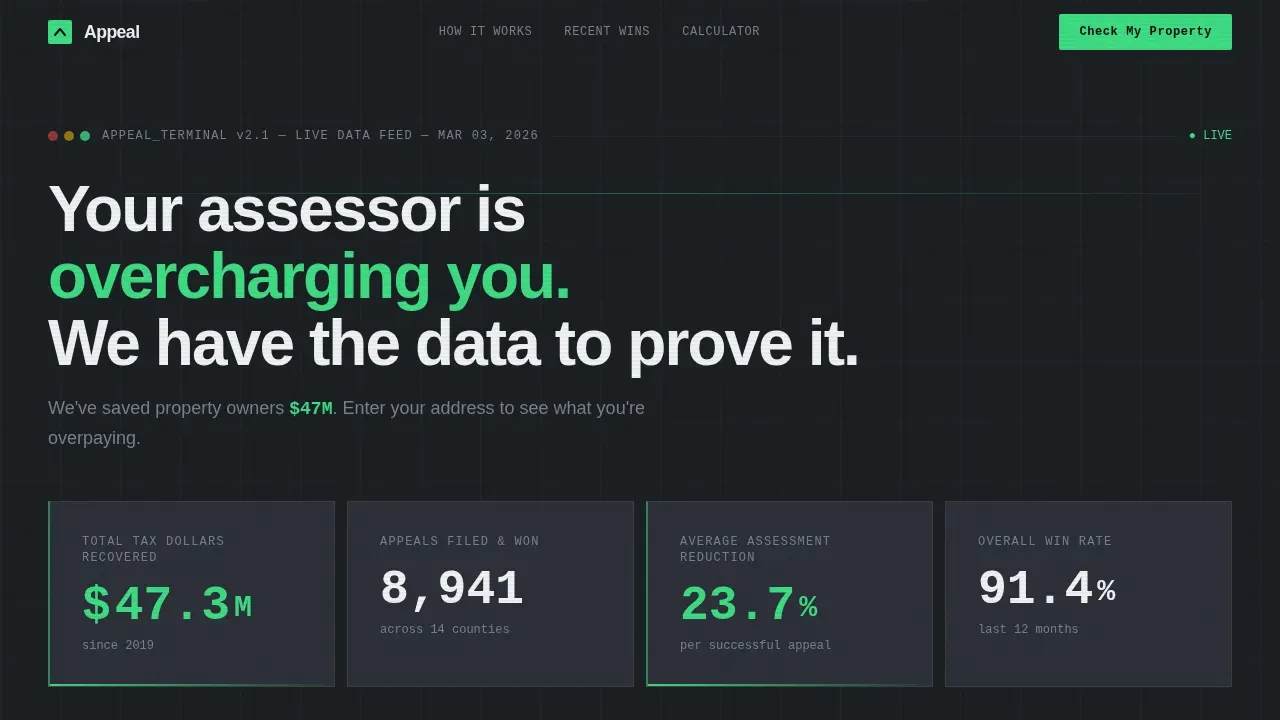
The header displays oversized counters for total dollars recovered, appeals won, average reduction percentage, and a rolling county-by-county win rate. Numbers animate upward on load, signaling that results are still accumulating. No hero image is used. The visual impact comes entirely from data.
Sortable Appeal Outcomes Grid
A data grid lists recent appeal results, each row showing county, reduction amount, and property type. Visitors can sort columns to find cases that match their own parcel profile. This grid draws on official county assessment data and verified comparable sales to make every row credible.
Live Savings Calculator
Visitors type their current assessed value and watch a green savings estimate animate into view. The calculator models potential tax savings based on current assessment figures. It manufactures urgency without requiring any contact information at this stage.
Multi-Step Address Form
The progressive form collects only a property address in step one, auto-populates the assessed value and estimated over-assessment in step two, then asks for name, phone, and email in step three. Each step is short and focused, keeping the form completion rate high.
Case-File Testimonial Cards
Client results appear as case-file cards that display assessment numbers and reduction figures rather than portraits or names. This format aligns with the forensic audit aesthetic and gives taxpayers specific, comparable proof that the appeal process works.
Secondary Lead Capture Path
A soft call to action invites visitors to download a free county appeal success rate report in exchange for an email address. This path captures leads who are researching but not yet ready to file, keeping them in the pipeline without friction.
Page sections overview
| Section | Purpose |
|---|---|
| Live Stats Wall | Display animated win-rate counters and primary address form |
| Guarantee Block | State the no-reduction, no-fee promise in plain language |
| Appeal Outcomes Grid | Show sortable county appeal results by reduction and property type |
| Process Timeline | Illustrate the three steps a homeowner completes to file |
| Savings Calculator | Let visitors enter assessed value and see green savings estimate |
| Case-File Testimonials | Present client results as data cards with assessment figures |
| Secondary Lead Path | Offer downloadable county report for email capture |
| Sticky Form Bar | Repeat the primary call to action as a persistent bottom bar on scroll |
Design & branding system
The visual identity follows the Data Command theme. The palette is Monochrome Steel, referencing the interior of a financial terminal rather than a real estate brochure. Warmth and decoration are deliberately absent.
- Background gunmetal (#1B1F23), card panels in matte charcoal (#2C3038), and crisp white text (#F0F1F3) keep all attention on the numbers
- A single high-voltage green (#3DDC84) is reserved for savings figures, success indicators, and call-to-action buttons, so every green flash signals recovered money
- Typography pairs JetBrains Mono for data and numbers with Manrope for headings and DM Sans for body copy, reinforcing the forensic audit tone
Mobile & speed optimization
The template is designed desktop-first to match the Bloomberg terminal aesthetic, with full mobile support built into the layout. Interactive components including the calculator and multi-step form are handled as client components, while static sections use server-rendered markup for faster initial load.
- The savings calculator, sortable grid, and address form are structured as client-side components to keep interactivity responsive on all screen sizes
- Counter animations and staggered section reveals are scoped to avoid blocking the initial paint of critical content
- The sticky bottom bar repeats the primary call to action so mobile visitors always have a visible next step without scrolling back to the top
How this template helps you convert
Every layout decision in this template is built around one goal: show the visitor their own savings number before asking for anything in return.
- The address-first form order means visitors see their estimated over-assessment in green before they are asked for a name, phone number, or email address, removing the privacy friction that kills most lead forms
- The guarantee block eliminates the fee-risk objection immediately after the stats wall, so every subsequent section builds on a promise the visitor has already accepted
- Deadline visibility and the rolling county win data create layered urgency, encouraging visitors to file before the next appeal date closes their window for the current tax year
Other information about this template
The Appeal - Data Command Property Tax Appeal Landing Page Template is built specifically for the property tax appeal service niche inside the Finance and Insurance category. Several procedural facts about the appeal process are woven into the template copy by default.
- The assessor must base assessed valuations as of January 1st of each assessment year according to state law, a detail that informs the calculator logic and the outcomes grid date column
- Deadlines vary by jurisdiction; for example, the deadline for 2026 annual appeals in Bucks County is August 3, 2026, and appeals for the 2025 assessment year in Kitsap County must be postmarked by August 22, 2025
- Separate petitions must be filed for each parcel, and a copy of the notice of value letter is required when submitting an appeal
- The assessment board is comprised of appointed members who hear appeals and work to determine the current market value of all properties in the county
- The board is an independent body; its jurisdiction covers appeals of assessor determinations, including disputes over market value and land classifications
- New construction properties and ownership changes are common triggers for reassessment, and the template copy acknowledges both scenarios to connect with a wider range of eligible visitors
- Appeal forms and supporting documents, including deeds and certified comparable sales, are typically submitted in PDF format; the template's download path and form language reflect this requirement
- The commonwealth and county assessment office both play roles in the appeal process; the template is structured to help visitors understand which office to contact and what to expect at hearings
- Data sourced from official records, including verified county assessment data and automated comparable sales maps, provides the foundation for the outcomes grid and calculator sections
- The Board of Assessment uploads data on a regular basis to its public access system; the template's outcomes grid is designed to reflect this cadence with periodic data refreshes
Theme
Data Command
Creative direction
Guarantee-Led
Color system
Monochrome Steel
Style
Dashboard/Data Grid
Direction
Lead Generation
Page Sections
Animated Live Stats Wall
Sortable Appeal Outcomes Grid
Live Green Savings Calculator
Progressive Multi-step Address Form
Case-file Testimonial Cards
Secondary Download Lead Path
Related questions
What makes this template different from a standard real estate landing page?
Can I customize the appeal outcomes grid with my own county data?
What information does the multi-step form collect?
How does the savings calculator work within the template?
Is this template suited for commercial property appeal firms?



