Board Member LinkedIn Profile Optimization Landing Page
Appoint is a Bold Brutalist landing page template built for a board member LinkedIn profile optimization consultancy. It uses an overlap and layered scroll structure, a Monochrome Steel color system, and a fixed waitlist form to convert C-suite executives and non-executive directors into qualified prospects. Every section is designed to make the gap between a weak profile and a commanding one feel real and urgent.
by Rocket studio
Quick summary
Appoint is a single-page waitlist template for a consultancy that rewires the LinkedIn presence of board-level executives. The Bold Brutalist design uses forge-black slabs, oversized type, and layered before-and-after profile spotlights to create mounting pressure. A fixed intake form at the bottom keeps the conversion point always in view.
Who this template is for
This template is built for consultants and personal branding professionals who serve senior executives. It speaks directly to buyers operating at board level and above.
- Newly appointed non-executive directors who need credibility before their first meeting
- Serial board members expanding into advisory portfolios and seeking a stronger digital presence
- Private equity-backed chief executive officers whose online profiles still reflect a previous career stage
What problem this template solves
Most landing pages for high-end consultancies look like everyone else's. Board-level clients notice immediately, and a generic page signals a generic service. This template solves the visual and structural credibility gap.
- It replaces soft, polished layouts with a deliberate brutalist authority that matches the client's own boardroom standards
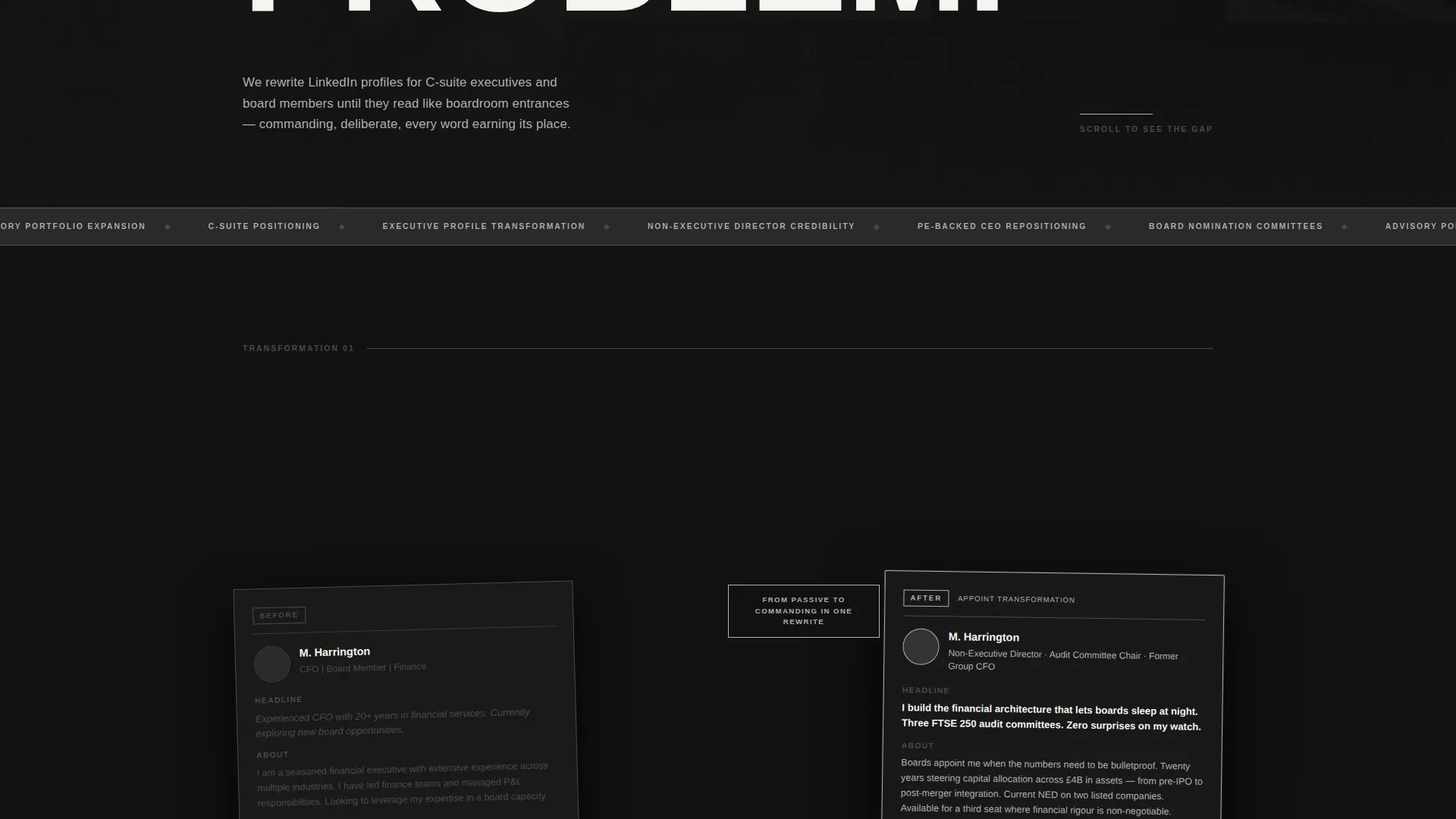
- It shows the transformation visually through layered before-and-after profile spotlights, removing the need for long explanatory copy
- It channels urgency through a spot counter and a fixed intake form, so visitors never lose sight of the next step
What you get with this template
You get a fully structured single-page layout designed around one conversion goal: filling an intake cohort. Every section serves that goal without distraction.
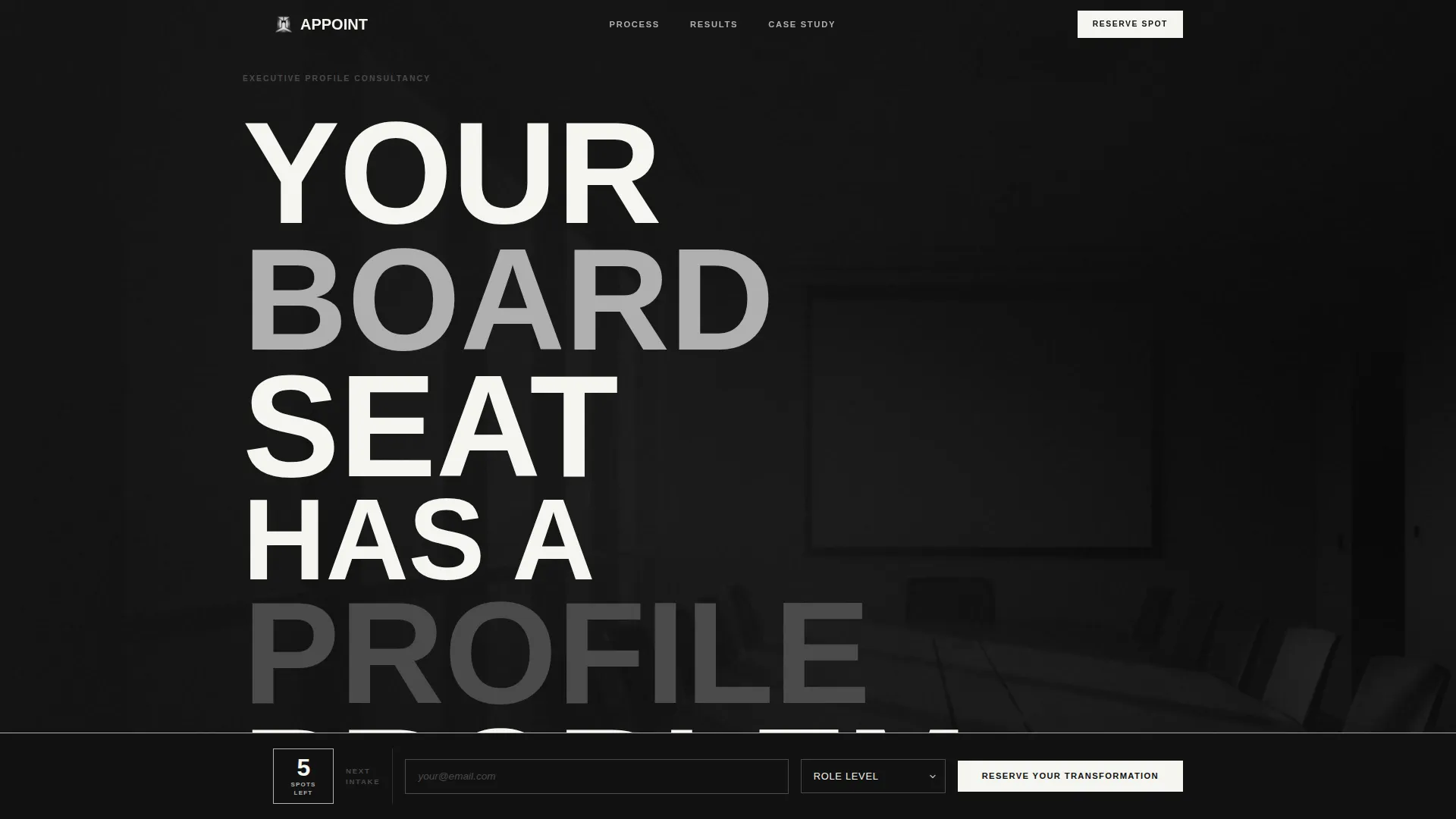
- A Type Over Image header with a massive ultra-bold condensed headline layered aggressively over a desaturated boardroom photograph
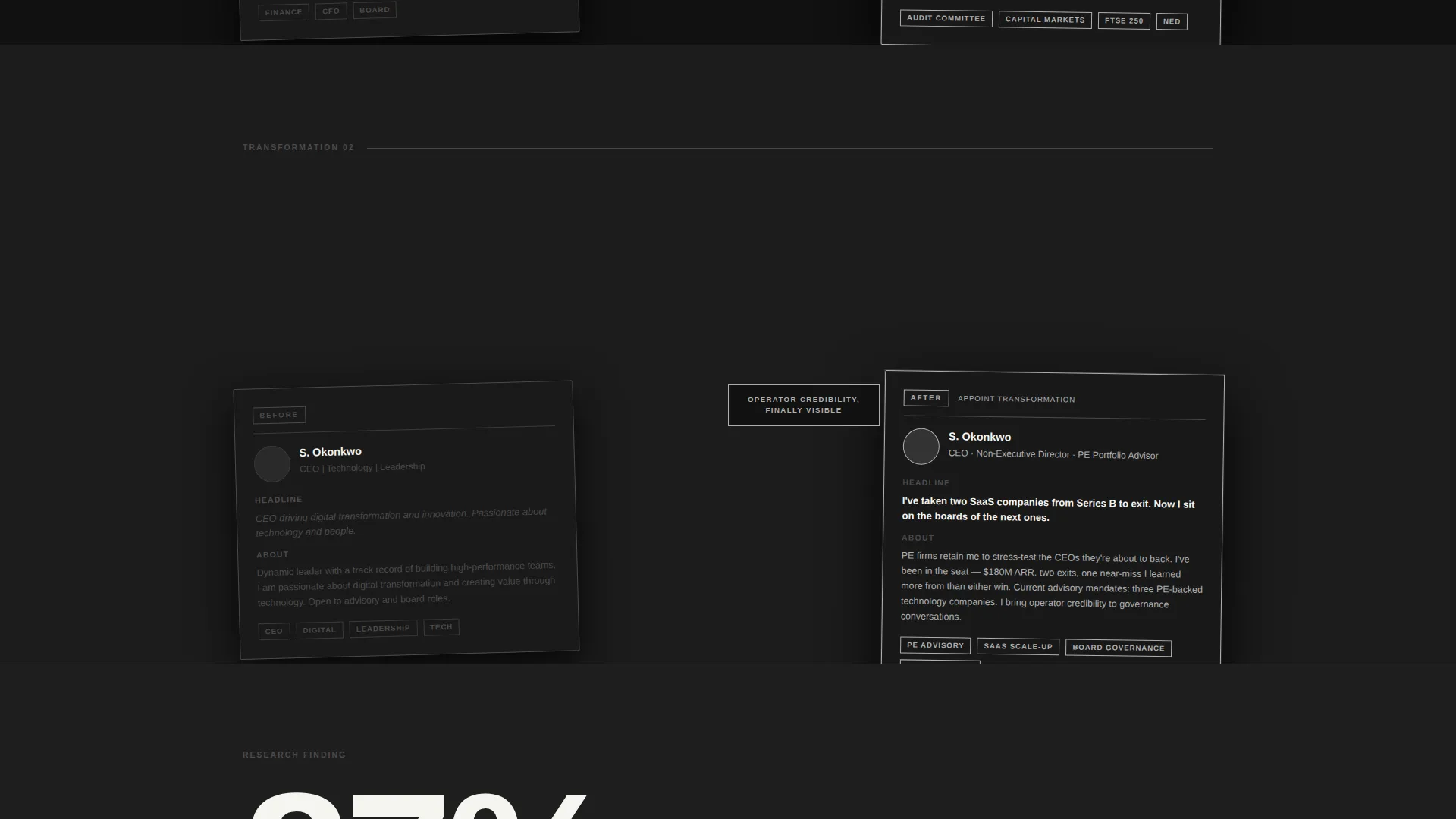
- A Creator Spotlight scroll section featuring anonymized before-and-after profile transformations stacked in offset layers like dossiers on a desk
- A fixed waitlist form slab at the bottom of the viewport with an email field, a role-level selector, and a remaining-spots counter
Feature list
A brief overview of the capabilities built into this template:
Type Over Image Header Block
The header places an ultra-bold condensed headline directly over a desaturated, high-contrast boardroom photograph. One word stacks per line, the type breaks the image frame, and the stillness of the layout communicates authority without animation.
Layered Before-and-After Spotlights
The scroll reveals real anonymized profile transformations in sequence. Each "before" screenshot sits recessed; the transformed version slides over it at an offset angle. The contrast is immediate and designed to function as a mirror for the visitor.
Single-Line Stat Interstitials
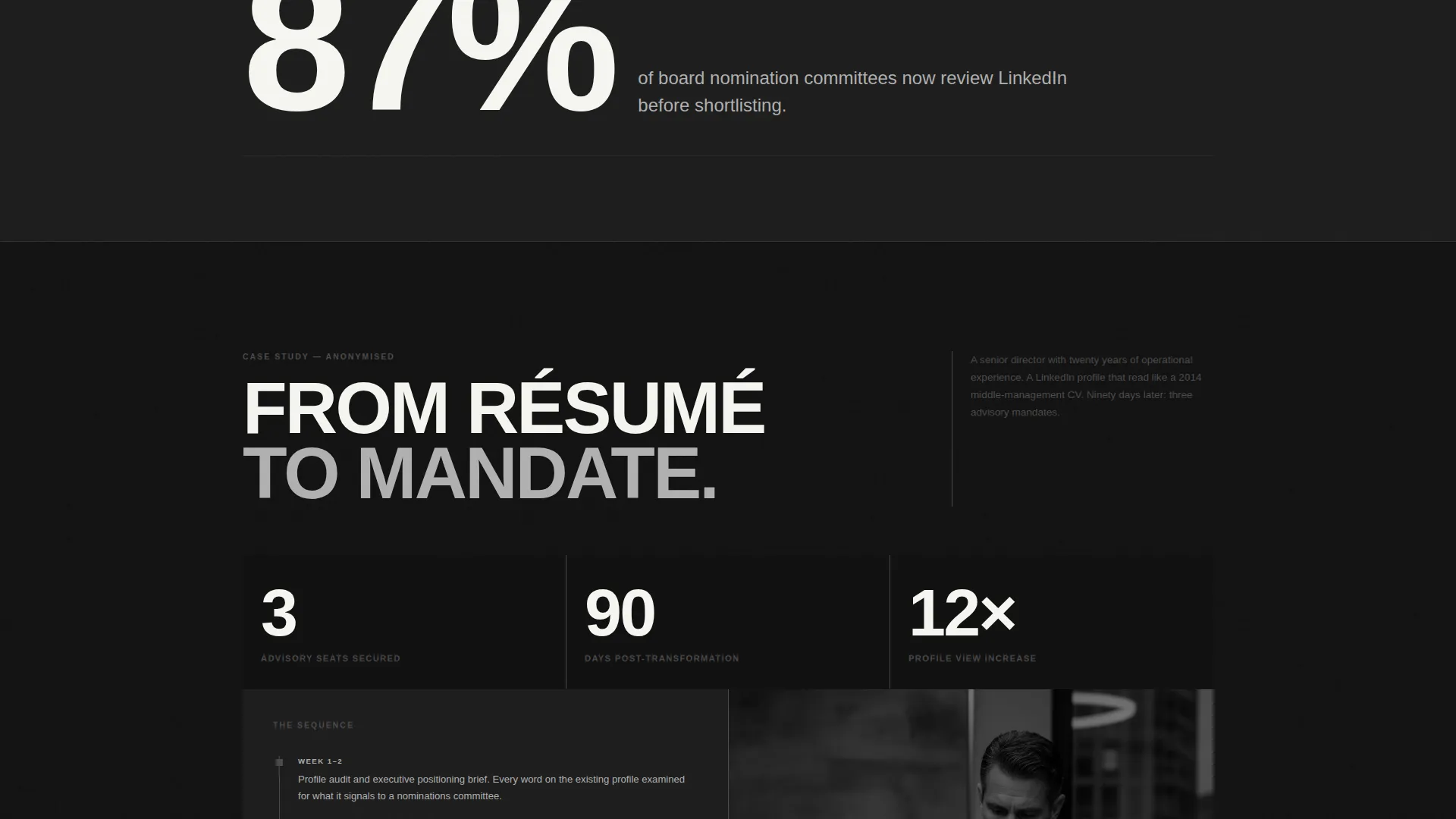
Between each spotlight, a single data insight appears in massive type over a steel-gray slab. The prompt example reads: "87% of board nomination committees now review LinkedIn before shortlisting." These lines punctuate the scroll and reinforce urgency.
Fixed Waitlist Form Slab
A heavy black form block sits fixed at the bottom of the viewport throughout the entire scroll. It holds an email input, a role-level selector with three options (Board Director, C-Suite Executive, Senior Advisor), and a live intake spot counter.
Escalating Case Study Section
The spotlight sequence builds to a full case study of a director who landed three advisory seats within ninety days. This section transitions the page from demonstration to proof, giving the most skeptical visitors a concrete outcome to evaluate.
Page sections overview
| Section | Purpose |
|---|---|
| Hero Header Block | Establishes commanding authority with type-over-image brutalist headline |
| Before Profile Spotlight | Shows a weak LinkedIn profile state to create recognition in the visitor |
| Transformed Profile Overlay | Slides the optimized version over the before state at an offset angle |
| Stat Interstitial Strip | Delivers a single high-impact data line in oversized type between spotlights |
| Full Profile Spotlight | Expands the transformation to a complete profile view for deeper impact |
| Advisory Seat Case Study | Presents a concrete outcome: three board roles secured in ninety days |
| Fixed Waitlist Form | Captures email, role level, and spot reservation throughout the scroll |
Design & branding system
The visual identity follows a Bold Brutalist theme built on a Monochrome Steel palette. Every color decision communicates weight, authority, and deliberate restraint.
- Forge-black (#111111) and rolled steel (#4A4A4A) form the background slabs, with brushed aluminum (#B0B0B0) used for card borders and call-to-action edges
- Boardroom white (#F5F5F0) is reserved exclusively for body text and interactive element borders, keeping contrast sharp and purposeful
- Typography uses an ultra-bold condensed typeface at oversized scale; text punches through dark backgrounds rather than sitting neatly within them
Mobile & speed optimization
The Overlap and Layered structure is built with mobile viewport behavior in mind. Heavy visual elements are composed to maintain hierarchy at smaller screen widths.
- Layered offset sections reflow so stacking remains readable without horizontal overflow on narrow screens
- The fixed waitlist form slab is sized to remain usable on mobile without blocking critical scroll content
- The desaturated hero photograph and steel-slab backgrounds are chosen for high contrast at all display densities, reducing reliance on color accuracy
How this template helps you convert
The page is engineered around a single conversion goal: a waitlist reservation from a qualified board-level executive. Every structural decision serves that goal.
- The before-and-after spotlight sequence makes the visitor's current profile feel inadequate by direct comparison, creating pull toward the transformation on offer
- The fixed form slab ensures the call to action is visible at every scroll position, so the decision to reserve a spot requires no navigation
- The intake spot counter adds scarcity without manufactured pressure, grounding urgency in a real cohort model that board-level clients find credible
Other information about this template
This template sits within the Personal and Resume category, specifically the Board Member Career subcategory. It is purpose-built for the board member LinkedIn profile optimization niche.
- The template style is Overlap and Layered, a format that mirrors the consultancy's own promise of transformation through visible, stacked contrast
- The waitlist and coming-soon direction suits consultancies running cohort-based or application-gated intake models
- The Creative Direction follows a Creator Spotlight structure, which is especially effective for personal branding services where visible proof of work drives trust
- The intersection of Bold Brutalist theme, Monochrome Steel color system, and Type Over Image header concept is rare in this niche, making the template visually distinctive at first scroll
Theme
Bold Brutalist
Creative direction
Creator Spotlight
Color system
Monochrome Steel
Style
Overlap/Layered
Direction
Waitlist/Coming Soon
Page Sections
Type Over Image Hero Header
Layered Before-and-after Profile Spotlights
Stat Interstitial Strips
Fixed Waitlist Form Slab
Escalating Advisory Seat Case Study
Related questions
Who is the ideal client profile this template is designed to attract?
Does this template include animation or scroll effects?
Can the spot counter and role selector be customized?
Is this template suitable for a solo consultant or only for larger firms?
What makes this layout different from a standard consultancy landing page?



