Healthcare Executive | Free Website Template | Rocket
Appoint is a split-screen landing page template built for healthcare and hospital executive search firms. It guides health system boards and senior hospital leaders through a five-stage self-assessment framework that reveals leadership search gaps before asking for contact details. The result feels less like a sales page and more like a private consultation delivered one scroll at a time.
by Rocket studio
Quick summary
Appoint is a single-page assessment template designed for healthcare executive search firms. It delivers a five-stage Leadership Search Readiness framework through alternating split-screen sections. Visitors answer one single-click question per stage, watch their completion percentage update in a sticky bar, and receive a personalized scorecard after submitting their name, title, and institutional email.
Who this template is for
This template is built for executive search firms that serve healthcare and hospital clients at the senior leadership level. It speaks directly to the decision-makers those firms are trying to reach.
- Health system board members managing a sudden CEO, CMO, or department chair vacancy
- Regional hospital CFOs or interim leaders who have been covering a gap for months
- Academic medical center deans building succession pipelines ahead of planned retirements
What problem this template solves
Most executive search firm pages lead with credentials and ask for a meeting before earning trust. Senior hospital leaders and board members do not respond to generic pitches. They respond to firms that already understand the shape of their problem.
- Boards and interim leaders often cannot name what is missing from their search process until someone maps it for them
- A standard contact form asks for commitment before delivering value, which causes high-bounce behavior among time-pressed executives
- The gap between "we need a placement" and "we are ready to run a successful search" goes unexamined, costing institutions months of misaligned effort
What you get with this template
You get a complete, desktop-first landing page built around a five-question self-assessment. Every section earns the visitor's attention before asking for anything in return.
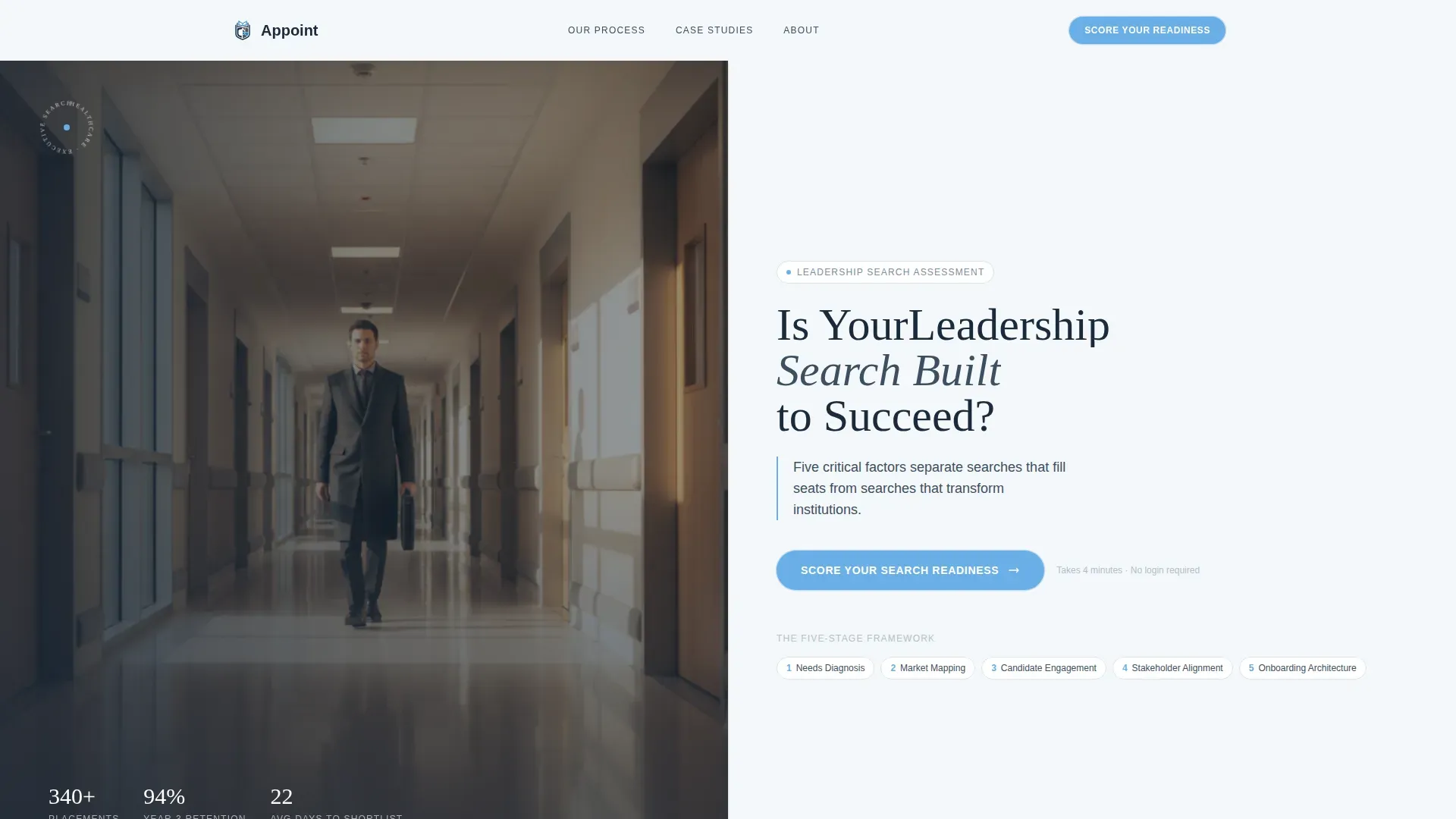
- A hero split-screen with a hospital corridor photograph on the left and a headline with a pulsing call-to-action button on the right
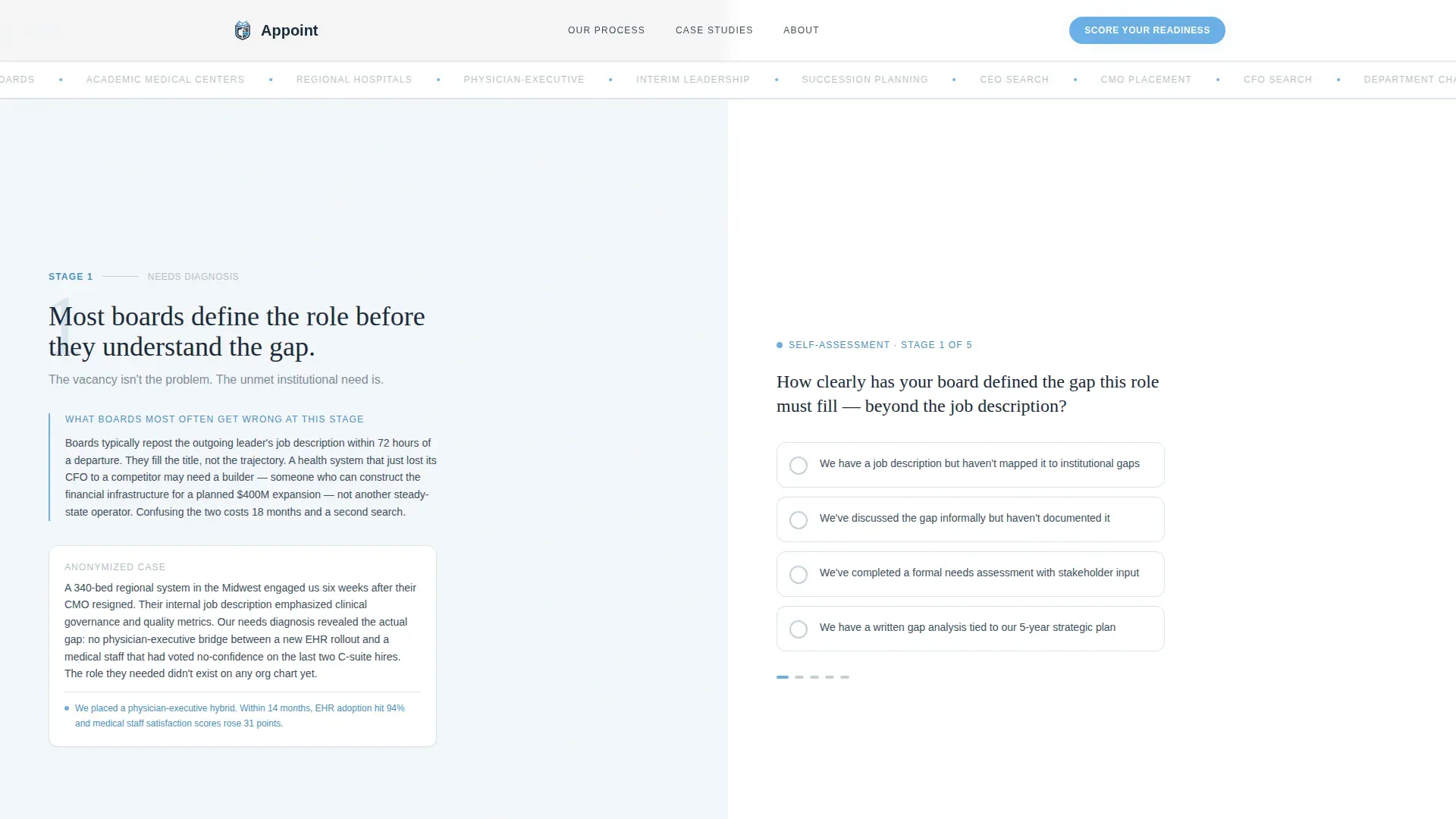
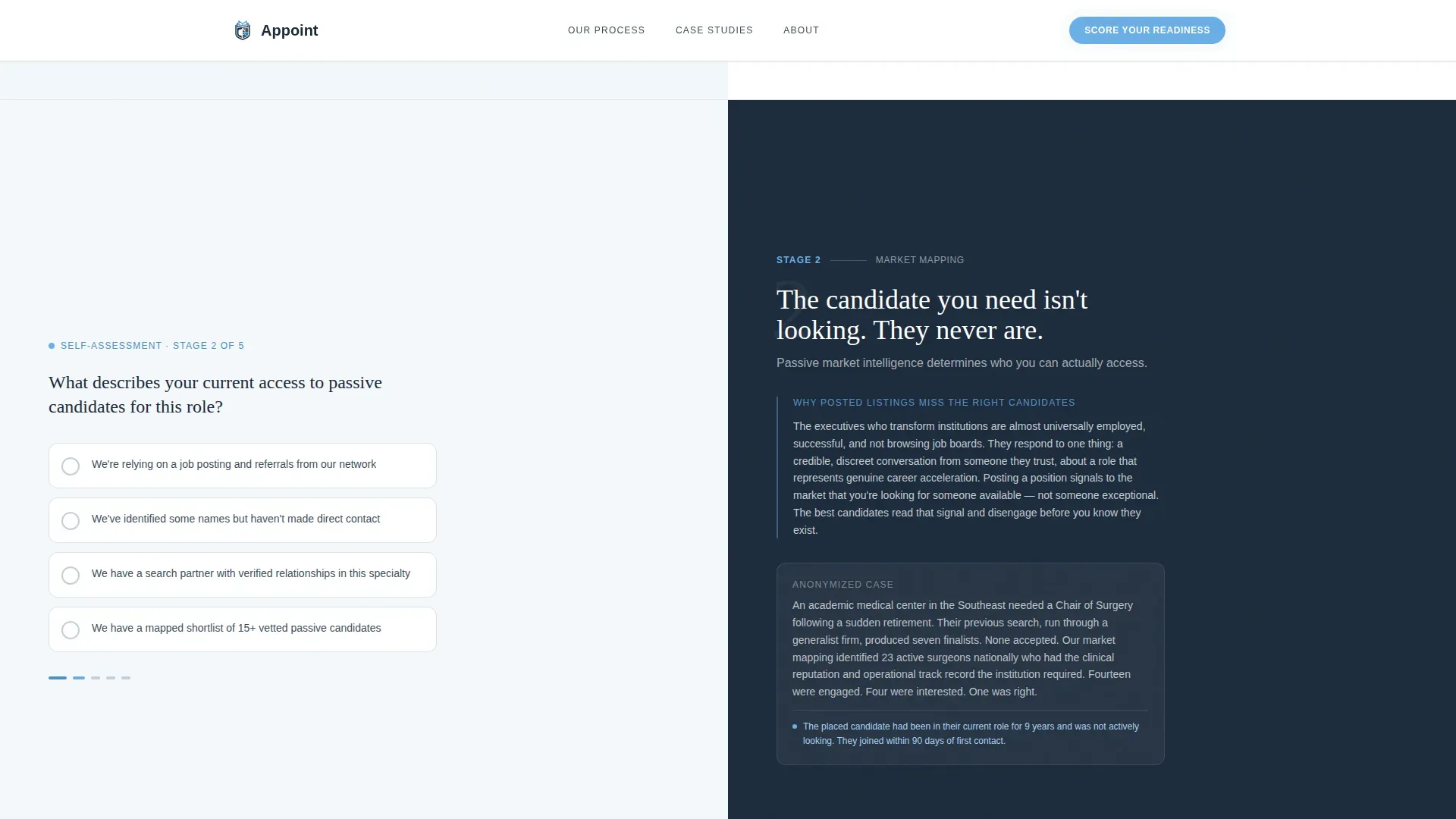
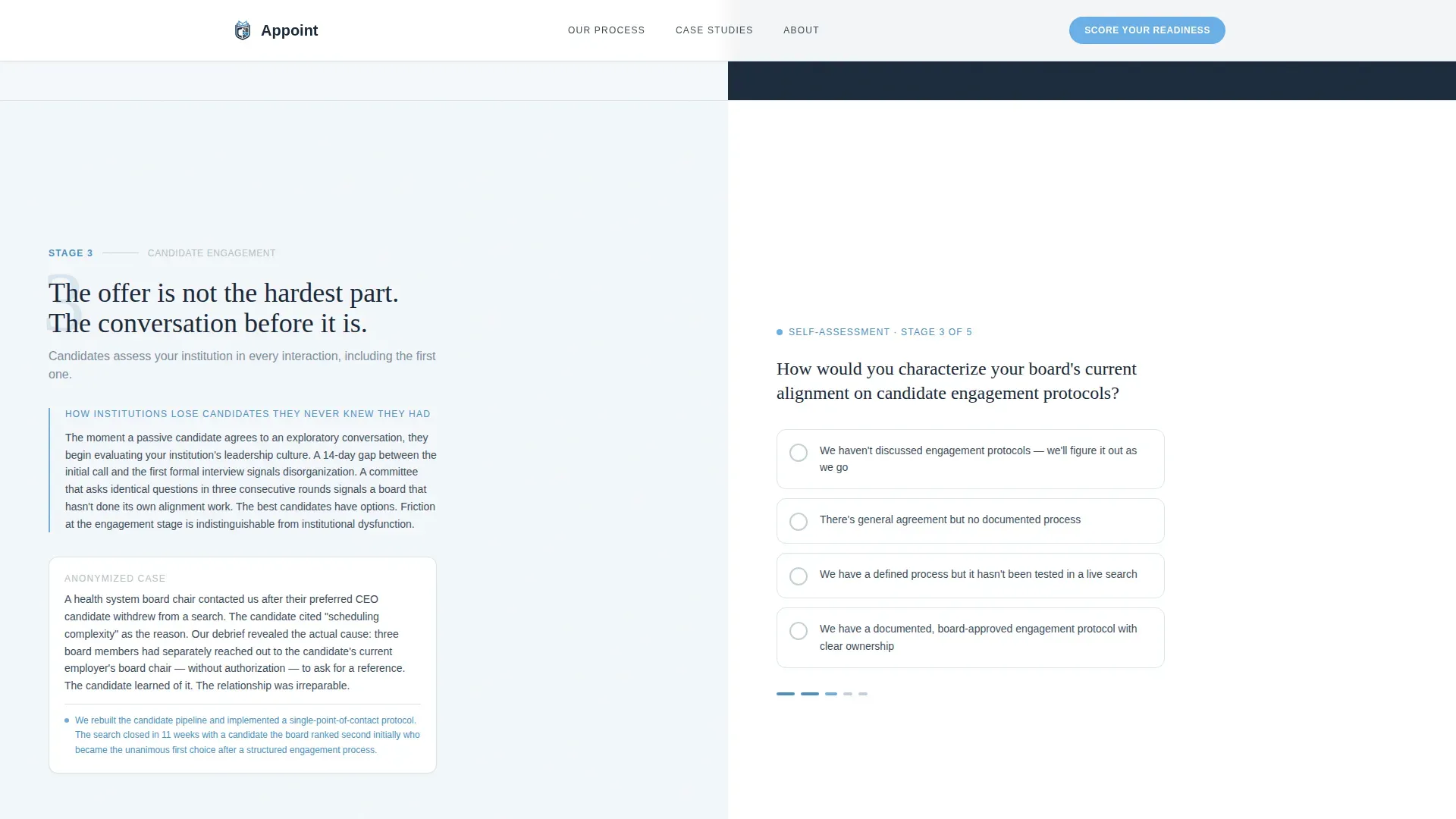
- Five alternating split-screen assessment sections, each pairing an educational insight on the left with a single-click question on the right
- A gated scorecard form that unlocks only after all five questions are answered, collecting name, title, and institutional email
Feature list
This template ships with a focused set of interactive and structural components drawn directly from the brief.
Five-Stage Assessment Framework
The page walks visitors through five named stages: Needs Diagnosis, Market Mapping, Candidate Engagement, Stakeholder Alignment, and Onboarding Architecture. Each stage occupies its own full split-screen section with scroll-reveal animation.
Single-Click Question Selectors
Each of the five stages includes one self-assessment question answered with a single click, not open text. Questions cover vacancy urgency, board alignment, previous search outcomes, compensation competitiveness, and onboarding structure.
Live Completion Progress Bar
A sticky element sits at the top of the viewport and updates with a real percentage as visitors answer each question. Auto-saving answers means no progress is lost if a visitor pauses mid-scroll.
Gated Scorecard Form
The personalized Leadership Search Readiness Scorecard form is locked behind completion of all five questions. It collects only name, title, and institutional email, keeping the barrier low while qualifying the lead.
Hero Split-Screen with Pulsing Call to Action
The header section uses a 50/50 layout. A hospital corridor photograph at golden hour fills the left panel. The headline, subline, and a gently pulsing "Score Your Search Readiness" button occupy the right panel, with masked text reveal animation on load.
Credibility Strip and Anonymized Case Outcomes
Below the assessment form, a credibility strip presents anonymized placement outcomes and institutional statistics. This reinforces trust after the visitor has already engaged with the diagnostic content.
Page sections overview
| Section | Purpose |
|---|---|
| Hero Split-Screen | Introduce the search readiness question and prompt the first click |
| Five Stages Intro | Provide a marquee-divided overview of the framework before assessment begins |
| Stage 1: Needs Diagnosis | Educate on vacancy framing errors and capture urgency self-assessment |
| Stage 2: Market Mapping | Reveal common candidate-pool mistakes and assess board's market awareness |
| Stage 3: Candidate Engagement | Cover outreach missteps and collect engagement-strategy self-rating |
| Stage 4: Stakeholder Alignment | Highlight alignment failures and capture internal consensus self-check |
| Stage 5: Onboarding Architecture | Explain onboarding gaps and collect readiness self-assessment |
| Scorecard Form | Gate the personalized scorecard behind completed five-question answers |
| Credibility Strip | Reinforce placement track record with anonymized outcomes and stats |
| Footer | Display logo, tagline, and navigation links in Arc Browser Split layout |
Design & branding system
The visual identity follows an Educational Guide theme using a Slate and Sky color system. The palette evokes a corner-office calm that is serious without feeling cold.
- Deep navy (#1B2A3B) for authoritative headers, charcoal slate (#3D4F5F) for body text and structural backgrounds, clinical sky blue (#6AAFE6) for interactive elements and the progress indicator, and pressed white (#F4F7FA) as the breathing-room background
- Typography pairs Fraunces (a serif typeface used for headers) with DM Sans (used for body copy and interface elements), reinforcing boardroom gravity without sacrificing readability
- Animation sits at a medium-to-high register: masked text reveals on hero load, parallax scroll between sections, staggered scroll-reveal for each split-screen stage, and a gently pulsing call-to-action button throughout
Mobile & speed optimization
The template is built desktop-first to match the review habits of board members and senior hospital executives. Performance decisions reflect that priority without sacrificing responsiveness.
- Static-first rendering with Intersection Observer for scroll-triggered reveals keeps the page lightweight and avoids heavy animation libraries
- All transitions rely on CSS only, meaning the interactive assessment and sticky progress bar run without external JavaScript dependencies
- The 50/50 split-screen layout adapts for smaller viewports so the content remains legible if a visitor switches to a tablet or mobile device
How this template helps you convert
The page earns contact information by delivering strategic value first. Every scroll deepens the visitor's understanding of their own search readiness gaps before a form appears.
- The five-stage educational framework gives board members and interim leaders more diagnostic clarity than most initial discovery calls provide, creating genuine reciprocity before the gated form arrives
- The live completion percentage in the sticky bar creates a low-pressure momentum effect, making it natural to answer one more question rather than exit
- The scorecard gate collects only three fields (name, title, institutional email) at the moment of highest engagement, after the visitor has already self-identified their gaps and decided the firm understands their situation
Other information about this template
This template is designed specifically for the healthcare and hospital executive search niche, where buyers are senior, cautious, and responsive to expertise over promotion.
- The page is structured for desktop-first viewing, reflecting how health system board members and CFOs typically review vendor materials
- The footer follows the Arc Browser Split pattern: logo and tagline on the left, navigation links on the right
- The glassmorphic scorecard form container adds a visual layer of polish to the completion moment without relying on heavy graphical assets
- The anonymized case outcomes in the credibility strip are intentionally without named institutions, which matches the discretion expected in healthcare executive search
- The template suits firms recruiting for roles including chief executive officer, chief medical officer, chief financial officer, and department chair positions across health systems, regional hospitals, and academic medical centers
Theme
Educational Guide
Creative direction
Step-by-Step Guide
Color system
Slate & Sky
Style
Split Screen (50/50)
Direction
Quiz/Assessment
Page Sections
Five-stage Assessment Framework
Single-click Question Selectors
Live Sticky Progress Bar
Gated Scorecard Lead Form
Hero Split-screen with Pulsing Button
Credibility Strip with Anonymized Outcomes
Related questions
Who is this template designed for?
Can I update the five assessment questions to match my firm's focus?
How does the gated scorecard form work?
Is the template optimized for desktop or mobile viewing?
What makes this template different from a standard contact-form landing page?



