Appraise - Precise Seniorliving Landing Page Template
Appraise is a split-screen landing page template built for senior living appraisal firms. It leads with an address search tool, then walks visitors through interactive valuation modules covering occupancy benchmarking, regulatory risk, and revenue-per-bed comparisons. A progressive four-step form earns the lead after the visitor has already seen real numbers, making the ask feel natural rather than intrusive.
by Rocket studio
Quick summary
Appraise is a Luxe Minimal landing page template designed for white-glove senior living valuation firms. It opens with a split-screen address search tool and guides owners, investors, and heirs through layered interactive assessment modules. The page earns trust by delivering useful preliminary figures before ever asking for contact details.
Who this template is for
This template is built for professionals who appraise licensed senior care facilities and need a page that reflects the weight of that work. It speaks directly to the people on both sides of a valuation engagement.
- Owners of assisted living homes and memory care residences considering a sale
- Private equity groups evaluating a regional portfolio acquisition
- Adult children or estate trustees inheriting a licensed senior living facility
What problem this template solves
Most appraisal firm websites ask for a name and phone number before giving anything back. That approach fails with sophisticated property owners who already know the value of information. This template flips the model.
- Visitors get preliminary property data before they are asked to identify themselves
- Interactive modules build genuine investment in the result, reducing drop-off
- The lead capture form appears only after the visitor has engaged with at least two tool sections, earning the ask rather than demanding it
What you get with this template
You get a fully structured single-page layout designed around a progressive disclosure experience. Every section deepens the visitor's engagement before the conversion moment arrives.
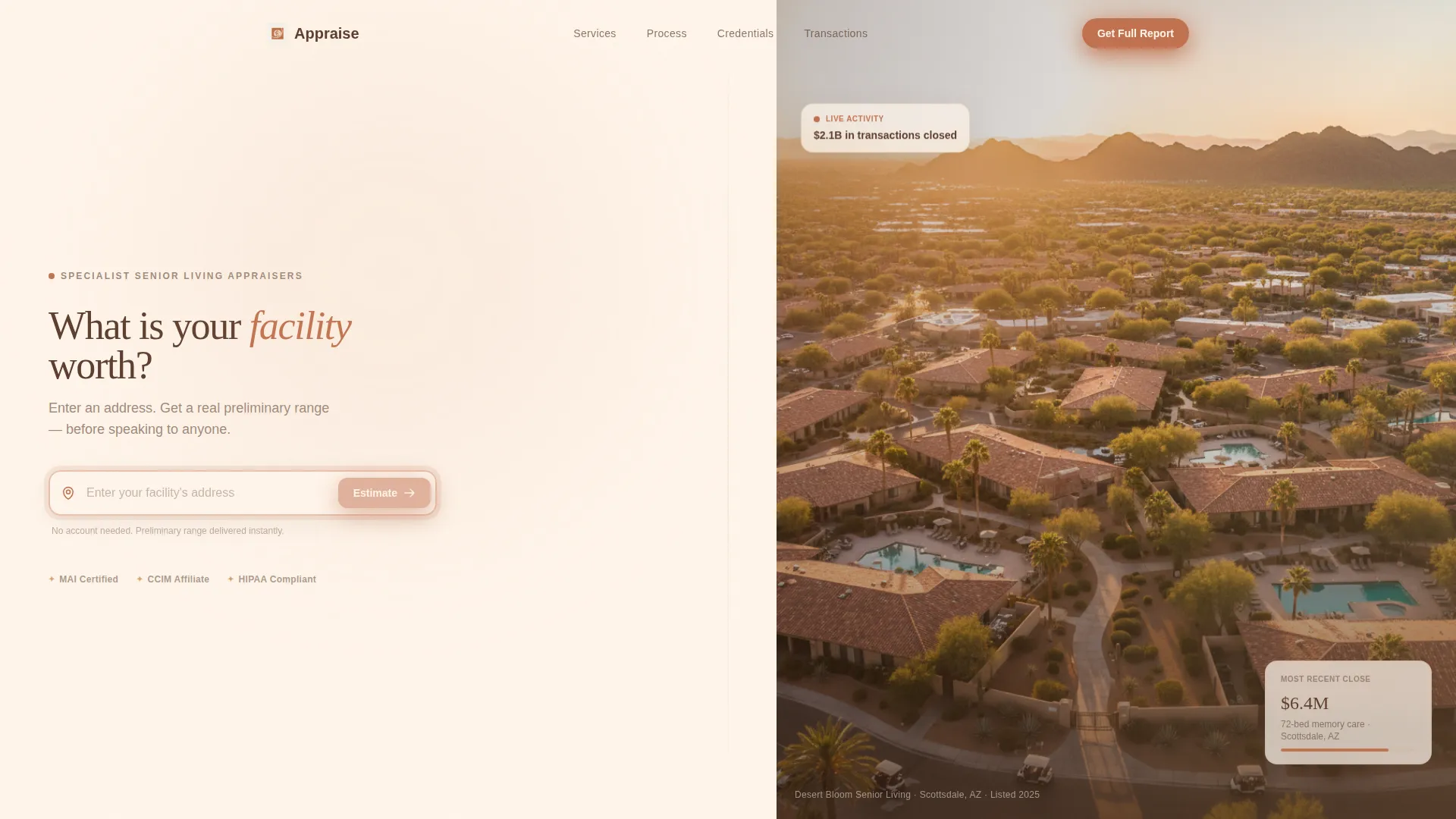
- A split-screen header with an address search field and a golden-hour aerial photography panel
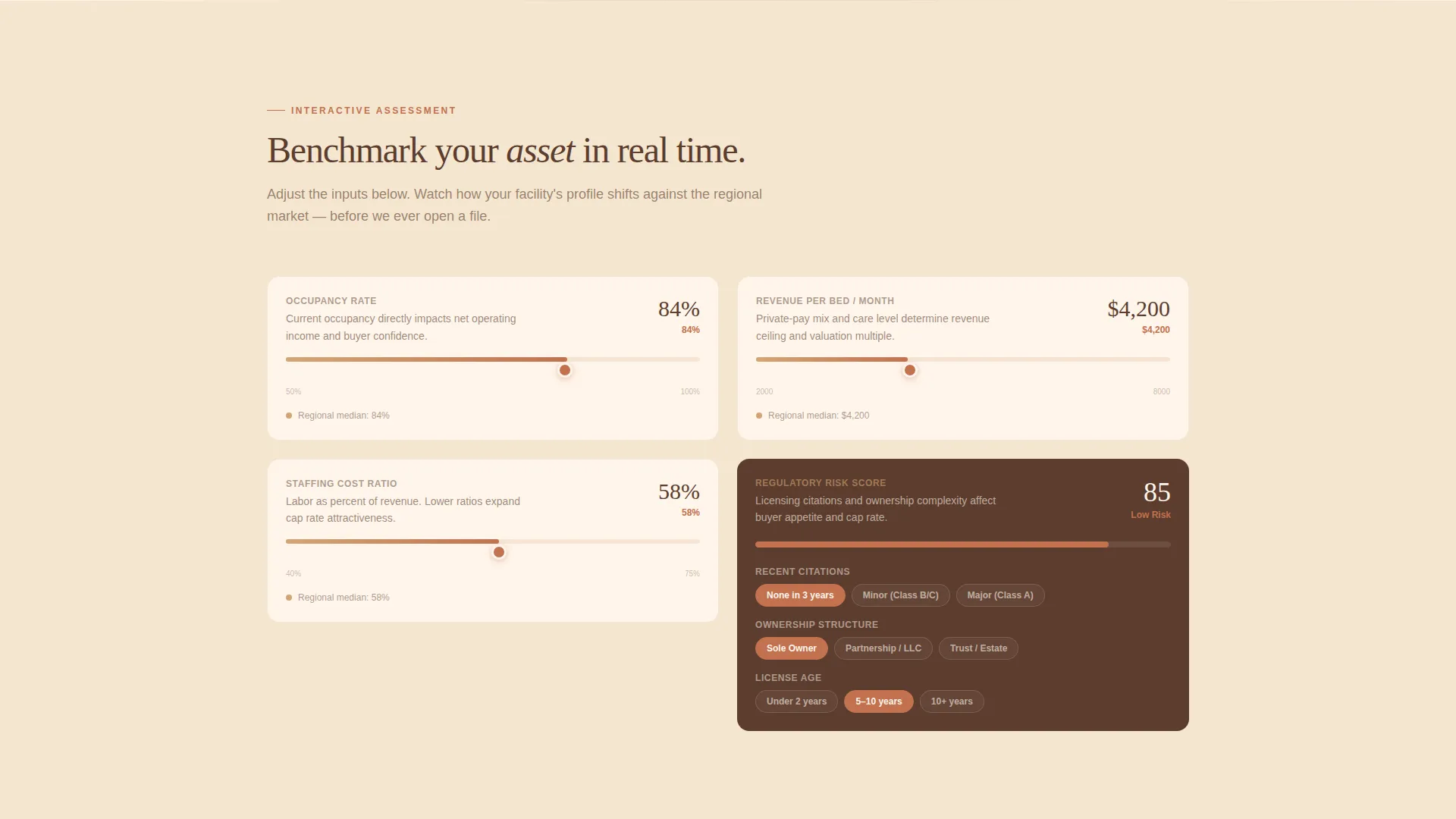
- Interactive valuation modules with sliders, dropdowns, and a dynamic valuation range bar
- A four-step progressive form with a secondary "Schedule a Confidential Call" path for hesitant owners
Feature list
This template is built around a tool-first philosophy where the interactive components do the persuading.
Address-Triggered Split Screen Header
The header opens as a 50/50 split screen. The left panel holds a single address input field with a terracotta border and a map pin icon. The right panel displays a soft-focus aerial photograph of a southwestern senior living campus at golden hour. No competing headline distracts from the search field.
Dynamic Preliminary Property Profile
Once an address is entered, the left panel populates with a preliminary property profile showing bed count estimate, license type, and county comparable data. The right panel reveals a valuation range bar that slides into view like a thermometer filling, giving the visitor an immediate, tangible result.
Layered Interactive Assessment Modules
Each scroll section below the header is a self-contained interactive module. Visitors adjust occupancy benchmarking figures, regulatory risk scores, and revenue-per-bed comparisons using sliders and dropdowns. Each interaction deepens the visitor's sense of ownership over the result.
Progressive Four-Step Lead Form
The primary call to action, "Get Your Full Valuation Report," appears only after the visitor has engaged with at least two modules. The form captures facility name, bed count, ownership structure, and email across four separate cards. Each card slides left to reveal the next step, keeping the experience unhurried and intentional.
Secondary Confidential Call Path
A text link labeled "Schedule a Confidential Call" sits beneath the form for owners who want to speak with a person before sharing any data. This secondary path reduces friction for the most privacy-conscious segment of the audience without diluting the primary conversion flow.
Sunset Mesa Visual Identity System
The entire template is built around the Sunset Mesa color palette. Warm sandstone, deep adobe shadow, fading sky cream, and dusted terracotta work together to create a visual tone that feels expensive and unhurried. Terracotta appears exclusively on buttons, progress indicators, and interactive tool borders, so every color carries functional meaning.
Page sections overview
| Section | Purpose |
|---|---|
| Split Screen Header | Address search input with aerial photography panel |
| Property Profile Panel | Displays bed count estimate, license type, county comps |
| Valuation Range Bar | Slides into view with a preliminary value range |
| Occupancy Benchmarking Module | Visitor adjusts occupancy figures with interactive sliders |
| Regulatory Risk Scoring | Interactive risk assessment with dropdown controls |
| Revenue-Per-Bed Comparison | Compares facility revenue against regional benchmarks |
| Full Report Form | Four-step progressive lead capture card sequence |
| Confidential Call Link | Secondary text-link path for phone-first owners |
Design & branding system
The visual language is Luxe Minimal, which means restraint in layout and richness in color. Nothing competes with the interactive tools, and every decorative decision reinforces credibility rather than noise.
- Sunset Mesa palette: warm sandstone (#D4A574), deep adobe shadow (#5C3D2E), fading sky cream (#FFF5EB), and dusted terracotta accent (#C2714F)
- Backgrounds alternate between sky cream and sandstone washes; body text lives in adobe shadow; terracotta appears only on actionable elements
- The overall visual tone evokes an earthy, unhurried Southwest aesthetic that signals premium expertise without overt corporate styling
Mobile & speed optimization
The split-screen layout is designed to reflow gracefully on smaller screens without losing the tool-first logic. Interactive modules remain functional and readable at all viewport sizes.
- The 50/50 split collapses into a stacked single-column layout on mobile, keeping the address search field prominent at the top
- Slider and dropdown controls are sized and spaced for comfortable touch interaction
- The four-step form card sequence maintains its slide-left transition behavior on mobile, preserving the progressive disclosure experience
How this template helps you convert
This template earns conversions by giving value before making requests. The sequence is deliberate and proven in high-consideration service contexts.
- The address search tool delivers a preliminary property profile immediately, establishing credibility and giving the visitor a reason to keep scrolling
- Each interactive module increases the visitor's personal investment in the result, making the "Get Your Full Valuation Report" call to action feel like a logical continuation rather than a cold ask
- The four-step progressive form reduces perceived commitment at each stage, and the secondary confidential call link catches owners who need a human conversation before sharing facility data
Other information about this template
This template is a strong fit for senior living real estate professionals who serve a high-trust, low-volume client base. The design and interaction model reflect the specific psychology of owners, investors, and estate trustees making major financial decisions about licensed care facilities.
- The template is built as a single landing page with a section-led scroll flow, not a multi-page site
- The Calculator/Tool First creative direction is intentionally chosen for the senior living appraisal niche, where demonstrating expertise upfront reduces sales resistance
- The Quiz/Assessment landing page direction means the visitor builds a personalized result before the firm ever asks for identifying information
- The template style is Split Screen (50/50), which allows the visual and functional halves of the experience to coexist without competing
Theme
Luxe Minimal
Creative direction
Calculator/Tool First
Color system
Sunset Mesa
Style
Split Screen (50/50)
Direction
Quiz/Assessment
Page Sections
Address-triggered Split Screen Header
Dynamic Preliminary Property Profile
Layered Interactive Assessment Modules
Progressive Four-step Lead Form
Secondary Confidential Call Path
Sunset Mesa Visual Identity System
Related questions
Who is this landing page template designed for?
Does the template include the interactive valuation tool functionality?
Can the color palette be changed to match a different brand?
What is the purpose of the secondary 'Schedule a Confidential Call' link?
Is this template suitable for a portfolio appraisal firm with multiple property types?



