Well Driller Business FAQ Website Template
Aquifer is a split-screen landing page template built for well drilling businesses serving homeowners, hobby farmers, and property developers beyond municipal water reach. It combines an animated geologic cross-section, real-time metric counters, and a scroll-driven FAQ conversation to guide skeptical visitors from curiosity to a gated resource download, earning trust one honest answer at a time.
by Rocket studio
Quick summary
Aquifer is a single-page, split-screen template designed for well drilling service area pages. It opens with live geology animation and ticking stat counters, then descends into a structured FAQ conversation that mirrors a real client consultation. Every section trades genuine hydrogeological knowledge for trust, leading visitors toward a gated well report download and an interactive property-check map.
Who this template is for
This template is built for well drilling contractors who operate in areas where municipal water infrastructure does not reach. It speaks directly to the clients those contractors already know: cost-conscious property owners who have just received a steep connection quote, farmers managing livestock water on rural acreage, and developers platting land outside water district boundaries.
- Independent well drilling businesses serving suburban and rural service areas
- Contractors looking to convert informed, skeptical buyers through educational content
- Property developers and hobby farmers researching private water supply options
What problem this template solves
Finding a well driller online often means landing on a generic service page with a phone number and a stock photo. That experience does not earn trust from a homeowner staring at a $14,000 municipal hookup quote. Aquifer replaces that friction with a page that feels like a real consultation.
- Visitors leave generic pages without acting because they still have unanswered questions about feasibility and cost
- There is no easy way for prospects to self-qualify before calling, which wastes time on both sides
- Drillers with deep local knowledge have no structured format to demonstrate that expertise online
What you get with this template
The template delivers a fully structured, single-page layout built around the split-screen format. Every section is purpose-built: the left panel drives the narrative while the right panel answers, quantifies, or visualizes. The result is a page that functions as both a sales tool and a content resource.
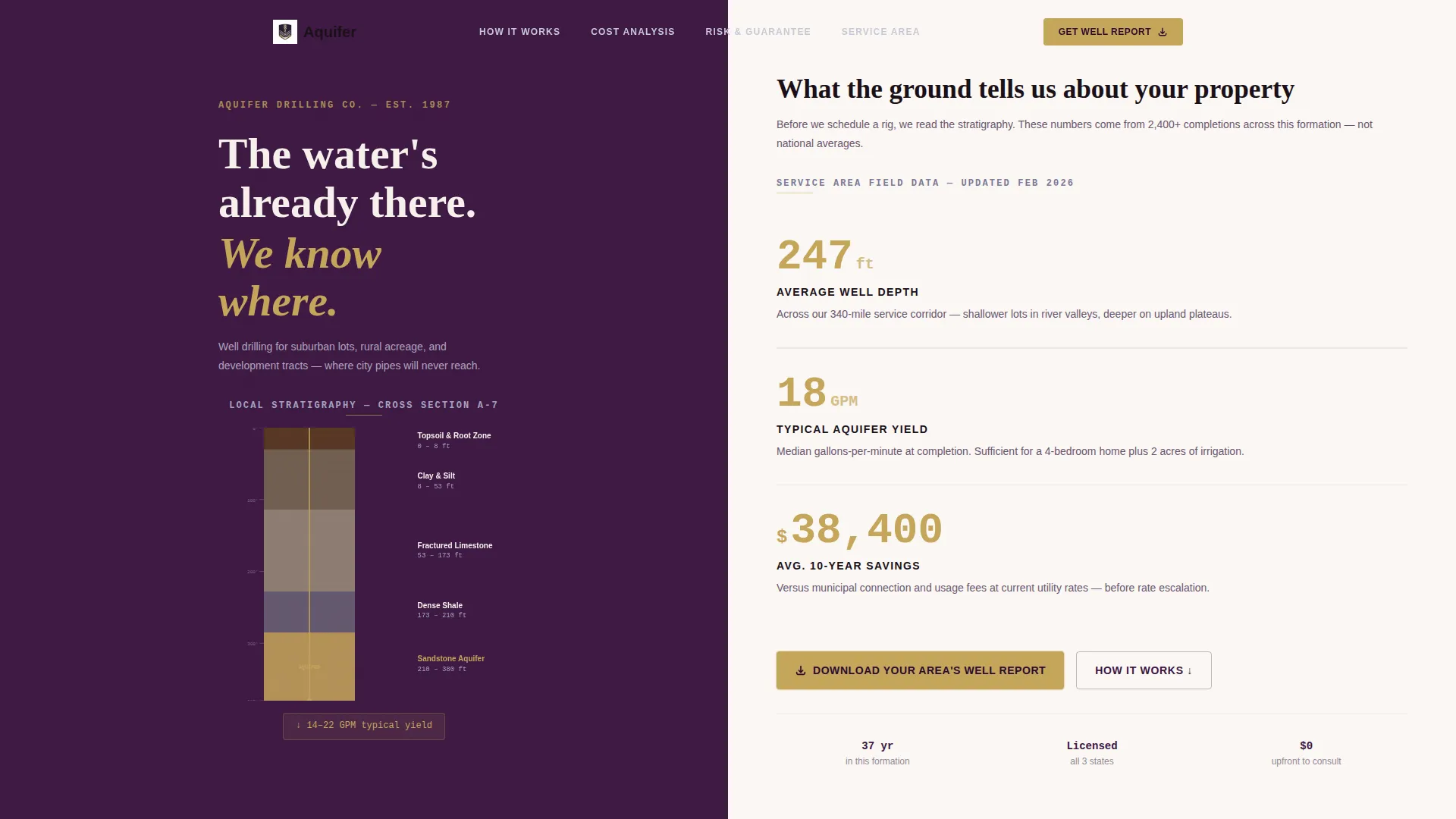
- An animated hero with a real-time geologic cross-section diagram and three live metric counters
- A scroll-driven FAQ conversation that escalates from curiosity to logistics to cost
- A mid-page and footer call-to-action gating a local well report PDF behind an email and property address form
- An interactive service area map where visitors drop a pin to receive a preliminary depth estimate
Feature list
This template is built around a specific set of components drawn directly from the brief. Each one plays a clear role in the visitor journey.
Animated Geologic Cross-Section
The left hero panel displays a layered diagram of local geology, topsoil, clay, fractured limestone, and sandstone aquifer, with labels rendered in clean sans-serif type. A thin gold drill line descends in real time as the visitor watches, grounding the service in visible technical authority before a single word is read.
Live Metric Counters
Three key figures appear on the right hero panel and count up with a mechanical tick animation, mimicking a pressure gauge readout. The numbers cover average well depth in the service area, typical gallons-per-minute yield, and estimated cost savings versus a municipal hookup over ten years.
Scroll-Driven FAQ Conversation
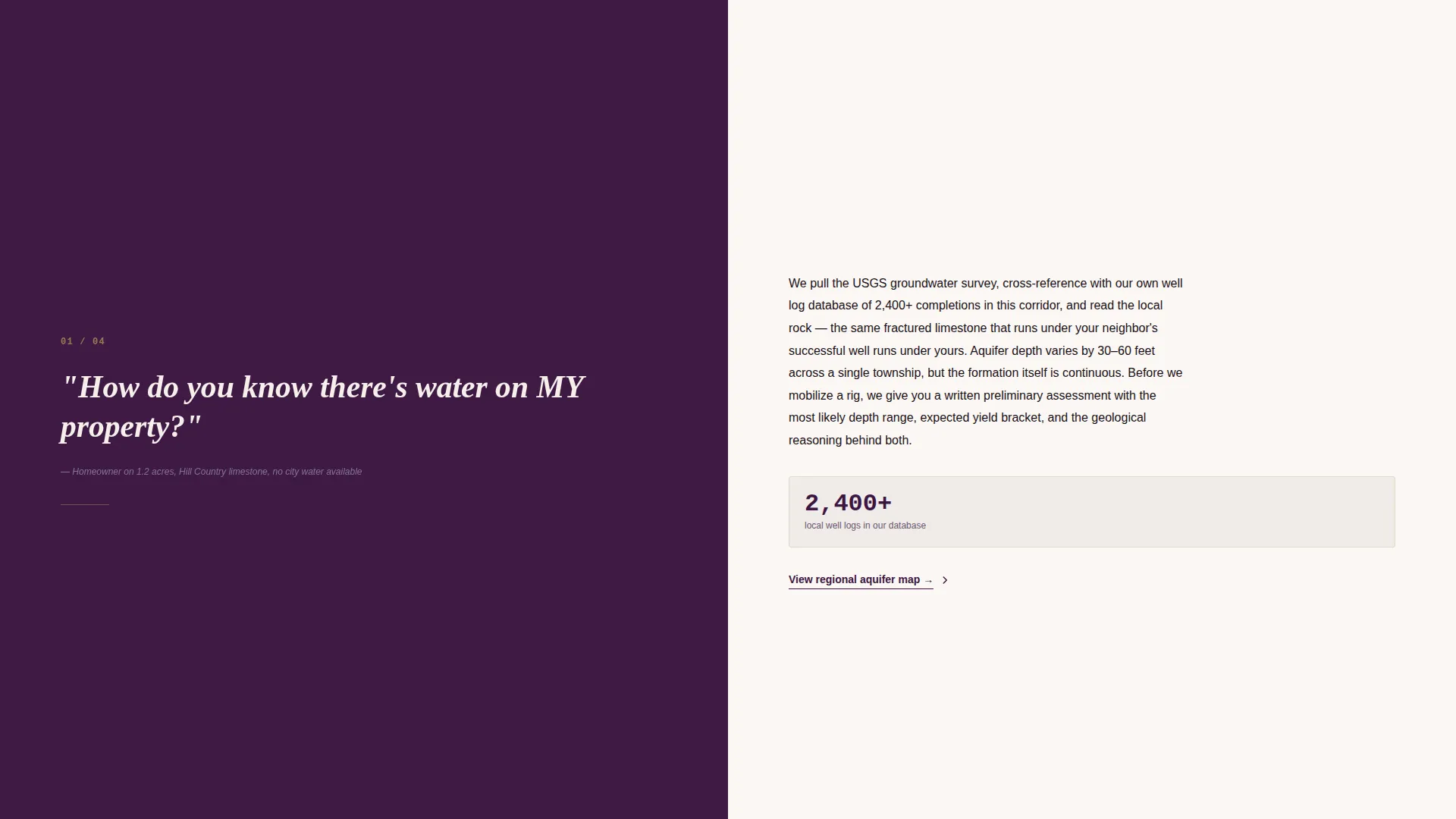
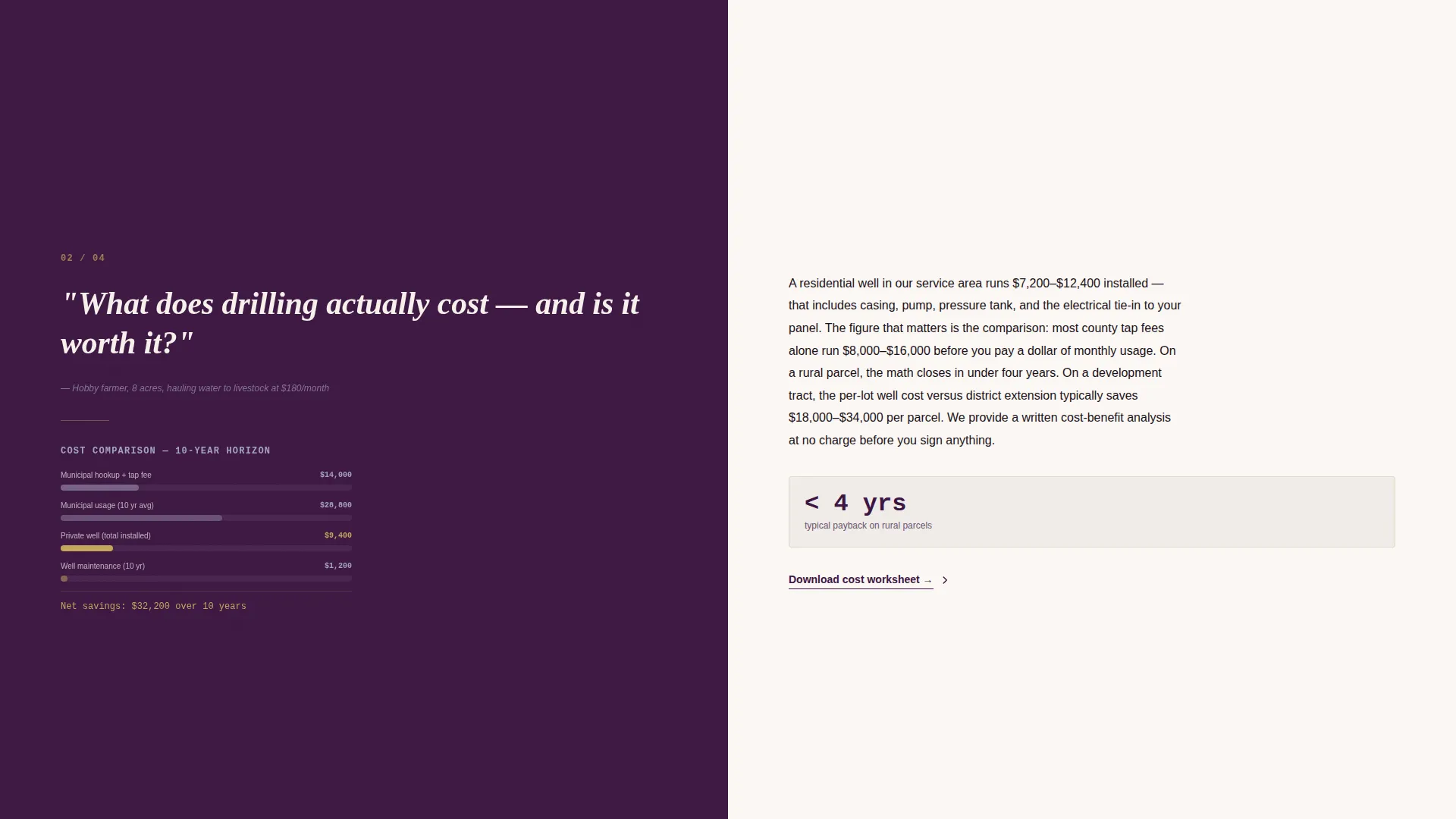
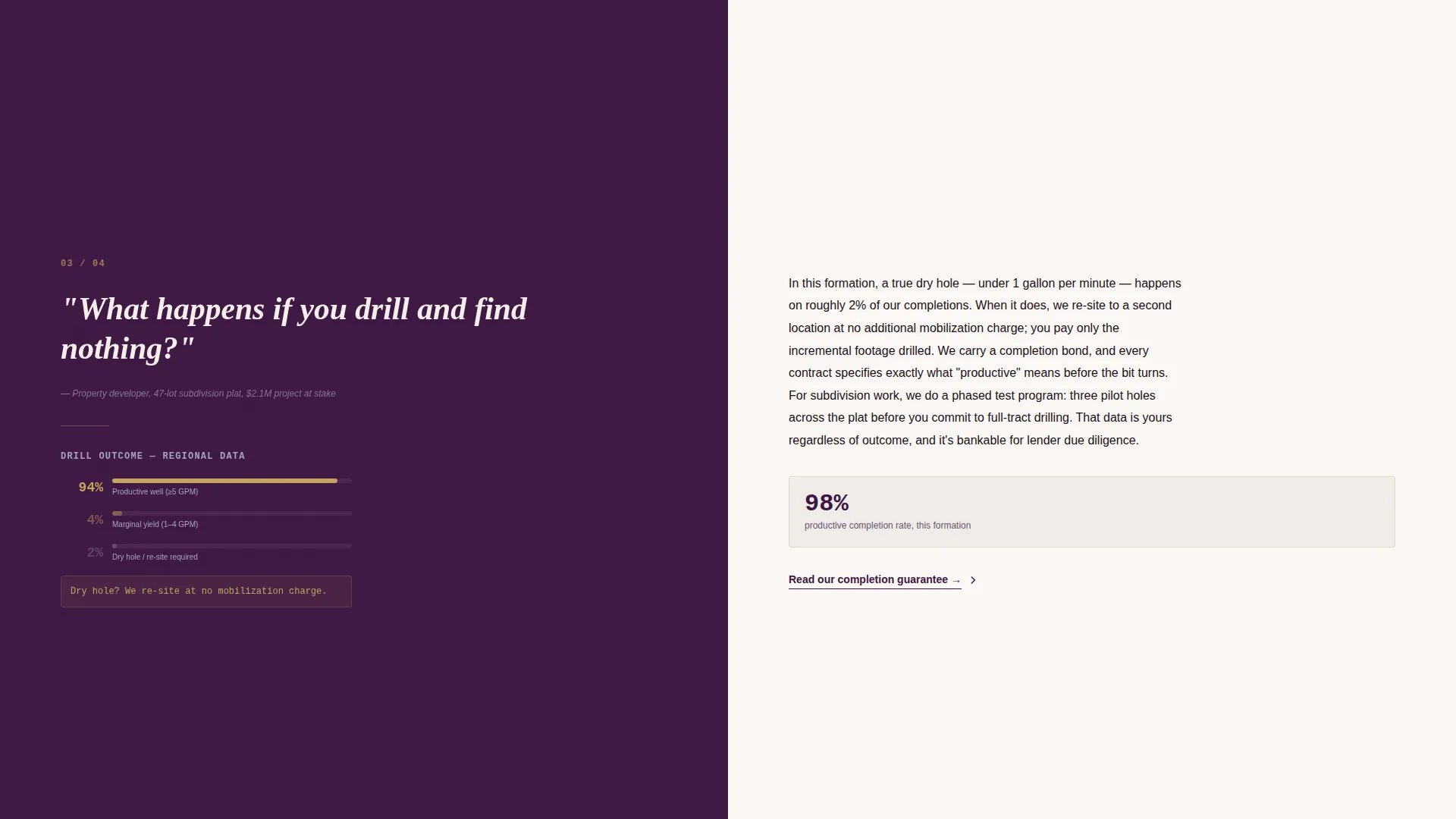
The page body is structured as a descending dialogue between a skeptical property owner and a patient expert. Each left panel poses a real client question. The right panel answers with a short paragraph, a supporting data point or diagram, and a contextual resource link. The stakes escalate naturally from curiosity to logistics to money.
Gated Well Report Download
A primary call-to-action reading "Download Your Area's Well Report" appears at the page midpoint and again in the footer. It gates a PDF covering local aquifer depth data, permit requirements, and average project costs behind a simple form requesting an email address and property address.
Interactive Service Area Map
A secondary path labeled "Check Your Property" links visitors to an interactive map. Visitors drop a pin on their property and receive a preliminary depth estimate, giving them a personalized data point before they ever speak to the driller.
Split-Screen Section Layout
Every section of the page uses a 50/50 split-screen layout. The left panel consistently carries the question, headline, or visual. The right panel carries the answer, supporting data, or resource link. This rhythm makes the page scannable and keeps the consultation feel intact throughout the scroll.
Page sections overview
| Section | Purpose |
|---|---|
| Hero Split Panel | Opens with geology animation and live metric counters |
| Question One Block | Addresses property-specific water feasibility |
| Question Two Block | Covers drill-and-find-nothing risk and policy |
| Question Three Block | Explains permitting process and requirements |
| Mid-Page call to action | Gates the local well report PDF download |
| Service Area Map | Lets visitors self-qualify with a property pin drop |
| Footer call to action | Repeats the well report download offer |
Design & branding system
The visual identity follows an Executive Suite theme built around the Plum Executive color system. The palette is deliberately serious, it reads like a geotechnical report bound in leather and placed on a mahogany desk.
- Deep aubergine (#3C1642) anchors hero backgrounds and left split panels, with brushed platinum gray (#A4A4BF) on secondary panels and divider lines between FAQ entries
- Parchment white (#F5F0EB) fills content fields on the right split panels, keeping body text airy and readable against the darker structure
- Decisive gold (#C5A55A) is reserved exclusively for buttons, active states, and inline data callouts, ensuring every action point is visually unmistakable
Mobile & speed optimization
The split-screen layout is designed to reflow cleanly on smaller screens. The 50/50 panels stack vertically on mobile, preserving the question-and-answer rhythm without sacrificing readability or the visual weight of the geology diagram.
- Panel stacking on mobile keeps the FAQ conversation intact and readable on narrower viewports
- Animated elements are scoped to the hero section, keeping the rest of the scroll lightweight and clean
- The form fields for the gated download are kept short, email and property address only, reducing friction on touch devices
How this template helps you convert
The page is designed as a content and resource hub, not a hard-sell service page. Every section earns the next click by giving away real knowledge before asking for anything in return.
- The animated hero and live counters establish immediate credibility, giving visitors a reason to keep scrolling before any offer is made.
- The FAQ conversation escalates trust section by section, so that by the time the mid-page call-to-action appears, the visitor already understands the driller's expertise and wants the full report.
- The interactive map creates a personalized data moment, a preliminary depth estimate tied to the visitor's actual property, making the secondary conversion path feel genuinely useful rather than promotional.
Other information about this template
This template is part of the Executive Suite theme family and uses the Plum Executive color system as its foundational design language. It is a strong fit for well drilling businesses that want to position themselves as the authoritative local expert rather than competing on price alone.
- The template is categorized under Professional Services and the Well Driller Business subcategory
- The Intersection Match Score for this template is 9 out of 10, indicating a high alignment between the design system and the intended service niche
- The split-screen format and the FAQ-driven creative direction make this template reusable for other service area pages within the same drilling operation
- The gated PDF resource model means the template doubles as a lead generation asset, capturing email addresses and property addresses for follow-up
Theme
Executive Suite
Creative direction
Logo Wall Authority
Color system
Plum Executive
Style
Sidebar Companion
Direction
Click-Through
Page Sections
Animated Geologic Cross-section Hero
Live Metric Counter Display
Scroll-driven FAQ Conversation
Gated Well Report Call to Action
Interactive Property Check Map
50/50 Split-screen Layout
Related questions
What kind of business is this template designed for?
Can I update the geology diagram and metric counters for my service area?
What information does the gated well report PDF contain?
Is this template suitable for more than one service area?
Who is the target visitor this template is written for?



