Gazebo & Pergola Builder Business Reviews Website Template
Arbor is a single-page zigzag landing page template built for pergola and gazebo builders. It pairs educational content blocks with homeowner testimonials in an alternating layout, guides visitors through a free planning kit download, and uses a warm Cloud Canvas color system to feel like a trusted carpentry reference rather than a generic contractor homepage.
by Rocket studio
Quick summary
Arbor is a landing page template designed for outdoor structure builders who want to educate first and sell second. Its zigzag layout pairs expert guidance with real client stories. A press mentions bar, editorial hero image, and a lead-generating planning kit download work together to build trust and capture qualified homeowners and landscape architects.
Who this template is for
This template is made for outdoor structure specialists who work on high-value residential projects. It speaks directly to builders whose clients arrive informed, curious, and ready to invest.
- Pergola and gazebo builders who handle projects from initial concept through final install
- Landscape architects sourcing a reliable construction partner for outdoor living projects above $80,000
- Renovation-stage homeowners researching wood species, roof styles, and permit requirements before committing
What problem this template solves
Most contractor landing pages skip the part where the visitor needs to learn something before they feel ready to reach out. Arbor solves the gap between "I'm interested" and "I'm ready to book."
- Visitors get educational content alongside testimonials, so trust and knowledge build at the same time
- The free planning kit download captures leads before asking for a phone number or calendar booking
- The alternating layout keeps scroll momentum going while delivering real, specific project information
What you get with this template
The template delivers a complete single-page layout with every section pre-built and editable. It is structured to move a visitor from curiosity to conversion without pressure.
- A full-width editorial hero section with a press mentions scroll bar above it
- Zigzag content sections pairing educational blocks with homeowner testimonial mosaics
- A lead capture form with illustrated radio buttons and a sticky secondary call-to-action bar
Feature list
This template includes purpose-built components drawn directly from the project brief. Each one supports a specific stage of the visitor's decision journey.
Press Mentions Scroll Bar
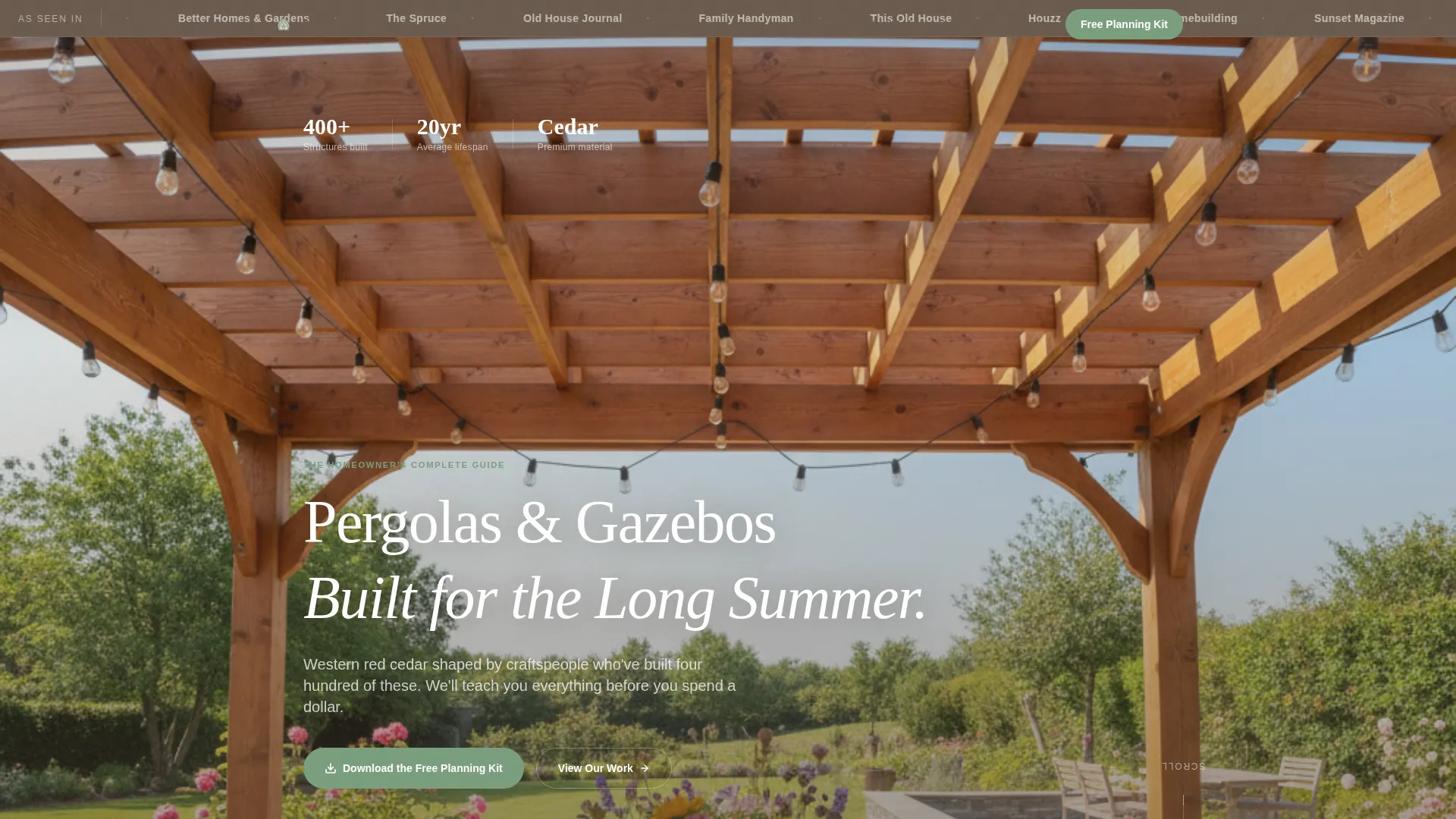
A horizontal scrolling bar sits above the hero photograph. It displays publication logos rendered in weathered timber monochrome, immediately anchoring the builder's credibility before the visitor reads a single word of copy.
Editorial Hero Section
A full-width photograph taken from inside a completed pergola frames the sky through geometric rafters. A serif headline fades in over the image, giving the page the feel of a magazine supplement cover rather than a trade contractor's homepage.
Zigzag Testimonial Mosaic Layout
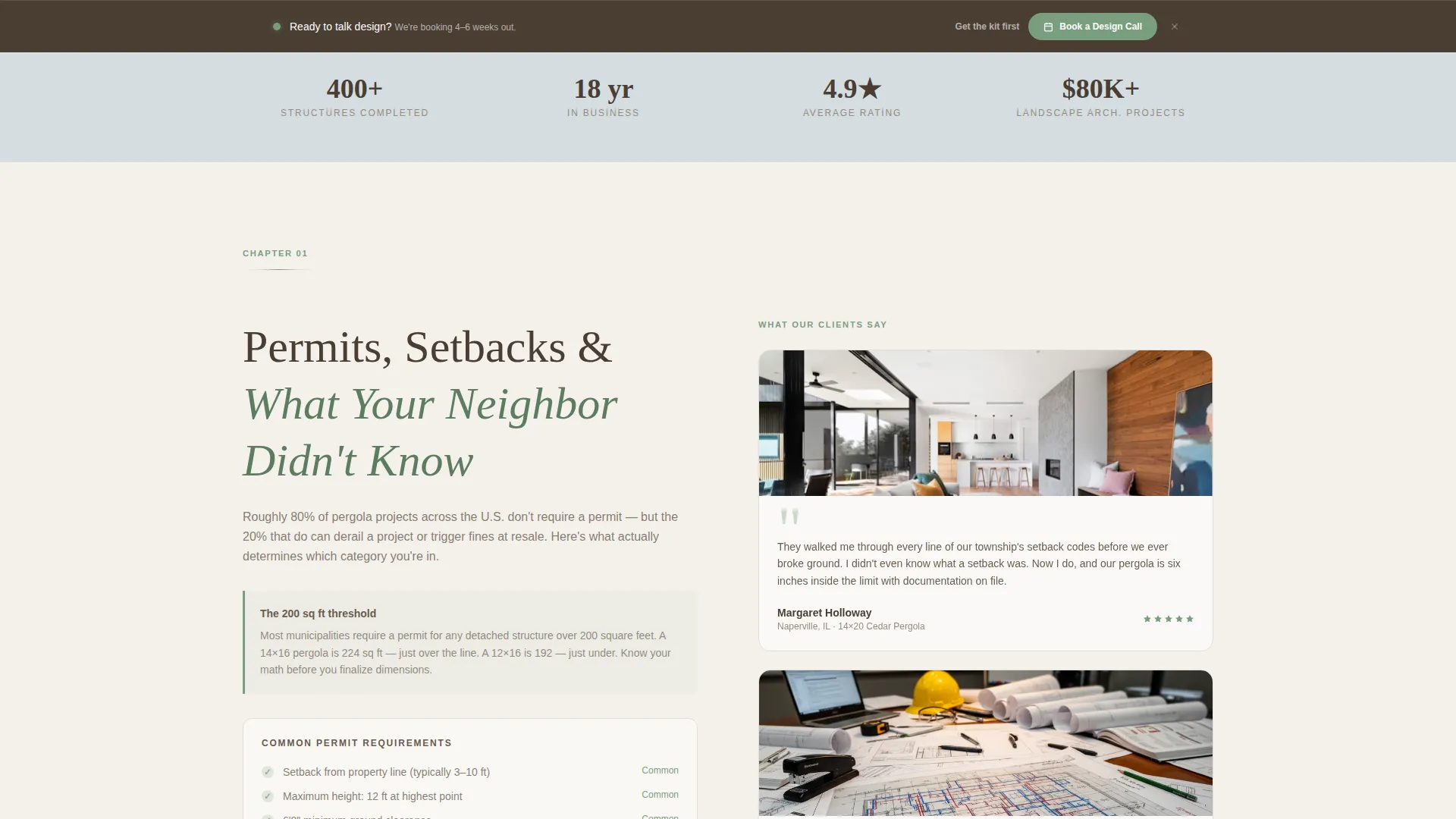
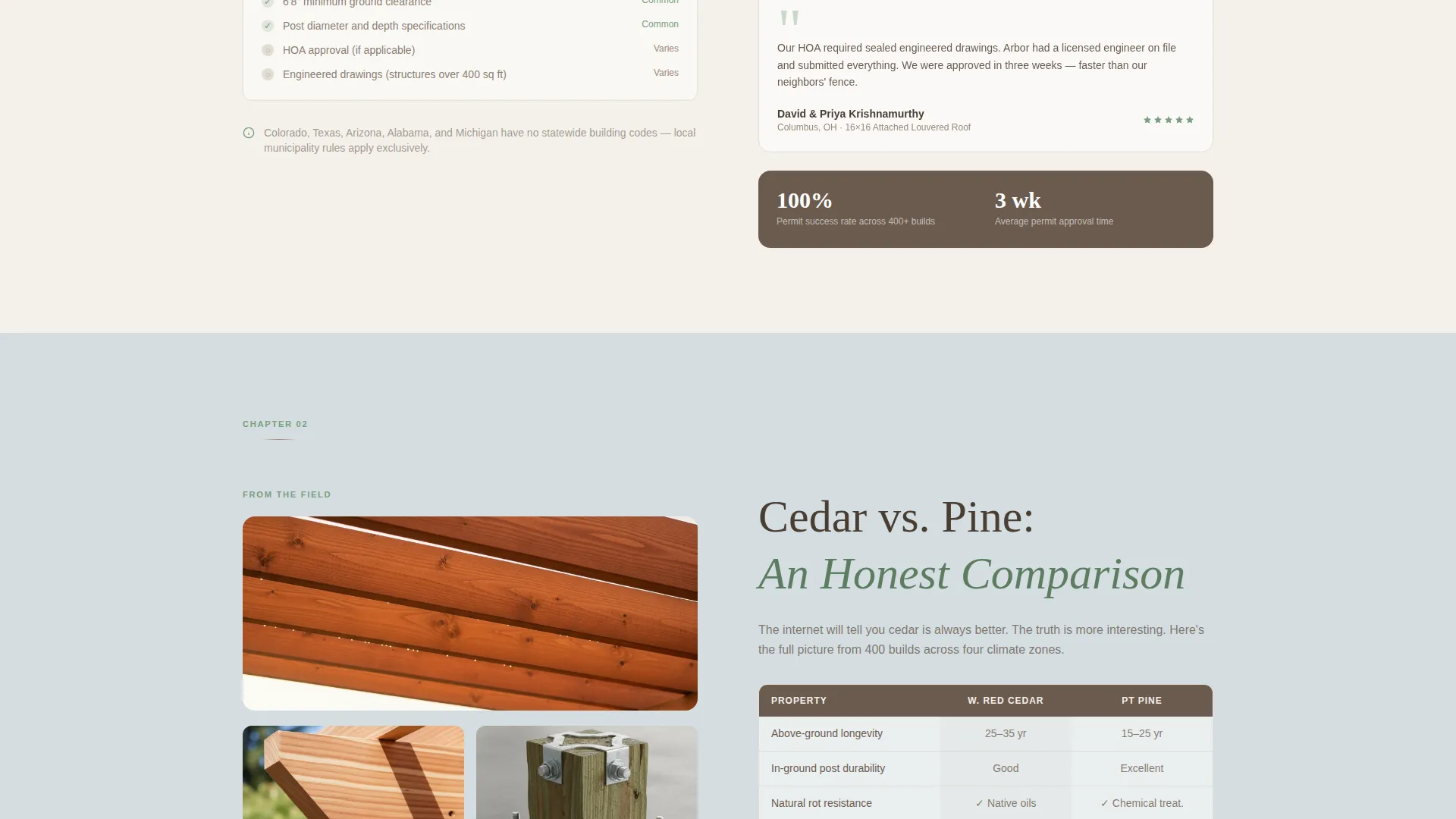
Each alternating section places an educational content block on one side and a mosaic of homeowner photos and testimonials on the other. The sides flip left-right as the visitor scrolls, keeping the layout visually dynamic and the content contextually paired.
Educational Content Blocks
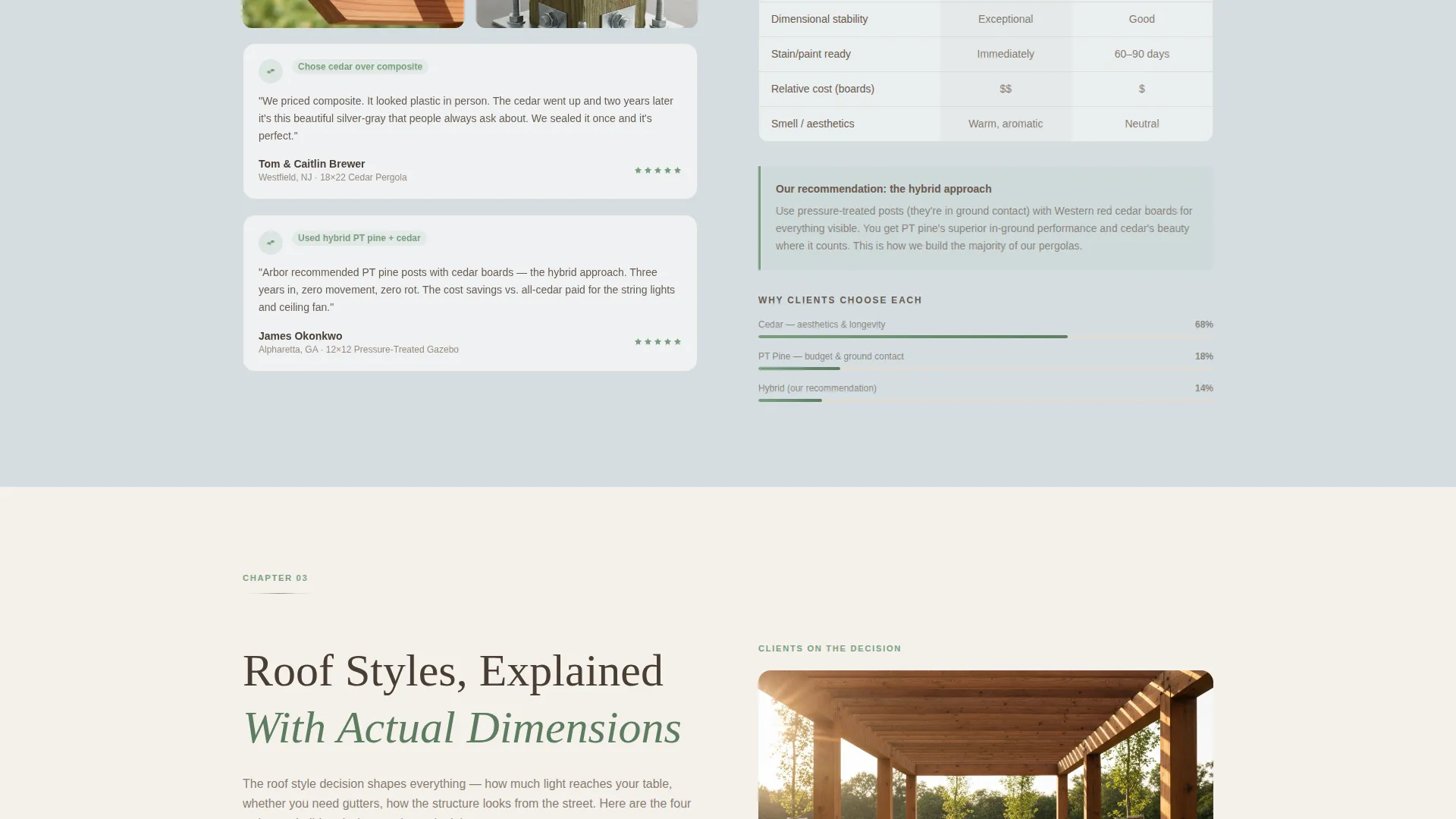
Built-in content panels cover permit requirements, wood species comparison, and roof style breakdowns with dimensioned illustrations. Each block is positioned beside a testimonial from a client who experienced that exact topic firsthand.
Free Planning Kit Lead Capture
A download form asks for a first name, email, and one illustrated radio button question. The kit itself includes a material comparison chart, a permit checklist by state, and a budget worksheet, giving visitors genuine value before any sales conversation begins.
Sticky Secondary Call-to-Action Bar
A persistent bottom bar reading "Ready to Talk Design?" appears after every third section. It links to a calendar booking widget, offering a direct path to consultation for visitors who are ready before finishing the full page.
Page sections overview
| Section | Purpose |
|---|---|
| Press Mentions Bar | Establishes credibility with publication recognition before the headline |
| Editorial Hero | Sets editorial tone with a full-width pergola photograph and serif headline |
| Zigzag Block One | Pairs permit guidance content with a matching homeowner testimonial mosaic |
| Zigzag Block Two | Pairs wood species comparison with client testimonials about material choice |
| Zigzag Block Three | Pairs roof style breakdown with project photos and install-specific feedback |
| Planning Kit Form | Captures name and email via a low-friction illustrated radio button form |
| Sticky call to action Bar | Repeats after every third section to offer a direct calendar booking path |
Design & branding system
The template follows an Educational Guide theme built on the Cloud Canvas color system. Every color and font choice reinforces the feeling of a trusted carpentry reference opened on a workbench.
- Soft overcast white (#F4F1EB) as the dominant background, pale sky gray (#D4DDE1) for alternating section bands, and weathered timber (#6B5B4E) for body text and structural dividers
- Muted sage (#7A9E7E) used on buttons, callout borders, and hover states to keep garden context present without overpowering the neutral palette
- Clean serif typography for headlines and a readable body typeface that together feel like editorial print rather than a digital brochure
Mobile & speed optimization
The Arbor template is structured with a mobile-first layout in mind. Every zigzag section stacks cleanly on smaller screens so the alternating rhythm remains readable without horizontal scrolling.
- Alternating left-right columns collapse into a single vertical stack on mobile, preserving content order and readability
- The sticky bottom bar stays accessible on mobile viewports so the secondary conversion path is never buried below the fold
How this template helps you convert
Arbor uses a content-led conversion strategy. Rather than pushing visitors toward a call immediately, it earns trust through useful information and lets the calls-to-action feel like natural next steps.
- The planning kit download captures qualified leads early by offering a material comparison chart, permit checklist, and budget worksheet before asking for contact details
- Testimonials anchored to specific educational topics replace generic praise with evidence-backed credibility, making each section more persuasive than a standalone review
- The sticky "Ready to Talk Design?" bar surfaces a low-commitment booking path repeatedly throughout the scroll, catching visitors at the moment they feel ready
Other information about this template
The Arbor template is built specifically for the gazebo and pergola builder portfolio and gallery niche. It fits comfortably within the broader professional services category for outdoor living specialists.
- The template style is a zigzag alternating single-page layout, with the creative direction based on a Testimonial Mosaic approach
- The header concept is a Press Mentions bar, and the primary landing page direction is Content and Resource delivery
- The color system is Cloud Canvas and the overall theme follows an Educational Guide presentation framework
- The illustrated radio button question "What are you leaning toward?" with Pergola, Gazebo, and Not Sure Yet options helps segment incoming leads by project intent from the very first interaction
Theme
Educational Guide
Creative direction
Testimonial Mosaic
Color system
Cloud Canvas
Style
Zigzag/Alternating
Direction
Content/Resource
Page Sections
Press Mentions Scroll Bar
Editorial Hero with Serif Headline
Zigzag Testimonial Mosaic Layout
Educational Content Panels
Free Planning Kit Lead Capture Form
Sticky Secondary Call to Action Bar
Related questions
Who is the Arbor template best suited for?
What is the primary call-to-action in this template?
Can I update the educational content blocks to match my own expertise?
Does the template include the planning kit documents?
How does the testimonial mosaic work in the layout?



