Museum & Cultural Institution Pre-Launch Website Template
Chronicle is a single-column landing page template built for history museums launching their opening. It combines an aurora-inspired countdown timer, a scrolling community gallery of submitted photographs and heirlooms, and a waitlist form that invites personal stories. The Editorial Magazine theme and Northern Lights color palette give every section the weight and atmosphere of a carefully kept archive.
by Rocket studio
Quick summary
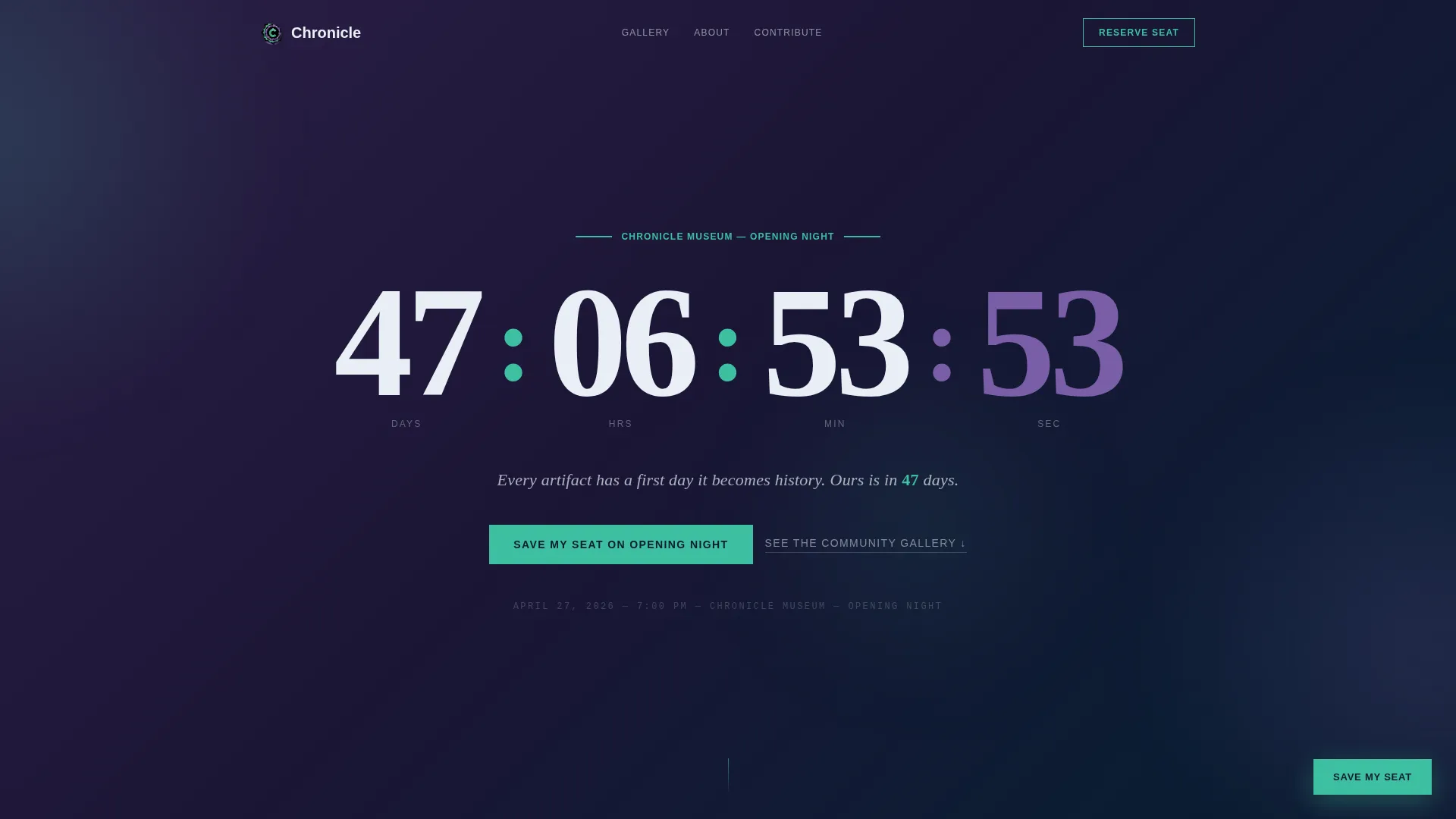
Chronicle is a coming-soon landing page for a history museum. It opens with a full-viewport countdown timer set against a shifting aurora gradient, then flows into a community-built gallery of photographs, heirlooms, and oral history excerpts. A sticky waitlist button and a contribution form turn visitors into participants before the museum ever opens its doors.
Who this template is for
Chronicle is designed for history museums preparing a public launch. It works equally well for cultural institutions, local heritage societies, and community archive projects that want to build anticipation and collect community stories before opening day.
- History museums and cultural institutions planning a grand opening
- Local history societies and genealogy groups building a public-facing presence
- Homeschool networks and educational collectives organizing living history exhibitions
What problem this template solves
Most coming-soon pages are passive. They show a date and ask for an email. Chronicle solves the deeper problem: how do you make people feel invested in a place before they have ever walked through the door? It transforms the pre-launch period into a community-building event.
- Visitors leave without taking action because nothing on the page involves them personally
- Museums struggle to communicate cultural value using only text and stock photography
- Waitlist sign-ups feel transactional instead of meaningful, reducing long-term engagement
What you get with this template
Chronicle delivers a fully structured single-column landing page with every section pre-built and ready to populate. The layout flows from header to gallery to call to action without requiring design decisions from scratch.
- A full-viewport countdown timer header with an aurora gradient background and large serif numerals
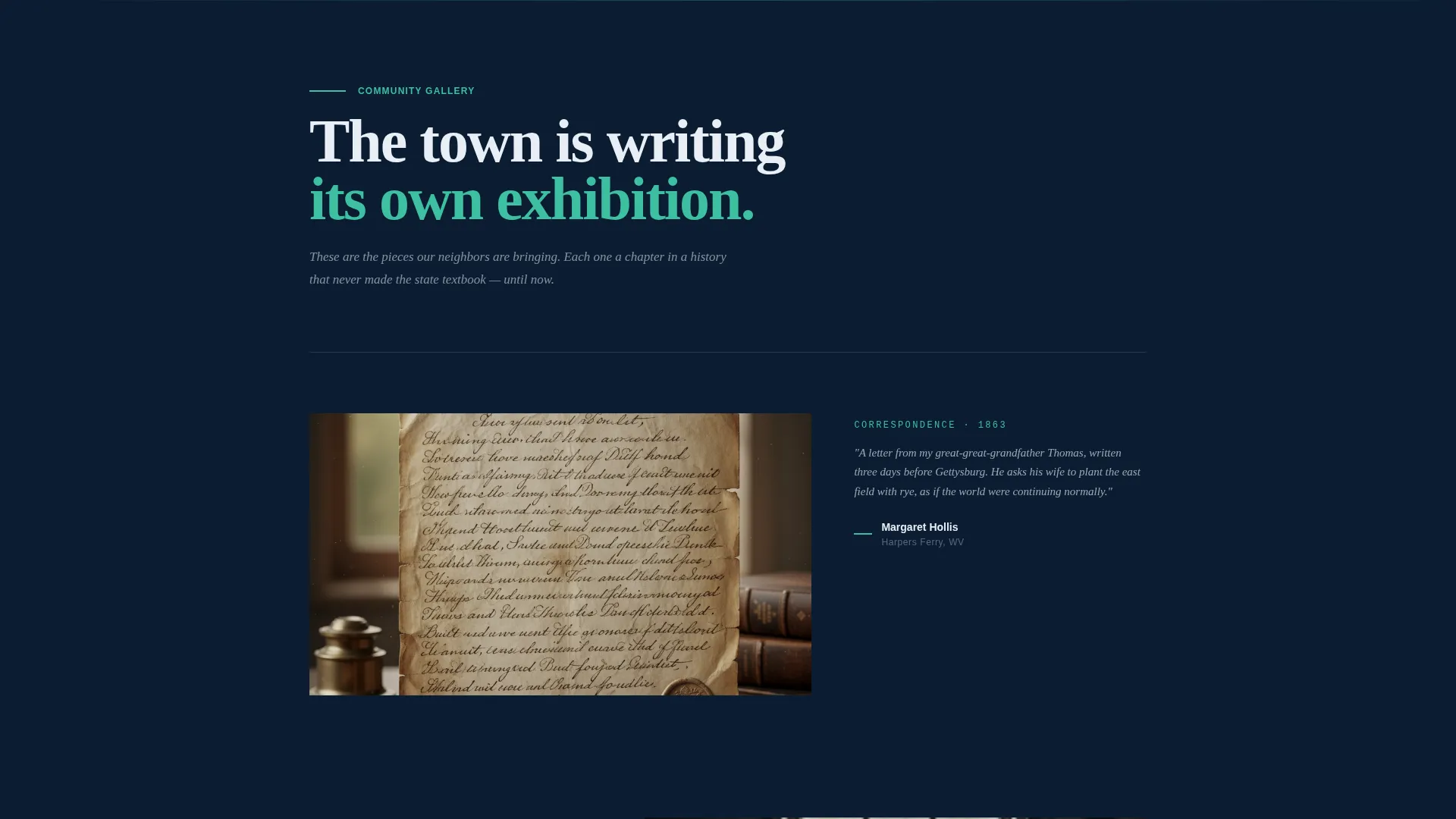
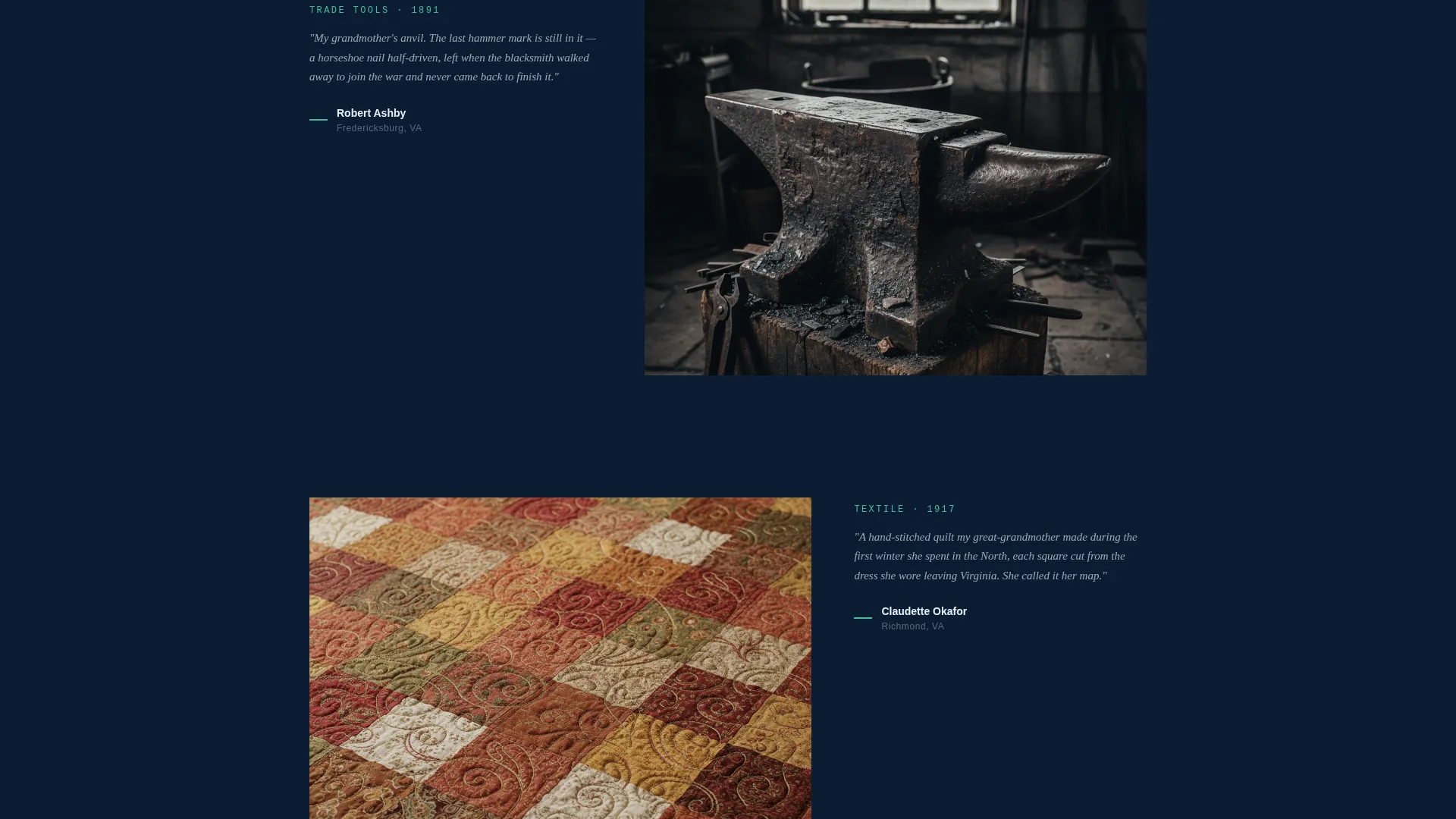
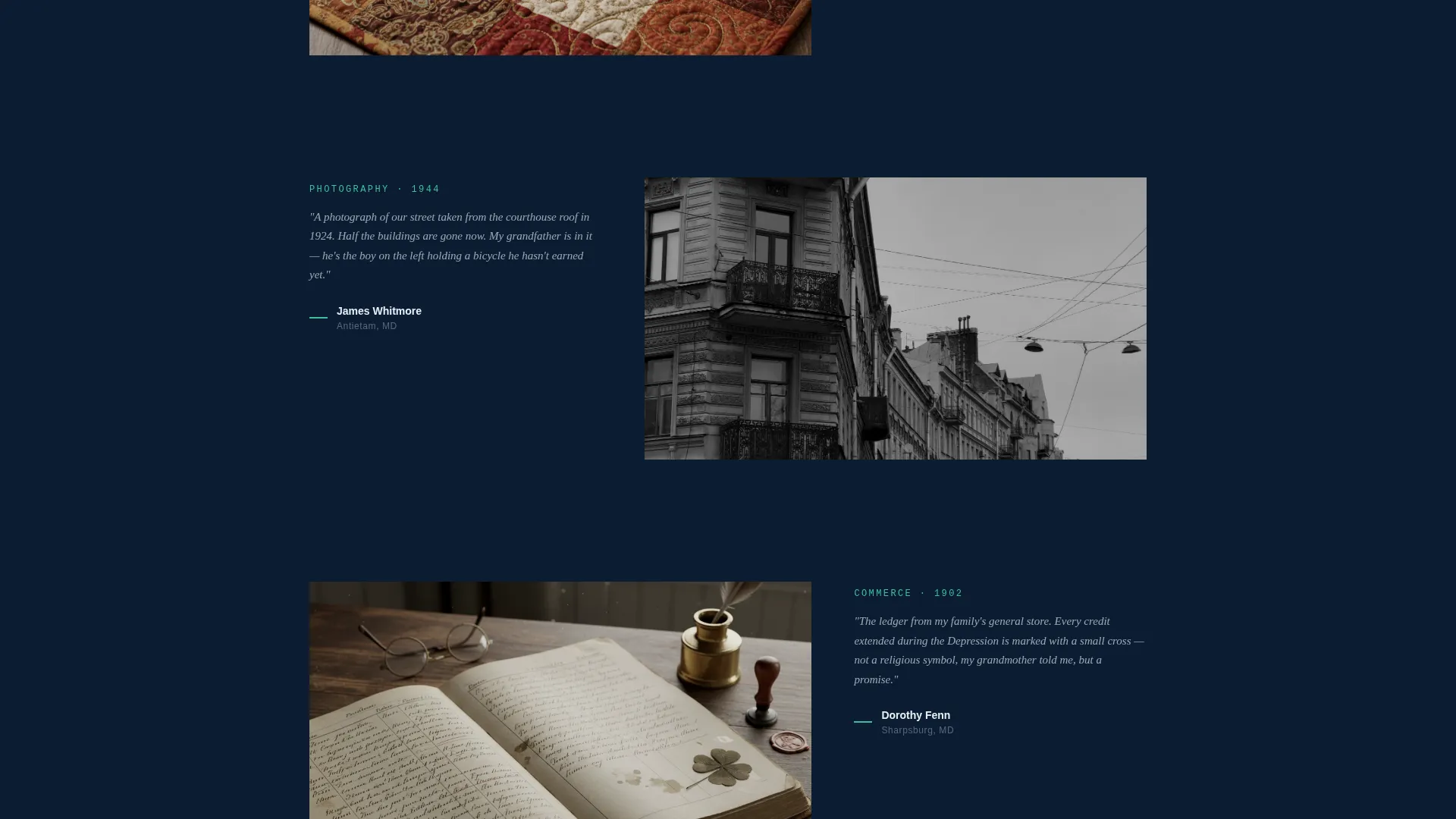
- A scrolling community gallery section styled as a magazine spread with space for images, contributor names, and italic provenance captions
- A sticky waitlist button, an embedded sign-up form with an optional story field, and a secondary artifact submission call to action
Feature list
Chronicle brings together editorial design and community engagement in a single focused layout. Each feature below is built directly into the template structure.
Full-Viewport Aurora Countdown Header
The header fills the entire screen with a slowly shifting gradient that moves from aurora green through shimmering violet into deep polar night. Enormous serif numerals count down to opening day. A single editorial line in glacial mist type sits beneath the clock, grounding the anticipation in a specific promise.
Community Gallery Mosaic
Below the header, a scrolling mosaic displays community-submitted photographs, heirlooms, and oral history excerpts. Each entry is presented as a magazine spread: a large image aligned left with the contributor name and a one-sentence provenance note in italic serif beside it. The layout makes every submission feel curated and significant.
Sticky Waitlist Call-to-Action Button
A floating button in aurora green stays visible as visitors scroll through the page. It reads "Save My Seat on Opening Night" and maintains consistent placement so the primary conversion path is never out of reach.
Minimal Story-First Sign-Up Form
Clicking the sticky button opens a focused form: name, email, and one optional field asking "What piece of local history do you carry?" This structure invites personal connection before asking for commitment, making the sign-up feel like an act of participation rather than a transaction.
Artifact Story Submission Path
A secondary call to action below the gallery reads "Submit Your Artifact Story" and links to a contribution form. This turns passive readers into active contributors, deepening their investment in the museum's opening long before the event takes place.
Editorial Magazine Typography System
Body text and headings use a high-contrast serif and sans-serif pairing suited to archival, editorial presentation. Glacial mist provides typographic breathing room against the deep polar night backgrounds, and aurora green marks section transitions like chapter openers in a printed journal.
Page sections overview
| Section | Purpose |
|---|---|
| Aurora Countdown Header | Anchors the opening date with a full-viewport timer and editorial tagline |
| Community Gallery Mosaic | Displays submitted photographs, heirlooms, and oral history excerpts as magazine spreads |
| Sticky Waitlist Button | Keeps the primary call to action visible at all times while scrolling |
| Story Sign-Up Form | Collects name, email, and an optional personal history story from waitlist visitors |
| Artifact Submission call to action | Invites gallery contributions through a secondary linked form below the gallery |
Design & branding system
Chronicle uses the Northern Lights color system, a four-color palette built around the visual experience of watching an aurora from frozen ground at night. Every color has a specific role and no color is used arbitrarily.
- Deep polar night (#0B1D33) anchors all body text and page backgrounds; aurora green (#3DBFA0) marks section breaks and the sticky button
- Glacial mist (#E8EFF5) carries typographic breathing room and supporting text against dark backgrounds
- Shimmering violet (#7B5EA7) is reserved for hover states and countdown numerals, adding a pulse of interactivity without disturbing the atmospheric calm
Mobile & speed optimization
The single-column layout is inherently well-suited to small screens. Every section stacks cleanly without horizontal overflow or layout breakage on mobile devices.
- The countdown timer, gallery spreads, and form all reflow naturally within a single-column structure
- Large serif numerals and editorial type remain legible at reduced screen sizes without adjustment
- The sticky button maintains its floating position on mobile, keeping the waitlist conversion path accessible throughout the scroll
How this template helps you convert
Chronicle is engineered around two conversion goals: growing a waitlist and building a community of contributors. Every design and copy decision in the template supports one of those two outcomes.
- The story-first sign-up form lowers the emotional barrier to joining the waitlist by framing registration as a meaningful contribution rather than a standard email capture.
- The artifact submission call to action creates a second conversion path that transforms passive visitors into active participants, increasing their personal investment before the museum opens.
Other information about this template
Chronicle is a single-column flow landing page built on the Editorial Magazine theme. It is categorized under Media and Entertainment with a Museum and Cultural Institution subcategory, making it purpose-built for history-focused cultural projects.
- The template style is Single Column Flow, keeping the scroll experience linear and focused
- The creative direction is Community Gallery, meaning the gallery section is the narrative heart of the page and grows in value as more community submissions are added
- The header concept is a Countdown Timer, which gives the page a clear temporal anchor and creates urgency without resorting to high-pressure tactics
- The landing page direction is Waitlist and Coming Soon, so every section is designed to build anticipation and collect early registrations rather than drive immediate ticket sales
Theme
Editorial Magazine
Creative direction
Community Gallery
Color system
Northern Lights
Style
Single Column Flow
Direction
Waitlist/Coming Soon
Page Sections
Aurora Countdown Timer Header
Community Gallery Mosaic
Sticky Waitlist Button
Story-first Sign-up Form
Artifact Submission Call to Action
Editorial Magazine Typography
Related questions
Can I use this template before I have community submissions to display?
Is the countdown timer connected to a live date automatically?
Can the sign-up form collect artifact stories as well as email addresses?
Does the template support two separate submission paths?
Who is this landing page template best suited for?