Authoritative Public Library Landing Page Template
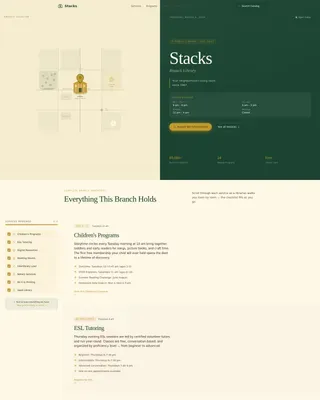
The Stacks Institutional Authority Branch Library Landing Page Template is a split-screen civic landing page designed for neighborhood branch libraries. It pairs an illustrated neighborhood map with a scroll-linked service checklist, guiding visitors through every program and resource the branch offers. The result is a warm, trustworthy page that moves residents from curiosity to active library use.
by Rocket studio
Quick summary
This is a single-page, split-screen landing page built for a neighborhood branch library. The left panel anchors a hand-illustrated neighborhood map and a persistent service checklist. The right panel delivers program schedules, resource guides, and catalog access. Every section is designed to confirm that one branch holds far more than visitors assumed.
Who this template is for
This landing page is built for public branch libraries that serve mixed, multi-generational communities. It works well for library administrators, communications staff, and web managers who need a clear, civic-authority web presence without a complex build.
- Branch library teams managing programs for parents, retirees, and students
- Administrators who need to present services clearly and create a welcoming first impression
- Public institutions that want a low-friction path to catalog access and community sign-ups
What problem this template solves
Many branch library pages are cluttered, hard to navigate, and undersell what the location actually offers. Visitors leave without knowing about half the services available. This landing page solves that by building comprehensiveness into its scroll structure.
- Users can find every available service without hunting across multiple pages
- The checklist layout prevents important content from being buried or overlooked
- A clean, scannable design lets residents quickly confirm hours, programs, and catalog access
What you get with this template
You get a fully structured, single-screen landing page with six clearly defined content sections. Each section is a container for specific content, from the hero map down to the dual call-to-action footer.
- A split-screen hero with an illustrated map and branch identity panel
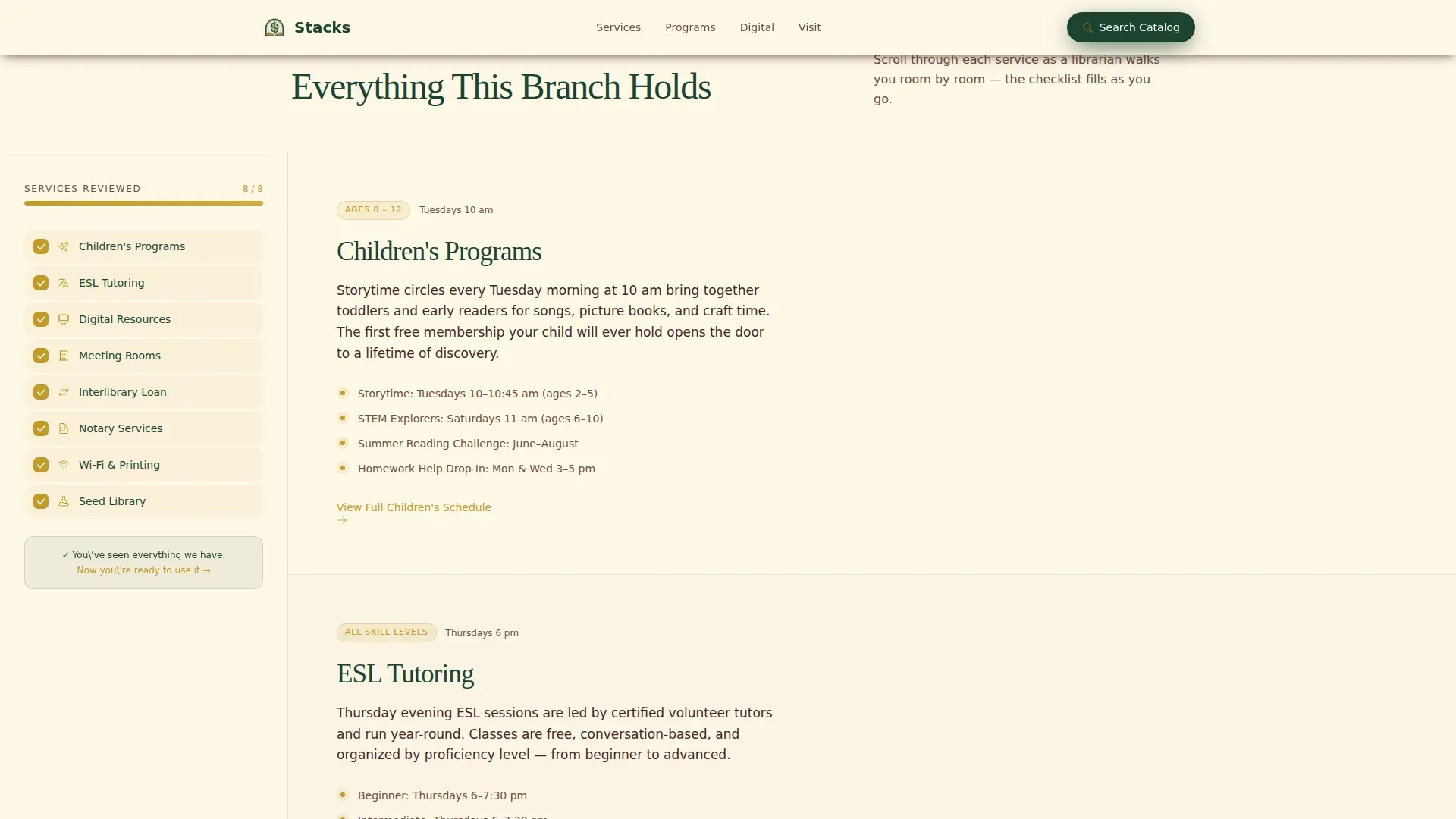
- A scroll-synced checklist column paired with detailed service panels on the right
- Two conversion paths: catalog search access and a downloadable Library Starter Guide
Feature list
This landing page template ships with purpose-built features that reflect the branch library's civic mission.
Scroll-Linked Checklist Column
As visitors scroll, each checklist icon fills with goldenrod to confirm the corresponding service section is visible. This creates a running inventory of programs and services, so nothing feels hidden or added as an afterthought.
Illustrated Neighborhood Map Hero
The left half of the split screen opens with a hand-drawn ink map. The branch building is rendered in goldenrod at center. A hover tooltip on the map pin opens a small photo of the actual building facade.
Dual Call-to-Action Structure
Two conversion paths are built into the page. Visitors can click to search the full catalog or enter a first name and email to download the printable Library Starter Guide. Both options appear at the page midpoint and again in the footer.
Program and Services Detail Panels
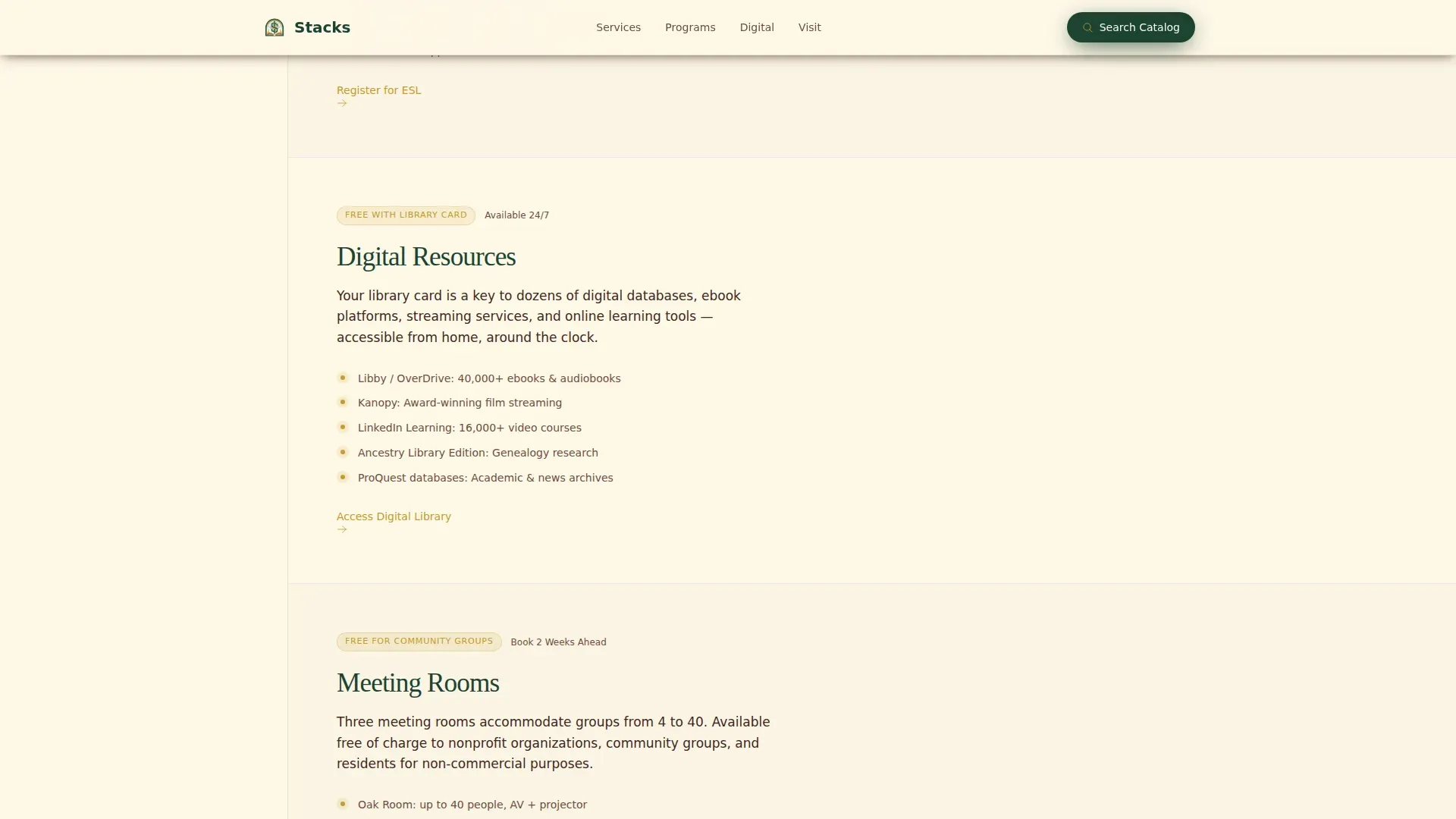
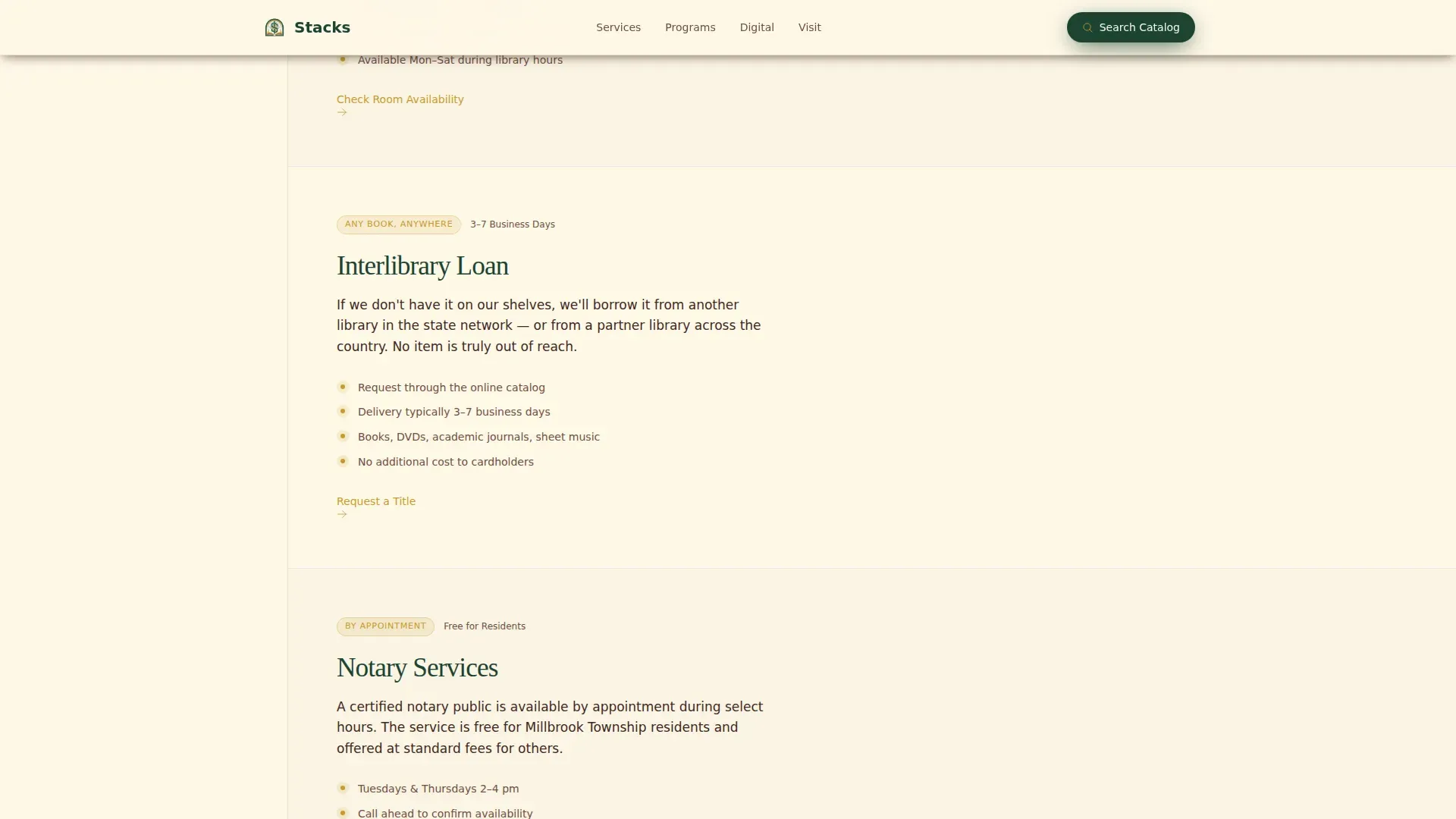
Each right-column panel delivers specifics: storytime schedules, ESL tutoring details, study group information for students, seed library access, meeting room booking, and digital resource links. Sections act as clear containers for each service area.
Content-Hub Resource Section
A dedicated digital resources section links to databases, electronic collections, Wi-Fi printing, and interlibrary loan. These resource flows are designed so users can search and navigate to specialized materials in a single click.
Institutional Typography and Color System
Fraunces serif headings and DM Sans body text give the page authority and readability. The Forest Trust color palette, deep canopy green, goldenrod, vellum cream, and bark brown, reinforces civic trust across all visual elements.
Page sections overview
| Section | Purpose |
|---|---|
| Split-Screen Hero | Map left, library identity and hours right |
| Checklist Services Column | Persistent left-panel inventory of all services |
| Digital Resources Panel | Database links, printing, and collection access |
| Community Programs Panel | Storytime, ESL, study groups, seed library |
| Dual Call-to-Action | Catalog search and Starter Guide download form |
| Footer | Horizontal flow with branch contact and links |
Design & branding system
The visual identity follows an Institutional Authority theme. Every color and type choice reinforces civic permanence and quiet credibility, the feeling of walking into a well-kept reading room.
- Deep canopy green (#1B4332) anchors headers and navigation; goldenrod (#C49A2A) is reserved for interactive elements and checklist fills
- Vellum cream (#FFF8E7) backgrounds keep pages open and readable; bark brown (#3E2723) defines secondary text and dividers
- Fraunces serif handles display headings; DM Sans handles all body columns and labels for clean contrast
Mobile & speed optimization
The split-screen layout is designed desktop-first, but the template is built to collapse gracefully on smaller screens. Mobile users can still navigate every section without losing content or context.
- The two-column split-screen stacks vertically on narrow-width viewports
- Scroll-linked checklist behavior adapts so checklist items remain visible and functional on mobile
- Static-first architecture with minimal JavaScript keeps the page open and responsive across devices
How this template helps you convert
Landing pages work best when they earn the click before asking for it. This template builds trust section by section so the call to action feels like a natural next step.
- The scroll-linked checklist fills as users read, delivering a visual confirm that every service has been added and accounted for before any action is requested.
- The catalog search button is placed at the midpoint so users can enter directly after reviewing programs, removing friction for high-intent visitors.
- The Starter Guide form requires only a name and email, a low-barrier option that mirrors the simplicity of getting a library card.
Other information about this template
This template is one entry in a broader landing pages tile system designed for public and civic institutions. It demonstrates how dynamic, visually appealing pages can support a branch library's mission without overwhelming users with clutter.
- Administrators can manage content using a drag-and-drop dashboard, add new content to any section, and save layout changes without rebuilding pages from scratch
- The layout builder lets you select from different section configurations, change column width, and add custom blocks to match your branch's specific service mix
- Sliders and images throughout the template support alt-text for accessibility; all images should include descriptive labels when added
- This template reflects the design and functionality approach of the Stacks institutional authority branch library landing page template, built for libraries that want a civic web presence that users actually trust and return to
- Note that branch administrators should confirm all program details, operating hours, and database links are current before publishing new content to the live site
Theme
Institutional Authority
Creative direction
Checklist & Audit
Color system
Forest Trust
Style
Split Screen (50/50)
Direction
Content/Resource
Page Sections
Scroll-linked Checklist Column
Illustrated Neighborhood Map Hero
Dual Call-to-action Structure
Program and Services Detail Panels
Content-hub Resource Section
Institutional Typography and Color System
Related questions
Can I change the services listed in the checklist column?
Does this template support a catalog search connection?
Can students and community members download the Starter Guide without an account?
How does the neighborhood map work?
Who is this template best suited for?



