Public Records Government Professional Website Template
The Records Institutional Authority Public Records Landing Page Template is a modular card-grid landing page built for state records departments. It presents vital records services, such as birth certificates, death records, marriage licenses, and land deeds, through a browsable frequently asked question-driven card layout. Fees, timelines, and required documents are disclosed upfront on each card so citizens can submit requests with full confidence.
by Rocket studio
Quick summary
This template gives a public records state department a clean, authoritative landing page that works like a renovated government building. Citizens arrive from a search engine, find their record type on a modular card grid, review fees and required documents, and submit a request without confusion. The design carries institutional weight while removing every unnecessary barrier between a person and the document they need.
Who this template is for
State records departments and local government offices need a citizen-facing portal that handles a wide range of record types clearly and professionally. This template is built precisely for that purpose. It supports the kind of records management program that must serve many different visitors at once, from first-time requesters to returning professionals.
This template is designed for:
- State agencies and local government departments that manage vital records and handle public records requests daily
- Records management program administrators who need a structured, browsable interface to describe services, processing tiers, and required forms
- Public-sector web teams who need to create a trustworthy, institutionally branded landing page without rebuilding from scratch
What problem this template solves
Most government records pages bury the answer. A person searching for how to get a birth certificate lands on a dense paragraph of legal text, a PDF link, and a phone number with limited hours. They leave without submitting a request. That drop-off is avoidable.
This template solves the core problem directly:
- Citizens cannot quickly identify which record type applies to their situation, so the modular card grid surfaces the six most-requested records immediately and lets visitors scan for their card in seconds
- Forms and procedures are scattered across agency sub-pages, forcing requesters to search multiple locations to identify fees, required documents, and processing timelines before they can submit
- Return visitors checking request status have no persistent entry point, so the template includes a persistent top-bar call-to-action reading "Check Request Status" to serve that audience without interrupting new visitors
What you get with this template
This template delivers a complete, section-led landing page structured around real citizen questions. Every section serves a defined purpose, and every card terminates in a specific call-to-action so nothing is left ambiguous.
Included in the template:
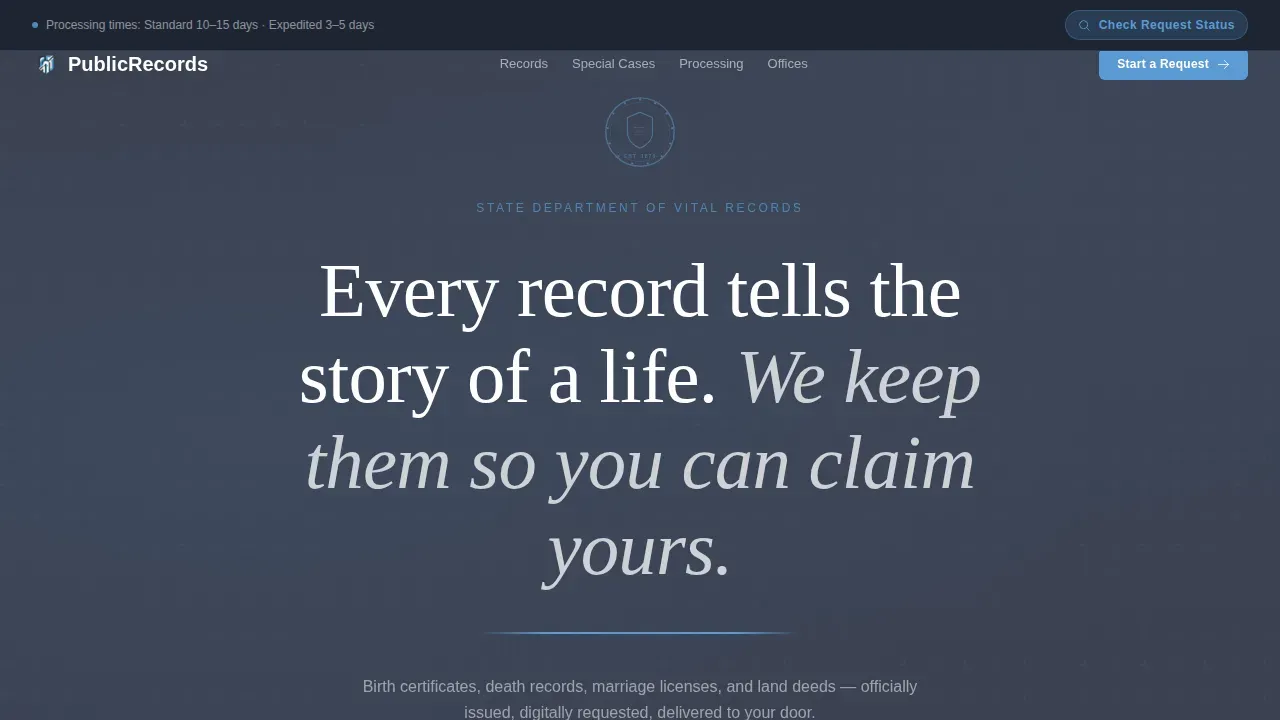
- A manifesto-style hero section with deep slate background, state seal placement, a serif headline, and an open-sky-blue rule that draws the eye downward into the card grid
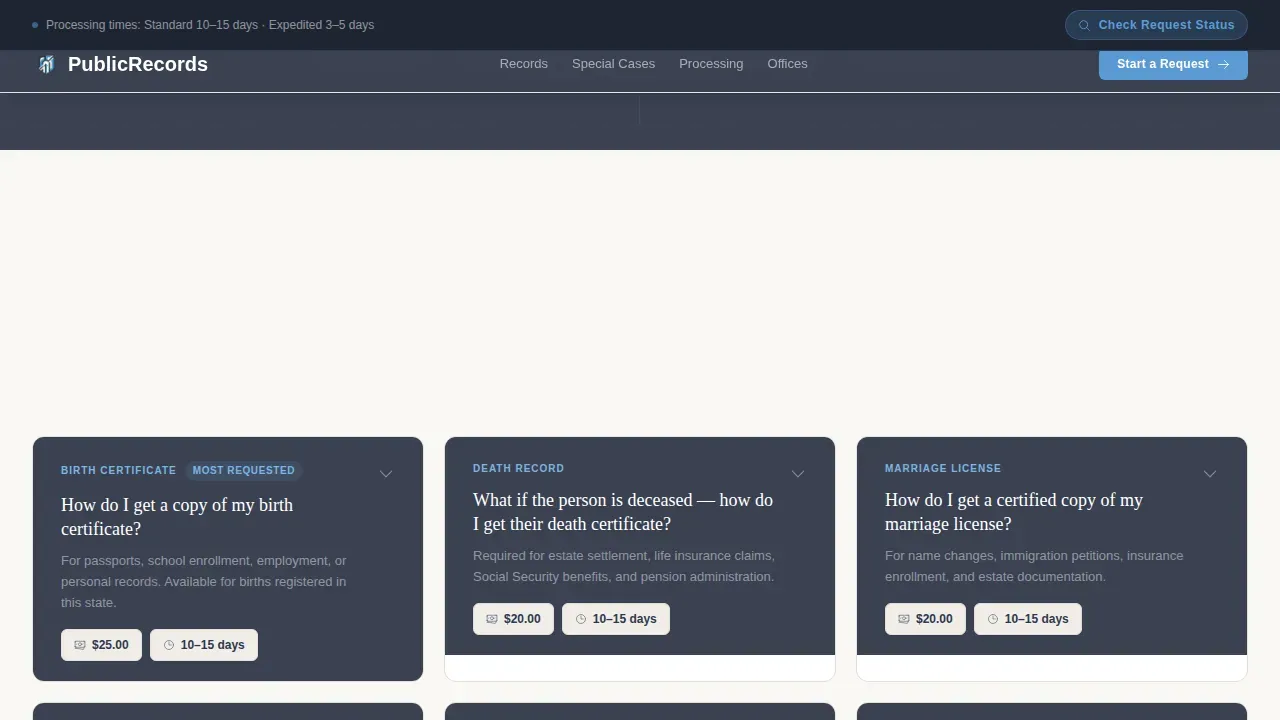
- A six-card bento grid covering the most-requested records: birth certificate, death record, marriage license, divorce record, land deed, and name change, each card expanding to show a three-step process with document requirements, fees, and processing time frames
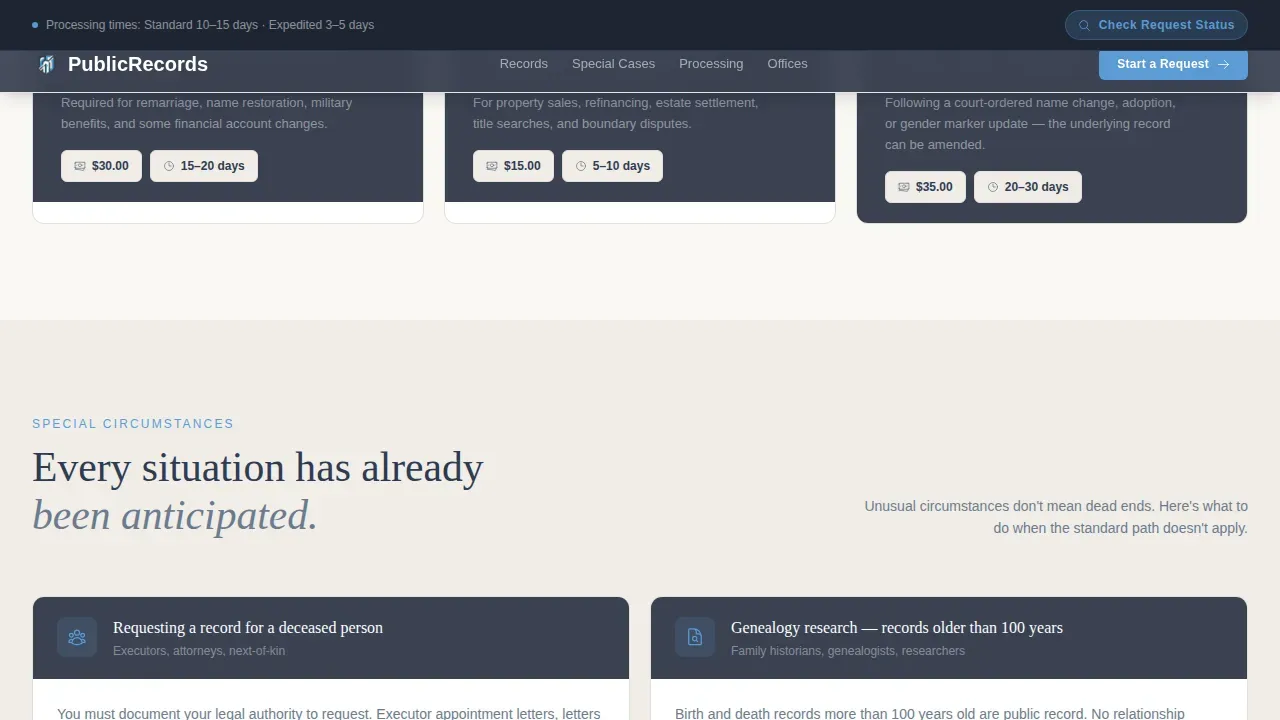
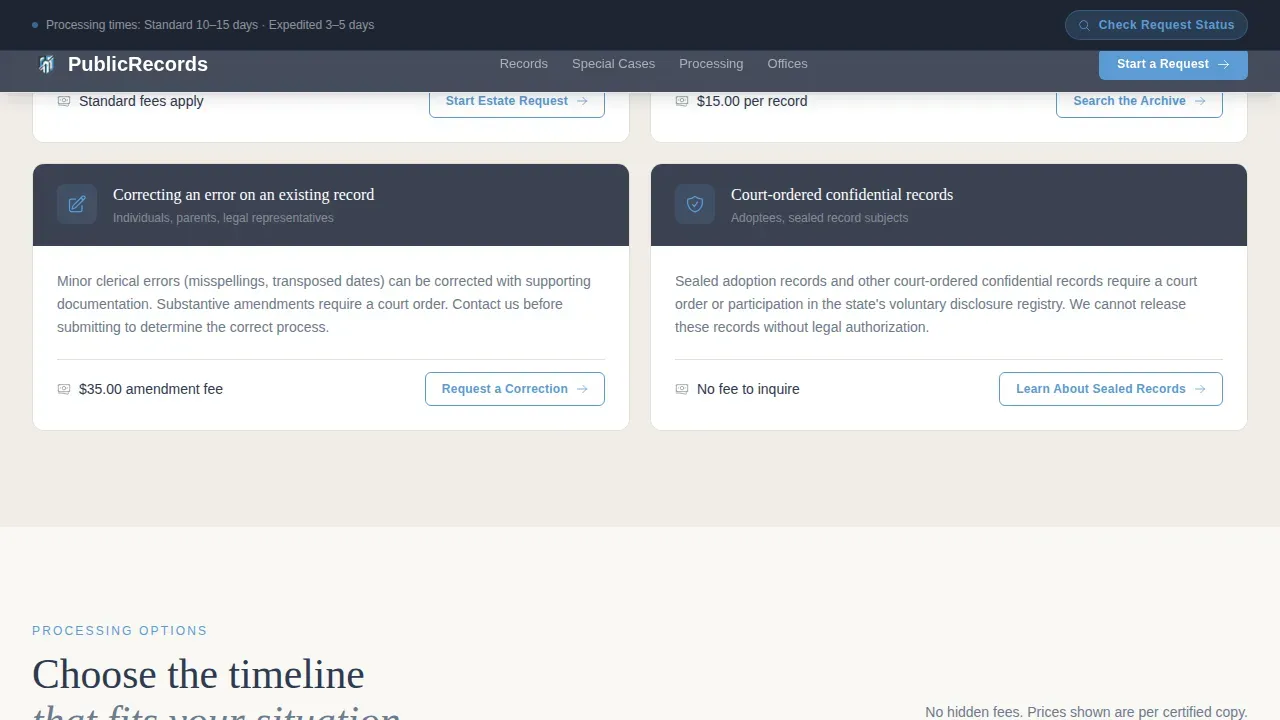
- A four-card secondary grid for special circumstances including deceased requester situations, adoption records, amended records, and court-ordered documents, plus a processing tiers comparison section showing standard, expedited, and same-day options with fees stated clearly
Feature list
This section describes the key capabilities built into this template as specified in the source brief.
frequently asked question-Driven Card Grid Layout
Each card in the modular grid answers a single question a real citizen would search online. For example: "How do I get a copy of my birth certificate?" or "What if the person is deceased?" Visitors scan the grid, identify their card, tap to expand, and read a three-step process with required documents, applicable fees, and an expected time frame, all before being asked to act.
Accordion Card Expand and Collapse
Cards use an accordion interaction so the grid stays compact and browsable. A visitor does not need to scroll through dense blocks of text. They open the card relevant to their situation, review the information, and proceed. This interaction is driven by client-side state while the static card content is rendered for reliable delivery.
Processing Tiers Comparison Section
A dedicated section presents standard, expedited, and same-day processing options as comparison cards. Each card states the fee and estimated processing time clearly, so the person requesting a record can choose the right tier before they submit. No hidden costs appear after the fact.
Persistent Status Bar for Return Visitors
A persistent top-bar call-to-action reading "Check Request Status" sits above the main content for return visitors. This gives citizens who already submitted a request a direct path without disrupting the primary flow for new visitors searching for their record type.
Manifesto Hero with Typographic Authority
The hero section uses large Fraunces serif typography on a deep bureaucratic slate background. White centered text, the state seal rendered small and precise above the headline, and a single open-sky-blue rule beneath create a sense of institutional authority without relying on photography or decorative imagery. The authority comes from type, proportion, and restraint.
In-Person Visit Section with Office Details
A dedicated section covers physical office locations, hours, and what to bring. This serves citizens who cannot complete their request online, such as those requesting records that require in-person identity verification. The section provides the mailing address format and visit logistics so no one arrives unprepared.
Page sections overview
| Section | Purpose |
|---|---|
| Hero Manifesto | Establish authority, display state seal, introduce the page mission with typographic weight |
| Most-Requested Records | Six-card bento grid for birth, death, marriage, divorce, land deed, name change records |
| Special Circumstances | Four-card grid covering deceased requester, adoption, amended, and court-ordered records |
| Processing Tiers | Fee and timeline comparison for standard, expedited, and same-day request options |
| Visit In Person | Office locations, hours, mailing address, and what documents to bring |
| Footer | Horizontal flow footer pattern with department contact and navigation links |
Design & branding system
The visual identity follows an Institutional Authority theme. The palette is called Slate and Sky, and it evokes the weight of a government seal printed on clean cotton stock. Every color choice reinforces trust without heaviness.
The design system includes:
- Deep bureaucratic slate (#3B4252) as the primary background and card header color, civil-service navy (#2E3A50) for body typography, open-sky blue (#5B9BD5) for active buttons and linked text, and archive cream (#FAF8F5) as the card surface and page ground
- Fraunces serif for all headlines, bringing the gravity of official documents into the digital interface, paired with DM Sans for body copy and user interface text to keep forms and instructions easy to read at any size
- Staggered grid reveal animation, card expand and collapse transitions, and a sky-blue rule draw animation in the hero, all set to medium intensity so the page feels responsive without distracting from the content
Mobile & speed optimization
Citizens frequently arrive on mobile directly from a search engine result. The template is designed with a mobile-first layout so every card, every form step, and every call-to-action button is readable and tappable on a small screen without zooming or horizontal scrolling.
The template handles mobile and performance priorities through:
- Server Components render the static card content, including record descriptions, fee data, and required document lists, so the initial page load is fast and the content is immediately available without waiting for client-side JavaScript
- Client-side state manages only the accordion expand and collapse interaction, keeping the interactive footprint small while the browsable grid remains fully functional on low-bandwidth mobile connections
How this template helps you convert
This template earns the click before it asks for one. The design philosophy is that a citizen who reads fees, timelines, and required documents on the card itself will submit their request with confidence rather than abandon the page to search for missing information elsewhere.
The conversion approach works in three stages:
- The frequently asked question-driven card grid intercepts the exact question the visitor arrived with, answers it completely including the process steps, required documents, applicable fees, and the expected time frame, and then presents a "Start This Request" button that routes directly to the relevant application portal for that record type
- The processing tiers section removes the most common source of mid-process drop-off, which is an unexpected fee, by displaying all costs before the person clicks through to submit
- The persistent "Check Request Status" bar retains return visitors and signals to new visitors that the department tracks requests and communicates back, which builds confidence in the system before any action is taken
Other information about this template
This template is built for the specific needs of a public records state department operating under legal and administrative frameworks that govern how records are created, maintained, and disclosed to the public. The following context is useful for teams evaluating this template for their records management program.
- An institutional authority in public records refers to the legal power and responsibility of a government agency to create, maintain, manage, and disclose public records. This template reflects that authority through its design, language, and structure, making it appropriate for use by state agencies operating under the Public Records Act or similar statutes.
- Records management involves planning, controlling, directing, organizing, and training related to the full lifecycle of records from creation through disposition. The template's card structure can describe each record series, note the relevant retention schedule, and direct citizens to the correct process without the department needing to redesign their forms.
- Records retention schedules must be established to determine the appropriate retention period of each record series. A records inventory across the department helps identify which record series are ready for public request and which are subject to restricted access. The template supports departments that have completed a records inventory and need to communicate their services clearly.
- The State Records Management Act governs state executive branch agency records management. Local government is not subject to that act except through the Public Records Act. The Secretary of State establishes the Local Government Records Program to provide specific guidance and guidelines for local government retention. This distinction matters when the template is adopted by a county or municipal department rather than a state-level agency.
- The local government records program and its retention schedule requirements mean that local government agencies must classify each record series, assign a retention period, and ensure that records are not destroyed while subject to a pending public records request, appeal, or lawsuit. This template can support a department in communicating those procedures and directing citizens to the appropriate channel.
- The Freedom of Information Act (FOIA) and similar state information act statutes require agencies to respond to FOIA requests within a defined time frame, typically 20 working days. Agencies must notify requesters of any fees and provide an estimate when anticipated fees exceed $25. A requester may seek a fee waiver if the request is made for noncommercial purposes. The template's card design is well-suited to communicating these rules clearly for each record type.
- Public records requests can be submitted through an agency's online portal, by e mail, or by mail to the department's mailing address. Requesters should specify their preferred format, whether electronic format or paper records, and include a brief description of the records requested along with the date range, subject, and any other specific information that helps the agency identify the records sought. Overly broad or voluminous records requests may require additional processing time.
- State archives hold records that have been transferred from agency custody after their active retention period ends. Citizens searching for older records, for example genealogists tracing family lines, may need to be directed from this landing page to state archives rather than the active records department. The template's card structure can describe this distinction and route the request appropriately.
- Electronic records, including e mail threads, digital administrative forms, and scanned paper records, are subject to the same retention schedule and disclosure rules as physical paper records. A department using this template may note on relevant cards whether records are stored in electronic format or as paper records, so the person requesting a record understands what they will receive.
- Confidential information and trade secret exemptions under the Public Records Act mean that some records may be withheld or redacted. The responsible official within the department determines which records are exempt and must notify requesters of the statutory grounds for any denial. The template supports a transparent process by encouraging each card to state known exemptions or restrictions upfront.
- Other stakeholders and other members of the public, including news organizations, attorneys, and genealogical researchers, have the same right to request records as any individual citizen. The template's general public-facing design accommodates all of these audiences without requiring separate portals.
- The drop down menu in the processing tiers section allows visitors to select their preferred delivery format and review the corresponding fee. Other forms of delivery or other forms of identity verification may apply depending on the record type and the agency's policies.
- The records institutional authority public records landing page template is listed in the Government and Public category under the Public Records Government subcategory, making it straightforward to locate in a template marketplace by teams searching for a purpose-built government records solution.
- Public records landing pages should be hosted on a.gov or.mil domain to provide immediate credibility. Trust elements such as clear privacy policies, department contact information, and statutory citations strengthen compliance and user confidence. A prominent search function or a public records reading room helps demonstrate proactive disclosure.
- The police department and similar law enforcement agencies that maintain incident reports or related records can adapt this template's card structure to describe their own public records request procedures, since the modular design allows any record series to be presented through the same frequently asked question-driven format.
Theme
Institutional Authority
Creative direction
FAQ-Driven
Color system
Slate & Sky
Style
Card Grid (Modular)
Direction
Click-Through
Page Sections
Faq-driven Modular Card Grid
Accordion Card Interaction
Processing Tiers Comparison Section
Persistent Status Bar Call to Action
Manifesto Hero with Typographic Authority
Special Circumstances Secondary Grid
Related questions
What record types does this template cover out of the box?
Can a local government department use this template?
How does the template handle fees and processing times?
Does the template support citizens checking an existing request?
Can this template be adapted for FOIA requests?



