Community Literacy Grants Landing Page Template
Stacks is a sidebar companion landing page built for county library fundraising. It pairs a fixed donor-question sidebar with a scrolling narrative answer layout, a three-step donation form, and a twelve-branch icon grid header. The civic editorial design uses Arctic White, birch gray, and library card amber to keep every element clean, purposeful, and focused on community giving.
by Rocket studio
Quick summary
Stacks is a donation-focused landing page template for a county library system serving twelve branches. It guides visitors through a patient, question-and-answer scroll experience, then moves them into a clear three-step giving form. The layout earns donor trust before asking for a gift, turning every objection into a story worth reading.
Who this template is for
This template is built for county library offices that rely on community support to supplement public funding. It works equally well for fundraising staff, library board coordinators, and volunteer program managers who need a focused, distraction-free campaign page.
- County residents who received a fund drive mailer and want clarity on where their gift goes
- Retired teachers, parents of students, and local business owners looking to participate in meaningful local giving
- Library programs teams that want to promote events, volunteer paths, and branch-level impact in one place
What problem this template solves
Many public libraries face budget constraints that limit their resources and programs. A generic website page cannot carry the full weight of an annual fund drive. Donors arrive with real questions, and a cluttered layout loses them before they ever reach the form.
- Visitors leave when they cannot quickly find answers about tax-deductibility, where money goes, or how to choose a branch
- Fundraising pages that bury the call to action cost the library real gifts
- A single unfocused layout cannot serve county residents, adult donors, students, and business sponsors at the same time
What you get with this template
This template gives your library a focused fundraising page that answers objections, showcases branch-level impact, and routes visitors to the right giving path. Every section earns its place the way a good index does.
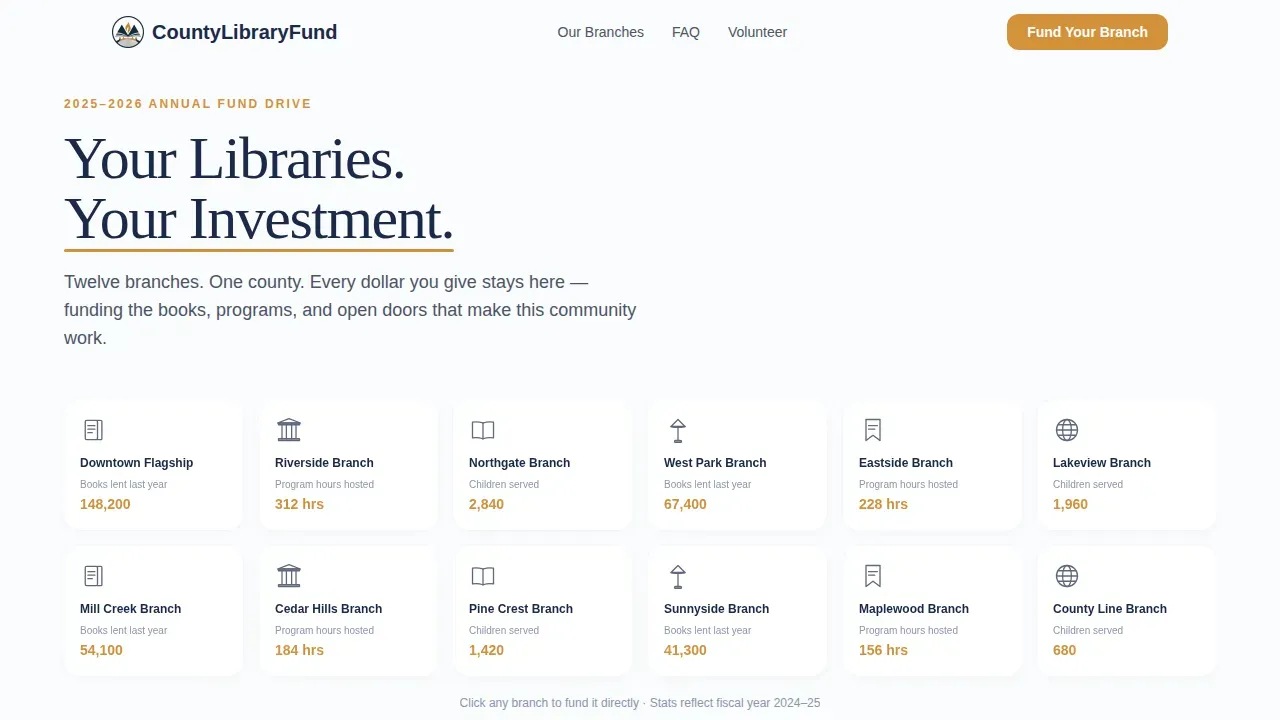
- A twelve-branch icon grid header with sequential load animation and an amber underline sweep beneath the headline "Your Libraries. Your Investment."
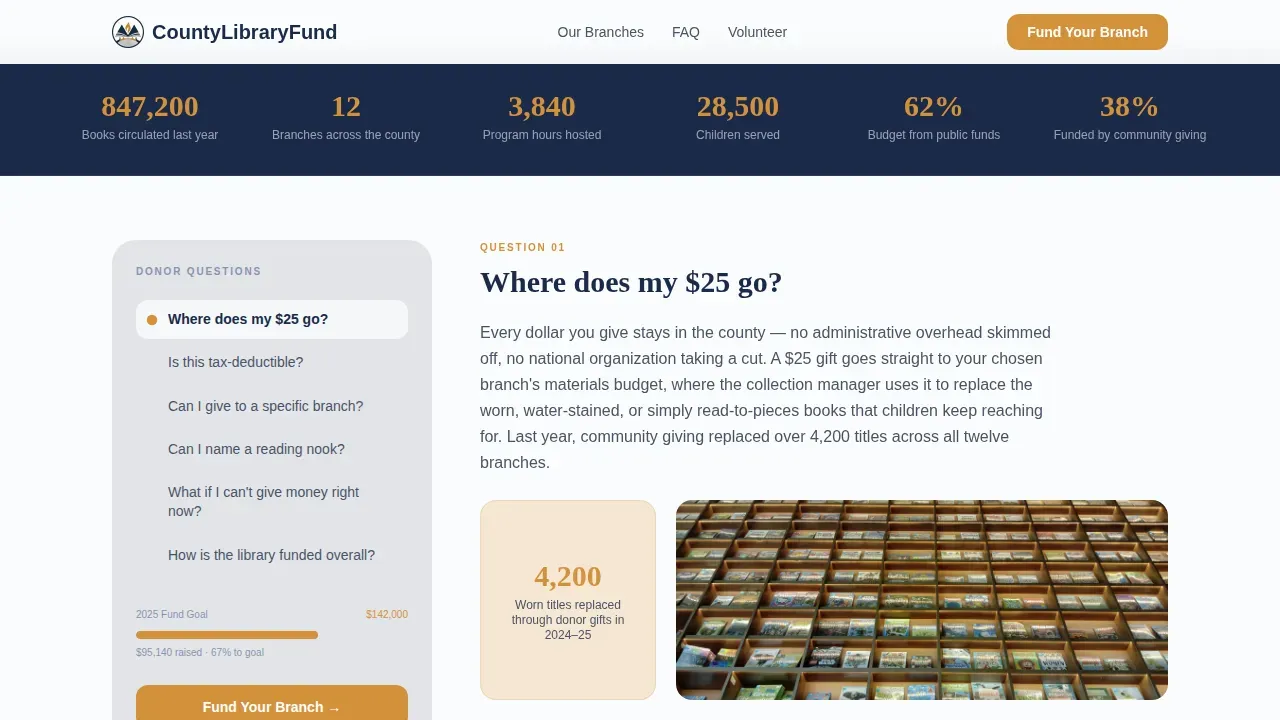
- A fixed sidebar listing donor questions with scroll-linked highlighting, plus a "Fund Your Branch" call to action that stays visible at all times
- A three-step donation form: branch selection, tangible giving levels, and payment details with a recurring toggle
Feature list
This template ships with a precise set of features designed for civic fundraising. Each one serves a clear purpose in the donor journey.
Twelve-Branch Icon Grid Header
The header displays a neat matrix of simple line icons, one per library branch. Each icon shows its neighborhood name alongside a single stat: books lent, program hours hosted, or children served. Icons appear in sequence on load, creating a visual effect like stamps on a library card. No stock imagery, just honest public data arranged with care.
Fixed Donor-Question Sidebar
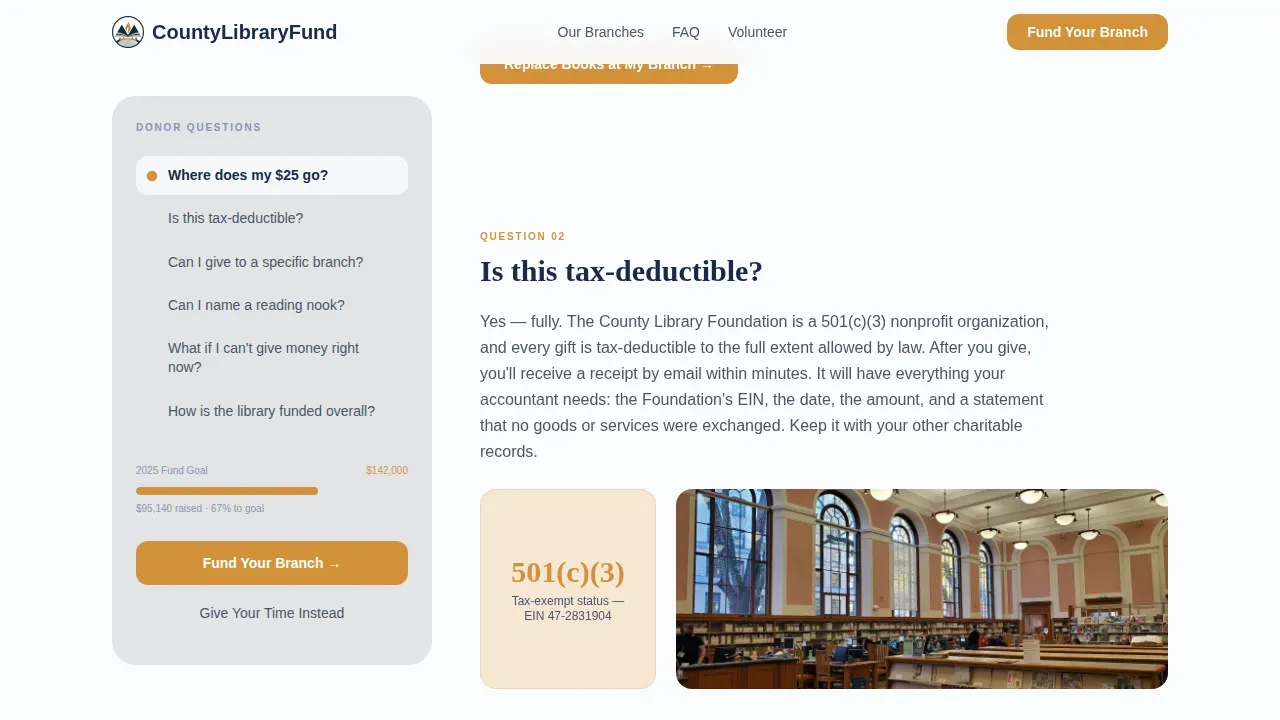
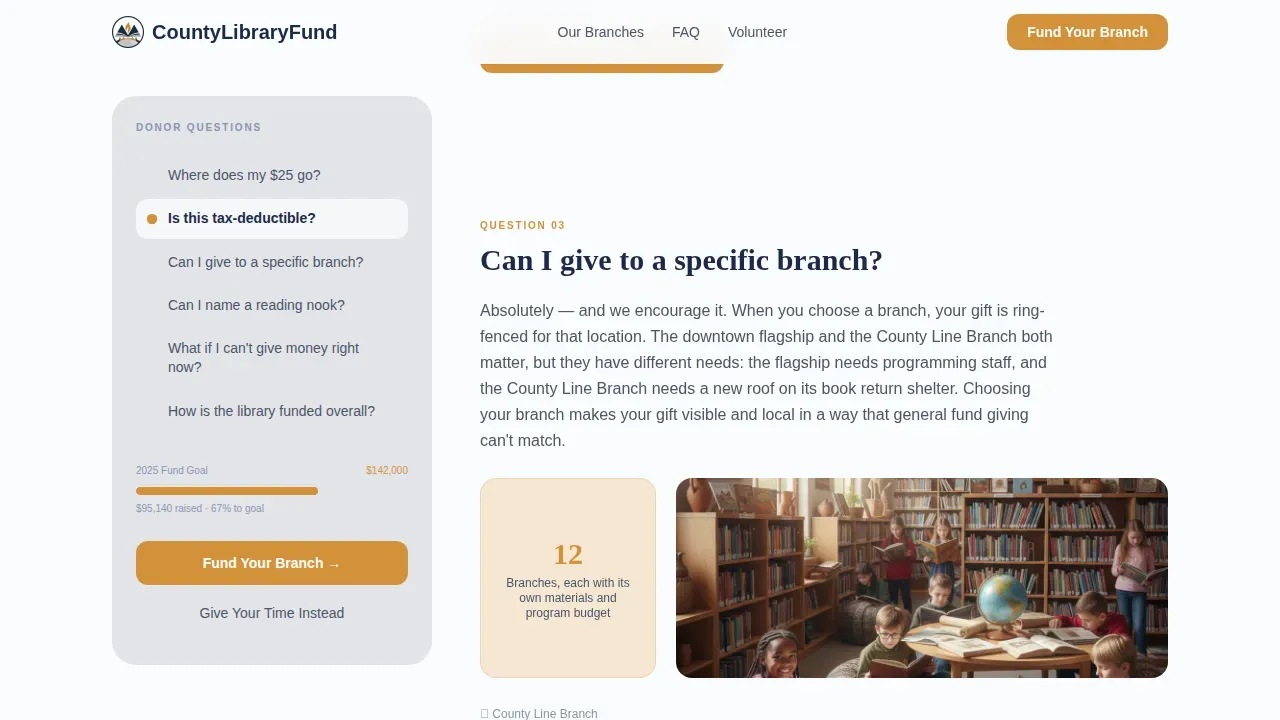
The persistent sidebar lists real donor questions in plain language. As visitors scroll, the sidebar highlights the question currently in view, so users always know where they are in the story. The "Fund Your Branch" button stays anchored in the sidebar at every scroll position. This link between question and answer shapes the entire page experience.
Scroll-Linked Narrative Answer Blocks
Each frequently asked question answer in the main content area includes a short narrative, a single data point, and a branch photograph. The scroll transition is gentle. The experience feels like a patient conversation with a librarian who never rushes you. Every answer ends with a "Fund Your Branch" call to action so the path to giving is always one step away.
Three-Step Donation Form
The stepped form guides donors through branch selection from a dropdown of all twelve locations, then a giving-level screen that frames each amount as a tangible outcome. The third step collects payment details with a toggle for monthly recurring giving. A secondary path labeled "Give Your Time Instead" routes to a volunteer interest form.
Branch Impact Stats Section
An aggregate stats section shows county-wide numbers that reinforce scale and trust. Individual branch figures for books lent, program hours, and children served give each donor a concrete sense of local impact. These images of real service help donors connect their gift to a specific outcome in their own community.
Volunteer Interest Form Path
The secondary call to action routes visitors who prefer to give their time rather than a monetary gift. The volunteer interest form is built into the page flow so no visitor leaves without a clear next step. This path supports inclusion and broadens the base of people who can participate in library life.
Page sections overview
| Section | Purpose |
|---|---|
| Icon Grid Header | Introduces all twelve branches with stats and sequential animation |
| frequently asked question Sidebar Layout | Fixed donor questions with scroll-linked highlight and persistent call to action |
| Narrative Answer Blocks | Answers each question with story, data, and a branch image |
| Three-Step Donation Form | Guides branch choice, giving level, and recurring payment |
| Branch Impact Stats | Displays county-wide aggregate numbers for trust and scale |
| Volunteer Path Form | Secondary call to action for residents who want to give time instead |
| Ultra-Minimal Footer | Closes the page with a clean horizontal flow layout |
Design & branding system
The visual identity follows a Civic Service theme. Every design choice feels like a freshly printed page under fluorescent light: clean, democratic, and purposeful. Display headings use Fraunces for editorial warmth, while body text uses DM Sans for clarity across all reading ages.
- Arctic White (#FAFBFC) fills the main content area; birch gray (#E2E4E9) grounds the persistent sidebar; ink navy (#1B2A4A) carries all headings and body text
- Library card amber (#D4913B) appears on buttons, progress indicators, and the animated underline sweep to draw the eye to every action
- No photography in the header: line icons and honest data carry the visual weight, keeping the page from feeling like a stock-image brochure
Mobile & speed optimization
The template is desktop-first by design because the sidebar layout requires horizontal space to work at its best. On smaller screens, the fixed sidebar collapses gracefully into a top accordion so donors on any device can still access every question and the giving form without friction.
- The sidebar accordion on mobile keeps the donor-question list accessible without blocking the main content area
- Static sections use server-rendered components; scroll tracking and the donation form use client-side rendering to keep the interactive experience smooth
- Mobile-responsive design is built in, ensuring an appealing layout for smartphone users who click through from a fund drive mailer
How this template helps you convert
This template is built around one principle: answer every objection before the visitor thinks to ask it. The layout earns the gift by building belief incrementally, question by question, before the form ever appears.
- The fixed sidebar keeps the "Fund Your Branch" call to action visible at all times, so the path to giving is never more than a single click away regardless of scroll position.
- Tangible giving levels replace abstract dollar amounts with real outcomes, making it easy for donors of all ages to understand the direct impact of their specific contribution.
- The secondary volunteer path means no visitor leaves empty-handed; residents who cannot give money can still sign up to serve the library and stay connected to its mission.
Other information about this template
This template fits naturally alongside the growing world of civic fundraising tools for public library systems. County library offices can also explore how a companion mobile app can extend their reach beyond a single landing page.
- With a library mobile app, administrators can complete setup and manage the app entirely from a dashboard, with the ability to toggle certain features on or off displayed in the tab bar
- Administrators can create callouts, resource flows, and sliders from within the app dashboard, and can configure the appearance of icons, text, and buttons to match their library brand
- With Wallet Pass, customers can view their library card directly on their device's mobile wallet, giving patrons a convenient digital link to their account
- No-code and low-code development platforms allow library teams to build and deploy a companion app quickly without extensive programming knowledge, reducing both time and cost
- These platforms often include features for backend integrations, helping libraries connect with existing catalog systems and database records while creating custom digital services
- Libraries using a companion app can give users the ability to explore ebooks, audiobooks, comics, movies, video content, music, and magazines from the same place they browse the physical collection
- Patrons can discover hard to find titles, save bookmarks, and find their next read using digital tools that extend the value of their library card across every device, including Android
- Digital library services also support online resources such as scholarly articles, research databases, and educational tools that serve students, adult learners, and residents of all ages
- The Stacks fund your branch county library landing page template pairs naturally with app-based engagement tools to form a complete community fundraising and service ecosystem
- Real-world county library campaigns like "Your Library Renewed" show that authentic, localized stories and branch-specific context drive stronger donor response than generic appeals
- Library systems that serve diverse communities have seen strong results by broadening their programs to include bilingual resources, arts and culture events, kindergarten literacy classes, and holistic programs that serve disenfranchised groups
- Companies and local businesses exploring sponsorship can use the meeting room and naming-rights paths built into the page to discover sponsorship options and sign up as institutional supporters
- Friends of the library groups and board members can use the volunteer form to recruit a new group of supporters and build a pipeline of engaged community advocates
Theme
Civic Service
Creative direction
FAQ-Driven
Color system
Arctic White
Style
Sidebar Companion
Direction
Donation/Fundraising
Page Sections
Twelve-branch Animated Icon Grid
Fixed Scroll-linked Donor Sidebar
Faq-driven Narrative Answer Blocks
Three-step Branch-specific Donation Form
Branch Impact Stats Section
Volunteer Interest Form Path
Related questions
Is this template designed for a single library branch or a full county system?
Can visitors choose which branch their donation supports?
Does the template support recurring donations?
What happens if a visitor does not want to donate money?
Can the page design be adapted to match an existing library brand?



