Public Records Government Professional Website Template
The Archive landing page template is built for federal public records agencies. It uses a single-column flow to guide genealogists, journalists, and historians from curiosity to a confident records request. A centered serif headline, checklist-style record-type cards, and amber call-to-action buttons make dense civic content feel organized, approachable, and worth clicking through.
by Rocket studio
Quick summary
This template turns a federal public records agency into a navigable civic resource. It opens with an authoritative centered headline, walks visitors through four record-type task cards in a checklist format, and funnels them toward the agency search portal. Every design choice, from archival cream backgrounds to amber action buttons, builds the quiet confidence that the process is knowable.
Who this template is for
This template is designed for federal agencies and civic organizations that publish public records online. It is also a strong fit for teams managing high-volume document repositories that need to educate visitors before routing them to a search portal.
- Genealogists tracing family history through immigration manifests, census ledgers, and military service files
- Investigative journalists and researchers filing Freedom of Information Act requests for procurement and congressional records
- Local historians and educators verifying community history through land grants, pension files, and courthouse documents
What problem this template solves
Federal archives hold enormous civic value, but the process of finding and requesting records can feel opaque and intimidating. Most agency pages overwhelm visitors with navigation rather than guiding them toward the right document type. This template solves that gap.
- Visitors often leave without acting because they cannot identify which record type applies to their need
- Bureaucratic language and cluttered layouts erode trust before a request is ever started
- Uncertain visitors need a secondary path, not a dead end, when they are unsure where to begin
What you get with this template
You get a complete single-column landing page structured around education and click-through. The page is built to qualify visitor intent before handing off to the agency search portal, with no form required on the page itself.
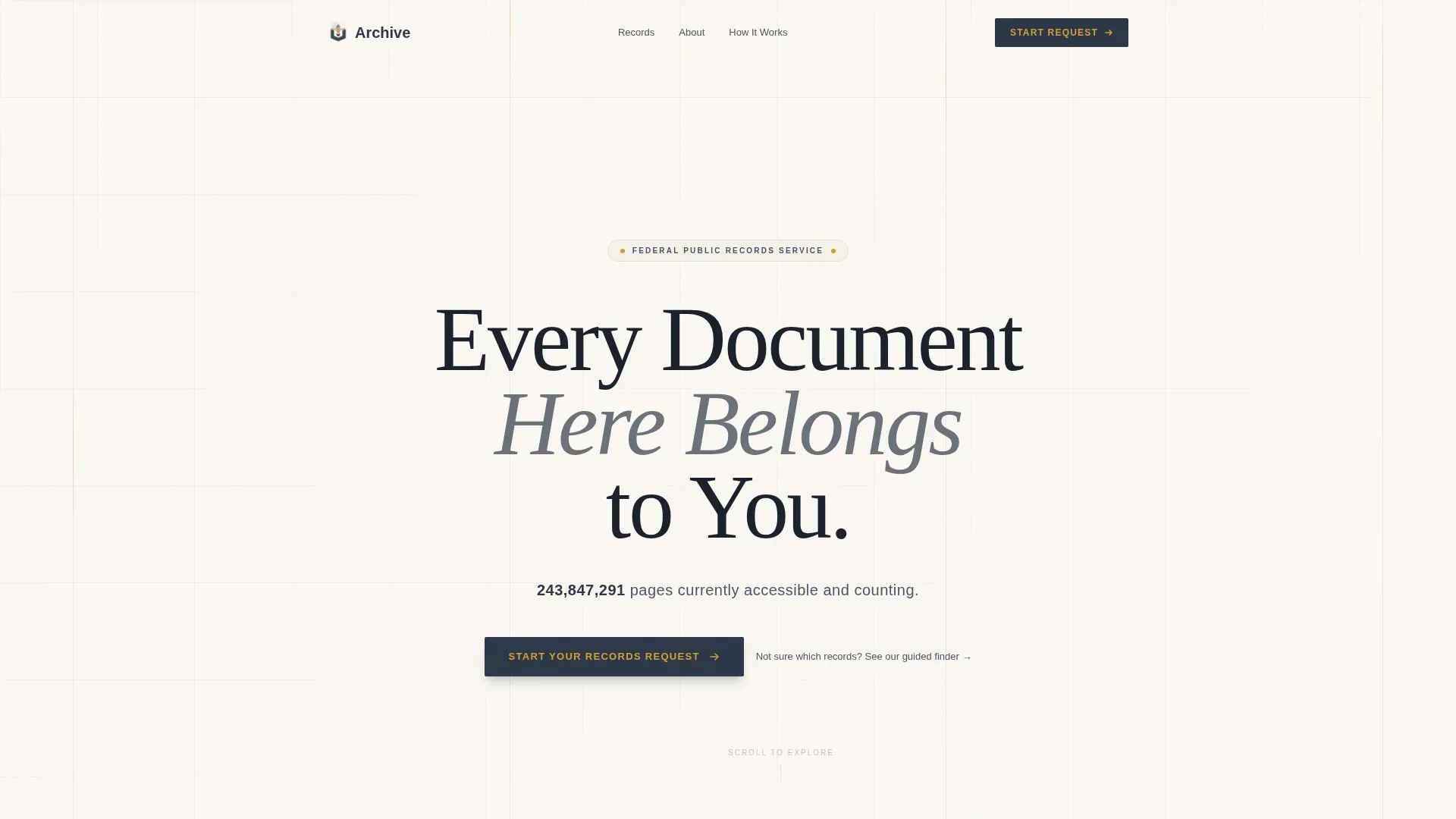
- A hero section with a giant centered serif headline, a live record count, and a dual call-to-action layout
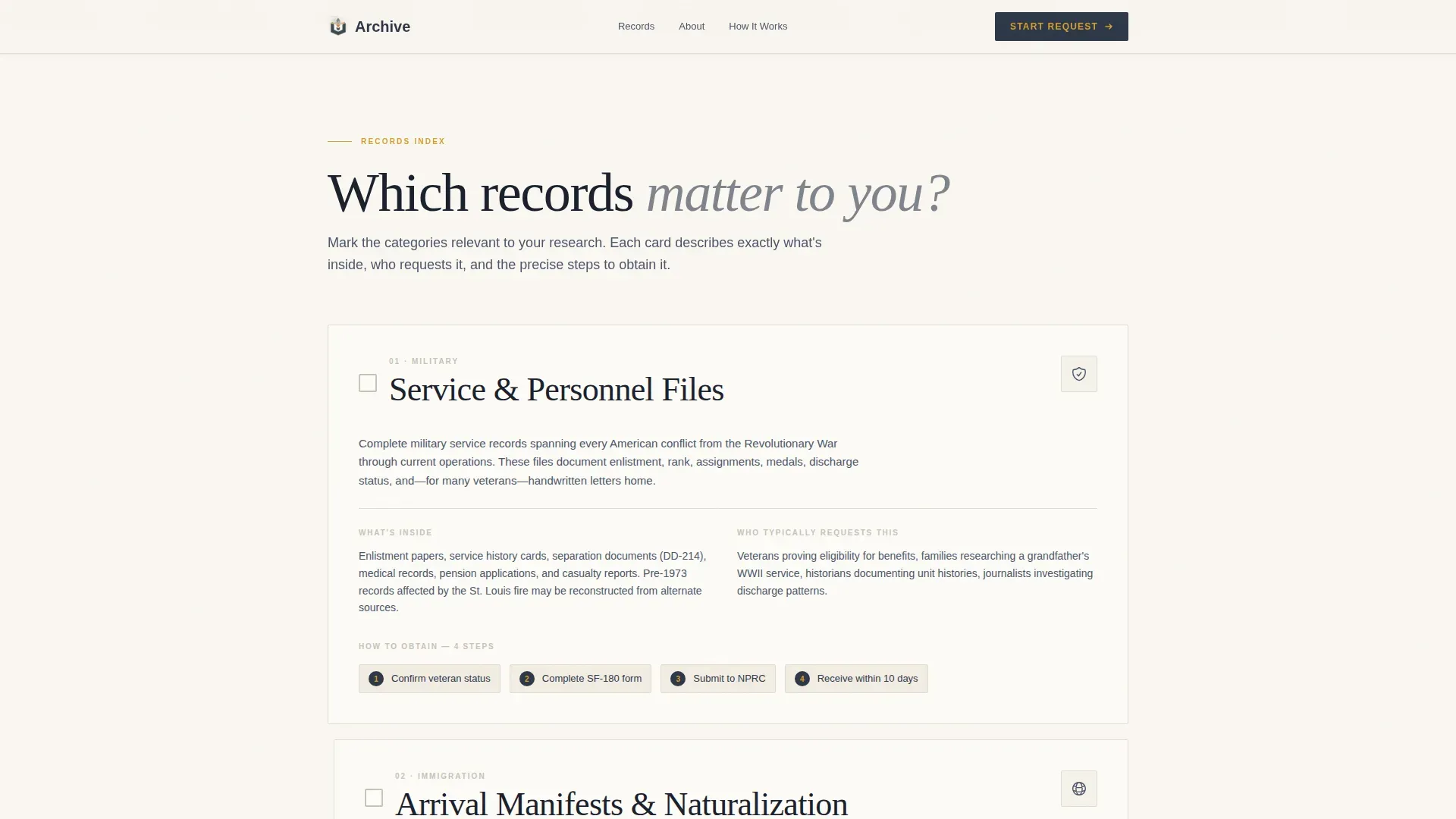
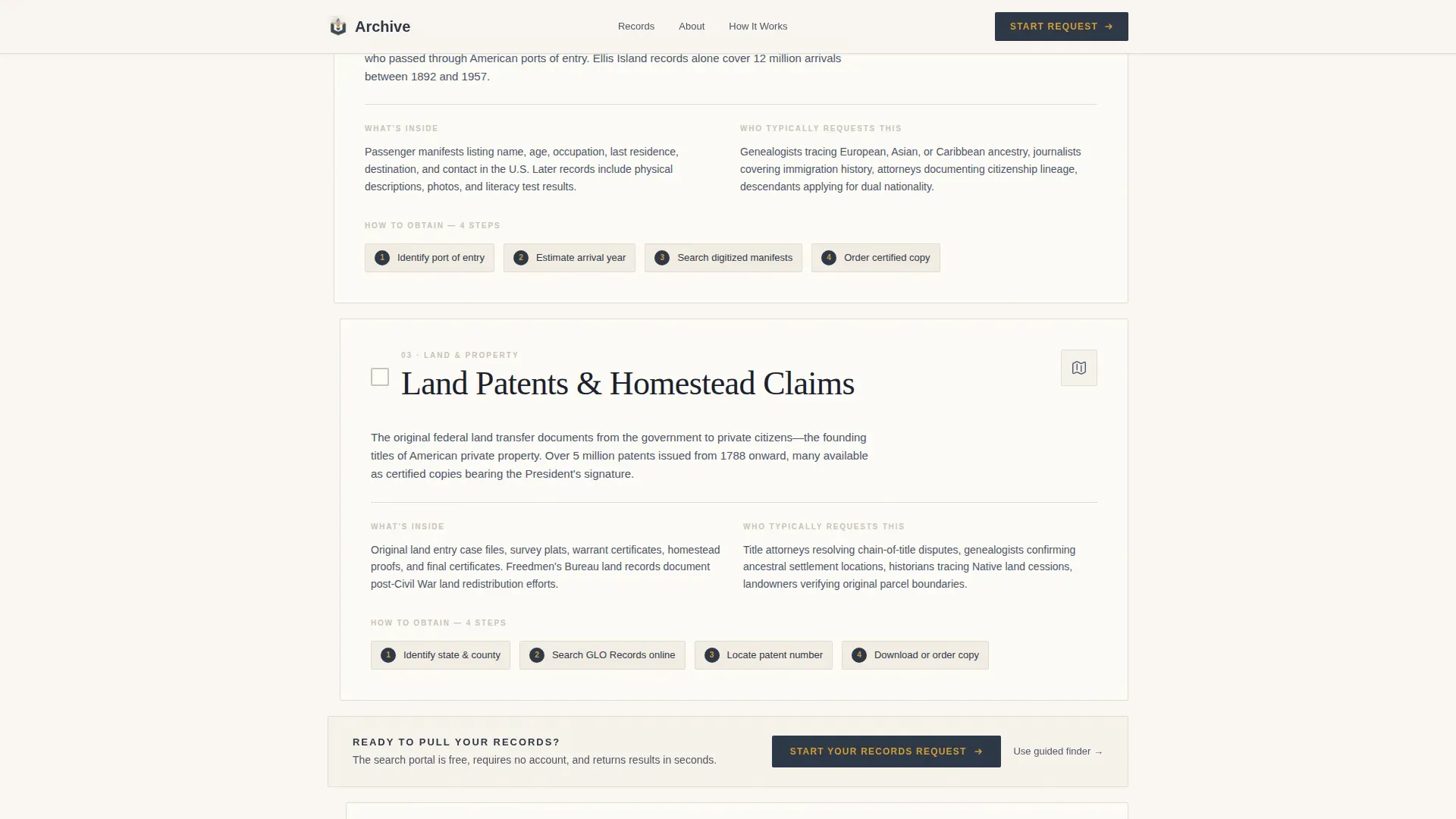
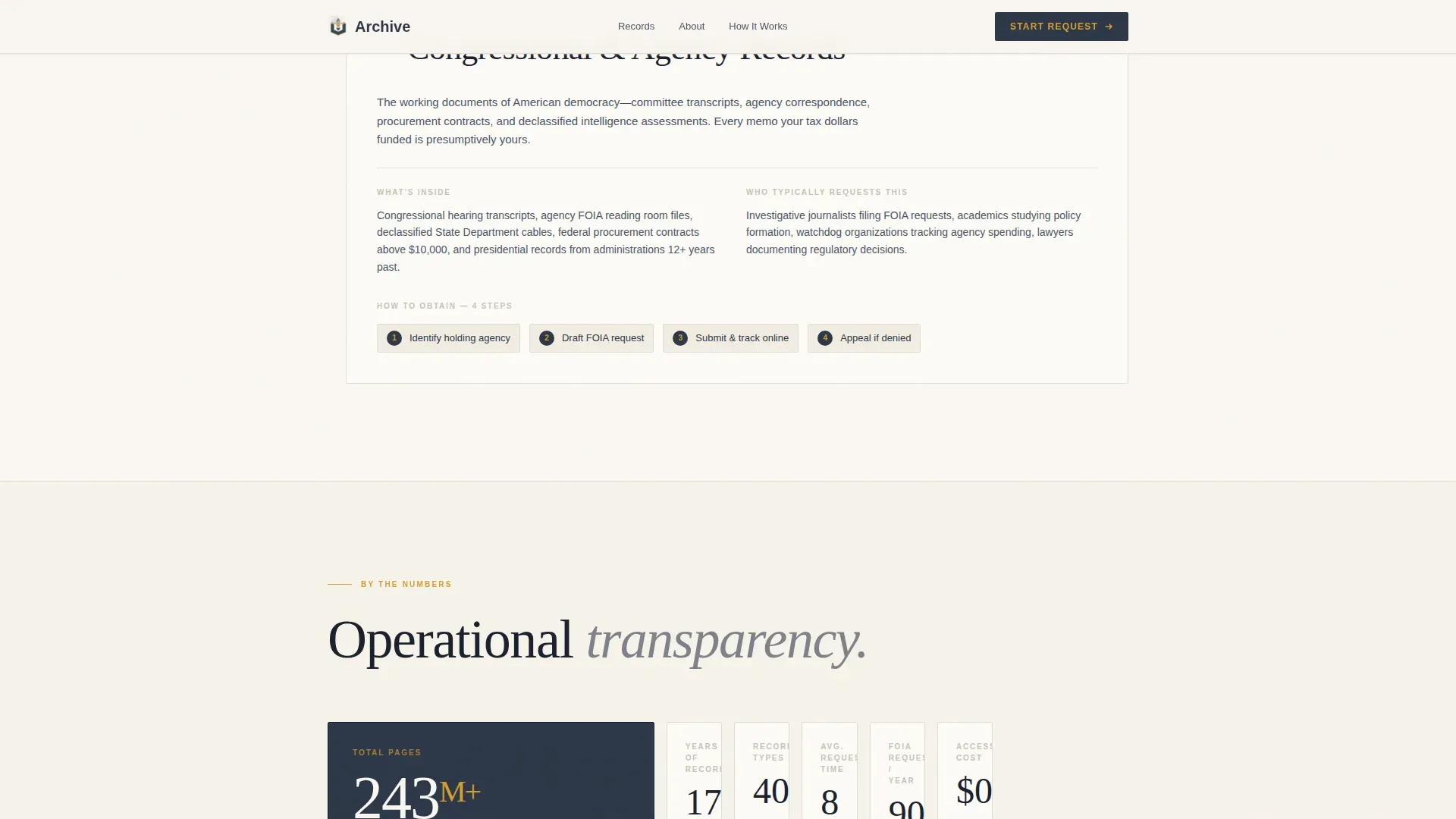
- Four checklist-style record-type cards covering military service files, land grants, immigration manifests, and congressional records
- A stats bento grid, a scrolling marquee ticker, three visitor archetype profiles, and a structured footer
Feature list
This template includes six core features drawn directly from the brief and project structure.
Giant Headline Hero Section
The hero opens with a large-weight serif headline centered on an archival cream background. A single supporting sentence in civil-service slate displays the current record count. The empty space around the text is intentional and projects institutional authority.
Checklist and Audit Record Cards
Four task cards present individual record types as discrete, scannable units. Each card includes a checkbox icon, a plain-language description of what is inside, the typical requester profile, and the exact steps to obtain it. This structure builds quiet confidence that the process is manageable.
Repeating Amber Call-to-Action Button
The primary call-to-action reads "Start Your Records Request" and appears first below the hero, then repeats after every third record-type card. A secondary text link routes uncertain visitors to a guided decision-tree finder tool.
Scrolling Marquee Ticker
A marquee ticker scrolls record category names horizontally across the page. It reinforces the breadth of the archive and keeps the page feeling active without introducing visual clutter.
Stats Bento Grid
An asymmetric bento grid displays credibility numbers such as record volume, date ranges, and request statistics. The layout gives weight to facts without requiring a wall of text.
Visitor Archetype Profiles
Three visitor profile cards present specific scenarios: the genealogist tracing an ancestor through Ellis Island, the journalist pursuing a procurement contract, and the historian locating a freedmen's school. These profiles help each visitor self-identify and feel seen.
Page sections overview
| Section | Purpose |
|---|---|
| Hero headline | Establishes authority and record count |
| Marquee ticker | Previews record category breadth |
| Record type cards | Guides visitors through four document types |
| Stats bento grid | Displays credibility numbers visually |
| Visitor profiles | Connects archetypes to personal use cases |
| Footer | Provides horizontal navigation links |
Design & branding system
The visual identity follows a Community Hearth theme built on the Cloud Canvas color system. The palette evokes a well-lit federal reference desk, with cream paper stock, a typewritten memo, and a brass lamp pooling light on a stack of folders.
- Archival cream (#FAF7F2) dominates the background, civil-service slate (#4A5568) carries body text, and soft pencil graphite (#2D3748) anchors headers
- Warm amber (#D69E2E) appears exclusively on action states, buttons, checkmarks, and highlighted search terms
- Typography uses Fraunces serif for headers and DM Sans for body text, pairing editorial gravity with everyday readability
Mobile & speed optimization
The template is desktop-first by design, reflecting that genealogists and researchers typically work from a desk with multiple reference tabs open. Full mobile support is included so the page remains usable across all screen sizes.
- Staggered entrance animations, beam drops, and spotlight hover effects on cards are adapted to perform on a light theme without heavy JavaScript
- Server components handle static content to keep the interactive layer minimal and the page load predictable
- Smooth scroll and intersection observer behaviors are built in to support sequential reading on both large and small screens
How this template helps you convert
This template earns the click by making bureaucratic processes feel navigable. Every section is structured to reduce hesitation and move the visitor one step closer to starting a records request.
- The checklist card format lets visitors mentally tick off which record types apply to them, so they arrive at the call-to-action already knowing what they want
- The repeating amber call-to-action after every third card maintains momentum without pressure, capturing visitors at different stages of readiness
- The secondary guided finder link catches undecided visitors and routes them to a decision-tree tool instead of losing them to a back button
Other information about this template
This template is categorized under Government and Public, with a subcategory of Public Records Government and a niche focus on federal public records agencies. It is localized for United States audiences and uses English copy, United States date formatting, and United States dollar references where applicable.
- The intersection match score for this niche and template style combination is 13, reflecting a highly specific fit between the civic agency use case and the single-column checklist format
- Animation intensity is set to medium, with staggered entrances and spotlight card interactions adapted from a dark-theme pattern to the light archival cream palette
- The footer uses a horizontal flow layout, providing clean navigation links without overwhelming the page's editorial focus
Theme
Community Hearth
Creative direction
Checklist & Audit
Color system
Cloud Canvas
Style
Single Column Flow
Direction
Click-Through
Page Sections
Giant Headline Hero with Record Count
Checklist-style Record Type Cards
Repeating Click-through Call to Action
Scrolling Marquee Record Ticker
Stats Bento Grid
Visitor Archetype Profile Cards
Related questions
Does this template include a contact form or records request form?
Can I update the record count shown in the hero section?
Is this template only for federal agencies, or can state archives use it?
How many record-type cards are included by default?
What does the secondary guided finder link do?



