Editorial Solar Installer Landing Page Template
Array is an editorial-style solar installer landing page template built for photovoltaic crews who handle everything from permit to final inspection. It combines a half-page hero, a scrolling expert panel with a persistent sidebar, and a lead-generation form that captures both ready-to-buy homeowners and top-of-funnel visitors with a single email download path.
by Rocket studio
Quick summary
Array is a sidebar-companion landing page template for solar installation businesses. It pairs a bold editorial aesthetic with a structured lead capture flow. The design guides visitors from a dramatic project header through curated crew-led galleries, ending at a roof assessment form that converts both serious buyers and early-stage researchers.
Who this template is for
This template is built for solar installation companies that want their portfolio to do serious selling. It suits crews handling residential retrofits, commercial property installs, and large-scale community solar builds with equal confidence.
- Residential and commercial photovoltaic (PV) installation businesses
- Solar contractors who want a portfolio and lead funnel on the same page
- General contractors and project managers presenting solar as a sub-trade service
What problem this template solves
Most solar installers rely on generic service pages that bury the proof. Visitors land, read a list of services, and leave without seeing a single completed roof. This template fixes that by leading with real project photography and expert-backed context before asking for anything.
- Homeowners and commercial clients need visual proof before they trust a crew
- Installers lose leads who are interested but not yet ready to book a call
- Portfolios often feel disconnected from sales, leaving the conversion path unclear
What you get with this template
You get a fully structured single-page layout that combines editorial storytelling with a practical lead generation system. Every section has a defined job, from the opening hero to the sliding contact form.
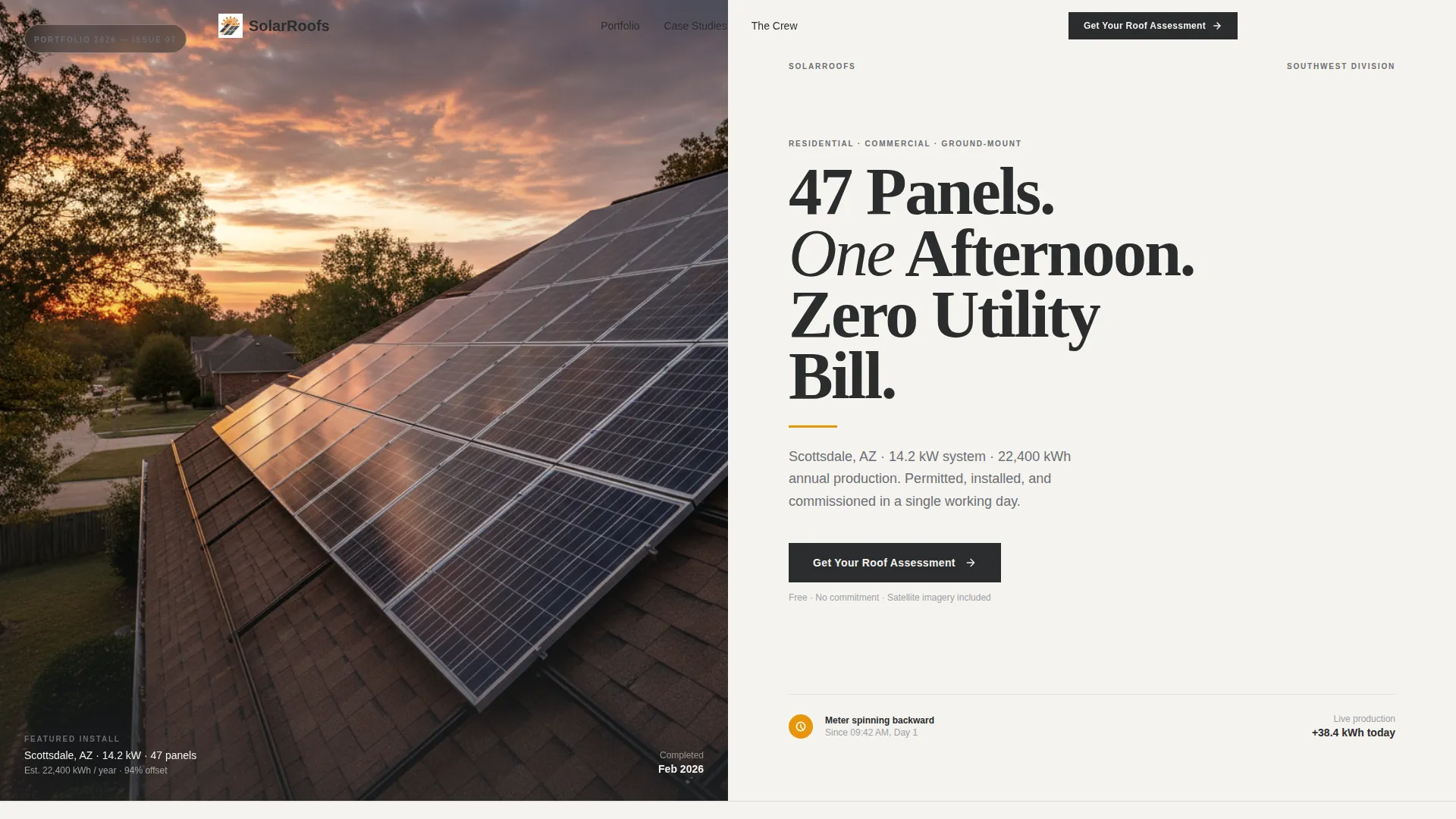
- A half-page editorial hero with a headline, amber rule accent, and project subhead
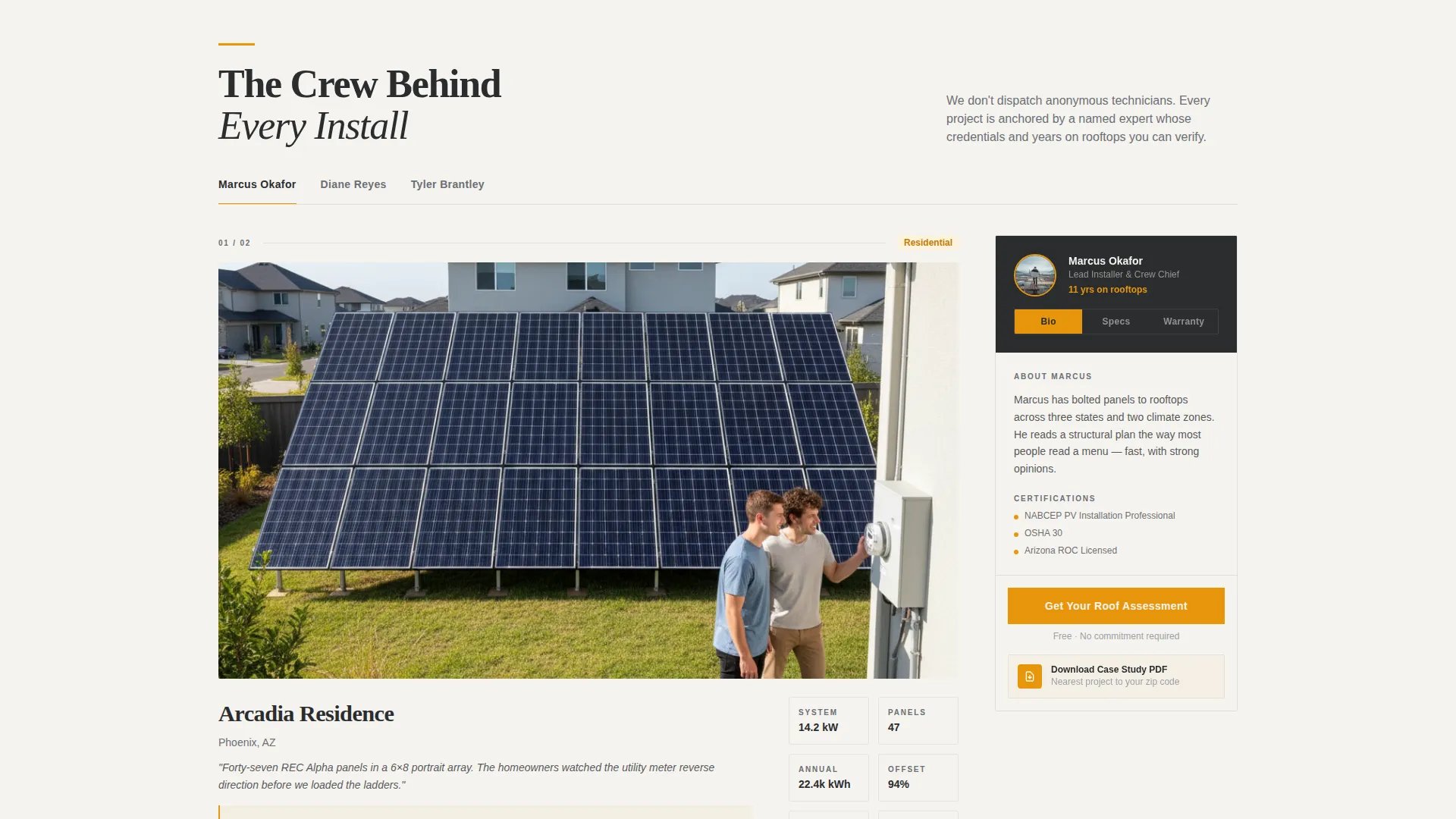
- A scrolling expert panel with a persistent sidebar that shifts between crew bios, equipment specs, and warranty context
- Two lead capture paths: a roof assessment form and a downloadable PDF case study
Feature list
This template is built around a clear editorial framework. Every feature connects back to the goal of building trust and capturing the right lead at the right moment.
Half-Page Hero Composition
The header splits into two halves. The left side holds a low-drone editorial photograph of a completed residential array at sunset. The right side carries a bold serif headline, a thin amber rule, and a two-line subhead stating the city, system size, and annual energy offset.
Scrolling Expert Panel with Sidebar
As visitors scroll, each section is anchored by a named installer or engineer. Their portrait, credentials, and years of field experience sit in a persistent sidebar. The sidebar updates contextually as the main column moves through project galleries, equipment specs, and warranty details.
Curated Project Gallery with Editorial Captions
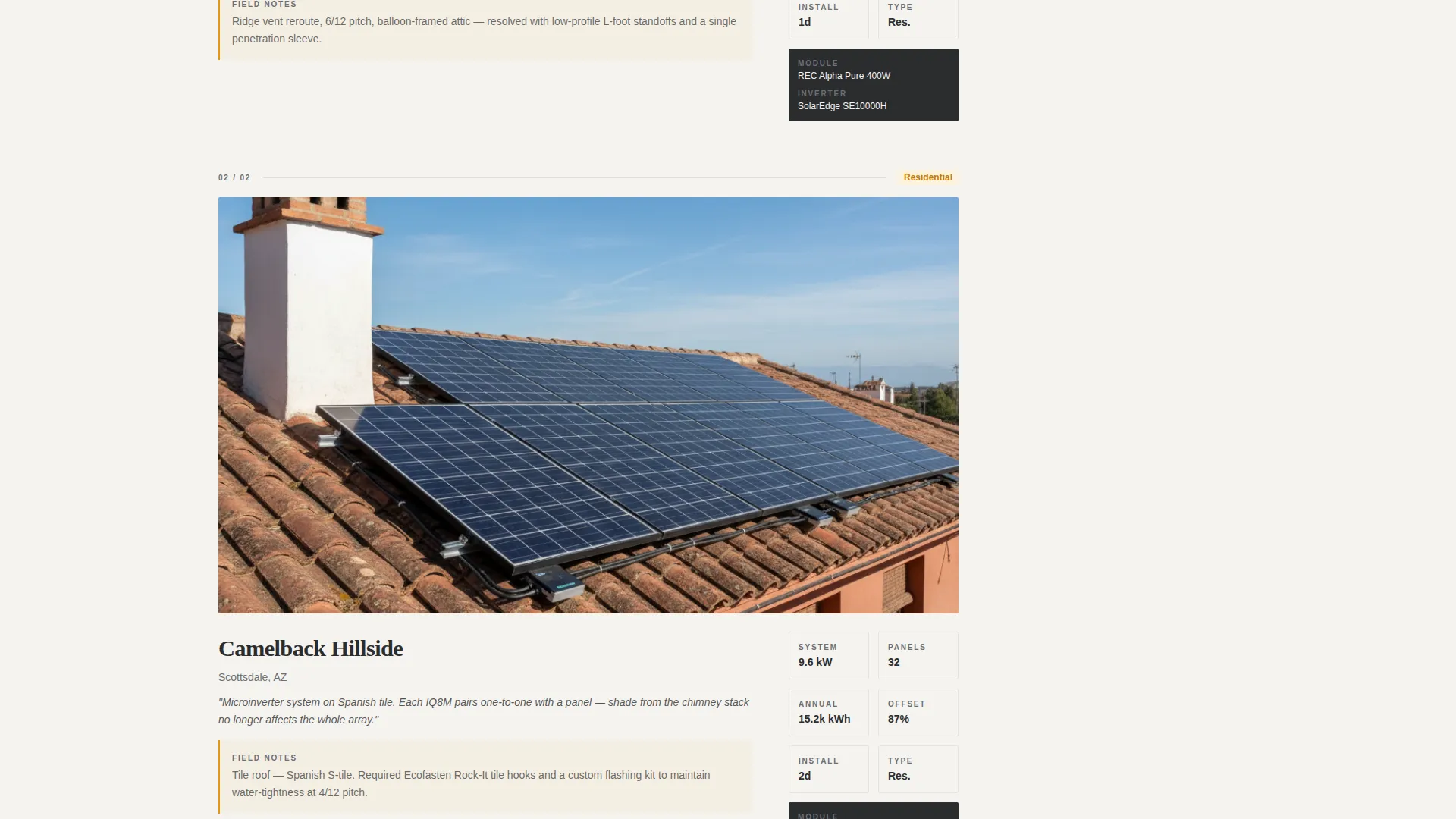
The main content column cycles through project photography with caption-level detail. Each image set includes system specifications, obstacle narratives describing real on-site challenges, and production data referenced from monitoring dashboards.
Dual Lead Capture System
The primary call to action, "Get Your Roof Assessment," appears in the header and as a sticky sidebar button. A sliding panel form asks for address, roof age, monthly bill range via a slider, and preferred contact method. A secondary path captures email-only leads through a downloadable PDF case study matched to the visitor's zip code.
Escalating Project Stakes Structure
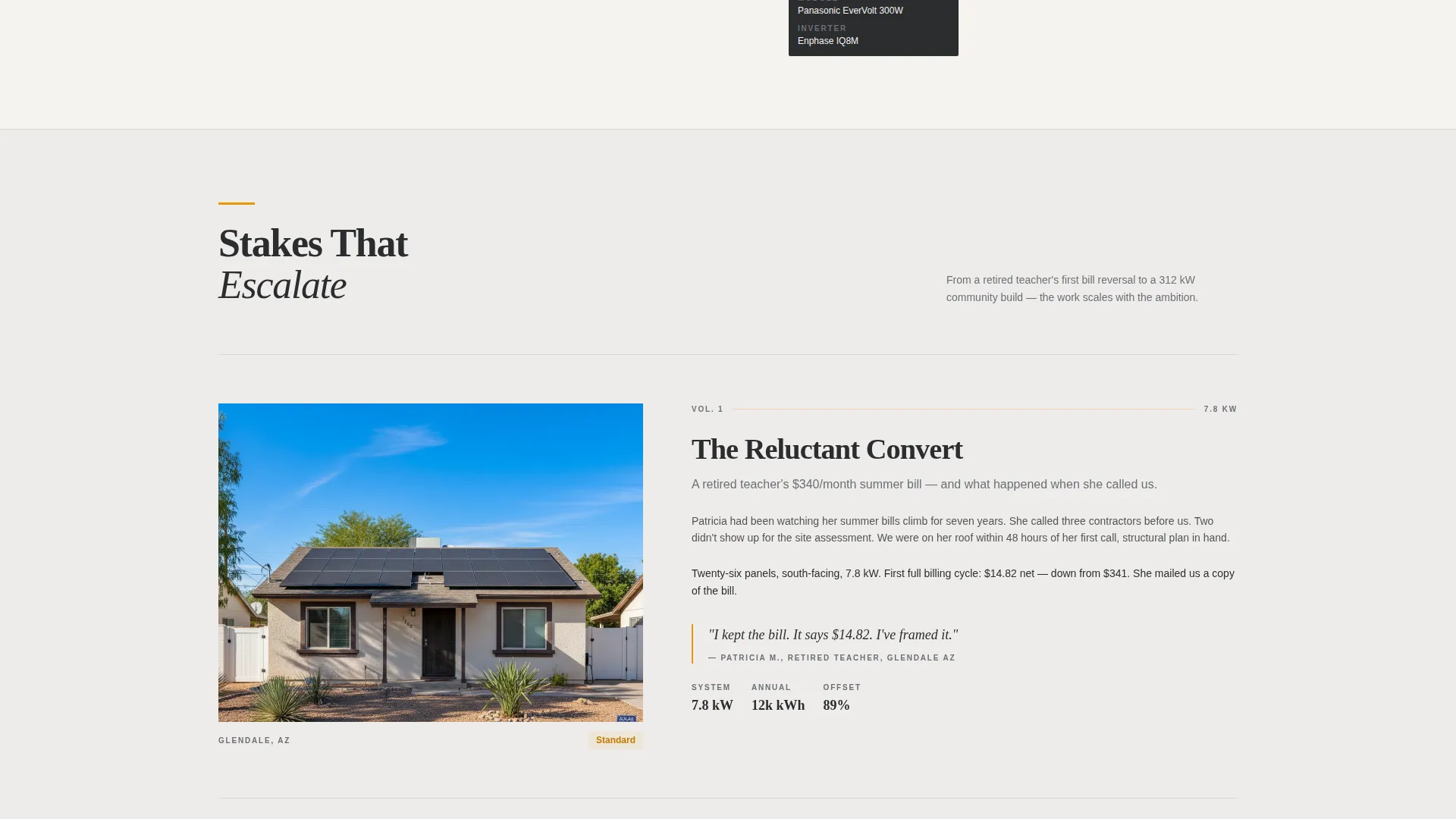
The page builds narrative momentum from simple residential retrofits through complex commercial ground-mounts, finishing on a multi-roof community solar project. This progression demonstrates range and scale without feeling like a product catalogue.
Editorial Magazine Visual Identity
The Charcoal and Amber color system uses deep roof-slate charcoal, warm gunmetal, molten amber, and clean module-white. Bold serif typography and generous whitespace give the page the feel of a premium architecture quarterly rather than a standard contractor website.
Page sections overview
| Section | Purpose |
|---|---|
| Half-Page Hero | Opens with project photo and bold headline to establish credibility immediately |
| Expert Panel Intro | Introduces the installation crew as named authorities with portrait and credentials |
| Project Gallery One | Displays residential retrofit work with editorial captions and system specs |
| Sidebar Crew Bio | Provides persistent expert context as visitors scroll through gallery sections |
| Project Gallery Two | Escalates to commercial property installs with obstacle narratives |
| Sidebar Equipment Specs | Shifts sidebar content to panel and inverter details mid-scroll |
| Community Solar Build | Closes the portfolio with a large-scale multi-roof project to prove range |
| Sidebar Warranty Detail | Supplies warranty and service context alongside the final gallery section |
| Roof Assessment Form | Sliding panel form capturing address, roof age, bill range, and contact preference |
| PDF Case Study Download | Email-only secondary capture for visitors not yet ready to book |
Design & branding system
The visual identity takes its cues from a premium architecture editorial. Every color and type choice reinforces the feeling of expertise and craft rather than a generic service provider.
- Color palette: deep roof-slate charcoal (#2B2D2F), warm panel-frame gunmetal (#4A4E54), molten amber (#E8960C), and clean module-white (#F5F3EF)
- Typography: bold serif headlines sized for magazine-cover impact, with thin amber rule accents for hierarchy
- Layout philosophy: ink-heavy sections balanced by generous module-white whitespace so each photograph has room to breathe
Mobile & speed optimization
The sidebar-companion layout is structured to remain clear and functional as screen sizes shift. The persistent sidebar and sticky call-to-action button are designed to adapt without losing their context-setting role.
- Sticky "Get Your Roof Assessment" button follows the scroll on all viewport sizes
- Sliding panel form keeps the address autofill and bill-range slider accessible on smaller screens
- Editorial photograph sections are laid out to maintain visual weight without overcrowding narrow displays
How this template helps you convert
The page is engineered around two types of visitors: those ready to act and those still imagining panels on their own roof. Both paths are served without friction.
- The sticky "Get Your Roof Assessment" button and header call to action give ready buyers a clear, always-visible entry point into the sliding panel form with address autofill and a bill-range slider.
- The PDF case study download converts top-of-funnel visitors by matching a real project to their zip code and asking only for an email address, building the lead list without requiring a phone call commitment.
Other information about this template
This template is part of the Array template collection and is designed specifically as a sidebar-companion landing page. It works within a broader editorial system that can support solar installer portfolio presentation at any project scale.
- The template is categorized under Professional Services, Solar Installer Business
- It is built as a single-page sidebar-companion layout, not a multi-page site
- The intersection design intent is aligned with solar installer portfolio and gallery presentation
- The editorial Charcoal and Amber theme is distinct from other Array color systems and is tailored to the rooftop PV installer context
- Address autofill in the form is designed to support satellite roof imagery reference during the assessment process
Theme
Service Utility
Creative direction
FAQ-Driven
Color system
Plum Executive
Style
Single Column Flow
Direction
Click-Through
Page Sections
Half-page Editorial Hero
Scrolling Expert Panel with Persistent Sidebar
Curated Project Gallery with Captions
Sticky Roof Assessment Call to Action
Email-only PDF Case Study Download
Charcoal and Amber Editorial Identity
Related questions
Can this template handle both residential and commercial solar portfolios?
How does the dual lead capture system work?
What does the persistent sidebar actually show?
Is this a single page or a multi-page template?
Can I customize the headline and project details in the hero section?



