Asado - Sizzling Parrilla Landing Page Template
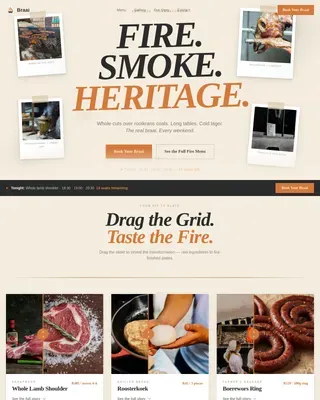
Asado is a hero-dominant landing page template built for Argentine parrilla catering services. It uses cinematic before/after reveal sections, a full-viewport lifestyle hero, and a focused event registration form to turn visitors into bookings. The Sunset Mesa color system and warm artisan typography create a dusk-lit atmosphere that sells the experience before the form ever appears.
by Rocket studio
Quick summary
Asado is a single-page event registration template designed for live-fire Argentine catering. A cinematic 90/10 hero leads into two sensory before/after reveal sections, building appetite and anticipation before presenting the "Reserve Your Fire" booking form. Every visual and layout decision is built to make visitors feel the heat of the parrilla before they reach the call to action.
Who this template is for
This template is built for operators who sell an experience, not just a service. If your offering is rooted in craft, fire, and atmosphere, this layout speaks your language.
- Couples and hosts planning an intimate backyard asado or private celebration
- Corporate event coordinators sourcing live-fire catering for rooftop launches and branded gatherings
- Argentine expat operators and authentic parrilla catering businesses targeting discerning local audiences
What problem this template solves
Most catering landing pages list services and prices without building desire. Visitors bounce before they connect emotionally with the offer. This template solves that by using visual storytelling to build hunger before presenting any form.
- Generic catering pages fail to communicate the sensory difference of live-fire cooking
- A standard form-first layout asks for commitment before earning it
- Static food photography does not convey the process, craft, or atmosphere that makes an asado worth booking
What you get with this template
You get a fully structured, single-page layout with every section already planned and styled. The design system, typography, interactive components, and copy structure are all included.
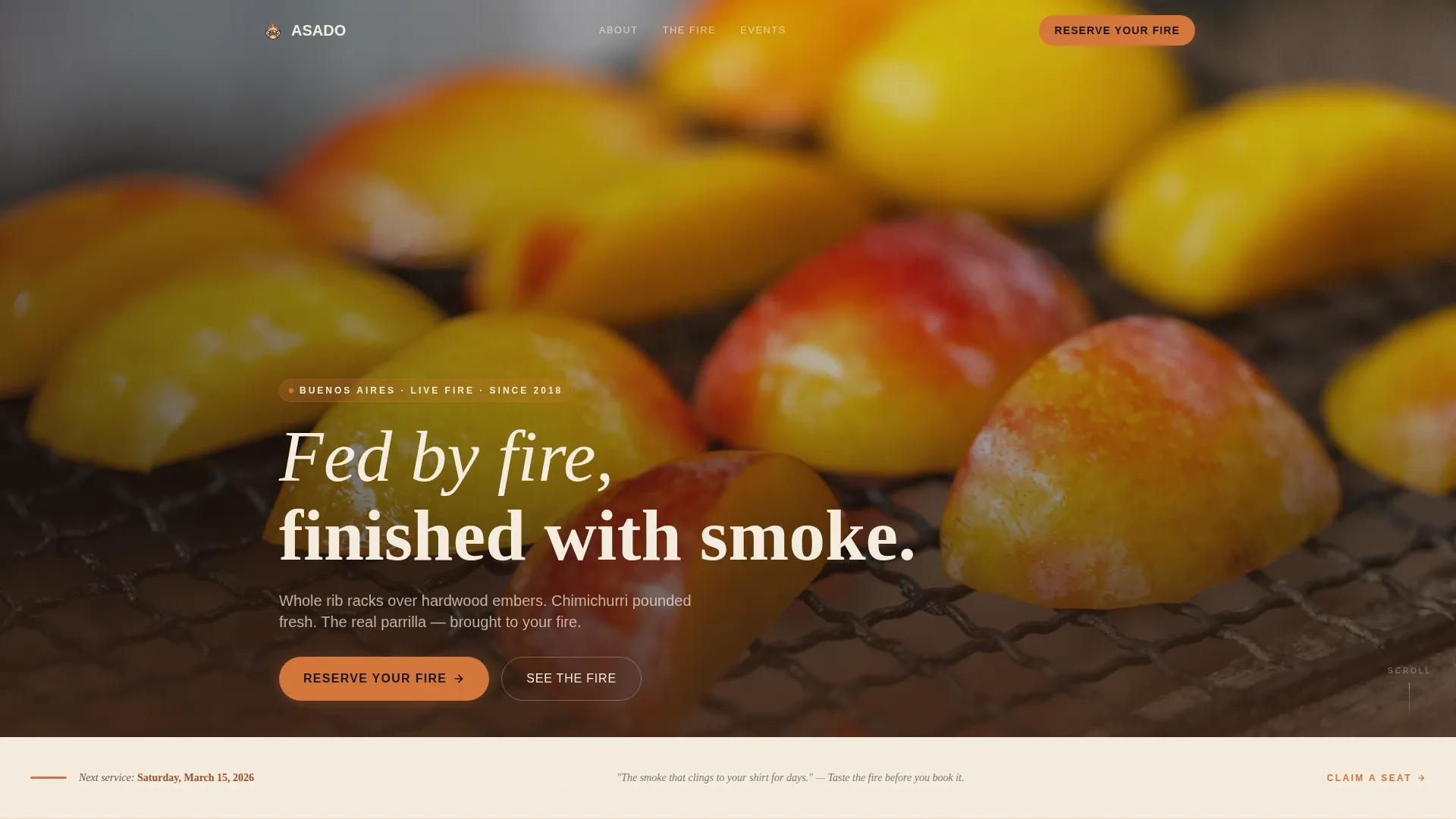
- A 90/10 hero section with a lifestyle shot placeholder, event date strip, and condensed serif teaser line
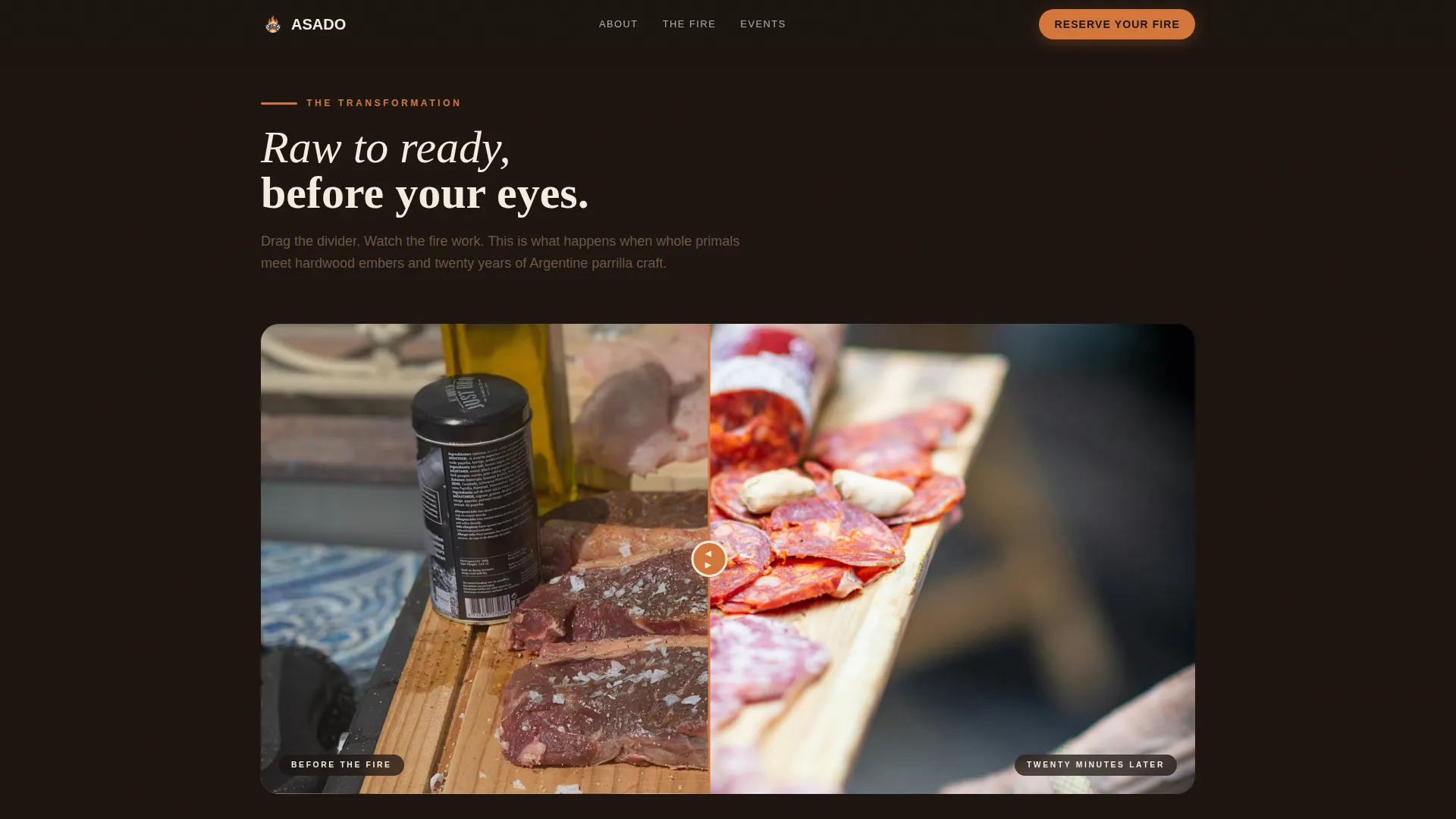
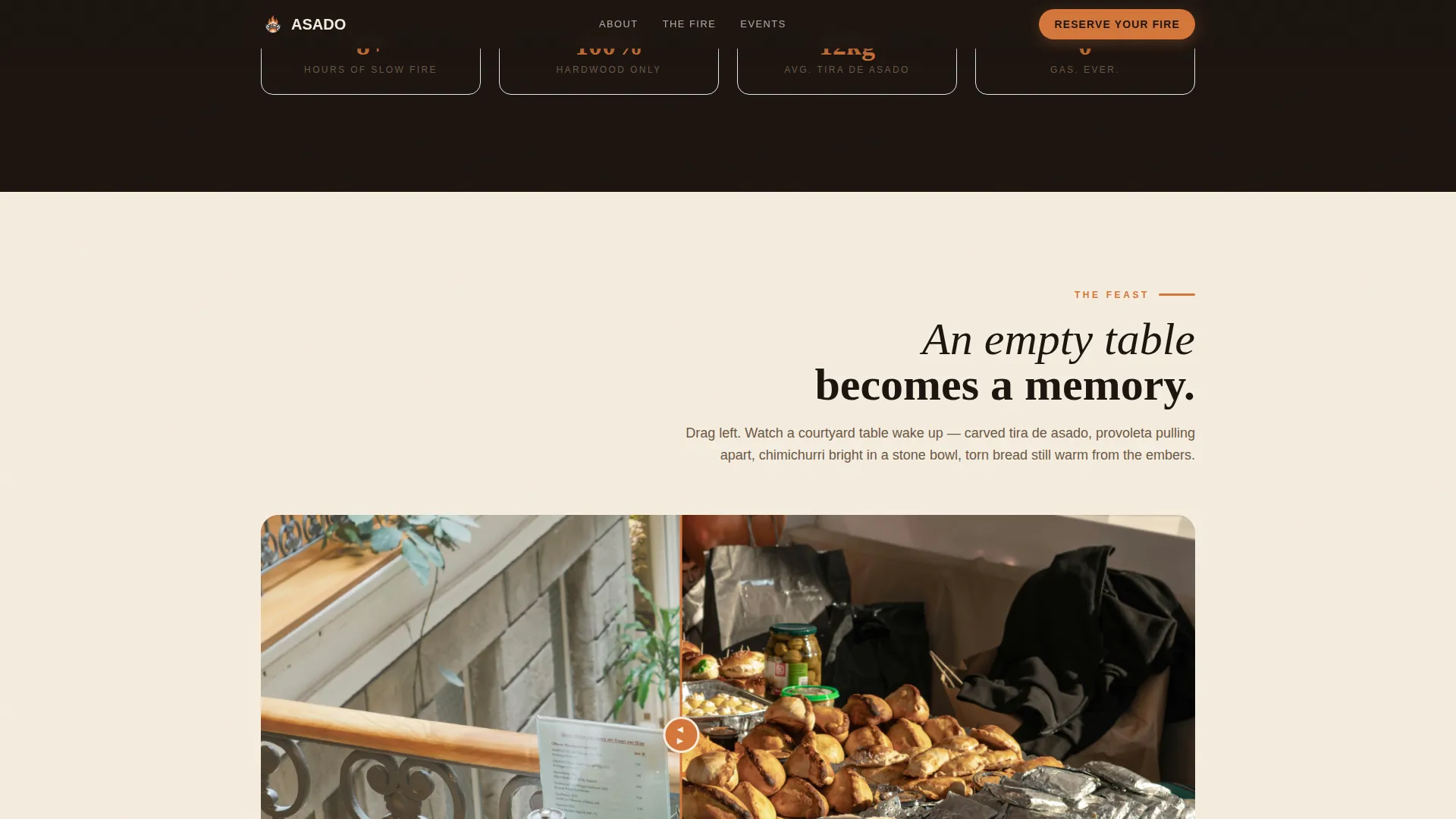
- Two interactive before/after image slider sections that escalate from raw cuts to resting meats and from bare table to full feast
- A scroll-triggered event registration form with a guest count slider (10 to 200), event type selector, and a secondary "Download the Menu" email capture path
Feature list
The template includes a focused set of interactive and visual components built specifically for this use case.
Cinematic 90/10 Hero Layout
The hero fills ninety percent of the viewport with a lifestyle photograph placeholder. A thin warm-bone strip at the bottom holds the event date and a single teaser line in condensed serif type. The composition is designed to feel immersive from the first scroll position.
Interactive Before/After Drag Sliders
Two dedicated reveal sections use drag-to-compare sliders. The first transitions from raw primal cuts on hooks to charred resting meats on a cutting board. The second moves from an empty courtyard table to a feast of carved meats, grilled provoleta, and torn bread. Visitors interact directly with the food story.
Event Registration Form with Guest Slider
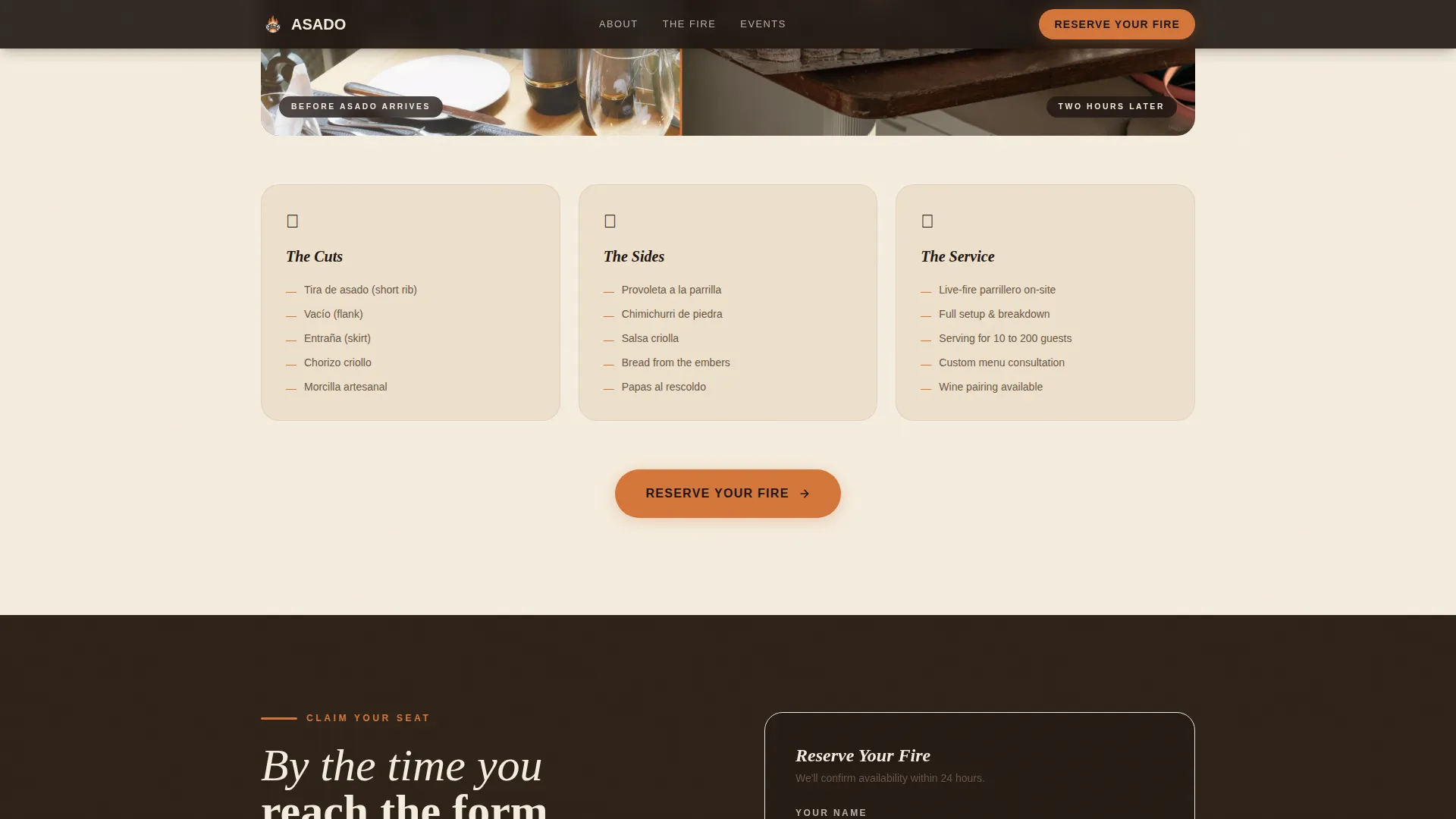
The primary booking form collects name, event date, guest count, and event type. Guest count uses a range slider from 10 to 200. Event type is a selector with options for backyard asado, corporate gathering, and private celebration. The form appears once below the hero strip and again after the final reveal.
Secondary Menu Download Path
A low-commitment conversion path sits alongside the main form. Visitors can enter only their email address to receive a downloadable menu PDF. This captures leads who are not ready to book but are actively exploring the offer.
Scroll-Triggered Reveal Animations
Parallax scroll and scroll-triggered reveal animations add atmospheric depth as visitors move down the page. Each section appears to build on the last, reinforcing the narrative momentum from raw ingredients to a finished fire-cooked feast.
Page sections overview
| Section | Purpose |
|---|---|
| Hero Lifestyle Shot | Opens with a full-viewport parrilla image and a teaser strip |
| Raw to Rested Reveal | First before/after slider showing raw cuts versus charred resting meats |
| Table Feast Reveal | Second before/after slider escalating to a full overflowing spread |
| Reserve Your Fire Form | Primary event registration with guest slider and event type selector |
| Menu Download Capture | Secondary email-only path to a downloadable menu PDF |
| Footer | Horizontal flow footer with structural navigation |
Design & branding system
The Sunset Mesa color system drives every visual decision in this template. The palette sits warm, heavy, and earthy with no cool or sharp tones anywhere in the layout.
- Colors: scorched adobe (#A0522D), ember glow (#D4763A), aged bone white (#F5EDDF), and deep carbon (#1C1410) for text and structural elements
- Typography: Fraunces as the serif display face for headings and the hero teaser, paired with DM Sans for body text and form labels
- Buttons and hover states use ember glow to mimic coals breathing under ash, while backgrounds alternate between bone white and deep carbon for strong contrast rhythm
Mobile & speed optimization
The template is built desktop-first to serve event coordinators who research and book on larger screens. A strong mobile fallback ensures the layout holds on smaller devices.
- Priority image loading is applied to the hero section so the first viewport renders without delay
- Sections below the fold use lazy loading to keep the initial page weight manageable
- The before/after sliders and guest count range slider are touch-compatible for mobile users
How this template helps you convert
Every scroll position in this template is designed to deepen desire before asking for anything. The layout earns the click rather than demanding it.
- The hero section immerses visitors in the atmosphere of the parrilla immediately, setting emotional stakes before any copy makes a pitch.
- The two before/after reveal sections escalate sensory engagement through interaction, so visitors feel connected to the experience rather than just reading about it.
- The form appears only after the narrative has done its work, so visitors arriving at "Reserve Your Fire" are already mentally seated at the fire, not evaluating a generic catering vendor.
Other information about this template
This template is a good fit for operators who want to stand out in the live-fire catering and private event space. A few additional details worth knowing before you customize it.
- The template is categorized under Food and Beverage, Latin American Cuisine and Dining, and is specifically shaped around the Argentinian parrilla niche
- The layout is localized for the United States market, using American English, American date format, and USD pricing conventions
- Animation intensity is set to high by default, including parallax scroll depth layers and scroll-triggered section entrances, which can be adjusted to match your preference
- The footer follows a horizontal flow pattern with structural links, keeping the bottom of the page clean and organized
Theme
Warm Artisan
Creative direction
Before/After Reveal
Color system
Sunset Mesa
Style
Hero-Dominant (90/10)
Direction
Event Registration
Page Sections
Cinematic 90/10 Hero Layout
Interactive Before/after Drag Sliders
Event Registration Form with Guest Slider
Secondary Menu Download Capture
Scroll-triggered Reveal Animations
Related questions
Can I use this template for a restaurant website instead of a catering service?
How does the before/after slider work for visitors on a phone?
What event types does the registration form include out of the box?
Do I need my own photography to use this template?
What is the purpose of the Download the Menu section?