Elevator Manufacturer Landing Page Template
Ascend is a card-grid landing page template built for elevator and lift manufacturers. It combines an exploded-view technical header, modular product and project reference cards, and a lead-generation flow built around a "Request a Shaft Survey" call to action. The Data Command visual theme uses deep charcoal and industrial amber to communicate engineering precision at every scroll depth.
by Rocket studio
Quick summary
Ascend is a single-page template designed for elevator and lift manufacturers who need to prove specification depth before asking for a sale. The layout opens with a technical exploded-view header, moves through a modular card grid of lift series, and closes with two conversion paths built for engineers and procurement teams.
Who this template is for
This template is purpose-built for manufacturers and suppliers operating in the vertical transport industry. It speaks directly to the technical buyers who shortlist vendors by reading data sheets, not brochures.
- Elevator and lift manufacturers presenting multiple product lines to contractors and specifiers
- Facility managers and architects comparing shaft configurations for new or retrofit projects
- Sales and marketing teams who need a page that earns trust through engineering detail
What problem this template solves
Most industrial manufacturer pages bury the numbers that technical buyers need most. Visitors land, find vague capability statements, and leave to find a competitor who publishes actual specifications. Ascend solves this directly.
- Engineers and contractors cannot shortlist a supplier without rated load, travel height, and shaft dimensions up front
- Generic product pages fail to separate lift series clearly, forcing visitors to dig through PDFs manually
- Weak or absent conversion paths waste qualified traffic from high-intent visitors ready to specify
What you get with this template
You get a complete, ready-to-customise landing page structured around the browse-compare-verify cadence that engineers follow when evaluating suppliers. Every section earns its place by delivering information rather than decoration.
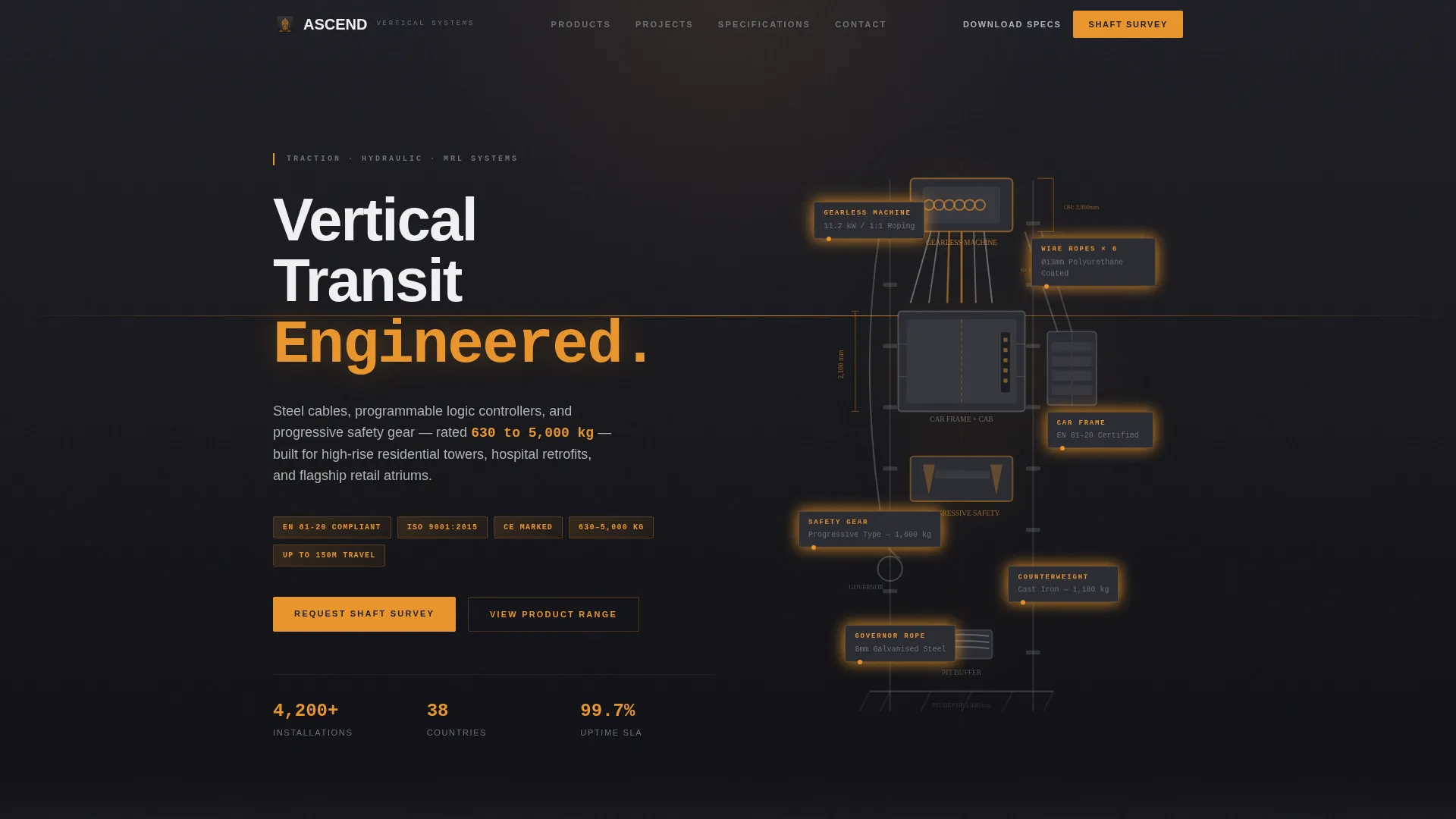
- An exploded-view header section featuring a technical 3D illustration with amber-labelled component callouts
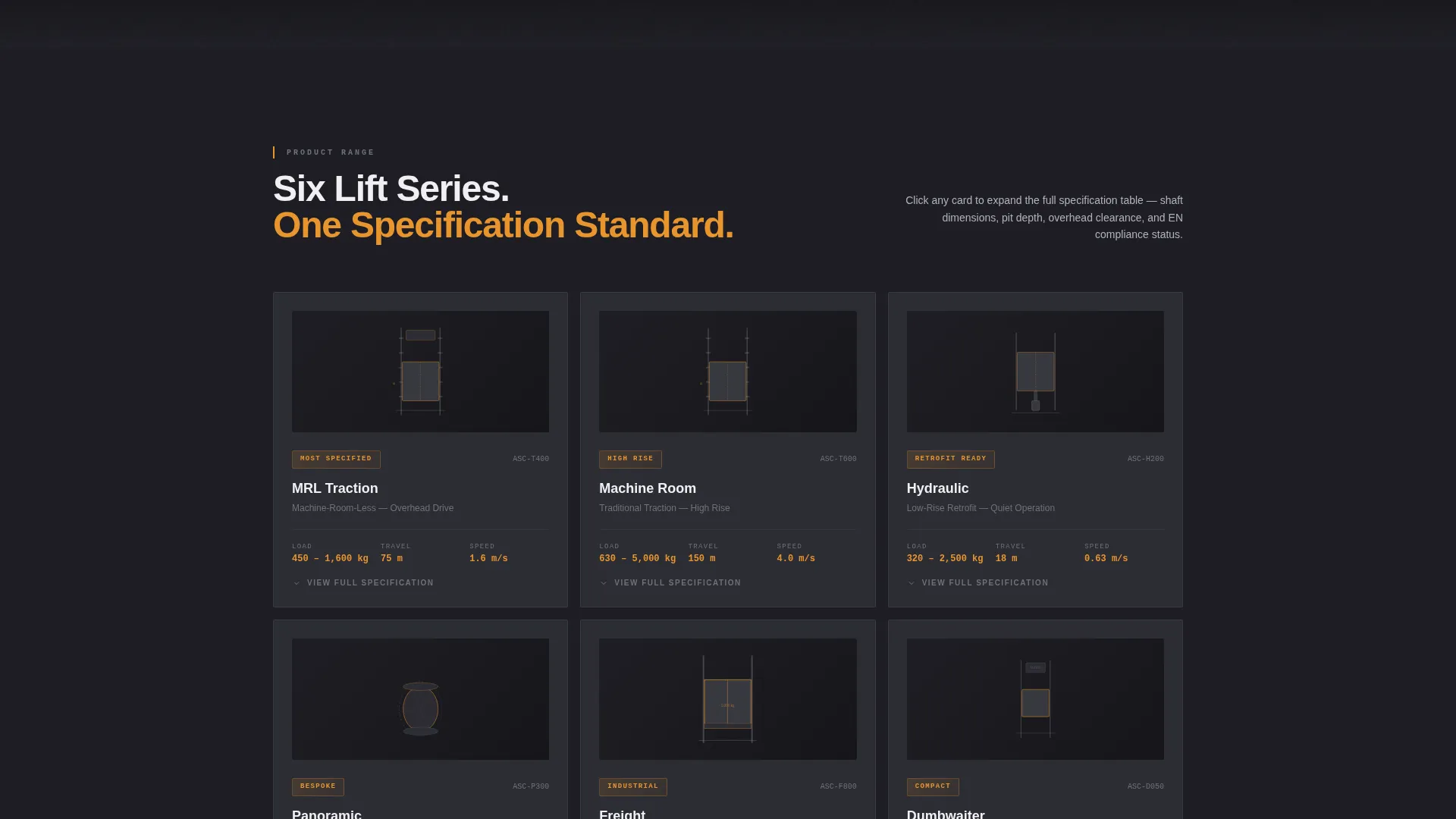
- A responsive modular card grid covering six lift series, each with front-facing specification data and an expandable detail state
- Two conversion paths: a sticky "Request a Shaft Survey" bar and a gated "Download Spec Sheet PDF" secondary form
Feature list
A paragraph introducing the feature set: Every feature in this template exists to serve a technical buyer moving through an evaluation process. The components below reflect what the brief specifies and what the layout delivers.
Exploded View Technical Header
The header renders a detailed 3D illustration of a traction elevator deconstructed mid-shaft. Components float in precise spatial relation, each carrying an amber specification label. The near-black background makes parts glow like an engineering schematic, setting an authoritative tone from the first scroll.
Modular Lift Series Card Grid
Six lift series cards tile in a responsive grid: Machine Room, Machine-Room-Less, Hydraulic, Panoramic, Freight, and Dumbwaiter. Each card front displays a dimensioned elevation drawing with rated load, maximum travel height, and speed in metres per second. On hover or click, the card flips or expands to reveal a full specification table including shaft dimensions, pit depth, overhead clearance, power supply, door configurations, and EN 81-20 compliance status.
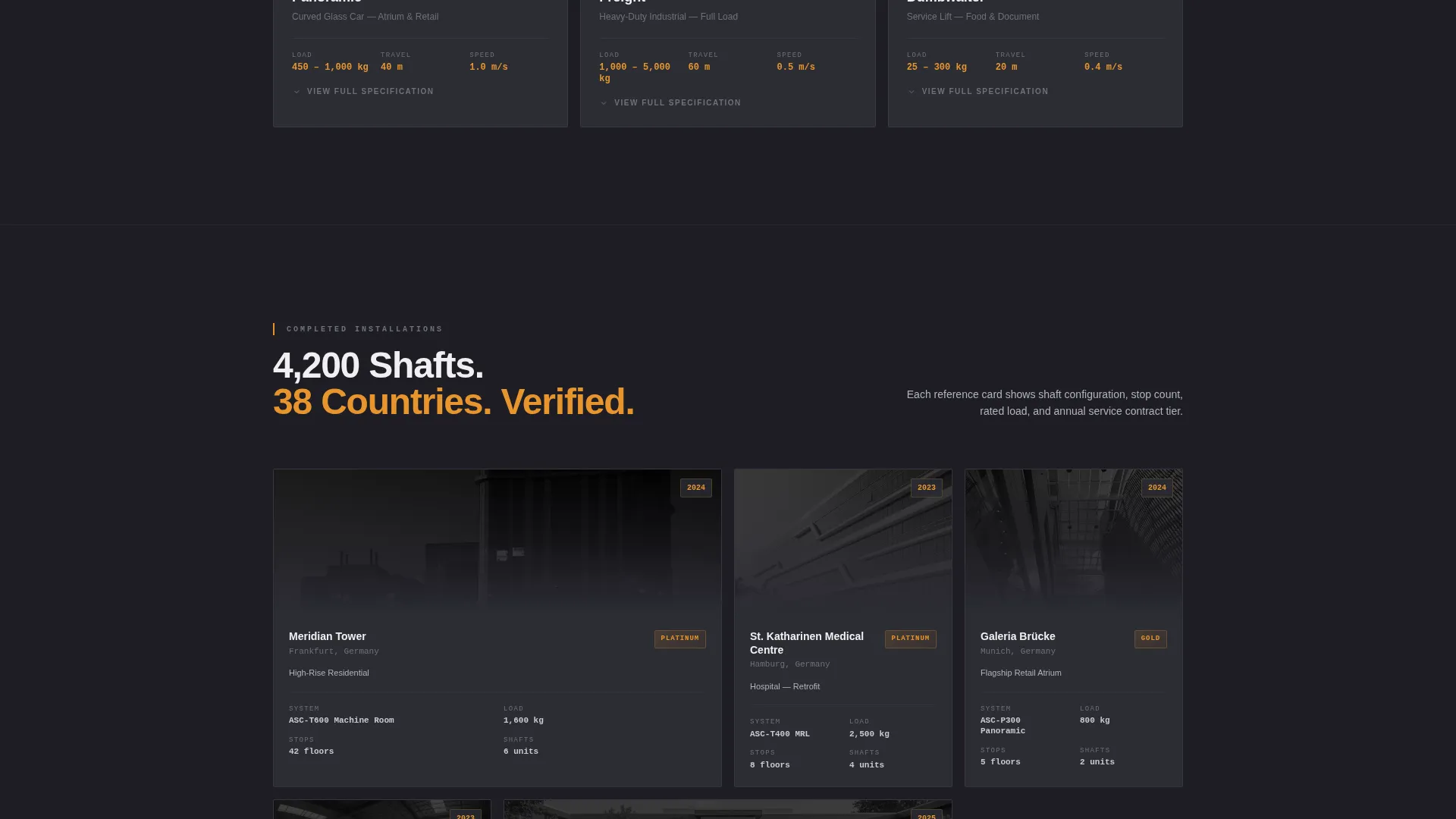
Project Reference Cards
As visitors scroll deeper, the grid transitions from product cards to completed installation reference cards. Each reference card shows shaft type, building use, number of stops, and service contract tier, giving contractors and facility managers real-world context to validate the manufacturer's experience.
Sticky Lead Capture Bar
A sticky bottom bar activates after the visitor engages with any product card. It anchors the primary call to action, "Request a Shaft Survey," and keeps the conversion prompt present without interrupting the browsing experience.
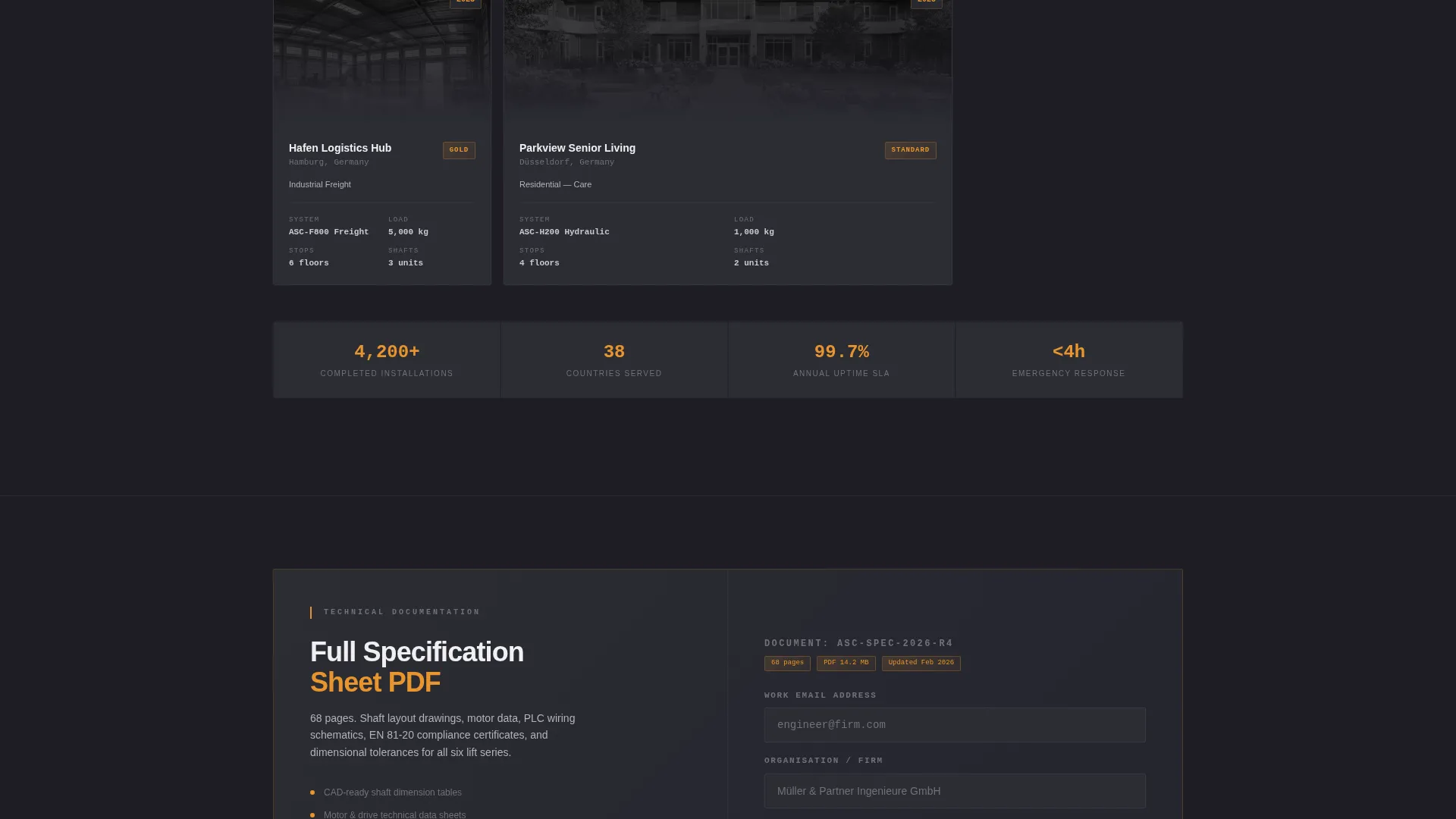
Gated Spec Sheet Download
A secondary conversion path offers a full technical data PDF behind a simple email capture field. This path serves engineers who are building bid documents and are not yet ready for a direct consultation, capturing qualified leads at an earlier stage.
Data Command Color System
The charcoal and amber palette applies consistently across every card, label, and interactive state. Amber highlights load ratings, safety certification badges, and hover interactions. Dark surfaces keep every number legible and every status indicator immediately readable.
Page sections overview
| Section | Purpose |
|---|---|
| Exploded View Header | Establish technical authority with a labelled component illustration |
| Sticky Navigation Bar | Keep primary call to action visible throughout the page |
| Lift Series Grid | Present six product lines with front-facing specification data |
| Card Expand State | Reveal full shaft and compliance specifications on interaction |
| Project Reference Grid | Validate manufacturer experience with completed installation data |
| Shaft Survey Form | Capture qualified leads via building type, floors, load, and project scope |
| Spec Sheet Gate | Collect engineer emails in exchange for full technical PDF access |
| Footer Section | House secondary links, contact details, and certification references |
Design & branding system
The visual identity follows a Data Command theme built to feel like a machine room control panel at midnight. Every colour and layout choice prioritises legibility over decoration, and every visual element either informs or directs.
- Four-colour palette: deep shaft gray (#1E1E24), structural charcoal (#2C2C34), brushed-panel silver (#B0B3B8), and industrial amber (#E8952E) reserved for ratings, certifications, and hover states
- Typography and card layouts are structured for dense technical data, keeping rated loads and dimensions instantly scannable
- No lifestyle photography; all visuals are dimensioned elevation drawings, technical schematics, and the exploded-view 3D illustration
Mobile & speed optimization
The card grid layout is fully responsive, adapting from a multi-column desktop view to a stacked single-column format on smaller screens. This keeps specification tables and card detail states readable without horizontal scrolling.
- Modular card components reflow cleanly across breakpoints without losing the browse-and-compare interaction
- The sticky survey bar remains accessible on mobile, keeping the primary conversion path reachable at any scroll position
How this template helps you convert
The page is structured so that conversion feels like a natural next step after the visitor has already confirmed the manufacturer meets their specification requirements.
- The product card grid lets engineers verify rated load, shaft dimensions, and compliance status before any form appears, so the request feels earned rather than premature.
- The sticky "Request a Shaft Survey" bar activates only after card engagement, reaching visitors at the moment they are most qualified.
- The secondary PDF gate captures engineers building bid documents, creating a second conversion path that fits earlier-stage procurement behaviour.
Other information about this template
This template is delivered as a single landing page and is intended for use by elevator and lift manufacturers serving the commercial, residential, medical, and industrial construction sectors. It is part of a wider Manufacturing and Industrial category within the Component and Equipment Manufacturing subcategory.
- The template is styled for the Elevator and Lift Manufacturer niche and aligns with the Data Command theme and Spec Sheet creative direction
- Lift series covered include Machine Room, Machine-Room-Less, Hydraulic, Panoramic, Freight, and Dumbwaiter configurations
- The form captures building type, number of floors, estimated load class, and whether the project is a new installation or a modernisation
- EN 81-20 compliance status is included as a card detail field, reflecting the standard referenced in the source brief for European lift safety
Theme
Data Command
Creative direction
Spec Sheet
Color system
Charcoal & Amber
Style
Card Grid (Modular)
Direction
Lead Generation
Page Sections
Exploded View Technical Header
Modular Lift Series Card Grid
Project Reference Cards
Sticky Shaft Survey Bar
Gated Spec Sheet Download
Data Command Visual System
Related questions
Who is this landing page template designed for?
What lift product lines does the card grid include?
How does the lead generation flow work?
Can this template support both new installations and retrofit projects?
What does the project reference card section show?



