Escalator Technician Business FAQ Website Template
Ascend is a single-page landing page template built for escalator technician businesses. It combines an editorial magazine aesthetic with a FAQ-driven scroll structure and side-by-side comparison tables. Facilities managers, property directors, and transit authorities can instantly see service tiers, request a site assessment, or download a maintenance checklist, all from one confident, well-organized page.
by Rocket studio
Quick summary
Ascend is a lead-generation landing page template designed for vertical-transport service teams. It uses a FAQ-driven scroll structure to walk facilities professionals through real service decisions. Each question anchors a comparison table. The result is a page that feels authoritative, builds trust fast, and converts visitors into qualified assessment requests.
Who this template is for
This template is built for escalator technician businesses that serve commercial and institutional clients. It works especially well for teams pitching multi-unit maintenance contracts or emergency response agreements to professional buyers.
- Facilities managers at malls, airports, transit stations, and hospitals
- Property directors budgeting annual escalator maintenance contracts
- Municipal transit authorities seeking structured service agreements without in-house expertise
What problem this template solves
Most escalator service businesses rely on referrals or generic service pages that do not address the specific questions professional buyers actually have. Facilities managers need to justify a contract to a budget committee. They need answers before they call.
- Visitors leave without converting because the page does not answer comparison questions
- No clear service tier structure makes it hard for buyers to self-qualify
- Generic contact forms fail to capture the project context needed for a useful follow-up
What you get with this template
You get a fully structured, single-page layout that moves a professional buyer from first impression to form submission. Every section is purposeful and backed by the editorial magazine visual system described in the brief.
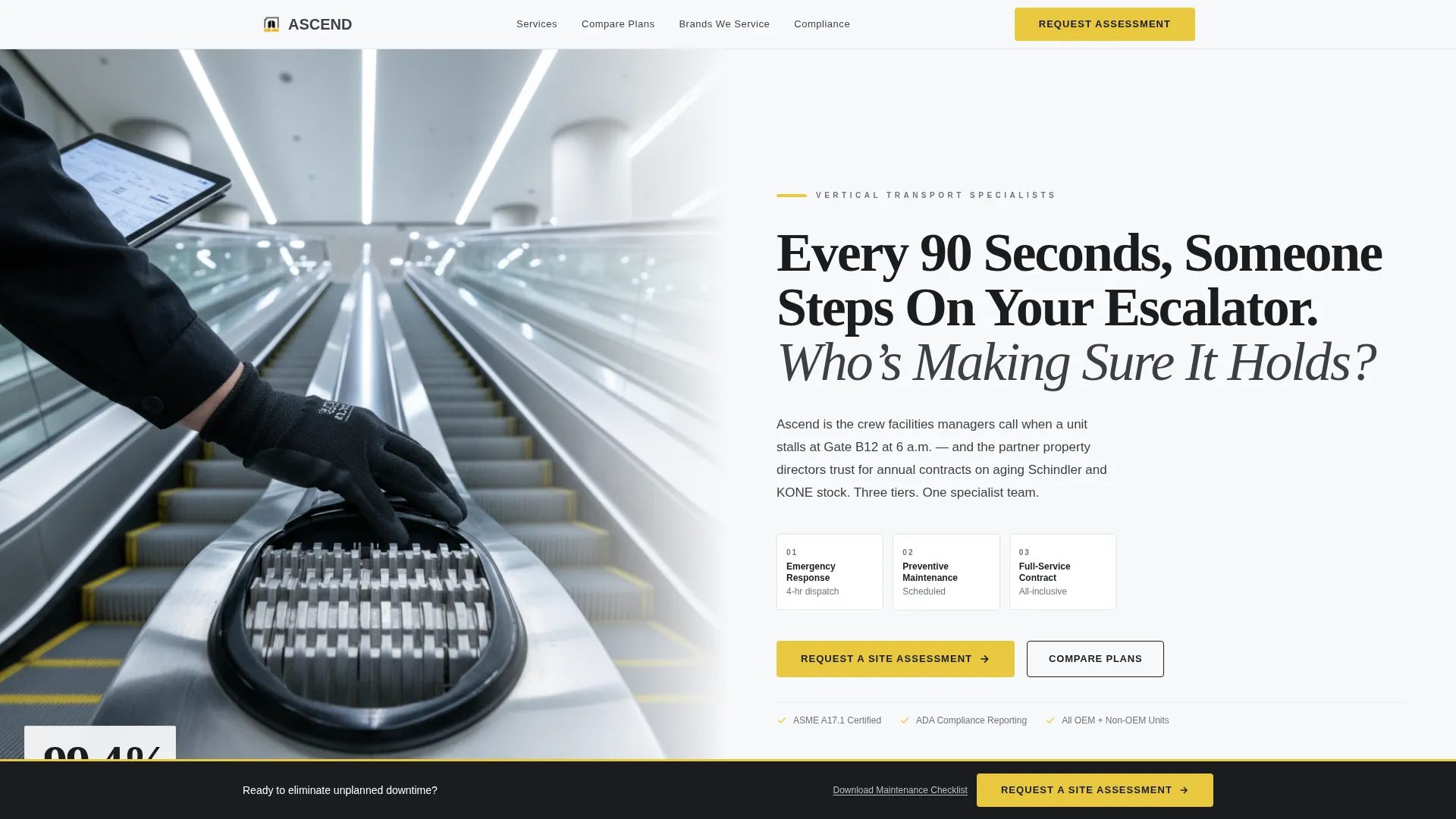
- A half-page photo-and-text header with a bold serif headline and subhead naming three service tiers
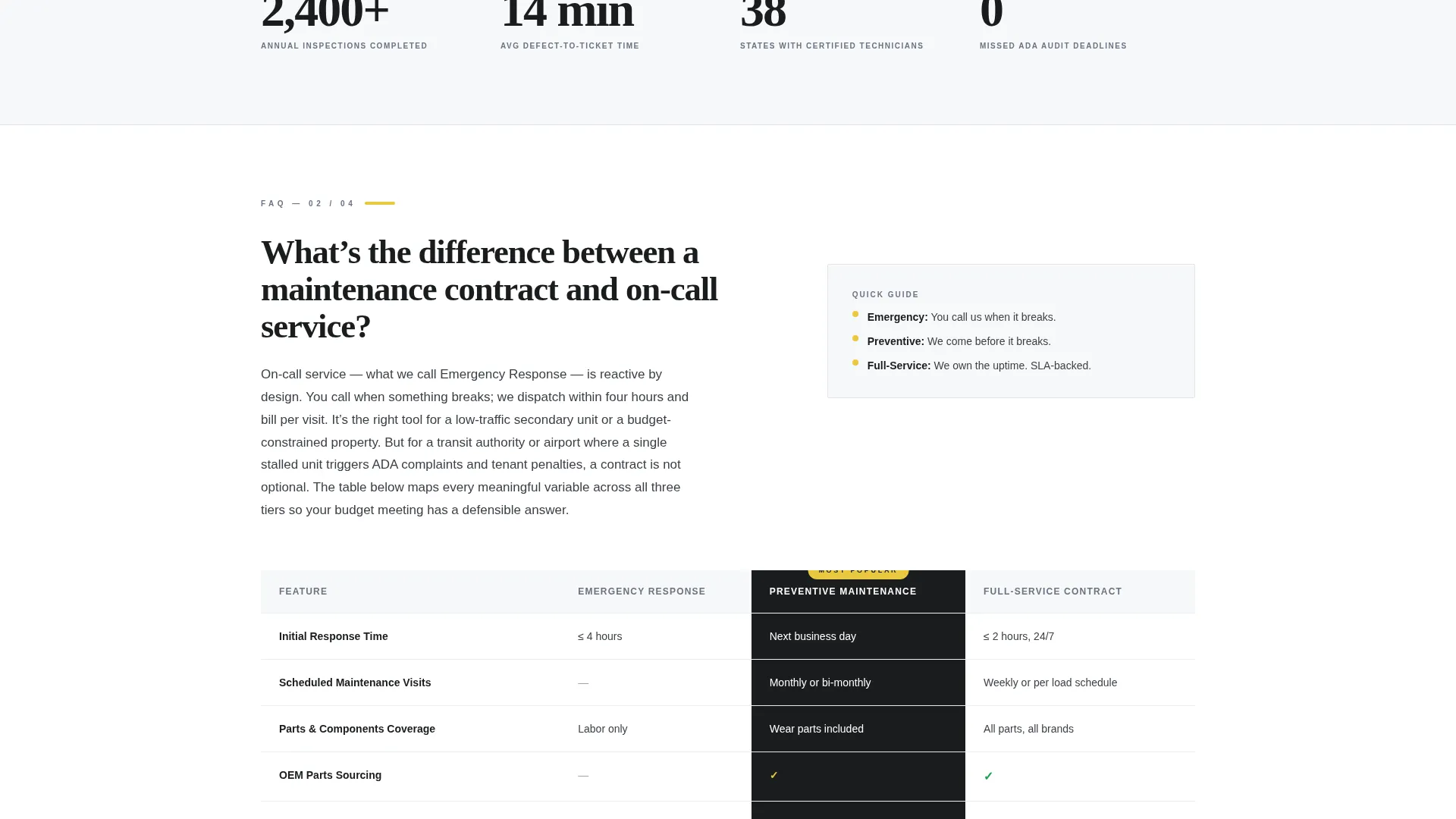
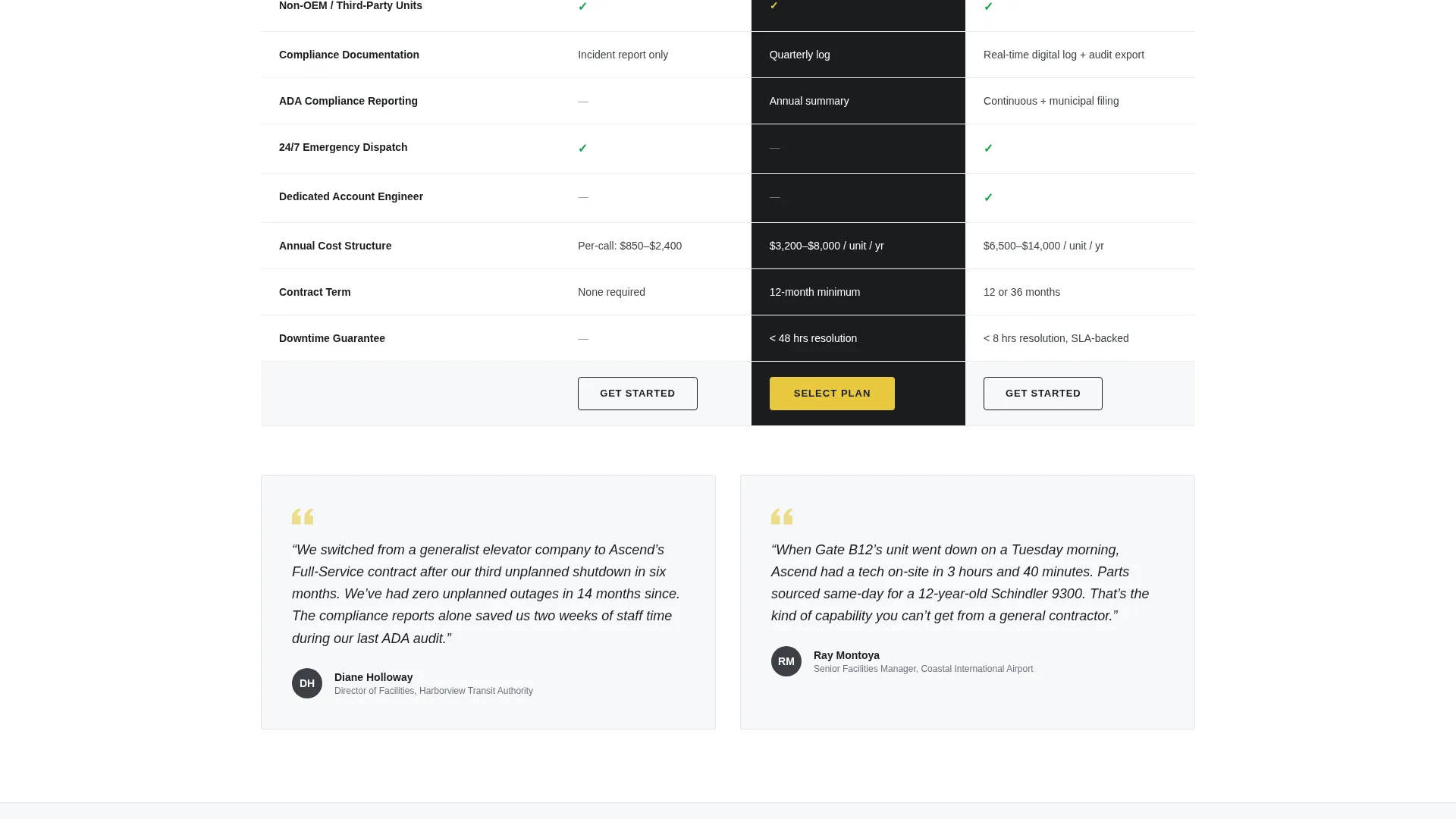
- FAQ-anchored sections with side-by-side comparison tables covering emergency, preventive, and full-service contracts
- A sticky bottom bar with the primary call to action and a secondary gated PDF download path
Feature list
This template is built around six tightly scoped components that serve a professional B2B buyer journey.
Half-Page Editorial Header
The header splits into two zones. The left side holds an editorially lit photograph shot from the base of an escalator looking upward, stainless steel treads converging toward ceiling light, with a technician's gloved hand on the handrail and a diagnostic tablet in view. The right side carries a bold serif headline large enough to read like a magazine cover, followed by a light sans-serif subhead naming the three service tiers.
FAQ-Driven Scroll Structure
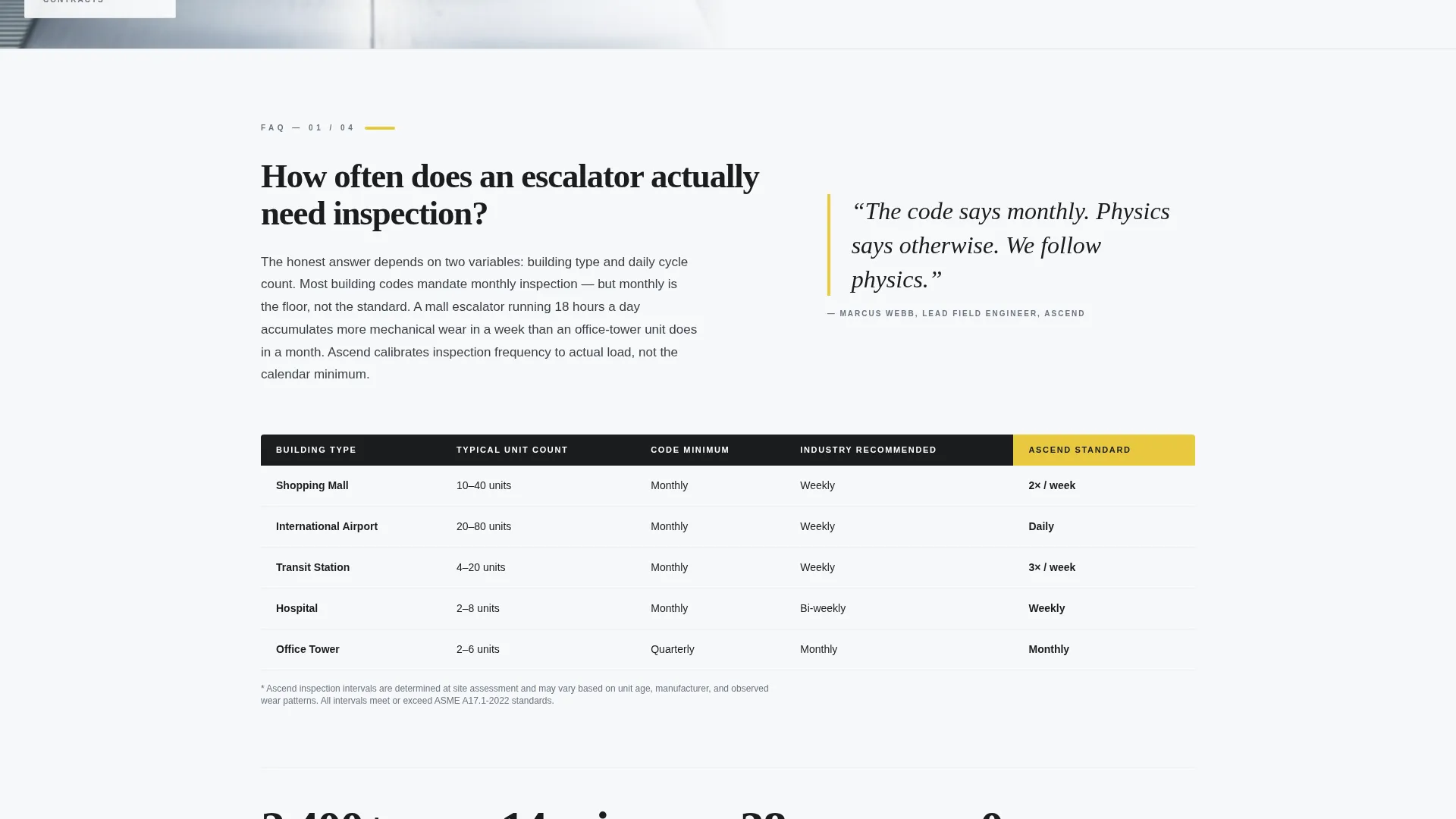
Each scroll section opens with a real question that facilities managers search for online. The question acts as an anchor heading. Beneath it, the answer unfolds as editorial prose followed by a structured comparison table, so every section both informs and sells.
Service Tier Comparison Tables
The comparison tables place Emergency, Preventive, and Full-Service contracts side by side. Each table row covers response times, parts coverage, compliance reporting, and annual cost structures. Buyers can self-qualify without needing a phone call first.
Sticky Lead Generation Bar
After the first comparison table, a sticky bottom bar appears and stays visible through the rest of the scroll. It carries the primary call to action, labeled "Request a Site Assessment," styled in safety-stripe yellow against deep mechanical black.
Site Assessment Request Form
The form inside the sticky bar collects structured intake data: building type via dropdown (mall, airport, transit, hospital, or other), number of escalator units, current manufacturer, and a free-text field labeled "Describe the issue or goal." This gives the service team context before the first conversation.
Gated Checklist Download
A secondary conversion path offers a downloadable PDF titled "Escalator Maintenance Checklist." It is gated behind an email address and facility name. This captures early-stage visitors who are building a budget case and are not yet ready to request a site visit.
Page sections overview
| Section | Purpose |
|---|---|
| Editorial Header | Establish authority and name service tiers |
| Inspection FAQ Section | Answer how-often inspection questions |
| Contract Comparison Table | Compare emergency versus. preventive versus. full-service |
| Maintenance FAQ Section | Clarify contract versus. on-call differences |
| Non-OEM FAQ Section | Address servicing non-original-equipment units |
| Sticky Assessment Bar | Pin primary call to action after first comparison table |
| Assessment Request Form | Collect structured buyer intake details |
| Checklist Download Block | Capture early-stage leads with gated PDF |
Design & branding system
The visual identity follows an Editorial Magazine theme built on an Arctic White color system. The palette reads like a well-lit technical manual printed on heavy matte stock: clinical, authoritative, and impossible to misread.
- Arctic White (#F7F8FA) as the dominant background, gunmetal handrail gray (#3B3F45) for supporting text, and deep mechanical black (#1A1C1E) for headline typography
- Safety-stripe yellow (#E8C840) used exclusively for call-to-action buttons and alert accents, never as decoration
- Bold serif typeface for headlines paired with a light sans-serif for body text, creating a clear editorial hierarchy
Mobile & speed optimization
The layout is structured for readability across screen sizes. Comparison tables and the sticky bar are designed to remain functional and legible on smaller viewports.
- Sticky bottom bar stays accessible on mobile without obscuring key content
- Comparison tables are horizontally scrollable on narrow screens to preserve full data visibility
- The half-page header composition adapts to a stacked single-column layout on mobile devices
How this template helps you convert
The conversion architecture is built around reducing friction for professional buyers who need information before committing.
- The FAQ-driven structure answers the exact questions facilities managers search for, building trust at each scroll step before any form appears.
- The sticky call-to-action bar keeps "Request a Site Assessment" visible throughout the page, so the moment a buyer is ready, the next step is always one tap away.
- The gated checklist download creates a second conversion path for budget-stage visitors, capturing leads who are not ready to call but are actively researching.
Other information about this template
This template is part of a Professional Services collection designed for niche B2B service businesses. A few additional details worth noting for teams evaluating the Ascend template:
- The three service tiers referenced throughout the page are Emergency, Preventive, and Full-Service contracts, each with distinct response time and coverage structures
- The form dropdown includes five building types: mall, airport, transit station, hospital, and other, covering the core client segments named in the brief
- The template is well-suited for escalator technician businesses that service equipment from multiple manufacturers, as the non-OEM FAQ section directly addresses that buyer concern
- The editorial magazine theme gives the page a premium, publication-quality feel that positions the service team as a specialist authority rather than a general contractor
- The safety-stripe yellow call-to-action color is used exclusively for conversion elements, keeping the buyer's eye naturally drawn to the next step
Theme
Editorial Magazine
Creative direction
FAQ-Driven
Color system
Arctic White
Style
Comparison Table
Direction
Lead Generation
Page Sections
Half-page Editorial Header
Faq-driven Scroll Architecture
Three-tier Comparison Tables
Sticky Site Assessment Bar
Structured Intake Form
Gated Checklist Download
Related questions
What kind of business is this landing page template built for?
What service tiers does the comparison table cover?
How does the lead generation structure work?
What does the FAQ-driven scroll structure mean in practice?
Can the form fields be adapted to different facility types?



