Precision Assembly Service Landing Page Template
Assemble is a dashboard-style landing page template built for commercial assembly crews. It presents your capabilities as a live performance report: before-and-after visuals, unit counters, job-site maps, Gantt timelines, and compliance grids. The layout guides facilities managers and procurement directors straight to a three-step rollout quote form.
by Rocket studio
Quick summary
Assemble is a single-page template designed for precision assembly services working in offices, hotels, and retail chains. It frames your crew's output as measurable proof: split-viewport transformations, live unit tallies, and case-study timelines. Every section builds the evidence wall that convinces a procurement director or facilities manager to forward your link before they finish scrolling.
Who this template is for
This template is built for commercial assembly businesses that win contracts through documented performance, not sales pitches. It speaks the language of site binders, punch lists, and portfolio rollouts.
- Facilities managers overseeing multi-site furniture and fixture installations
- General contractors needing FF&E (furniture, fixtures, and equipment) installed on punch-list deadlines
- Procurement directors at hospitality groups furnishing large, identical room portfolios
What problem this template solves
Assembly crews often struggle to communicate scale and reliability to corporate buyers. A generic service page does not answer the specific questions a procurement committee asks before approving a vendor.
- Buyers cannot visualize the scope of work or speed of delivery from a text-heavy page
- Compliance, insurance, and safety credentials are buried or absent, stalling approvals
- There is no clear path for multi-site clients to request a scoped quote quickly
What you get with this template
You get a complete, data-led landing page that positions your assembly service as a proven, enterprise-ready operation. Every section is designed to answer a procurement objection before it is raised.
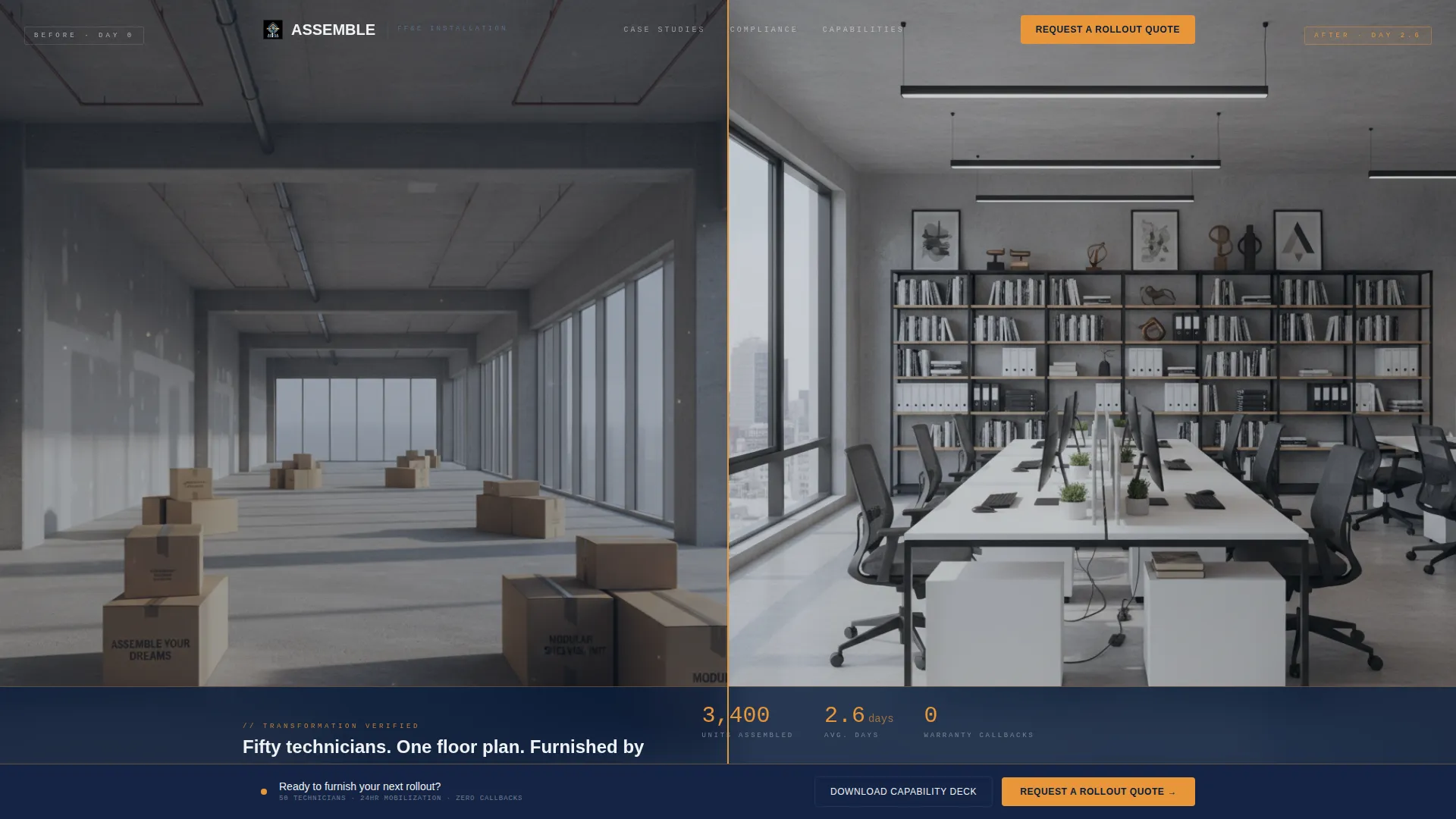
- A split-viewport before-and-after header with a frosted-glass data overlay showing units, duration, and callback rate
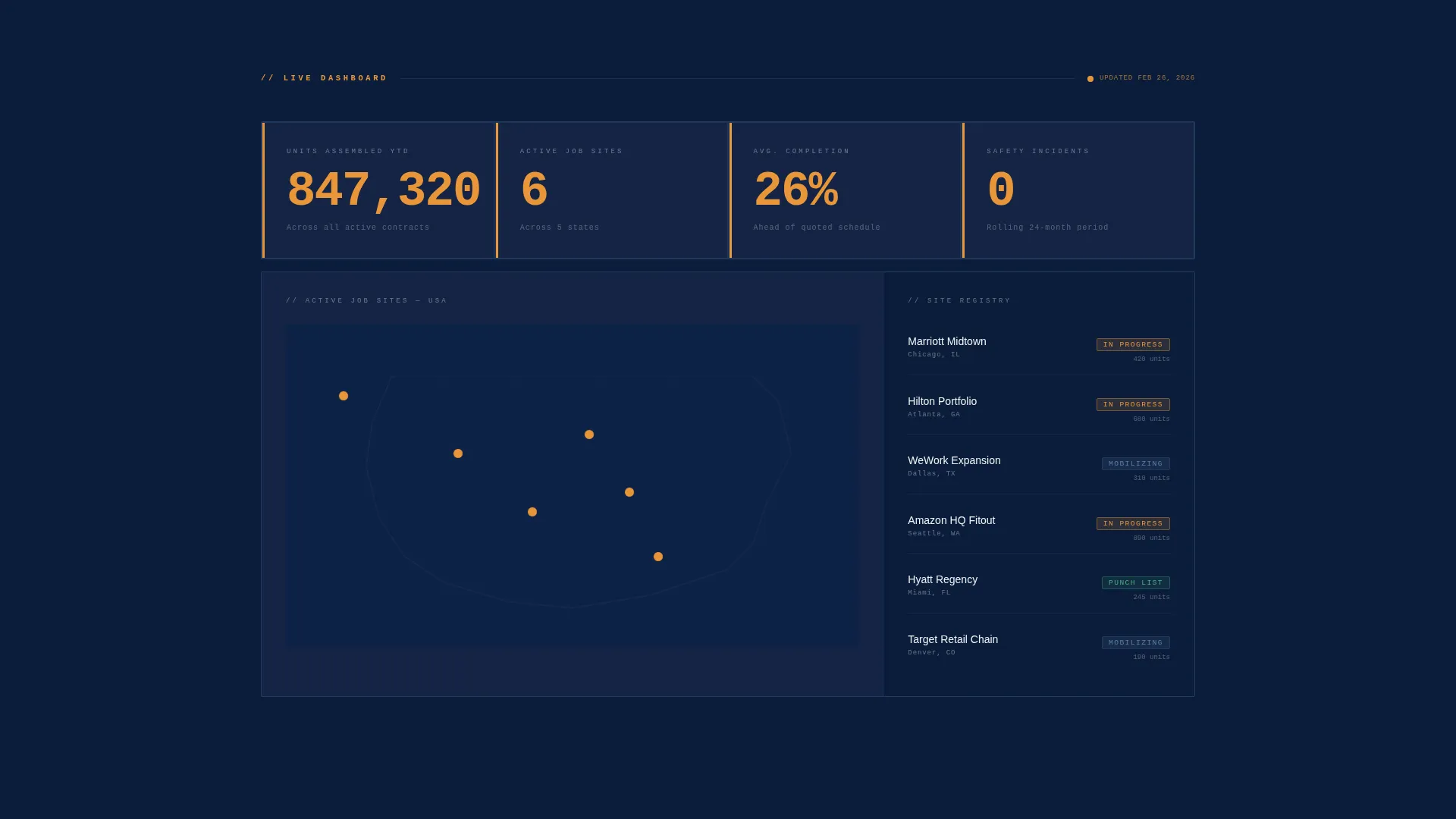
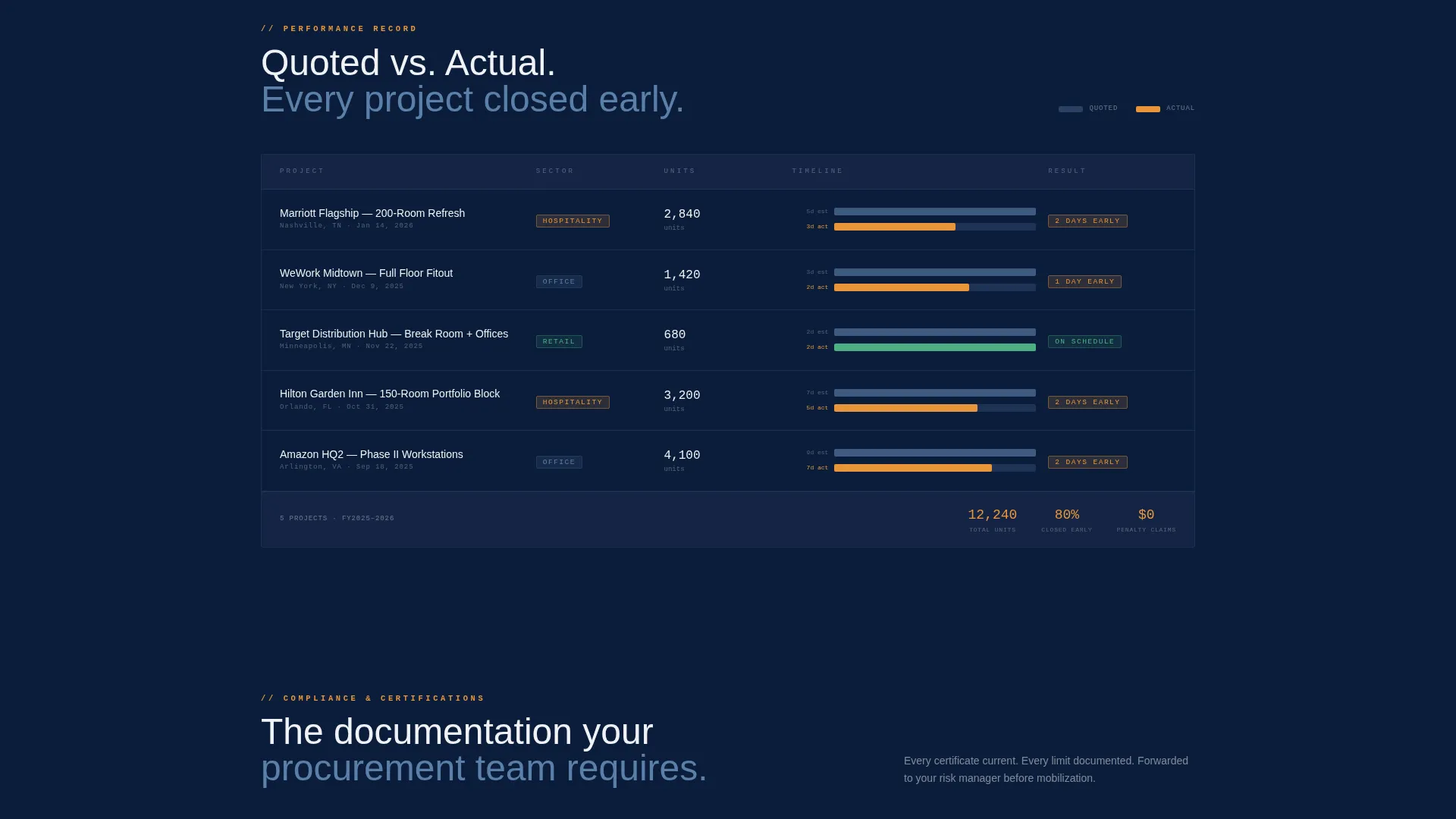
- A live-counter tile, active job-site map with amber pins, and Gantt-style timeline comparing quoted versus actual completion
- A three-step progressive quote form and a gated capability deck download, covering both ready-to-buy and research-phase visitors
Feature list
This template delivers a structured set of visual and functional components drawn directly from the brief. Each one serves a specific role in building buyer confidence.
Split-Viewport Before and After Header
The header opens with a raw commercial space on the left and the fully assembled result on the right. A frosted-glass data bar fades in with monospaced figures: units assembled, days on site, and warranty callback rate. The transformation is measurable before it is emotional.
Live Unit Counter Tile
A prominent tile tracks total units assembled to date. The number is displayed in amber against the deep navy background, signaling live operational data. It anchors the page's credibility in the very first scroll.
Active Job-Site Map
An interactive map plots current job sites with amber location pins. It communicates geographic reach and active capacity at a glance. Multi-site clients can immediately see whether your crew operates in their regions.
Gantt-Style Case Study Timeline
Five case studies are displayed as a Gantt-style comparison grid, showing quoted completion against actual delivery. This format removes ambiguity about your scheduling performance. It is the kind of evidence a project manager can share internally without further explanation.
Compliance and Certification Grid
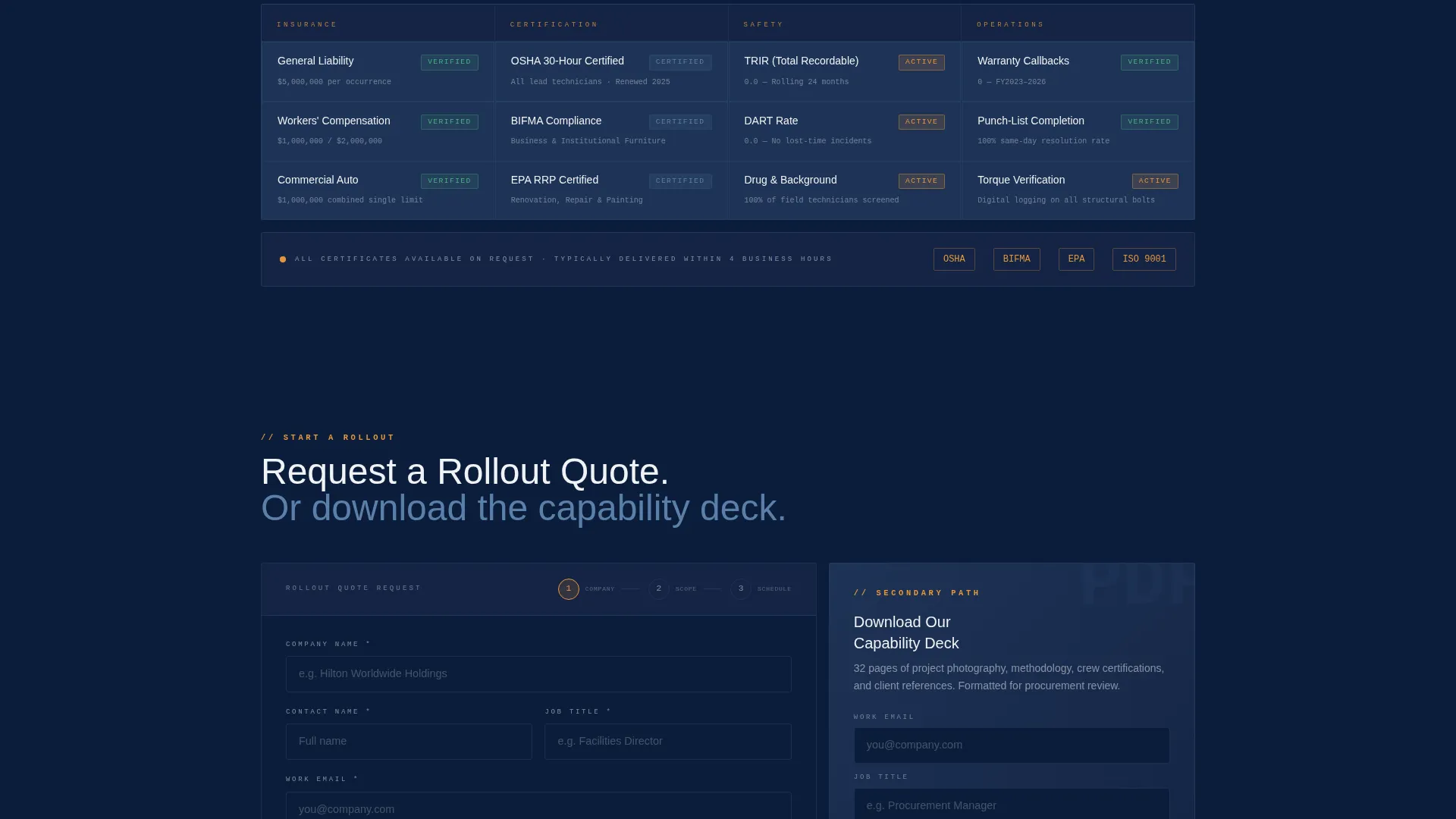
A dedicated grid lists insurance limits, certifications, and safety-incident rates in a scannable table format. This section removes the back-and-forth email requests for credentials. Procurement and legal reviewers get what they need in one view.
Three-Step Progressive Quote Form
The primary conversion path collects information in three focused steps: company name and site count, then unit volume and fixture type, then a calendar embed for a scoping call. A sticky bottom bar activates after the first case-study card scrolls into view. A secondary path gates a capability deck PDF behind email and job title.
Page sections overview
| Section | Purpose |
|---|---|
| Before and After Header | Opens with visual proof of transformation and a data overlay |
| Live Counter Tile | Shows total units assembled with an amber live-metric display |
| Active Job-Site Map | Maps current projects with amber pins to show operational reach |
| Case Study Timeline | Compares quoted versus actual delivery across five projects |
| Compliance Credential Grid | Lists insurance, certifications, and safety-incident data |
| Three-Step Quote Form | Captures company, volume, fixture type, and scoping call slot |
| Capability Deck Gate | Collects email and job title for a PDF download path |
| Sticky Quote Bar | Activates after first case-study card to anchor the primary call to action |
Design & branding system
The visual identity follows a Corporate Precision theme built on a Navy Authority color system. The palette feels like a foreman's tablet glowing on a dark job site: authoritative data against deep, serious backgrounds.
- Command-deck navy (#0B1D3A) and blueprint steel (#3D5A80) form the dominant dark canvas for all data cards and grid modules
- Specification-sheet white (#F0F2F5) is used for body text and table content, keeping readability clean against the dark base
- Torque-wrench amber (#E8963A) is reserved strictly for live metrics, call-to-action buttons, map pins, and status indicators, so it only appears where attention is earned
Mobile & speed optimization
The dashboard layout is structured around stacked data cards and grid modules that translate naturally to smaller viewports. The creative direction mirrors a scrollable industry report, which keeps the reading experience consistent across devices.
- Each data card and grid module is designed as a self-contained block, making vertical stacking on mobile straightforward
- The sticky quote bar remains accessible at the bottom of the screen on any device, keeping the primary conversion path always visible
- Monospaced typography and high-contrast color choices maintain data legibility on both large monitors and handheld screens
How this template helps you convert
The page is engineered to move a skeptical procurement decision-maker from passive browsing to active quoting. It does this by stacking proof points in a deliberate sequence.
- The before-and-after header and live unit counter establish immediate credibility, giving the visitor measurable proof within the first viewport before any scrolling is required.
- The Gantt timeline and compliance grid answer the two hardest procurement questions, which are "will they finish on time?" and "are their credentials in order?", removing the need for internal follow-up emails.
- The three-step quote form and the gated capability deck create two separate conversion paths, capturing both decision-ready buyers and research-phase visitors who are not yet ready to commit.
Other information about this template
This template sits within the Manufacturing and Industrial category, specifically aligned to the Construction Manufacturing subcategory and Construction Assembly Service niche. It is designed for B2B partnership conversion where the sales cycle involves multiple stakeholders.
- The Industry Report creative direction means each scroll feels like advancing through a quarterly performance deck, reinforcing the sense of a thoroughly documented operation
- The template style is a Dashboard and Data Grid layout, making it suitable for any assembly or installation service that wins contracts through documented metrics and compliance records
- The header concept is a Case Study Before and After, a format that communicates project outcomes faster than written testimonials for buyers operating under tight evaluation timelines
Theme
Corporate Precision
Creative direction
Industry Report
Color system
Navy Authority
Style
Dashboard/Data Grid
Direction
Partnership/B2B
Page Sections
Split-viewport Before and After Header
Live Unit Counter and Job-site Map
Gantt-style Case Study Timeline
Compliance and Certification Grid
Three-step Progressive Quote Form
Gated Capability Deck Download
Related questions
Can I adapt this template for a different type of installation service?
How does the three-step quote form work?
What is the capability deck download path for?
Does the sticky quote bar appear immediately on page load?
Is this template suitable for a hospitality portfolio rollout?



