Assess — Trusted Townhouse Equity Landing Page Template
Equity is a split-screen landing page template built for a townhouse real estate investment firm. It opens with a live investment calculator, walks visitors through before-and-after renovation case studies, and guides serious investors through a five-question assessment. The result is a personalized investor profile, a matched portfolio recommendation, and a direct path to booking a capital call.
by Rocket studio
Quick summary
Equity is a single-page investor landing page for a townhouse acquisition and repositioning firm. The template leads with a live calculator hero, walks through renovation case studies using interactive drag sliders, and closes with a guided five-question assessment that profiles each visitor and routes them toward a private capital call booking or a gated due diligence download.
Who this template is for
This template is designed for real estate investment firms that acquire and reposition underperforming townhouse communities. It speaks directly to passive investors who want clearly presented returns without operational involvement.
- Dentists and professionals rolling over idle retirement accounts into real estate income
- Mid-career technology employees with liquidity from equity compensation events
- Retired couples seeking steady cash flow without active landlord responsibilities
What problem this template solves
Most real estate investment pages ask visitors to trust a pitch before showing them any numbers. Equity flips that order. The calculator is the first thing a visitor touches, so the conversation starts with their capital, not the firm's story.
- Unqualified visitors get filtered through the five-question assessment before a call is booked
- Fence-sitters are captured through a gated due diligence checklist download
- The before-and-after structure answers the renovation credibility question visually, without paragraphs of explanation
What you get with this template
You get a fully structured single-page layout that handles awareness, qualification, and conversion inside one scroll. Every section has a defined job, and the visual system ties all of them together.
- A live investment calculator hero with slider inputs and an animated projected portfolio panel
- Interactive before-and-after drag sliders for each renovation case study section
- A five-question guided assessment that delivers a personalized investor profile and booking embed
Feature list
This template ships with purposeful interactive components and a structured content flow. Each feature is grounded in the source brief and serves a specific stage of the investor journey.
Live Investment Calculator Hero
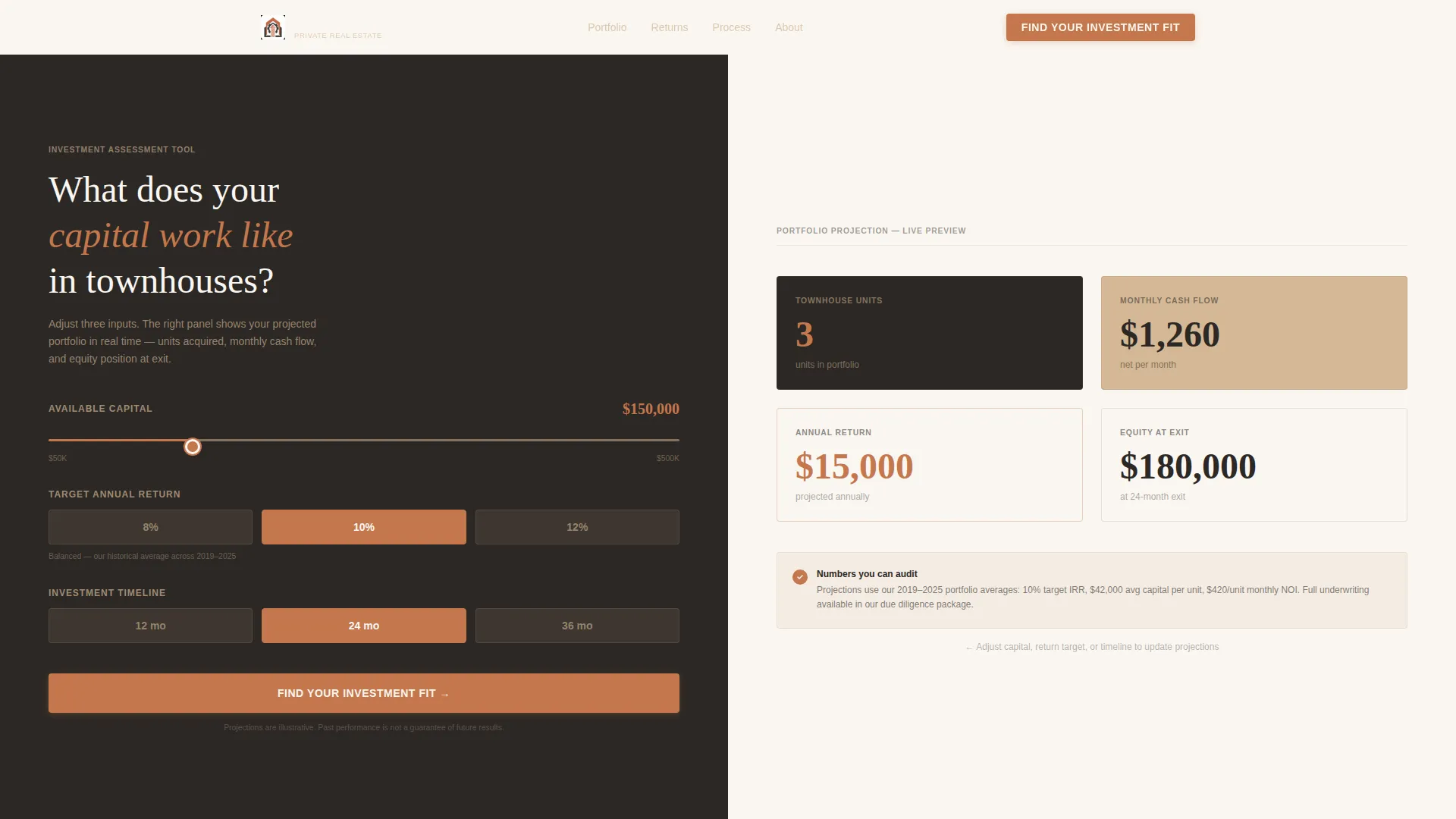
The header splits the viewport into two equal panels. The left panel holds three inputs: available capital on a slider from $50,000 to $500,000, target annual return via a dropdown, and preferred investment timeline. The right panel renders a projected portfolio snapshot with animated numbers that update as the visitor adjusts each input.
Interactive Before-and-After Case Study Sliders
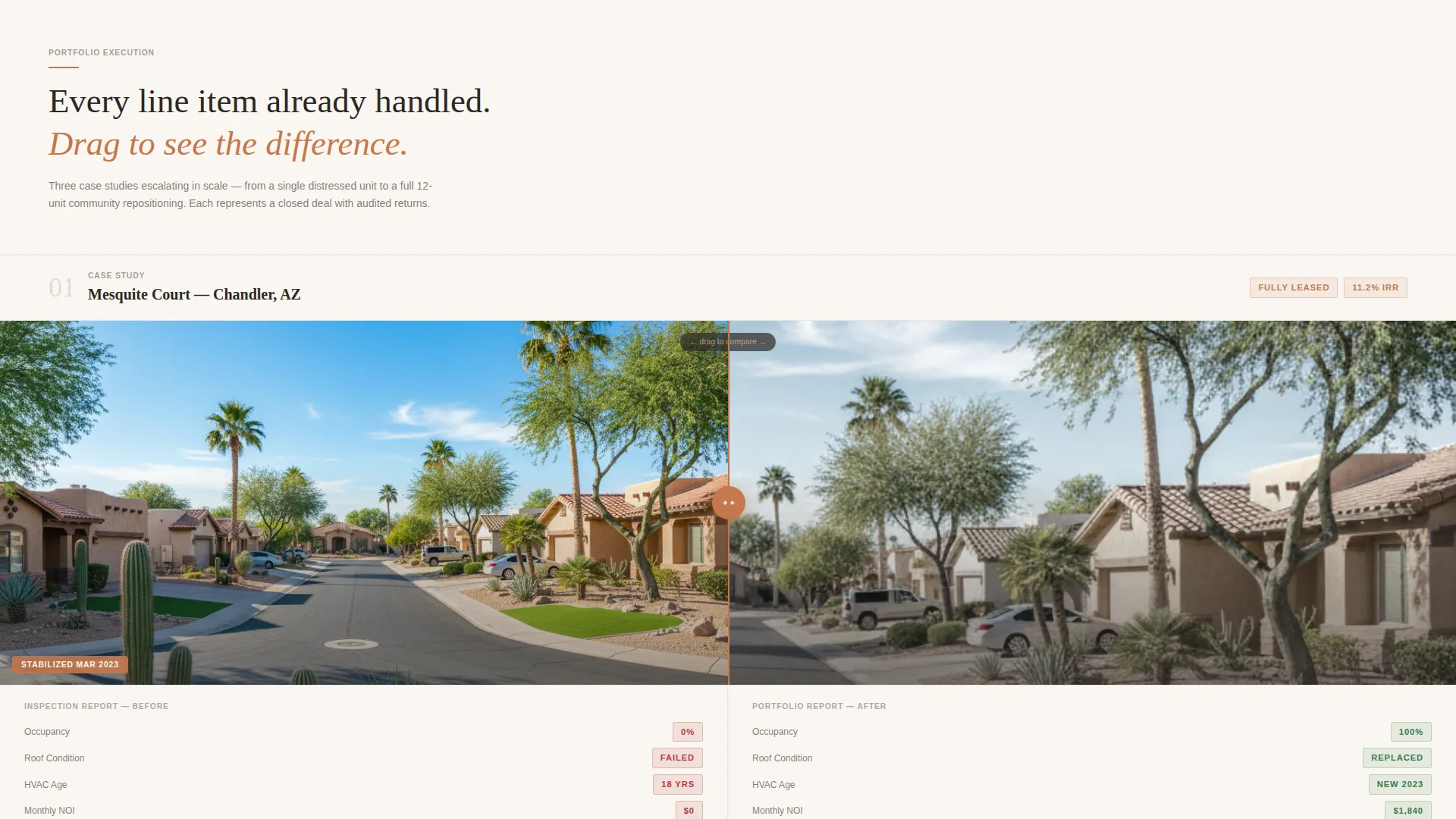
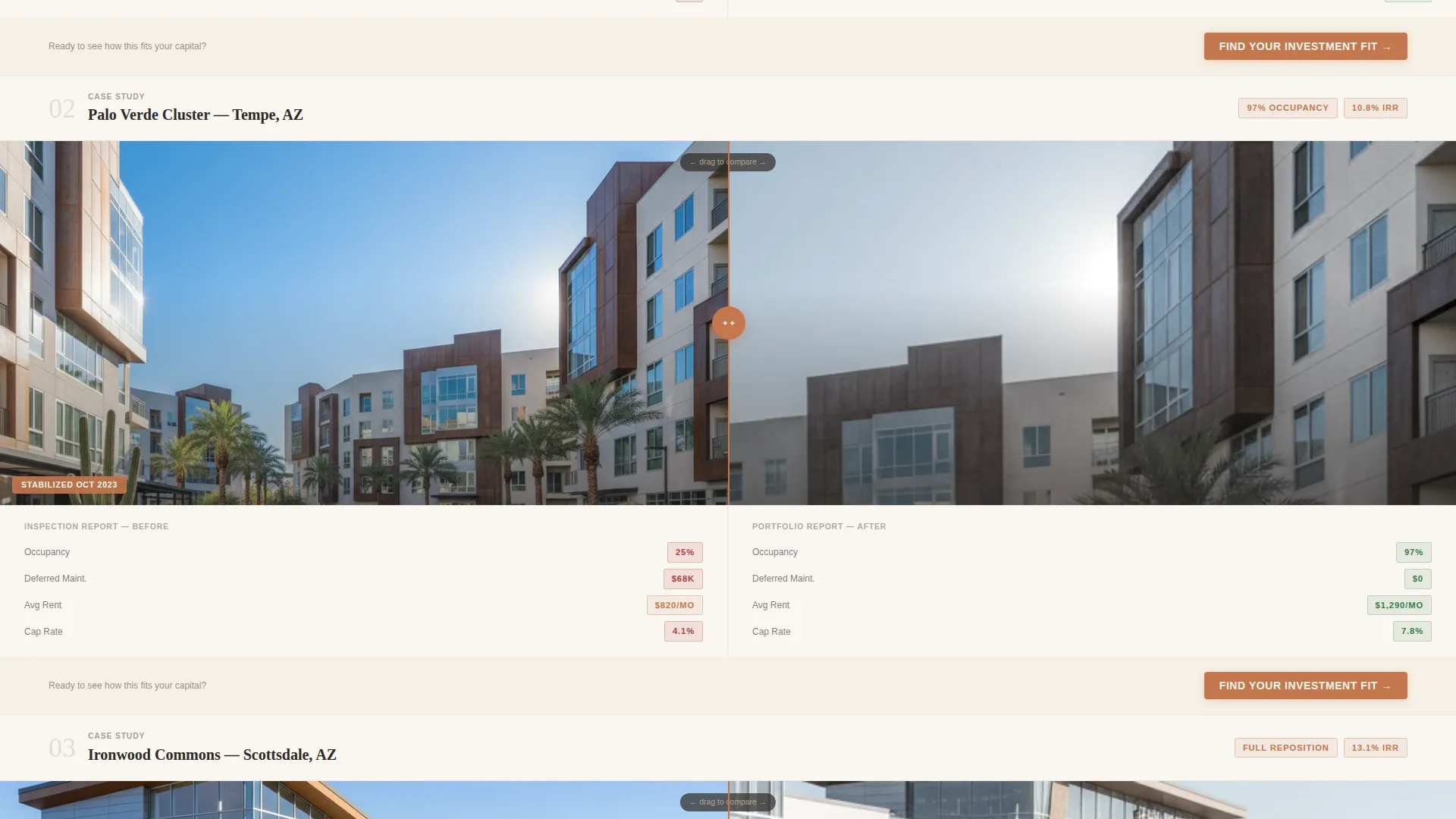
Each renovation case study divides the screen between a distressed property condition report and the completed renovation result. Visitors drag a slider handle across the viewport to reveal the transformation. The narrative builds from a single-unit renovation to a full 12-unit community repositioning.
Full-Width Data Strip Sections
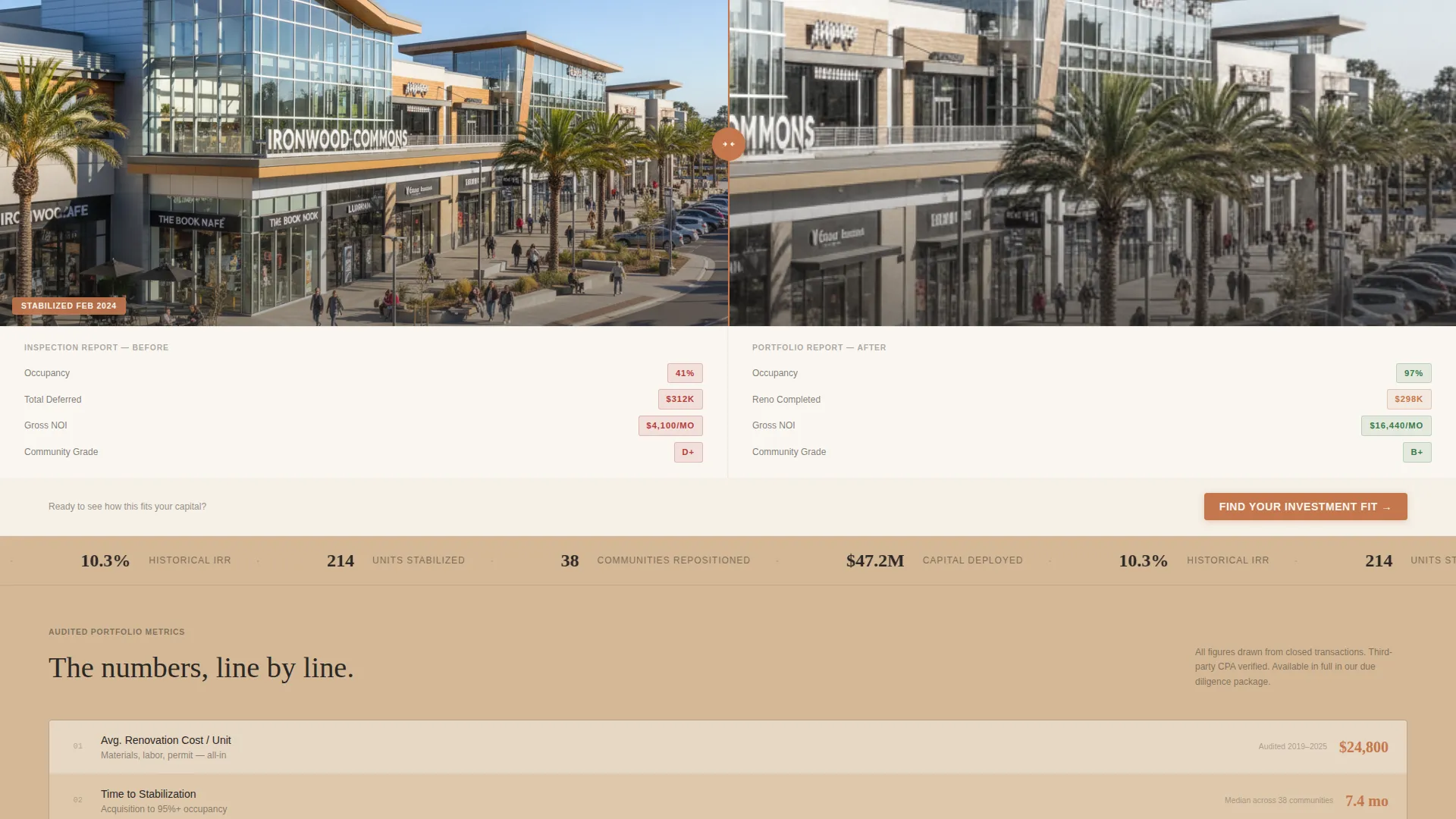
Between case studies, full-width sandstone blocks display key performance figures: average renovation cost, time to stabilization, and investor internal rate of return. The numbers are set in charcoal typography so they read with the weight and clarity of an audited ledger entry.
Five-Question Investor Assessment Flow
The primary call-to-action launches a guided five-question quiz. Each question occupies its own screen with a terracotta progress bar. On completion, the visitor receives one of three investor profiles: Conservative Income, Balanced Growth, or Aggressive Equity, each paired with a matched portfolio recommendation.
Booking Embed and Lead Capture
After the assessment, a calendar-style booking embed allows the visitor to schedule a private capital call directly. A secondary conversion path offers a downloadable Townhouse Due Diligence Checklist gated behind a name and email form for visitors who are still in the research phase.
Sunset Mesa Color System
Desert charcoal anchors all typographic and data-heavy sections. Sandstone warm beige fills section backgrounds. Terracotta fires every button, interactive accent, and animated number. Stucco white provides breathing space between content blocks. The palette and layout work together so the page feels structured and credible rather than promotional.
Page sections overview
| Section | Purpose |
|---|---|
| Calculator Hero Panel | Opens the page with live capital inputs and an animated projected portfolio snapshot |
| Find Investment Fit call to action | First conversion prompt placed directly beneath the hero calculator |
| Single-Unit Case Study | Before-and-after drag slider showing a single townhouse renovation |
| Data Strip One | Full-width figures for average renovation cost and time to stabilization |
| Multi-Unit Case Study | Before-and-after drag slider scaling the narrative to a 12-unit community |
| Data Strip Two | Investor internal rate of return and occupancy rate figures in sandstone blocks |
| Repeat call to action Block | Second "Find Your Investment Fit" prompt reinforcing the assessment path |
| Assessment Quiz Flow | Five-question guided screen sequence with terracotta progress bar |
| Investor Profile Result | Personalized profile output with matched portfolio recommendation |
| Capital Call Booking | Calendar-style embed for scheduling a private investor conversation |
| Due Diligence Gate | Name and email capture for the downloadable checklist secondary conversion |
Design & branding system
The visual identity follows a Corporate Precision theme built on the Sunset Mesa color system. Every color has a specific role, and the layout reinforces the feeling that this firm has already done the hard work.
- Desert charcoal (#2C2825) anchors typography and all data-heavy display sections
- Sandstone warm beige (#D4B896) fills section backgrounds to create warmth without softening credibility
- Terracotta ledge (#C4774C) activates every button, progress bar, and animated number accent
- Stucco white (#FAF6F1) separates content blocks with open, breathable spacing
Mobile & speed optimization
The split-screen layout adapts responsively so the calculator and case study panels stack cleanly on smaller screens. Interactive elements remain usable without relying on hover states.
- Slider inputs and dropdown selects are touch-friendly for mobile visitors
- The assessment quiz single-screen-per-question format works naturally on mobile without scroll fatigue
- Data strips reflow to single-column layouts so figures remain readable on any screen width
How this template helps you convert
The page is structured so every scroll triggers either a calculation, a visual proof point, or a qualification step. Conversion is built into the content sequence, not bolted on at the end.
- The calculator hero creates immediate personal relevance by showing projected numbers tied to the visitor's own capital before any sales copy appears
- The before-and-after case studies with drag sliders replace lengthy written credibility arguments with visual proof that moves at the visitor's own pace
- The five-question assessment filters and routes each visitor to the right next step, whether that is a booked capital call or a checklist download, so no interested lead leaves without a clear path forward
Other information about this template
This template is suited to firms operating in the townhouse real estate segment, particularly those targeting passive investors in mid-market metropolitan areas. The layout structure and conversion flow are especially effective for lead generation campaigns where investor qualification matters as much as volume.
- The assessment output includes three distinct investor profiles, allowing the firm to segment follow-up conversations before the first call
- The gated checklist functions as a secondary lead magnet for visitors at an earlier stage of their research into townhouse real estate investment
- The no-photography creative direction means the template does not depend on custom real estate imagery to feel credible; the data and the tool carry the visual weight
- This template fits well within a broader real estate investment marketing strategy where a firm needs to demonstrate operational rigor to skeptical passive investors
Theme
Atelier Studio
Creative direction
Calculator/Tool First
Color system
Warm Stone
Style
Gallery + Detail
Direction
Lead Generation
Page Sections
Live Investment Calculator Hero
Before-and-after Drag Sliders
Five-question Investor Assessment
Capital Call Booking Embed
Full-width Data Strip Sections
Gated Due Diligence Checklist
Related questions
Does this template include the calculator logic or just the visual layout?
Can I use this template if my firm focuses on a different property type?
Is real estate photography required to use this template effectively?
What investor profiles does the assessment generate?
What is the Townhouse Due Diligence Checklist used for?



