Mid-Career Insurance Cost Calculator Website Template
Shield is a professional disability gap analysis landing page template built for insurance advisors and financial professionals who serve high-earning clients. It pairs a dark Executive Suite visual identity with a Calculator-First layout, delivering an interactive income-replacement tool, coverage comparison cards, and a profession-segmented lead capture flow that turns quantified vulnerability into confident next steps.
by Rocket studio
Quick summary
Shield is a single-page disability gap analysis landing page template designed for finance and insurance professionals. It opens with a credential wall of industry trust badges, moves immediately into a live income-replacement calculator, and guides visitors through layered coverage data until the "Run My Free Analysis" call to action feels like the obvious, responsible choice.
Who this template is for
This template is built for insurance advisors, independent brokers, and financial planning firms that focus on income-protection products for high-earning professionals. It is equally suited to agencies that want a polished, data-forward presentation without starting from scratch.
- Mid-career disability insurance advisors targeting surgeons, attorneys, and consultants earning $180K to $500K annually
- Financial planning firms that need a structured framework to present coverage gap analysis to existing clients
- HR professionals and benefits coordinators who want a clear, credible resource to share with leadership teams evaluating group disability options
What problem this template solves
High-earning professionals are often the least prepared for income disruption. They assume their current state of health insulates them from risk, and they rarely pause to analyze the difference between what they have and what they actually need. A well-executed gap analysis changes that conversation. This template gives advisors a ready-made environment to run that analysis live, on the page, before asking for a single contact detail.
- Advisors lack a fast, credible way to show clients the gap between current coverage and desired performance under an own-occupation policy
- Businesses in the insurance space struggle to present complex data in a way that builds trust without jargon or pressure
- There is no easy-to-deploy template that combines a live calculator, side-by-side comparison cards, and profession-segmented lead capture in one cohesive layout
What you get with this template
This template delivers all the information needed to present a disability gap analysis with authority and clarity. Every section is purpose-built. Nothing is generic filler. The layout follows a Calculator-First creative direction, meaning the interactive tool appears before any long copy, making the visitor's own data the first thing they engage with.
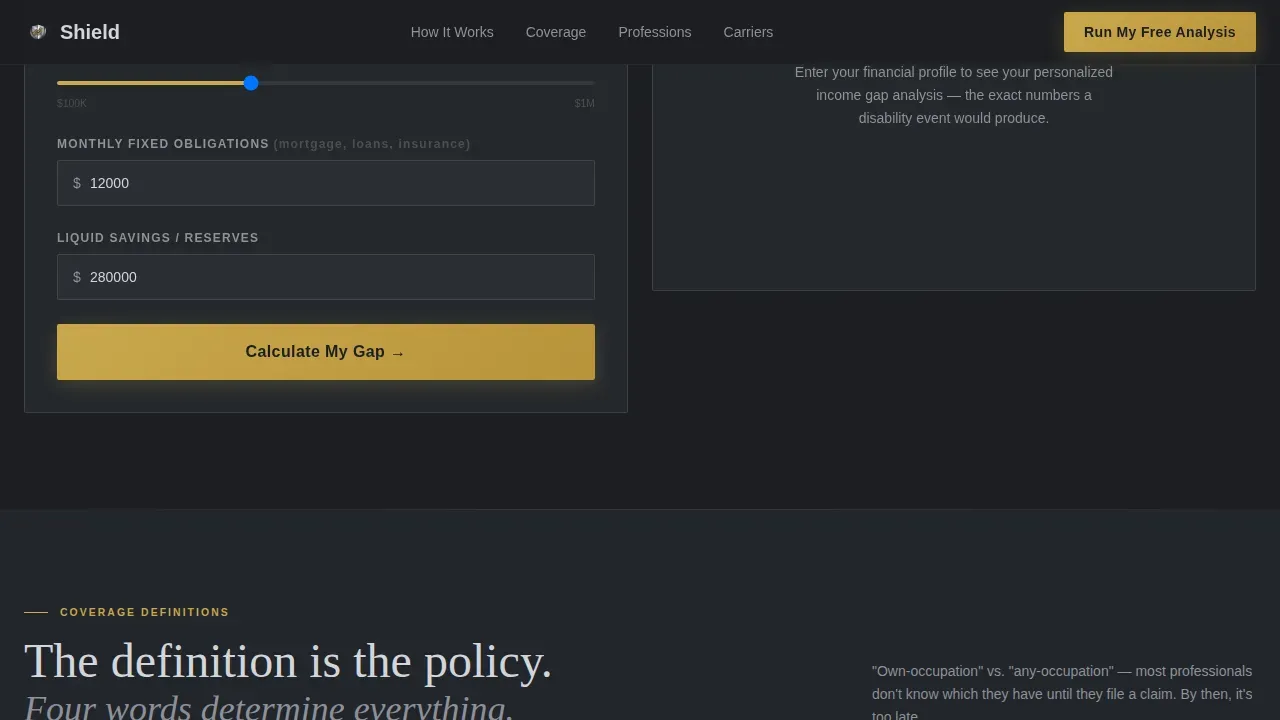
- A live income-replacement calculator that accepts specialty, annual income, monthly obligations, and existing savings, then renders a gap analysis data grid instantly
- Side-by-side own-occupation versus any-occupation comparison cards, an interactive benefit timeline, and rider toggle switches that update a persistent quote sidebar
- A profession-segmented lead capture system with "Run My Free Analysis" as the primary call to action and gated PDF guides ("Download the Physician's Guide" / "Download the Attorney's Guide") as secondary paths
Feature list
This template includes a focused set of interactive and visual components drawn directly from the brief. Each one is designed to help advisors identify gaps, communicate risk clearly, and move qualified prospects toward a meaningful next step.
Live Income-Replacement Calculator
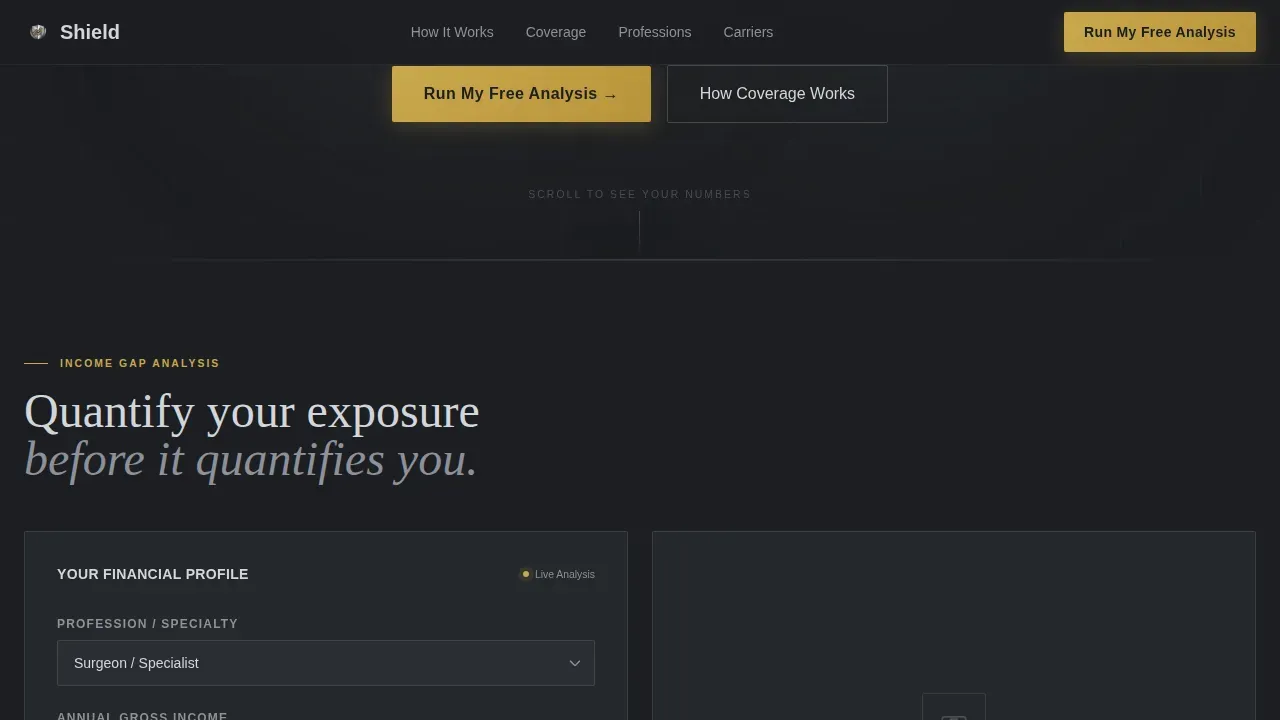
The calculator is the first interactive element below the header. Visitors enter their specialty, gross annual income, monthly obligations, and current savings. The tool instantly renders a data grid showing the gap: projected monthly shortfall, estimated reserve drain rate, and what a tailored policy would cover. This live, real-numbers approach helps the visitor determine their own vulnerability before the advisor says a word.
Coverage Gap Data Grid
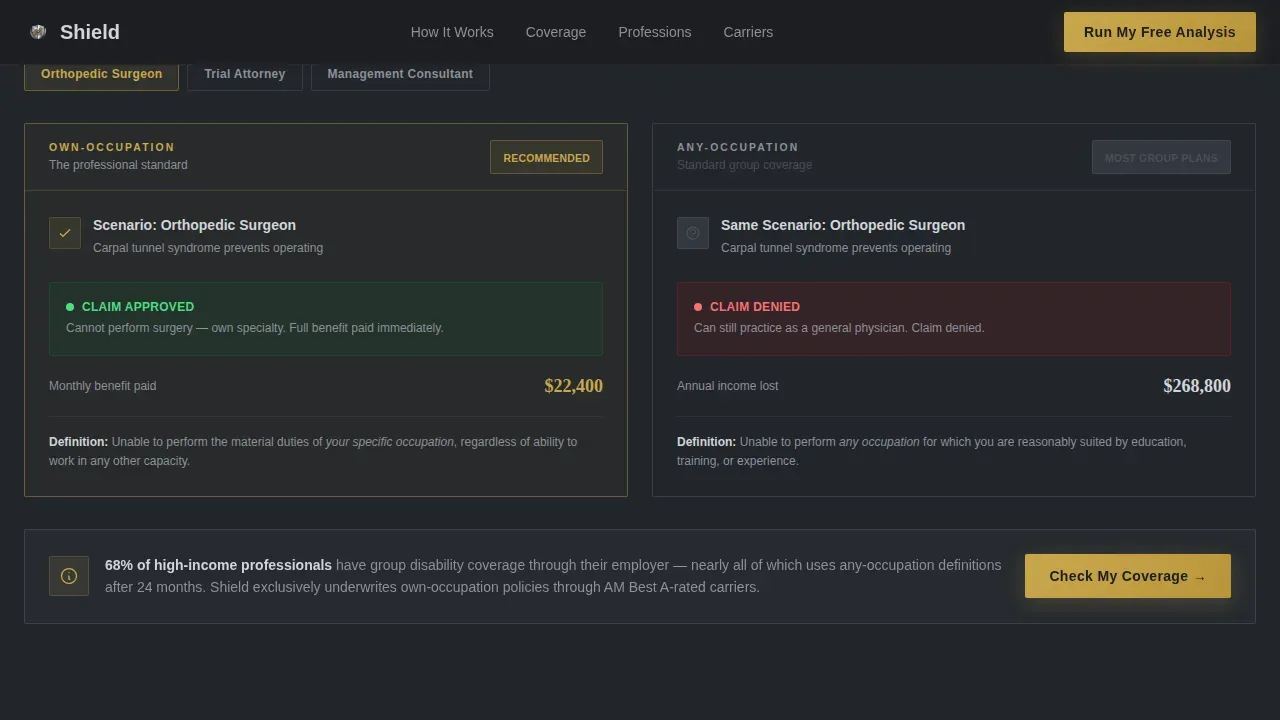
Below the calculator, a structured comparison section lets visitors analyze the difference between own-occupation and any-occupation definitions side by side. Each card presents data points clearly, so the visitor can identify which policy type closes the identified gaps in their current coverage. The visual layout makes it easy to pinpoint areas of underinsurance without requiring prior knowledge of policy language.
Interactive Benefit Timeline
A scrollable timeline section displays multiple benefit period scenarios. Visitors can interact with the timeline to see how fast savings and reserves drain under different disability durations. This section helps prospects understand not just the current state of their coverage but the long-term future state if a gap goes unaddressed. It is one of the most persuasive tools for making the abstract feel concrete and urgent.
Rider Options with Persistent Sidebar
A toggle-switch panel lets visitors activate or deactivate common rider options, such as cost-of-living adjustments and residual disability benefits. Each toggle updates a running quote estimate displayed in a persistent sidebar. This interaction makes the visitor feel like they are stress-testing their financial life, not reading a brochure. It also creates a natural prompt engineering moment: the more a visitor customizes, the more invested they become in completing the analysis.
Award Badge Credential Wall
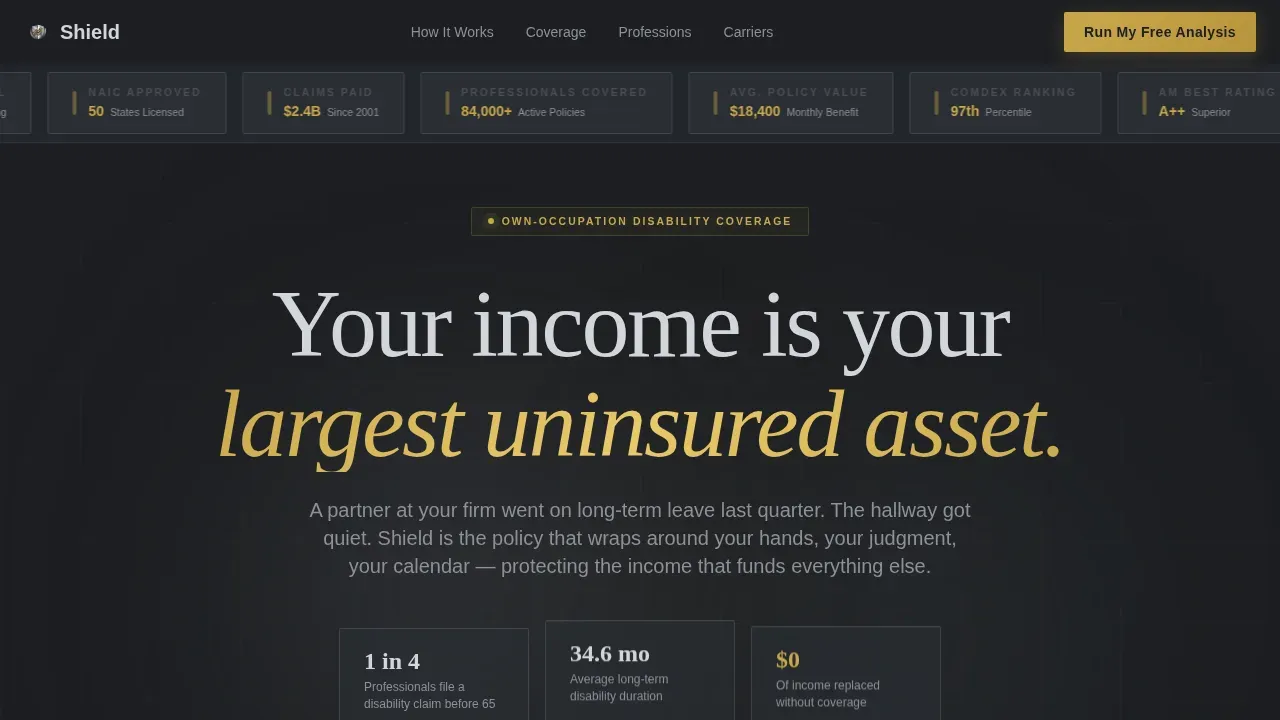
The header opens with a full-width row of industry trust badges rendered in chrome and cold gold on a deep charcoal background. AM Best ratings, carrier financial strength grades, and sector trust seals are displayed before a single line of copy appears. This approach establishes authority the way a credential wall does in a managing partner's office: silently, visually, and immediately.
Profession-Segmented Lead Capture
The primary call to action, "Run My Free Analysis," appears inside the calculator output and as a fixed bar on mobile. A secondary path offers downloadable guides segmented by profession. The lead form requests only four fields: name, email, occupation, and gross income. No phone number. No appointment booking. The design philosophy is to give visitors real, specific numbers first, so the next step feels like diligence rather than a sales funnel.
Page sections overview
| Section | Purpose |
|---|---|
| Header Credential Wall | Display AM Best ratings and industry trust seals to establish authority before copy |
| Hero Calculator Block | Deliver a live income-replacement gap analysis tool as the first interactive element |
| Coverage Gap Grid | Show side-by-side own-occupation versus. any-occupation comparison cards with data visualization |
| Benefit Period Timeline | Visualize reserve drain scenarios across multiple benefit duration options |
| Rider Options Panel | Allow toggle-based rider customization with a persistent quote sidebar |
| Social Proof Section | Present named professional testimonials with specialty and title |
| Lead Capture Form | Collect name, email, occupation, and income via "Run My Free Analysis" form |
| Footer Row | Linear single-row footer with supporting links and compliance notes |
Design & branding system
Shield uses an Executive Suite visual identity built on a Monochrome Steel color scheme. The palette draws from gunmetal (#3B3F45), polished chrome (#D2D5DA), and deep charcoal (#1C1E22), with cold gold (#C9A84C) reserved exclusively for interactive elements and data highlights. The color scheme feels like the interior of a corner-office elevator: matte dark walls, brushed-metal trim, and one gleaming button that takes you exactly where you need to go. No stock photography. No smiling families.
- Typography uses DM Sans for body text and user interface elements, with Fraunces for editorial headlines, creating an authoritative tone that avoids coldness
- Animations are set to medium intensity: staggered scroll reveals, live-update transitions inside the calculator, and number count-up effects that make data feel earned rather than static
- The visual roadmap built into the scroll sequence guides visitors from raw curiosity through quantified vulnerability to a clear, confident action plan
Mobile & speed optimization
The template is designed desktop-first, matching the behavior of high-income professionals who typically engage with complex financial tools on work machines. However, the mobile experience is fully considered, with a fixed bottom bar carrying the primary "Run My Free Analysis" call to action throughout the scroll.
- Interactive elements including the calculator, toggle switches, and comparison cards are built to remain usable on mobile screens without losing functionality
- The static hero and server-side-rendered sections load quickly, with client components reserved for the calculator and interactive rider panel to keep performance practical
- The fixed mobile call to action bar ensures that the primary conversion path is always visible, regardless of where the visitor is in the page
How this template helps you convert
This template earns the click before it asks for anything. The entire layout is structured around a simple premise: show the visitor their own gap analysis data first, then invite them to go deeper. That sequence makes the conversion feel like a logical next step, not a sales push.
- The live calculator produces a personalized data grid that shows the visitor exactly how fast their reserves would drain under different disability scenarios, making the gap between their current state and desired state impossible to ignore
- The profession-segmented secondary paths (physician's guide, attorney's guide) give visitors a low-commitment way to engage before committing to the full "Run My Free Analysis" form, broadening the top of the funnel while keeping the primary action plan clear
Other information about this template
This template draws from a well-established body of practice around gap analysis strategy. A gap analysis is a strategic tool used across industries to identify the difference between where an organization or individual currently stands and where they need to be. In the context of income protection, that difference is often significant. Advisors can use this template as an essential tool to help clients move from vague awareness to a specific action plan.
- A skills gap analysis assesses the difference between a workforce's current capabilities and what is required to meet business demands. The same logic applies here: this template helps advisors analyze the difference between a client's current coverage and their desired performance level under a disability scenario
- Organizations experience gaps in both hard skills and soft skills. Hard skills include analytics and project management; soft skills include analytical thinking and communication. The template mirrors this layered approach by presenting both data-driven comparison tools and plain-language explanations side by side
- Gap analysis templates promote consistency. Using a skills gap analysis template means every client conversation starts from the same structured framework, reducing variability and improving the quality of proposed solutions
- A well-prepared gap analysis forces a company to reflect on who it is and ask who it wants to be. The Shield template applies that same reflective logic to individual income protection: the first step is always to analyze the current state honestly
- The action plan embedded in the template's output is designed to identify the solutions, reasons for their appropriateness, and target goals for completion, aligning with best practices for gap analysis reporting
- A gap analysis template can be particularly helpful in conducting employee performance reviews and identifying process improvements toward business goals. For HR professionals managing group benefits, this template supports exactly that kind of comprehensive review
- Regularly conducting a skill gap analysis helps organizations stay on top of skill shortages and adapt to changing business needs. This template is reusable across client segments, making it practical for advisors managing diverse books of business
- Real-world organizations have used gap analysis at scale: NASA built a talent-mapping database to identify data skills required for new projects; Verizon developed a tech apprenticeship program called Verizon Thrive to prepare individuals for future roles; Chipotle offered a debt-free degree program to address employee skill levels and retention. These examples show how seriously high-performing organizations treat identified gaps, and they reinforce why a rigorous, data-forward approach to disability coverage makes sense for professionals at the top of their field
- An AI-driven healthcare startup initiated a cross-functional collaboration program to address skills gaps in understanding healthcare nuances, demonstrating that even technology-led businesses recognize that machine learning and prompt engineering alone cannot substitute for structured human development efforts
- The Value Gap Analysis highlights areas for improvement in business performance and customer satisfaction. The MTTR Current State Gap Analysis and IT Team Performance Gap Analysis similarly show that gap analysis frameworks apply across industries, from information technology to financial services
- Gap analysis templates save time and resources by eliminating the need to create a framework from scratch. The Shield template delivers all the key elements in one deployment-ready package, giving advisors a competitive advantage over those relying on static PDFs or generic brochures
- Career development and employee satisfaction are often cited as drivers of gap analysis investment. For the professionals this template serves, the gap analysis is personal: it is about protecting the income that funds everything else in their professional and personal future goal
- The hero section prioritizes a benefit-focused value proposition over jargon. Educational content across the page explains insurance terms in concise, low-jargon language to meet customer expectations and improve customer satisfaction
- The shield professional disability gap analysis landing page template is purpose-built for insurance professionals who need to identify deficiencies in a client's disability coverage and present proposed solutions with speed and authority
Theme
Executive Suite
Creative direction
Calculator/Tool First
Color system
Monochrome Steel
Style
Dashboard/Data Grid
Direction
Freemium/Trial
Page Sections
Live Income-replacement Calculator
Coverage Gap Comparison Cards
Interactive Benefit Period Timeline
Rider Toggle Panel with Persistent Sidebar
Award Badge Credential Wall
Profession-segmented Lead Capture
Related questions
What type of professional is this template designed for?
Does the template include the live calculator functionality?
How does the lead capture work?
Can the template support multiple profession-specific content paths?
Is the template desktop-first or mobile-first?



