Architecture & Interiors Portfolio Portfolio Website Template
Atelier is a dark, immersive interior designer landing page built on a masonry layout with parallax floating photos, interactive project tiles, and a mood-first lead form. It targets designers whose clients think in atmosphere rather than budgets. The Electric Indigo color system and cinematic scroll rhythm turn portfolio browsing into a sensory experience that converts the right visitors into real inquiries.
by Rocket studio
Quick summary
Atelier is a single-page interior designer portfolio landing page with a Dark Immersive theme. It combines a floating-photo header, a masonry project grid, and a sequential lead-capture form to attract clients who respond to mood before specifications. The Electric Indigo color system keeps the visual tone gallery-dark and deeply considered.
Who this template is for
This template is built for designers whose work speaks before words do. It suits professionals whose portfolio earns trust through atmosphere, not bullet points.
- Interior designers serving homeowners renovating period properties, boutique hoteliers, and restaurateurs
- Designers who want to self-select inquiries by mood and project type rather than budget
- Creative practitioners whose work spans residential, hospitality, and commercial scales
What problem this template solves
Most portfolio templates treat projects like catalog entries. Atelier solves the harder problem: helping prospective clients feel a designer's sensibility before they reach out.
- Clients who cannot articulate what they want need to see and feel it first
- Generic grid layouts flatten the visual hierarchy and make every project look equally important
- Standard contact forms attract the wrong inquiries and filter for budget rather than creative fit
What you get with this template
Atelier delivers a fully structured single-page experience with interactive components, a cinematic scroll flow, and a lead-generation system designed around creative intent.
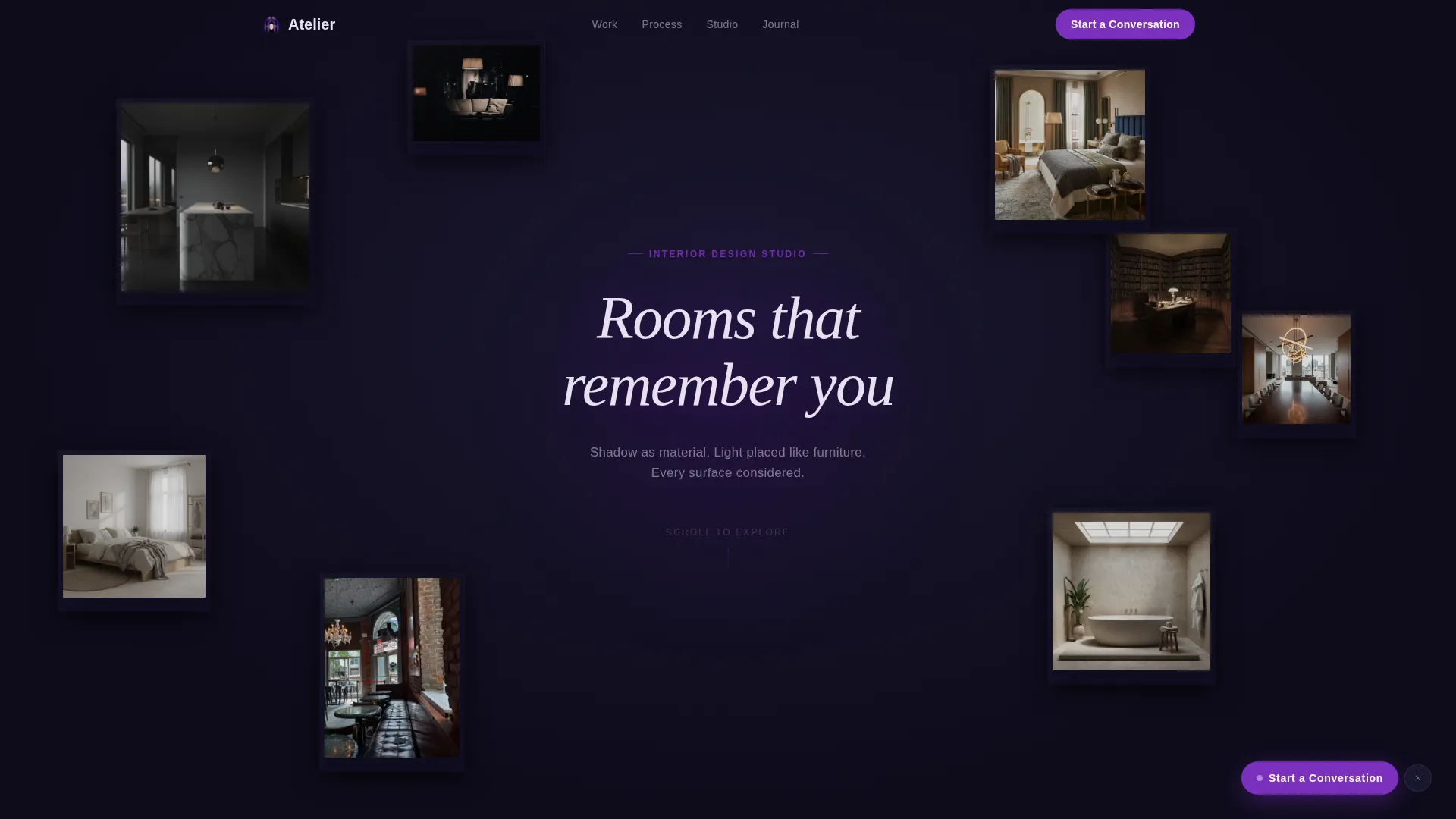
- A floating-photo constellation header with subtle cursor-driven parallax across eight to ten project images
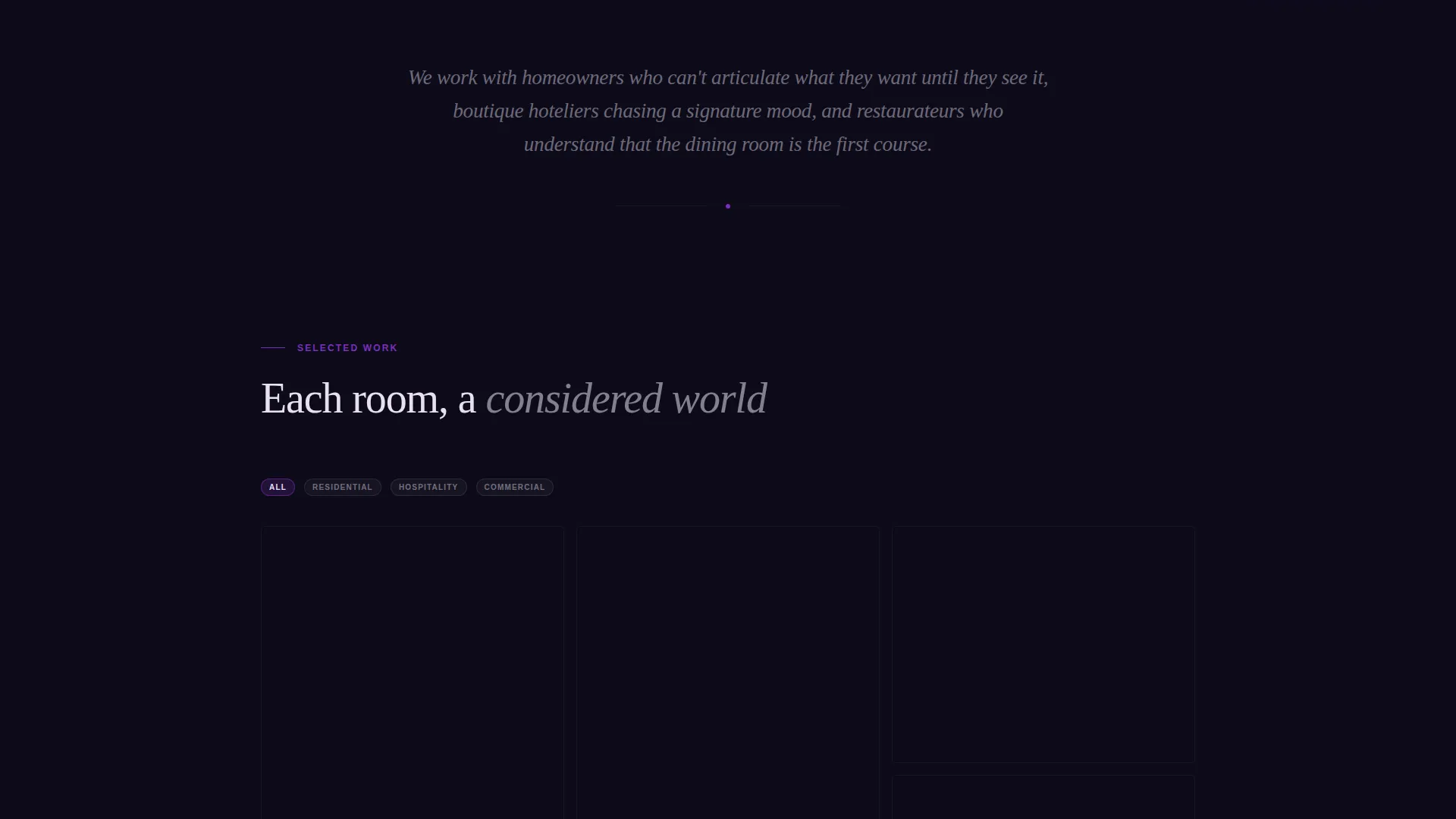
- A masonry project grid where each tile expands into an immersive in-page mini-gallery on click
- A dark modal lead form that sequences three questions to qualify visitors by project type and desired feeling
Feature list
Atelier is built from distinct, purposeful components that each carry weight in the overall experience. Every feature reflects an intentional design decision rooted in the brief.
Floating Constellation Header
Eight to ten project images drift at different depths and slight rotations against the midnight canvas. A cursor-responsive parallax effect gives the header a three-dimensional, gallery-installation quality. The headline appears letter by letter in pale quartz, floating between images as if it belongs to the space itself.
Masonry Project Grid with Hover Reveals
The scroll layout organizes projects without announcing their grouping. Hovering any tile surfaces the project name and a single material detail such as "Venetian plaster, unlacquered brass, smoked oak." The rhythm shifts naturally from residential to hospitality to commercial as the visitor scrolls deeper.
In-Page Tile Expansion Gallery
Clicking any masonry tile expands it into a mini-gallery without navigating away from the page. Images crossfade slowly, like rooms connected by a hallway. Visitors stay immersed in the portfolio while exploring individual projects in full detail.
Parallax-Locked Client Quote
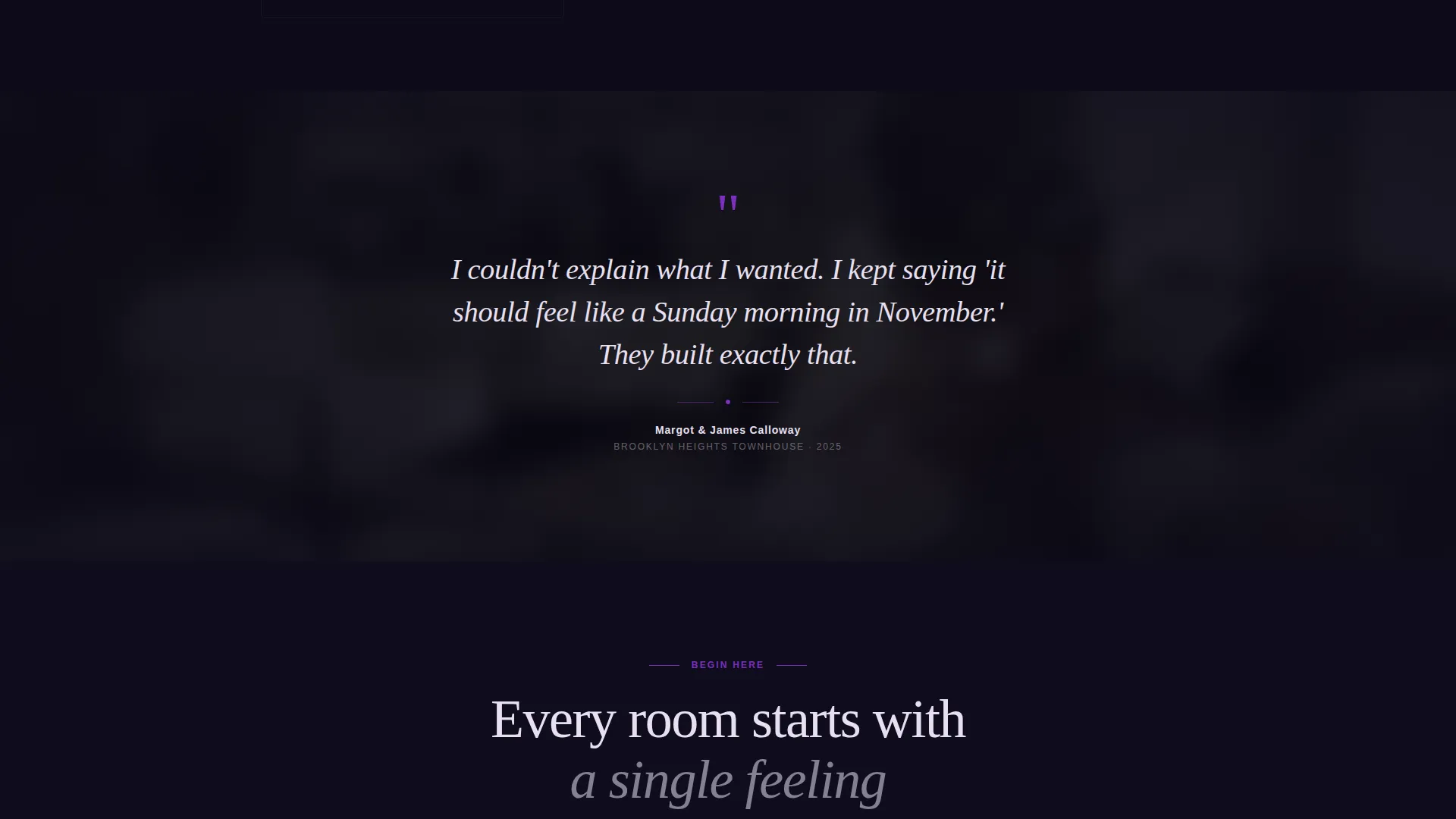
A client testimonial floats midpage over a blurred, parallax-anchored background of the finished space it references. The quote is visually separated from the grid, creating a moment of stillness and social proof inside the browsing rhythm.
Sequential Lead-Capture Modal
The primary call to action opens a dark modal form that asks three things in sequence: project type (home, hospitality, or commercial), a single textarea labeled "Describe the feeling you want in the room," and an email field. There is no phone number or budget dropdown. The form self-selects for clients who think in mood.
Lookbook PDF Download Path
A secondary conversion path offers a downloadable lookbook in exchange for an email address. This catches visitors who are still browsing and not yet ready to start a conversation, extending the designer's reach without interrupting the primary inquiry flow.
Page sections overview
| Section | Purpose |
|---|---|
| Floating header constellation | Immersive first impression with parallax project images and animated headline |
| Masonry project grid | Scrollable portfolio with hover reveals and in-page tile expansion |
| Parallax client quote | Mid-scroll social proof anchored to a finished project background |
| Full-width call to action row | Post-grid primary call to action repeating the "Start a Conversation" prompt |
| Sequential lead form modal | Dark modal qualifying inquiries by project type, mood description, and email |
| Lookbook download prompt | Secondary email-capture path for visitors still in the browsing phase |
Design & branding system
The Electric Indigo color system is the visual spine of Atelier. Every color choice serves a functional role, not just an aesthetic one.
- Midnight canvas (#0D0B1A) as the base background, brushed charcoal (#1A1730) for card surfaces, and pale quartz (#E8E0F0) for all body and heading typography
- Electric indigo (#4B0082) activating on hover states and active borders, molten violet (#7B2FBE) reserved strictly for calls to action and pull quotes
- No alignment grid in the header: images float like Polaroids pinned to darkness, each photograph lit from within against the velvet-dark wall
Mobile & speed optimization
The template is structured to translate its cinematic desktop experience into a capable, touch-friendly mobile layout without losing the immersive tone.
- The floating-photo header adapts its depth layers and rotations for smaller viewports while preserving the atmospheric quality
- Masonry columns reflow for mobile screens, keeping tile hover reveals accessible via tap interactions
- The fixed "Start a Conversation" pill call to action remains reachable on mobile, appearing after three seconds of scroll in the bottom-right corner
How this template helps you convert
Atelier is designed to move the right visitors toward an inquiry while letting browsers self-select at their own pace.
- The fixed molten violet pill call to action appears after three seconds of scroll, staying visible as a persistent but unobtrusive prompt while the visitor explores the full portfolio
- The sequential modal form filters for creative-fit clients by asking about project type and desired feeling before asking for contact details, reducing low-quality submissions
- The lookbook download path captures email addresses from visitors who are not yet ready to inquire, giving the designer a second opportunity to follow up with warm leads
Other information about this template
Atelier is built as a landing page, meaning all content lives in a single scrollable page rather than across multiple navigated pages. This keeps the browsing experience continuous and the atmosphere unbroken.
- The template style is Masonry/Pinterest, giving the portfolio a dynamic, non-uniform visual rhythm that feels curated rather than formatted
- The Dark Immersive theme and Interactive Explorer creative direction make this template well suited for designers whose differentiator is sensibility and atmosphere
- The header concept is Floating Photos, a deliberate departure from traditional hero banners or static project carousels
- The lead-generation direction prioritizes mood-qualified inquiries over volume, making the form structure as intentional as the visual design

Theme
Dark Immersive
Creative direction
Interactive Explorer
Color system
Electric Indigo
Style
Masonry/Pinterest
Direction
Lead Generation
Page Sections
Floating Constellation Header with Parallax
Masonry Grid with Hover Reveals
In-page Tile Expansion Gallery
Parallax Client Quote Block
Sequential Mood-first Lead Form
Lookbook PDF Download Path
Related questions
Can I change the project images and material detail labels in the masonry grid?
How does the in-page tile expansion work for visitors?
Is the lead form modal connected to any email platform?
Can I adjust the color palette to match my own studio branding?
What makes this template different from a standard portfolio grid?



