Cinematic Illustrator Portfolio Landing Page
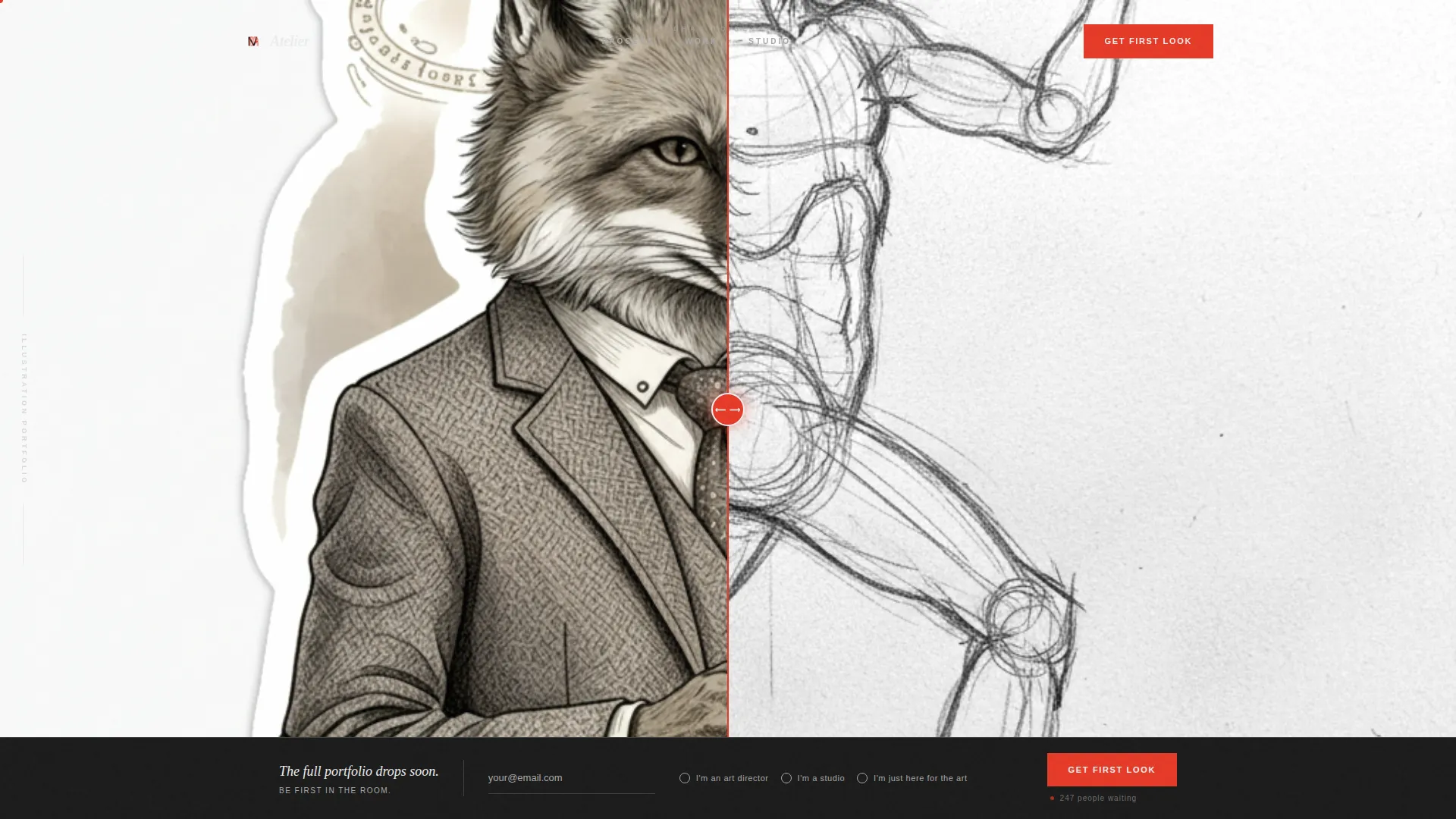
Atelier is a cinematic bento grid landing page built for illustrators ready to make art directors stop scrolling. A Before/After Slider header reveals raw sketch to finished piece in real time. The Monochrome Steel palette, scroll-triggered tile reveals, and a waitlist form with social proof turn quiet curiosity into committed sign-ups before the full portfolio even launches.
by Rocket studio
Quick summary
Atelier is a single-page illustrator portfolio landing page with a waitlist focus. It uses a bento grid layout, a cinematic scroll sequence, and a Before/After Slider header to showcase process and finished work together. The Monochrome Steel color system keeps all attention on the art, while a sticky "Get First Look" bar captures leads before launch day.
Who this template is for
This template is built for illustrators who work at a professional level and want to build anticipation before a full portfolio goes live. It speaks directly to the kind of creative whose work lands on book covers, editorial spreads, and game titles.
- Freelance illustrators preparing a soft launch or portfolio refresh
- Editorial and book cover artists seeking art director inquiries
- Illustrators whose style is strong enough to carry a coming-soon page on its own
What problem this template solves
Most illustrators lose potential clients because a half-built portfolio looks unfinished and unprofessional. Waiting until everything is ready means losing months of potential lead generation. This template solves that problem by turning the pre-launch window into an asset.
- The waitlist form captures client interest before the full portfolio is ready
- The Before/After Slider shows mastery of process and craft without a complete body of work
- The social proof counter reassures new visitors that the work is already in demand
What you get with this template
You get a fully structured single-page landing page that functions as a cinematic portfolio teaser and lead capture tool. Every section is purposefully sequenced to build trust and earn the sign-up.
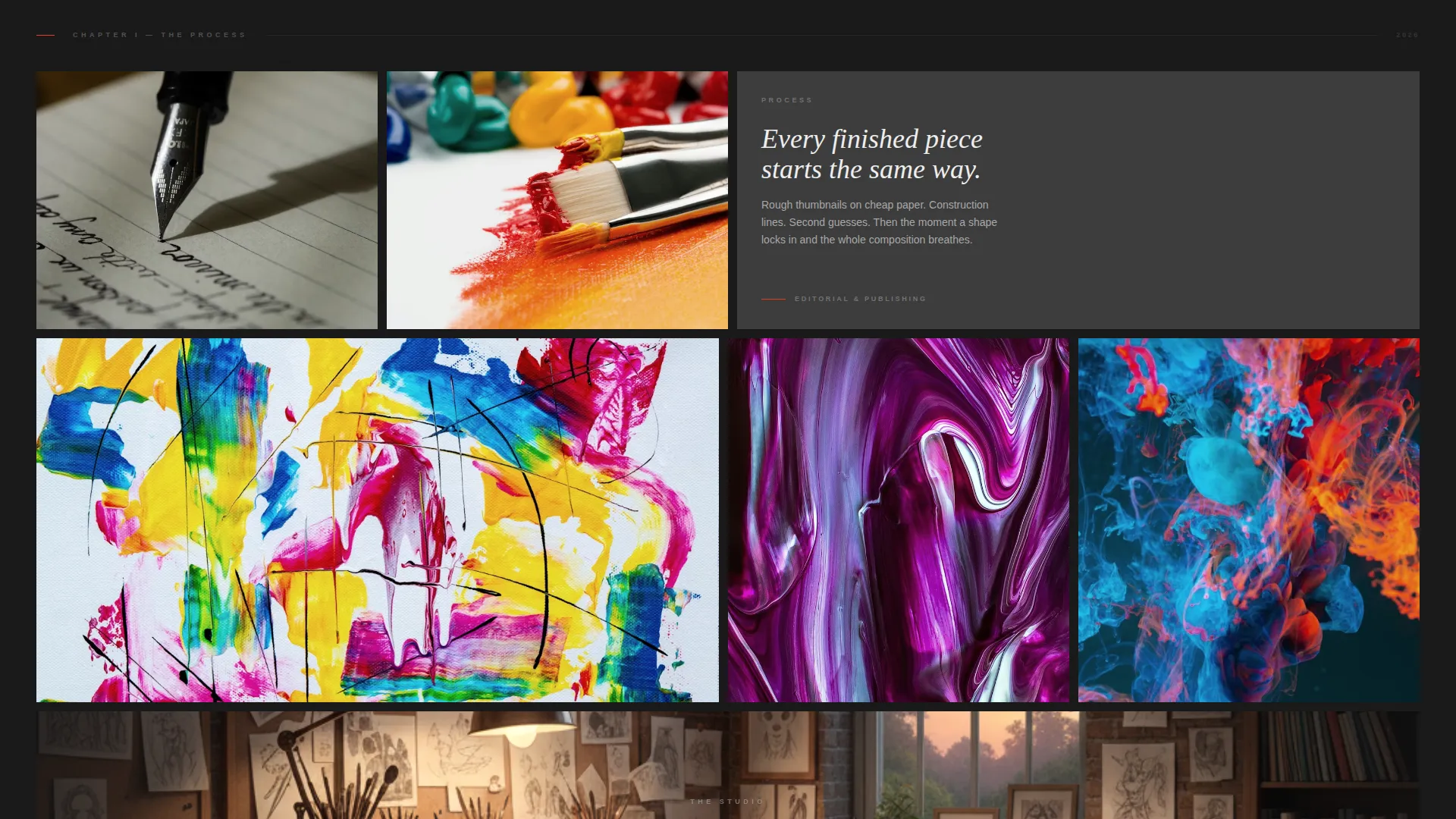
- A bento grid layout with three distinct rows, each at a different visual scale
- A sticky bottom bar with an email waitlist form and audience segmentation radio buttons
- A Monochrome Steel design system with vermillion red reserved for interactive elements only
Feature list
This template ships with a focused set of components designed specifically for illustrators building pre-launch momentum.
Before/After Sketch-to-Final Slider
The header leads with a full-width interactive slider. The left side shows a raw pencil sketch with visible construction lines. Dragging the vermillion slider handle reveals the fully rendered illustration on the right. The transition is seamless, communicating artistic process without a single word of explanation.
Cinematic Bento Grid Scroll Sequence
Three rows of tiles reveal on scroll like frames in a storyboard. The first row is intimate, featuring sketchbook details and close-up textures. The second row expands to full-bleed editorial pieces at varied aspect ratios. The third row stretches a single panoramic illustration across the full grid width.
Sticky Waitlist Bar with Social Proof
A bottom bar anchors to the viewport after the visitor passes the second grid row. It holds an email input, a radio selector for audience type, and a live-style counter showing how many people are already waiting. The vermillion "Get First Look" button is the only strong color on the page.
Audience Segmentation Radio Form
The waitlist form includes a single radio question asking visitors to identify as an art director, a studio, or someone who loves illustration. This simple signal helps the illustrator understand who is waiting without adding friction to the sign-up flow.
Monochrome Steel Accent System
The full palette runs from forge black through brushed graphite, pencil-lead silver, and cold studio white. Vermillion red appears only on interactive hotspots and the primary call-to-action button. This restraint keeps the artwork dominant and every color decision intentional.
Signature Mark Header Treatment
No headline competes with the opening slider. A small signature mark sits in the bottom corner of the header, letting the work introduce the artist. The absence of text in the hero is itself a design statement about the quality of the illustration.
Page sections overview
| Section | Purpose |
|---|---|
| Before/After Slider Header | Reveals sketch-to-final illustration process interactively |
| Bento Grid Row One | Displays intimate sketchbook pages and close-up textures |
| Bento Grid Row Two | Showcases full-bleed editorial illustrations at varied aspect ratios |
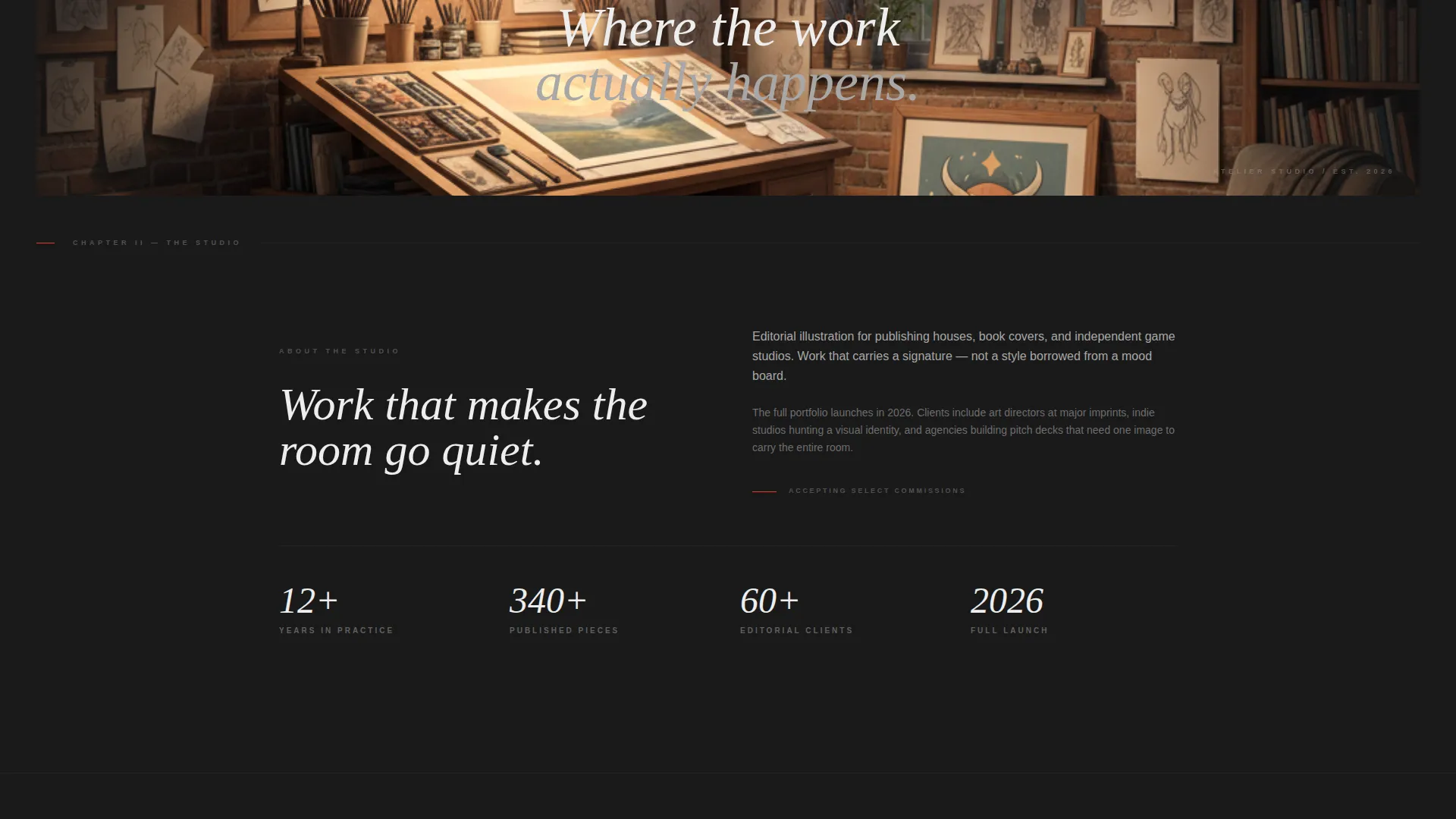
| Panoramic Grid Row | Spans full width with a single large-scale finished piece |
| Sticky Waitlist Bar | Captures email leads with audience segmentation and social proof |
Design & branding system
The design language is built around the Atelier Studio theme and a Monochrome Steel color system. Every tone is earned through contrast and pressure, not decoration. The palette reads like graphite on heavyweight cotton paper.
- Forge black (#1A1A1A), brushed graphite (#3D3D3D), pencil-lead silver (#A8A8A8), and cold studio white (#EDEDED) form the complete neutral range
- Vermillion red (#E63926) appears only on interactive hotspots and the waitlist call-to-action button
- The Cinematic Sequence creative direction drives scroll behavior, with each bento tile fading in like a storyboard frame
Mobile & speed optimization
The bento grid and slider components are structured to adapt cleanly to smaller viewports. The sticky waitlist bar remains accessible throughout the scroll experience on any screen size.
- Bento grid tiles reflow for portrait and mobile screen widths without breaking the visual rhythm
- The Before/After Slider is touch-drag compatible for mobile visitors
- The sticky bottom bar stays fixed and legible on small screens, keeping the call-to-action always visible
How this template helps you convert
The entire page is sequenced to move a skeptical art director or studio from curiosity to committed sign-up in a single scroll session.
- The Before/After Slider earns immediate trust by showing process and finished mastery together, before any copy asks for anything.
- The cinematic grid builds the case progressively, each row bolder than the last, so the visitor feels the weight of the full portfolio they have not yet seen.
- The waitlist bar appears only after the visitor has seen enough to want more, and the social proof counter reduces hesitation at the moment of decision.
Other information about this template
Atelier is part of the Portfolio and Agency template category and sits within the Illustrator Portfolio subcategory. It is specifically designed for the Illustrator Gallery Portfolio niche.
- The template style is Bento Grid, and the landing page direction is Waitlist and Coming Soon
- The header concept is the Before/After Slider, and the creative direction is the Cinematic Sequence
- The theme is Atelier Studio, and the color system is Monochrome Steel
- This template is a strong fit for illustrators building audience and client lists ahead of a formal portfolio launch
Theme
Atelier Studio
Creative direction
Cinematic Sequence
Color system
Monochrome Steel
Style
Bento Grid
Direction
Waitlist/Coming Soon
Page Sections
Before/after Sketch-to-final Slider
Cinematic Bento Grid Layout
Sticky Waitlist Bar with Counter
Audience Segmentation Radio Form
Monochrome Steel Accent System
Signature Mark Hero Treatment
Related questions
Can I use this template before my full portfolio is ready?
How does the audience segmentation in the waitlist form work?
Can I edit the social proof counter number?
Is the Before/After Slider compatible with mobile touch gestures?
Can I adjust the color palette while keeping the overall design intact?



