UI/UX Designer Portfolio Pre-Launch Website Template
Atelier is a dark-theme user interface and user experience designer portfolio landing page built on a horizontal scroll layout. It uses an Obsidian and Gold color system to create a studio-after-hours atmosphere. Project rooms, micro-animations, and a gated early-access form combine to showcase design thinking while quietly building a launch waitlist.
by Rocket studio
Quick summary
Atelier is a single-page horizontal scroll portfolio landing page designed for senior user interface and user experience designers. It pairs a deep obsidian black canvas with brushed gold accents to create a private-studio feeling. Visitors move laterally through interactive project rooms, and a pinned early-access form converts curious visitors into a segmented waitlist.
Who this template is for
This template is built for user interface and user experience designers who want their portfolio to feel like an experience rather than a document. It suits designers ready to launch something deliberate and visually ambitious.
- Senior or lead user interface and user experience designers preparing a portfolio refresh
- Freelance and independent designers building credibility before accepting new client work
- Designers running a pre-launch or coming-soon campaign who need waitlist sign-ups now
What problem this template solves
Most portfolio templates present work in a vertical scroll grid that visitors skim in under thirty seconds. That format flattens complex, multi-layered design thinking into thumbnails. Atelier solves this by structuring each project as a full-width interactive room that must be explored, not scanned.
- Visitors leave without understanding the designer's process or range of skills
- Standard portfolio layouts offer no mechanism for collecting leads or building pre-launch buzz
- Dark-theme, motion-rich work looks flat or washed out inside generic light-mode templates
What you get with this template
You get a fully structured horizontal scroll landing page ready to be customized with your own projects, copy, and brand details. Every section is purpose-built for the user interface and user experience designer dark theme portfolio niche.
- A Photo Grid Mosaic header with hover color-bloom and a self-typing headline
- Lateral project rooms with room-entry micro-animations and a gold accent thread connecting each section
- A pinned waitlist form with email capture, a role-selection dropdown, and a live sign-up counter
Feature list
This template ships with six distinct capabilities drawn directly from its design brief. Each one serves a specific role in the visitor experience.
Photo Grid Mosaic Header
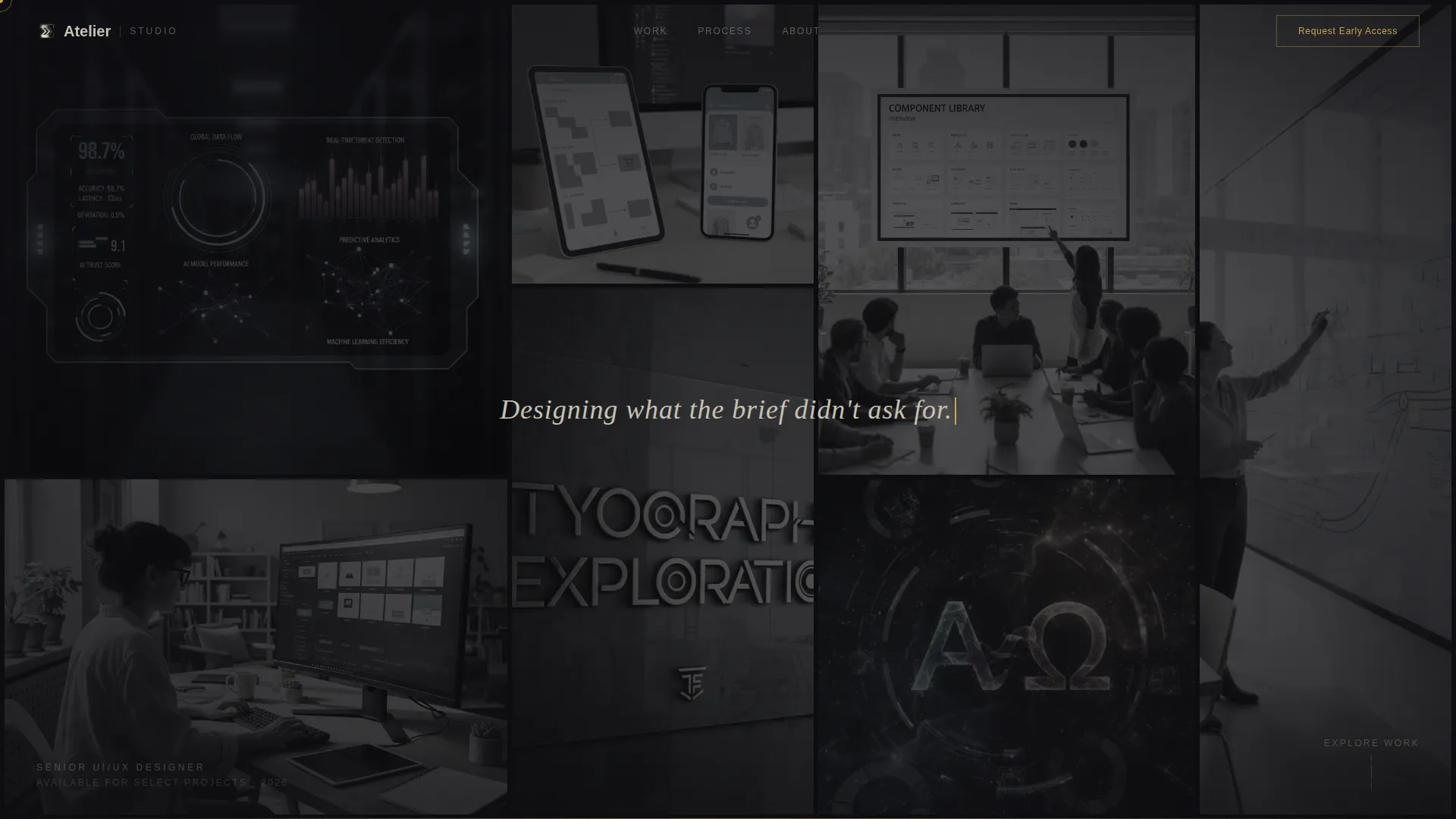
The header fills the entire viewport with an asymmetric constellation of cropped project screenshots and interface macro shots. Each tile is slightly desaturated by default. On cursor hover, the tile blooms to full color and scales up five percent, inviting exploration before a single word appears.
Self-Typing Headline Animation
After a two-second pause, a single line of bone-colored text types itself across the center of the mosaic: "Designing what the brief didn't ask for." The effect is timed and restrained, so it lands as a statement rather than a gimmick.
Horizontal Scroll Project Rooms
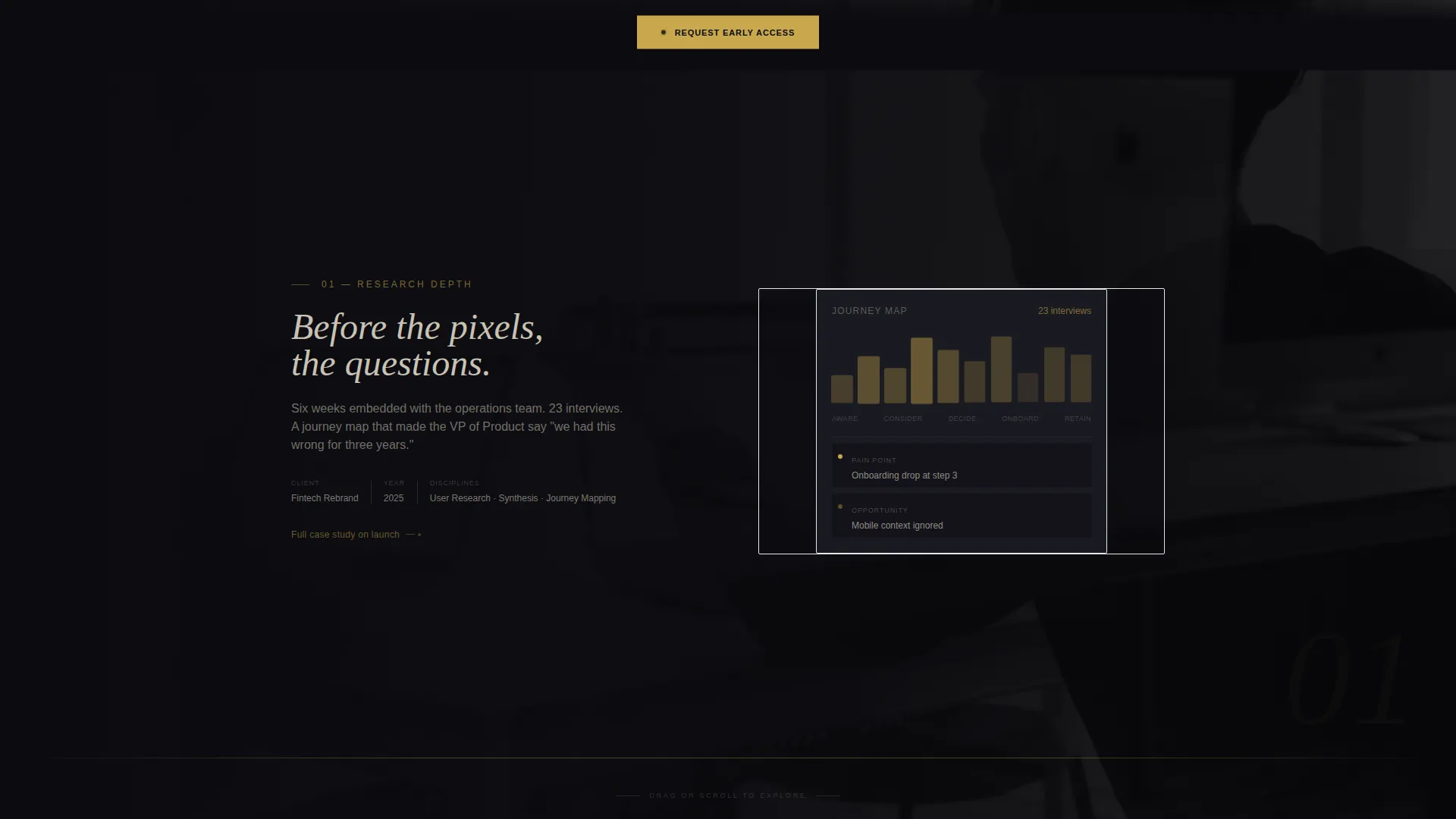
Each project occupies one full viewport width as a distinct room. Entering a room triggers its own micro-animation set, which can include a mobile prototype auto-scroll, a design system token sheet reorganizing itself, or a before-and-after usability heatmap that pulses.
Gold Accent Thread Navigation
A brushed gold line stretches and bends between project rooms as the visitor scrolls laterally. The thread acts as both a visual connector and a pacing signal, reinforcing the sense that the work belongs to a single cohesive design mind.
Pinned Early-Access Form
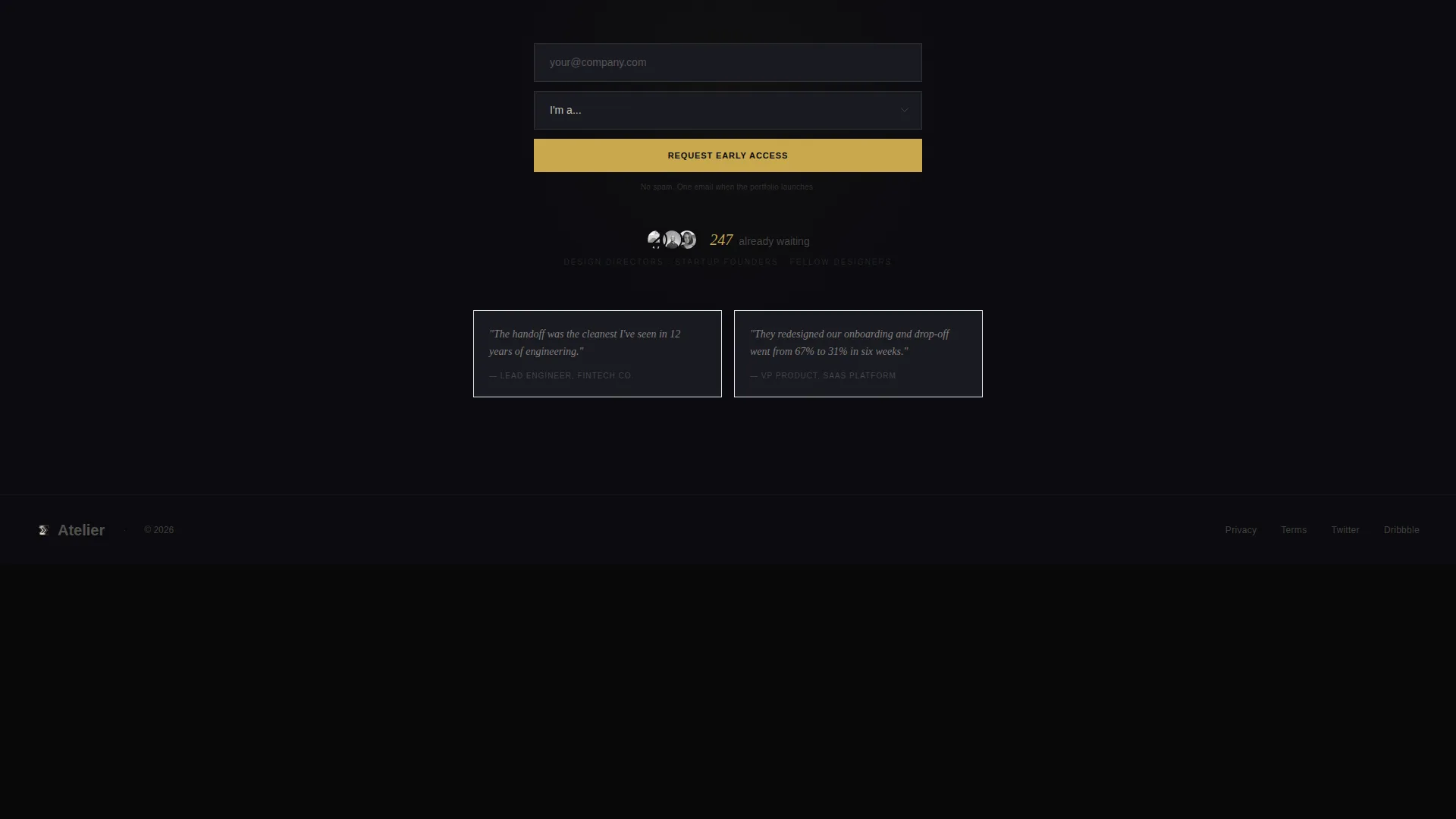
A waitlist call-to-action reading "Request Early Access" is fixed to the bottom edge of the page throughout the horizontal scroll. The form captures a work email and a single role-selection dropdown, keeping friction low while enabling follow-up segmentation.
Live Sign-Up Counter
Below the early-access form, a counter displays the number of people already on the waitlist. This adds quiet social proof without aggressive urgency tactics, encouraging new visitors to join a list that is already growing.
Page sections overview
| Section | Purpose |
|---|---|
| Photo Grid Mosaic | Opens the page with a full-viewport interactive image constellation |
| Self-Typing Headline | Delivers the designer's positioning statement after a timed pause |
| Project Room One | Showcases research depth through room-entry micro-animations |
| Project Room Two | Highlights visual craft with animated design system tokens |
| Project Room Three | Demonstrates systematic thinking via a pulsing usability heatmap |
| Project Room Four | Features motion design work inside a dedicated scroll room |
| Gold Thread Connectors | Links each project room visually during lateral scroll |
| Pinned Waitlist Form | Captures email and role data with a persistent bottom-edge call to action |
| Live Counter Display | Shows current waitlist size to build social proof |
Design & branding system
The Atelier color system is built around four intentional values that create a matte-black-notebook aesthetic. Gold appears only where it earns attention, keeping the palette from ever feeling decorative.
- Deep obsidian black (#0B0B0F) forms the infinite canvas behind all content
- Warm charcoal (#1A1A22) surfaces card backgrounds and section dividers, adding depth without breaking the dark mood
- Muted bone (#C8C2B4) handles body text, giving readable contrast against the dark canvas without glowing harshly
- Brushed gold (#C9A84C) is reserved exclusively for interactive states, hover glows, the accent thread, and the primary call-to-action button
Mobile & speed optimization
The horizontal scroll experience is designed for desktop-first viewing, which is where design directors and recruiters typically evaluate portfolio work. The template is structured with this context in mind.
- Horizontal scroll interactions and room-width layouts are calibrated for larger screen viewports
- Tile hover states, momentum-based scrolling, and micro-animations are designed to perform smoothly in a desktop browser environment
- The pinned call-to-action form remains accessible throughout the scroll without obscuring project room content
How this template helps you convert
The template is structured so that each decision moves the visitor closer to submitting their email. Conversion is built into the experience rather than added as an afterthought.
- The mosaic header creates immediate curiosity, encouraging the visitor to explore rather than bounce, which increases the time they spend with the work before seeing the form.
- The role-selection dropdown on the waitlist form segments new sign-ups by type at the moment of capture, so the designer knows exactly who is on the list before launch day.
- The live sign-up counter provides passive social proof that signals momentum, making the early-access offer feel worth claiming before the full portfolio goes live.
Other information about this template
This template is part of the Atelier Studio theme family, which is designed around the Obsidian and Gold color system. The overall aesthetic is grounded in the idea of a private creative studio, an environment where restraint and detail coexist.
- The template style is a full horizontal scroll single-page layout, making it distinct from standard vertical portfolio grids
- The creative direction follows an Interactive Explorer model, meaning the visitor actively navigates through the work rather than passively reading it
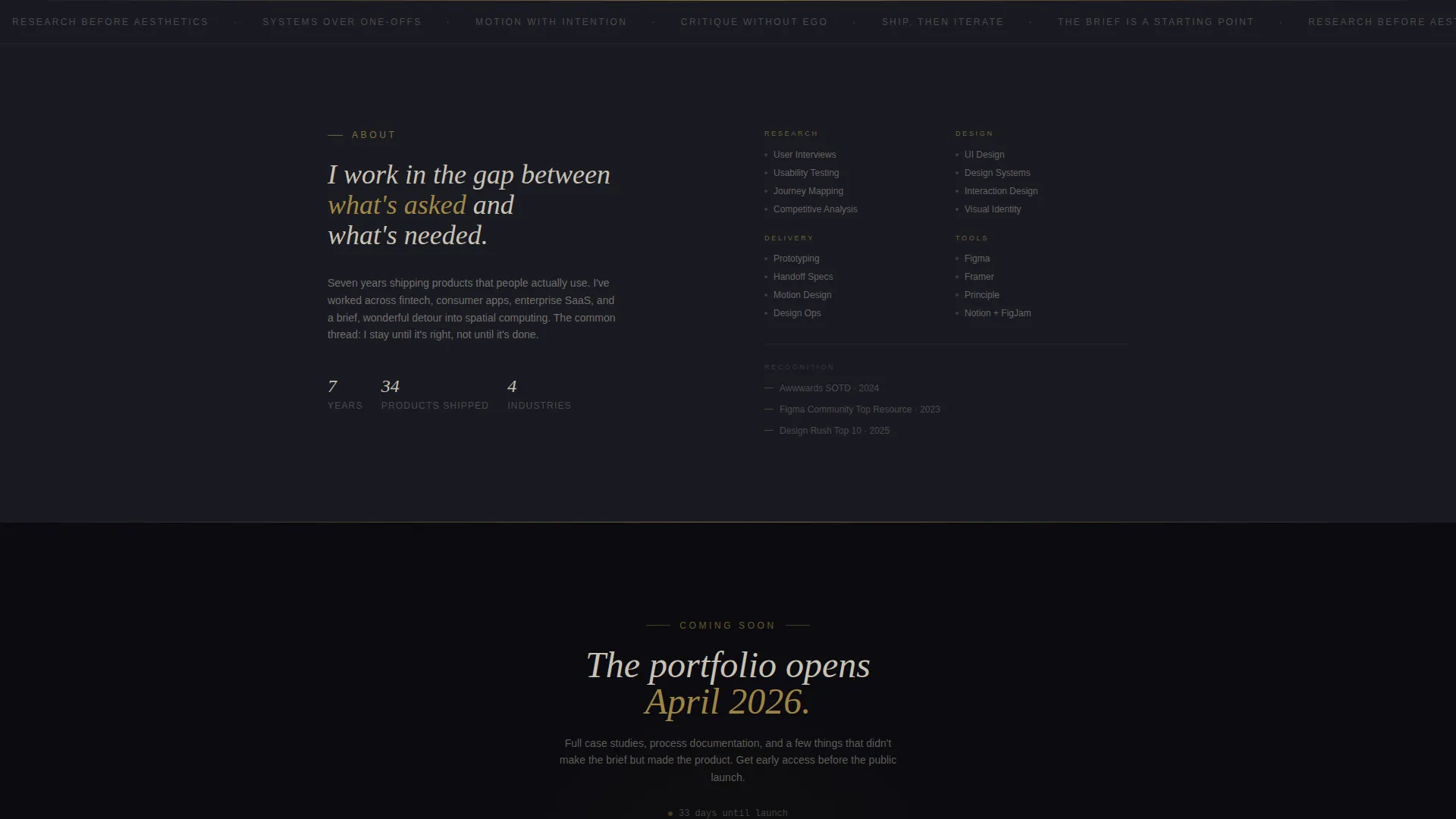
- The landing page direction is Waitlist and Coming Soon, so the template is built to collect leads before a full portfolio launch rather than showcase completed work openly
- The header concept, the Photo Grid Mosaic, is a deliberate alternative to the traditional hero image or headline-first approach
Theme
Atelier Studio
Creative direction
Interactive Explorer
Color system
Obsidian & Gold
Style
Horizontal Scroll
Direction
Waitlist/Coming Soon
Page Sections
Photo Grid Mosaic Header
Self-typing Headline Animation
Horizontal Scroll Project Rooms
Gold Accent Thread Connector
Pinned Early-access Waitlist Form
Live Waitlist Sign-up Counter
Related questions
Is this template built for a single page or multiple pages?
Can I add my own project screenshots and case study content?
What does the role-selection dropdown on the waitlist form do?
Does the template work if I am not ready to show my full portfolio yet?
Who is the intended visitor this template is designed to impress?



