Architects Community Professional Website Template
Atelier is a warm, masonry-style landing page built for architects launching a paid community or membership. It blends candid team photography, a nature-inspired color palette, and two carefully placed conversion paths to turn visiting architects into serious applicants. The layout feels like a busy studio pinboard: layered, alive, and worth slowing down for.
by Rocket studio
Quick summary
Atelier is a single-page lead generation template designed for a paid architects community. It opens with a wide candid team photo, flows into a masonry member grid, and closes with a dual-path conversion form. The warm Cloud Canvas palette and editorial typography give the page a studio-courtyard feeling that resonates immediately with its professional audience.
Who this template is for
This template is built for architects who want to launch, promote, or grow a paid professional community. It speaks directly to the people who would run such a space and the people they want to attract.
- Community founders targeting mid-career studio leads and solo practitioners who feel professionally isolated
- Membership organizers reaching fresh licensees who want mentorship beyond their current firm
- Studio collectives or architecture educators who host regular crits and want a polished home base for recruitment
What problem this template solves
Many architects who build communities struggle to communicate the warmth and value of membership through a cold, generic sign-up page. The result is low-quality leads and high drop-off before the application even begins.
- It is hard to convey "this room is worth entering" through standard hero-and-bullet layouts
- Generic forms attract casual browsers instead of serious practitioners
- A single conversion path often leaves curious-but-not-ready visitors with nowhere to go
What you get with this template
You get a complete, section-led landing page that moves visitors from first impression to membership application without friction. Every element has a defined job, and no section is decorative for its own sake.
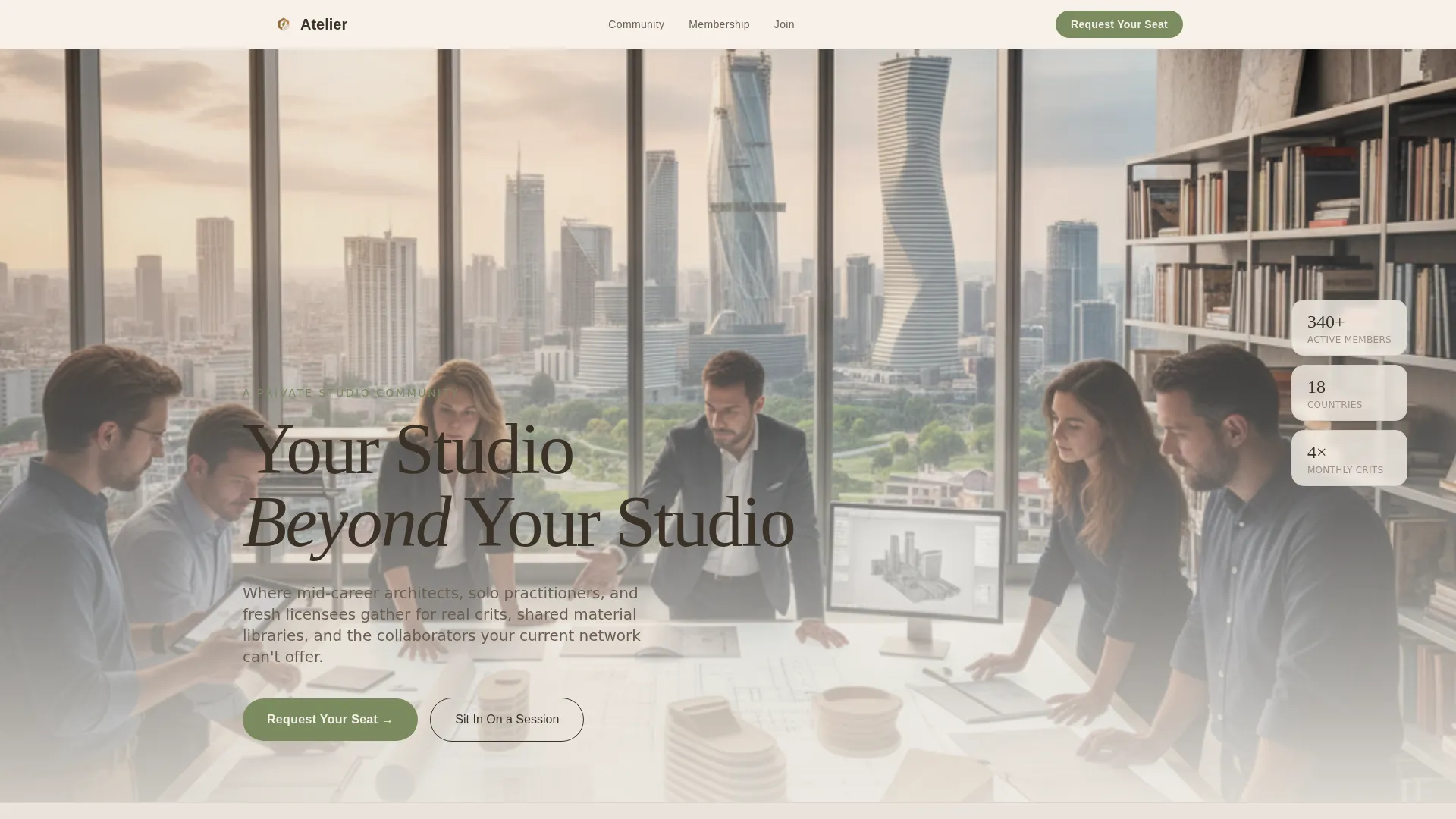
- A cinematic hero section with headline, subtext, and a primary "Request Your Seat" moss-green call to action
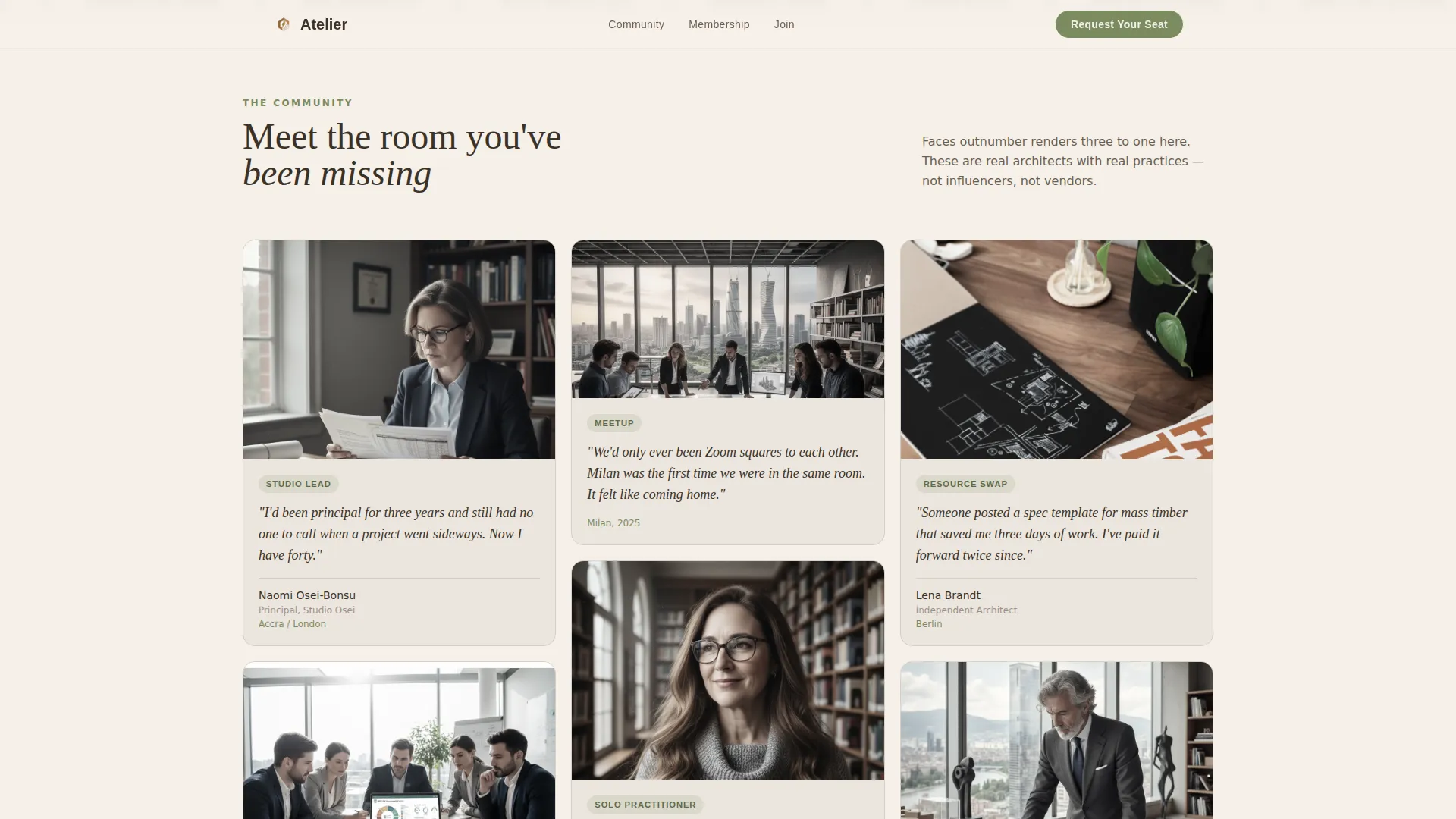
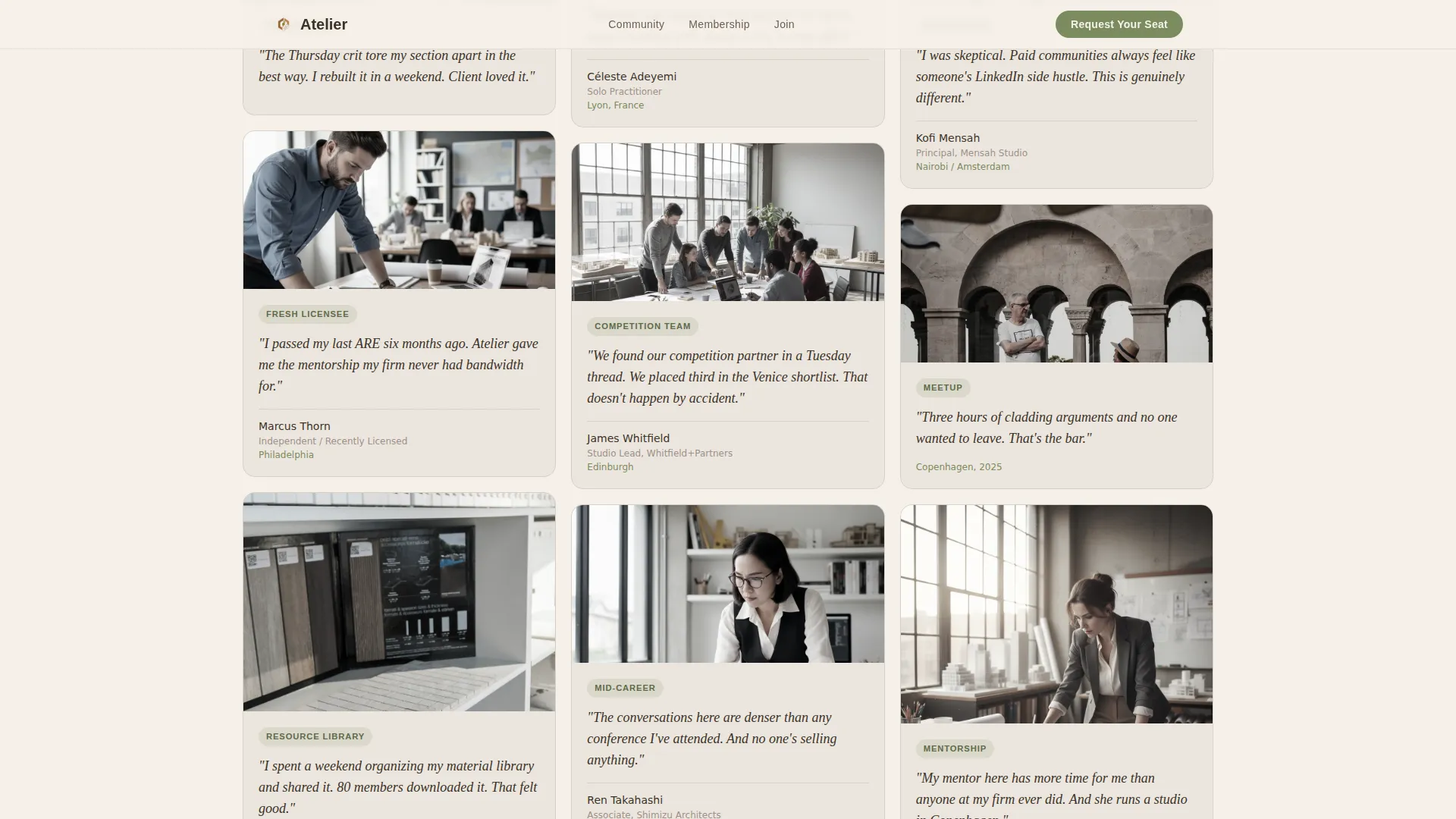
- A masonry member grid displaying portrait cards, quote overlays, crit-session snapshots, and meetup photography
- A dual-path conversion block with a qualifying application form and a free "Sit In On a Session" secondary path
Feature list
This section details the core built-in capabilities that make Atelier work as a lead generation page for an architects paid community.
Masonry Member Grid with Stagger Reveal
The masonry grid below the hero mimics a busy studio pinboard. Cards animate in with a staggered reveal on scroll, introducing portraits, member quotes, virtual crit screenshots, and meetup photos one by one. The grayscale-to-color hover effect rewards attention and keeps the scroll alive.
Dual-Path Conversion Block
The page supports two conversion routes at once. "Request Your Seat" is the primary path, using a short qualifying form with an open-field question that filters serious applicants. "Sit In On a Session" is the secondary path, offering a free recorded crit replay in exchange for an email address.
Sticky Call-to-Action Bar
After the visitor scrolls past the third section, a sticky bar fades in at the top of the viewport. It carries the "Request Your Seat" button persistently, so the primary call to action is never out of reach no matter how far down the page a reader travels.
Ken Burns Hero Animation
The team photo header uses a slow Ken Burns pan-and-zoom animation that adds cinematic warmth without distracting from the headline. It makes the opening moment feel alive and human rather than static and corporate.
Qualifying Application Form
The form asks for first name, studio name or the option to mark oneself as independent, and one open question: "What are you looking for that your current network doesn't give you?" This single question surfaces genuine intent and gives the community team a ready conversation starter for every new applicant.
Testimonial Pull Quote Section
A dedicated full-width pull quote section isolates one powerful member voice in italic Fraunces type on a parchment background. It acts as a moment of stillness between the dense masonry grid and the conversion form, building trust at the exact point where commitment decisions are made.
Page sections overview
| Section | Purpose |
|---|---|
| Hero Team Photo | Opens with candid warmth and primary call to action |
| Masonry Member Grid | Introduces real members through portraits and quotes |
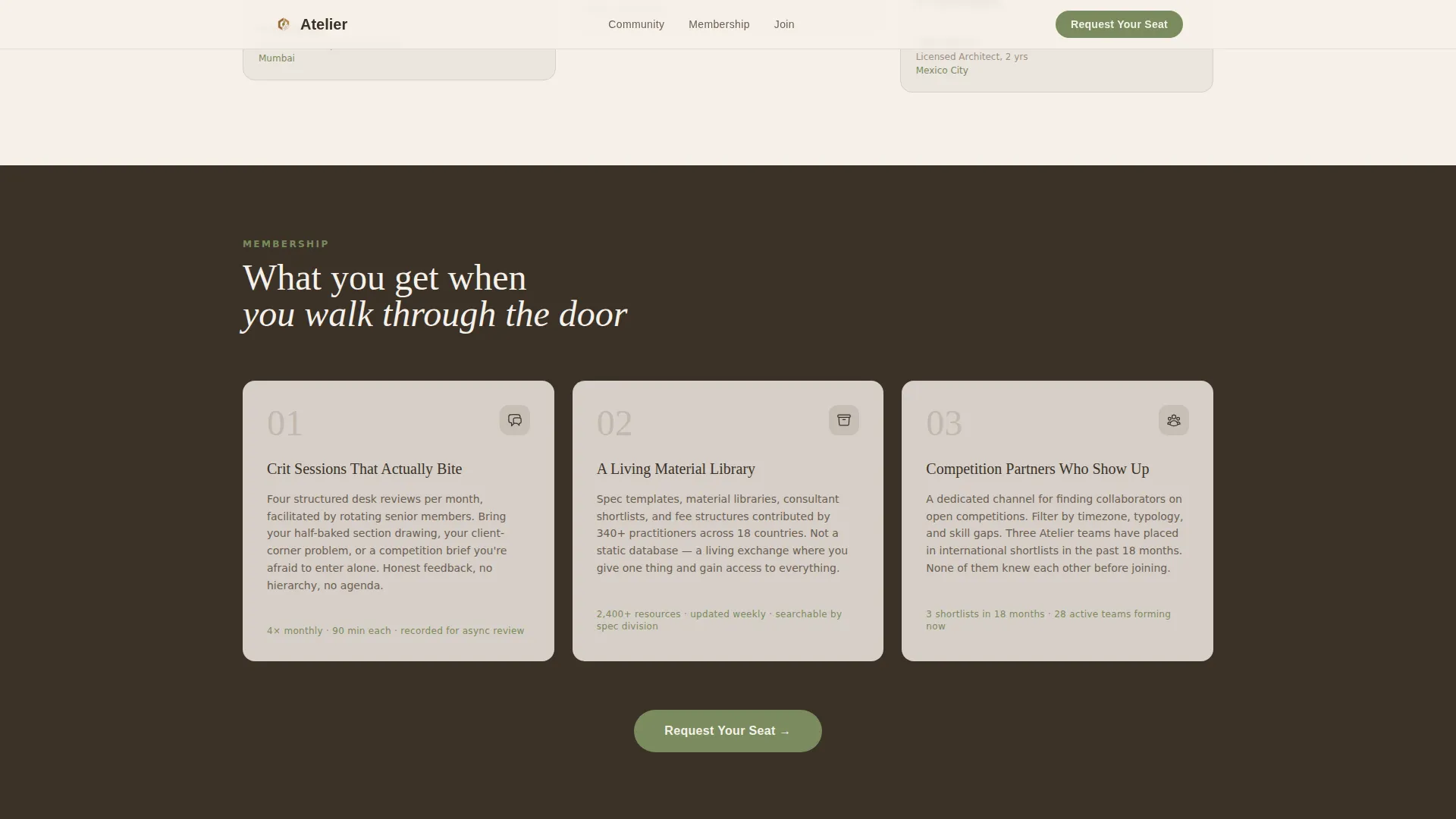
| What You Get | Presents three concrete membership pillars |
| Testimonial Pull Quote | Builds trust with a single powerful member voice |
| Request Form Block | Captures applicants through a qualifying open-field form |
| Sit In Path | Catches curious visitors with a free session replay offer |
| Single-Row Footer | Closes the page with minimal, clean navigation |
Design & branding system
The visual identity follows a nature-inspired direction built around the Cloud Canvas color system. Every color has a specific role, and none compete with the photography or the human faces that drive trust on this page.
- Warm parchment white (#F5F0E8) dominates backgrounds; soft morning fog (#D6CFC7) softens cards and dividers; deep loam (#3B3228) carries all headlines and body text
- Living moss (#7A8B5E) is reserved for buttons, tags, and hover states only, drawing the eye to action without overusing the accent
- Fraunces serif handles all display headlines for warmth and editorial authority; DM Sans handles body copy and interface labels for clean readability at smaller sizes
Mobile & speed optimization
The template is built desktop-first to match the primary audience of architects working at a desk, but it scales responsively to tablet viewports without breaking the masonry rhythm.
- Static sections use server-rendered components to keep initial load light and content visible immediately
- Interactive elements including the sticky bar and the application form are handled as client components, keeping interactivity scoped and efficient
- The masonry grid adapts its column count across breakpoints so portrait cards never collapse into an unreadable single column on tablet
How this template helps you convert
The page is structured as a deliberate funnel. Each section earns the trust needed to move a visitor one step closer to applying.
- The hero and masonry grid build emotional connection first, using faces, candid moments, and direct member quotes before any membership pitch appears
- The sticky call-to-action bar removes the need for visitors to scroll back up, keeping the primary conversion path available at every stage of the reading experience
- The secondary "Sit In On a Session" path gives hesitant visitors a low-commitment entry point, widening the top of the funnel without diluting the primary application flow
Other information about this template
Atelier is designed with a specific professional context in mind. A few additional details help round out the full picture for anyone evaluating it.
- The template style is masonry and Pinterest-inspired, making it well-suited for any community or membership where member stories and social proof are the primary selling tool
- The page targets English-language audiences in the United States and displays no currency, making it suitable for communities that handle pricing separately after the application step
- The design direction is Team and People, meaning real photography of real people is the primary visual asset; stock photography can be used as a placeholder during setup but member photos will significantly increase authenticity
- The header concept is a wide Team Photo rather than an illustration or product screenshot, reinforcing the human-first tone that runs through the entire page
- The lp direction is Lead Generation, not direct sales, so no checkout or payment flow is included in this template
Theme
Nature-Inspired
Creative direction
Team & People
Color system
Cloud Canvas
Style
Masonry/Pinterest
Direction
Lead Generation
Page Sections
Masonry Member Grid with Stagger Reveal
Dual-path Conversion Block
Sticky Call-to-action Bar
Qualifying Application Form
Ken Burns Hero Animation
Testimonial Pull Quote Section
Related questions
Can I edit the application form fields?
Does this template work if I don't have professional photography yet?
Is this template suitable for a free community, or only a paid membership?
How does the secondary conversion path work?
What typography is used in this template?



