Architecture & Interiors Portfolio Specialist Portfolio Website Template
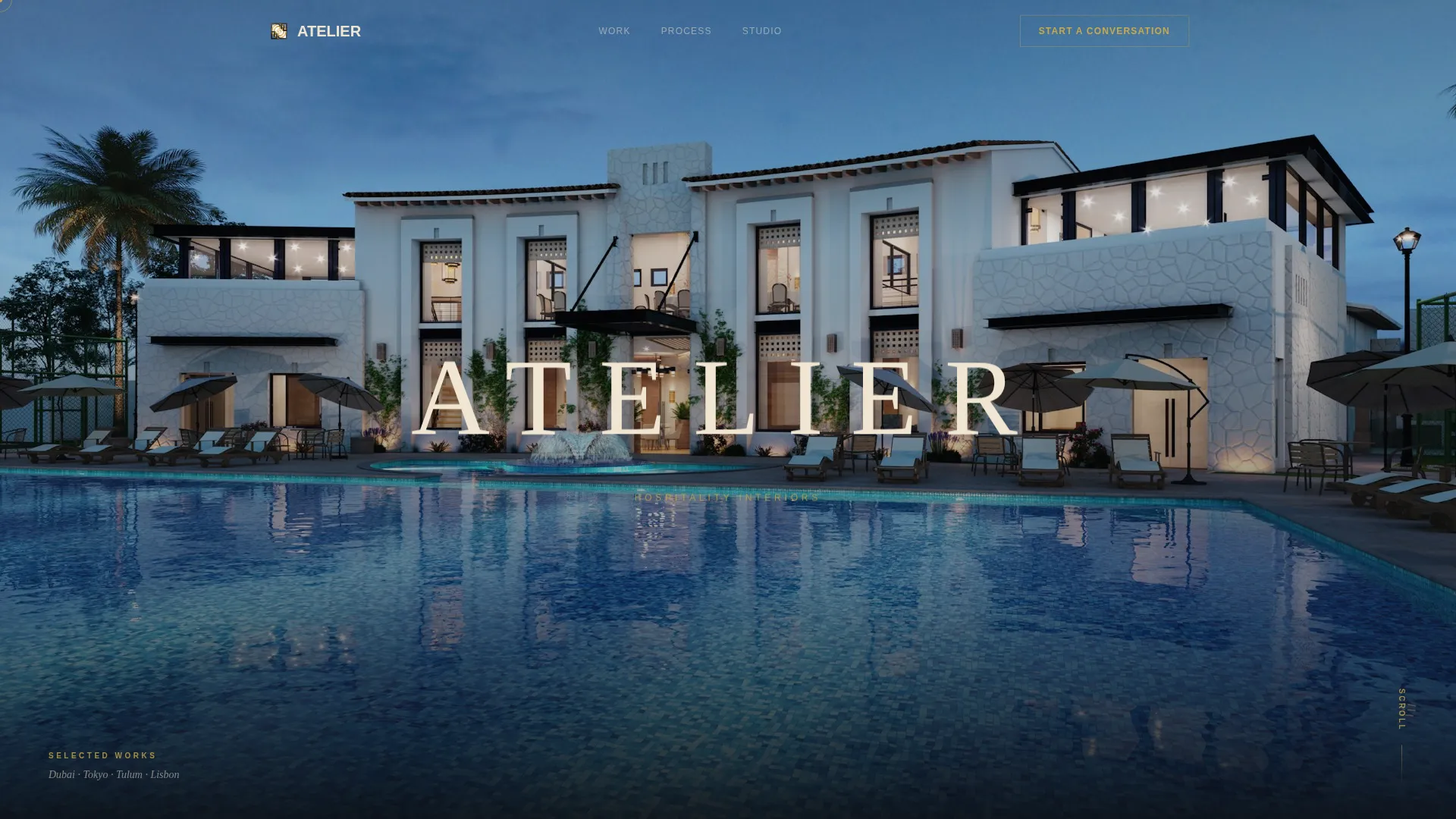
Atelier is a dark, immersive hospitality design portfolio landing page built for studios that shape luxury hotel interiors. An asymmetric 60/40 grid, a cinematic full-screen video header, and a progressive lead-capture form work together to showcase high-end interior work and turn serious hospitality clients into qualified conversations.
by Rocket studio
Quick summary
Atelier is a single-page hospitality design portfolio built around atmosphere first and conversion second. A full-screen cinematic video opens the experience. An asymmetric 60/40 project grid lets interior photography carry the story. Two conversion paths, one progressive contact form and one gated PDF download, capture leads at different stages of buyer readiness.
Who this template is for
This template is designed for interior design studios and hospitality design firms that work at the premium end of the market. If your clients expect a pitch that feels like the property itself, this page delivers that standard from the first scroll.
- Hotel owners repositioning an existing property and looking for a design partner who understands repositioning at a brand level
- Hospitality groups launching a new concept who need a studio presentation that matches their ambition
- Resort developers who use design renderings to move investors and need a portfolio that communicates quality before a meeting is even scheduled
What problem this template solves
Most portfolio pages present work like a slide deck: grid of thumbnails, a contact form at the bottom, and nothing in between that builds desire. For hospitality design studios, that approach undersells the work and underserves the client.
- Clients in this niche buy atmosphere and authority before they buy a service, and a flat portfolio layout cannot communicate either
- The gap between beautiful interior photography and a qualified inquiry is usually atmosphere, narrative pacing, and a form that earns the click rather than demanding it
- Studios lose high-value leads to competitors whose pages feel as considered as the spaces they design
What you get with this template
This template gives you a fully structured, single-page hospitality design portfolio with every section and interaction detail already defined. The design language, layout logic, and conversion flow are ready to receive your content.
- A full-screen cinematic video header with ambient sound design, a fading wordmark, and a scroll prompt that transitions naturally into the project grid
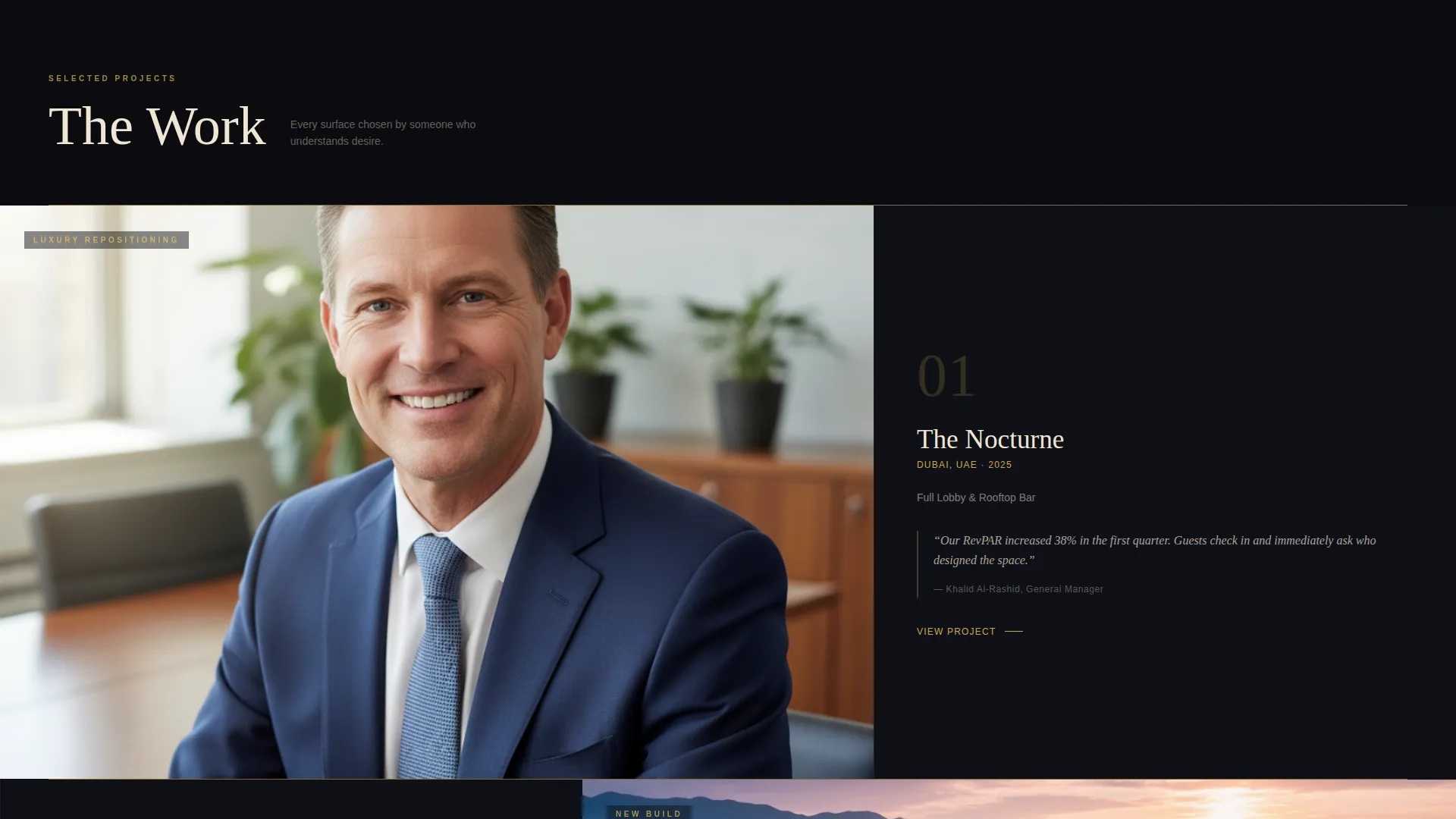
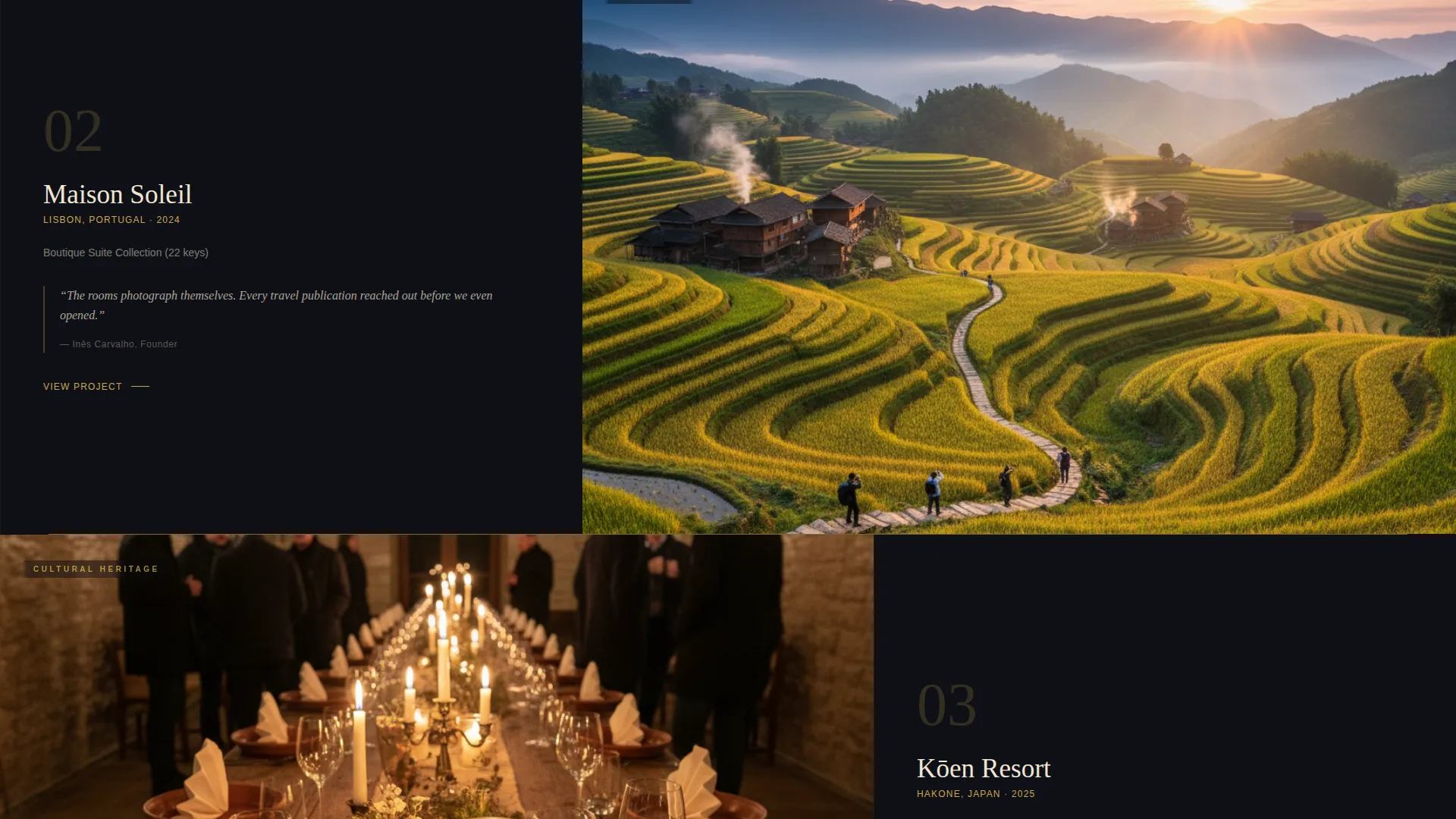
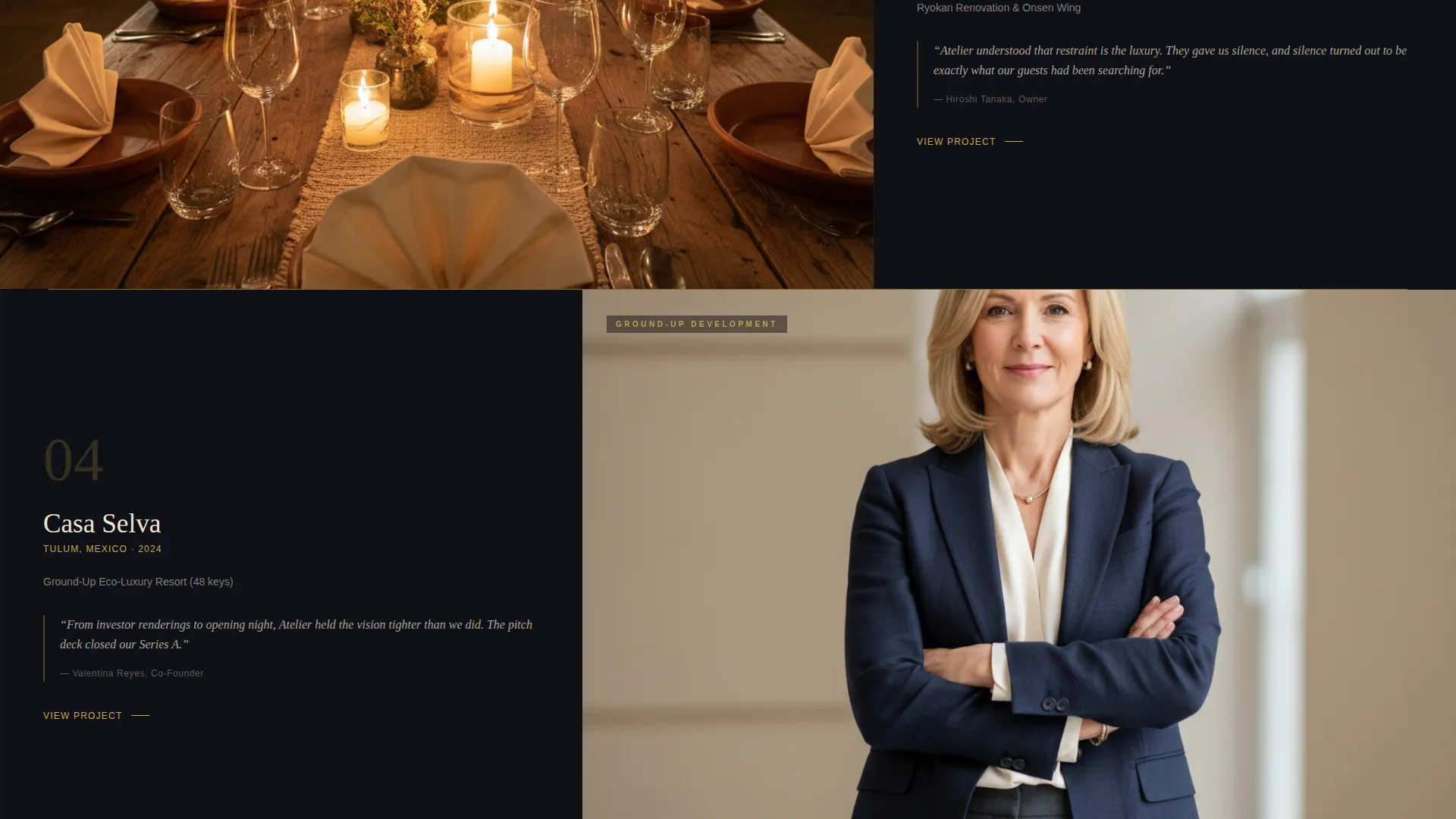
- An asymmetric 60/40 project grid where each card shows a full-bleed interior photograph on the wider column and reveals property name, location, scope, and an owner pull-quote on hover
- Two layered conversion paths: a four-step progressive contact form and a gated process deck download that captures emails from visitors who are not yet ready to commission
Feature list
This template is built from six purpose-designed components. Each one serves a specific role in guiding a high-value hospitality client from first impression to first conversation.
Cinematic Full-Screen Video Header
The header plays a slow dolly shot through an empty hotel at blue hour. The camera drifts through a double-height lobby, a marble reception area, a sconce-lit corridor, and a suite with a city skyline view. No narration, no people. The studio wordmark fades in at the midpoint in gold on black, then dissolves to the scroll prompt.
Asymmetric 60/40 Project Grid
Each project occupies a two-column card. The wider 60-column side holds a full-bleed moody interior photograph. The narrower 40-column side activates on hover, revealing the property name, location, project scope, and a single pull-quote from the owner. The scroll sequence moves from intimate rooms to grand public spaces, from renovation stories to ground-up builds.
Immersive Micro-Gallery Per Project
Clicking any project card opens a micro-gallery where images pan slowly on parallax layers. The experience mimics the physical feeling of moving through the actual space, giving prospective clients a sense of scale and atmosphere before a single word of pitch copy appears.
Gold Rule Section Transitions
Each transition between project cards is marked by a thin gold rule that draws itself across the full viewport width. The dividers are animated, appearing only as the visitor scrolls to that point. The effect makes every section boundary feel deliberate rather than decorative.
Progressive Four-Step Contact Form
The primary call to action, "Start a Conversation," is pinned to the bottom-right corner after the second project card becomes visible. The form reveals itself in four steps: property name and location, project stage (concept, renovation, or new build), timeline and budget range, and an optional brief upload. This staged approach reduces friction at every step.
Gated Process Deck Download
A secondary conversion path, "Download Our Process Deck," captures email addresses from visitors who are researching but not yet ready to commission. The gated asset is a PDF lookbook that also functions as a capabilities overview, giving the studio a warm lead channel alongside the primary inquiry form.
Page sections overview
| Section | Purpose |
|---|---|
| Video Header | Sets cinematic atmosphere and introduces the studio wordmark |
| Project Grid | Showcases portfolio work in an asymmetric hover-reveal layout |
| Micro-Gallery Overlay | Delivers an immersive per-project image experience on click |
| Gold Rule Dividers | Marks section transitions with animated drawn lines |
| Pinned Contact call to action | Captures qualified leads through a staged progressive form |
| Process Deck Gate | Converts early-stage visitors with a gated PDF download |
Design & branding system
The visual identity runs on an Obsidian and Gold color system built for depth rather than brightness. Every color decision reinforces the sense that the studio understands restraint, which is the same quality their clients are paying for.
- The palette uses deep volcanic black (#0B0B0F) as the base, smoked charcoal (#1A1A22) for layered surfaces, antiqued gold leaf (#C9A84C) for interactive elements and dividers, and warm ivory (#F0E6D3) reserved for body text and hover states
- Gold appears only on interactive elements, section dividers, and the cursor trail, so every warm accent feels earned rather than decorative
- The cursor trail in gold reinforces the interactive explorer navigation model, where the visitor feels like they are moving through the space rather than clicking through a page
Mobile & speed optimization
The template is designed to translate the immersive desktop experience into a format that works on smaller screens without losing the atmospheric quality that makes it effective.
- The asymmetric 60/40 grid reflows gracefully on mobile, stacking project photography and detail panels vertically so hover-reveal content becomes a natural tap-reveal on touch devices
- The full-screen video header is structured to support a poster-image fallback on mobile, preserving the dark atmospheric opening without requiring video autoplay on limited connections
- The progressive contact form is touch-friendly at every step, keeping each field stage visible and navigable without pinch-to-zoom
How this template helps you convert
The conversion architecture is built on a simple principle: earn the click by letting the work speak first. Every layout and interaction decision delays the ask until the visitor has already felt the quality of the studio.
- The video header and project grid build authority through atmosphere before any call to action appears, so the "Start a Conversation" prompt arrives after the visitor is already sold on the work rather than before
- The four-step progressive form reduces abandonment by asking only for a property name and location in the first step, lowering the perceived commitment at the moment of highest hesitation
- The secondary "Download Our Process Deck" path ensures that visitors who are not yet ready to commission still enter a lead pipeline, capturing warm contacts who may convert on a longer timeline
Other information about this template
This section covers additional practical details that help you understand how the template fits into a broader studio context and what to consider before launching it.
- The template is categorized under Portfolio and Agency, specifically within the Architecture and Interiors Portfolio subcategory, with a niche focus on hospitality design portfolios
- The Dark Immersive theme and Interactive Explorer creative direction are matched system attributes, meaning the layout, animation logic, and color decisions were designed together as a cohesive set rather than assembled from generic components
- The Lead Generation landing page direction means the page is structured around two conversion paths from the start; both the progressive form and the gated download are built into the page architecture rather than added as afterthoughts
- The template style is Asymmetric Grid (60/40), which is a deliberate content hierarchy choice: the wider column always belongs to the photography, keeping the visual work dominant over descriptive text at every scroll position
Theme
Dark Immersive
Creative direction
Interactive Explorer
Color system
Obsidian & Gold
Style
Asymmetric Grid (60/40)
Direction
Lead Generation
Page Sections
Cinematic Full-screen Video Header
Asymmetric 60/40 Project Grid
Immersive Per-project Micro-gallery
Animated Gold Rule Dividers
Progressive Four-step Contact Form
Gated Process Deck Download
Related questions
Can I use this template if my studio works outside the hotel sector?
How does the hover-reveal project grid work on touch screens?
What is the gated process deck download and how does it work?
Is the contact form really split into four steps?
Does the video header require a specific video format?



