Interior Design Studio Room Budget Estimator Website Template
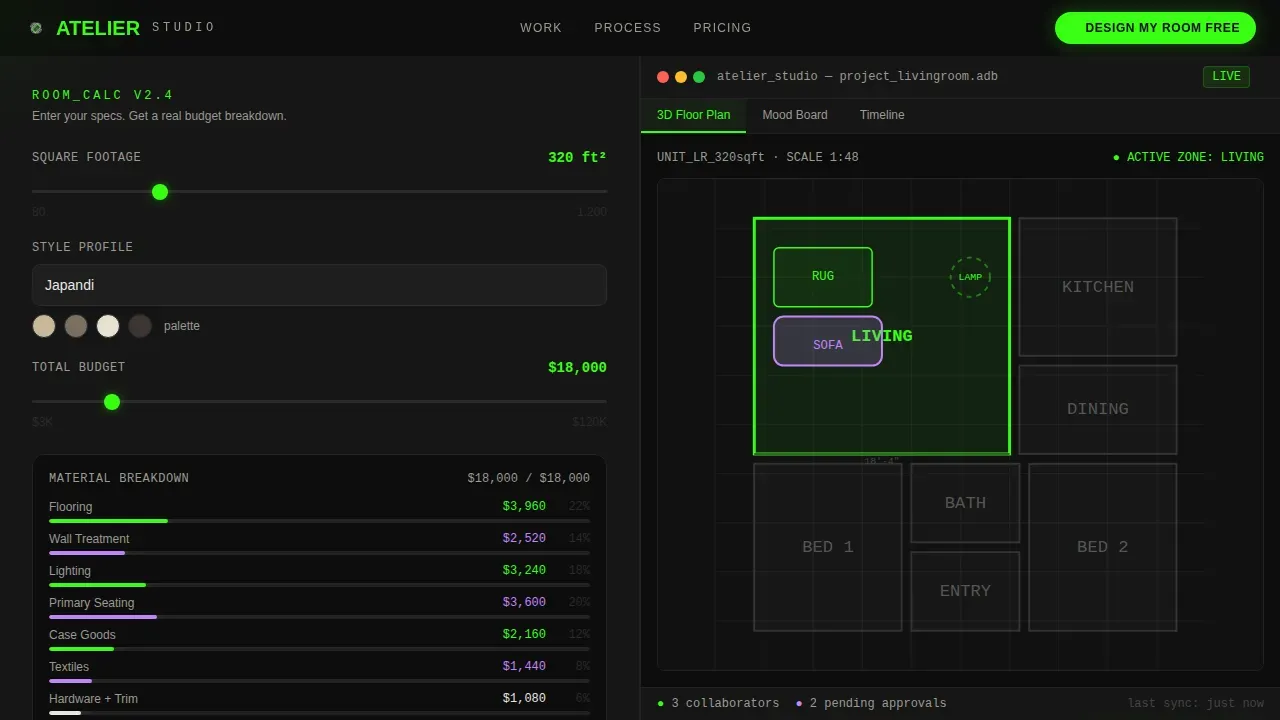
Atelier is a dark-mode interior design studio landing page built around a live room-budget calculator. Visitors interact before they read a single line of copy. The split-screen layout pairs a real-time calculator with a dashboard mockup showing a 3D floor plan, mood board, and project timeline. It is built for studios that want to convert visitors into design clients through demonstration, not persuasion.
by Rocket studio
Quick summary
Atelier is a single-page interior design studio landing page template with a Calculator/Tool First creative direction. The hero splits the viewport 50/50: a live room-budget calculator on the left and a dark dashboard mockup on the right. Each scroll section deepens the story, from raw budget inputs to curated material products, a before/after slider, and an eight-week project timeline. The primary call to action is "Design My Room Free."
Who this template is for
This landing page is built for interior design studio owners who want to show their process before they pitch their services. It fits studios at or near a pre-launch moment, ready to capture leads before the full platform goes live.
- Interior designers targeting mid-renovation homeowners who struggle to visualize contractor sketches
- Newly married couples furnishing their first apartment from a shared inspiration board
- Boutique property developers staging units to flip in under ninety days
What problem this template solves
Most interior design website templates ask visitors to scroll through static portfolio images before offering any value. That passive experience loses people quickly. This landing page flips the order by making the design tool the hero.
- Visitors engage the calculator first, so they see their budget broken into real material products before reading any copy
- Studios can display their methodology in a visual, interactive way without a finished product to showcase
- The page captures email leads at the moment of highest intent, right after the calculator delivers useful output
What you get with this template
You get a fully structured, dark-mode landing page template built for an interior design studio pre-launch. Every section is ready to customize. No need to build pages from scratch.
- A 50/50 split-screen hero with a live room-budget calculator and a dark dashboard user interface mockup
- Scroll-linked sections covering material product cards, a before/after slider, an eight-week project timeline, and a two-step conversion modal
- A footer with social icons and an email capture for visitors not ready to engage the tool
Feature list
This landing page template ships with a focused set of interactive and visual design components. Each one is grounded in the Calculator/Tool First creative direction and the Dashboard Pro theme.
Live Room-Budget Calculator
The left side of the hero embeds a functioning calculator pre-filled with a sample living room project. Visitors adjust a square footage slider, choose a style profile from a dropdown (options include Japandi, Mid-Century, and Coastal Grandmother), and watch a material breakdown populate in real time. Interactivity starts before any copy is read.
Dark Dashboard user interface Mockup
The right side of the hero renders a dark-user interface mockup of the studio's design platform. It shows a 3D floor plan, a mood board grid, and a project progress timeline with milestones glowing in phosphor green. This gives visitors an immediate sense of the interior design work they are about to unlock.
Material Product Cards Section
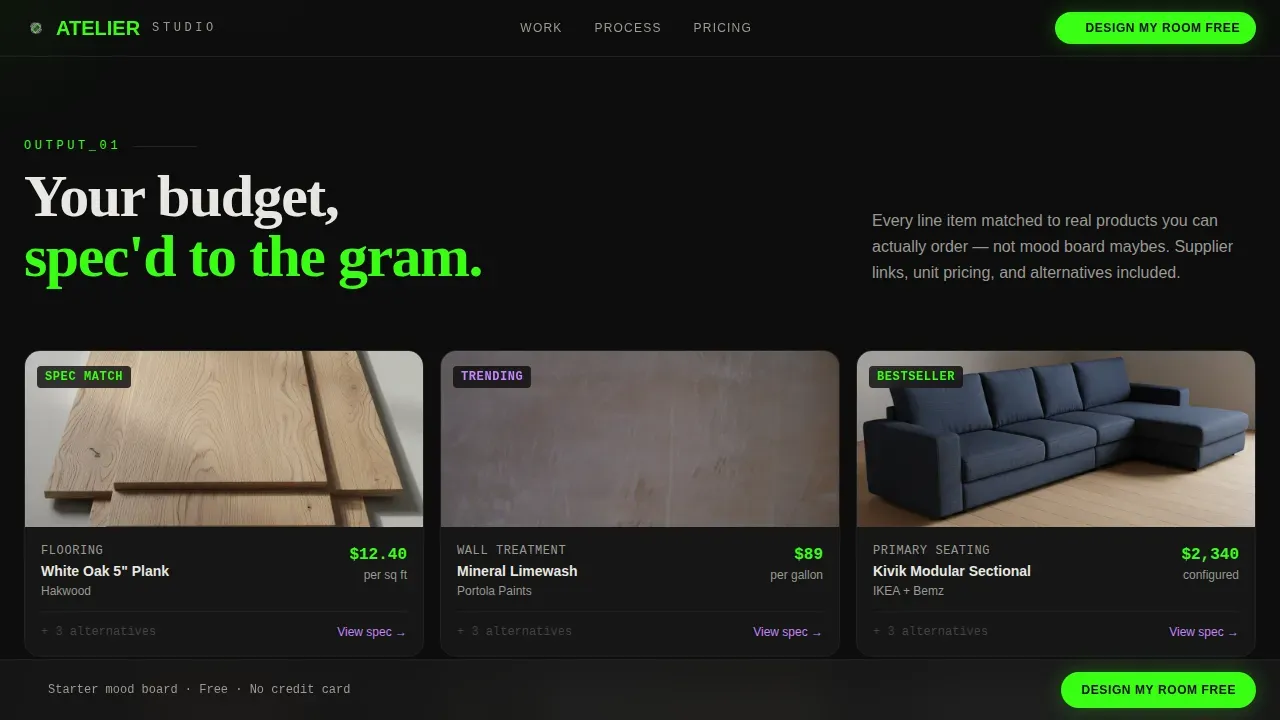
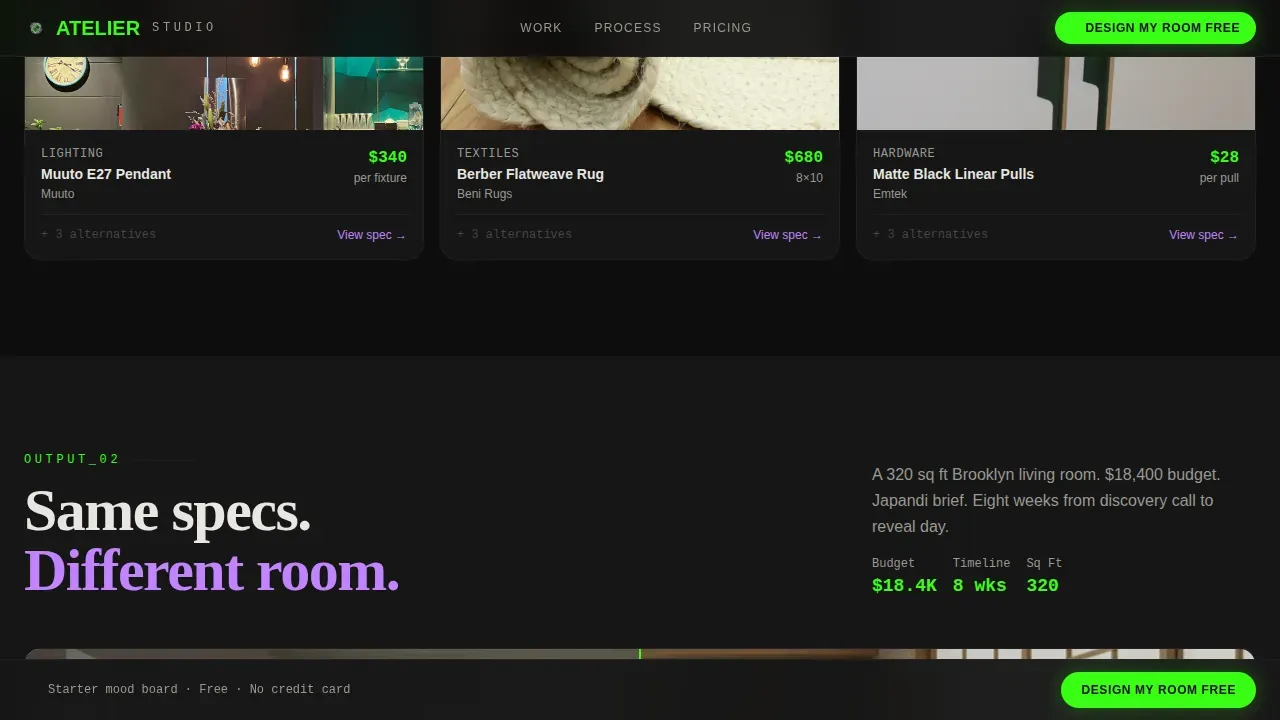
After the hero, scroll reveals how budget inputs translate into curated products: tiles, fabrics, and hardware displayed as product cards with pricing. This section turns abstract numbers into tangible design decisions, allowing visitors to picture real outcomes.
Before/After Project Slider
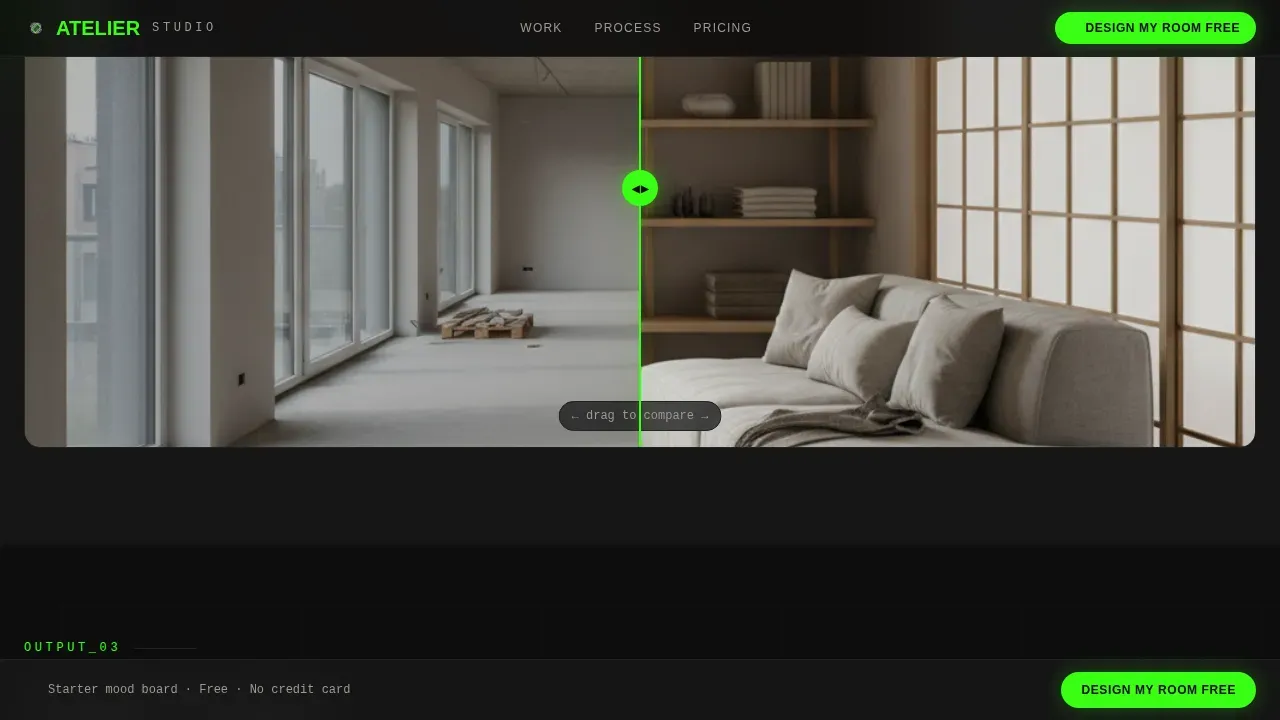
A drag-to-reveal slider shows a completed interior design project matched to similar room specs. Dynamic before-and-after sliders are proven tools for engaging users and building trust without lengthy written case studies.
Eight-Week Project Timeline
A bento asymmetric grid maps the full project arc from quiz to installed room across eight weeks. Phase labels and milestone markers set clear expectations and make the studio's process feel systematic and dependable.
Two-Step Conversion Modal
The primary call to action opens a two-step form. Step one captures email address and room type. Step two invites the visitor to upload a photo of their current space or skip ahead to receive a starter mood board generated from their calculator inputs.
Page sections overview
| Section | Purpose |
|---|---|
| Split-screen hero | Live calculator left, dashboard mockup right |
| Material product cards | Budget inputs map to priced material products |
| Before/after slider | Real project matched to similar specs |
| Eight-week timeline | Project phases from quiz to install |
| Conversion modal | Two-step email and room-type capture |
| Sticky call-to-action bar | Persistent "Design My Room Free" prompt |
| Footer email capture | Low-friction "Notify Me at Launch" sign-up |
Design & branding system
The visual identity follows an Acid Digital color system set against a void black background. The overall feel is a design tool left open on a matte-black desk at 2 a.m. Typography pairs DM Sans for body text with Fraunces for display headings, keeping the dashboard aesthetic sharp and legible.
- Void black (#0D0D0D) dominates all backgrounds and section divides; terminal phosphor green (#39FF14) marks every interactive element and live data point
- UV lilac (#C084FC) pulses on hover states and progress indicators; interface bone (#E8E6E1) keeps body text readable without breaking the dark-mode atmosphere
- Scroll-linked reveal animations, phosphor glow pulses, and calculator real-time updates give the page a high level of motion and interactivity
Mobile & speed optimization
The template is desktop-first because the calculator interaction benefits from screen space. A responsive mobile fallback ensures the landing page remains functional and readable on smaller devices. Responsive design is a key feature of modern interior design templates, and this one is no exception.
- Client components handle interactive elements such as the calculator, style dropdown, and before/after slider
- Server components cover static sections, keeping the page architecture clean and organized
- The split-screen layout stacks vertically on mobile, preserving the calculator and dashboard mockup in a single-column flow
How this template helps you convert
This landing page is engineered around a single insight: a visitor who has already used your tool is far more likely to hand over their email than one who has only read about your services.
- The calculator delivers immediate, personalized value before any call to action appears, so clicking "Design My Room Free" feels like unlocking the next level rather than filling out a contact form
- The sticky call-to-action bar repeats after the first scroll, keeping the primary action visible as visitors move through material products, the before/after slider, and the timeline
- The two-step modal eases commitment by splitting the ask: email first, then an optional photo upload or a mood board generated from their existing calculator inputs
Other information about this template
This template sits in the interior design studio coming soon page category and is built to work as a pre-launch conversion tool. It provides a practical foundation for interior designers who want to build audience before their full platform goes live.
- The template is compatible with modern web design workflows and can be adapted for use with HTML, CSS, and Bootstrap-based build environments; it can also serve as a starting point for teams working in Webflow or WordPress
- Interior design website templates like this one help you quickly publish information about your services and showcase your portfolio without starting from scratch
- The Atelier smart dashboard interior design studio landing page template consolidates complex project data into a digestible format, following best practices for client collaboration dashboards that provide real-time project tracking and centralized project information
- You can modify colors, typography, and content to match existing brand preferences; customization options are easy to apply even without advanced coding knowledge
- Warm minimalism trends in 2026 favor earthy palettes, but the Acid Digital color system here offers a premium, high-contrast alternative that helps an interior design website stand out in a crowded category
- The footer follows a centered social-icon and copyright pattern, keeping pages clean and the design studio's brand active without visual clutter
- A flexible contact form and email capture protect the studio's ability to build its list from day one, while social media links add an additional engagement path for visitors who are not yet ready to convert
Theme
Dashboard Pro
Creative direction
Calculator/Tool First
Color system
Acid Digital
Style
Split Screen (50/50)
Direction
Freemium/Trial
Page Sections
Live Room-budget Calculator
Dark Dashboard User Interface Mockup
Material Product Cards Section
Before/after Project Slider
Eight-week Project Timeline
Two-step Conversion Modal
Related questions
Does this template include a working calculator out of the box?
Can I customize the color scheme and typography?
Is this template suitable for a studio that has not launched yet?
What pages are included in this template?
Do I need coding experience to set up this template?



