Staging Landing Page for Mobile Home Studios
Atelier is a single-page staging landing page built for a one-woman mobile home staging studio. It opens with a full-viewport Before/After Slider, guides visitors through an interactive zigzag gallery of staged spaces, and converts them with a five-question quiz that recommends a personalized staging tier. The design blends deep navy, brushed linen, and tarnished brass into a refined, trust-building visual identity.
by Rocket studio
Quick summary
Atelier is a staged, scroll-driven landing page for a boutique mobile home staging studio. A Before/After Slider greets visitors immediately. An interactive zigzag gallery then builds the case room by room. A five-question assessment closes the journey by delivering a personalized staging recommendation, making every visitor feel guided rather than sold to.
Who this template is for
This template is designed for staging professionals who work specifically inside manufactured and mobile homes. It suits a solo practitioner who needs a polished, client-ready web presence without a large team behind it.
- Mobile home flippers managing multiple rehab projects at once
- Manufactured housing dealerships trying to move aging lot inventory
- Retirees preparing a long-loved park home for sale who need help visualizing the transformation
What problem this template solves
Staging studios that work in manufactured housing face a specific credibility gap. Potential clients often cannot picture how a modest square-footage space can look compelling to a buyer. Generic staging websites do not speak to that doubt.
- Visitors arrive skeptical that staging works in smaller, non-traditional floor plans
- Owners and flippers struggle to identify what level of staging their property actually needs
- A plain contact form gives no guidance and loses the lead before trust is built
What you get with this template
This template delivers a complete, conversion-focused landing page built around three major interactive moments. Every section is purposeful and tied directly to the staging studio's workflow and client types.
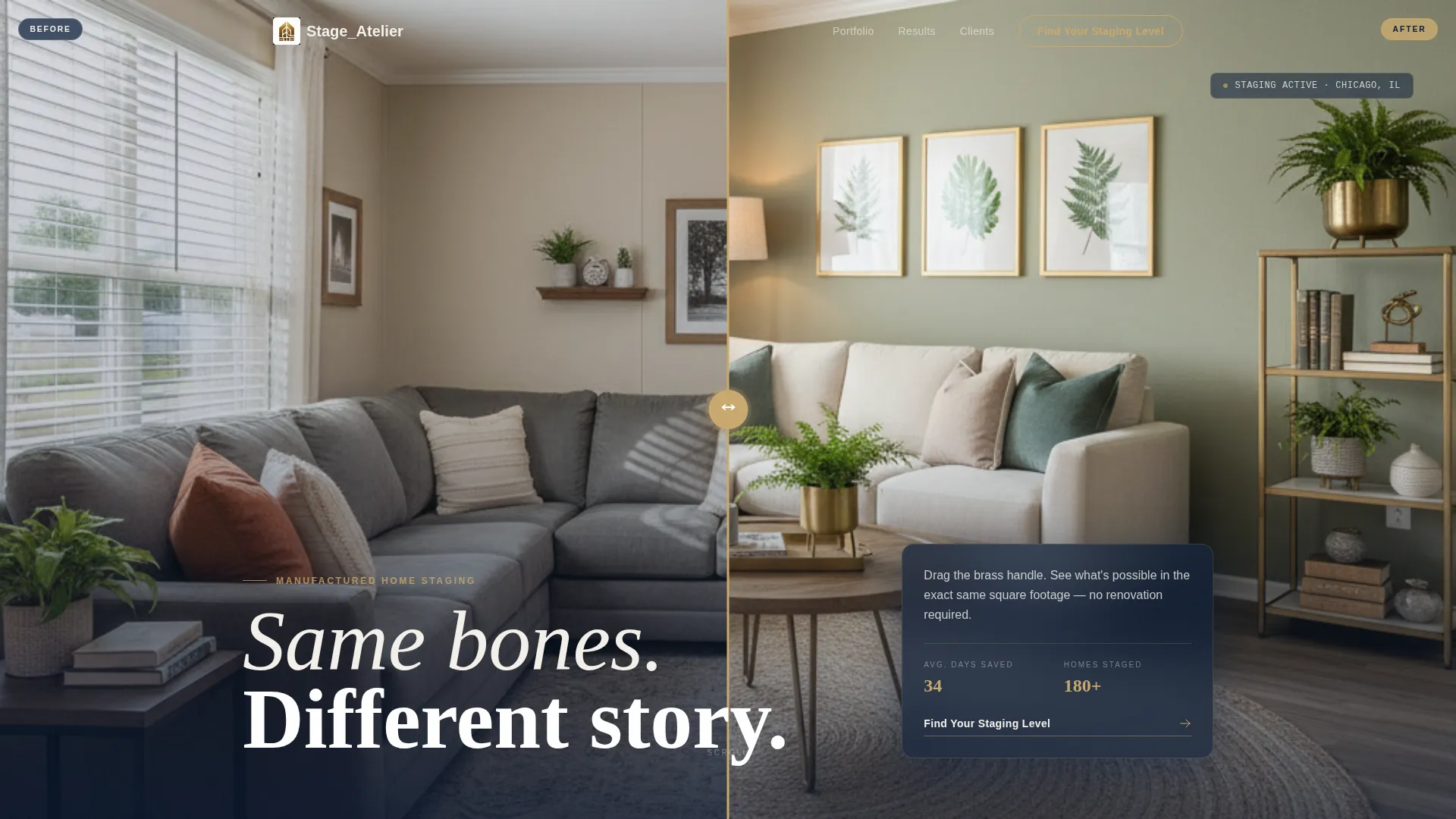
- A full-viewport Before/After Slider as the opening hero, showing the same manufactured home living room before and after staging
- A zigzag interactive gallery where each vignette is clickable, revealing materials lists or a 360-degree micro-tour of the staged space
- A five-question quiz that diagnoses the visitor's needs and delivers one of three staging tier recommendations with a direct booking call to action
Feature list
This template includes a focused set of interactive and visual components, each built to serve a real moment in the buyer's decision journey.
Before/After Hero Slider
A full-viewport drag slider opens the page. The left side shows a raw manufactured home living room. The right side reveals the same room fully staged. A brass drag handle sits at center frame, inviting the first interaction before any copy is read.
Zigzag Interactive Gallery
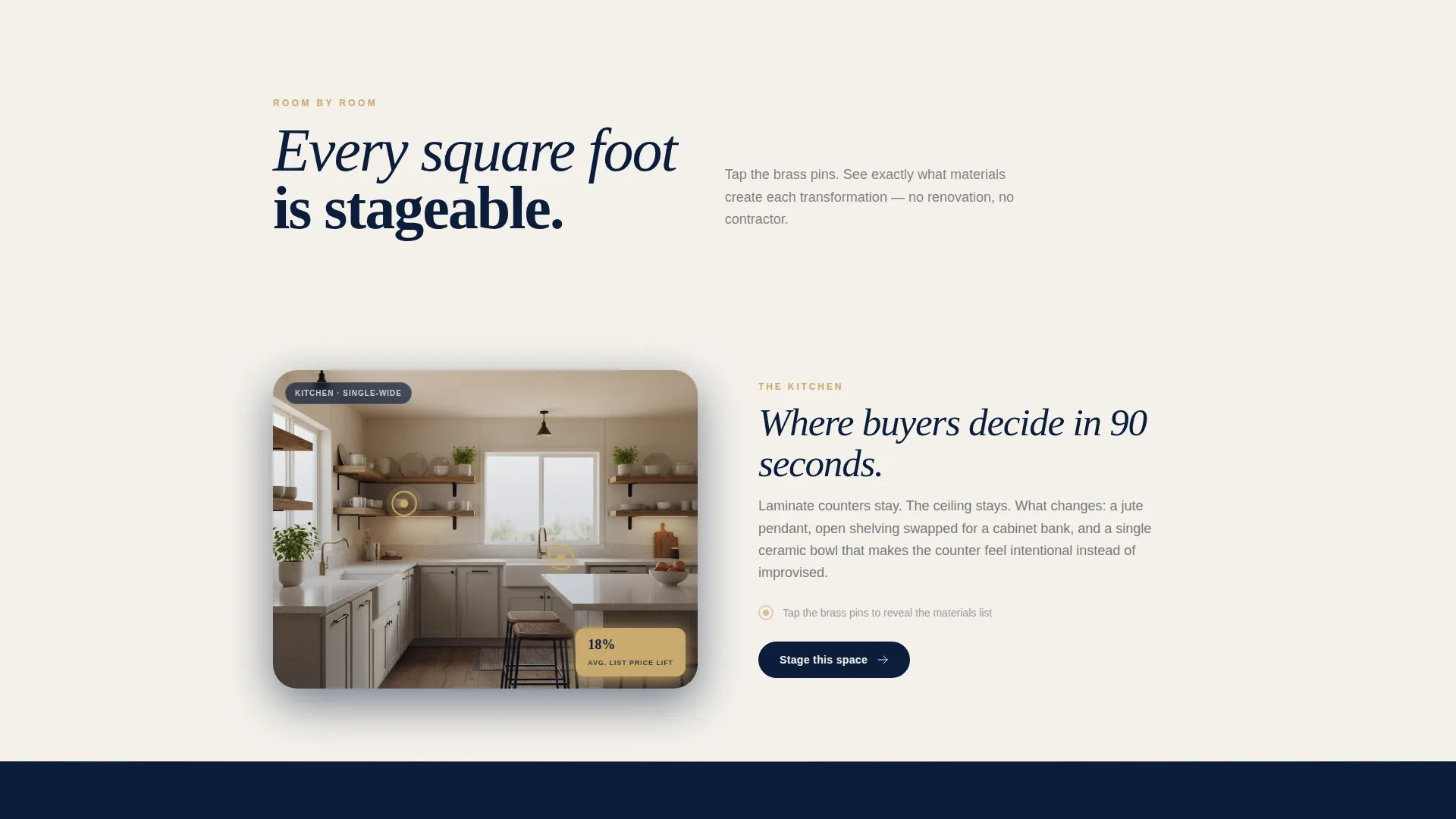
Each alternating section is a styled, clickable vignette of a staged space. Tapping a kitchen fans out a materials mood board. Tapping a bedroom launches a 360-degree micro-tour of the staged room. The rhythm escalates from hallway to bathroom to exterior entry, building a complete case for staging every square foot.
Pulsing Hotspot Icons
Gentle pulsing hotspot icons overlay each gallery image. They reward curiosity and signal interactivity without demanding it. Visitors feel like they are exploring a showroom rather than reading a brochure.
Five-Question Staging Assessment
The primary conversion tool is a guided quiz. Visitors answer five questions covering home type, current condition, listing timeline, budget range, and a photo upload of their most challenging room. Results place them into one of three tiers: Refresh, Transform, or Full Atelier.
Tiered Staging Results
Each quiz result delivers a clear scope summary matched to the visitor's inputs. A "Book Your Walkthrough" button appears alongside the recommended tier. The visitor arrives at the call to action already knowing what they need, reducing friction at the booking step.
Navy Authority Color System
Deep officer navy, brushed linen white, tarnished brass, and muted charcoal form a palette that feels refined and lived-in at the same time. Brass accents appear on hover states, buttons, and divider lines throughout the page.
Page sections overview
| Section | Purpose |
|---|---|
| Before/After Hero | Opens with a staged transformation slider to hook attention immediately |
| Hallway Vignette | First zigzag panel showing a staged manufactured home hallway |
| Kitchen Vignette | Tap-to-reveal materials mood board for a staged kitchen space |
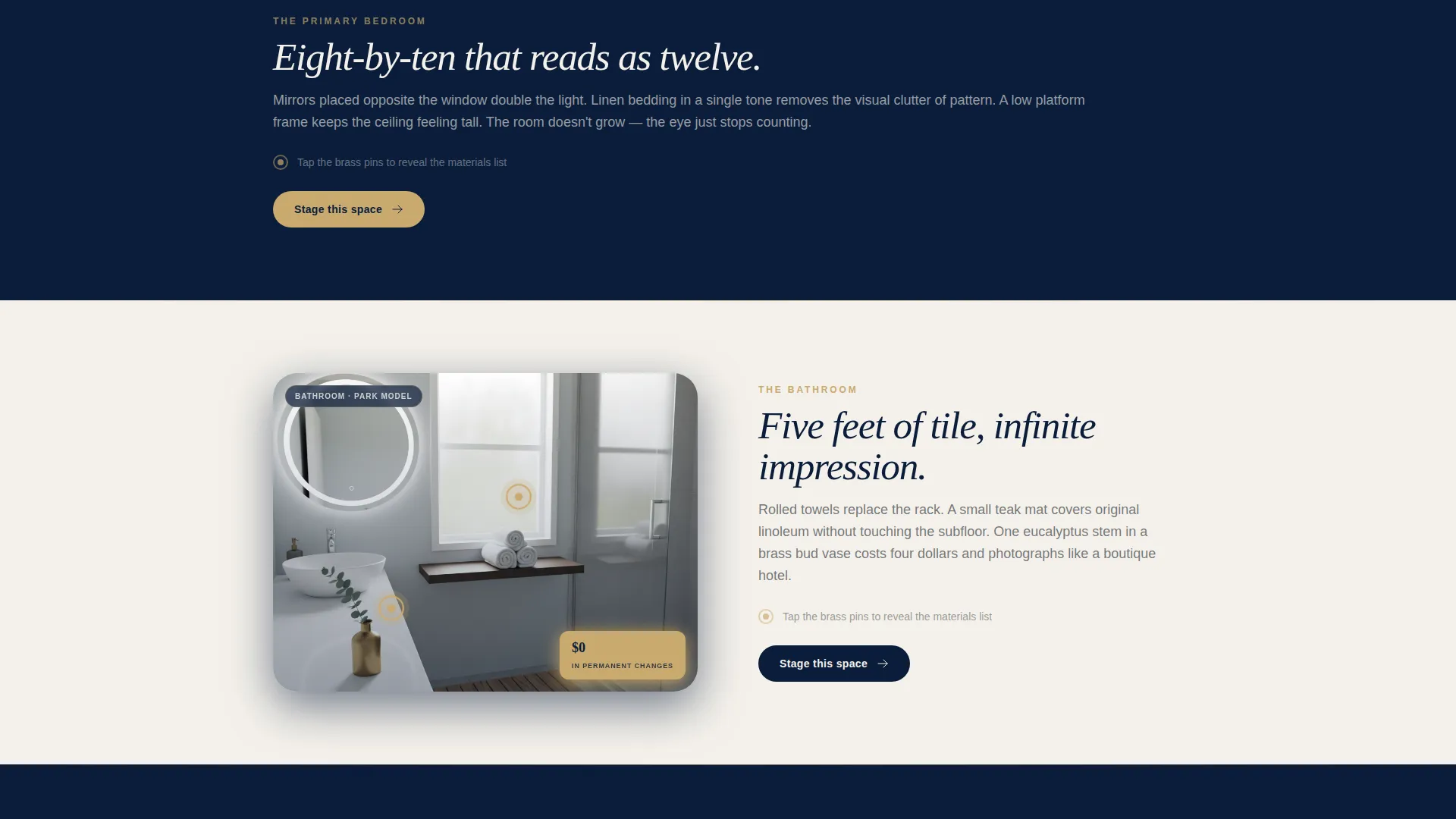
| Bedroom Micro-Tour | 360-degree orbit view of a staged eight-by-ten bedroom |
| Bathroom Vignette | Demonstrates staging possibilities in compact bathroom layouts |
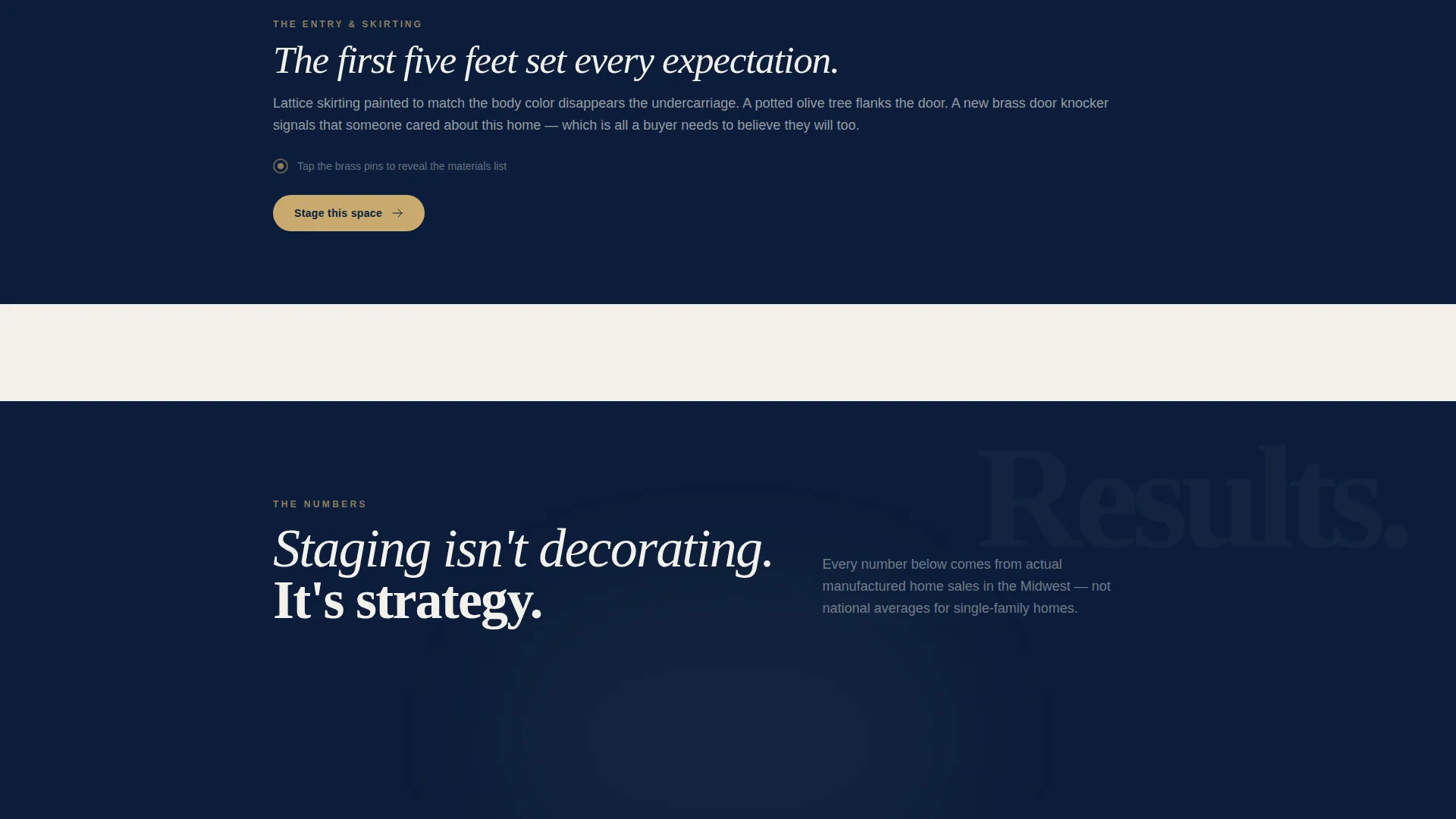
| Exterior Entry Panel | Shows skirting and entry staging to complete the full home picture |
| Staging Quiz | Five-question assessment leading to a personalized staging tier result |
| Tier Results Display | Refresh, Transform, or Full Atelier scope summary with booking button |
Design & branding system
The visual identity follows an Atelier Studio theme grounded in a Navy Authority color system. The palette is deliberately restrained, letting the staged photography carry the emotional weight while structure and type provide authority.
- Deep officer navy (#0B1D3A) for dark section backgrounds, brushed linen white (#F4F1EB) for alternating light panels, tarnished brass (#C9A96E) for buttons, hover states, and divider lines, and muted charcoal (#3B3F45) for body text
- The alternating navy and linen panels reinforce the zigzag rhythm visually, so the layout feels intentional rather than accidental
- Typography and spacing lean toward an atelier studio aesthetic: commanding in structure, soft in finish, the kind of authority that whispers rather than shouts
Mobile & speed optimization
The landing page is structured as a single-scroll experience, which keeps the layout clean and navigable on smaller screens. The zigzag rhythm adapts naturally to a stacked mobile view without losing the section-by-section storytelling logic.
- Each interactive vignette is self-contained, so tap interactions on mobile feel native rather than retrofitted from a desktop click pattern
- The quiz flow is designed as a step-by-step sequence, making it well-suited to thumb-scroll navigation on phones and tablets
- The before/after slider responds to touch drag input, keeping the hero interaction functional on any screen size
How this template helps you convert
Conversion is built into the structure of the page itself. Every section moves the visitor one step closer to booking, without ever feeling like a hard sell.
- The Before/After Slider creates immediate emotional proof before a single sentence is read, reducing the skepticism that manufactured home staging often faces.
- The zigzag gallery builds progressive confidence by showing every area of a mobile home transformed, answering the unspoken objection that staging only works in larger spaces.
- The five-question quiz earns the conversion by making visitors feel understood. They reach the "Book Your Walkthrough" button already holding a personalized staging recommendation.
Other information about this template
This template is built for a specific niche inside real estate and property services. It reflects the realities of working inside single-wide, double-wide, and park model homes, not just conventional residential properties.
- The three staging tiers (Refresh, Transform, and Full Atelier) are designed to serve a wide range of client budgets and project timelines within the manufactured housing market
- The photo upload feature in the quiz allows prospective clients to share the room that concerns them most, giving the studio owner useful context before any walkthrough is booked
- The template suits operators working in mobile and manufactured home real estate, including staging consultants, dealership sales teams, and individual flippers seeking a professional client-facing presence
Theme
Dark Immersive
Creative direction
Before/After Reveal
Color system
Charcoal & Amber
Style
Gallery + Detail
Direction
Click-Through
Page Sections
Full-viewport Before/after Slider
Zigzag Interactive Gallery
Pulsing Hotspot Overlays
Five-question Staging Assessment
Tiered Staging Recommendation Results
Navy Authority Color System
Related questions
What types of clients is this landing page designed for?
How does the staging quiz work?
Can this template work for a solo staging professional?
What are the three staging tiers in the quiz results?
Is this template specific to manufactured and mobile homes?



