Proptech Landing Page Template for Real Estate Analytics
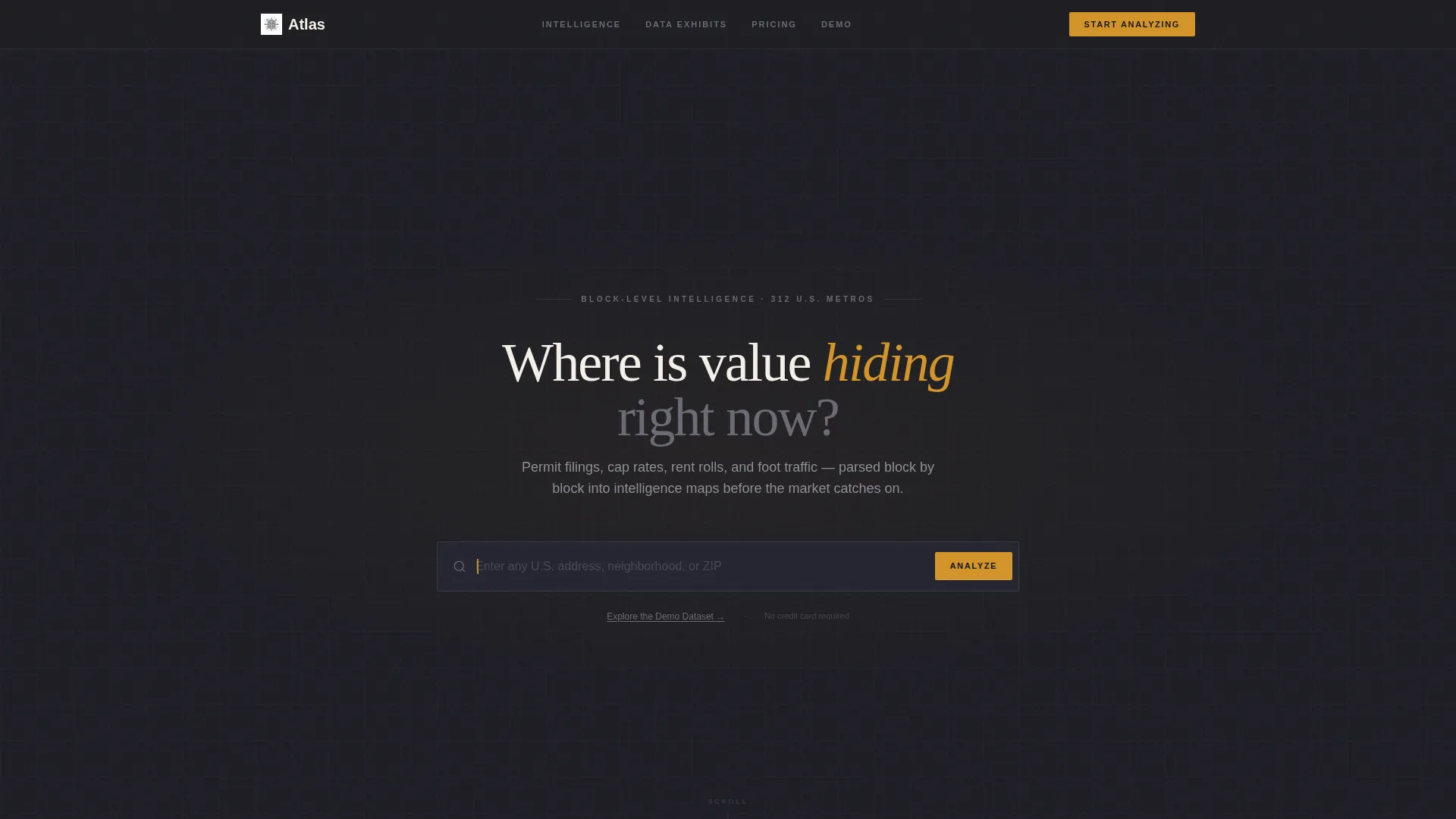
Atlas is a precision proptech landing page template built for real estate analytics platforms. It uses a modular card grid layout to present layered neighborhood intelligence, from permit filings and rent rolls to cap rates and foot traffic. The Atelier Studio visual identity, anchored in deep charcoal and warm amber, gives every section the quiet authority of an architect's working drawings.
by Rocket studio
Quick summary
Atlas is a single-page, card grid landing page template designed for real estate analytics tools. It opens with a live address search bar and unfolds into modular data exhibit cards. The design system uses deep charcoal, warm vellum, and molten amber to make complex property intelligence feel precise, trustworthy, and immediately usable.
Who this template is for
This template is built for data-forward real estate businesses that need to earn trust fast. It suits teams who lead with product capability rather than marketing language.
- Acquisitions analysts who run property comparisons late at night and need a tool that matches their precision
- Boutique developers and family offices scouting emerging corridors across multiple metro areas
- PropTech founders and product teams launching a neighborhood intelligence or real estate analytics platform
What problem this template solves
Most real estate software landing pages rely on stock photography and vague benefit claims. Visitors leave without understanding what the product actually does. Atlas solves this by making the product itself the first interaction.
- Visitors type a real address and see live neighborhood data before any sales pitch appears
- Generic hero imagery is replaced with functional data cards that demonstrate accuracy immediately
- The pricing card and refund line reduce commitment anxiety for buyers who are close but cautious
What you get with this template
You get a fully structured, single-page layout with a deliberate information hierarchy. Every component serves either discovery, trust-building, or conversion.
- An oversized live address search bar with cascading suggestion cards showing neighborhood name, median price per square foot, and a 12-month trajectory sparkline
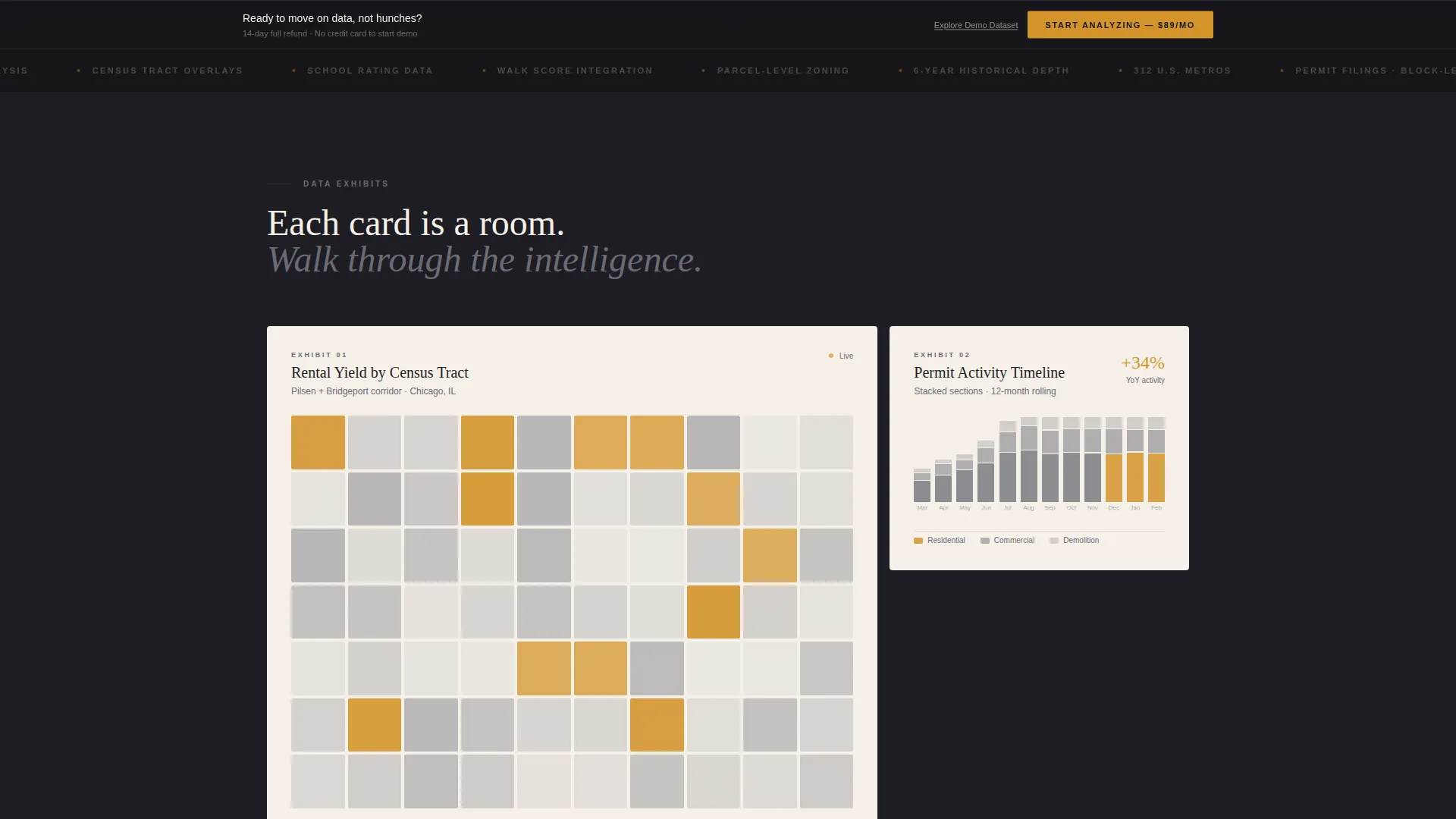
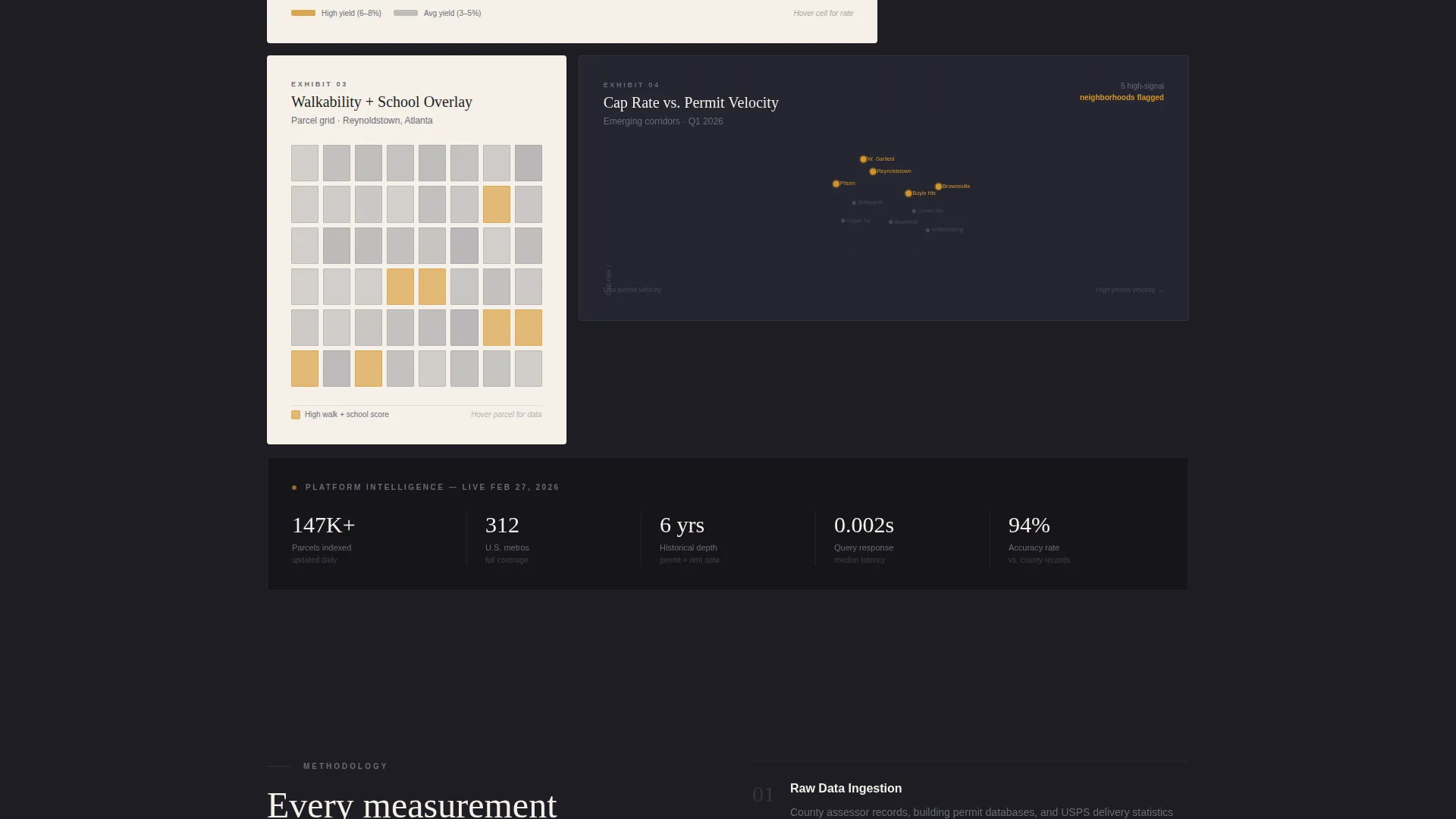
- A modular card grid of data exhibit sections including a rental yield heat map, a permit-activity timeline, and a school ratings and walkability overlay
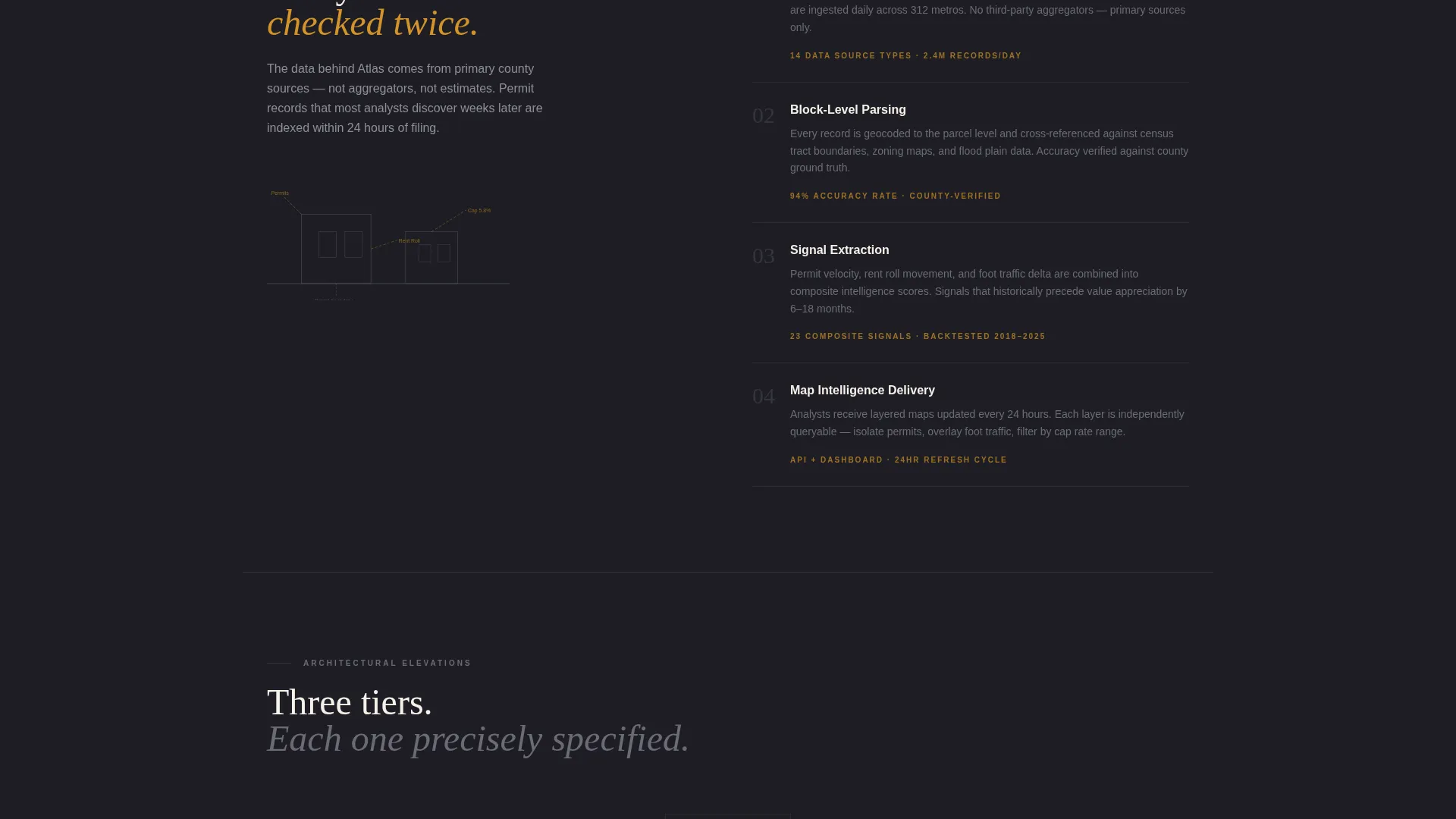
- A three-tier pricing card displayed as architectural elevations, with the professional tier outlined in amber, plus a persistent bottom conversion bar that appears after the third card row
Feature list
This section covers the core built-in components and design decisions that ship with the Atlas template.
Live Address Search Header
The header centers an oversized search input on a vast charcoal canvas. Ghost text reads "Enter any U.S. address" and an amber cursor blinks while idle. As a visitor types, vellum suggestion cards cascade below, each showing neighborhood name, median price per square foot, and a micro-sparkline of 12-month price trajectory.
Modular Data Exhibit Cards
The page body is a grid of self-contained cards, each one an independent data exhibit. Cards are arranged asymmetrically, with some spanning two columns and others clustering in threes, creating visual rhythm that alternates between compression and release. Each card uses only charcoal lines and amber highlights so every visualization feels hand-drafted.
Permit and Rental Intelligence Displays
Specific card exhibits include a rental yield heat map by census tract, a permit-activity timeline stacked like architectural cross-sections, and a parcel grid overlaying school ratings and walkability scores. These cards demonstrate the platform's analytical depth without requiring the visitor to sign up first.
Three-Tier Pricing Card
Pricing is presented as a single grid module using an architectural elevation metaphor. Features are listed like material specifications. The professional tier is outlined in amber to draw the eye. A 14-day refund line appears in graphite text beneath every call to action, reducing purchase hesitation.
Dual Conversion Pathway
The primary call to action, "Start Analyzing at $89 per month," appears first beneath the header search results. It reappears in a persistent bottom bar after the third card row. A secondary path, "Explore the Demo Dataset," opens a sandboxed version of the tool using public data for a single ZIP code, giving hesitant visitors a no-commitment entry point.
Atelier Studio Visual Identity
The full design system ships with the template. Deep drafting charcoal (#1E1E24) sets the primary background. Warm vellum (#F5F0E8) surfaces each card. Architectural graphite (#6B6B76) handles secondary text and dividing rules. Molten amber (#D4942A) is reserved exclusively for interactive states, active data points, and calls to action.
Page sections overview
| Section | Purpose |
|---|---|
| Address Search Header | Opens the experience with a live, interactive data query field |
| Search Suggestion Cards | Delivers instant neighborhood metrics as the visitor types |
| Primary call to action Block | Prompts first conversion directly below the header results |
| Rental Yield Card | Demonstrates heat map intelligence by census tract |
| Permit Activity Card | Visualizes permit filing timelines as stacked section drawings |
| Walkability Parcel Grid | Overlays school ratings and walkability data on a parcel map |
| Pricing Elevation Card | Presents three tiers with amber-outlined professional option |
| Persistent Bottom Bar | Repeats the primary call to action after the third card row |
| Demo Dataset Link | Offers a sandboxed, no-signup entry point for cautious visitors |
Design & branding system
The Atlas visual identity draws from the quiet precision of an architect's private studio. Every color choice and spacing decision is intentional, with no decorative noise.
- Color palette: deep drafting charcoal (#1E1E24) for backgrounds, warm vellum (#F5F0E8) for card surfaces, architectural graphite (#6B6B76) for secondary text and rules, and molten amber (#D4942A) for interactive states and calls to action only
- Card layout: vellum cards float with generous margins, separated by hairline graphite rules, each one behaving like a discrete room in a planned floor layout
- Data visualization style: all charts and maps use only charcoal lines and amber highlights, deliberately avoiding rainbow gradients so every visual reads as hand-drafted rather than machine-generated
Mobile & speed optimization
The modular card grid is structured so each component scales independently. The asymmetric multi-column layout collapses into a readable single-column stack on smaller screens without losing hierarchy.
- Cards that span two columns on desktop reflow to full width on mobile, preserving the exhibit-by-exhibit reading experience
- The persistent bottom conversion bar remains anchored at the bottom of the viewport across screen sizes, keeping the primary call to action always reachable
- Generous negative space and hairline dividing rules maintain visual clarity at any width without relying on heavy imagery or background effects
How this template helps you convert
Atlas earns the conversion before asking for it. The structure is designed so visitors accumulate trust through direct product experience, not through persuasion copy.
- The live address search in the header lets visitors touch real neighborhood data immediately, proving the platform works before any pricing information appears
- The sequential card grid builds analytical credibility exhibit by exhibit, so by the time a visitor reaches the pricing card they have already seen the product in action
- The dual conversion pathway, combining the primary paid call to action with a free sandboxed demo, captures both ready buyers and visitors who need one more proof point before committing
Other information about this template
Atlas is a strong fit for real estate analytics platforms competing in the property intelligence space. The template supports a direct sales conversion model at a clearly stated price point.
- The $89 per month price point is displayed prominently and the 14-day refund line is placed in graphite text beneath every call to action to reduce hesitation at checkout
- The sandboxed demo dataset path uses a single public ZIP code, giving the platform a low-risk way to demonstrate data accuracy without exposing proprietary data
- The template is built under an Atelier Studio theme and uses a Charcoal and Amber color system, making it visually distinct from the green-heavy or blue-dominant palettes common in real estate software
- The card grid structure can support additional exhibit modules if the platform expands its data layers, such as adding transit access, flood zone overlays, or demographic trend cards
Theme
Atelier Studio
Creative direction
Stats-First Impact
Color system
Dark Emerald
Style
Card Grid (Modular)
Direction
Click-Through
Page Sections
Live Address Search with Instant Suggestions
Asymmetric Modular Card Grid
Neighborhood Intelligence Data Exhibits
Architectural Three-tier Pricing Card
Dual Conversion Pathway Design
Related questions
Can I customize the amber accent color to match my own brand?
Does the header search bar connect to live data out of the box?
Is the sandboxed demo dataset feature included in the template layout?
Who is this landing page template best suited for?
Can I add more data exhibit cards beyond the ones in the template?



