Mixed-Use Real Estate Investor Landing Page Template
Atlas is a modular card-grid landing page built for mixed-use real estate investors. It opens with an interactive map hero that plots each asset in the portfolio, then scrolls into filterable property cards showing tenant mix, cap rates, and occupancy at a glance. The primary call to action gates a full offering memorandum behind a three-step qualification form.
by Rocket studio
Quick summary
Atlas is a single-page, lead-generation landing page designed for mixed-use real estate portfolios. It combines a map-based hero, a filterable card grid, and a progressive disclosure form to move serious investors from first impression to qualified inquiry. The design uses a warm stone and burnished brass palette that signals institutional credibility without sacrificing visual appeal.
Who this template is for
This template is built for real estate operators, syndicators, and family offices presenting mixed-use portfolios to prospective investors. It speaks directly to capital allocators who evaluate deals quickly and expect financial clarity before they engage.
- High-net-worth individuals working against a 1031 exchange deadline who need fast, credible data
- Syndicators assembling capital stacks who must present tenant mix, cap rates, and occupancy in a single view
- Family offices diversifying out of single-asset classes into mixed-use commercial and residential buildings
What problem this template solves
Presenting a mixed-use portfolio to sophisticated investors is difficult when assets vary in class, floor use, and performance. Generic templates force operators to choose between visual appeal and financial credibility. Atlas solves both at once.
- Investors abandon pages that bury key metrics behind lengthy prose or require a call just to see basic performance data
- Operators lose qualified leads when inquiry forms ask for too much too soon, discouraging engagement
- Portfolios with retail, office, and residential layers look fragmented without a visual system that unifies them clearly
What you get with this template
Atlas delivers a fully structured landing page that takes investors from a macro portfolio view down to the details of each individual asset. Every section is purposefully ordered to build trust before asking for a commitment.
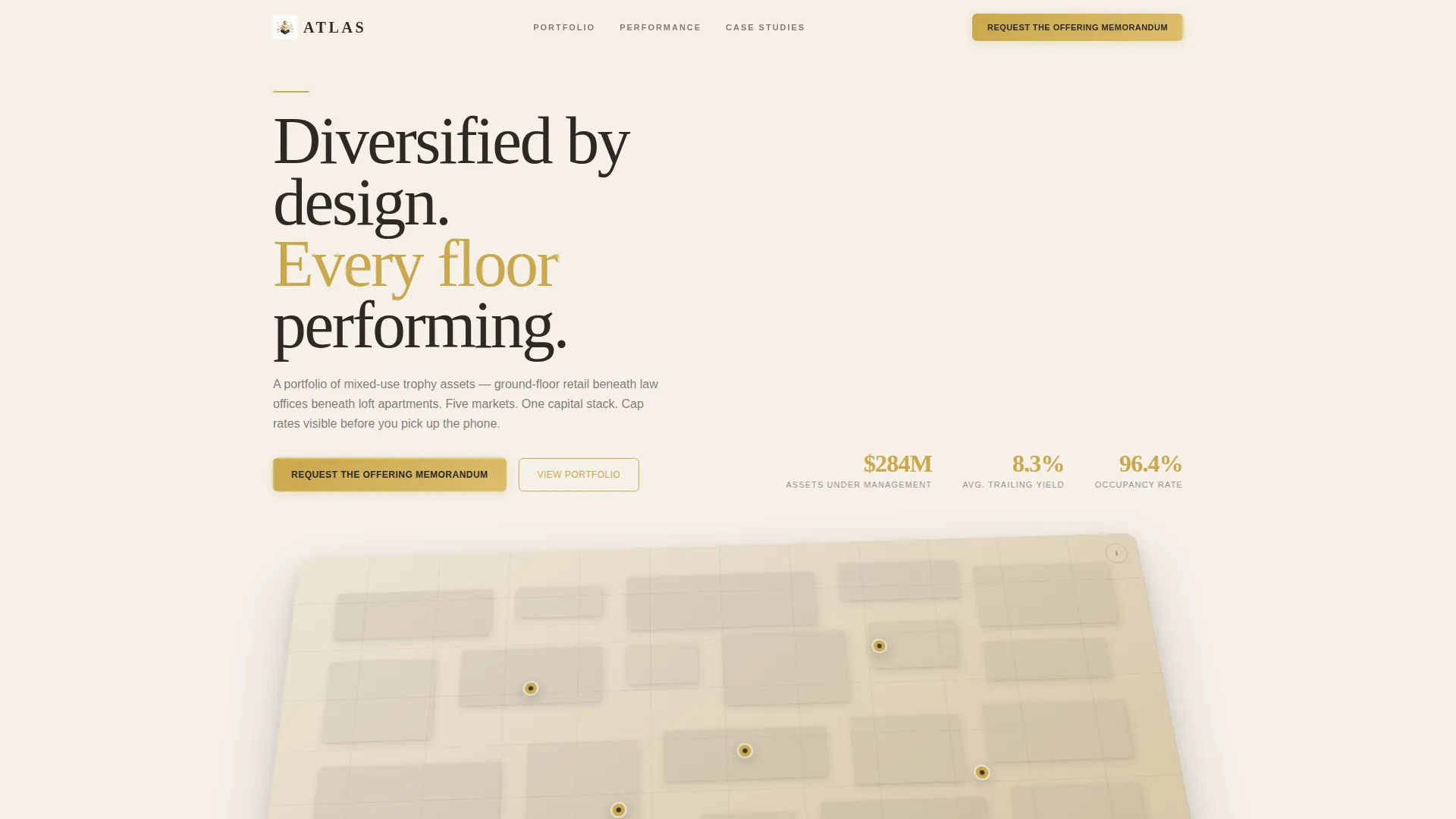
- An interactive map-based hero that plots each asset with a hover card showing asset class mix and trailing-twelve-month yield
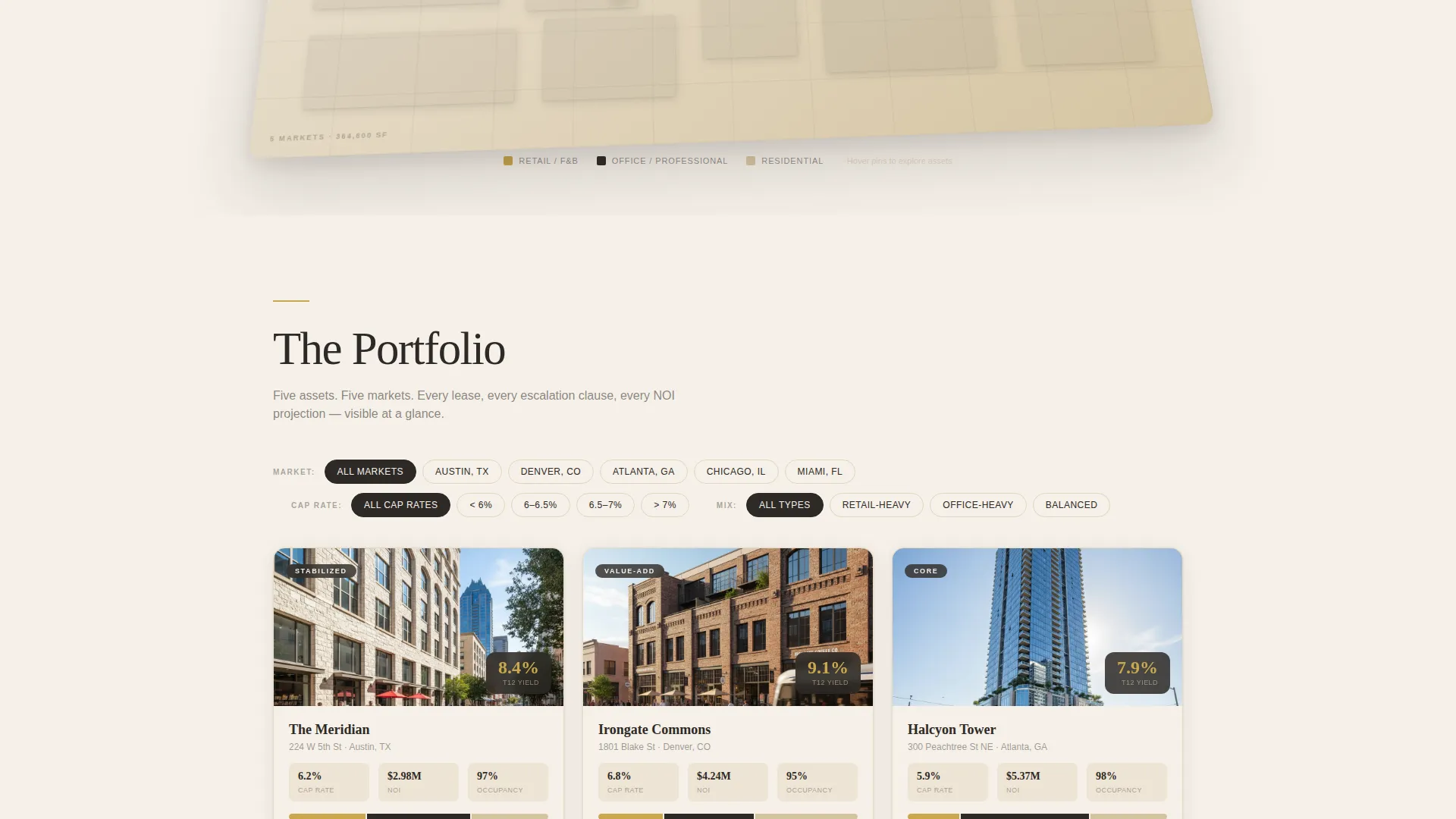
- A modular property card grid with filtering by market, cap rate range, and asset mix, plus cinematic full-bleed photography between card rows
- A three-panel progressive disclosure form that qualifies leads by investor status, investment range, and 1031 exchange timeline before capturing contact details
Feature list
This section covers the core capabilities built into the Atlas template as described in the source brief.
Interactive Map Hero
The header renders a stylized city map in warm stone tones. Brass pins mark each portfolio asset. Hovering a pin raises a card that shows a building thumbnail, the asset class split across retail, office, and residential, and the trailing-twelve-month yield. The map is angled like a developer's site plan, with subtle block shadows that make the geography feel dimensional rather than flat.
Filterable Property Card Grid
Each building gets its own modular card with a hero image, tenant roster, square-footage breakdown, and a single standout metric displayed in brass type. Visitors can filter the grid by market, cap rate range, and asset mix to narrow the portfolio to what is most relevant to their investment thesis.
Progressive Disclosure Lead Form
Clicking the primary call to action opens a three-panel form. The first panel collects full name and accredited investor status. The second asks for investment range and 1031 exchange timeline. The third captures email and an optional phone number. This staged approach lowers friction while qualifying leads before they reach the contact details step.
Lightweight PDF Download Path
A secondary conversion path lets visitors download a one-page portfolio summary by providing only an email address. This lighter commitment serves investors who are not yet ready for the full memorandum and feeds a nurture sequence without requiring full qualification upfront.
Cinematic Full-Bleed Photography Breaks
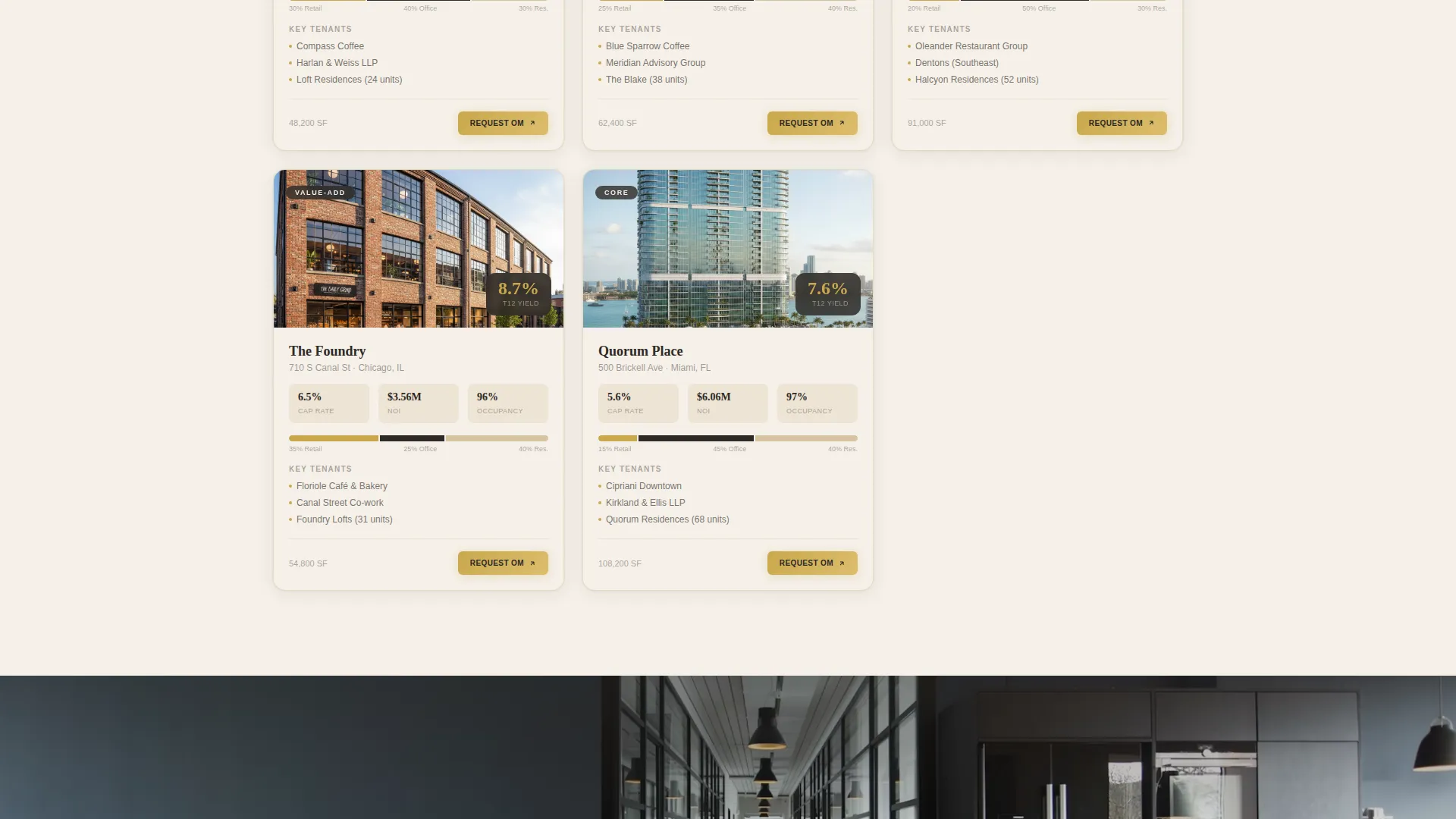
Between card rows, full-bleed photographic panels show the human side of each building: a coffee shop lit at dawn beneath occupied office windows, a residential lobby at dusk. These breaks remind the visitor that the portfolio is made of living, active buildings, not abstract financial instruments.
Portfolio Performance Summary Section
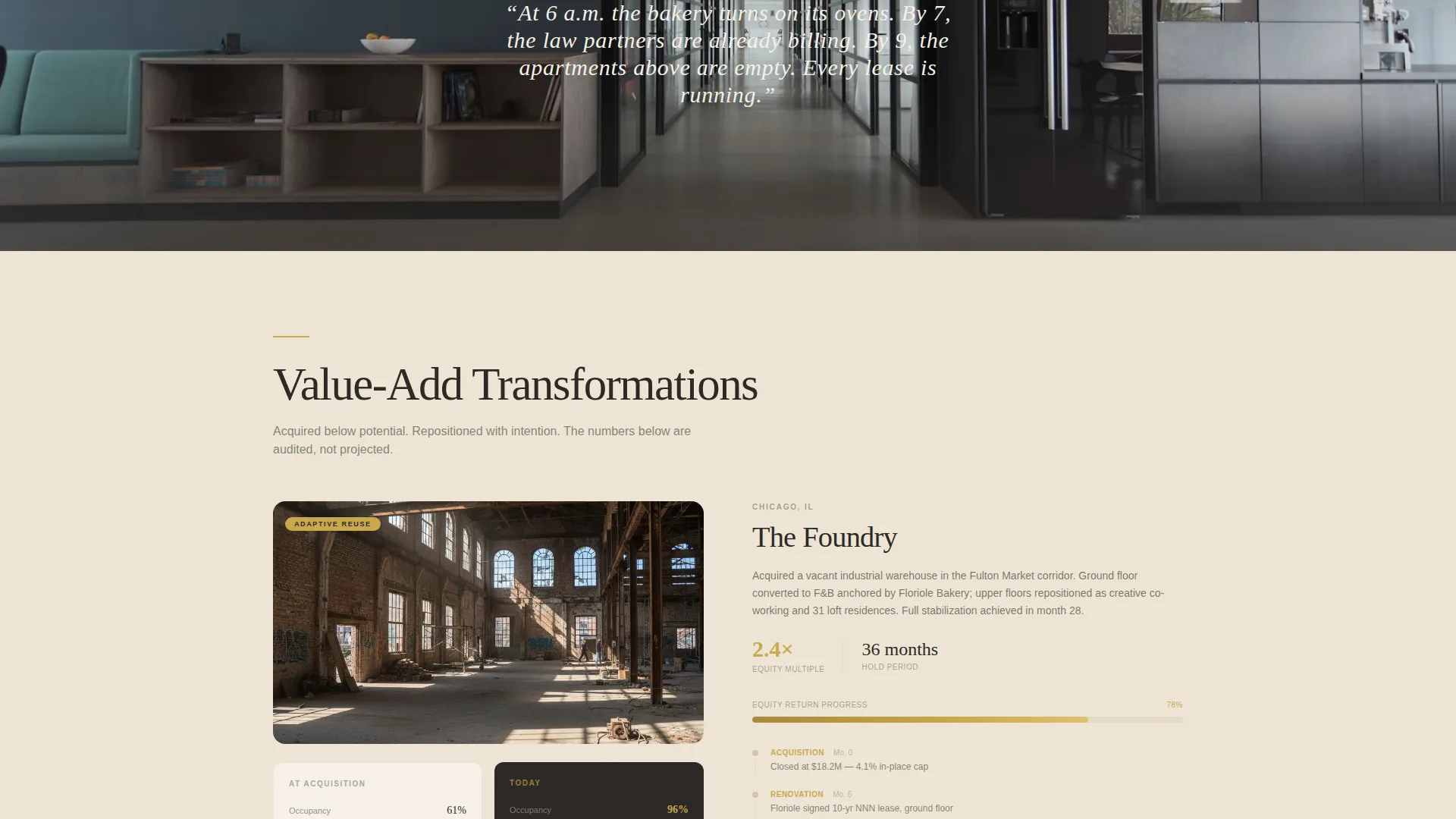
Deeper in the scroll, the page shifts from visual storytelling to financial credibility. Case studies show value-add transformations, equity multiple timelines appear for select assets, and a portfolio performance summary reads like the closing section of a pitch deck, giving investors the data depth needed to justify a follow-up call.
Page sections overview
| Section | Purpose |
|---|---|
| Map-Based Hero | Plot each asset with hover yield cards |
| Hero Text Line | Set the portfolio positioning statement |
| Modular Card Grid | Display individual properties with key metrics |
| Card Filter Bar | Let visitors sort by market, cap rate, asset mix |
| Cinematic Photo Breaks | Reinforce that buildings are active and occupied |
| Value-Add Case Studies | Show before-and-after performance transformations |
| Equity Timeline Section | Illustrate equity multiple progression per asset |
| Portfolio Performance Summary | Deliver pitch-deck-quality financial overview |
| Primary call to action Section | Gate full memorandum behind qualification form |
| PDF Download Path | Capture email with a lighter commitment offer |
Design & branding system
The visual identity follows an Executive Suite theme built on a Warm Stone color system. Every color choice reinforces the feeling of a high-caliber institutional asset, not a consumer real estate listing.
- Core palette: quarried limestone (#D5C4A1), travertine lobby cream (#F5F0E8), penthouse charcoal (#2D2926), and burnished brass (#C9A84C) used for calls to action, hover states, and key financial figures
- Backgrounds alternate between cream and charcoal panels; property cards float on subtle shadow, and all typography runs in a high-contrast serif that reads like a professionally designed offering memorandum
- Brass accents are reserved for the most important elements: call-to-action buttons, hover states on map pins, and standout metrics on property cards, ensuring visual hierarchy is never diluted
Mobile & speed optimization
The template is designed to deliver a focused, high-performance experience across screen sizes. The modular card layout and progressive form panels are structured for clean rendering without heavy dependencies.
- The card grid reflows into single-column stacks on smaller screens, keeping property metrics readable without requiring horizontal scrolling
- The three-panel qualification form breaks into clearly separated steps on mobile, reducing input friction on touch devices
- Full-bleed photography and the map hero are sized and positioned to load efficiently while maintaining visual impact across viewport widths
How this template helps you convert
Atlas is structured to move investors from curiosity to qualified inquiry without friction. Every layer of the page is ordered to earn the next click.
- The map hero creates an immediate portfolio-level impression, letting investors see asset count, geography, and yield data before reading a single sentence of copy, which builds confidence in the operator's credibility from the first second
- The filterable card grid lets investors self-select assets that match their criteria, making the inquiry feel self-directed rather than sales-driven, which increases the quality of leads who reach the form
- The progressive disclosure form stages commitment in three small steps, lowering the barrier to entry while collecting the qualification data needed to prioritize follow-up with the highest-intent prospects
Other information about this template
Atlas is suited to operators who present mixed-use commercial real estate to qualified investors in private placement contexts. The template structure supports the visual and informational needs of that audience.
- The page is a single-page landing format, not a multi-page site, so all content and conversion paths live within one scrollable experience
- The offering memorandum gate and the lightweight PDF download path can serve two distinct audience segments: investors who are ready to qualify and those still in early research
- The persistent brass call-to-action button in the navigation ensures the primary conversion path stays visible throughout the full scroll, regardless of how far down the visitor is
Theme
Pastoral Calm
Creative direction
Before/After Reveal
Color system
Cloud Canvas
Style
Split Screen (50/50)
Direction
Booking/Scheduling
Page Sections
Interactive Map-based Hero
Filterable Modular Card Grid
Progressive Disclosure Lead Form
Lightweight PDF Download Path
Cinematic Photography Breaks
Portfolio Performance Summary
Related questions
Who is the Atlas template designed for?
What is the primary call to action on this landing page?
Can visitors access information without completing the full qualification form?
How does the property card grid work?
What sections does the page include beyond the hero and card grid?



