Actuary Reviews & Testimonials Landing Page Template
Attest is a single-page actuary reviews and testimonials landing page built on an Executive Suite theme. It pairs client verdicts with engagement breakdowns in a zigzag alternating layout, using a Slate and Sky color system to project boardroom-level authority. A gated case library and specialty filter tabs guide visitors toward a low-friction download conversion.
by Rocket studio
Quick summary
Attest is a precision-built actuary testimonials landing page. It presents named client verdicts alongside documented engagement details in a structured zigzag layout. Visitors filter by specialty, read verified proof panels, and convert through a lightweight two-field download prompt. The Executive Suite visual theme communicates credibility before a single word is read.
Who this template is for
This template is built for actuarial professionals who need to demonstrate their track record to sophisticated buyers. It speaks directly to practices where vague praise is not enough and every claim must be traceable.
- Independent actuaries and consultancy principals seeking to attract chief risk officers and pension fund trustees
- Reinsurance and reserve opinion specialists who need their credentials to hold up under audit-level scrutiny
- Actuarial firms building a content destination that converts high-intent visitors into qualified leads
What problem this template solves
Most professional services pages bury credibility in generic quote carousels. For actuaries, that approach fails because their buyers are trained to identify unsupported claims. This template solves the trust deficit directly.
- Anonymous or vague testimonials fail to persuade risk-focused decision-makers who demand traceable evidence
- A single quote block cannot convey methodology, deliverable scope, or measurable outcome in one glance
- Without a structured conversion path, even strong social proof loses visitors before they take action
What you get with this template
You get a fully structured, single-page testimonials landing page ready to populate with your own client engagements and peer endorsements. Every section is purposefully sequenced to build credibility panel by panel.
- A Press Mentions header bar, featured pull-quote hero, and zigzag testimonial-plus-engagement-breakdown pairs
- Specialty filter tabs for life, general, pensions, and reinsurance to let visitors self-select into relevance
- A gated download prompt with a two-field lightbox and a floating call-to-action button pinned after the third testimonial pair
Feature list
This template delivers a focused set of purpose-built components that work together as a coherent proof system.
Press Mentions Header Bar
A horizontal ribbon of industry journal, regulatory body, and actuarial society logo marks opens the page in muted monochrome. It anchors authority before the visitor reads a single testimonial, communicating that this practice is recognized at a professional level.
Oversized Pull-Quote Hero
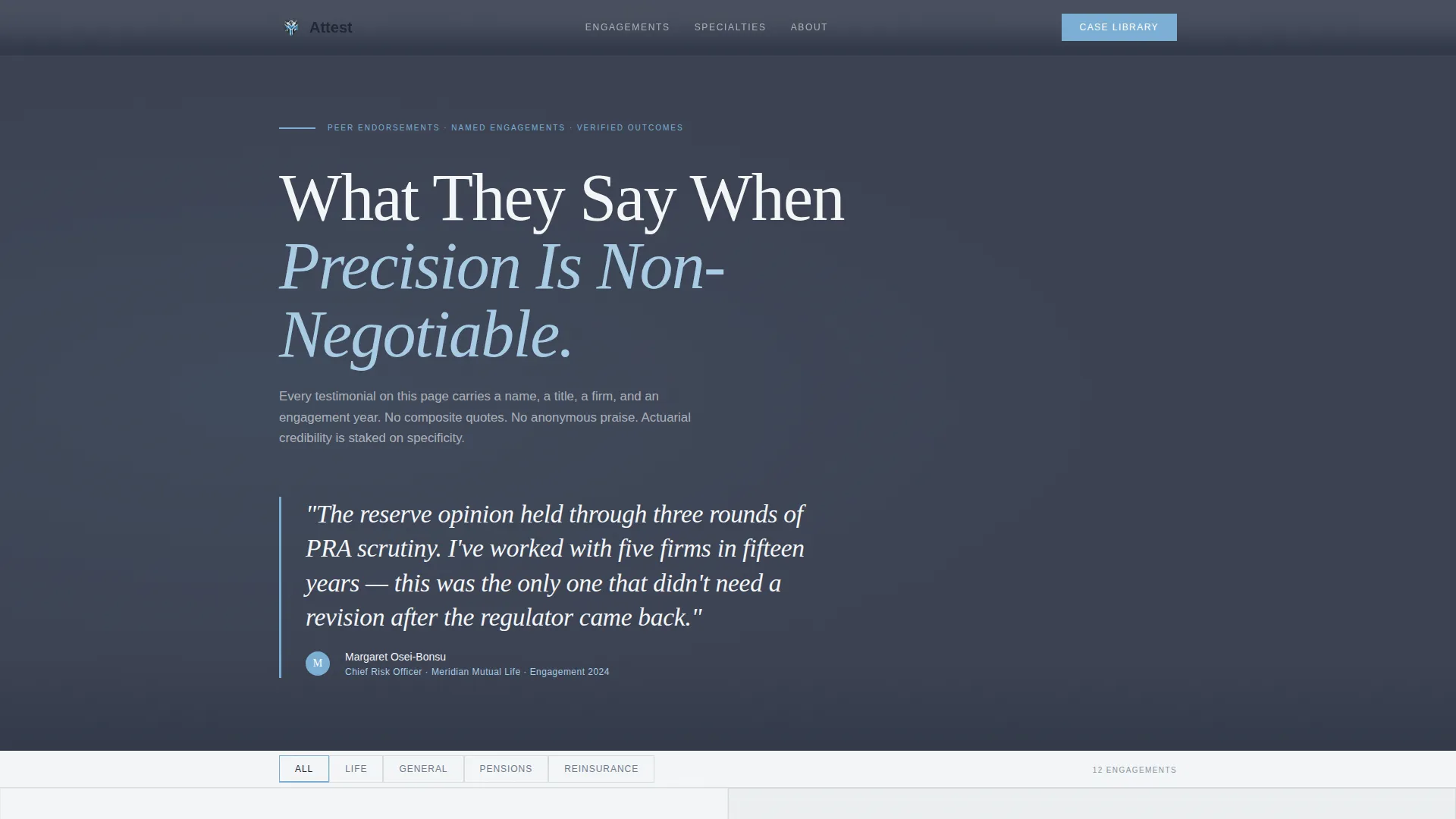
A featured client quote sits in large serif typography on a charcoal slate background. It is attributed with the reviewer's full name, title, firm, and engagement year, so the credibility signal is immediate and unambiguous.
Zigzag Testimonial and Engagement Panels
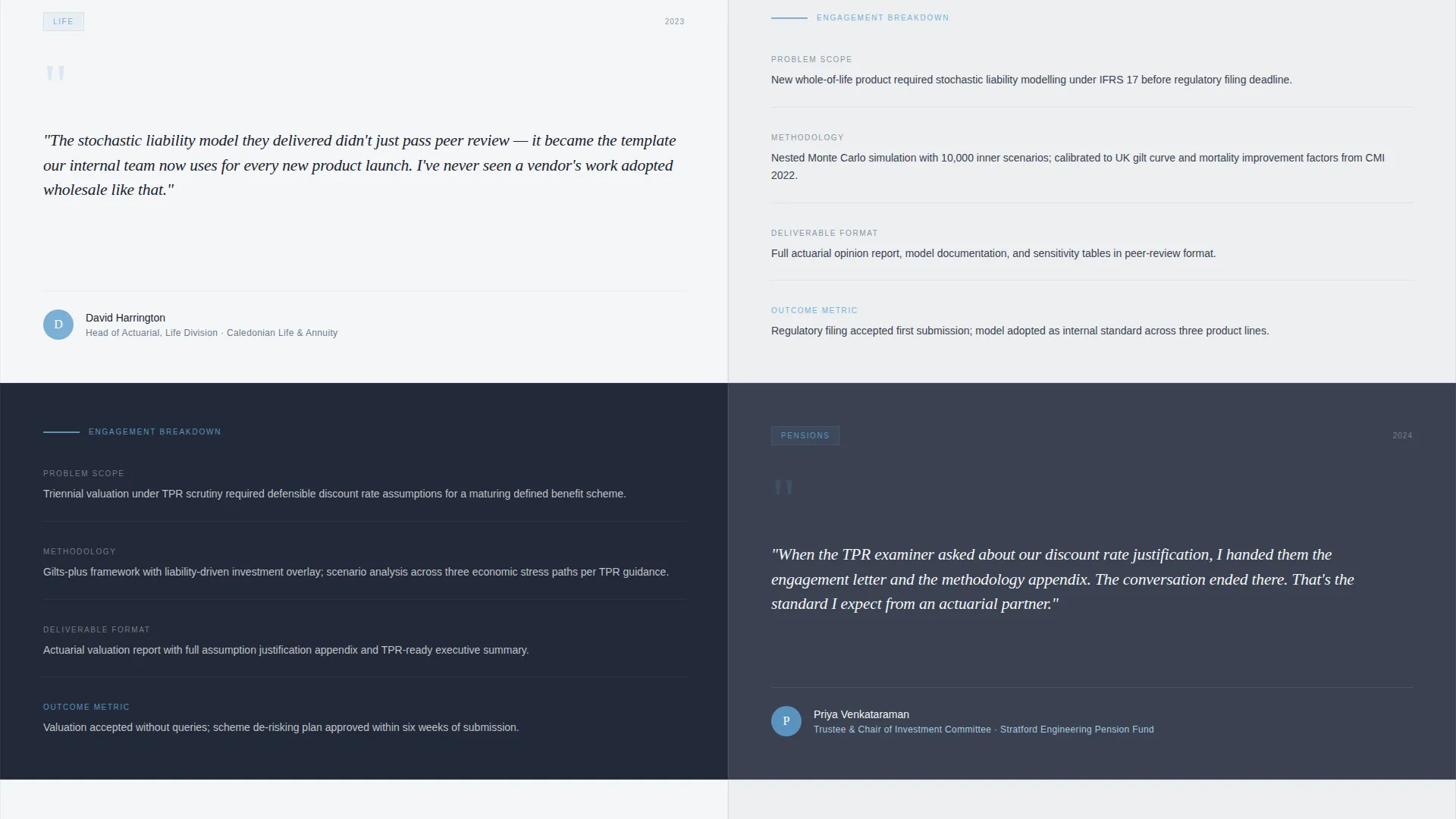
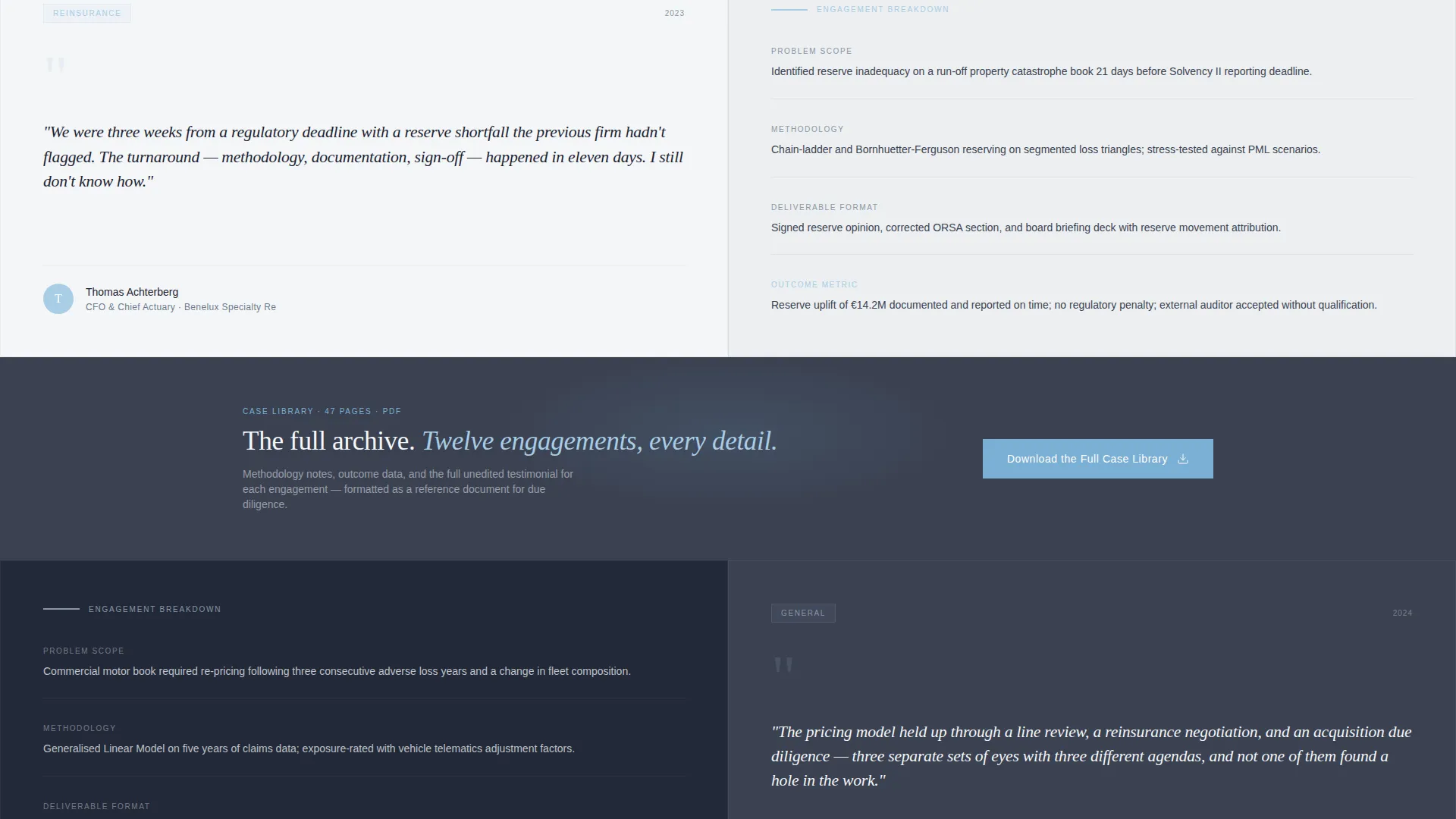
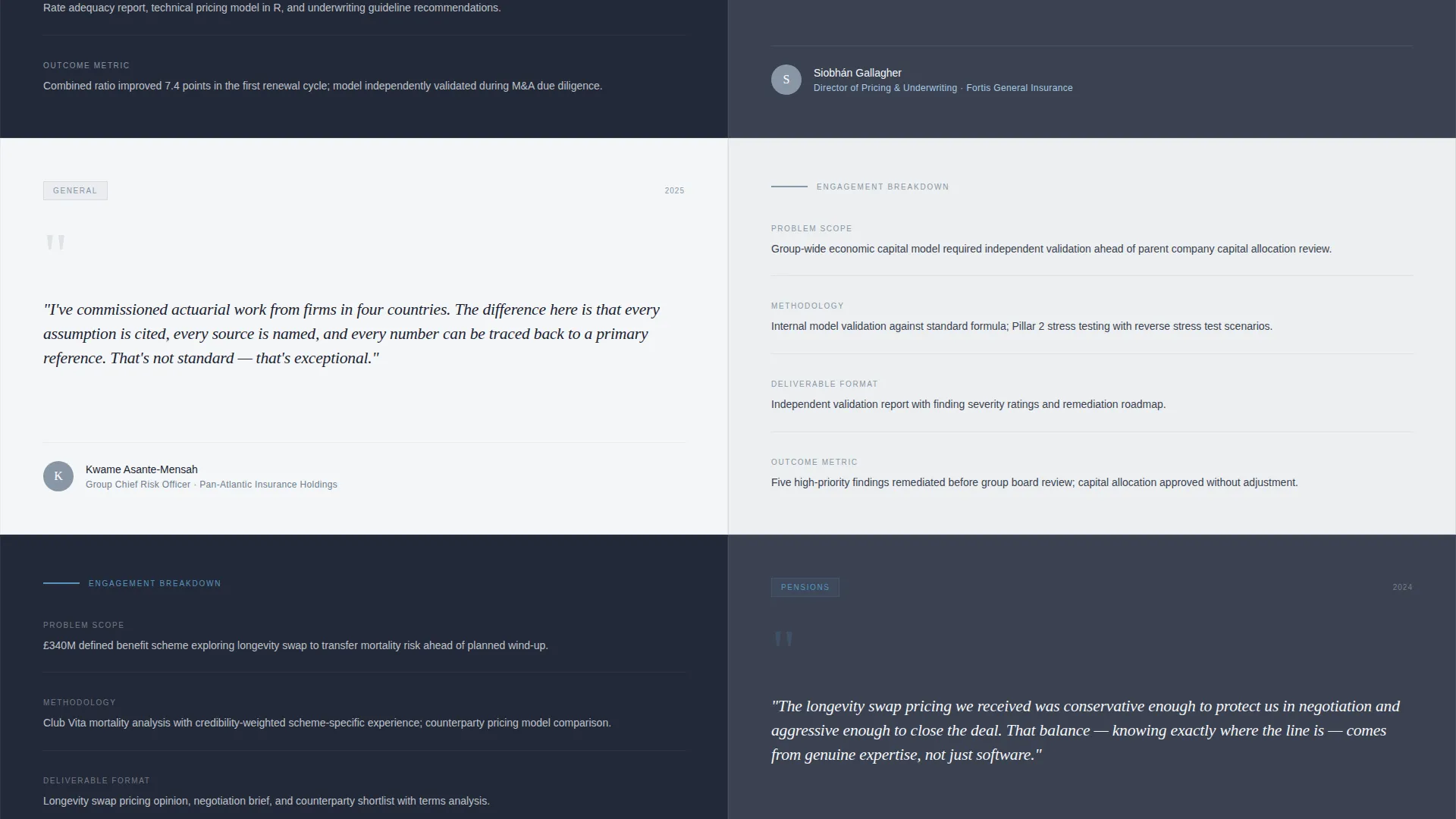
Each alternating section pairs a client quote on one side with a structured breakdown on the other. The breakdown covers problem scope, methodology applied, deliverable format, and outcome metric. Scroll-triggered animations slide each panel in from its respective side.
Specialty Filter Tabs
Four tabs at the top of the testimonial stream let visitors filter by practice area: life, general, pensions, and reinsurance. Visitors self-select into relevant proof before they ever encounter the download prompt, increasing the quality of engagement.
Two-Field Gated Download Lightbox
Clicking the primary call-to-action opens a lightbox asking only for a work email address and company name. The minimal form reduces friction while ensuring the download reaches a qualified, identifiable audience.
Floating Download Call-to-Action
After the third testimonial pair, a persistent floating button labeled "Download the Full Case Library" stays visible as visitors scroll. It appears in open-sky blue to stand out against both the linen-white and charcoal slate sections without interrupting the reading flow.
Page sections overview
| Section | Purpose |
|---|---|
| Press Mentions Bar | Opens with recognized masthead logos to establish professional authority |
| Pull-Quote Hero | Showcases a featured client verdict with full attribution on charcoal slate |
| Specialty Filter Tabs | Lets visitors pre-filter testimonials by practice area before scrolling |
| Zigzag Testimonial Pairs | Alternates client quote panels with structured engagement breakdowns |
| Floating Download Button | Keeps the primary call-to-action persistently visible after the third pair |
| Download Lightbox Form | Captures work email and company name with minimal friction |
Design & branding system
The Slate and Sky color system is applied with the discipline of a corner-office aesthetic. Every color decision reinforces seriousness and trust rather than decoration.
- Charcoal slate (#3B4252) serves as the primary background for hero and dark alternating sections; polished gunmetal (#6B7B8D) handles secondary surface areas
- Open-sky blue (#7BAFD4) marks pull-quote highlights, interactive elements, and the floating call-to-action button
- Pressed-linen white (#F4F6F8) frames testimonial cards and content panels, creating the visual rhythm of alternating dark and light sections
Mobile & speed optimization
The zigzag layout is structured to reflow cleanly on smaller screens. Alternating left-right panels stack vertically on mobile so the evidence sequence reads in the intended order without layout breaks.
- Scroll-triggered panel animations are tied to viewport entry, keeping them smooth across device sizes
- The floating call-to-action button and lightbox form are sized and positioned to remain usable on touch screens
- Linen-white content panels and constrained typography scales keep the reading experience consistent across breakpoints
How this template helps you convert
The conversion architecture is built around earning trust before asking for anything. Visitors move through a deliberate sequence that makes the download feel like a natural conclusion rather than an interruption.
- The Press Mentions bar and pull-quote hero establish authority in the first viewport, so high-intent visitors immediately recognize the professional weight of the page.
- Specialty filter tabs let visitors curate their own experience, increasing relevance and time on page before they encounter the gated prompt.
- The floating "Download the Full Case Library" button appears after three credibility-building testimonial pairs, catching visitors at the moment their trust is highest and capturing qualified leads with just two form fields.
Other information about this template
This template is designed specifically for the actuary online presence niche, where standard portfolio pages fall short. A few additional points help round out the picture.
- The template style is classified as Zigzag/Alternating, making it well-suited to any professional services practice that needs to present paired evidence rather than isolated quotes
- The landing page direction is Content/Resource, meaning the primary value exchange is a downloadable case library rather than a direct service inquiry
- The Executive Suite theme and Transparent Process creative direction make this template adaptable for other credentialed professional services contexts such as forensic accounting or expert witness practices
Theme
Executive Suite
Creative direction
Transparent Process
Color system
Slate & Sky
Style
Zigzag/Alternating
Direction
Content/Resource
Page Sections
Press Mentions Header Bar
Oversized Serif Pull-quote Hero
Zigzag Testimonial and Engagement Panels
Specialty Filter Tabs
Floating Download Call-to-action
Two-field Gated Download Lightbox
Related questions
Can I customize the specialty filter tabs for a different practice area?
How many testimonial pairs does the template support?
What does the lightbox form collect from visitors?
Is this template suitable for a solo actuary or only for larger firms?
What makes this different from a standard testimonials page?



