Child Psychologist Referral Partnership Landing Page
Attune is a single-page landing page template built for child psychology practices that serve institutional referral partners. It pairs a split-header layout with structured comparison tables, a partner logo band, and a Partnership/B2B conversion flow. The Corporate Precision design and Cloud Canvas color system give every section the visual authority of a clinical report.
by Rocket studio
Quick summary
Attune is a comparison table landing page designed for child psychologist practices that work with schools, pediatric groups, and family law attorneys. It presents three service tiers clearly, uses a logo wall to establish institutional trust, and drives referral partnerships through precise, scannable tables and a focused contact form.
Who this template is for
This template is built for child psychology practices that rely on institutional referrals rather than individual client searches. It speaks directly to professionals evaluating a practice as a reliable partner, not as a personal therapist.
- School district special education coordinators managing individualized education program caseloads
- Pediatric group practices seeking a consistent referral partner for behavioral assessments
- Family law attorneys requesting custody-related psychological evaluations on court deadlines
What problem this template solves
Referral-driven psychology practices often struggle to communicate clinical depth and operational specifics to institutional decision-makers. A general bio page does not answer the questions a special education coordinator or pediatrician actually asks before making a referral.
- No clear comparison of turnaround times, report formats, and assessment instruments across service types
- No structured path for organizations to establish a formal referral relationship
- No visible proof of existing institutional partnerships to reduce vetting friction
What you get with this template
You get a fully structured single-page layout that positions your practice as an organized, credible referral partner. Every section is pre-built to answer the specific questions your referral sources will bring.
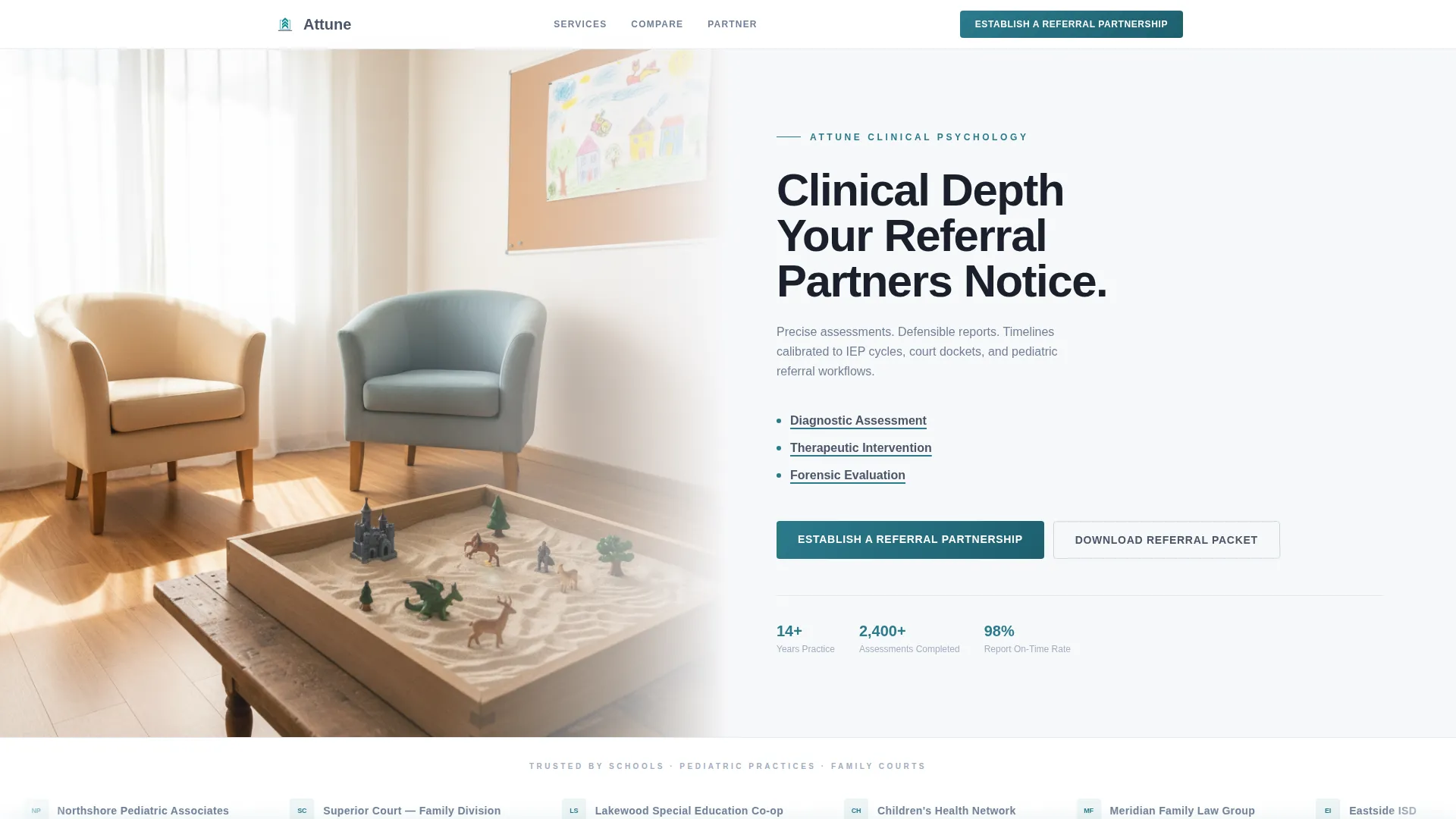
- A split-header section with a clinician's office photograph and three named service tiers
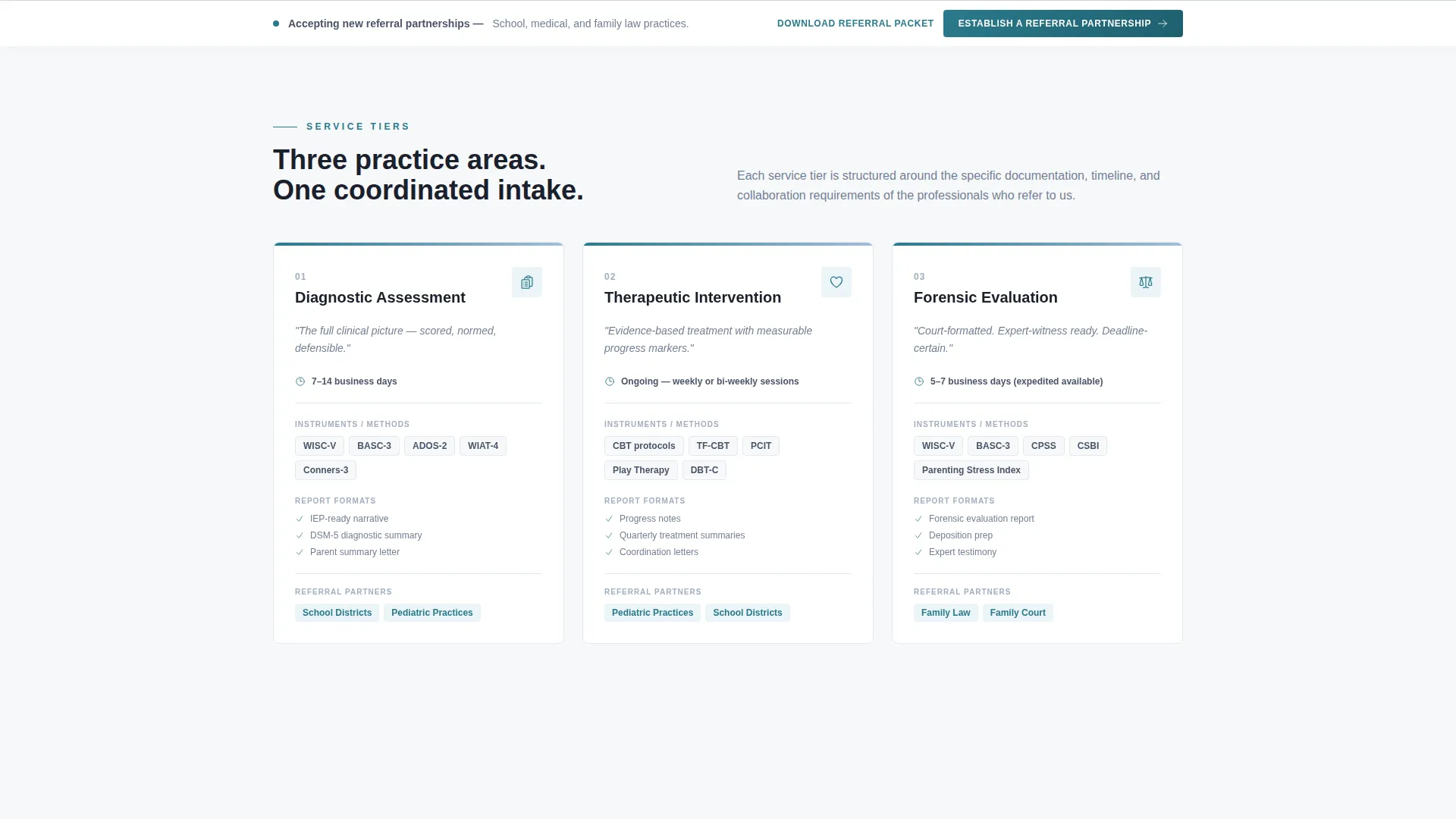
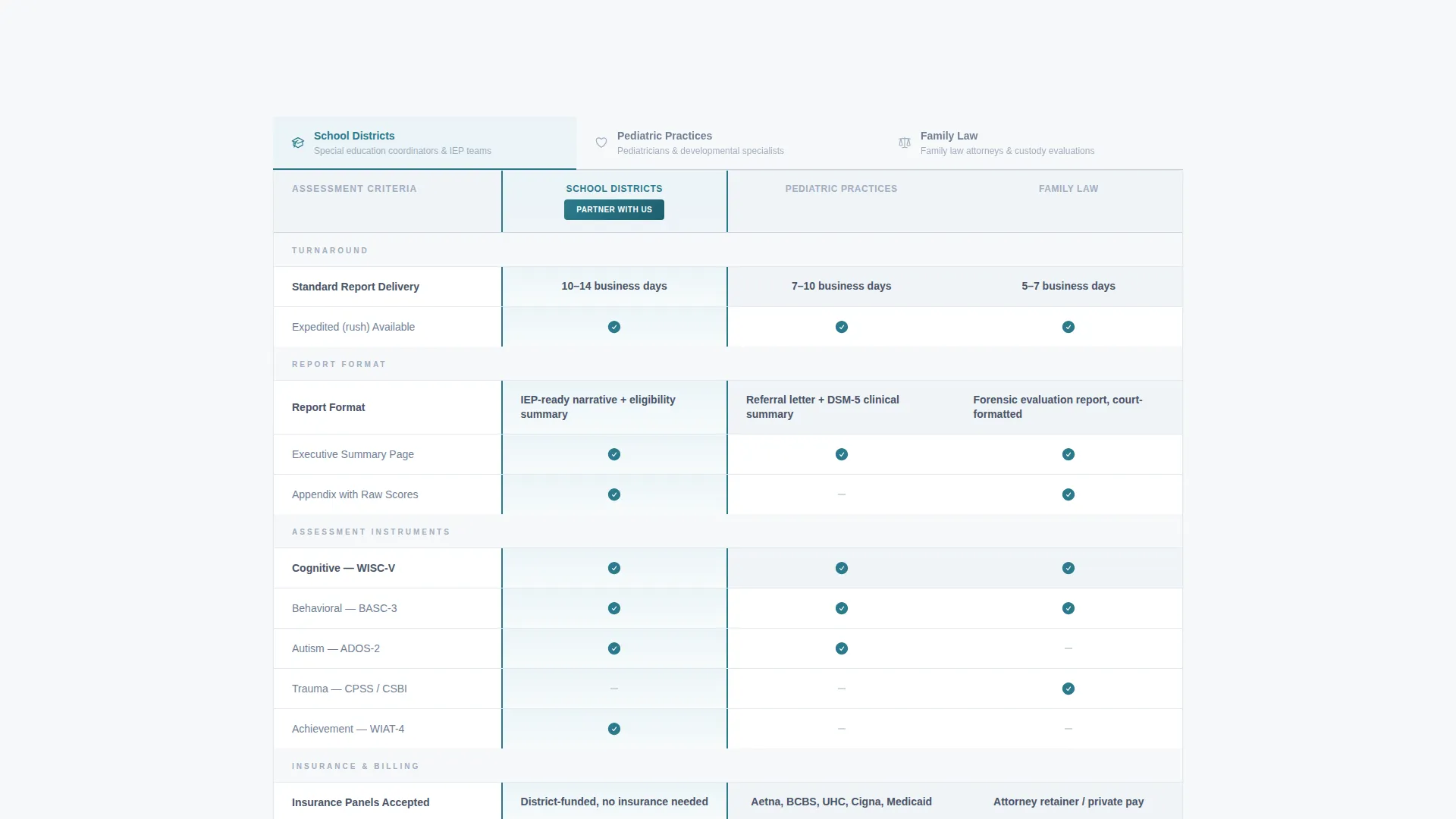
- Side-by-side comparison tables for school, medical, and legal referral types
- A primary referral partnership form and a secondary gated download path for professionals not ready to commit
Feature list
This template includes purpose-built layout components designed for the institutional referral audience. Each piece works together to move a decision-maker from evaluation to action.
Split-Header With Service Tier Labels
The header divides the viewport into a composed office photograph on the left and a headline with three underlined service tier labels on the right. The labels, Diagnostic Assessment, Therapeutic Intervention, and Forensic Evaluation, are each underlined in teal so referral partners can identify their relevant track at a glance.
Partner Logo Wall Band
Immediately below the header, a horizontal scrolling band displays logos from school districts, pediatric networks, and family court systems. This section answers the unspoken institutional question of existing trust without requiring a single word of explanation.
Referral-Type Comparison Tables
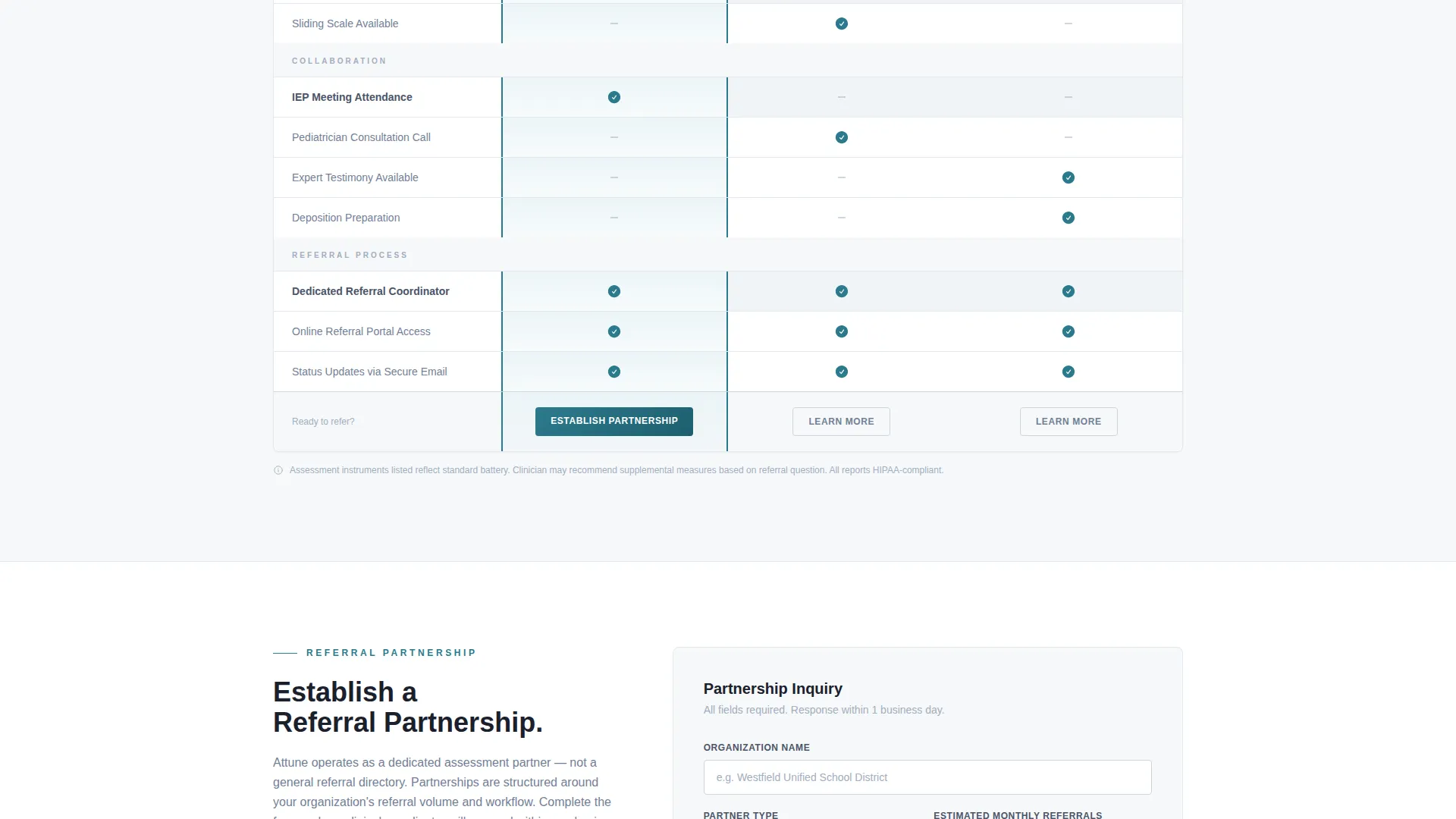
Three structured comparison columns are organized by referral source: school, medical, and legal. Each column covers turnaround times, report formats, insurance panels accepted, assessment instruments such as the Wechsler Intelligence Scale for Children (WISC-V), Behavior Assessment System for Children (BASC-3), and Autism Diagnostic Observation Schedule (ADOS-2), plus whether testimony or individualized education program meeting attendance is included.
Partnership Referral Form
The primary conversion form collects organization name, estimated monthly referral volume via a dropdown (1 to 5, 6 to 15, or 16 or more), partner type selection, and a direct contact email. The form is placed at the top of each comparison column and anchored in a sticky footer bar for persistent visibility.
Gated Referral Packet Download
A secondary conversion path offers a downloadable referral packet as a portable document format (PDF) file. It is gated behind a business email field, capturing contacts from professionals who are evaluating options before committing to a full partnership inquiry.
Sticky Footer Call-to-Action Bar
A persistent footer bar keeps the primary call to action, "Establish a Referral Partnership," visible throughout the entire scroll. This ensures the conversion entry point is never more than one click away regardless of where a visitor is reading.
Page sections overview
| Section | Purpose |
|---|---|
| Split Header | Introduces practice and service tiers |
| Logo Wall Band | Establishes institutional partner credibility |
| School Comparison Table | Serves special education referral partners |
| Medical Comparison Table | Serves pediatric group referral partners |
| Legal Comparison Table | Serves family law referral partners |
| Partnership Form | Captures organizational referral inquiries |
| Referral Packet Download | Converts early-stage evaluators via gated PDF |
| Sticky Footer Bar | Anchors primary call to action throughout scroll |
Design & branding system
The Cloud Canvas color system gives this template the feel of a well-prepared clinical document. Every visual choice reinforces precision and institutional confidence rather than warmth or decoration.
- Color palette: soft cumulus white (#F7F8FA) for backgrounds, clinical slate (#4A5568) for body text, calm sky blue (#A3BFDB) for supporting accents, and decisive teal (#2B7A8C) for buttons and table highlights
- Typography: medium-weight sans-serif headings set against cloud white, with slate-toned supporting text that reads like a printed report
- Overall visual tone follows the Corporate Precision theme, clean margins, high contrast between text and background, and no decorative clutter that would undermine the clinical authority of the content
Mobile & speed optimization
The layout is structured to remain readable and functional across screen sizes. Comparison tables and the sticky footer bar are the two elements that require the most attention on smaller viewports.
- Comparison tables are designed to scroll horizontally on narrow screens so column structure stays intact
- The sticky footer call-to-action bar remains anchored at the bottom of the viewport on mobile, keeping the primary conversion path accessible
- The split-header layout adapts to a stacked presentation on smaller screens, photograph above and text below
How this template helps you convert
This template treats every scroll event as a step in an evidence-building sequence. By the time a referral partner reaches the form, the decision feels administrative rather than uncertain.
- The comparison tables answer the exact operational questions (turnaround times, assessment tools, report formats) that institutional referral partners compare before choosing a practice, removing evaluation friction before the form appears.
- The dual conversion paths, the direct partnership form and the gated referral packet download, capture both ready-to-commit organizations and professionals still in the evaluation phase, so no qualified contact leaves the page empty-handed.
Other information about this template
This template is built specifically for the child psychologist online presence niche within professional services. It is designed to serve practices that need a credible, organized digital front for institutional outreach rather than a general consumer-facing website.
- The template style is Comparison Table, making it suited for any practice that needs referral partners to evaluate service tiers side by side
- The header concept follows a Half-Page Photo and Text layout, a proven structure for combining visual credibility with clear messaging in a single viewport
- The landing page direction is Partnership and Business-to-Business conversion, meaning every structural choice prioritizes organizational contact over individual appointment booking
- The creative direction is Logo Wall Authority, which means social proof is front-loaded immediately after the header to reduce institutional vetting time
Theme
Corporate Precision
Creative direction
Logo Wall Authority
Color system
Cloud Canvas
Style
Comparison Table
Direction
Partnership/B2B
Page Sections
Split-header with Service Tier Labels
Partner Logo Wall Band
Referral-type Comparison Tables
Dual-path Conversion Design
Sticky Footer Call-to-action Bar
Related questions
Can I customize the comparison table columns for my specific services?
Is this template suitable for a solo practitioner or only for larger group practices?
How does the gated referral packet download work?
Can I edit or remove the three service tier labels in the header?
Does the template include partner logo images for the logo wall?



